You are viewing a plain text version of this content. The canonical link for it is here.
Posted to commits@weex.apache.org by mo...@apache.org on 2019/02/19 08:28:31 UTC
[incubator-weex-site] branch draft updated: Reformat all module
documents.
This is an automated email from the ASF dual-hosted git repository.
moshen pushed a commit to branch draft
in repository https://gitbox.apache.org/repos/asf/incubator-weex-site.git
The following commit(s) were added to refs/heads/draft by this push:
new dde4d3c Reformat all module documents.
dde4d3c is described below
commit dde4d3cf2fe5463b6bd819f1e2db73c51d7dda1a
Author: wqyfavor <qi...@taobao.com>
AuthorDate: Tue Feb 19 16:28:22 2019 +0800
Reformat all module documents.
---
docs/docs/modules/animation.md | 97 ++++++------
docs/docs/modules/clipboard.md | 97 ++----------
docs/docs/modules/dom.md | 214 ++++++---------------------
docs/docs/modules/globalEvent.md | 89 ++++-------
docs/docs/modules/meta.md | 39 ++---
docs/docs/modules/modal.md | 116 +++++++--------
docs/docs/modules/navigator.md | 77 ++++------
docs/docs/modules/picker.md | 95 +++++-------
docs/docs/modules/storage.md | 160 ++++----------------
docs/docs/modules/stream.md | 85 ++++-------
docs/docs/modules/websockets.md | 141 ++++++++----------
docs/docs/modules/webview.md | 55 +++----
docs/zh/docs/modules/animation.md | 108 ++++++--------
docs/zh/docs/modules/clipboard.md | 147 ++----------------
docs/zh/docs/modules/dom.md | 287 +++++++++---------------------------
docs/zh/docs/modules/globalEvent.md | 111 +++++---------
docs/zh/docs/modules/meta.md | 30 ++--
docs/zh/docs/modules/modal.md | 110 +++++++-------
docs/zh/docs/modules/navigator.md | 41 +++---
docs/zh/docs/modules/picker.md | 40 ++---
docs/zh/docs/modules/storage.md | 32 +++-
docs/zh/docs/modules/stream.md | 75 ++++------
docs/zh/docs/modules/websockets.md | 82 +++++------
docs/zh/docs/modules/webview.md | 62 +++-----
24 files changed, 777 insertions(+), 1613 deletions(-)
diff --git a/docs/docs/modules/animation.md b/docs/docs/modules/animation.md
index 727bf65..902766a 100644
--- a/docs/docs/modules/animation.md
+++ b/docs/docs/modules/animation.md
@@ -1,4 +1,5 @@
-# Animation
+# animation
+
The `animation` module is used to perform animation on components.
JS-Animation can perform a series of simple transformations (position, size, rotation, background color, and opacity) on the component with Javascript.
@@ -9,12 +10,7 @@ For example, if you have a `image` component, you can move, rotate, grow, or shr
Ref [transition](../styles/common-styles.html#property) or [transform](../styles/common-styles.html#transform) if you prefer CSS animation.
:::
-## Basic Usage
One can invoke `animation.transition(ref, options, callback)` to start animation. Ref the following code snippets.
-
-## Example
-* [animation demo](http://dotwe.org/vue/2d1b61bef061448c1a5a13eac9624410)
-
```javascript
animation.transition(test, {
styles: {
@@ -29,64 +25,53 @@ animation.transition(test, {
modal.toast({ message: 'animation finished.' })
})
```
+* [Demo](http://dotwe.org/vue/2d1b61bef061448c1a5a13eac9624410)
+
+# API
+
+## transition
-# Reference
-## ``ref``
-The element that will be animated.
+#### transition(ref, options, callback)
-For example, if the value of `ref` for an element is `test`, you can start an animation with `this.$refs.test`.
+* **@ref**, the element that will be animated. For example, if the value of `ref` for an element is `test`, you can start an animation with `this.$refs.test`.
+* **@options**, animation properties such as keys, duration.
+ * **`styles`**, `styles` specifies the names and values of styles to which a transition effect should be applied. The supported styles are listed below:
+ * width
+ * height
+ * backgroundColor
+ * opacity
+ * transformOrigin
+ * transform
+ * translate/translateX/translateY
+ * rotate/rotateX/rotateY
+ * perspective
+ * scale/scaleX/scaleY
+ * **`duration`**, `duration` *number* specifies the duration of animation execution, the default value is `0`, meaning that the component get the desired property immediately.
+ * **`delay`**, `delay` *number* specifies the waiting time before the animation starts. The default value is `0`.
+ * **`needLayout`**, `needLayout` *boolean* Specifies whether the change to layout(width/height/etc..) is persistence and takes affect after the animation. Default value is `false`
+ * **`timingFunction`**, `timingFunction` *string* describes how the intermediate values are calculated for the CSS properties being affected by the animation effect. default value is `linear`, the supported values are listed in the following:
+ * `linear`: Specify a transition effect with the same speed from start to end.
+ * `ease-in`: Specify a transition effect with a slow start and fast end.
+ * `ease-out`: Specify a transition effect with a fast start and slow end.
+ * `ease-in-out`: Specify a transition effect with a slow start, fast intermediate and slow end.
+ * `cubic-bezier(x1, y1, x2, y2)`: Define your own values in the cubic-bezier function. Possible values are parameter values from 0 to 1. More information about cubic-bezier please visit [cubic-bezier](http://cubic-bezier.com/) and [Bézier curve](https://en.wikipedia.org/wiki/B%C3%A9zier_curve)
-## ``options``
-### styles
-`styles` specifies the names and values of styles to which a transition effect should be applied. The supported styles are listed below:
- * width
- * height
- * backgroundColor
- * opacity
- * transformOrigin
- * transform
- * translate/translateX/translateY
- * rotate/rotateX/rotateY
- * perspective
- * scale/scaleX/scaleY
-#### width
-The `width` applied to the component after the animation finished. Set `needLayout` to true if you want the change to be persistence. The default value is `computed width`.
-#### height
-The `height` applied to the component after the animation finished. Set `needLayout` to true if you want the change to be persistence. The default value is `computed height`.
-#### backgroundColor
-The `backgroundColor` applied to the component after the animation finished. The default value is `computed backgroundColor`.
-#### opacity
-The `opacity` applied to the component after the animation finished. The default value is `computed opacity`.
-#### transformOrigin
-The `transformOrigin` indicate the pivot of the element being animated. The possible values for `x-axis` are `left`/`center`/`right`/length or percent, and possible values of `y-axis` are `top`/`center`/`bottom`/ length or percent. The default value is `center center`.
-#### transform
-Transform object, which may include `rotate`, `translate`, `scale` and etc. The detail of transform is illustrated below.
+* **@callback**, callback is a function called after the completion of animation. In iOS platform, you can use function to get information of animation execution.
+
+::: tip Animatable properties of @style
+* **`width`**, the `width` applied to the component after the animation finished. Set `needLayout` to true if you want the change to be persistence. The default value is `computed width`.
+* **`height`**, the `height` applied to the component after the animation finished. Set `needLayout` to true if you want the change to be persistence. The default value is `computed height`.
+* **`backgroundColor`**, the `backgroundColor` applied to the component after the animation finished. The default value is `computed backgroundColor`.
+* **`opacity`**, the `opacity` applied to the component after the animation finished. The default value is `computed opacity`.
+* **`transformOrigin`**, the `transformOrigin` indicate the pivot of the element being animated. The possible values for `x-axis` are `left`/`center`/`right`/length or percent, and possible values of `y-axis` are `top`/`center`/`bottom`/ length or percent. The default value is `center center`.
+* **`transform`**, transform object, which may include `rotate`, `translate`, `scale` and etc. The detail of transform is illustrated below.
* `translate/translateX/translateY`: Specify the location which the element will be translated to.The unit is number or percent and the default value is 0.
* `rotate/rotateX/rotateY`**v0.14+**: Specify the angle of which the element will be rotated. The unit is **degree** and the default value is 0.
* `perspective`**v0.16+**: The distance between the z=0 plane and the user. Supported for **Android 4.1** and above. The unit is number and the default value is positive infinity.
* `scale/scaleX/scaleY`: Stretch or shrink the element. The unit is number and the default value is 1.
-### duration
-`duration` *number* specifies the duration of animation execution, the default value is `0`, meaning that the component get the desired property immediately.
-### delay
-`delay` *number* specifies the waiting time before the animation starts. The default value is `0`.
-### needLayout
-`needLayout` *boolean* Specifies whether the change to layout(width/height/etc..) is persistence and takes affect after the animation. Default value is `false`
-### timingFunction
-`timingFunction` *string* describes how the intermediate values are calculated for the CSS properties being affected by the animation effect. default value is `linear`, the supported values are listed in the following:
- * `linear`: Specify a transition effect with the same speed from start to end.
- * `ease-in`: Specify a transition effect with a slow start and fast end.
- * `ease-out`: Specify a transition effect with a fast start and slow end.
- * `ease-in-out`: Specify a transition effect with a slow start, fast intermediate and slow end.
- * `cubic-bezier(x1, y1, x2, y2)`: Define your own values in the cubic-bezier function. Possible values are parameter values from 0 to 1. More information about cubic-bezier please visit [cubic-bezier](http://cubic-bezier.com/) and [Bézier curve](https://en.wikipedia.org/wiki/B%C3%A9zier_curve)
-
-## ``callback``
-
-Callback is a function called after the completion of animation. In iOS platform, you can use function to get information of animation execution.
-
-::: tip
-after WeexSDK0.16.0, in iOS platform can get animation's message about completion, there are two types of parameters with `result`, is `Success`and `Fail`, Android can not support until now.
:::
::: tip
-Android doesn't support the result parameter.
+* On iOS platform you can get animation's message about completion, there are two types of parameters with `result`, is `Success`and `Fail`, Android can not support until now.
+* Android doesn't support the result parameter.
:::
diff --git a/docs/docs/modules/clipboard.md b/docs/docs/modules/clipboard.md
index 33369e9..d731740 100644
--- a/docs/docs/modules/clipboard.md
+++ b/docs/docs/modules/clipboard.md
@@ -1,99 +1,30 @@
----
-title: clipboard
-type: references
-group: Build-in Modules
-order: 9.02
-version: 2.1
----
-
# clipboard
-<span class="weex-version">v0.8+ (developing)</span>
-clipboard allows you to `getString()` or `setString()` from the system clipboard.
+Clipboard allows you to use methods `getString()` and `setString()` to access the system clipboard.
Not long ago, We're still suffering from such a situation that we got a verification code sent by SMS, and we had no way to get the code from the SMS text but to typed it by our hands. How frustrated it is! But now you can enable your app to get the code from the system clipboard by calling `clipboard.getString()` .
-::: warning
-* only support text.
-* only works on Android and iOS. NOT works for html5, for web security reason.
+::: tip
+* Only support text.
+* Only works on Android and iOS. NOT works for html5, for web security reason.
:::
-## API
-
-### getString(callback)
-
-reads from clipboard.
-
-##### Arguments
-
-`callback(function)`: the callback function after executing this action. `data` is the return value.
-
-### setString(text)
-
-sets the text to clipboard, having the same effect as copying manually.
-
-##### Arguments
+# API
-`text(string)`: the text copied to clipboard.
+## getString
-### Example
+Reads from clipboard.
-```html
-<template>
- <div>
- <div class="div">
- <text class="text" @click="onItemClick">{{message}}</text>
- </div>
- <div class="div">
- <text class="text" @click="setContent">Click to copy: {{tobecopied}}</text>
- </div>
- </div>
-</template>
+#### getString(callback)
-<script>
- const clipboard = weex.requireModule('clipboard')
+* **@callback**, the callback function after executing this action. `data` is the return value.
- export default {
- data () {
- return {
- tobecopied: 'yay!',
- message: 'nothing.'
- }
- },
+## setString
- methods: {
- setContent () {
- clipboard.setString(this.tobecopied)
- },
- onItemClick () {
- this.message = 'clicked! '
- clipboard.getString(ret => {
- this.message = 'text from clipboard:' + ret.data
- })
- }
- }
- }
-</script>
+Sets the text to clipboard, having the same effect as copying manually.
-<style scoped>
- .div {
- flex-direction: row;
- justify-content: space-between;
- align-items: center;
- width: 750px;
- height: 90px;
- padding-left: 30px;
- padding-right: 30px;
+#### setString(text)
- border-bottom-width: 1px;
- border-style: solid;
- border-color: #DDDDDD;
- }
- .text {
- width: 750px;
- height: 90px;
- }
-</style>
-```
+* **@text**, the text.
-[try it](http://dotwe.org/vue/126d3cfc5533393e28943978b07aa5c1)
+[Demo](http://dotwe.org/vue/126d3cfc5533393e28943978b07aa5c1)
diff --git a/docs/docs/modules/dom.md b/docs/docs/modules/dom.md
index e1cbf56..95c9c6d 100644
--- a/docs/docs/modules/dom.md
+++ b/docs/docs/modules/dom.md
@@ -1,44 +1,38 @@
-# Dom
-
-## Overview
+# dom
The `dom` module is used to manipulate the components in weex pages.
You can use these APIs to get a component's bounding rect in the page, or scroll a list to some specific component, or add a font-face rule to the page and so on.
-::: warning
+::: tip
The `addRule` method is currently used only with font-face supportability.
:::
-## API
+# API
-### scrollToElement(ref, options)
+## scrollToElement
Scroll the scrollable component to the referenced component. This API should only be used in the children components of a scrollable component, such as in a `<scroller>` or `<list>` component.
-::: warning
-You can use `weex.requireModule('dom')` to requrie the dom module, and use `weex.requireModule('dom').scrollToElement` to call this API.
-:::
-
-#### Arguments
+#### scrollToElement(ref, options)
-* `ref`*(Node)*: the referenced component who is meant to scroll into the view.
-* `options`*(object)*:
- * `offset`*(number)*: An space on top of the ref component, which is also scrolling down to the visual viewport. Default is `0`.
- * `animated` *(bool)*: <sup class="wx-v">0.10+</sup> Indicates whether a scroll animation should be played. If set to false, the ref component will jump into the view without any transition animation. Default is true.
+* **@ref**, the referenced component who is meant to scroll into the view.
+* **@options**,
+ * **`offset`**, an space on top of the ref component, which is also scrolling down to the visual viewport. Default is `0`.
+ * **`animated`**, a boolean indicates whether a scroll animation should be played. If set to false, the ref component will jump into the view without any transition animation. Default is true.
-#### Example
+[Demo](http://dotwe.org/vue/56e0d256cbb26facd958dbd6424f42b2)
-[Scroll To Floor](http://dotwe.org/vue/56e0d256cbb26facd958dbd6424f42b2)
+## getComponentRect
-### getComponentRect(ref, callback) <Badge text="0.9.4+" type="warn" vertical="middle"/>
+You can get the bounding rect of the referenced component using this API.
-`support: >=0.9.4`
+#### getComponentRect(ref, callback)
-You can get the bounding rect of the referenced component using this API.
+* **@ref**, the referenced component.
+* **@callback**, the callback function after executing this action.
An example callback result should be like:
-
```javascript
{
result: true,
@@ -53,27 +47,29 @@ An example callback result should be like:
}
```
+::: tip
If you want to get the bounding rect of outside viewport of the weex container, you can specify the `ref` as a literal string `'viewport'`, like `getComponentRect('viewport', callback)`.
+:::
-#### Example
+[Demo](http://dotwe.org/vue/d69ec16302e06300096c7285baef538a)
-[get box's rect](http://dotwe.org/vue/d69ec16302e06300096c7285baef538a)
+## getLayoutDirection <Badge text="0.20.0+" type="warn" vertical="middle"/>
+You can get the layout direction the referenced component using this API.
-### getLayoutDirection(ref, callback) <Badge text="0.20.0+" type="warn" vertical="middle"/>
+#### getLayoutDirection(ref, callback)
-You can get the layout direction the referenced component using this API.
+* **@ref**, the referenced component.
+* **@callback**, the callback function after executing this action.
An example callback result should be like:
-
```json
{
"result": "rtl",
}
```
-#### Example
-
+Demo
```javascript
const element = this.$refs['kkk'][0];
dom.getLayoutDirection(element, function(ret) {
@@ -81,30 +77,29 @@ dom.getLayoutDirection(element, function(ret) {
});
```
-### addRule(type, contentObject) <Badge text="0.12.0+" type="warn" vertical="middle"/>
+## addRule <Badge text="0.12.0+" type="warn" vertical="middle"/>
Weex provide the ability of loading custom through **DOM.addRule**. Developers can load *iconfont* and *custom font* by specifying the **font-family**.
Developers may use the following code snippet to load their font:
+```javascript
+const domModule = weex.requireModule('dom')
+domModule.addRule('fontFace', {
+ 'fontFamily': "iconfont2",
+ 'src': "url('http://at.alicdn.com/t/font_1469606063_76593.ttf')"
+});
+```
- const domModule = weex.requireModule('dom')
- domModule.addRule('fontFace', {
- 'fontFamily': "iconfont2",
- 'src': "url('http://at.alicdn.com/t/font_1469606063_76593.ttf')"
- });
-
-The parameter of **Add Rule** is illustrated as following:
-
-* **fontFace** You should not change this as this is the name of the font rule
-* **fontFamily** You should provide the name of your font-family there, the valid name should be a string.
-* **src** The src of your custom font, and url('') is reserved for protocol reason, the supported parameters are listed below:
- * **http**. Read from http, e.g. `url('http://at.alicdn.com/t/font_1469606063_76593.ttf')`
- * **https**. Read from https, e.g. `url('https://at.alicdn.com/t/font_1469606063_76593.ttf')`
- * **local**, *Android ONLY*. Read from assets directory e.g. `url('local://foo.ttf')`, the **foo.ttf** is in your android assets directory.
- * **file**. Read from a local file, e.g. `url('file://storage/emulated/0/Android/data/com.alibaba.weex/cache/http:__at.alicdn.com_t_font_1469606063_76593.ttf')`
- * **data**. Read from a base64 data source, e.g. `url('data:font/truetype;charset=utf-8;base64,AAEAAAALAIAAAwAwR1NVQrD+....')`, the above data field is only a part of the actual data.
+#### addRule(type, contentObject)
-#### Note
+* **@fontFace** You should not change this as this is the name of the font rule
+* **@fontFamily** You should provide the name of your font-family there, the valid name should be a string.
+* **@src** The src of your custom font, and url('') is reserved for protocol reason, the supported parameters are listed below:
+ * **`http`**. Read from http, e.g. `url('http://at.alicdn.com/t/font_1469606063_76593.ttf')`
+ * **`https`**. Read from https, e.g. `url('https://at.alicdn.com/t/font_1469606063_76593.ttf')`
+ * **`local`**, *Android ONLY*. Read from assets directory e.g. `url('local://foo.ttf')`, the **foo.ttf** is in your android assets directory.
+ * **`file`**. Read from a local file, e.g. `url('file://storage/emulated/0/Android/data/com.alibaba.weex/cache/http:__at.alicdn.com_t_font_1469606063_76593.ttf')`
+ * **`data`**. Read from a base64 data source, e.g. `url('data:font/truetype;charset=utf-8;base64,AAEAAAALAIAAAwAwR1NVQrD+....')`, the above data field is only a part of the actual data.
::: warning
You can name `fontFamily` in `addRule` as you wish in your page, any string is OK. But this is not the real font-family name of the font file. The real name or system name for the font is stored in binrary data of ttf file. You must ensure that the real font-family name of font file is unique. Or your font may not be successfully registered to device and your text may display as a '?'.
@@ -114,129 +109,4 @@ Specially, if you are using http://www.iconfont.cn/ to build your iconfont. Make
Calling `addRule` in `beforeCreate` is recommended.
:::
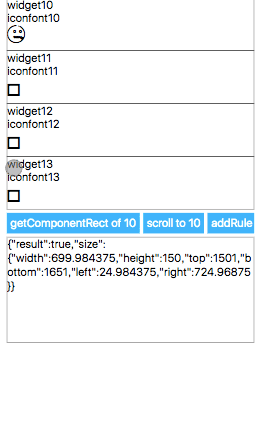
-#### Example
-Check the custom font [example](http://dotwe.org/vue/7e328ee2ac9b7205c9ee37f4e509263d).
-
-## DEMO
-
-[<IPhoneImg imgSrc="https://img.alicdn.com/tfs/TB1hVg_n8LoK1RjSZFuXXXn0XXa-262-433.png" />](http://dotwe.org/vue/d8459936b12ed070ccf6bf5b953aa344)
-
-<!-- [](http://dotwe.org/vue/d8459936b12ed070ccf6bf5b953aa344) -->
-
-<details>
- <summary>Code</summary>
-
-```vue
- <template>
- <div class="root">
- <list class="list">
- <cell v-for="item in items" v-bind:key="item.title">
- <div :ref="`widget${item.title}`" class="widget">
- <text>widget{{item.title}}</text>
- <text>iconfont{{item.title}}</text>
- <text :style="{fontFamily:`iconfont${item.title}`, fontSize: '50px'}"></text>
- </div>
- </cell>
- </list>
- <div class="btn-holder">
- <text class="btn" @click="getComponentRect">getComponentRect of 10</text>
- <text class="btn" @click="scrollToElement">scroll to 10</text>
- <text class="btn" @click="addRule">addRule</text>
- </div>
- <div class="message">
- <text>{{message}}</text>
- </div>
- </div>
- </template>
-
- <script>
-const dom = weex.requireModule('dom');
-const modal = weex.requireModule('modal');
-
-export default {
- data() {
- return {
- targetIndex: 10,
- items: [],
- trigger: '',
- message: ''
- };
- },
- created() {
- const targetIndex = this.targetIndex;
- const items = [];
- for (let i = 0; i < 30; i++) {
- items.push({
- title: i,
- desc: i === targetIndex ? '' : ''
- });
- }
- this.items = items;
- },
- methods: {
- getStyle(i) {
- return {};
- },
- addRule() {
- const targetIndex = this.targetIndex;
- modal.toast({
- message: `addRule to iconfont${targetIndex}`
- });
- this.scrollToElement();
- dom.addRule('fontFace', {
- fontFamily: `iconfont${targetIndex}`,
- src: "url('http://at.alicdn.com/t/font_zn5b3jswpofuhaor.ttf')"
- });
- },
- scrollToElement() {
- const element = this.$refs[`widget${this.targetIndex}`][0];
- dom.scrollToElement(element);
- },
- getComponentRect() {
- const element = this.$refs[`widget${this.targetIndex}`][0];
- dom.getComponentRect(element, data => {
- this.message = JSON.stringify(data);
- });
- }
- }
-};
-</script>
-
-
- <style scoped>
-.root {
- width: 700px;
- margin-left: 25px;
-}
-.list {
- height: 600px;
- width: 700px;
-}
-.widget {
- height: 150px;
- width: 700px;
- border-width: 1px;
-}
-.btn-holder {
- flex-direction: row;
- margin-top: 10px;
-}
-.btn {
- padding-left: 10px;
- padding-right: 10px;
- padding-top: 10px;
- padding-bottom: 10px;
- background-color: #00b4ff;
- margin-right: 10px;
- color: #fff;
-}
-.message {
- margin-top: 10px;
- border-width: 1px;
- height: 300px;
- width: 700px;
-}
-</style>
-```
-
-</details>
+[Demo](http://dotwe.org/vue/7e328ee2ac9b7205c9ee37f4e509263d).
diff --git a/docs/docs/modules/globalEvent.md b/docs/docs/modules/globalEvent.md
index 0fa9ed8..605ba8d 100644
--- a/docs/docs/modules/globalEvent.md
+++ b/docs/docs/modules/globalEvent.md
@@ -1,63 +1,51 @@
-# globalEvent<Badge text="0.14" type="warn" vertical="middle"/>
-## Summary
+# globalEvent <Badge text="0.14" type="warn" vertical="middle"/>
`globalEvent` are used to listen for persistent events, such as changes in positioning information, gyroscopes, and so on. A global event is a secondary API that requires additional APIs to work with.
-- You can register events via `addEventListener`, which can be removed by `removeEventListener` when you do not need to listen for `globalEvent`.
+#### Built-in global events
-::: tip
-
-Only instance level is not application level .
-
-:::
-
-## How to make your Module support global events
-API development is complete, when the event needs to be sent, the need through the following methods:
+You can specify the event name as `WXApplicationDidBecomeActiveEvent ` or `WXApplicationWillResignActiveEvent` to obtain application becoming foreground or background, so that you can pause your video or music at this time.
```javascript
-/**
- *
- * @param eventName eventName
- * @param params event params
- */
-instance.fireGlobalEventCallback(eventName,params);
+var globalEvent = weex.requireModule('globalEvent');
+globalEvent.addEventListener("WXApplicationDidBecomeActiveEvent", function (e) {
+ console.log("WXApplicationDidBecomeActiveEvent");
+});
```
-How to dispatch a global event in a weex-html5 component or module ? Just dispatch the event on the document element:
+* **WXApplicationDidBecomeActiveEvent**, fired while application did become foreground
+* **WXApplicationWillResignActiveEvent**, fired while application will become background
-```javascript
-var evt = new Event('some-type')
-evt.data = { foo: 'bar' }
-document.dispatchEvent(evt)
-```
+[Demo](http://dotwe.org/vue/5a774e8ce3766c88038cab6fe3331f5b)
-### Example
+::: warning
+This feature only works on iOS and Android platforms, it doesn't work on Web. [Obtain your weex platform on weex page](/docs/api/weex-variable.html#weex-environment-object)
+:::
-#### Android
+#### Fire a global event
+Android
```java
Map<String,Object> params=new HashMap<>();
params.put("key","value");
mWXSDKInstance.fireGlobalEventCallback("geolocation", params);
```
-#### iOS
+iOS
```Objective-C
[weexInstance fireGlobalEvent:@"geolocation" params:@{@"key":@"value"}];
```
-## API
-
-### addEventListener(String eventName, String callback)
+# API
-register global event.
+## addEventListener
-#### Arguments
+Register global event.
-* `eventName`*(string)*: The name of the event you want to listen to.
-* `callback`*(function)*: the callback function after executing this action.
+#### addEventListener(eventName, callback)
-#### Example
+* **@eventName**, string, the name of the event you want to listen to.
+* **@callback**, function, the callback function after executing this action.
```javascript
var globalEvent = weex.requireModule('globalEvent');
@@ -66,40 +54,15 @@ globalEvent.addEventListener("geolocation", function (e) {
});
```
-### removeEventListener(String eventName)
+## removeEventListener
-remove global event
+Remove global event
-#### Arguments
+#### removeEventListener(eventName)
-* `eventName`*(string)*: You no longer need to listen for event names.
-
-#### Example
+* **@eventName**, the event name to unregister.
```javascript
var globalEvent = weex.requireModule('globalEvent');
globalEvent.removeEventListener("geolocation");
```
-
-## Built-in global event
-### background or foreground event
-You can specify the event name as `WXApplicationDidBecomeActiveEvent ` or `WXApplicationWillResignActiveEvent` to obtain application becoming foreground or background, so that you can pause your video or music at this time.For example
-
-```
-var globalEvent = weex.requireModule('globalEvent');
-globalEvent.addEventListener("WXApplicationDidBecomeActiveEvent", function (e) {
- console.log("WXApplicationDidBecomeActiveEvent");
-});
-```
-
-- `WXApplicationDidBecomeActiveEvent` fired while application did become foreground
-- `WXApplicationWillResignActiveEvent` fired while application will become background
-
-[Have a try at DotWe](http://dotwe.org/vue/5a774e8ce3766c88038cab6fe3331f5b)
-
-::: warning
-
-this feature only works on iOS and Android platforms, it doesn't work on Web. [Obtain your weex platform on weex page](/docs/api/weex-variable.html#weex-environment-object)
-
-:::
-
diff --git a/docs/docs/modules/meta.md b/docs/docs/modules/meta.md
index 8ed02ee..c792d72 100644
--- a/docs/docs/modules/meta.md
+++ b/docs/docs/modules/meta.md
@@ -1,40 +1,27 @@
----
-title: meta
-type: references
-group: Build-in Modules
-order: 9.05
-version: 2.1
----
-
# meta
The meta module can be used to update meta information for a single page, such as the viewport of the container.
-## API
-
-### setViewport(options)
+# API
-<span class="weex-version">0.10.0+</span>
+## setViewport
The default width (viewport) of Weex container is 750px. The `setViewport` method can change the viewport of the page and only takes effect on the current page.
-> Notice: **The viewport must be set before the page rendering starts.** In other words, the `setViewport` method can only be used in the entry file, and before the `new Vue (...)` statement. If it's used in the component, the code is executed only when the component is being rendered, meanwhile, the page is already in the rendering process, set the viewport will not take effect again.
-
-it is only in the rendering of the components will be implemented The corresponding code,
-
-#### Parameters
-
-Referance: W3C Spec [CSS Device Adaptation](https://drafts.csswg.org/css-device-adapt/#viewport-meta).
+#### setViewport(options)
- |key|Description|
- |---|---|
- |options.width|Number or `"device-width"` or `"device-height"`|
- |options.height|Number or `"device-width"` or `"device-height"`|
- |options.roundOffDeviation <Badge text="0.20.0+" type="warn" vertical="middle"/>|Boolean, The default value is true, which means that the layout engine ignores the error caused by the decimal point in the layout; if there is a gap in the component splicing, you can set the `roundOffDeviation` to false, and the layout engine will automatically fill in the decimal point error.|
+* **@options**
+ * **`width`**, number value or `"device-width"` or `"device-height"` macros.
+ * **`height`**, number value or `"device-width"` or `"device-height"` macros.
+ * **`roundOffDeviation`** <Badge text="0.20.0+" type="warn" vertical="middle"/>, The default value is true, which means that the layout engine ignores the error caused by the decimal point in the layout; if there is a gap in the component splicing, you can set the `roundOffDeviation` to false, and the layout engine will automatically fill in the decimal point error.
-The default unit of the width and height is `px`, other units are not supported.
+::: tip
+* Referance: W3C Spec [CSS Device Adaptation](https://drafts.csswg.org/css-device-adapt/#viewport-meta).
+* The default unit of the width and height is `px`, other units are not supported.
+* The viewport must be set before the page rendering starts. ** In other words, the `setViewport` method can only be used in the entry file, and before the `new Vue (...)` statement. If it's used in the component, the code is executed only when the component is being rendered, meanwhile, the page is already in the rendering process, set the viewport will not take effect again.
+:::
-#### Example
+#### Demo
The entry file:
diff --git a/docs/docs/modules/modal.md b/docs/docs/modules/modal.md
index 4005769..ccaffcb 100644
--- a/docs/docs/modules/modal.md
+++ b/docs/docs/modules/modal.md
@@ -1,29 +1,26 @@
----
-title: modal
-type: references
-group: Build-in Modules
-order: 9.06
-version: 2.1
----
-
# modal
-Weex provides a series of message boxes: `toast`, `alert`, `confirm` and `prompt`.
+Weex provides a series of message boxes: `toast`, `alert`, `confirm` and `prompt` via modal module.
+
+# API
-## API
-### toast(options)
+## toast
A toast provides simple feedback about an operation in a small popup. For example, navigating away from an email before you send it triggers a "Draft saved" toast to let you know that you can continue editing later. Toasts automatically disappear after a timeout.
-#### Arguments
-- `options` (object): toast options.
- - `message` (string): the text message that the toast shows.
- - `duration` (number): the duration(seconds) that the toast shows.
- - For Android: If the duration is longer than 3, it will use a system defined variable called **LONG**, otherwise it will use another variable called **SHORT**
- - For iOS: It will show the toast during the specified time.
+#### toast(options)
-#### Basic Usage
-```
+* **@options**
+ * **`message`**, string, the text message that the toast shows.
+ * **`duration`**, number, the duration(seconds) that the toast shows.
+
+::: tip
+* For Android: If the duration is longer than 3, it will use a system defined variable called **LONG**, otherwise it will use another variable called **SHORT**
+* For iOS: It will show the toast during the specified time.
+:::
+
+Demo
+```javascript
var modal = weex.requireModule('modal')
modal.toast({
message: 'This is a toast',
@@ -31,50 +28,45 @@ modal.toast({
})
```
-
-### alert(options, callback)
+## alert
An alert box is often used if you want to make sure information comes through to the user.
When an alert box pops up, the user will have to click "OK" to proceed.
-#### Arguments
+#### alert(options, callback)
-- `options` (object): alert box options.
- - `message` (string): the text message that the alert shows.
- - `okTitle` (string): the text of positive button, default is 'OK'.
- - `callback` (function): callback when complete.
- This method has a callback function whose arguments will be:
-- `result` (string): the title text of the confirm button that clicked by user.
+* **@options**
+ * **`message`**, string: the text message that the alert shows.
+ * **`okTitle`**, string: the text of positive button, default is 'OK'.
+* **@callback**, function: callback when complete.
-#### Basic Usage
-```
+Demo
+```javascript
var modal = weex.requireModule('modal')
modal.alert({
- message: 'This is a alert',
- duration: 0.3
-}, function (value) {
- console.log('alert callback', value)
+ message: 'This is a alert',
+ okTitle: '确认'
+}, function () {
+ console.log('alert callback')
})
```
+## confirm
-### confirm(options, callback)
A confirm box is often used if you want the user to verify or accept something.
-
When a confirm box pops up, the user will have to click either confirm or cancel button to proceed.
-#### Arguments
-- `options` (object): confirm box options.
- - `message` (string): the message that the confirm shows.
- - `okTitle` (string): the title of confirm button, default is 'OK'.
- - `cancelTitle` (string): the title of cancel button, default is 'Cancel'.
-- `callback` (function): callback when complete.
+#### confirm(options, callback)
-This method has a callback function whose arguments will be:
-- `result`(string): the title text of the button that clicked by user.
+* **@options**
+ * **`message`**, string: the text message that the alert shows.
+ * **`okTitle`**, string: the text of positive button, default is 'OK'.
+ * **`cancelTitle`**, string, the title of cancel button, default is 'Cancel'.
+* **@callback**, function: callback when complete.
+ * **`result`**, string, the title text of the confirm button that clicked by user.
-#### Basic Usage
-```
+Demo
+```javascript
var modal = weex.requireModule('modal')
modal.confirm({
message: 'Do you confirm ?',
@@ -84,25 +76,22 @@ modal.confirm({
})
```
-
-### prompt(options, callback)
+## prompt
A prompt box is often used if you want the user to input a value before entering a page.
When a prompt box pops up, the user will have to click either confirm or cancel button to proceed after entering an input value.
-#### Arguments
-- `options` (object): some options.
- - `message` (string): the message that the prompt shows.
- - `okTitle` (string): the title text of confirm button, default is 'OK'.
- - `cancelTitle` (string): the title text of cancel button, default is 'Cancel'.
-- `callback` (function): callback when complete.
- This method has a callback function whose arguments will be:
-- `ret` (object): the argument will be a object, which has attributes `result` and `data`, like `{ result: 'OK', data: 'hello world' }`
- - `result` (string): the title of the button that clicked by user.
- - `data` (string): the value of the text that entered by user.
-
-#### Basic Usage
-```
+#### prompt(options, callback)
+
+* **@options**
+ * **`message`**, string: the text message that the alert shows.
+ * **`okTitle`**, string: the text of positive button, default is 'OK'.
+ * **`cancelTitle`**, string, the title of cancel button, default is 'Cancel'.
+* **@callback**, function: callback when complete.
+ * **`ret`**, object, the argument will be an object, which contains button clicked by user or text typed by user. Attributes `result` and `data`, like `{ result: 'OK', data: 'hello world' }`
+
+Demo
+```javascript
var modal = weex.requireModule('modal')
modal.prompt({
message: 'This is a prompt',
@@ -112,7 +101,4 @@ modal.prompt({
})
```
-
-## Example
-
-[Modal demo](http://dotwe.org/vue/a7dddfb24edb72be947fc4eec3803f1d)
+[Modal Demos](http://dotwe.org/vue/a7dddfb24edb72be947fc4eec3803f1d)
diff --git a/docs/docs/modules/navigator.md b/docs/docs/modules/navigator.md
index 6acff11..34e37b6 100644
--- a/docs/docs/modules/navigator.md
+++ b/docs/docs/modules/navigator.md
@@ -1,69 +1,56 @@
----
-title: navigator
-type: references
-group: Build-in Modules
-order: 9.07
-version: 2.1
----
-
# Navigator
-<span class="weex-version">v0.6.1+</span>
-
As it's known to all that, we can navigate back and forth in the web browser using the navigation bar.
And The navigator module mimics the same behaviors in the iOS/Android application. Without such an ability, We will have to stay in the same page forever, so it is very important. Besides the navigation, the module can specify whether to apply animation or not during the transition.
-## API
-### push(options, callback)
+# API
+## push
Push a weex page onto the navigator stack, you can specify whether apply animation when pushing. And you can also specify a callback function to be executed after the operation is over.
-**Arguments**
-
-* `options`(object): some options.
- * `url`(string): The URL of the weex page to push.
- * `animated`(string): true, if the weex page is push through animation, otherwise, false. Default value is true.
+#### push(options, callback)
-* `callback`(object): the callback function to be called after executing this action.
-
-**Example**
+* **@options**
+ * **`url`**, string, the URL of the weex page to push.
+ * **`animated`** boolean, if the weex page is push through animation, otherwise, false. Default value is true.
+* **@callback**, the callback function to be called after executing this action.
+Demo
```html
- var navigator = weex.requireModule('navigator')
- var modal = weex.requireModule('modal')
- var bundleUrl = weex.config.bundleUrl;
- navigator.push({
- url: bundleUrl,
- animated: "true"
- }, event => {
- modal.toast({ message: 'callback: ' + event })
- })
+var navigator = weex.requireModule('navigator')
+var modal = weex.requireModule('modal')
+var bundleUrl = weex.config.bundleUrl;
+navigator.push({
+ url: bundleUrl,
+ animated: "true"
+}, event => {
+ modal.toast({ message: 'callback: ' + event })
+})
```
-### pop(options, callback)
-
-pop a weex page onto the navigator stack, you can specify whether apply animation when popping. And you can also specify a callback function to be executed after the operation is over.
+## pop
-**Arguments**
+Pop a weex page onto the navigator stack, you can specify whether apply animation when popping. And you can also specify a callback function to be executed after the operation is over.
-* `options`(object): some options.
- * `animated`(string): true if the weex page is pop through animation; otherwise, false. Default value is true.
-* `callback`(object): the callback function after executing this action.
+#### pop(options, callback)
-**Example**
+* **@options**
+ * **`animated`**, boolean, true if the weex page is pop through animation; otherwise, false. Default value is true.
+* **@callback**, the callback function after executing this action.
+Demo
```html
- var navigator = weex.requireModule('navigator')
- var modal = weex.requireModule('modal')
- navigator.pop({ animated: "true"
- }, event => {
- modal.toast({ message: 'callback: ' + event })
- })
+var navigator = weex.requireModule('navigator')
+var modal = weex.requireModule('modal')
+navigator.pop({ animated: "true"}, event => {
+ modal.toast({ message: 'callback: ' + event })
+})
```
-## Notice
+::: tip
Due to the differences in the behavior of the navigation in clients, the above interfaces need to be adapted. You can implement the above interfaces on the client side by seeing the description of the navigation protocol.
In addtion,you can read [How to extend] (https://github.com/apache/incubator-weex-site/blob/master/source/guide/extend-ios.md) in iOS/Android to learn how to register the implementation the protocol on the client.
+:::
-[try it](http://dotwe.org/vue/f2daa25e32eec2a294d59a9144660cad)
+[Demo](http://dotwe.org/vue/f2daa25e32eec2a294d59a9144660cad)
diff --git a/docs/docs/modules/picker.md b/docs/docs/modules/picker.md
index ad0758b..5fc1c30 100644
--- a/docs/docs/modules/picker.md
+++ b/docs/docs/modules/picker.md
@@ -1,73 +1,50 @@
----
-title: picker
-type: references
-group: Build-in Modules
-order: 9.08
-version: 2.1
----
-
# picker
-<span class="weex-version">v0.9+</span>
-
-## Summary
-
-A series of stream api. It provides function: pick data,pick date,pick time
-
-## API
-### `pick(options, callback[options])`
-
-pick data(single column)
-
-#### Arguments
-
-- `options {Object}`:pick options
- - `index {number}`:default selected row
- - `items {array}`:picker's data
- - `textColor {color}`:text color in the picker item
- - `selectionColor {color}`:the background color of the selected item in the picker
- - `confirmTitle {string}`:confirm button text
- - `cancelTitle {string}`:cancel button text
- - `confirmTitleColor {color}`:confirm button text color
- - `cancelTitleColor {color}`:cancel button text color
- - `title {string}`:title of dialog
- - `titleColor {color}`:text color of the dialog title
- - `titleBackgroundColor {color}`:background color of the dialog title
-
-- `callback {function (ret)}`:the callback function after executing this action.`ret {Object}` is `callback` 's parameter:
- - `result {string}`:result is one of success,cancel,error
- - `data {number}`:the selected index,it exists when result is success.
-
-### `pickDate(options, callback[options])`
+A series of stream api. It provides function: pick data, pick date, pick time
-pick date
+# API
-#### Arguments
+## pick
-- `options {Object}`:pick date options
- - `value {string}`:Required,date picker selected value by default,date's form is yyyy-MM-dd
- - `max {string}`:optional,date’s max value
- - `min {string}`:optional,date's min value
+#### pick(options, callback[options])
-- `callback {function (ret)}`:the callback function after executing this action.ret {Object} is callback 's parameter:
- - `result {string}`:result is one of success,cancel,error
- - `data {string}`:the selected value,the form of data is yyyy-MM-dd ,it exists when result is success.
+* **@options**
+ * **`index`**, number, default selected row
+ * **`items`**, array, picker's data
+ * **`textColor`**, color, text color in the picker item
+ * **`selectionColor`**, color, the background color of the selected item in the picker
+ * **`confirmTitle`**, string, confirm button text
+ * **`cancelTitle`**, string, cancel button text
+ * **`confirmTitleColor`**, color, confirm button text color
+ * **`cancelTitleColor`**, color, cancel button text color
+ * **`title`**, string, title of dialog
+ * **`titleColor`**, color, text color of the dialog title
+ * **`titleBackgroundColor`**, color, background color of the dialog title
-### `pickTime(options, callback[options])`
+* **@callback**, the callback function after executing this action. `ret {Object}` is `callback` 's parameter:
+ * **`result`**, string, result is one of success,cancel,error
+ * **`data`**, number, the selected index,it exists when result is success.
-pick time
+## pickDate
-#### Arguments
+#### pickDate(options, callback[options])
-- `options {Object}`:pick time options
- - `value {string}`:required,the form of value is HH:mm
+* **@options**
+ * **`value`**, string, required, date picker selected value by default,date's form is yyyy-MM-dd
+ * **`max`**, string, optional, date’s max value
+ * **`min`**, string, optional, date's min value
+* **@callback**, the callback function after executing this action.ret {Object} is callback 's parameter:
+ * **`result`**, string, result is one of success/cancel/error.
+ * **`data`**, string, the selected value, the form of data is yyyy-MM-dd, it exists when result is success.
-- `callback {function (ret)}`:the callback function after executing this action.ret {Object} is callback 's parameter:
- - `result {string}`:result is one of success,cancel,error
- - `data {string}`:the selected value,the form of data is HH:mm,it exists when result is success.
+## pickTime
-## DEMO
+#### pickTime(options, callback[options])
-[usage demo](http://dotwe.org/vue/060faedd0952f518d2d5322a5fb5ea2f)
+* **@options**
+ * **`value`**, string, required,the form of value is HH:mm
+* **@callback**, the callback function after executing this action.ret {Object} is callback 's parameter:
+ * **`result`**, string, result is one of success/cancel/error
+ * **`data`**, string, the selected value, the form of data is HH:mm, it exists when result is success.
-<IPhoneImg imgSrc="https://img.alicdn.com/tfs/TB1idhbogHqK1RjSZJnXXbNLpXa-544-960.gif" />
+[Demo](http://dotwe.org/vue/060faedd0952f518d2d5322a5fb5ea2f)
diff --git a/docs/docs/modules/storage.md b/docs/docs/modules/storage.md
index 2a64999..af54370 100644
--- a/docs/docs/modules/storage.md
+++ b/docs/docs/modules/storage.md
@@ -1,52 +1,41 @@
----
-title: storage
-type: references
-group: Build-in Modules
-order: 9.09
-version: 2.1
----
-
# storage
-<span class="weex-version">v0.7+</span>
-
-## Summary
`storage` is a series of apis, support add, modify and delete stored data.
-**Cauction**: There is NO same-origin-policy in weex storage moudle. Any one can access any key, even can change the value. So be careful of your usage.
+::: warning
+There is NO same-origin-policy in weex storage moudle. Any one can access any key, even can change the value. So be careful of your usage.
+:::
-## API
+# API
-### setItem(key, value, callback)
+## setItem
When passed a key and a value, it will saved into the storage,
or update the value if the key already exists.
-#### Arguments
+#### setItem(key, value, callback)
-* `key`*(string)*: the name of the key you want to store. "" or null is not allowed.
-* `value`*(string)*: the name of the value you want to store."" or null is not allowed.
-* `callback`*(object)*: the callback function after executing this action.
+* **@key**, string, the name of the key you want to store. "" or null is not allowed.
+* **@value**, string, the name of the value you want to store."" or null is not allowed.
+* **@callback**, function, the callback function after executing this action.
-### getItem(key, callback)
+## getItem
When passed a key, will return that key's value.
-#### Arguments
+#### getItem(key, callback)
-* `key`*(string)*: the name of the key you want to retrieve the value of."" or null is not allowed.
-* `callback`*(object)*: the callback function after executing this action.
+* **@key**, string, the name of the key you want to retrieve the value of."" or null is not allowed.
+* **@callback**, function, the callback function after executing this action.
-### removeItem(key, callback)
+## removeItem
When passed a key, will remove that key and value from the storage.
-#### Arguments
-
-* `key`*(string)*: the name of the key you want to remove."" or null is not allowed.
-* `callback`*(object)*: the callback function after executing this action.
+#### removeItem(key, callback)
-##### Example
+* **@key**, string, the name of the key you want to remove."" or null is not allowed.
+* **@callback**, function, the callback function after executing this action.
```javascript
var storage = weex.requireModule('storage');
@@ -57,119 +46,20 @@ storage.removeItem('foo', function(e) {
});
```
-### length(callback)
+## length
Returns an integer representing the number of key-value items stored in the storage.
-#### Arguments
+#### length(callback)
-* `callback`*(object)*: the callback function after executing this action.
+* **@callback**, the callback function after executing this action.
-### getAllKeys(callback)
+## getAllKeys
Returns an array that contains all keys stored in the storage.
-#### Arguments
-
-* `callback`*(object)*: the callback function after executing this action.
-
-## Example
-
-```html
-<template>
- <div class="list">
- <div class="group center">
- <div class="panel"><text class="text">{{state}}</text></div>
- </div>
- <div class="group">
- <div class="panel"><text class="text" @click="setItem">set</text></div>
- <div class="panel"><text class="text" @click="getItem">get</text></div>
- <div class="panel"><text class="text" @click="removeItem">remove</text></div>
- <div class="panel"><text class="text" @click="getAll">all</text></div>
- </div>
- </div>
-</template>
-
-<script>
- const storage = weex.requireModule('storage')
- const modal = weex.requireModule('modal')
-
- export default {
- data () {
- return {
- keys: '[]',
- length: 0,
- state: '----'
- }
- },
- methods: {
- setItem () {
- storage.setItem('name', 'Hanks', event => {
- this.state = 'set success'
- console.log('set success')
- })
- },
- getItem () {
- storage.getItem('name', event => {
- console.log('get value:', event.data)
- this.state = 'value: ' + event.data
- })
- },
- removeItem () {
- storage.removeItem('name', event => {
- console.log('delete value:', event.data)
- this.state = 'deleted'
- })
- },
- getAll () {
- storage.getAllKeys(event => {
- // modal.toast({ message: event.result })
- if (event.result === 'success') {
- modal.toast({
- message: 'props: ' + event.data.join(', ')
- })
- }
- })
- }
- }
- }
-</script>
-
-<style scoped>
- .panel {
- height: 100px;
- flex-direction: column;
- justify-content: center;
- border-width: 2px;
- border-style: solid;
- border-color: rgb(162, 217, 192);
- background-color: rgba(162, 217, 192, 0.2);
- }
- .group {
- flex-direction: row;
- justify-content: space-between;
- width: 650px;
- margin-left: 50px;
- margin-top: 50px;
- margin-bottom: 50px;
- }
- .center {
- justify-content: center;
- }
- .text {
- font-size: 50px;
- text-align: center;
- padding-left: 25px;
- padding-right: 25px;
- color: #41B883;
- }
- .small {
- font-size: 32px;
- padding-left: 35px;
- padding-right: 35px;
- color: #41B883;
- }
-</style>
-```
+#### getAllKeys(callback)
+
+* **@callback**, the callback function after executing this action.
-[try it](http://dotwe.org/vue/3fdd3e2d1646ca41199d80c7be799858)
+[Demo](http://dotwe.org/vue/3fdd3e2d1646ca41199d80c7be799858)
diff --git a/docs/docs/modules/stream.md b/docs/docs/modules/stream.md
index 74b3af9..d20c884 100644
--- a/docs/docs/modules/stream.md
+++ b/docs/docs/modules/stream.md
@@ -1,34 +1,21 @@
----
-title: stream
-type: references
-group: Build-in Modules
-order: 9.10
-version: 2.1
----
-
# stream
A series of stream api. It provides a network request.
-## API
+# API
-### fetch(options, callback,progressCallback)
+## fetch
Start a network request, use two callbacks to receive server's response data.
-**Arguments**
-
-* options(object): the request options, key value style dictionary.
-
- * method(string): the HTTP method `GET` or `POST`.
-
- * url(string): the request url.
-
- * headers(string): the HTTP request headers.
-
- * type(string): response type, 'json','text' or 'jsonp'(same as 'json' in native implementation)
+#### fetch(options, callback, progressCallback)
- * body(string): the HTTP body.
+* **@options**, the request options, key value style dictionary.
+ * **`method`**, string, the HTTP method `GET` or `POST`.
+ * **`url`**, string, the request url.
+ * **`headers`**, string, the HTTP request headers.
+ * **`type`**, string, response type, 'json','text' or 'jsonp'(same as 'json' in native implementation)
+ * **`body`**, string, the HTTP body.
::: warning
- The `body` parameter only supports arguments of type `string`. Do not use the `JSON` format directly, you must convert it to a string.
@@ -37,42 +24,26 @@ Start a network request, use two callbacks to receive server's response data.
- If you need to send data in `JSON` format via POST, you need to set `Content-Type` to `application/json`.
:::
-* callback(function): A callback function whose argument is the response object of the request. Callback function will receive a `response` object.
-
- * status(number): response status code.
-
- * ok(boolean): true if status code is bewteen 200~299.
-
- * statusText(string): status text
-
- * data(string): response data. It's a object if request option is `json`/`jsonp`, or *(string)* in other type value.
-
- * headers(object): response headers
-
-* progressCallback(function): A progress callback. This callback will be invoked before request finished.
-
- * readyState(number): Current request state.'1':request connection opened;'2':response headers received.;'3':response data is loading;
-
- * status(number): response status code.
-
- * length(number): bytes of data have received. You can read full length of response from 'headers'.
-
- * statusText(string): status text.
-
- * headers(object): response headers.
-
-### Note
-
- - Default Content-Type is 'application/x-www-form-urlencoded'. (The type specified in fetch is the response type!)
- - You need to set the Content-Type header to 'application/json' manually if you want to post the json body.
-
-### Example
+* **@callback**, a callback function whose argument is the response object of the request. Callback function will receive a `response` object.
+ * **`status`**, number, response status code.
+ * **`ok`**, boolean, true if status code is bewteen 200~299.
+ * **`statusText`**, string, status text
+ * **`data`**, string, response data. It's a object if request option is `json`/`jsonp`, or *(string)* in other type value.
+ * **`headers`**, object, response headers.
+
+* **@progressCallback**, function, a progress callback. This callback will be invoked before request finished.
+ * **`readyState`**, number, current request state.'1':request connection opened;'2':response headers received.;'3':response data is loading;
+ * **`status`**, number, response status code.
+ * **`length`** number, bytes of data have received. You can read full length of response from 'headers'.
+ * **`statusText`**, string, status text.
+ * **`headers`**. object, response headers.
+
+::: tip
+- Default Content-Type is 'application/x-www-form-urlencoded'. (The type specified in fetch is the response type!)
+- You need to set the Content-Type header to 'application/json' manually if you want to post the json body.
+:::
+**Demos**
- [Simple Demo](http://dotwe.org/vue/80b21a0fce98acdffad96c57b2eadd1d)
- [Post Demo](http://dotwe.org/vue/6dd65122144d9ad26594c0f900c75cd4)
-
- <IPhoneImg imgSrc="https://img.alicdn.com/tfs/TB1UWA7n4TpK1RjSZFGXXcHqFXa-750-1334.gif" />
-
- [Get Demo](http://dotwe.org/vue/892bd1c977b61762baca8e02a65b6d97)
-
- <IPhoneImg imgSrc="https://img.alicdn.com/tfs/TB1.Bg6nZbpK1RjSZFyXXX_qFXa-750-1334.gif" />
diff --git a/docs/docs/modules/websockets.md b/docs/docs/modules/websockets.md
index e191cf0..7a2d590 100644
--- a/docs/docs/modules/websockets.md
+++ b/docs/docs/modules/websockets.md
@@ -1,148 +1,129 @@
----
-title: webSocket
-type: references
-group: Build-in Modules
-order: 9.11
-version: 2.1
----
-
# webSocket
-<span class="weex-version">v0.12+</span>
-
-## Summary
WebSockets is an advanced technology that makes it possible to open an interactive communication session between the user's H5/iOS/android and a server. With this API, you can send messages to a server and receive event-driven responses without having to poll the server for a reply
::: warning
-- iOS and h5 provide webSocket default handle. if you use webSocket in android environment . you should provide custom adapter implementation,source:
- - [DefaultWebSocketAdapter.java](https://github.com/apache/incubator-weex/blob/master/android/commons/src/main/java/com/alibaba/weex/commons/adapter/DefaultWebSocketAdapter.java);
- - [DefaultWebSocketAdapterFactory.java](https://github.com/apache/incubator-weex/blob/master/android/commons/src/main/java/com/alibaba/weex/commons/adapter/DefaultWebSocketAdapterFactory.java);
- - refer: [weex playground](https://github.com/apache/incubator-weex/tree/master/android/playground)
+iOS and h5 provide webSocket default handle. if you use webSocket in android environment. You should provide custom adapter implementation, source:
+- [DefaultWebSocketAdapter.java](https://github.com/apache/incubator-weex/blob/master/android/commons/src/main/java/com/alibaba/weex/commons/adapter/DefaultWebSocketAdapter.java);
+- [DefaultWebSocketAdapterFactory.java](https://github.com/apache/incubator-weex/blob/master/android/commons/src/main/java/com/alibaba/weex/commons/adapter/DefaultWebSocketAdapterFactory.java);
+- refer: [weex playground](https://github.com/apache/incubator-weex/tree/master/android/playground)
:::
-## API
-### `WebSocket(url, protocol)`
+# API
+
+## WebSocket
create websocket
-#### Arguments
+#### WebSocket(url, protocol)
-- `url {string}`:The URL to which to connect;
-- `protocol {string}`:the websocket protocol
+* **@url**, string, the URL to which to connect.
+* **@protocol**, string, the websocket protocol.
-```js
+```javascript
const ws = weex.requireModule('webSocket');
-
ws.WebSocket('ws://echo.websocket.org','');
```
-### `send(data)`
+## send
Transmits data to the server over the WebSocket connection
-#### Arguments
+#### send(data)
-- `data {string}`:A text string to send to the server.
+* **@data**, string, a text string to send to the server.
-```js
+```javascript
const ws = weex.requireModule('webSocket');
ws.WebSocket('ws://echo.websocket.org','');
-
ws.send('some message.');
```
-### `close(code,reason)`
+## close
Closes the WebSocket connection or connection attempt, if any. If the connection is already CLOSED, this method does nothing.
-#### Arguments
+#### close(code, reason)
-- `code {number}`: the status code explaining why the connection is being closed.
-- `reason {string}`:a string explaining why the connection is closing
+* **@code**, number, the status code explaining why the connection is being closed.
+* **@reason**, string, a string explaining why the connection is closing
-```js
+```javascript
const ws = weex.requireModule('webSocket');
ws.WebSocket('ws://echo.websocket.org','');
-
ws.close();
```
-### `onopen(options)`
+## onopen
An event listener to be called when the WebSocket connection's readyState changes to OPEN; this indicates that the connection is ready to send and receive data.
-#### Arguments
+#### onopen(options)
-- `options {object}`:an empty object
+* **@options**, object, an empty object
-```js
+```javascript
const ws = weex.requireModule('webSocket')
ws.WebSocket('ws://echo.websocket.org','');
-
ws.onopen = function(event) {
- console.log('onopen', event);
+console.log('onopen', event);
}
```
-### `onmessage(options)`
+## onmessage
An event listener to be called when a message is received from the server
-#### Arguments
-
-- `options {object}`:the server message options
- - `data {string}`: The listener received message
+#### onmessage(options)
- ```js
- const ws = weex.requireModule('webSocket')
- ws.WebSocket('ws://echo.websocket.org','');
+* **@options**, object, the server message options.
+ * **`data`**, string, the listener received message.
- ws.onmessage = function(event) {
- console.log('onmessage', event);
- }
- ```
+```javascript
+const ws = weex.requireModule('webSocket')
+ws.WebSocket('ws://echo.websocket.org','');
+ws.onmessage = function(event) {
+ console.log('onmessage', event);
+}
+```
-### `onclose(options)`
+## onclose
An event listener to be called when the WebSocket connection's readyState changes to CLOSED
-#### Arguments
+#### onclose(options)
-- `options {object}`:the CloseEvent is sent to clients using WebSockets when the connection is closed
- - `code {number}`: Returns an unsigned short containing the close code send by the server
- - `reason {string}`: Returns a string indicating the reason the server closed the connection
- - `wasClean {boolen}`: Returns a Boolean that Indicates whether or not the connection was cleanly closed.
+* **@options**, object, the CloseEvent is sent to clients using WebSockets when the connection is closed.
+ * **`code`**, number, returns an unsigned short containing the close code send by the server.
+ * **`reason`**, string, returns a string indicating the reason the server closed the connection.
+ * **`wasClean`**, boolen, returns a Boolean that Indicates whether or not the connection was cleanly closed.
- ```js
- const ws = weex.requireModule('webSocket')
- ws.WebSocket('ws://echo.websocket.org','');
-
- ws.onclose = function(event) {
- console.log('onclose', event);
- }
- ```
+```javascript
+const ws = weex.requireModule('webSocket')
+ws.WebSocket('ws://echo.websocket.org','');
+ws.onclose = function(event) {
+ console.log('onclose', event);
+}
+```
-### `onerror(options)`
+## onerror
An event listener to be called when an error occurs.
-#### Arguments
-
-- `options {object}`:the error event
- - `data {string}`: The listener received error data
+#### onerror(options)
- ```js
- const ws = weex.requireModule('webSocket')
- ws.WebSocket('ws://echo.websocket.org','');
+* **@options**, object, the error event.
+ * **`data`**, string, the listener received error data.
- ws.onerror = function(event) {
- console.log('onerror', event);
- }
- ```
+```javascript
+const ws = weex.requireModule('webSocket')
+ws.WebSocket('ws://echo.websocket.org','');
+ws.onerror = function(event) {
+ console.log('onerror', event);
+}
+```
-### Example
+**Demos**
- [Demo](http://dotwe.org/vue/6b7d6dc14320e3f04e0f203cb8bcc703)
- [Chat Demo](http://dotwe.org/vue/21d8b0a79c20e95139353d9cc8b634f5)
-
- <IPhoneImg imgSrc="https://img.alicdn.com/tfs/TB11_g_n7voK1RjSZPfXXXPKFXa-264-439.gif" />
diff --git a/docs/docs/modules/webview.md b/docs/docs/modules/webview.md
index 144ff9a..0153490 100644
--- a/docs/docs/modules/webview.md
+++ b/docs/docs/modules/webview.md
@@ -1,50 +1,41 @@
----
-title: webview
-type: references
-group: Build-in Modules
-order: 9.12
-version: 2.1
----
+# webview
-`webview` module provides a series of web operation API like `goBack`, `goForward`, and `reload`. Usually used with the [`<web>` component](../components/web.html).
+`webview` module provides a series of web operation API like `goBack`, `goForward`, and `reload`.
-## API
+Usually used with the [`<web>` component](../components/web.html).
-### goBack(webElement)
+```javascript
+var webElement = this.$el('webview');
+var webview = weex.requireModule('webview');
+webview.goBack(webElement.ref);
+webview.goForward(webElement.ref);
+webview.reload(webElement.ref);
+```
+
+# API
+
+## goBack
Goes to the previous page in WebView's session history.
-**Arguments**
+#### goBack(webElement)
-- `webElement`*(web)*: the element of the `<web>` component.
+* **@webElement**, the element ref of the `<web>` component.
-### goForward(webElement)
+## goForward
Goes to the next page in WebView's session history.
-**Arguments**
+#### goForward(webElement)
-- `webElement`*(web)*: the element of the `<web>` component.
+* **@webElement**, the element ref of the `<web>` component.
-### reload(webElement)
+## reload
Reloads the current web page.
-**Arguments**
-
-- `webElement`*(web)*: the element of the `<web>` component.
+#### reload(webElement)
-## Examples
-
-- Simple useage:
-
-```js
-var webElement = this.$el('webview');
-
-var webview = weex.requireModule('webview');
-webview.goBack(webElement.ref);
-webview.goForward(webElement.ref);
-webview.reload(webElement.ref);
-```
+* **@webElement**, the element ref of the `<web>` component.
-- [Browser example](http://dotwe.org/vue/a3d902040b79ab38d1ffd753366fb939)
+[Demo](http://dotwe.org/vue/a3d902040b79ab38d1ffd753366fb939)
diff --git a/docs/zh/docs/modules/animation.md b/docs/zh/docs/modules/animation.md
index ea21c53..91b2de5 100644
--- a/docs/zh/docs/modules/animation.md
+++ b/docs/zh/docs/modules/animation.md
@@ -1,17 +1,13 @@
-# 动画
-``animation`` 模块可以用来在组件上执行动画。
+# animation
-JS-Animation可以对组件执行一系列简单的变换 (位置、大小、旋转角度、背景颜色和不透明度)。
+`animation` 模块可以用来在组件上执行动画。JS-Animation可以对组件执行一系列简单的变换 (位置、大小、旋转角度、背景颜色和不透明度)。
举个例子,如果有一个 `<image>` 组件,通过动画你可以对其进行移动、旋转、拉伸或收缩等动作。
:::tip
-如果�需要使用CSS动画,参考 [transition](../styles/common-styles.html#property)�或[transform](../styles/common-styles.html#transform) 。
+如果需要使用CSS动画,参考 [transition](../styles/common-styles.html#property) 或 [transform](../styles/common-styles.html#transform)。
:::
-
-## 基本用法
-
```javascript
animation.transition(ref1, {
styles: {
@@ -27,74 +23,52 @@ animation.transition(ref1, {
})
```
-## 示例
-[animation demo](http://dotwe.org/vue/a6c03edd4c5bbd6caea29cac688269a0)
+* [示例](http://dotwe.org/vue/2d1b61bef061448c1a5a13eac9624410)
# 文档
-## `ref `:
-
-将要执行动画的元素。
-
-例如指定动画的元素 ``ref`` 属性为 ``test`` , 可以通过调用 `this.$refs.test` 来获取元素的引用。
-## `options`:
-### styles
-`styles`(object):设置不同样式过渡效果的键值对,下表列出了所有合法的参数:
- * width
- * height
- * backgroundColor
- * opacity
- * transformOrigin
- * transform
- * translate/translateX/translateY
- * rotate/rotateX/rotateY
- * perspective
- * scale/scaleX/scaleY
-#### width
-`width`表示动画执行后应用到组件上的宽度值。如果你需要影响布局,设置`needLayout`为`true`。默认值为`computed width`。
-#### height
-`height`表示动画执行后应用到组件上的高度值。如果你需要影响布局�,设置设置为 `needLayout`为`true`。默认值为`computed width`。
-#### backgroundColor
-`backgroundColor`动画执行后应用到组件上的背景颜色,默认值为computed backgroundColor。
-#### opacity
-`opacity`表示动画执行后应用到组件上的不透明度值,默认值为computed opacity。
-#### transformOrigin
-`transformOrigin`定义变化过程的中心点,如`transformOrigin: x-axis y-axis` 参数 `x-axis` 可能的值为 `left`、`center`、`right`、长度值或百分比值, 参数 `y-axis` 可能的值为 `top`、`center`、`bottom`、长度值或百分比。默认值为`center center`。
-#### transform
-`transform`变换类型,可能包含rotate`, `translate`, `scale`及其他属性。默认值为空。
+## transition
+
+#### transition(ref, options, callback)
+
+* **@ref**,将要执行动画的元素。例如指定动画的元素 ``ref`` 属性为 ``test``,可以通过调用 `this.$refs.test` 来获取元素的引用。
+* **@options**,动画参数
+ * **`styles`**,设置不同样式过渡效果的键值对,下表列出了所有合法的参数:
+ * width
+ * height
+ * backgroundColor
+ * opacity
+ * transformOrigin
+ * transform
+ * translate/translateX/translateY
+ * rotate/rotateX/rotateY
+ * perspective
+ * scale/scaleX/scaleY
+ * **`duration`**,`duration `(number):指定动画的持续时间 (单位是毫秒),默认值是 `0`,表示瞬间达到动画结束状态。
+ * **`delay`**,`delay ` (number):指定请求动画操作到执行动画之间的时间间隔 (单位是毫秒),默认值是 `0`,表示没有延迟,在请求后立即执行动画。
+ * **`needLayout`**,`needLayout` (boolean):动画执行是否影响布局,默认值是false。
+ * **`timingFunction`**,`timingFunction ` (string):描述动画执行的速度曲线,用于描述�动画�已消耗时间和动画完成进度间的映射关系。默认值是 `linear`,表示动画从开始到结束都拥有同样的速度。下表列出了所有合法的属性:
+ * `linear`:动画从头到尾的速度是相同的
+ * `ease-in`:动画速度由慢到快
+ * `ease-out`:动画速度由快到慢
+ * `ease-in-out`:动画先加速到达中间点后减速到达终点
+ * `cubic-bezier(x1, y1, x2, y2)`:在三次贝塞尔函数中定义变化过程,函数的参数值必须处于 0 到 1 之间。更多关于三次贝塞尔的信息请参阅 [cubic-bezier](http://cubic-bezier.com/) 和 [Bézier curve](https://en.wikipedia.org/wiki/B%C3%A9zier_curve)。
+* **@callback**,`callback`是动画执行完毕之后的回调函数。在iOS平台上,你可以获取动画执行是否成功的信息。
+
+::: tip @style 中可以做动画的属性
+* **`width`**,`width`表示动画执行后应用到组件上的宽度值。如果你需要影响布局,设置`needLayout`为`true`。默认值为`computed width`。
+* **`height`**,`height`表示动画执行后应用到组件上的高度值。如果你需要影响布局�,设置设置为 `needLayout`为`true`。默认值为`computed width`。
+* **`backgroundColor`**,`backgroundColor`动画执行后应用到组件上的背景颜色,默认值为computed backgroundColor。
+* **`opacity`**,`opacity`表示动画执行后应用到组件上的不透明度值,默认值为computed opacity。
+* **`transformOrigin`**,`transformOrigin`定义变化过程的中心点,如`transformOrigin: x-axis y-axis` 参数 `x-axis` 可能的值为 `left`、`center`、`right`、长度值或百分比值,参数 `y-axis` 可能的值为 `top`、`center`、`bottom`、长度值或百分比。默认值为`center center`。
+* **`transform`**,`transform`变换类型,可能包含rotate`,`translate`,`scale`及其他属性。默认值为空。
* `translate`/`translateX`/`translateY`指定元素要移动到的位置。单位是长度或百分比,默认值是0.
* `rotate`/`rotateX`/`rotateY`**v0.16+** 指定元素将被旋转的角度。单位是度 *角度度*,默认值是0
* `scale`/`scaleX`/`scaleY`按比例放大或缩小元素。单位是数字,默认值是1
* `perspective`**v0.16+** 观察者距离z=0平面的距离,在**Android 4.1**及以上有效。单位值数字,默认值为正无穷。
-:::tip
-如果想同时执行多个动画只需要用空格隔开,比如
-```
- transform: 'translate(250px, 100px) scale(1.5)'
-```
-:::
-
-### duration
-`duration `(number):指定动画的持续时间 (单位是毫秒),默认值是 `0`,表示瞬间达到动画结束状态。
-### delay
-`delay ` (number):指定请求动画操作到执行动画之间的时间间隔 (单位是毫秒),默认值是 `0`,表示没有延迟,在请求后立即执行动画。
-### needLayout
-`needLayout` (boolean):动画执行是否影响布局,默认值是false。
-### timingFunction
-`timingFunction ` (string):描述动画执行的速度曲线,用于描述�动画�已消耗时间和动画完成进度间的映射关系。默认值是 `linear`,表示动画从开始到结束都拥有同样的速度。下表列出了所有合法的属性:
- * `linear`:动画从头到尾的速度是相同的
- * `ease-in`:动画速度由慢到快
- * `ease-out`:动画速度由快到慢
- * `ease-in-out`:动画先加速到达中间点后减速到达终点
- * `cubic-bezier(x1, y1, x2, y2)`:在三次贝塞尔函数中定义变化过程,函数的参数值必须处于 0 到 1 之间。更多关于三次贝塞尔的信息请参阅 [cubic-bezier](http://cubic-bezier.com/) 和 [Bézier curve](https://en.wikipedia.org/wiki/B%C3%A9zier_curve)。
-
-## `callback `
-`callback`是动画执行完毕之后的回调函数。在iOS平台上,你可以获取动画执行是否成功的信息。
-
-:::tip
-在0.16.0+版本后,iOS上可以获取 animation 是否执行成功的信息,callback中的`result`参数会有两种,分别是是`Success`与`Fail`。**
:::
:::tip
-Android 的callback 函数不支持result参数**
+* iOS上可以获取 animation 是否执行成功的信息,callback中的`result`参数会有两种,分别是是`Success`与`Fail`。
+* Android 的callback 函数不支持result参数。
:::
-
diff --git a/docs/zh/docs/modules/clipboard.md b/docs/zh/docs/modules/clipboard.md
index 71034ae..3754190 100644
--- a/docs/zh/docs/modules/clipboard.md
+++ b/docs/zh/docs/modules/clipboard.md
@@ -1,145 +1,28 @@
-# clipboard <Badge text="0.8+" type="warn" vertical="middle"/>
+# clipboard
-- getString 获取粘贴板内容
-- setString 设置粘贴板内容
-
-## 使用场景
-
-以前当我们收到一条短信验证码信息时,除了人肉拷贝,我们无法获取拷贝短信的内容。这是非常苦恼的。目前很多手机自带一键复制短信中的验证码到剪贴板功能,再配合使用 clipboard.getString() 接口,就可以直接获取到验证码信息,并且进行下一步操作,例如帮助用户自动填到对应输入框中。
-
-::: warning 注意
-
-- 仅支持文本拷贝
-- 出于安全考虑和平台限制,只支持 Android 和 iOS,不支持 html5。
+该模块提供的接口可以用于获取、设置剪切板内容,目前只支持字符串类型。
+::: tip
+* 只支持字符串类型。
+* 只能在 iOS 和 Android 平台上生效。
:::
-## API
-
-### getString(callback) <Badge text="only in android & ios" type="warning" />
-
-> <small>从系统粘贴板读取内容</small>
-
-- `callback: function(ret)`
-
- ret {Object} 为 callback 函数的参数,有两个属性:
- | key | 描述 |
- | ---------- | -------------------------------- |
- | ret.data | 获取到的文本内容 |
- | ret.result | 返回状态,可能为 success 或 fail |
-
- ```javascript
- clipboard.getString(ret => {
- this.message = ret.result === 'success' ? ret.data : '';
- });
- ```
-
-### setString(text)
-
-> <small>将一段文本复制到剪切板,相当于手动复制文本。</small>
-
-- `text {string}`:要复制到剪切板的字符串。
-
- ```javascript
- clipboard.setString('要复制到剪贴板的内容');
- ```
-
-## Demo
+# API
-### setString + getString
+## getString
-[<IPhoneImg imgSrc="https://img.alicdn.com/tfs/TB1tzJaomzqK1RjSZFpXXakSXXa-265-438.png" />](http://dotwe.org/vue/2e3e71b2f296c69228ae0cbd5e5854fe)
+从系统剪贴板获取内容
-<!-- [](http://dotwe.org/vue/2e3e71b2f296c69228ae0cbd5e5854fe) -->
+#### getString(callback)
-<details>
- <summary>代码</summary>
+* **@callback**,回调函数会返回 data,即字符串内容。
-```vue
-<template>
- <div>
- <div class="row">
- <text class="label">set to clipboard: </text>
- <input :value="text" class="input" type="text"
- :autofocus="true" @input="handleChange"
- />
- </div>
- <div class="row btn-holder">
- <text class="btn" @click="handleSet">setString</text>
- <text class="btn" @click="handleGet">getString(not supported in web)</text>
- </div>
- <div class="row">
- <text class="label">get from clipboard: </text>
- <text>{{message}}</text>
- </div>
- </div>
-</template>
+## setString
-<script>
-const clipboard = weex.requireModule('clipboard');
-const modal = weex.requireModule('modal');
+向系统剪贴板设置内容
-export default {
- data() {
- return {
- text: '',
- message: ''
- };
- },
- methods: {
- handleSet() {
- clipboard.setString(this.text);
- modal.toast({
- message: 'set success',
- duration: 0.3
- });
- },
- handleGet() {
- clipboard.getString(ret => {
- this.message = ret.result === 'success' ? ret.data : '';
- });
- },
- handleChange(e) {
- this.text = e.value;
- }
- }
-};
-</script>
+#### setString(text)
-<style scoped>
-.row {
- flex-direction: row;
- border-bottom-width: 1px;
- border-color: #333;
- padding-top: 10px;
- padding-right: 10px;
- padding-bottom: 10px;
- padding-left: 10px;
-}
-.label {
- width: 250px;
-}
-.input {
- width: 400px;
- height: 50px;
- color: black;
- border-width: 1px;
- border-color: black;
-}
-.btn-holder {
- justify-content: space-around;
-}
-.btn {
- padding-top: 10px;
- padding-right: 10px;
- padding-bottom: 10px;
- padding-left: 10px;
- border-width: 1px;
- border-color: black;
- background-color: #238fff;
- color: #fff;
-}
-</style>
-```
+* **@text**,要设置的文本。
-</details>
+[Demo](http://dotwe.org/vue/126d3cfc5533393e28943978b07aa5c1)
diff --git a/docs/zh/docs/modules/dom.md b/docs/zh/docs/modules/dom.md
index 484b3bc..596c064 100644
--- a/docs/zh/docs/modules/dom.md
+++ b/docs/zh/docs/modules/dom.md
@@ -1,6 +1,6 @@
-# Dom
+# dom
-用于对 weex 页面里的组件节点进行一部分特定操作。
+`dom` 模块用于对 weex 页面里的组件节点进行一部分特定操作。
- `scrollToElement`
将 list 的某个子节点滚动到当前视口
@@ -11,72 +11,50 @@
- `getLayoutDirection`<Badge text="0.20.0+" type="warn" vertical="middle"/>
获取某个组件的布局方向(rtl、lrt、inherit)
-## API
+# API
-### scrollToElement(ref, options)
+## scrollToElement
-让页面滚动到 ref 对应的组件
+让页面滚动到 ref 对应的组件,这个 API 只能用于可滚动组件的子节点,例如 <scroller>,<list>, <waterfall> 等可滚动组件中。
-::: warning 注意
- - `这个 API 只能用于可滚动组件的子节点,例如 <scroller>,<list>, <waterfall> 等可滚动组件中`
-:::
+#### scrollToElement(ref, options)
-* `ref`
- 你要滚动到的那个节点
+* **@ref**,要滚动到的那个节点。
+* **@options**
+ * **`offset`**,一个到其可见位置的偏移距离,默认是 `0`。
+ * **`animated`**,是否需要附带滚动动画,默认是 true。
-- `options {object}`
- 参数
+[示例](http://dotwe.org/vue/56e0d256cbb26facd958dbd6424f42b2)
- | key | 描述 | 默认值 |
- | -------------------------- | -------------------------- | ------ |
- | options.offset {number} | 一个到其可见位置的偏移距离 | 0 |
- | options.animated {boolean} | 是否需要附带滚动动画 | true |
+## getComponentRect
-调用示例:
+获取某个元素 View 的外框。
-```javascript
-const element = this.$refs['kkk'][0];
-dom.scrollToElement(element, { offset: 0 });
-```
+#### getComponentRect(ref, callback)
-[滚动到某层](http://dotwe.org/vue/56e0d256cbb26facd958dbd6424f42b2)
-
-### getComponentRect(ref, callback) <Badge text="0.9.4+" type="warn" vertical="middle"/>
-
-- `ref`
- 节点元素
-- `callback: function(ret){}`
- 回调,其中 `ret {object}` 格式如下:
-
- ```json
- // top, bottom, left, right 是相对于 `viewport` 的位置
- {
- "result": true,
- "size": {
- "bottom": 60,
- "height": 15,
- "left": 0,
- "right": 353,
- "top": 45,
- "width": 353
- }
- }
- ```
+* **@ref**,要滚动到的那个节点。
+* **@callback**,异步方法,通过回调返回信息。
- 调用示例:
+回调方法中的数据样例:
+```javascript
+{
+ result: true,
+ size: {
+ bottom: 60,
+ height: 15,
+ left: 0,
+ right: 353,
+ top: 45,
+ width: 353
+ }
+}
+```
- ```javascript
- const element = this.$refs['kkk'][0];
- dom.getComponentRect(element, function(ret) {
- if (ret.result) {
- console.log(ret.size);
- } else {
- console.log('获取失败');
- }
- });
- ```
+::: tip
+如果要获取 viewport 的包围框,第一个参数 `ref` 可以指定为 `'viewport'`。
+:::
-[获取 box 的布局信息](http://dotwe.org/vue/96b4a0f35da552d2dfea3579d11120e4)
+[Demo](http://dotwe.org/vue/d69ec16302e06300096c7285baef538a)
::: tip
@@ -85,52 +63,53 @@ dom.scrollToElement(element, { offset: 0 });
:::
-### getLayoutDirection(ref, callback) <Badge text="0.20.0+" type="warn" vertical="middle"/>
+## getLayoutDirection <Badge text="0.20.0+" type="warn" vertical="middle"/>
-- `ref`
- 节点元素
-- `callback: function(ret){}`
- 回调,其中 `ret {object}` 格式如下:
+获取当前的布局方向,是 Left to Right,还是 Right to Left。
- ```json
- // top, bottom, left, right 是相对于 `viewport` 的位置
- {
- "result": "rtl",
- }
- ```
+#### getLayoutDirection(ref, callback)
- 调用示例:
+* **@ref**,要操作的节点。
+* **@callback**,回调方法中返回排版方向信息。
- ```javascript
- const element = this.$refs['kkk'][0];
- dom.getLayoutDirection(element, function(ret) {
- console.log(ret.result);
- });
- ```
+callback方法返回数据样例:
+```json
+{
+ "result": "rtl",
+}
+```
-### addRule(type, contentObject) <Badge text="0.12.0+" type="warn" vertical="middle"/>
+示例
+```javascript
+const element = this.$refs['kkk'][0];
+dom.getLayoutDirection(element, function(ret) {
+ console.log(ret.result);
+});
+```
-`支持版本: >=0.12.0`
-Weex 提供 **DOM.addRule** 以加载自定义字体。开发者可以通过指定 **font-family**加载 *iconfont* 和 *custom font*。
+## addRule <Badge text="0.12.0+" type="warn" vertical="middle"/>
-开发者可以使用下面的代码加载自定义字体:
+Weex 提供 **DOM.addRule** 以加载自定义字体。开发者可以通过指定 **font-family**加载 *iconfont* 和 *custom font*。
- const domModule = weex.requireModule('dom')
- domModule.addRule('fontFace', {
- 'fontFamily': "iconfont2",
- 'src': "url('http://at.alicdn.com/t/font_1469606063_76593.ttf')"
- });
+开发者可以使用下面的代码加载自定义字体:
+```javascript
+const domModule = weex.requireModule('dom')
+domModule.addRule('fontFace', {
+ 'fontFamily': "iconfont2",
+ 'src': "url('http://at.alicdn.com/t/font_1469606063_76593.ttf')"
+});
+```
-参数含义如下:
+#### addRule(type, contentObject)
-* **fontFace** 协议名称,不可修改。
-* **fontFamily** font-family的名称。
-* **src** 字体地址,url('') 是保留字段,其参数如下:
- * **http**. 从HTTP请求加载, e.g. `url('http://at.alicdn.com/t/font_1469606063_76593.ttf')`
- * **https**. 从HTTPS请求加载, e.g. `url('https://at.alicdn.com/t/font_1469606063_76593.ttf')`
- * **local**, *Android ONLY*. 从assets目录读取, e.g. `url('local://foo.ttf')`, **foo.ttf** 是文件名在你的assets目录中.
- * **file**. 从本地文件读取, e.g. `url('file://storage/emulated/0/Android/data/com.alibaba.weex/cache/http:__at.alicdn.com_t_font_1469606063_76593.ttf')`
- * **data**. 从base64读取, e.g. `url('data:font/truetype;charset=utf-8;base64,AAEAAAALAIAAAwAwR1NVQrD+....')`, 上述data字段不全。
+* **@fontFace** 协议名称,不可修改。
+* **@fontFamily** font-family的名称。
+* **@src** 字体地址,url('') 是保留字段,其参数如下:
+ * **`http`**. 从HTTP请求加载, e.g. `url('http://at.alicdn.com/t/font_1469606063_76593.ttf')`
+ * **`https`**. 从HTTPS请求加载, e.g. `url('https://at.alicdn.com/t/font_1469606063_76593.ttf')`
+ * **`local`**, *Android ONLY*. 从assets目录读取, e.g. `url('local://foo.ttf')`, **foo.ttf** 是文件名在你的assets目录中.
+ * **`file`**. 从本地文件读取, e.g. `url('file://storage/emulated/0/Android/data/com.alibaba.weex/cache/http:__at.alicdn.com_t_font_1469606063_76593.ttf')`
+ * **`data`**. 从base64读取, e.g. `url('data:font/truetype;charset=utf-8;base64,AAEAAAALAIAAAwAwR1NVQrD+....')`, 上述data字段不全。
::: warning 注意
`addRule` 方法里的 `fontFamily` 可以随意取。这个名字不是字体真正的名字。字体真正的名字(font-family),也就是注册到系统中的名字是保存在字体二进制文件中的。你需要确保你使用的字体的真正名字(font-family)足够特殊,否则在向系统注册时可能发生冲突,导致注册失败,你的字符被显示为‘?’。
@@ -140,126 +119,4 @@ Weex 提供 **DOM.addRule** 以加载自定义字体。开发者可以通过指
调用`addRule` 在 `beforeCreate` 中是被推荐的。
:::
-## DEMO
-
-[<IPhoneImg imgSrc="https://img.alicdn.com/tfs/TB1hVg_n8LoK1RjSZFuXXXn0XXa-262-433.png" />](http://dotwe.org/vue/d8459936b12ed070ccf6bf5b953aa344)
-
-<!-- [](http://dotwe.org/vue/d8459936b12ed070ccf6bf5b953aa344) -->
-
-<details>
- <summary>代码</summary>
-
-```vue
- <template>
- <div class="root">
- <list class="list">
- <cell v-for="item in items" v-bind:key="item.title">
- <div :ref="`widget${item.title}`" class="widget">
- <text>widget{{item.title}}</text>
- <text>iconfont{{item.title}}</text>
- <text :style="{fontFamily:`iconfont${item.title}`, fontSize: '50px'}"></text>
- </div>
- </cell>
- </list>
- <div class="btn-holder">
- <text class="btn" @click="getComponentRect">getComponentRect of 10</text>
- <text class="btn" @click="scrollToElement">scroll to 10</text>
- <text class="btn" @click="addRule">addRule</text>
- </div>
- <div class="message">
- <text>{{message}}</text>
- </div>
- </div>
- </template>
-
- <script>
-const dom = weex.requireModule('dom');
-const modal = weex.requireModule('modal');
-
-export default {
- data() {
- return {
- targetIndex: 10,
- items: [],
- trigger: '',
- message: ''
- };
- },
- created() {
- const targetIndex = this.targetIndex;
- const items = [];
- for (let i = 0; i < 30; i++) {
- items.push({
- title: i,
- desc: i === targetIndex ? '' : ''
- });
- }
- this.items = items;
- },
- methods: {
- getStyle(i) {
- return {};
- },
- addRule() {
- const targetIndex = this.targetIndex;
- modal.toast({
- message: `addRule to iconfont${targetIndex}`
- });
- this.scrollToElement();
- dom.addRule('fontFace', {
- fontFamily: `iconfont${targetIndex}`,
- src: "url('http://at.alicdn.com/t/font_zn5b3jswpofuhaor.ttf')"
- });
- },
- scrollToElement() {
- const element = this.$refs[`widget${this.targetIndex}`][0];
- dom.scrollToElement(element);
- },
- getComponentRect() {
- const element = this.$refs[`widget${this.targetIndex}`][0];
- dom.getComponentRect(element, data => {
- this.message = JSON.stringify(data);
- });
- }
- }
-};
-</script>
-
-
- <style scoped>
-.root {
- width: 700px;
- margin-left: 25px;
-}
-.list {
- height: 600px;
- width: 700px;
-}
-.widget {
- height: 150px;
- width: 700px;
- border-width: 1px;
-}
-.btn-holder {
- flex-direction: row;
- margin-top: 10px;
-}
-.btn {
- padding-left: 10px;
- padding-right: 10px;
- padding-top: 10px;
- padding-bottom: 10px;
- background-color: #00b4ff;
- margin-right: 10px;
- color: #fff;
-}
-.message {
- margin-top: 10px;
- border-width: 1px;
- height: 300px;
- width: 700px;
-}
-</style>
-```
-
-</details>
+[示例](http://dotwe.org/vue/7e328ee2ac9b7205c9ee37f4e509263d).
diff --git a/docs/zh/docs/modules/globalEvent.md b/docs/zh/docs/modules/globalEvent.md
index 6d4c850..3695e4d 100644
--- a/docs/zh/docs/modules/globalEvent.md
+++ b/docs/zh/docs/modules/globalEvent.md
@@ -2,102 +2,67 @@
`globalEvent` 用于监听持久性事件,例如定位信息,陀螺仪等的变化。全局事件是需要额外 APIs 处理的次要 API。
-- 你能通过 `addEventListener` 注册事件监听
-- 当你不再需要的时候,也可以通过 `removeEventListener` 取消事件监听
+#### 内置的全局事件
-::: tip
-这是一个实例级别的事件,而非应用级别。
-:::
-
-## 如何让你的模块支持全局事件
-
-API 开发完成后,当需要发送事件时,需要通过以下方法:
-
-```javascript
-/**
- *
- * @param eventName eventName
- * @param params event params
- */
-instance.fireGlobalEventCallback(eventName, params);
-```
-
-如何在 weex-html5 组件或模块中分发全局事件?只需在文档元素上分派事件:
+WeexSDK 对获取应用前后台事件做了支持,开发者可以在页面内监听对应的事件,获得应用被前后后这后台,以方便暂停音乐,视频等,只需要指定需要监听的事件名称和回调函数就可以,例如:
```javascript
-var evt = new Event('some-type');
-evt.data = { foo: 'bar' };
-document.dispatchEvent(evt);
+var globalEvent = weex.requireModule('globalEvent');
+globalEvent.addEventListener('WXApplicationDidBecomeActiveEvent', function(e) {
+ console.log('WXApplicationDidBecomeActiveEvent');
+});
```
-### 示例
-
-- Android
- ```java
- Map<String,Object> params=new HashMap<>();
- params.put("key","value");
- mWXSDKInstance.fireGlobalEventCallback("geolocation",params);
- ```
-- IOS
- ```objective-c
- [weexInstance fireGlobalEvent:@"geolocation" params:@{@"key":@"value"}];
- ```
-
-## API
+* **WXApplicationDidBecomeActiveEvent**,应用被前台的时候触发
+* **WXApplicationWillResignActiveEvent**,应用即将被后台时候触发
-### addEventListener(eventName, callback)
+[示例](http://dotwe.org/vue/5a774e8ce3766c88038cab6fe3331f5b)
-注册全局事件。
+::: warning 注意
+目前只有 platform 为 iOS 和 Android 才能支持。[获取当前 platform](/zh/docs/api/weex-variable.html#weex-environment-object)
+:::
-| key | 描述 |
-| --------------------- | -------------------- |
-| `eventName {string}` | 需要监听的事件名称 |
-| `callback {Function}` | 触发事件后的回调函数 |
+#### 触发全局事件
-示例:
+Android
+```java
+Map<String,Object> params=new HashMap<>();
+params.put("key","value");
+mWXSDKInstance.fireGlobalEventCallback("geolocation", params);
+```
-```javascript
-var globalEvent = weex.requireModule('globalEvent');
-globalEvent.addEventListener('geolocation', function(e) {
- console.log('get geolocation');
-});
+iOS
+```Objective-C
+[weexInstance fireGlobalEvent:@"geolocation" params:@{@"key":@"value"}];
```
-### removeEventListener(eventName)
+# API
-取消事件监听。
+## addEventListener
-| key | 描述 |
-| -------------------- | ------------------ |
-| `eventName {string}` | 需要取消的事件名称 |
+注册对一个全局事件的监听。
-示例:
+#### addEventListener(eventName, callback)
+
+* **@eventName**,string,事件名称。
+* **@callback**,function,回调方法。
```javascript
var globalEvent = weex.requireModule('globalEvent');
-globalEvent.removeEventListener('geolocation');
+globalEvent.addEventListener("geolocation", function (e) {
+ console.log("get geolocation")
+});
```
-## 已有的全局事件
+## removeEventListener
-### 应用前后事件
+取消对一个全局事件的监听。
-WeexSDK 对获取应用前后台事件做了支持,开发者可以在页面内监听对应的事件,获得应用被前后后这后台,以方便暂停音乐,视频等,只需要指定需要监听的事件名称和回调函数就可以,例如:
+#### removeEventListener(eventName)
+
+* **@eventName**,string,事件名称。
```javascript
var globalEvent = weex.requireModule('globalEvent');
-globalEvent.addEventListener('WXApplicationDidBecomeActiveEvent', function(e) {
- console.log('WXApplicationDidBecomeActiveEvent');
-});
+globalEvent.removeEventListener("geolocation");
```
-
-支持的事件名称:
-
-- WXApplicationDidBecomeActiveEvent 应用被前台的时候触发
-- WXApplicationWillResignActiveEvent 应用即将被后台时候触发
-
-在 [dotWe 上试一试](http://dotwe.org/vue/c89e85483ca2cb2274837ef027030539)
-
-::: warning 注意
-目前只有 platform 为 iOS 和 Android 才能支持。[获取当前 platform](/zh/docs/api/weex-variable.html#weex-environment-object)
-:::
diff --git a/docs/zh/docs/modules/meta.md b/docs/zh/docs/modules/meta.md
index f369ab2..e472e0f 100644
--- a/docs/zh/docs/modules/meta.md
+++ b/docs/zh/docs/modules/meta.md
@@ -1,28 +1,26 @@
-# meta <Badge text="0.10.0+" type="warn" vertical="middle"/>
+# meta
meta 模块可用于声明单个页面的元信息,通常是一些页面级别的配置,如容器的显示宽度 (viewport) 等。默认情况下,应用无需修改此配置。
-## API
+# API
-### setViewport(options)
+## setViewport
Weex 容器默认的宽度 (viewport) 是 750px,通过 setViewport 方法可以改变页面的显示宽度,仅对当前页面生效。
-::: warning 注意
-需要注意的是:只有在页面渲染开始之前设置 viewport 才会生效。 也就是说,setViewport 方法只能在入口文件中使用,而且要在 new Vue(...) 之前调用;如果是在组件中使用,就只有在渲染到该组件的时候才会执行相应的代码,此时页面已经处于渲染过程中,设置 viewport 将不会再生效。
-:::
-#### 参数
+#### setViewport(options)
-参数配置借鉴了 W3C 标准中的 CSS Device Adaptation,目前支持如下属性:
-|key|描述|
-|---|---|
-|options.width|数值,或者 `"device-width"` 和 `"device-height"` 之一|
-|options.height|数值,或者 `"device-width"` 和 `"device-height"` 之一|
-|options.roundOffDeviation <Badge text="0.20.0+" type="warn" vertical="middle"/>|布尔值,默认值为true,表示layout引擎在布局时会忽略小数点导致的误差;若发现组件拼接处有缝隙,可以将 `roundOffDeviation` 设置为false,此时layout引擎将自动填补小数点误差|
+* **@options**
+ * **`width`**,number,具体数值或 `"device-width"` 和 `"device-height"` 宏。
+ * **`height`**,number,具体数据或 `"device-width"` 和 `"device-height"` 宏。
+ * **`roundOffDeviation`** <Badge text="0.20.0+ & Android Only" type="warn" vertical="middle"/>,表示layout引擎在布局时会忽略小数点导致的误差;若发现组件拼接处有缝隙,可以将 `roundOffDeviation` 设置为false,此时layout引擎将自动填补小数点误差,默认值为 true。
-宽度和高度的单位默认是 px,暂不支持其他单位。
+::: tip 注意
+* 需要注意的是:只有在页面渲染开始之前设置 viewport 才会生效。 也就是说,setViewport 方法只能在入口文件中使用,而且要在 new Vue(...) 之前调用;如果是在组件中使用,就只有在渲染到该组件的时候才会执行相应的代码,此时页面已经处于渲染过程中,设置 viewport 将不会再生效。
+* 宽度和高度的单位默认是 px,暂不支持其他单位。
+:::
-## Demo
+#### 示例
入口文件:
@@ -84,5 +82,5 @@ new Vue(App);
</style>
```
-[试试看](http://dotwe.org/vue/76e5656fb735fcca0c78facbd1edcde3)。(由于 [http://dotwe.org](http://dotwe.org/vue) 目前还不支持配置入口文件,例子中的效果暂时无法在线查看。)
+[示例](http://dotwe.org/vue/76e5656fb735fcca0c78facbd1edcde3)。(由于 [http://dotwe.org](http://dotwe.org/vue) 目前还不支持配置入口文件,例子中的效果暂时无法在线查看。)
本地开发环境的搭建可以参考:[《搭建开发环境》](http://weex-project.io/cn/guide/set-up-env.html)。
diff --git a/docs/zh/docs/modules/modal.md b/docs/zh/docs/modules/modal.md
index 3ee24c4..77949c7 100644
--- a/docs/zh/docs/modules/modal.md
+++ b/docs/zh/docs/modules/modal.md
@@ -1,34 +1,44 @@
----
-pageClass: page-module-modal
----
# modal
+
`modal` 模块提供了以下展示消息框的 API:`toast`、`alert`、`confirm` 和 `prompt`。
-## API
-### modal.toast(options)
+# API
+
+## toast
+
`toast()` 会在一个小浮层里展示关于某个操作的简单反馈。例如,在邮件发送前离开邮件编辑界面,可以触发一个“草稿已保存”的 toast,告知用户以后可以继续编辑。toast 会在显示一段时间之后自动消失。
-``` js{2}
+#### toast(options)
+
+* **@options**
+ * **`message`**, string, 展示的内容.
+ * **`duration`**, number, 持续时间(以秒为单位)
+
+::: tip
+* Android: 如果时间长度大于3s,将使用一个被称为**LONG**的系统变量,否则使用**SHORT**这个系统变量
+* iOS: 持续的时间与duration相同
+:::
+
+```javascript
var modal = weex.requireModule('modal')
modal.toast({
- message: 'This is a toast',
- duration: 0.3
+ message: 'This is a toast',
+ duration: 0.3
})
```
-| 参数 | 说明 | 类型 | 默认值 |
-| ---------- | ------------- | ----- | ----- |
-| options.message | 展示的内容 | string | - |
-| options.duration | 持续时间(以秒为单位) | number | 0.8 |
-::: warning 参数duration
-* Android: 如果时间长度大于3s,将使用一个被称为**LONG**的系统变量,否则使用**SHORT**这个系统变量
-* iOS: 持续的时间与duration相同
-:::
+## alert
-### modal.alert(options, callback)
警告框经常用于确保用户可以得到某些信息。当警告框出现后,用户需要点击确定按钮才能继续进行操作。
-``` js{2}
+#### alert(options, callback)
+
+* **@options**
+ * **`message`**, string,警告框内显示的文字信息
+ * **`okTitle`**, string,确认按钮上显示的文字信息
+* **@callback**, function,用户操作完成后的回调
+
+```javascript
var modal = weex.requireModule('modal')
modal.alert({
message: 'This is a alert',
@@ -38,55 +48,49 @@ modal.alert({
})
```
+## confirm
-| 参数 | 说明 | 类型 | 默认值 |
-| ---------- | ------------- | ----- | ----- |
-| options.message | 警告框内显示的文字信息 | string | - |
-| options.okTitle | 确认按钮上显示的文字信息 | string | OK |
-| callback | 用户操作完成后的回调 | function | - |
-
-### modal.confirm(options, callback)
确认框用于使用户可以验证或者接受某些信息。当确认框出现后,用户需要点击确定或者取消按钮才能继续进行操作。
-``` js{2}
+#### confirm(options, callback)
+
+* **@options**
+ * **`message`**, string,警告框内显示的文字信息
+ * **`okTitle`**, string,确认按钮上显示的文字信息
+ * **`cancelTitle`**, string,取消按钮上显示的文字信息
+* **@callback**, function,用户操作完成后的回调,参数是按下按钮上的文字信息
+ * **`result`**, string, 用户按下的按钮文字信息
+
+```javascript
var modal = weex.requireModule('modal')
modal.confirm({
- message: 'Do you confirm ?',
- okTitle: '确认',
- cancelTitle: '取消'
+ message: 'Do you confirm ?',
+ duration: 0.3
}, function (value) {
- console.log('confirm callback', value)
+ console.log('confirm callback', value)
})
```
-| 参数 | 说明 | 类型 | 默认值 |
-| ---------- | ------------- | ----- | ----- |
-| options.message | 警告框内显示的文字信息 | string | - |
-| options.okTitle | 确认按钮上显示的文字信息 | string | OK |
-| options.cancelTitle | 取消按钮上显示的文字信息 | string | Cancel |
-| callback | 用户操作完成后的回调,参数 `res` 是按下按钮上的文字信息 | function(res) | - |
+## prompt
-### modal.prompt(options, callback)
提示框经常用于提示用户在进入页面前输入某个值。当提示框出现后,用户需要输入某个值,然后点击确认或取消按钮才能继续操作。
-``` js{2}
+#### prompt(options, callback)
+
+* **@options**
+ * **`message`**, string,警告框内显示的文字信息
+ * **`okTitle`**, string,确认按钮上显示的文字信息
+ * **`cancelTitle`**, string,取消按钮上显示的文字信息
+* **@callback**, function,用户操作完成后的回调<ul><li>`res.result`:用户按下的按钮上的文字信息</li><li>`res.data`:用户输入的文字信息</li></ul>
+
+```javascript
var modal = weex.requireModule('modal')
-modal.confirm({
- message: 'Do you confirm ?',
- okTitle: '确认',
- cancelTitle: '取消'
+modal.prompt({
+ message: 'This is a prompt',
+ duration: 0.3
}, function (value) {
- console.log('confirm callback', value)
+ console.log('prompt callback', value)
})
```
-| 参数 | 说明 | 类型 | 默认值 |
-| ---------- | ------------- | ----- | ----- |
-| options.message | 警告框内显示的文字信息 | string | - |
-| options.okTitle | 确认按钮上显示的文字信息 | string | OK |
-| options.cancelTitle | 取消按钮上显示的文字信息 | string | Cancel |
-| callback | 用户操作完成后的回调<ul><li>`res.result`:用户按下的按钮上的文字信息</li><li>`res.data`:用户输入的文字信息</li></ul>| function(res) | - |
-
-## Demo
-[基本用法](http://dotwe.org/vue/4be1c3b956fe0b5628388c34c2ca6320)
-<IPhoneImg imgSrc="https://img.alicdn.com/tfs/TB1lR8cogHqK1RjSZFkXXX.WFXa-544-960.gif" />
\ No newline at end of file
+[示例](http://dotwe.org/vue/a7dddfb24edb72be947fc4eec3803f1d)
diff --git a/docs/zh/docs/modules/navigator.md b/docs/zh/docs/modules/navigator.md
index 22734e3..b9f84b9 100644
--- a/docs/zh/docs/modules/navigator.md
+++ b/docs/zh/docs/modules/navigator.md
@@ -1,11 +1,21 @@
# navigator
+
众所周知,在浏览器里,我们可以通过前进或者回退按钮来切换页面,iOS/Android 的 `navigator` 模块就是用来实现类似的效果的。除了前进、回退功能,该模块还允许我们指定在切换页面的时候是否应用动画效果。
-## API
-### navigator.push(options, callback)
+# API
+
+## push
+
把一个weex页面URL压入导航堆栈中,可指定在页面跳转时是否需要动画,以及操作完成后需要执行的回调函数
-```js{2}
+#### push(options, callback)
+
+* **@options**
+ * **`url`**, string,要压入的 Weex 页面的 URL
+ * **`animated`** boolean,页面压入时是否需要动画效果,默认是 “true”。
+* **@callback**, 执行完该操作后的回调函数。
+
+```javascript
var navigator = weex.requireModule('navigator')
navigator.push({
url: 'http://dotwe.org/raw/dist/519962541fcf6acd911986357ad9c2ed.js',
@@ -14,16 +24,18 @@ navigator.push({
console.log('callback: ', event })
})
```
-| 参数 | 说明 | 类型 | 默认值 |
-| ---------- | ------------- | ----- | ----- |
-| options.url | 要压入的 Weex 页面的 URL | string | - |
-| options.animated | 页面压入时是否需要动画效果 | string | "true" |
-| callback | 执行完该操作后的回调函数 | function | - |
-### navigator.pop(options, callback)
+## pop
+
把一个 Weex 页面 URL 弹出导航堆栈中,可指定在页面弹出时是否需要动画,以及操作完成后需要执行的回调函数。
-```js{2}
+#### pop(options, callback)
+
+* **@options**
+ * **`animated`**, boolean,弹出页面时是否需要动画效果,默认是 “true”。
+* **@callback**, 执行完该操作后的回调函数。
+
+```javascript
var navigator = weex.requireModule('navigator')
navigator.pop({
animated: "true"
@@ -31,15 +43,8 @@ navigator.pop({
console.log('callback: ', event })
})
```
-| 参数 | 说明 | 类型 | 默认值 |
-| ---------- | ------------- | ----- | ----- |
-| options.animated | 弹出页面时是否需要动画效果 | string | "true" |
-| callback | 执行完该操作后的回调函数 | function | - |
-
::: warning 注意
`animated` 二级参数目前仅支持字符串的 `"true"` 和 `"false"`,传入布尔值类型会导致程序崩溃,未来版本会修复这个问题
:::
-## Demo
-[基本用法](http://dotwe.org/vue/5546f1dbd7537a6729cb03c687e885a8)
-<IPhoneImg imgSrc="https://img.alicdn.com/tfs/TB10KNeokvoK1RjSZFDXXXY3pXa-544-960.gif" />
\ No newline at end of file
+[示例](http://dotwe.org/vue/5546f1dbd7537a6729cb03c687e885a8)
diff --git a/docs/zh/docs/modules/picker.md b/docs/zh/docs/modules/picker.md
index ea9f29f..4142235 100644
--- a/docs/zh/docs/modules/picker.md
+++ b/docs/zh/docs/modules/picker.md
@@ -1,15 +1,14 @@
# picker
-以下为 picker 相关的 API,用于数据选择,日期选择,时间选择。( H5模块如需使用,请手动引入 [weex-picker组件](https://github.com/weexteam/weex-picker))。
-## API
+以下为 picker 相关的 API,用于数据选择,日期选择,时间选择。( H5模块如需使用,请手动引入 [weex-picker组件](https://github.com/weexteam/weex-picker))。
-### `picker.pick(options, callback)`
+# API
-调用单选 picker
+## pick
-#### 参数说明
+#### pick(options, callback[options])
-- `options {Object}`
+* **@options**
- `index {number}`: 默认选中的选项
- `items {array}`: picker 数据源
- `textColor {color}`: picker中文字的颜色
@@ -21,38 +20,31 @@
- `title {string}`: 对话框的标题
- `titleColor {color}`: 对话框标题的文字颜色
- `titleBackgroundColor {color}`: 对话框标题的背景色
-- `callback {function (ret)}`: 执行完读取操作后的回调函数 `ret {Object}` 为 `callback` '函数的参数,有两个属性
+
+* **@callback**,执行完读取操作后的回调函数 `ret {Object}` 为 `callback` '函数的参数,有两个属性
- `result {string}`: 结果三种类型 `success`, `cancel`, `error`
- `data {number}`: 选择的选项,仅成功确认时候存在
-### `picker.pickDate(options, callback)`
-
-调用 date picker
+## pickDate
-#### 参数说明
+#### pickDate(options, callback[options])
-- `options {Object}`
+* **@options**
- `value {string}`: 必选,date picker 选中的值,date 的字符串格式为 `yyyy-MM-dd`
- `max {string}`: 可选,date 的最大值
- `min {string}`: 可选,date 的最小值
-- `callback {function (ret)}`: 执行完读取操作后的回调函数。`ret {Object}` 为 `callback` 函数的参数,有两个属性:
+* **@callback**,执行完读取操作后的回调函数。`ret {Object}` 为 `callback` 函数的参数,有两个属性:
- `result {string}`: 结果三种类型 `success`, `cancel`, `error`
- `data {string}`: 选择的值 date 的字符,格式为 yyyy-MM-dd, 仅成功确认的时候存在
-### picker.pickTime(options, callback)
+## pickTime
-调用 time picker
+#### pickTime(options, callback[options])
-#### 参数说明
-
-- `options {Object}`
+* **@options**
- `value {string}`:必选,time 格式为 `HH:mm`
-- `callback {function (ret)}`:执行完读取操作后的回调函数。`ret {Object}` 为 `callback` 函数的参数,有两个属性
+* **@callback**,执行完读取操作后的回调函数。`ret {Object}` 为 `callback` 函数的参数,有两个属性
- `result {string}`: 结果三种类型 `success`, `cancel`, `error`
- `data {string}`:time 格式为 `HH:mm`, 仅成功确认的时候存在
-## Demo
-
-[用法示例](http://dotwe.org/vue/060faedd0952f518d2d5322a5fb5ea2f)
-
-<IPhoneImg imgSrc="https://img.alicdn.com/tfs/TB1idhbogHqK1RjSZJnXXbNLpXa-544-960.gif" />
\ No newline at end of file
+[Demo](http://dotwe.org/vue/060faedd0952f518d2d5322a5fb5ea2f)
\ No newline at end of file
diff --git a/docs/zh/docs/modules/storage.md b/docs/zh/docs/modules/storage.md
index cf842d0..1e97737 100644
--- a/docs/zh/docs/modules/storage.md
+++ b/docs/zh/docs/modules/storage.md
@@ -1,41 +1,57 @@
# storage
+
`storage` 是一个在前端比较常用的模块,可以对本地数据进行存储、修改、删除,并且该数据是永久保存的,除非手动清除或者代码清除。但是,`storage` 模块有一个限制就是浏览器端(H5)只能存储小于5M的数据,因为在 H5/Web 端的实现是采用 `HTML5 LocalStorage API`。而 Android 和 iOS 这块是没什么限制的。
storage 常用在一些被用户经常查询,但是又不频繁更新的数据,比如搜索历史、用户的订单列表等。搜索历史一般情况都是作为本地数据存储的,因此使用 storage 比较合适。而用户订单列表是需要本地存储和服务端器检索配合的场景。当一个用户下单后,会经常查阅个人的订单列表。但是,订单的列表数据不是频繁更新的,往往只有在收到货品时,才更新“已签收”,其余平时的状态是“已发货”。因此,可以使用 `storage` 存储订单列表,可以减少服务器的压力,例如减少 SQL 查询或者缓存的压力。当用户查看订单详情的时候,再更新数据状态。
-## API
-### storage.setItem(key, value, callback)
+# API
+
+## setItem
+
该方法可以通过键值对的形式将数据存储到本地。同时可以通过该方法,更新已有的数据。
+
+#### setItem(key, value, callback)
| 参数 | 说明 | 类型 |
| ---------- | ------------- | ----- | ----- |
| key | 要存储的键,不允许是 `""` 或 `null` | string |
| value | 要存储的值,不允许是 `""` 或 `null` | string |
| callback | 执行操作成功后的回调<br>`e.result`:表示设置是否成功,如果成功返回 `"success"`<br>`e.data`:`undefined` 表示设置成功,`invalid_param` 表示 key/value 为 `""` 或者 `null` | function(e) |
-### storage.getItem(key, callback)
+## getItem
+
传入键名返回对应的键值。
+
+#### getItem(key, callback)
| 参数 | 说明 | 类型 |
| ---------- | ------------- | ----- | ----- |
| key | 要获取的值的名称,不允许是 `""` 或 `null` | string |
| callback | 执行操作成功后的回调<br>`e.result`:表示操作是否成功,如果成功返回 `"success"`<br>`e.data`:获取对应的键值字符串,如果没有找到则返回 `undefined` | function(e) |
-### storage.removeItem(key, callback)
+## removeItem
+
传入一个键名将会删除本地存储中对应的键值。
+
+#### removeItem(key, callback)
| 参数 | 说明 | 类型 |
| ---------- | ------------- | ----- | ----- |
| key | 要删除的值的名称,不允许是 `""` 或 `null` | string |
| callback | 执行操作成功后的回调<br>`e.result`:表示删除是否成功,如果成功返回 `"success"`<br>`e.data`:`undefined` 表示删除成功| function(e) |
-### storage.length(callback)
+## length
+
返回本地存储的数据中所有存储项数量的整数。
+
+#### length(callback)
| 参数 | 说明 | 类型 |
| ---------- | ------------- | ----- | ----- |
| callback | 执行操作成功后的回调<br>`e.result`:表示操作是否成功,如果成功返回 `"success"`<br>`e.data`:当前已存储项的数量| function(e) |
-### storage.getAllKeys(callback)
+## getAllKeys
+
返回一个包含全部已存储项键名的数组。
+
+#### getAllKeys(callback)
| 参数 | 说明 | 类型 |
| ---------- | ------------- | ----- | ----- |
| callback | 执行操作成功后的回调<br>`e.result`:表示操作是否成功,如果成功返回 `"success"`<br>`e.data`:所有键名组成的数组| function(e) |
-## Demo
-[基本用法](http://dotwe.org/vue/71d1dff37c54fa9bafab4d8cbe3d21e3)
\ No newline at end of file
+[示例](http://dotwe.org/vue/71d1dff37c54fa9bafab4d8cbe3d21e3)
\ No newline at end of file
diff --git a/docs/zh/docs/modules/stream.md b/docs/zh/docs/modules/stream.md
index 9e707d5..bdb28d7 100644
--- a/docs/zh/docs/modules/stream.md
+++ b/docs/zh/docs/modules/stream.md
@@ -2,27 +2,20 @@
`stream` 模块提供了基本的网络请求能力,例如 GET 请求、POST 请求等,用于在组件的生命周期内与服务端进行交互。
-## API
+# API
-### fetch(options, callback[,progressCallback])
+## fetch
发起一个请求。
-#### 参数
+#### fetch(options, callback, progressCallback)
-##### options {Object}
-
-* options {Object} 请求的配置选项,支持以下配置:
-
- * method(string): HTTP 请求方法,值为 `GET`/`POST`/`PUT`/`DELETE`/`PATCH`/`HEAD`
-
- * url(string): 请求的 URL | string
-
- * headers(string): HTTP 请求头
-
- * type(string): 响应类型:`json`,`text` 或是 `jsonp`(在 native 原生实现中其实与 `json` 相同)
-
- * body(string): HTTP 请求体
+* **@options**, 请求的配置选项,支持以下配置
+ * **`method`**, string, HTTP 请求方法,值为 `GET`/`POST`/`PUT`/`DELETE`/`PATCH`/`HEAD`
+ * **`url`**, string, 请求的 URL | string
+ * **`headers`**, string, HTTP 请求头
+ * **`type`**, string, 响应类型:`json`,`text` 或是 `jsonp`(在 native 原生实现中其实与 `json` 相同)
+ * **`body`**, string, HTTP 请求体
::: warning 注意
- `body` 参数仅支持 `string` 类型的参数,请勿直接传递 `JSON`,必须先将其转为字符串。
@@ -31,38 +24,26 @@
- 如果你需要通过 POST 发送 json 数据, 需要将 `Content-Type` 设为 `application/json`。
:::
-##### callback(res) {Function}
-
-响应结果回调,回调函数将收到如下的 `response` 对象:
-
-| 属性 | 说明 | 类型 |
-| ---------- | ------------- | ----- |
-| `status` | 返回的状态码 | number |
-| `ok` | 如果状态码在 200~299 之间就为 `true` | boolean |
-| `statusText` | 状态描述文本 | string |
-| `data` | 返回的数据,如果请求类型是 `json` 和 `jsonp`,则它就是一个 `object` ,否则是一个 `string`。 | `Object | string` |
-| `headers` | HTTP 响应头 | Object | - |
-
-
-##### progressCallback(res) {Function}
-
-关于请求状态的回调,这个回调函数将在请求完成后就被调用,回调函数将收到如下的 `response` 对象:
-
-| 属性 | 说明 | 类型 |
-| ---------- | ------------- | ----- |
-| `readyState` | 当前状态,`1`: 请求连接中;`2`: 返回响应头中;`3`: 正在加载返回数据 | number |
-| `status` | 返回的状态码 | number |
-| `length` | 已经接受到的数据长度. 你可以从响应头中获取总长度 | number |
-| `statusText` | 状态描述文本 | string |
-| `headers` | HTTP 响应头 | Object | - |
-
-## Demo
+* **@callback**, 响应结果回调,回调函数将收到如下的 `response` 对象:
+ * **`status`**, number, 返回的状态码
+ * **`ok`**, boolean, 如果状态码在 200-299 之间就为 true
+ * **`statusText`**, string, 状态描述文本
+ * **`data`**, string, 返回的数据,如果请求类型是 `json` 和 `jsonp`,则它就是一个 `object` ,否则是一个 `string`。
+ * **`headers`**, object, rHTTP 响应头
+
+* **@progressCallback**, function, a progress callback. This callback will be invoked before request finished.
+ * **`readyState`**, number, 当前状态,`1`: 请求连接中;`2`: 返回响应头中;`3`: 正在加载返回数据
+ * **`status`**, number, 返回的状态码
+ * **`length`** number, 已经接受到的数据长度. 你可以从响应头中获取总长度
+ * **`statusText`**, string, 状态描述文本
+ * **`headers`**. object, HTTP 响应头
+
+::: tip
+- 默认的 Content-Type 为 'application/x-www-form-urlencoded'. `fetch` 方法中设置的 type 是响应类型。
+- 如果要发送 JSON 数据,需要设置 Content-Type 为 'application/json'。
+:::
+**示例**
- [HTTP method 示例](http://dotwe.org/vue/80b21a0fce98acdffad96c57b2eadd1d)
- [Post 示例](http://dotwe.org/vue/6dd65122144d9ad26594c0f900c75cd4),常见应用场景,发送 POST 请求。
-
- <IPhoneImg imgSrc="https://img.alicdn.com/tfs/TB1UWA7n4TpK1RjSZFGXXcHqFXa-750-1334.gif" />
-
- [Get 示例](http://dotwe.org/vue/892bd1c977b61762baca8e02a65b6d97),常见应用场景,通过 GET 请求获取数据。
-
- <IPhoneImg imgSrc="https://img.alicdn.com/tfs/TB1.Bg6nZbpK1RjSZFyXXX_qFXa-750-1334.gif" />
diff --git a/docs/zh/docs/modules/websockets.md b/docs/zh/docs/modules/websockets.md
index 4ed32ff..e4c6141 100644
--- a/docs/zh/docs/modules/websockets.md
+++ b/docs/zh/docs/modules/websockets.md
@@ -4,136 +4,126 @@
::: warning 注意
h5 提供 WebSockets 的 protocol 默认实现,iOS 和 Android 需要自定义实现,Android 可参考:
-
- [DefaultWebSocketAdapter.java](https://github.com/apache/incubator-weex/blob/master/android/commons/src/main/java/com/alibaba/weex/commons/adapter/DefaultWebSocketAdapter.java)
- [DefaultWebSocketAdapterFactory.java](https://github.com/apache/incubator-weex/blob/master/android/commons/src/main/java/com/alibaba/weex/commons/adapter/DefaultWebSocketAdapterFactory.java)
- 集成例子参考 [weex playground](https://github.com/apache/incubator-weex/tree/master/android/playground)
:::
-## API
+# API
-### webSocket(url, protocol)
+## WebSocket
创建 WebSockets,并连接服务器。
-#### 参数
+#### WebSocket(url, protocol)
- - `url`(string): 表示要连接的 URL
- - `protocol`(string): WebSockets 协议名字字符串
+* **@url**, string, 表示要连接的 URL
+* **@protocol**, string, WebSockets 协议名字字符串
-```js
+```javascript
const ws = weex.requireModule('webSocket');
-
ws.WebSocket('ws://echo.websocket.org','');
```
-### send(data)
+## send
通过 WebSockets 连接向服务器发送数据。
-#### 参数
+#### send(data)
- - `data`(string): 要发送到服务器的数据
+* **@data**, string, 要发送到服务器的数据
-```js
+```javascript
const ws = weex.requireModule('webSocket');
ws.WebSocket('ws://echo.websocket.org','');
-
ws.send('some message.');
```
-### close(code, reason)
+## close
关闭 WebSockets 的链接。
-#### 参数
+#### close(code, reason)
- - `code`(number):关闭连接的状态号
- - `reason`(string): 关闭的原因
+* **@code**, number, 关闭连接的状态号
+* **@reason**, string, 关闭的原因
-```js
+```javascript
const ws = weex.requireModule('webSocket');
ws.WebSocket('ws://echo.websocket.org','');
-
ws.close();
```
-## 实例属性
-
-### onopen
+## onopen
一个用于连接打开事件的事件监听器,该事件表明这个连接已经准备好接受和发送数据。`onopen` 接受一个函数作为 EventListener,这个监听器会接受一个 `type` 为 "open" 的事件对象。
-#### event 对象
+#### onopen(options)
标准 event 对象,无特殊属性。
-```js
+```javascript
const ws = weex.requireModule('webSocket')
ws.WebSocket('ws://echo.websocket.org','');
-
ws.onopen = function(event) {
console.log('onopen', event);
}
```
-### onmessage
+## onmessage
一个用于消息事件的事件监听器,当有消息到达的时触发。`onmessage` 接受一个函数作为 EventListener,这个监听器会接受一个 `type` 为 "message" 的事件对象。
-#### event 对象
+#### onmessage(options)
- - `data`(string): 监听器接收的到的消息
+* **@options**, object.
+ * **`data`**, string, 监听器接收的到的消息
-```js
+```javascript
const ws = weex.requireModule('webSocket')
ws.WebSocket('ws://echo.websocket.org','');
-
ws.onmessage = function(event) {
console.log('onmessage', event);
}
```
-### onclose
+## onclose
一个用于连接关闭事件的事件监听器,当连接关闭时触发。`onclose` 接受一个函数作为 EventListener,这个监听器会接受一个 `type` 为 "close" 的事件对象。
-#### event 对象
+#### onclose(options)
- - `code`(number):服务器返回关闭的状态码
- - `reason`(string):服务器返回的关闭原因
- - `wasClean`(boolen): 是否完全关闭
+* **@options**, object
+ * **`code`**, number, 服务器返回关闭的状态码
+ * **`reason`**, string, 服务器返回的关闭原因
+ * **`wasClean`**, boolen, 是否完全关闭
-```js
+```javascript
const ws = weex.requireModule('webSocket')
ws.WebSocket('ws://echo.websocket.org','');
-
ws.onclose = function(event) {
console.log('onclose', event);
}
```
-
-### onerror
+## onerror
一个用于 error 事件的事件监听器,当错误发生时触发。`onerror` 接受一个函数作为 EventListener,这个监听器会接受一个 `type` 为 "error" 的事件对象。
-#### event 对象
+#### onerror(options)
- - `data`(string): 监听器接收的到的消息
+* **@options**, object
+ * **`data`**, string, 监听器接收的到的消息
-```js
+```javascript
const ws = weex.requireModule('webSocket')
ws.WebSocket('ws://echo.websocket.org','');
-
ws.onerror = function(event) {
console.log('onerror', event);
}
```
-## Demo
+**Demos**
- [事件示例](http://dotwe.org/vue/6b7d6dc14320e3f04e0f203cb8bcc703)
- [聊天窗口](http://dotwe.org/vue/21d8b0a79c20e95139353d9cc8b634f5),webSockets 常用于在线聊天等实时通信场景。
-
- <IPhoneImg imgSrc="https://img.alicdn.com/tfs/TB11_g_n7voK1RjSZPfXXXPKFXa-264-439.gif" />
diff --git a/docs/zh/docs/modules/webview.md b/docs/zh/docs/modules/webview.md
index fba1b42..ab6f5fb 100644
--- a/docs/zh/docs/modules/webview.md
+++ b/docs/zh/docs/modules/webview.md
@@ -2,60 +2,40 @@
`webview` 模块提供了一系列的 [`<web>`](../components/web.html) 组件操作接口,例如 `goBack`、`goForward` 和 `reload`,一般与 `<web>` 组件一起使用,在 Weex 页面内渲染 web 页面。
-## API
-
-### goBack(webElement)
-
-前往 WebView 历史记录的上一页。
-
-#### 参数
-
-| 属性 | 说明 |
-| ---------- | ------------- |
-| `webElement` | `<web>` 组件元素,可通过 `ref` 获取 |
-
-```js
-const webview = weex.requireModule('webview');
-
-webview.goBack(this.$refs.webview);
+```javascript
+var webElement = this.$el('webview');
+var webview = weex.requireModule('webview');
+webview.goBack(webElement.ref);
+webview.goForward(webElement.ref);
+webview.reload(webElement.ref);
```
-### goForward(webElement)
+# API
-前往 WebView 历史记录的下一页。
+## goBack
-#### 参数
+返回。
-| 属性 | 说明 |
-| ---------- | ------------- |
-| `webElement` | `<web>` 组件元素,可通过 `ref` 获取 |
+#### goBack(webElement)
-```js
-const webview = weex.requireModule('webview');
+* **@webElement**, `<web>` 组件元素,可通过 `ref` 获取
-webview.goForward(this.$refs.webview);
-```
+## goForward
-### reload(webElement)
+前进
-刷新当前 Web 页面。
+#### goForward(webElement)
-#### 参数
+* **@webElement**, `<web>` 组件元素,可通过 `ref` 获取
-| 属性 | 说明 |
-| ---------- | ------------- |
-| `webElement` | `<web>` 组件元素,可通过 `ref` 获取 |
+## reload
-```js
-const webview = weex.requireModule('webview');
+刷新
-webview.reload(this.$refs.webview);
-```
+#### reload(webElement)
-## Demo
+* **@webElement**, `<web>` 组件元素,可通过 `ref` 获取
+**示例**
- [API 示例](http://dotwe.org/vue/196dcbdb6a5bcea519c239d50ae5012d)
-
-- [仿浏览器](http://dotwe.org/vue/9877838e37d732dbe2639e3ec57f096a)
-
- <IPhoneImg imgSrc="http://g.alicdn.com/amte-fe/weex-fast-website/1.0.0/webview.png" />
\ No newline at end of file
+- [仿浏览器](http://dotwe.org/vue/9877838e37d732dbe2639e3ec57f096a)
\ No newline at end of file