You are viewing a plain text version of this content. The canonical link for it is here.
Posted to commits@weex.apache.org by ha...@apache.org on 2018/02/28 12:03:48 UTC
[1/2] incubator-weex-site git commit: Update toolkit document
Repository: incubator-weex-site
Updated Branches:
refs/heads/master 17b92252b -> 6a0db884b
Update toolkit document
Project: http://git-wip-us.apache.org/repos/asf/incubator-weex-site/repo
Commit: http://git-wip-us.apache.org/repos/asf/incubator-weex-site/commit/6a25af33
Tree: http://git-wip-us.apache.org/repos/asf/incubator-weex-site/tree/6a25af33
Diff: http://git-wip-us.apache.org/repos/asf/incubator-weex-site/diff/6a25af33
Branch: refs/heads/master
Commit: 6a25af33952c56afa9045168658b2e35f8d3774b
Parents: 17b9225
Author: erha19 <fa...@gmail.com>
Authored: Wed Feb 28 19:58:45 2018 +0800
Committer: erha19 <fa...@gmail.com>
Committed: Wed Feb 28 19:58:45 2018 +0800
----------------------------------------------------------------------
source/cn/tools/toolkit.md | 127 +++++++++++++++++++---------------------
source/tools/toolkit.md | 95 +++++++++++++++---------------
2 files changed, 106 insertions(+), 116 deletions(-)
----------------------------------------------------------------------
http://git-wip-us.apache.org/repos/asf/incubator-weex-site/blob/6a25af33/source/cn/tools/toolkit.md
----------------------------------------------------------------------
diff --git a/source/cn/tools/toolkit.md b/source/cn/tools/toolkit.md
index 23bad10..925412f 100644
--- a/source/cn/tools/toolkit.md
+++ b/source/cn/tools/toolkit.md
@@ -14,9 +14,8 @@ version: 2.1
``` bash
$ npm install -g weex-toolkit
```
-如果你本地没有安装 node.js 你可以前往[官网](https://nodejs.org/en/)下载安装。
-* 请确保你的 node 版本是>=6,你可以使用 [n](https://github.com/tj/n) 来进行 node 的版本管理。
+> 如果你本地没有安装 node.js 你可以前往[Nodejs 官网](https://nodejs.org/en/)下载安装, 并确保你的 node 版本是>=6,你可以使用 [n](https://github.com/tj/n) 来进行 node 的版本管理。
中国用户如果npm遭遇网络问题,可以使用淘宝的 [npm镜像](https://npm.taobao.org/)或通过[nrm](https://www.npmjs.com/package/nrm)工具切换你的npm镜像:
@@ -27,30 +26,29 @@ $ nrm use taobao
$ npm install weex-toolkit -g
```
-如果你安装的过程中遇到了问题,你可以在[weex-toolkit问题汇总](https://github.com/weexteam/weex-toolkit#faq)中找到解决方法或者在[weex-toolkit issues](https://github.com/weexteam/weex-toolkit/issues)中与我们讨论。
+如果你安装的过程中遇到了问题,你可以在[weex-toolkit常见问题](https://github.com/weexteam/weex-toolkit/blob/master/README-zh.md#%E5%B8%B8%E8%A7%81%E9%97%AE%E9%A2%98)中找到解决方法或者在[weex-toolkit issues](https://github.com/weexteam/weex-toolkit/issues)中进行反馈。
## 命令
### create
```bash
-$ weex create awesome-project
-```
-该命令用于创建一个新的weex项目。命令运行后,你可以找到`awesome-project`目录,里面有一些Weex模板,里面提供了一些内置的脚本
-
-- `build`: 用于打包源文件生成JS bundle
-- `dev`: 运行监听模式的webpack打包脚本
-- `serve`: 启动热更新静态服务器
+# 从官方模板中创建项目
+$ weex create my-project
-你需要在运行`npm start`前运行一下`npm i`来安装项目依赖,之后浏览器就会自动打开开发页面。
+# 从github上下载模板到本地
+$ weex create username/repo my-project
+```
+从官方模板或者远程源创建项目模板,你也可以创建你自己的`weex`项目模板,更多细节你可以查看[如何创建你自己的模板](https://github.com/weex-templates/How-to-create-your-own-template).
### preview
weex-toolkit supports previewing your Weex file(`.we` or `.vue`) in a watch mode. You only need specify your file path.
weex-toolkit工具支持对你的Weex文件(`.vue`)在监听模式下进行预览,你只需要指定一下你的项目路径。
+自`weex-toolkit v1.1.0+`版本后修改
``` bash
-$ weex src/foo.vue
+$ weex preview src/foo.vue
```
浏览器会自动得打开预览页面并且你可以看到你的weex页面的布局和效果。如果你在你的设备上安装了[Playground](https://weex.apache.org/cn/playground.html),你还可以通过扫描页面上的二维码来查看页面。
@@ -75,10 +73,10 @@ $ weex compile [source] [dist] [options]
| Option | Description |
| -------- | :----- |
-|`-w, --watch` | watch we file changes auto build them and refresh debugger page! [default `true`]|
-|`-d,--devtool [devtool]` |set webpack devtool mode|
-|`-e,--ext [ext]` | set enabled extname for compiler default is vue|we|
-|`-m, --min`| set jsbundle uglify or not. [default `false`]|
+|`-w, --watch` | 开启watch模式,同步文件改动并进行编译|
+|`-d,--devtool [devtool]`|设置devtool选项|
+|`-e,--ext [ext]`| 设置文件拓展名,默认为vue|
+|`-m, --min`| 压缩jsbundle选项|
你可以这样子使用:
@@ -122,86 +120,81 @@ weex debug [we_file|bundles_dir] [options]
| Option | Description |
| -------- | :----- |
-|`-V, --verbose` | display logs of debugger server|
-|`-v, --version` | display version|
-|`-p, --port [port]` | set debugger server port|
-|`-e, --entry [entry]` | set the entry bundlejs path when you specific the bundle server root path|
-|`-m, --mode [mode]` | set build mode [transformer|loader]|
-|`-w, --watch` | watch we file changes auto build them and refresh debugger page! [default `true`]|
-|`--ip [ip]`|set the host ip of debugger server|
-|`--loglevel [loglevel]`| set log level `silent|error|warn|info|log|debug`|
-|`--min`| set jsbundle uglify or not. [default `false`]|
-|`--debug`| start with node-inspect default port is 9331|
-
-#### 特性
+|`-v, --version`| 显示weex-debugger版本信息|
+|`-h, --help`| 展示帮助信息 |
+|` -H --host [host]`| 设置浏览器打开的host地址(适用于代理环境下,如docker环境等)|
+|`-p, --port [port]`| 设置调试服务器的端口,默认值 8088|
+|`-m, --manual`|开启该选项后将不会自动打开浏览器|
+|`-e,--ext [ext]`|设置文件拓展名用于编译器编译,默认值为`vue`|
+|`--min`|开启该选项后将会压缩jsbunlde|
+|`--telemetry`|上传用户数据帮助提升weex-toolkit体验|
+|`--verbose`|显示详细的日志数据|
+|`--loglevel [loglevel]`|设置日志等级,可选silent/error/warn/info/log/debug,默认值为error|
+|`--remotedebugport [remotedebugport]`|设置调试服务器端口号,默认值为9222|
+
+#### 功能介绍
##### 连接设备
-
+使用以下命令打开调试页面,使用测试包扫码,进入你需要调试的weex页面
```
$ weex debug
```
-
-这个命令将启动调试服务器并启动一个打开“DeviceList”页面的chrome。
-这个页面会显示一个二维码,你可以使用[Playground](https://weex.apache.org/cn/playground.html)来扫描它来启动调试或者在你的应用中集成[Weex devtools](#集成devtool工具)
-
-
-
-##### 调试`.vue`文件
+自`weex-toolkit v1.1.0+`版本起默认的debug工具已从[weex-devtool](https://github.com/weexteam/weex-devtool)切换至[weex-debugger](https://github.com/weexteam/weex-debugger),如想使用旧版本devtool,可通过以下命令使用:
```
-$ weex debug your_weex.vue
+$ weex xbind debugx weex-devtool
+$ weex debugx
```
-这个命令会将`your_weex.vue`编译成`your_weex.js`,并根据命令启动调试服务器。
-`your_weex.js`将部署在服务器上并显示在调试页面中,使用另一个二维码用于`your_weex.js`文件的调试。
-
+##### 链接设备
-##### 调试文件夹中的`.vue`文件
+请使用[weex playground app](http://weex.apache.org/tools/playground.html)扫码或使用集成了weex-devtool的app进行扫码,集成方法见[集成devtool工具](#集成devtool工具)。有ios模拟器环境的用户也可以通过点击二维码的方式进行模拟器调试(仅限mac用户使用)。
-```
-$ weex debug your/vue/path -e index.vue
-```
-这个命令将编译`your/vue/path`中的每个文件,并将它们部署在捆绑服务器上,新的文件将映射到`http://localhost:port/weex/`路径下,使用`-e`指定的路径作为页面的入口。
-
-##### Inspector
-
- Inspector 能够用来查看 `Element` \ `NetWork` \ `Console log` \ `ScreenCast` \ `BoxModel` \ `Native View` 等。
+
-
+##### 编译 `.vue` 文件
-##### Element
+```
+$ weex debug your_weex.vue
+```
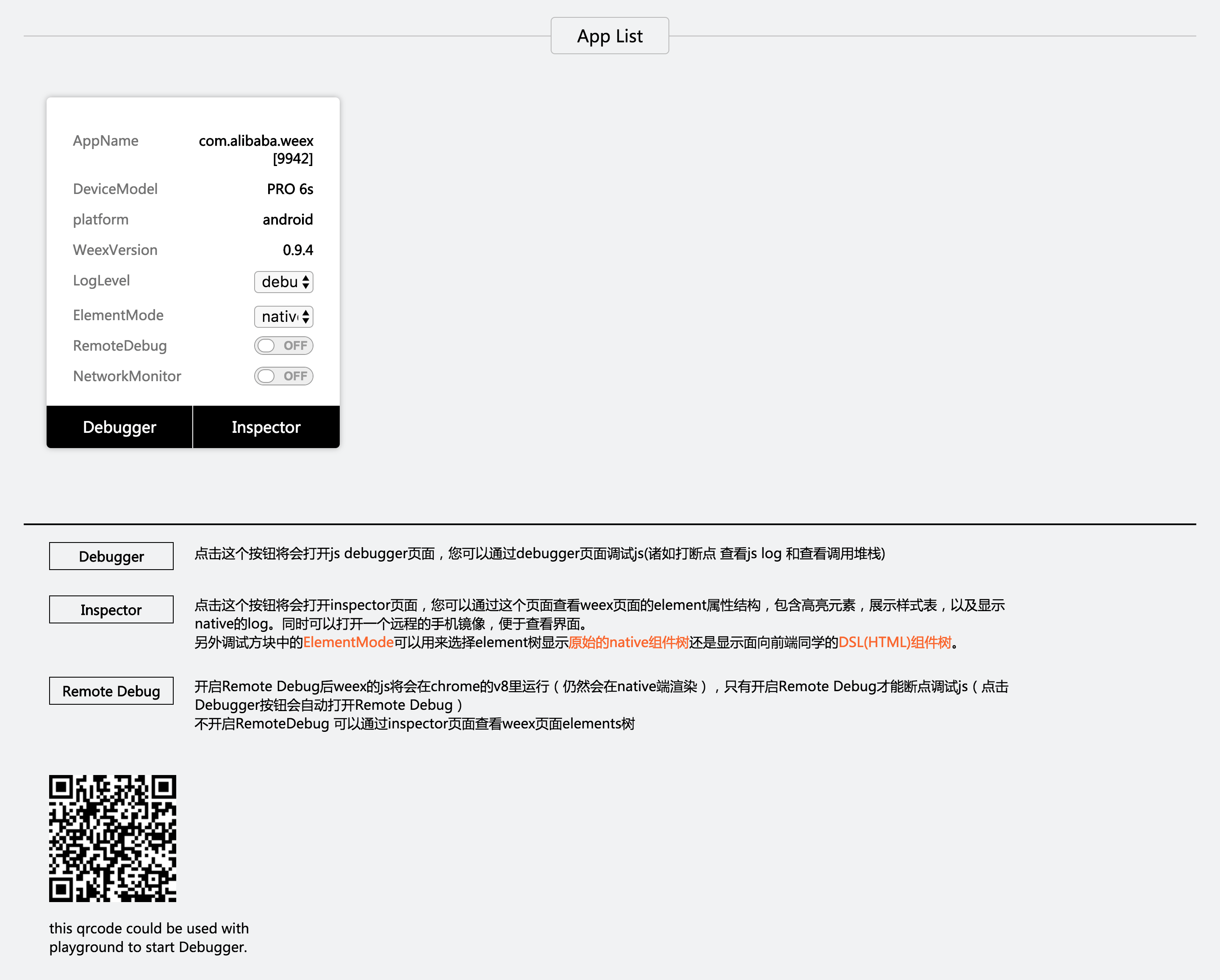
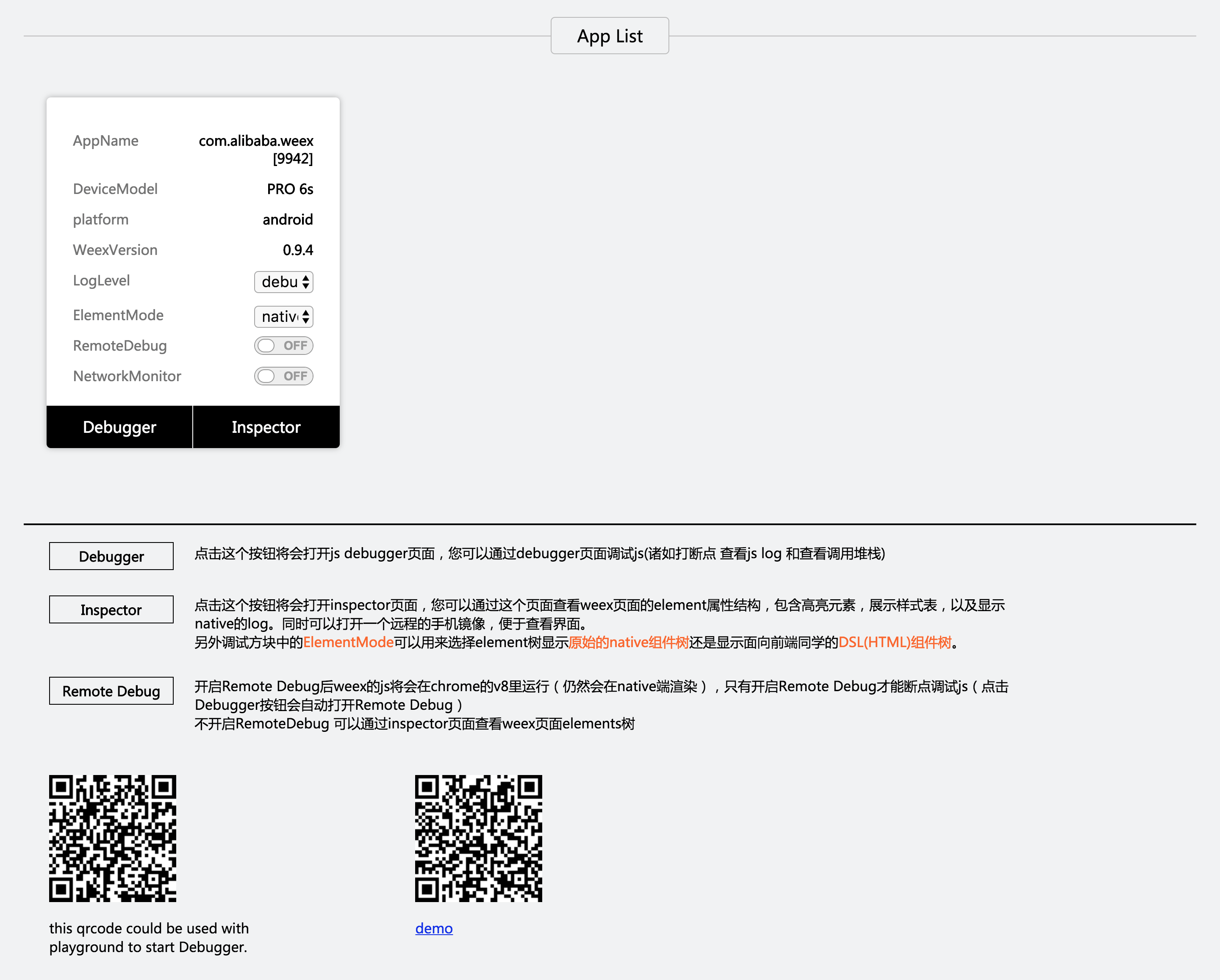
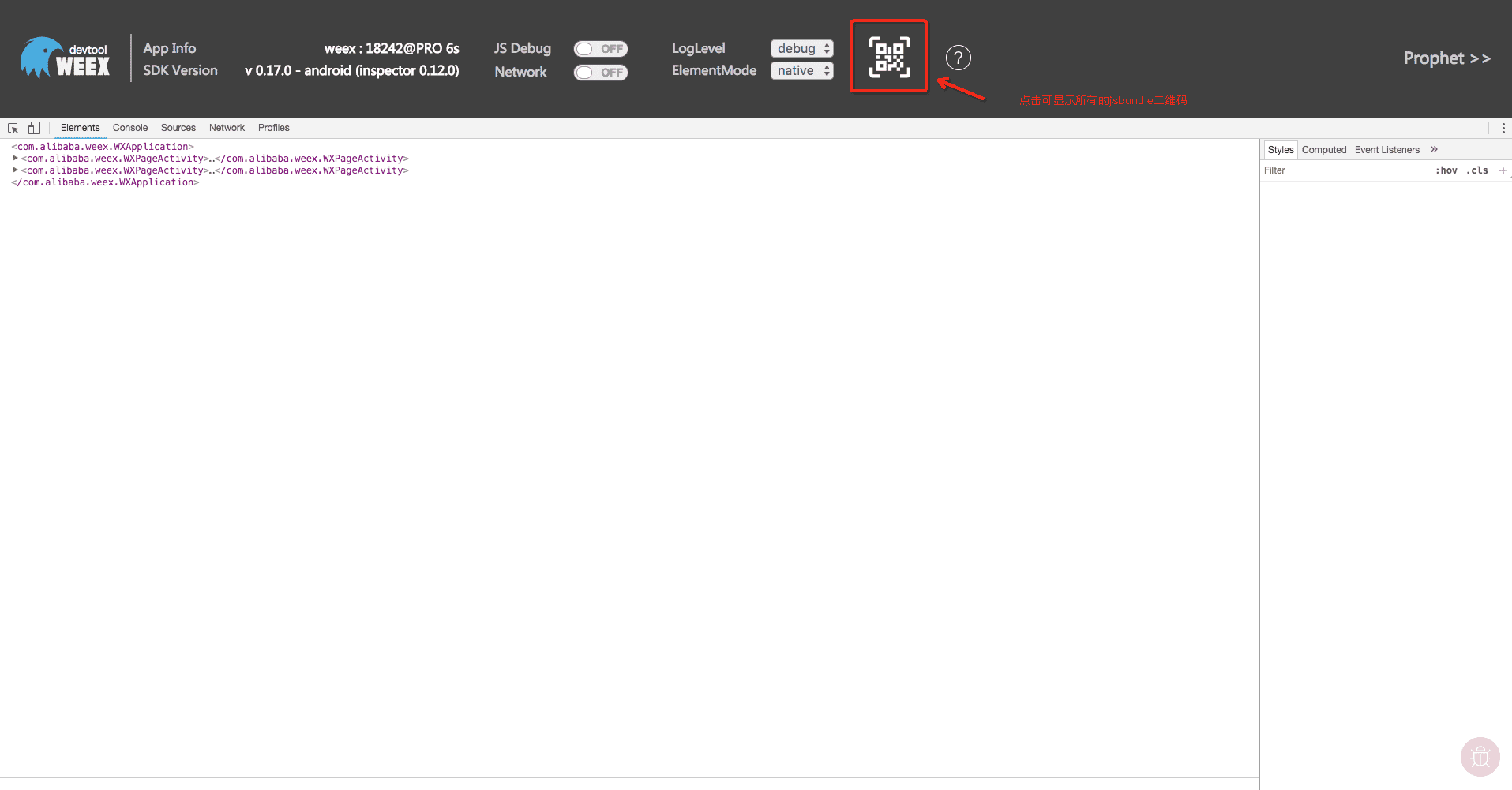
+点击可扫码的二维码按钮即可打开编译后得到的产物二维码,可直接通过weex playground app 进行扫码预览。
-
+
-##### NetWork
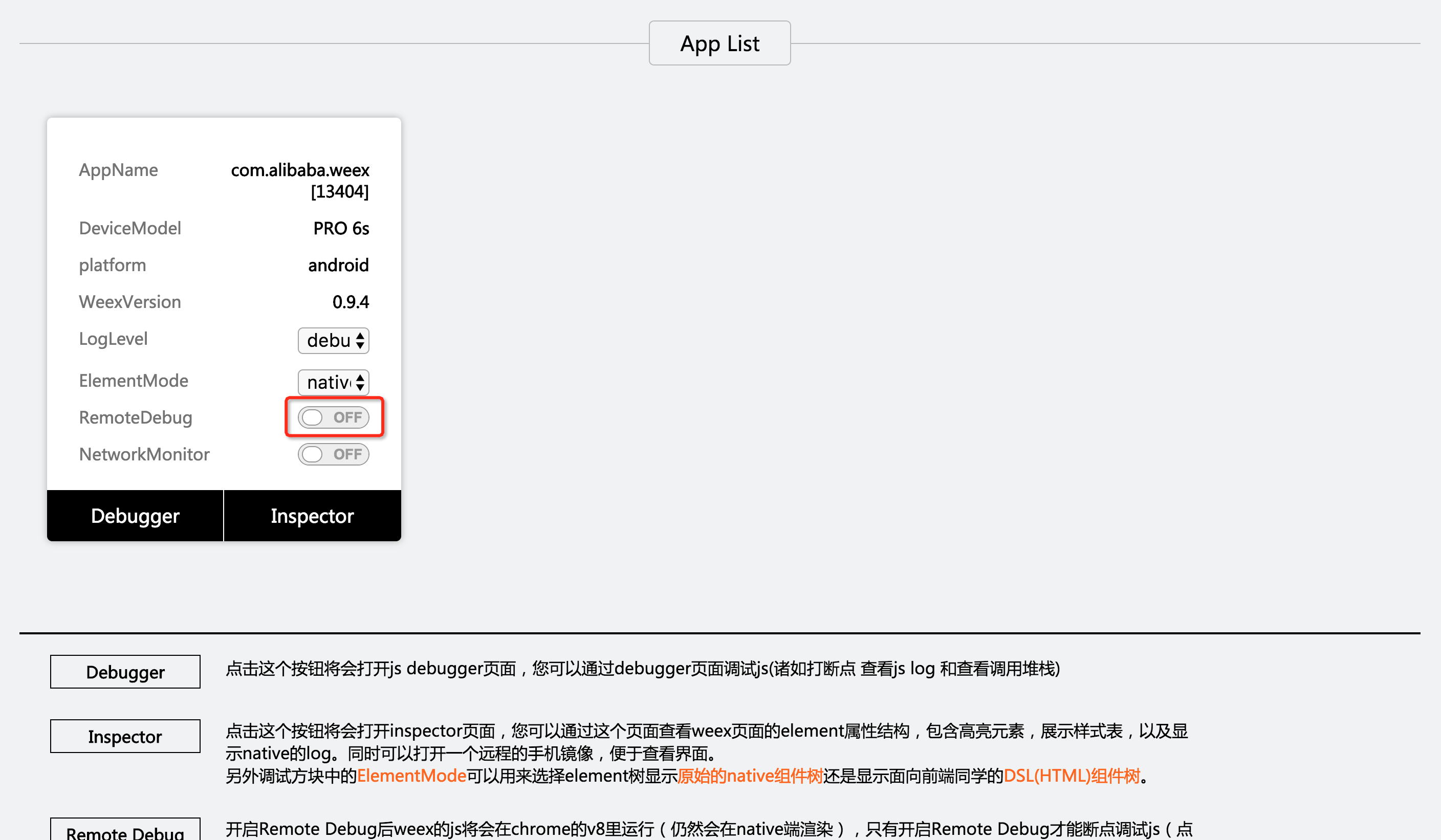
+##### Inspector功能
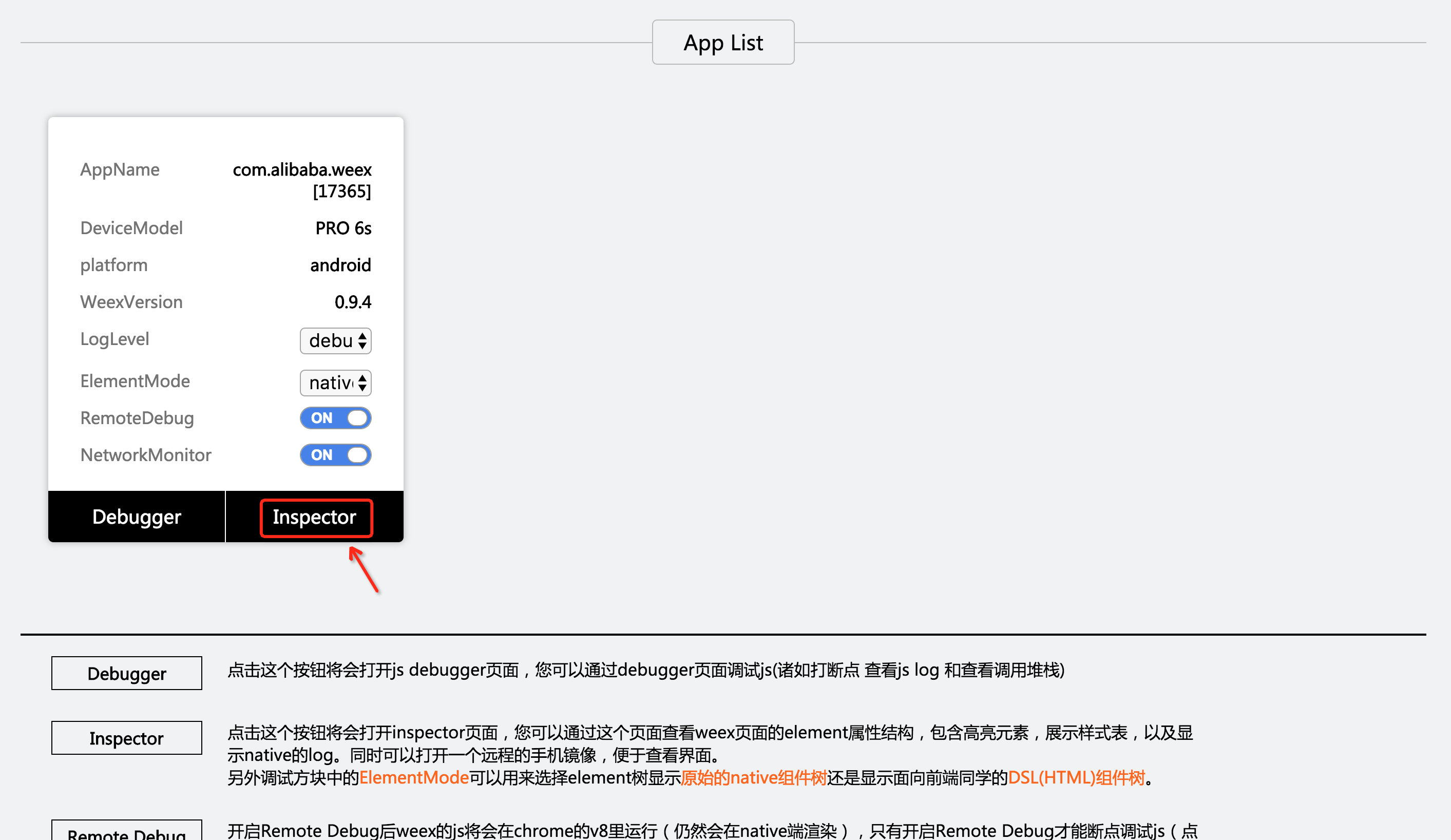
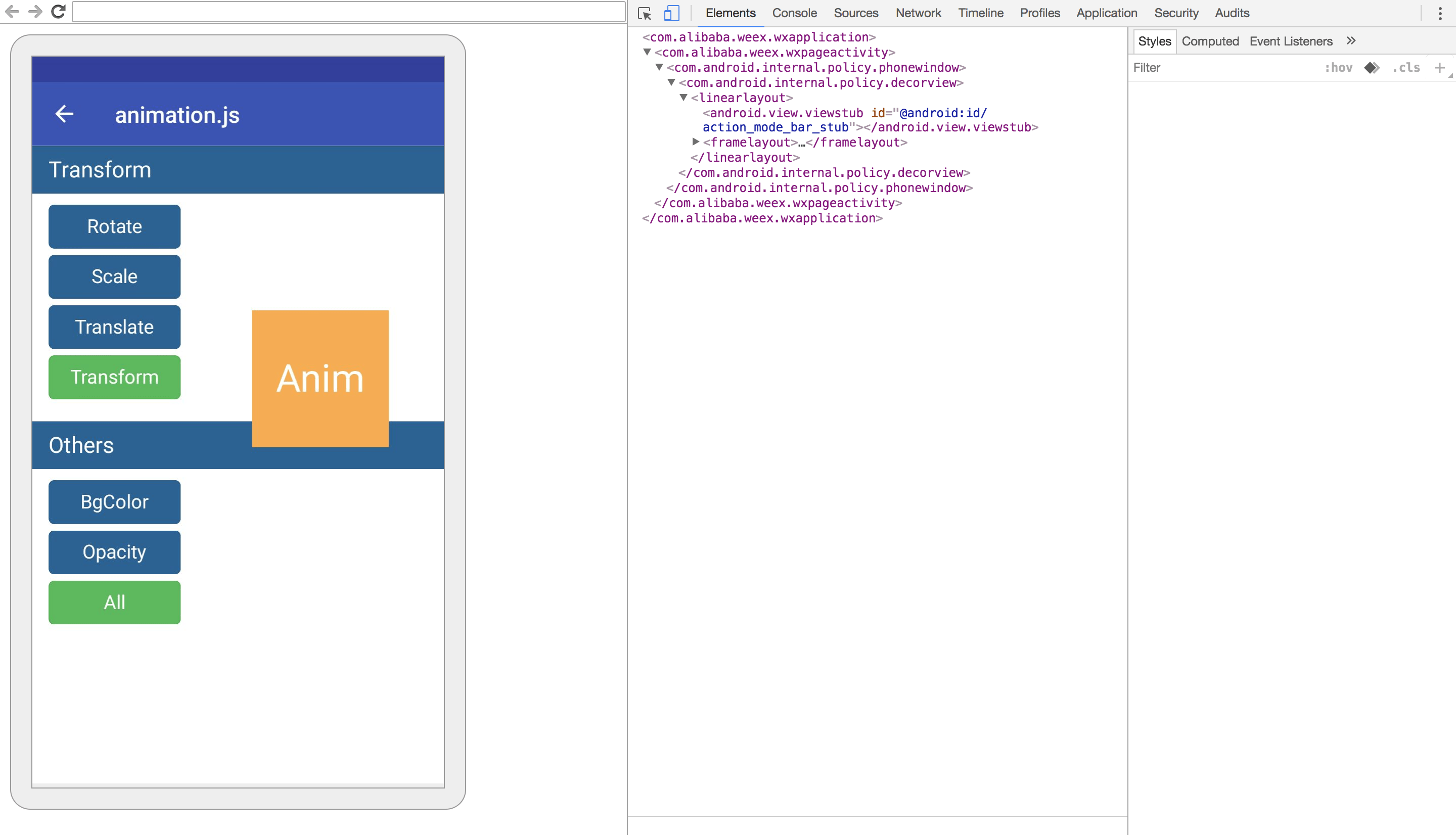
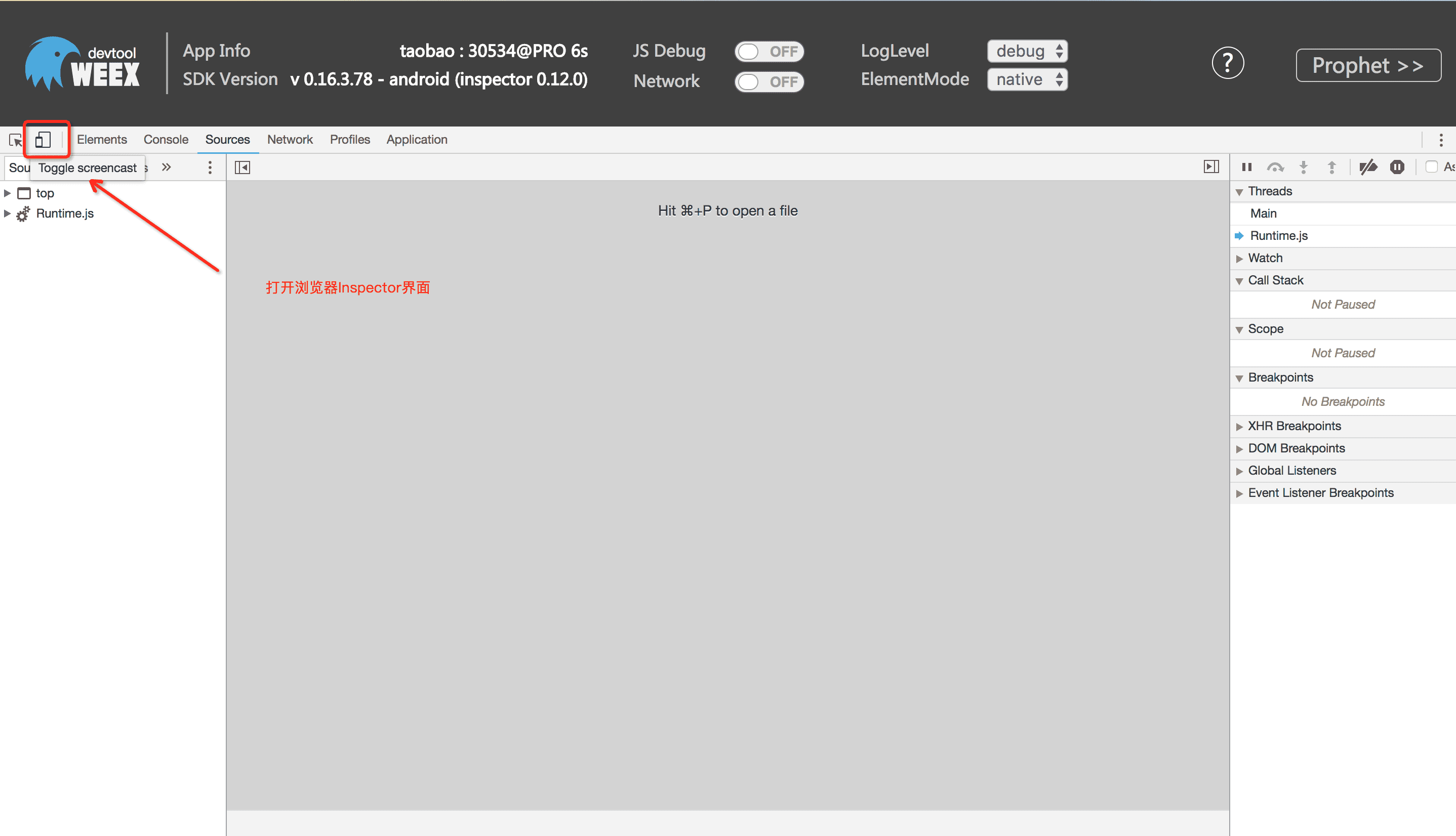
+> Inspector功能可查看页面的VDOM/Native Tree结构
-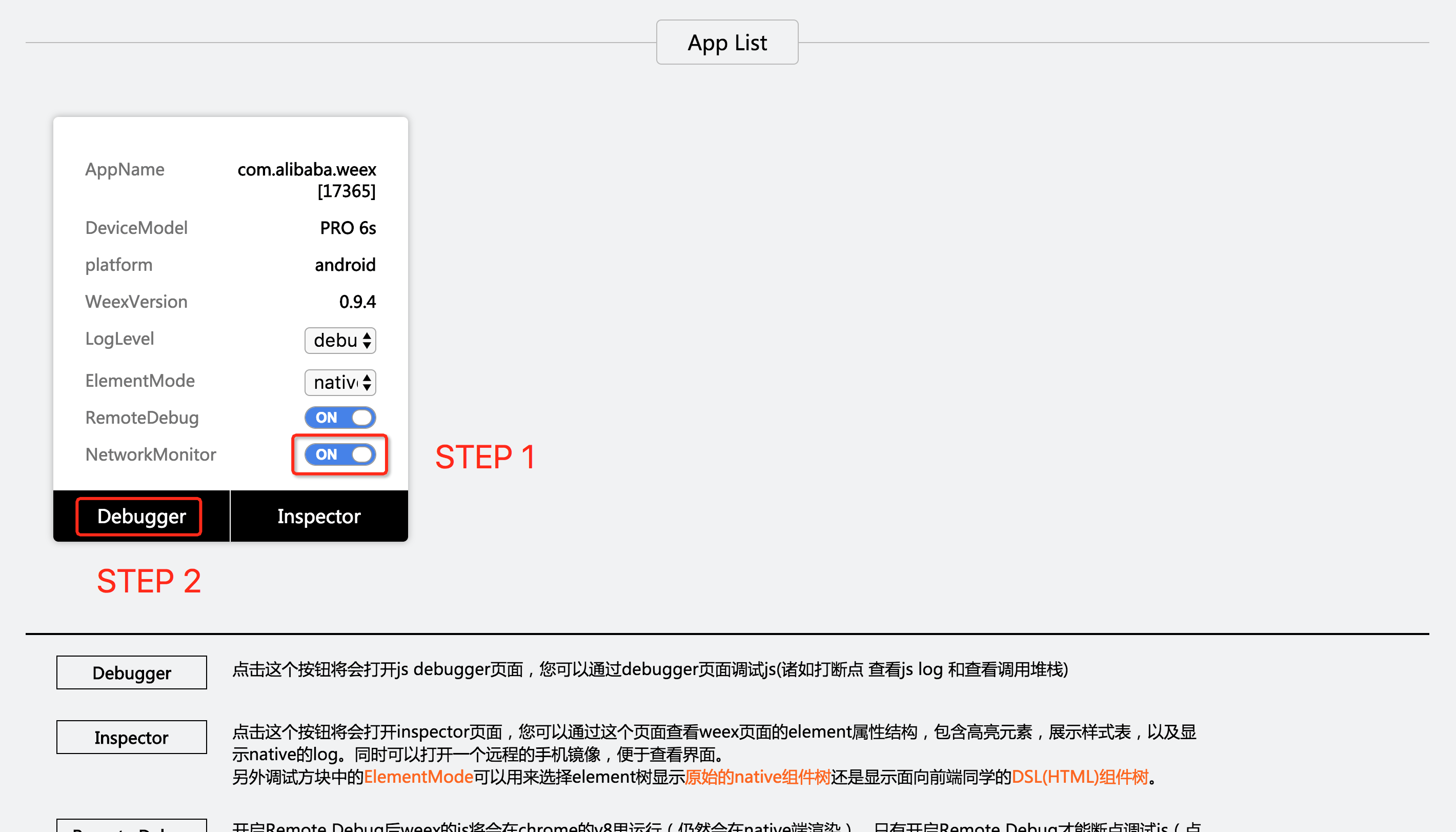
+注:如不需要此功能尽量保持关闭状态,开启浏览器Inspector界面会增加大量页面通讯,较为影响性能。
-##### 查看网络请求的总耗时和延时
+
-
+
-##### 查看网络请求的header和response
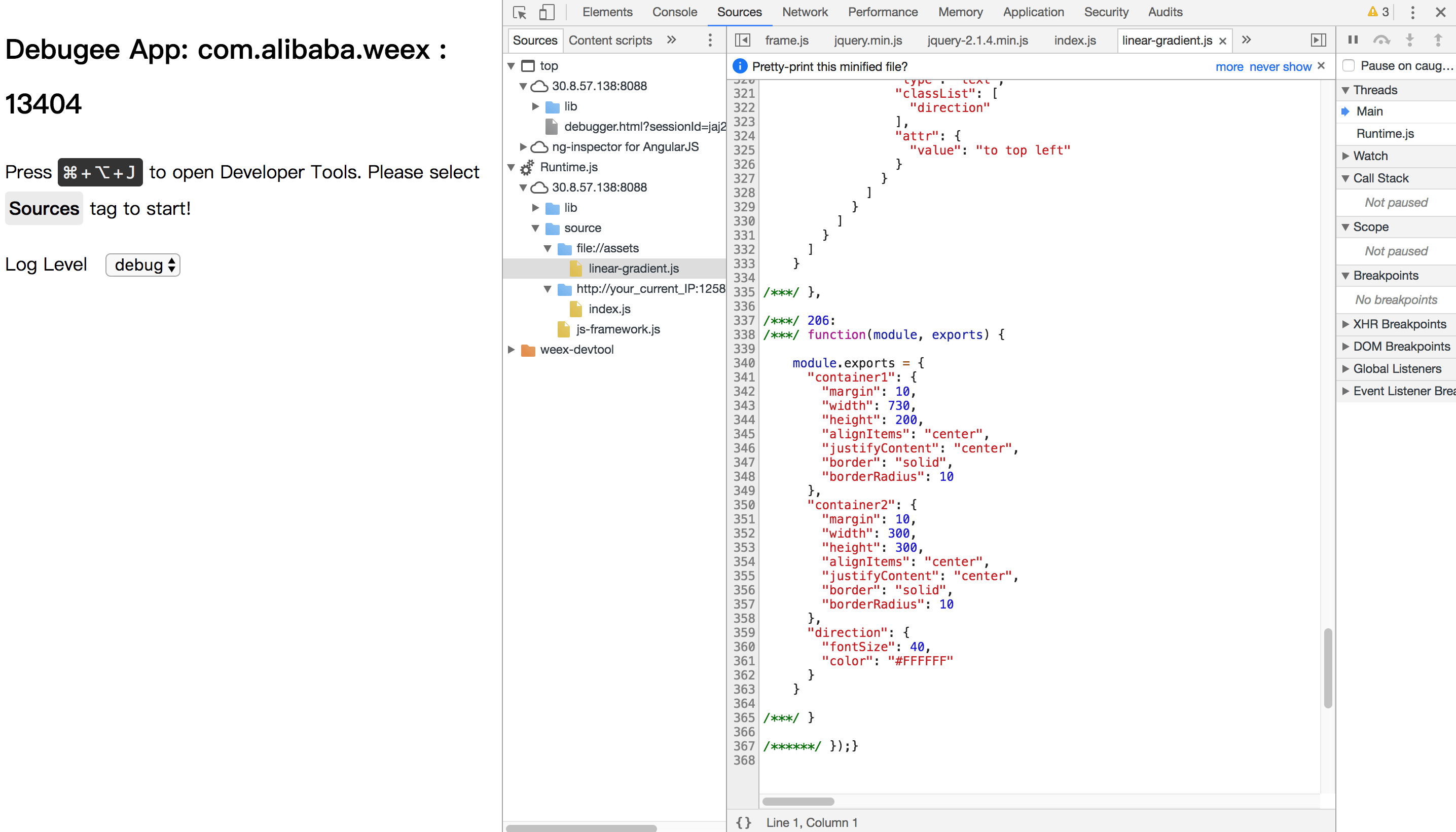
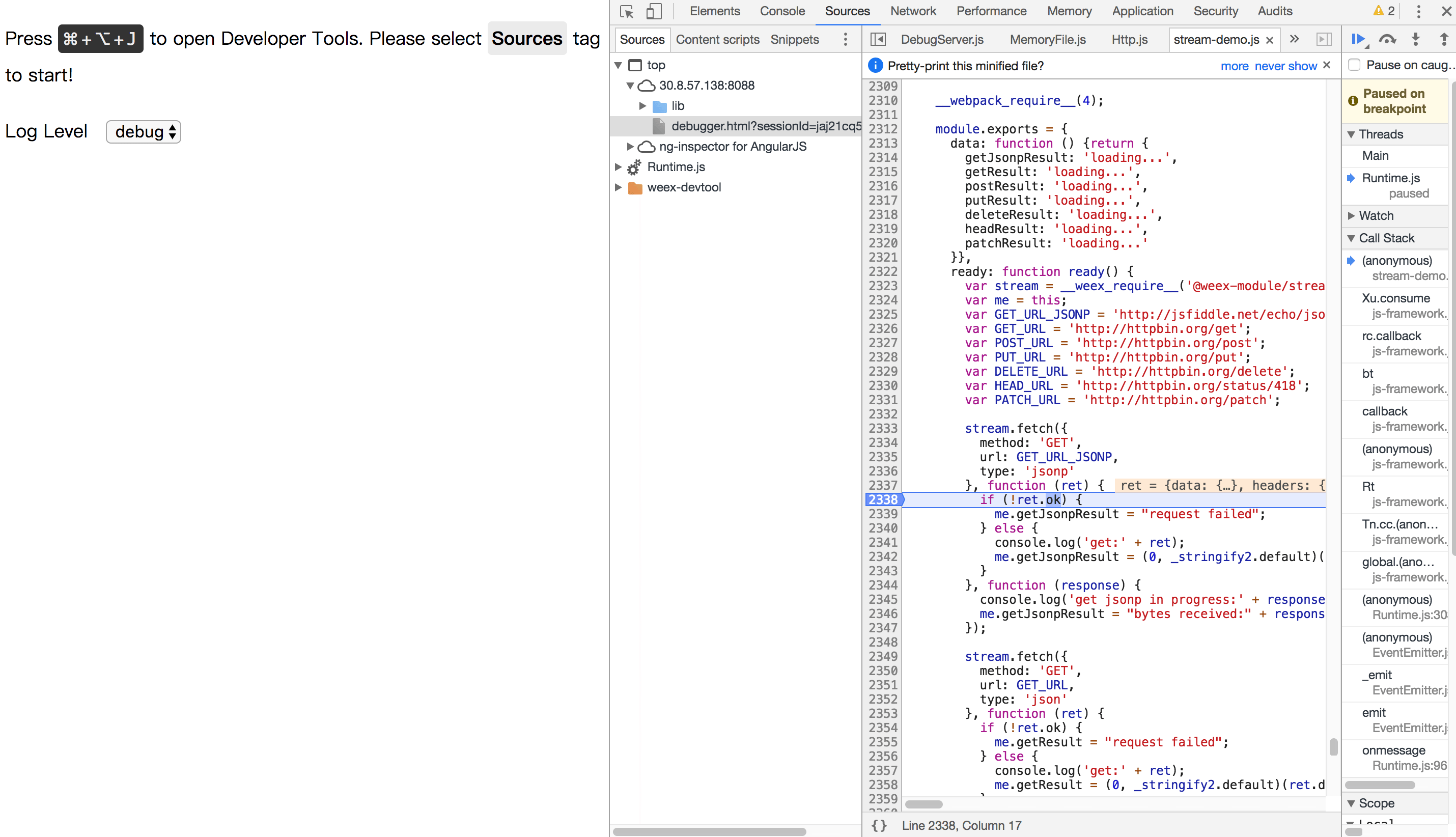
+##### JS Debug功能
+> JS Debug功能可对weex页面中的Jsbundle进行调试。
-
+
-##### 控制台
-
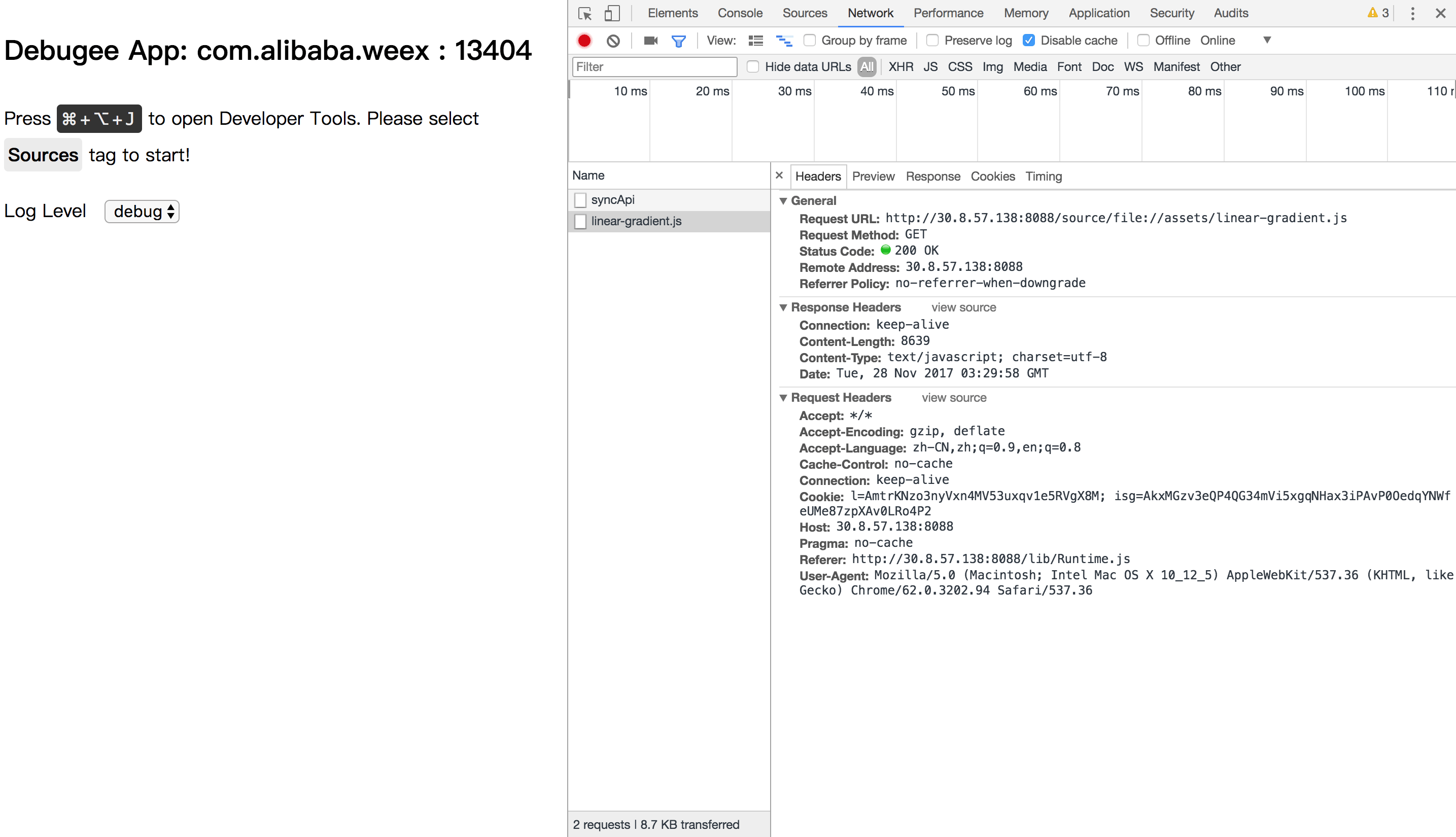
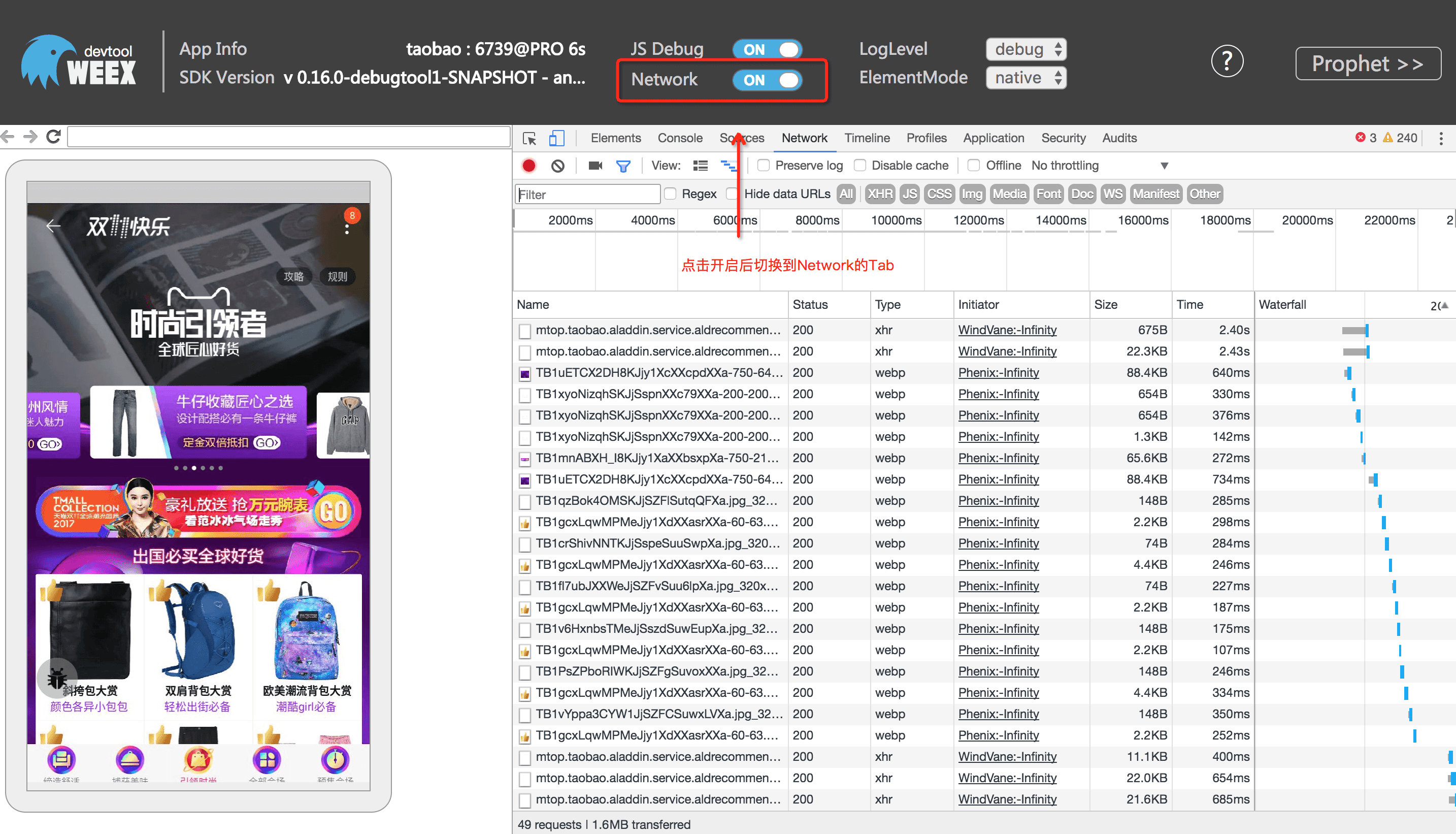
+##### Network功能
+> Network功能可以收集weex应用中的网络请求信息。
-##### 资源
+
-
-#### 调试
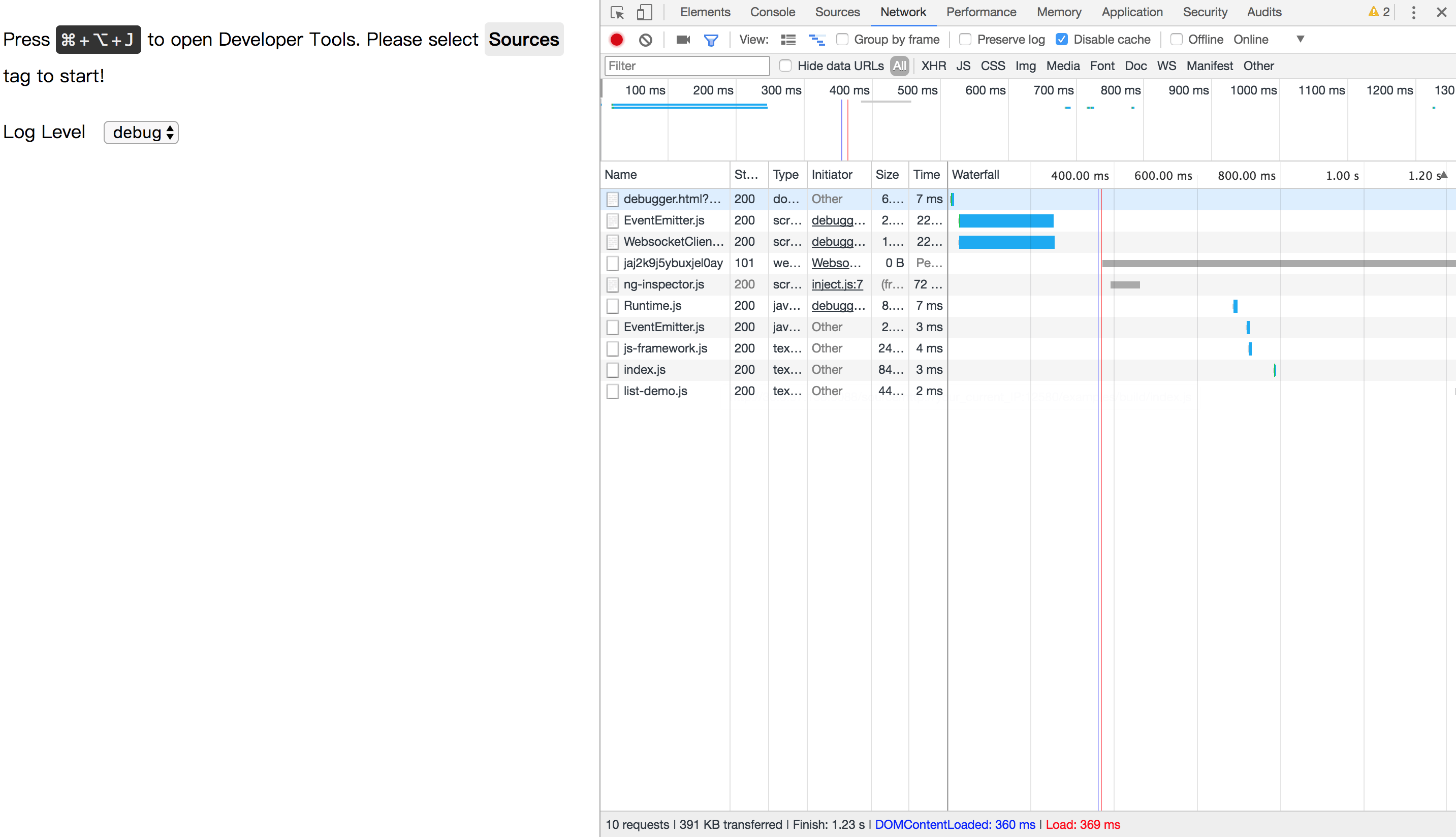
+##### LogLevel和ElementMode功能
+> LogLevel和ElementMode功能用于调整调试工具的输出配置。
- 调试器用来调试 Weex 中的 JS 代码,能够设置断点、查看调用栈。
+LogLevel分别有 debug/info/warn/log/error五个log等级,切换可输出不同等级的log信息
+ElementMode可以切换Element标签中Domtree显示模式,下图为vdom显示界面,可从标签中看到详细的数据结构:
+
-
-##### Breakpoint and CallStack
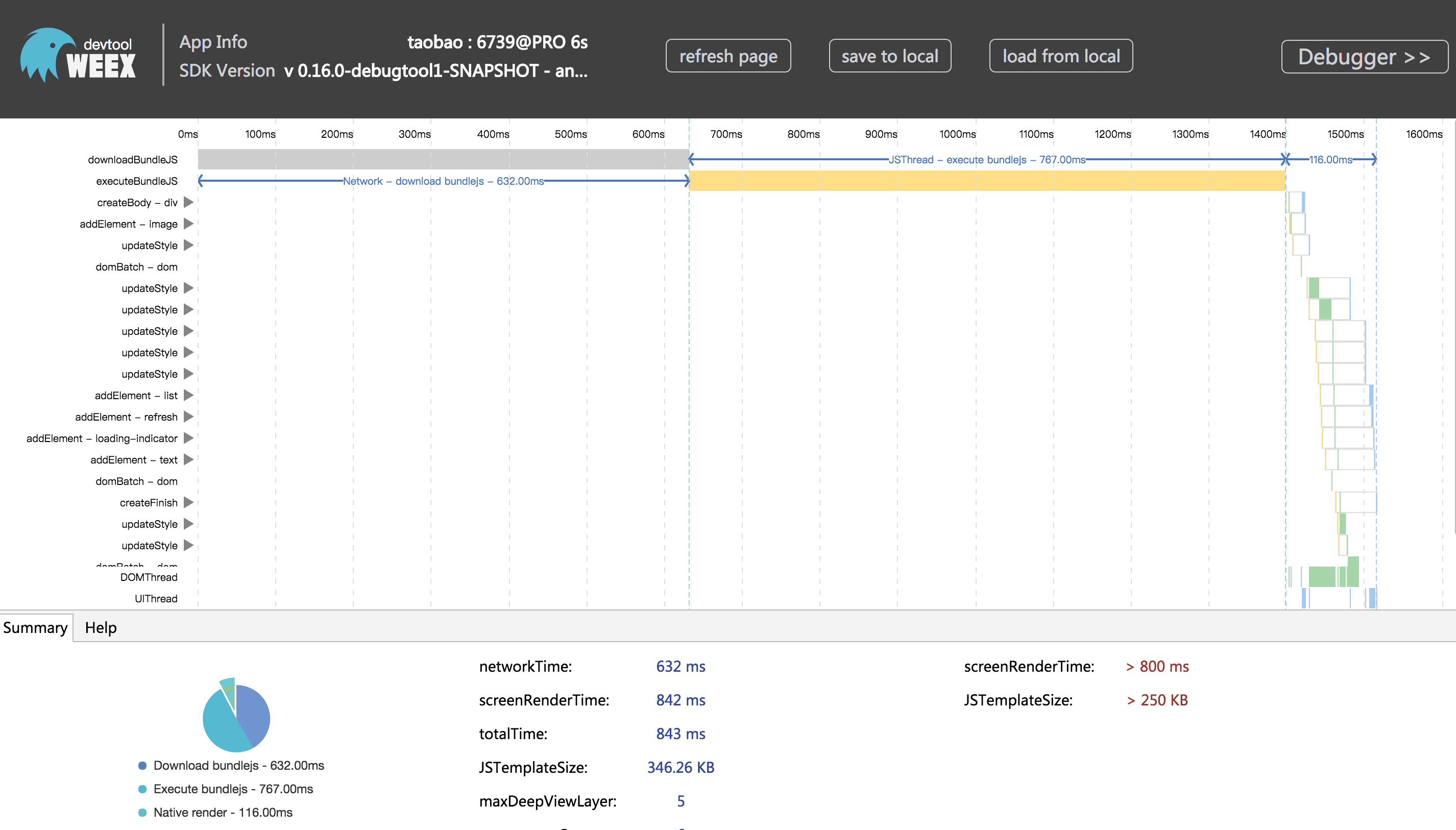
+##### Prophet功能(加载时序图)
+> Prophet功能用于查看weex的加载时序图和页面性能指标。
-
+点击右上角Prophet即可查看时序图(iOS暂不支持,性能数据可在log的performance中查看),如下:
+
#### 集成devtool工具
http://git-wip-us.apache.org/repos/asf/incubator-weex-site/blob/6a25af33/source/tools/toolkit.md
----------------------------------------------------------------------
diff --git a/source/tools/toolkit.md b/source/tools/toolkit.md
index a1b2232..c39a8b6 100644
--- a/source/tools/toolkit.md
+++ b/source/tools/toolkit.md
@@ -16,24 +16,23 @@ $ npm install -g weex-toolkit
```
You can use the `weex -v` command to confirm that the installation is successful.
-If you have never installed node.js, you should go [node.js.org]( https://nodejs.org/en/) to download and install it.
-> **NOTE:** The node version needs to be upper 6.0. You can try [n](https://github.com/tj/n) to manage your node versions. If you meet some errors when installing, please go [weex-toolkit issues](https://github.com/weexteam/weex-toolkit/issues) or [weex-toolkit faq](https://github.com/weexteam/weex-toolkit#faq) to find some solution or have a discuss with us.
+
+> If you have never installed node.js, you should go [node.js.org]( https://nodejs.org/en/) to download and install it. The node version needs to be upper 6.0. You can try [n](https://github.com/tj/n) to manage your node versions.
+
+If you meet some errors when installing, please go [weex-toolkit issues](https://github.com/weexteam/weex-toolkit/issues) or [weex-toolkit faq](https://github.com/weexteam/weex-toolkit#faq) to find some solution or have a discuss with us.
## Commands
### create
```bash
-$ weex create awesome-project
-```
-Creates a new weex project. After command running, you can find `awesome-project` directory and there are some Weex templates in it.
-There are some useful npm scripts you will use in the future:
+# create a new project with an official template
+$ weex create my-project
-- `build`: build the source code and generate the JS bundle
-- `dev`: run webpack watch configuration
-- `serve`: start a hot-reload web server
-
-You need to run `npm i` before running `npm start` to install project dependencies,after that, the development page will open in the browser automatically
+# create a new project straight from a github template
+$ weex create username/repo my-project
+```
+Create a new project with an official template or from other remote, also you can create your own weex template, more detail you can see [How-to-create-your-own-template](https://github.com/weex-templates/How-to-create-your-own-template).
### preview
@@ -43,7 +42,7 @@ weex-toolkit supports previewing your Weex file(`.vue`) in a watch mode. You onl
$ weex preview src/foo.vue
```
-The browser automatically opens the preview page and you can see the layout and effects of your weex page. If you have a [Playground](https://weex.apache.org/cn/playground.html) app in your mobile devices, you can scan the QR code at the opened page.
+The browser automatically opens the preview page and you can see the layout and effects of your weex page. If you have a [Playground App](https://weex.apache.org/cn/playground.html) in your mobile devices, you can scan the QR code at the opened page.
Try the command below, you’ll preview the whole directory files.
@@ -78,11 +77,20 @@ $ weex compile src dest --devtool source-map -m
### platform
-Use `weex platform [add|remove] [ios|android]` to add or remove ios / android project templates.
+Use `weex platform [add|remove|update] [ios|android]` to add, remove or update your ios / android project templates.
``` bash
-$ weex platform add ios
-$ weex platform remove ios
+# add weex platform
+$ weex platform add [ios|android]
+
+# remove weex platform
+$ weex platform remove [ios|android]
+
+# update weex platform
+$ weex platform update [ios|android]
+
+# list weex platform
+$ weex platform list
```
Use `weex platform list` to show what platforms your application supported.
@@ -91,8 +99,13 @@ Use `weex platform list` to show what platforms your application supported.
You can use `weex-toolkit` to run project on android/ios/web.
``` bash
-$ weex run ios
+# run weex Android project
$ weex run android
+
+# run weex iOS project
+$ weex run ios
+
+# run weex web
$ weex run web
```
@@ -117,7 +130,7 @@ weex debug [we_file|bundles_dir] [options]
|`--ip [ip]`|set the host ip of debugger server|
|`--loglevel [loglevel]`| set log level|
|`--min`| set jsbundle uglify or not. [default `false`]|
-|`--debug`| start with node-inspect default port is 9331|
+|`--remotedebugport [remotedebugport]`|set the remote debug port,default 9222|
#### Features
@@ -130,61 +143,45 @@ $ weex debug
This command will start debug server and launch a chrome opening `DeviceList` page.
this page will display a QR code, you can use [Playground](https://weex.apache.org/cn/playground.html) scan it for starting debug or integrate [Weex devtools](#Integrate devtool) into your application.
-
+
##### debug with `.vue` file
```
$ weex debug your_weex.vue
```
+Click the button you can use your app or [weex playground app](http://weex.apache.org/tools/playground.html) to preview your pages.
-This command will compile `your_weex.vue` to `your_weex.js` and start the debug server as upon command.
-`your_weex.js` will be deployed on the server and displayed on the debug page, using another QR code for debugging `your_weex.js` file.
-
-
-
-##### start debugger with a directory of vue files
-
-```
-$weex debug your/vue/path -e index.vue
-```
+
-This command will compile each of the files in `your/vue/path` and deploy them on the bundled server with the new file mapped to the path `http://localhost:port/weex/` with the `-e` designated path as the entrance to the page.
##### Inspector
- Inspector can be used to show your `Element` \ `Network` \ `Console log` \ `ScreenCast` \ `BoxModel` \ `Native View` and so on.
+> Inspector feature to view the page's VDOM / Native Tree structure
-
+Note: If you do not need this feature as far as possible to maintain the closed state, open the browser Inspector interface will increase the page communication, more affect performance.
-##### Element
+
-
+
##### NetWork
-
-
-##### show the total time and latency
-
-
-##### show the header and response
-
-
-##### Console
+> The Network feature collects network request information from weex applications.
-
-##### Resource
+
-
+##### Loglevel & ElementMode
-#### Debugger
+> The LogLevel and ElementMode feature are used to adjust the output configuration of the debugger.
-
+
-##### Breakpoint and CallStack
+##### Prophet
+> The Prophet feature is used to view weex's load timing diagram and page performance metrics.
-
+Click on the upper right corner of the Prophet to view the timing diagram (iOS is not supported, the performance data can be viewed in the log performance), as follows:
+
#### Integrate devtool
* Android
[2/2] incubator-weex-site git commit: Update the title of
weex-toolkit document
Posted by ha...@apache.org.
Update the title of weex-toolkit document


Project: http://git-wip-us.apache.org/repos/asf/incubator-weex-site/repo
Commit: http://git-wip-us.apache.org/repos/asf/incubator-weex-site/commit/6a0db884
Tree: http://git-wip-us.apache.org/repos/asf/incubator-weex-site/tree/6a0db884
Diff: http://git-wip-us.apache.org/repos/asf/incubator-weex-site/diff/6a0db884

Branch: refs/heads/master
Commit: 6a0db884b87a3b785a81168bd92ca4493f9d6ee6
Parents: 6a25af3
Author: erha19 <fa...@gmail.com>
Authored: Wed Feb 28 19:59:14 2018 +0800
Committer: erha19 <fa...@gmail.com>
Committed: Wed Feb 28 19:59:14 2018 +0800

----------------------------------------------------------------------
 source/tools/index.md        | 2 +-
 themes/weex/languages/cn.yml | 2 +-
 themes/weex/languages/en.yml | 2 +-
 3 files changed, 3 insertions(+), 3 deletions(-)
----------------------------------------------------------------------


http://git-wip-us.apache.org/repos/asf/incubator-weex-site/blob/6a0db884/source/tools/index.md
----------------------------------------------------------------------
diff --git a/source/tools/index.md b/source/tools/index.md
index 8a0f8f6..98a07c7 100644
--- a/source/tools/index.md
+++ b/source/tools/index.md
@@ -9,5 +9,5 @@ version: 2.1

 + [Playground App](./playground.html)
 + [Online Playground](http://dotwe.org/vue/)
-+ [weex-toolkit](./toolkit.html)
++ [Weex Toolkit](./toolkit.html)
 + [Syntax Highlight Plugins](./helpers.html)

http://git-wip-us.apache.org/repos/asf/incubator-weex-site/blob/6a0db884/themes/weex/languages/cn.yml
----------------------------------------------------------------------
diff --git a/themes/weex/languages/cn.yml b/themes/weex/languages/cn.yml
index 5ce3d9e..fc89589 100644
--- a/themes/weex/languages/cn.yml
+++ b/themes/weex/languages/cn.yml
@@ -105,7 +105,7 @@ menu:
   examples: 例子
   onlinePlayground: 在线编写代码
   playgroundApp: Playground 应用
-  toolkit: weex-toolkit
+  toolkit: Weex Toolkit
   market: Weex 插件市场
   helpers: 辅助工具
 playground:

http://git-wip-us.apache.org/repos/asf/incubator-weex-site/blob/6a0db884/themes/weex/languages/en.yml
----------------------------------------------------------------------
diff --git a/themes/weex/languages/en.yml b/themes/weex/languages/en.yml
index d78fce0..8be2165 100644
--- a/themes/weex/languages/en.yml
+++ b/themes/weex/languages/en.yml
@@ -106,7 +106,7 @@ menu:
   examples: Examples
   onlinePlayground: Online Playground
   playgroundApp: Playground App
-  toolkit: weex-toolkit
+  toolkit: Weex Toolkit
   market: Weex Market
   helpers: Helpers
 playground: