You are viewing a plain text version of this content. The canonical link for it is here.
Posted to commits@dolphinscheduler.apache.org by "zhmingyong (via GitHub)" <gi...@apache.org> on 2023/02/21 07:28:43 UTC
[GitHub] [dolphinscheduler] zhmingyong opened a new issue, #13592: [Bug] [Module Name] After deploying dolphinscheduler with docker, the interface cannot be accessed
zhmingyong opened a new issue, #13592:
URL: https://github.com/apache/dolphinscheduler/issues/13592
### Search before asking
- [X] I had searched in the [issues](https://github.com/apache/dolphinscheduler/issues?q=is%3Aissue) and found no similar issues.
### What happened
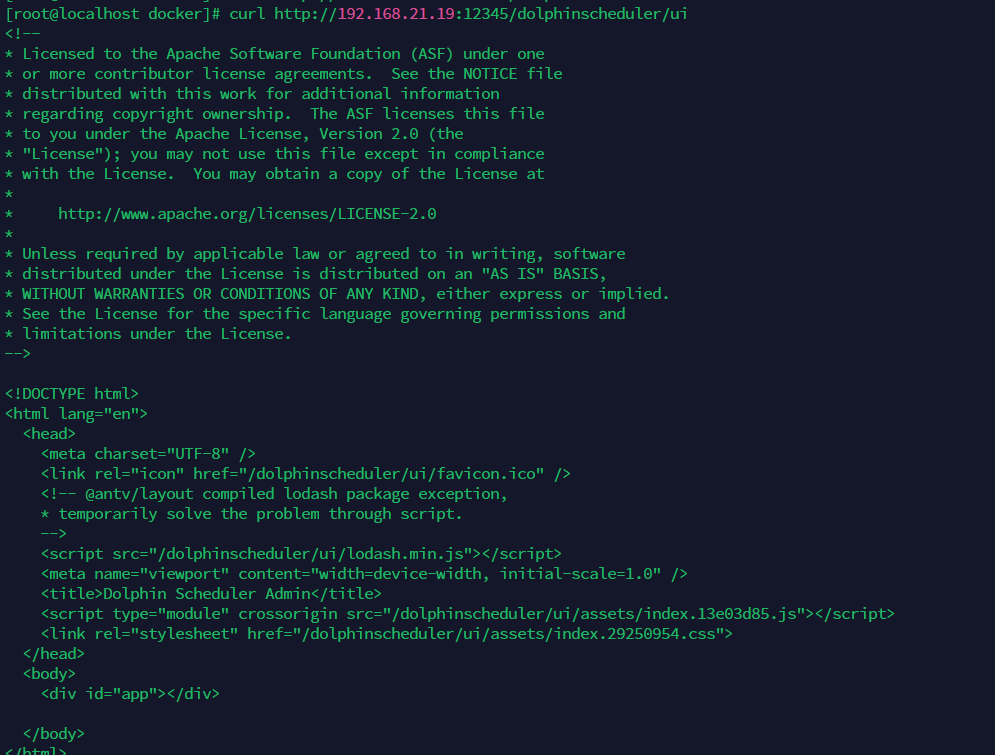
After deploying dolphinscheduler with docker, the interface cannot be accessed
### What you expected to happen
### How to reproduce
1.pull sourcecode ,release version:3.1.3,3.0.4
2.docker-compose deploying
3.Access interface
### Anything else
_No response_
### Version
3.1.x
### Are you willing to submit PR?
- [ ] Yes I am willing to submit a PR!
### Code of Conduct
- [X] I agree to follow this project's [Code of Conduct](https://www.apache.org/foundation/policies/conduct)
--
This is an automated message from the Apache Git Service.
To respond to the message, please log on to GitHub and use the
URL above to go to the specific comment.
To unsubscribe, e-mail: commits-unsubscribe@dolphinscheduler.apache.org.apache.org
For queries about this service, please contact Infrastructure at:
users@infra.apache.org
[GitHub] [dolphinscheduler] github-actions[bot] commented on issue #13592: [Bug] [Module Name] After deploying dolphinscheduler with docker, the interface cannot be accessed
Posted by "github-actions[bot] (via GitHub)" <gi...@apache.org>.
github-actions[bot] commented on issue #13592:
URL: https://github.com/apache/dolphinscheduler/issues/13592#issuecomment-1437975706

   Thank you for your feedback, we have received your issue, Please wait patiently for a reply.
   * In order for us to understand your request as soon as possible, please provide detailed information, version or pictures.
   * If you haven't received a reply for a long time, you can [join our slack](https://s.apache.org/dolphinscheduler-slack) and send your question to channel `#troubleshooting`


--
This is an automated message from the Apache Git Service.
To respond to the message, please log on to GitHub and use the
URL above to go to the specific comment.

To unsubscribe, e-mail: commits-unsubscribe@dolphinscheduler.apache.org

For queries about this service, please contact Infrastructure at:
users@infra.apache.org
[GitHub] [dolphinscheduler] github-actions[bot] commented on issue #13592: [Bug] [Module Name] After deploying dolphinscheduler with docker, the interface cannot be accessed
Posted by "github-actions[bot] (via GitHub)" <gi...@apache.org>.
github-actions[bot] commented on issue #13592:
URL: https://github.com/apache/dolphinscheduler/issues/13592#issuecomment-1493483557

   This issue has been closed because it has not received response for too long time. You could reopen it if you encountered similar problems in the future.


--
This is an automated message from the Apache Git Service.
To respond to the message, please log on to GitHub and use the
URL above to go to the specific comment.

To unsubscribe, e-mail: commits-unsubscribe@dolphinscheduler.apache.org

For queries about this service, please contact Infrastructure at:
users@infra.apache.org
[GitHub] [dolphinscheduler] github-actions[bot] closed issue #13592: [Bug] [Module Name] After deploying dolphinscheduler with docker, the interface cannot be accessed
Posted by "github-actions[bot] (via GitHub)" <gi...@apache.org>.
github-actions[bot] closed issue #13592: [Bug] [Module Name] After deploying dolphinscheduler with docker, the interface cannot be accessed
URL: https://github.com/apache/dolphinscheduler/issues/13592


--
This is an automated message from the Apache Git Service.
To respond to the message, please log on to GitHub and use the
URL above to go to the specific comment.

To unsubscribe, e-mail: commits-unsubscribe@dolphinscheduler.apache.org

For queries about this service, please contact Infrastructure at:
users@infra.apache.org
[GitHub] [dolphinscheduler] CCCCCMD commented on issue #13592: [Bug] [Module Name] After deploying dolphinscheduler with docker, the interface cannot be accessed
Posted by "CCCCCMD (via GitHub)" <gi...@apache.org>.
CCCCCMD commented on issue #13592:
URL: https://github.com/apache/dolphinscheduler/issues/13592#issuecomment-1439677783

   #[13465](https://github.com/apache/dolphinscheduler/issues/13465) #[13523](https://github.com/apache/dolphinscheduler/issues/13523)
   The js file named index.13e03d85.js does not exist.
   You can repackage the dolphinscheduler-ui module and replace the ui directory in the container,but these changes will be lost after restarting the container.Also you can try to build a new image based on official image.
   You can refer to the Dockerfile file on this [page](https://hub.docker.com/r/cccccmd/dolphinscheduler-api)


--
This is an automated message from the Apache Git Service.
To respond to the message, please log on to GitHub and use the
URL above to go to the specific comment.

To unsubscribe, e-mail: commits-unsubscribe@dolphinscheduler.apache.org

For queries about this service, please contact Infrastructure at:
users@infra.apache.org
[GitHub] [dolphinscheduler] github-actions[bot] commented on issue #13592: [Bug] [Module Name] After deploying dolphinscheduler with docker, the interface cannot be accessed
Posted by "github-actions[bot] (via GitHub)" <gi...@apache.org>.
github-actions[bot] commented on issue #13592:
URL: https://github.com/apache/dolphinscheduler/issues/13592#issuecomment-1483955818

   This issue has been automatically marked as stale because it has not had recent activity for 30 days. It will be closed in next 7 days if no further activity occurs.


--
This is an automated message from the Apache Git Service.
To respond to the message, please log on to GitHub and use the
URL above to go to the specific comment.

To unsubscribe, e-mail: commits-unsubscribe@dolphinscheduler.apache.org

For queries about this service, please contact Infrastructure at:
users@infra.apache.org
[GitHub] [dolphinscheduler] QuantumXiecao commented on issue #13592: [Bug] [Module Name] After deploying dolphinscheduler with docker, the interface cannot be accessed
Posted by "QuantumXiecao (via GitHub)" <gi...@apache.org>.
QuantumXiecao commented on issue #13592:
URL: https://github.com/apache/dolphinscheduler/issues/13592#issuecomment-1437997522

   @zhmingyong Could you please explain it more specifically about "the interface cannot be accessed"?
   I see your curling action has been successful. You mean you could not access the website through the browser?


--
This is an automated message from the Apache Git Service.
To respond to the message, please log on to GitHub and use the
URL above to go to the specific comment.

To unsubscribe, e-mail: commits-unsubscribe@dolphinscheduler.apache.org

For queries about this service, please contact Infrastructure at:
users@infra.apache.org
[GitHub] [dolphinscheduler] QuantumXiecao commented on issue #13592: [Bug] [Module Name] After deploying dolphinscheduler with docker, the interface cannot be accessed
Posted by "QuantumXiecao (via GitHub)" <gi...@apache.org>.
QuantumXiecao commented on issue #13592:
URL: https://github.com/apache/dolphinscheduler/issues/13592#issuecomment-1441475889
@SbloodyS This problem is due to the docker image located in apache repository is bad.
I think we should redistribute docker image as quickly as possible.
@zhmingyong Current solution is you could build image using Dockerfile located in dolphin-scheduler source code using the following command:
docker build -t dolphin-api:latest -f src/main/docker/Dockerfile . (name dolphin-api just for test)
And I modify docker-compose.yaml like follows:

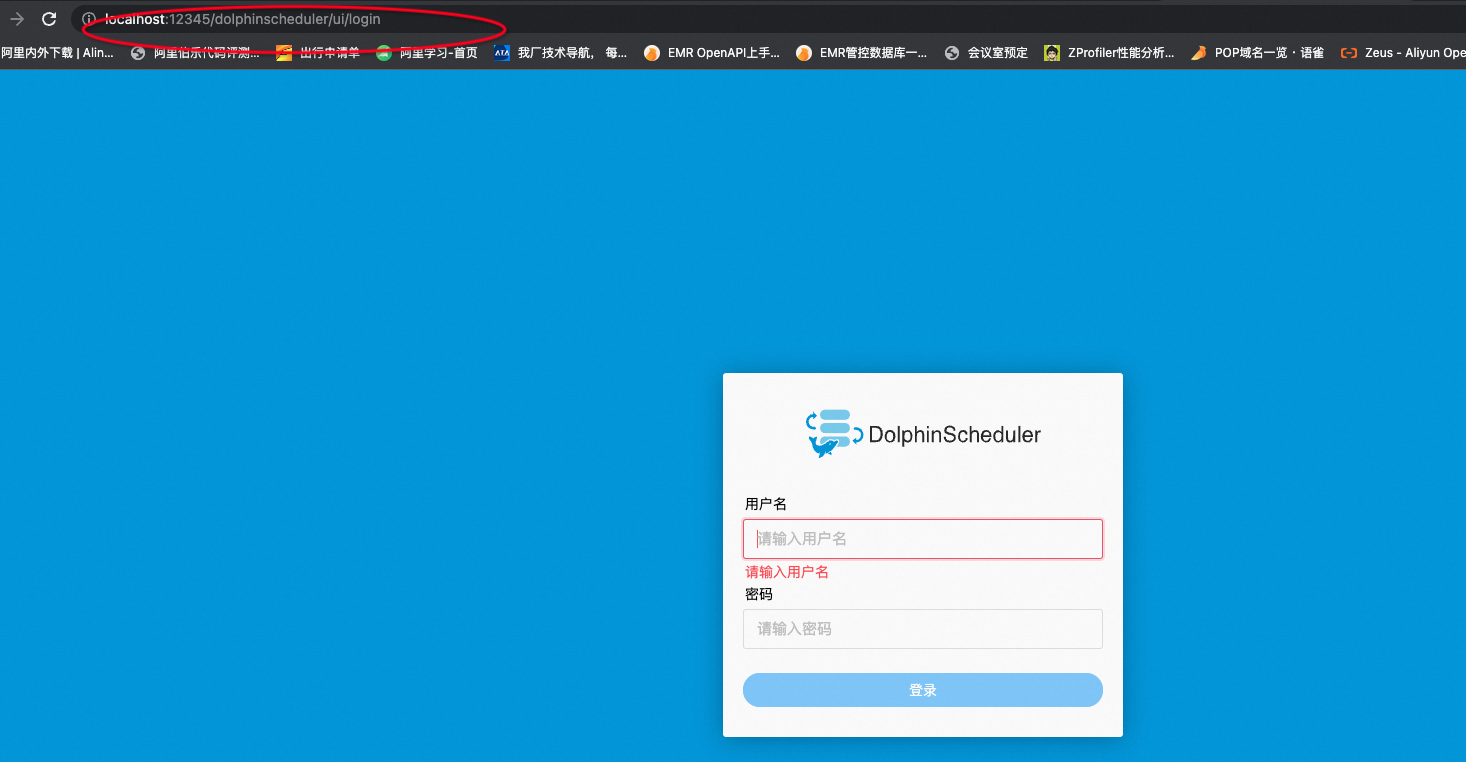
The dolphin login page display normally.
I think one possible problem is when building dolphinscheduler-api image it has used the cached front-end files.
@SbloodyS Please rebuild the image like what I did and redistribute it!
--
This is an automated message from the Apache Git Service.
To respond to the message, please log on to GitHub and use the
URL above to go to the specific comment.
To unsubscribe, e-mail: commits-unsubscribe@dolphinscheduler.apache.org
For queries about this service, please contact Infrastructure at:
users@infra.apache.org
[GitHub] [dolphinscheduler] QuantumXiecao commented on issue #13592: [Bug] [Module Name] After deploying dolphinscheduler with docker, the interface cannot be accessed
Posted by "QuantumXiecao (via GitHub)" <gi...@apache.org>.
QuantumXiecao commented on issue #13592:
URL: https://github.com/apache/dolphinscheduler/issues/13592#issuecomment-1441252724

   @CCCCCMD  I see what you mean. Thanks for you feedback.


--
This is an automated message from the Apache Git Service.
To respond to the message, please log on to GitHub and use the
URL above to go to the specific comment.

To unsubscribe, e-mail: commits-unsubscribe@dolphinscheduler.apache.org

For queries about this service, please contact Infrastructure at:
users@infra.apache.org