You are viewing a plain text version of this content. The canonical link for it is here.
Posted to commits@mxnet.apache.org by za...@apache.org on 2019/12/09 18:20:53 UTC
[incubator-mxnet] branch master updated: Link fixes5 (#16986)
This is an automated email from the ASF dual-hosted git repository.
zachgk pushed a commit to branch master
in repository https://gitbox.apache.org/repos/asf/incubator-mxnet.git
The following commit(s) were added to refs/heads/master by this push:
new c573154 Link fixes5 (#16986)
c573154 is described below
commit c573154e9deb3881ee3a64a9fa0886248622bacf
Author: Talia <31...@users.noreply.github.com>
AuthorDate: Mon Dec 9 10:20:03 2019 -0800
Link fixes5 (#16986)
* link fixes
* fixing broken links, added data tutorials back into gluon package section
* Added autograd images back in to the tutorial in the python package docs
* created relative link for symbol api reference
* renaming data folder
* incorporating new folder-name on gluon index cards
* fixed gotcha link
* Fixed relative link
* fixing links on performance index page
* took out data files, checked and modified index files for python tutorials
* added license header to multi_devices.md
* link fixes
* fixing broken links, added data tutorials back into gluon package section
* Added autograd images back in to the tutorial in the python package docs
* created relative link for symbol api reference
* renaming data folder
* incorporating new folder-name on gluon index cards
* fixed gotcha link
* fixing links on performance index page
* took out data files, checked and modified index files for python tutorials
* added license header to multi_devices.md
* adding updated submodule
---
docs/python_docs/python/tutorials/index.rst | 2 +-
.../autograd/_static/autograd_control_flow.png | Bin 0 -> 21635 bytes
.../_static/autograd_control_flow_grad.png | Bin 0 -> 20585 bytes
.../autograd/_static/autograd_forward_backward.png | Bin 0 -> 63061 bytes
.../autograd/_static/autograd_grad_req.mp4 | Bin 0 -> 71224 bytes
.../autograd/_static/autograd_gradient.png | Bin 0 -> 39559 bytes
.../packages/autograd/_static/autograd_graph.mp4 | Bin 0 -> 113606 bytes
.../autograd/_static/autograd_head_grad.mp4 | Bin 0 -> 59549 bytes
.../python/tutorials/packages/autograd/index.md | 14 +-
.../tutorials/packages/gluon/image/index.rst | 10 -
.../tutorials/packages/gluon/image/info_gan.md | 454 +++++++++++++++++++++
.../python/tutorials/packages/gluon/index.rst | 22 +-
.../python/tutorials/packages/index.rst | 6 +-
.../python/tutorials/performance/backend/index.rst | 2 +-
.../python/tutorials/performance/index.rst | 19 +-
.../static_site/src/pages/api/faq/multi_devices.md | 217 ++++++++++
16 files changed, 701 insertions(+), 45 deletions(-)
diff --git a/docs/python_docs/python/tutorials/index.rst b/docs/python_docs/python/tutorials/index.rst
index c130ce6..8e2362e 100644
--- a/docs/python_docs/python/tutorials/index.rst
+++ b/docs/python_docs/python/tutorials/index.rst
@@ -92,7 +92,7 @@ Performance
.. card::
:title: MKL-DNN
- :link: performance/backend/mkldnn/mkldnn_quantization
+ :link: performance/backend/mkldnn/index.html
How to get the most from your CPU by using Intel's MKL-DNN.
diff --git a/docs/python_docs/python/tutorials/packages/autograd/_static/autograd_control_flow.png b/docs/python_docs/python/tutorials/packages/autograd/_static/autograd_control_flow.png
new file mode 100644
index 0000000..804950f
Binary files /dev/null and b/docs/python_docs/python/tutorials/packages/autograd/_static/autograd_control_flow.png differ
diff --git a/docs/python_docs/python/tutorials/packages/autograd/_static/autograd_control_flow_grad.png b/docs/python_docs/python/tutorials/packages/autograd/_static/autograd_control_flow_grad.png
new file mode 100644
index 0000000..550d41f
Binary files /dev/null and b/docs/python_docs/python/tutorials/packages/autograd/_static/autograd_control_flow_grad.png differ
diff --git a/docs/python_docs/python/tutorials/packages/autograd/_static/autograd_forward_backward.png b/docs/python_docs/python/tutorials/packages/autograd/_static/autograd_forward_backward.png
new file mode 100644
index 0000000..2e13fdb
Binary files /dev/null and b/docs/python_docs/python/tutorials/packages/autograd/_static/autograd_forward_backward.png differ
diff --git a/docs/python_docs/python/tutorials/packages/autograd/_static/autograd_grad_req.mp4 b/docs/python_docs/python/tutorials/packages/autograd/_static/autograd_grad_req.mp4
new file mode 100644
index 0000000..5f3662d
Binary files /dev/null and b/docs/python_docs/python/tutorials/packages/autograd/_static/autograd_grad_req.mp4 differ
diff --git a/docs/python_docs/python/tutorials/packages/autograd/_static/autograd_gradient.png b/docs/python_docs/python/tutorials/packages/autograd/_static/autograd_gradient.png
new file mode 100644
index 0000000..793fef3
Binary files /dev/null and b/docs/python_docs/python/tutorials/packages/autograd/_static/autograd_gradient.png differ
diff --git a/docs/python_docs/python/tutorials/packages/autograd/_static/autograd_graph.mp4 b/docs/python_docs/python/tutorials/packages/autograd/_static/autograd_graph.mp4
new file mode 100644
index 0000000..0bf3461
Binary files /dev/null and b/docs/python_docs/python/tutorials/packages/autograd/_static/autograd_graph.mp4 differ
diff --git a/docs/python_docs/python/tutorials/packages/autograd/_static/autograd_head_grad.mp4 b/docs/python_docs/python/tutorials/packages/autograd/_static/autograd_head_grad.mp4
new file mode 100644
index 0000000..0639209
Binary files /dev/null and b/docs/python_docs/python/tutorials/packages/autograd/_static/autograd_head_grad.mp4 differ
diff --git a/docs/python_docs/python/tutorials/packages/autograd/index.md b/docs/python_docs/python/tutorials/packages/autograd/index.md
index 586794a..6623e15 100644
--- a/docs/python_docs/python/tutorials/packages/autograd/index.md
+++ b/docs/python_docs/python/tutorials/packages/autograd/index.md
@@ -23,7 +23,7 @@
Gradients are fundamental to the process of training neural networks, and tell us how to change the parameters of the network to improve its performance.
-
+
### Long Answer:
@@ -39,7 +39,7 @@ Assuming we've calculated the gradient of each parameter with respect to the los
We differentiate. [MXNet Gluon](/api/python/docs/tutorials/packages/gluon/index.html) uses Reverse Mode Automatic Differentiation (`autograd`) to backprogate gradients from the loss metric to the network parameters.
-
+
### Long Answer:
@@ -56,7 +56,7 @@ Stage 2. Work backwards through this record and evaluate the partial derivatives
<p style="text-align:center">
<video width="600" controls playsinline autoplay muted loop>
- <source src="/_static/autograd/autograd_graph.mp4" type="video/mp4">
+ <source src="_static/autograd_graph.mp4" type="video/mp4">
</video>
</p>
@@ -173,7 +173,7 @@ net[0].weight.grad_req = 'null'
<p style="text-align:center">
<video width="600" controls playsinline autoplay muted loop>
- <source src="/_static/autograd/autograd_grad_req.mp4" type="video/mp4">
+ <source src="_static/autograd_grad_req.mp4" type="video/mp4">
</video>
</p>
@@ -217,7 +217,7 @@ def f(x):
We can plot the resultant function for $x$ between 0 and 1, and we should recognise certain functions in segments of $x$. Starting with a quadratic curve from 0 to 1/2, we have a cubic curve from 1/2 to 2/3, a quartic from 2/3 to 3/4 and finally a flatline.
-
+
Using `autograd`, let's now find the gradient of this arbritrary function. We don't have a vectorized function in this case, because of the control flow, so let's also create a function to calculate the gradient using `autograd`.
@@ -234,7 +234,7 @@ grads = [get_grad(f, x).asscalar() for x in xs]
print(grads)
```
-
+
We can calculate the gradients by hand in this situation (since it's a toy example), and for the four segments discussed before we'd expect $2x$, $3x^2$, $4x^3$ and 0. As a spot check, for $x=0.6$ the hand calculated gradient would be $3x^2=1.08$, which equals `1.08` as computed by `autograd`.
@@ -247,7 +247,7 @@ Most of the time `autograd` will be aware of the complete computational graph, a
<p style="text-align:center">
<video width="600" controls playsinline autoplay muted loop>
- <source src="/_static/autograd/autograd_head_grad.mp4" type="video/mp4">
+ <source src="_static/autograd_head_grad.mp4" type="video/mp4">
</video>
</p>
diff --git a/docs/python_docs/python/tutorials/packages/gluon/image/index.rst b/docs/python_docs/python/tutorials/packages/gluon/image/index.rst
index b6bf3dc..27cb4c3 100644
--- a/docs/python_docs/python/tutorials/packages/gluon/image/index.rst
+++ b/docs/python_docs/python/tutorials/packages/gluon/image/index.rst
@@ -39,16 +39,6 @@ Basic Image Tutorials
How to use pretrained models to recognize what is in an image.
-Advanced Image Tutorials
----------------------
-
-.. container:: cards
-
- .. card::
- :title: Image similarity search with InfoGAN
- :link: https://mxnet.apache.org/versions/master/tutorials/gluon/info_gan.html
-
- Implementing an InfoGAN based on the MXNet Gluon.
GluonCV Toolkit Tutorials
-------------------------
diff --git a/docs/python_docs/python/tutorials/packages/gluon/image/info_gan.md b/docs/python_docs/python/tutorials/packages/gluon/image/info_gan.md
new file mode 100644
index 0000000..646cf72
--- /dev/null
+++ b/docs/python_docs/python/tutorials/packages/gluon/image/info_gan.md
@@ -0,0 +1,454 @@
+<!--- Licensed to the Apache Software Foundation (ASF) under one -->
+<!--- or more contributor license agreements. See the NOTICE file -->
+<!--- distributed with this work for additional information -->
+<!--- regarding copyright ownership. The ASF licenses this file -->
+<!--- to you under the Apache License, Version 2.0 (the -->
+<!--- "License"); you may not use this file except in compliance -->
+<!--- with the License. You may obtain a copy of the License at -->
+
+<!--- http://www.apache.org/licenses/LICENSE-2.0 -->
+
+<!--- Unless required by applicable law or agreed to in writing, -->
+<!--- software distributed under the License is distributed on an -->
+<!--- "AS IS" BASIS, WITHOUT WARRANTIES OR CONDITIONS OF ANY -->
+<!--- KIND, either express or implied. See the License for the -->
+<!--- specific language governing permissions and limitations -->
+<!--- under the License. -->
+
+
+# Image similarity search with InfoGAN
+
+This notebook shows how to implement an InfoGAN based on Gluon. InfoGAN is an extension of GANs, where the generator input is split in 2 parts: random noise and a latent code (see [InfoGAN Paper](https://arxiv.org/pdf/1606.03657.pdf)).
+The codes are made meaningful by maximizing the mutual information between code and generator output. InfoGAN learns a disentangled representation in a completely unsupervised manner. It can be used for many applications such as image similarity search. This notebook uses the DCGAN example from the [Straight Dope Book](https://gluon.mxnet.io/chapter14_generative-adversarial-networks/dcgan.html) and extends it to create an InfoGAN.
+
+
+```python
+from __future__ import print_function
+from datetime import datetime
+import logging
+import multiprocessing
+import os
+import sys
+import tarfile
+import time
+
+import numpy as np
+from matplotlib import pyplot as plt
+from mxboard import SummaryWriter
+import mxnet as mx
+from mxnet import gluon
+from mxnet import ndarray as nd
+from mxnet.gluon import nn, utils
+from mxnet import autograd
+
+```
+
+The latent code vector can contain several variables, which can be categorical and/or continuous. We set `n_continuous` to 2 and `n_categories` to 10.
+
+
+```python
+batch_size = 64
+z_dim = 100
+n_continuous = 2
+n_categories = 10
+ctx = mx.gpu() if mx.context.num_gpus() else mx.cpu()
+```
+
+Some functions to load and normalize images.
+
+
+```python
+lfw_url = 'http://vis-www.cs.umass.edu/lfw/lfw-deepfunneled.tgz'
+data_path = 'lfw_dataset'
+if not os.path.exists(data_path):
+ os.makedirs(data_path)
+ data_file = utils.download(lfw_url)
+ with tarfile.open(data_file) as tar:
+ tar.extractall(path=data_path)
+
+```
+
+
+```python
+def transform(data, width=64, height=64):
+ data = mx.image.imresize(data, width, height)
+ data = nd.transpose(data, (2,0,1))
+ data = data.astype(np.float32)/127.5 - 1
+ if data.shape[0] == 1:
+ data = nd.tile(data, (3, 1, 1))
+ return data.reshape((1,) + data.shape)
+```
+
+
+```python
+def get_files(data_dir):
+ images = []
+ filenames = []
+ for path, _, fnames in os.walk(data_dir):
+ for fname in fnames:
+ if not fname.endswith('.jpg'):
+ continue
+ img = os.path.join(path, fname)
+ img_arr = mx.image.imread(img)
+ img_arr = transform(img_arr)
+ images.append(img_arr)
+ filenames.append(path + "/" + fname)
+ return images, filenames
+```
+
+Load the dataset `lfw_dataset` which contains images of celebrities.
+
+
+```python
+data_dir = 'lfw_dataset'
+images, filenames = get_files(data_dir)
+split = int(len(images)*0.8)
+test_images = images[split:]
+test_filenames = filenames[split:]
+train_images = images[:split]
+train_filenames = filenames[:split]
+
+train_data = gluon.data.ArrayDataset(nd.concatenate(train_images))
+train_dataloader = gluon.data.DataLoader(train_data, batch_size=batch_size, shuffle=True, last_batch='rollover', num_workers=multiprocessing.cpu_count()-1)
+```
+
+## Generator
+Define the Generator model. Architecture is taken from the DCGAN implementation in [Straight Dope Book](https://gluon.mxnet.io/chapter14_generative-adversarial-networks/dcgan.html). The Generator consist of 4 layers where each layer involves a strided convolution, batch normalization, and rectified nonlinearity. It takes as input random noise and the latent code and produces an `(64,64,3)` output image.
+
+
+```python
+class Generator(gluon.HybridBlock):
+ def __init__(self, **kwargs):
+ super(Generator, self).__init__(**kwargs)
+ with self.name_scope():
+ self.prev = nn.HybridSequential()
+ self.prev.add(nn.Dense(1024, use_bias=False), nn.BatchNorm(), nn.Activation(activation='relu'))
+ self.G = nn.HybridSequential()
+
+ self.G.add(nn.Conv2DTranspose(64 * 8, 4, 1, 0, use_bias=False))
+ self.G.add(nn.BatchNorm())
+ self.G.add(nn.Activation('relu'))
+ self.G.add(nn.Conv2DTranspose(64 * 4, 4, 2, 1, use_bias=False))
+ self.G.add(nn.BatchNorm())
+ self.G.add(nn.Activation('relu'))
+ self.G.add(nn.Conv2DTranspose(64 * 2, 4, 2, 1, use_bias=False))
+ self.G.add(nn.BatchNorm())
+ self.G.add(nn.Activation('relu'))
+ self.G.add(nn.Conv2DTranspose(64, 4, 2, 1, use_bias=False))
+ self.G.add(nn.BatchNorm())
+ self.G.add(nn.Activation('relu'))
+ self.G.add(nn.Conv2DTranspose(3, 4, 2, 1, use_bias=False))
+ self.G.add(nn.Activation('tanh'))
+
+ def hybrid_forward(self, F, x):
+ x = self.prev(x)
+ x = F.reshape(x, (0, -1, 1, 1))
+ return self.G(x)
+```
+
+## Discriminator
+Define the Discriminator and Q model. The Q model shares many layers with the Discriminator. Its task is to estimate the code `c` for a given fake image. It is used to maximize the lower bound to the mutual information.
+
+
+```python
+class Discriminator(gluon.HybridBlock):
+ def __init__(self, **kwargs):
+ super(Discriminator, self).__init__(**kwargs)
+ with self.name_scope():
+ self.D = nn.HybridSequential()
+ self.D.add(nn.Conv2D(64, 4, 2, 1, use_bias=False))
+ self.D.add(nn.LeakyReLU(0.2))
+ self.D.add(nn.Conv2D(64 * 2, 4, 2, 1, use_bias=False))
+ self.D.add(nn.BatchNorm())
+ self.D.add(nn.LeakyReLU(0.2))
+ self.D.add(nn.Conv2D(64 * 4, 4, 2, 1, use_bias=False))
+ self.D.add(nn.BatchNorm())
+ self.D.add(nn.LeakyReLU(0.2))
+ self.D.add(nn.Conv2D(64 * 8, 4, 2, 1, use_bias=False))
+ self.D.add(nn.BatchNorm())
+ self.D.add(nn.LeakyReLU(0.2))
+
+ self.D.add(nn.Dense(1024, use_bias=False), nn.BatchNorm(), nn.Activation(activation='relu'))
+
+ self.prob = nn.Dense(1)
+ self.feat = nn.HybridSequential()
+ self.feat.add(nn.Dense(128, use_bias=False), nn.BatchNorm(), nn.Activation(activation='relu'))
+ self.category_prob = nn.Dense(n_categories)
+ self.continuous_mean = nn.Dense(n_continuous)
+ self.Q = nn.HybridSequential()
+ self.Q.add(self.feat, self.category_prob, self.continuous_mean)
+
+ def hybrid_forward(self, F, x):
+ x = self.D(x)
+ prob = self.prob(x)
+ feat = self.feat(x)
+ category_prob = self.category_prob(feat)
+ continuous_mean = self.continuous_mean(feat)
+
+ return prob, category_prob, continuous_mean
+```
+
+The InfoGAN has the following layout.
+<img src="https://raw.githubusercontent.com/dmlc/web-data/master/mxnet/doc/tutorials/info_gan/InfoGAN.png" style="width:800px;height:250px;">
+
+Discriminator and Generator are the same as in the DCGAN example. On top of the Disciminator is the Q model, which is estimating the code `c` for given fake images. The Generator's input is random noise and the latent code `c`.
+
+## Training Loop
+Initialize Generator and Discriminator and define correspoing trainer function.
+
+
+```python
+generator = Generator()
+generator.hybridize()
+generator.initialize(mx.init.Normal(0.002), ctx=ctx)
+
+discriminator = Discriminator()
+discriminator.hybridize()
+discriminator.initialize(mx.init.Normal(0.002), ctx=ctx)
+
+lr = 0.0001
+beta = 0.5
+
+g_trainer = gluon.Trainer(generator.collect_params(), 'adam', {'learning_rate': lr, 'beta1': beta})
+d_trainer = gluon.Trainer(discriminator.collect_params(), 'adam', {'learning_rate': lr, 'beta1': beta})
+q_trainer = gluon.Trainer(discriminator.Q.collect_params(), 'adam', {'learning_rate': lr, 'beta1': beta})
+```
+
+Create vectors with real (=1) and fake labels (=0).
+
+
+```python
+real_label = nd.ones((batch_size,), ctx=ctx)
+fake_label = nd.zeros((batch_size,),ctx=ctx)
+```
+
+Load a pretrained model.
+
+
+```python
+if os.path.isfile('infogan_d_latest.params') and os.path.isfile('infogan_g_latest.params'):
+ discriminator.load_parameters('infogan_d_latest.params', ctx=ctx, allow_missing=True, ignore_extra=True)
+ generator.load_parameters('infogan_g_latest.params', ctx=ctx, allow_missing=True, ignore_extra=True)
+```
+There are 2 differences between InfoGAN and DCGAN: the extra latent code and the Q network to estimate the code.
+The latent code is part of the Generator input and it contains mutliple variables (continuous, categorical) that can represent different distributions. In order to make sure that the Generator uses the latent code, mutual information is introduced into the GAN loss term. Mutual information measures how much X is known given Y or vice versa. It is defined as:
+
+
+
+The InfoGAN loss is:
+
+
+
+where `V(D,G)` is the GAN loss and the mutual information `I(c, G(z, c))` goes in as regularization. The goal is to reach high mutual information, in order to learn meaningful codes for the data.
+
+
+Define the loss functions. `SoftmaxCrossEntropyLoss` for the categorical code, `L2Loss` for the continious code and `SigmoidBinaryCrossEntropyLoss` for the normal GAN loss.
+
+
+```python
+loss1 = gluon.loss.SigmoidBinaryCrossEntropyLoss()
+loss2 = gluon.loss.L2Loss()
+loss3 = gluon.loss.SoftmaxCrossEntropyLoss()
+```
+
+This function samples `c`, `z`, and concatenates them to create the generator input.
+
+
+```python
+def create_generator_input():
+
+ #create random noise
+ z = nd.random_normal(0, 1, shape=(batch_size, z_dim), ctx=ctx)
+ label = nd.array(np.random.randint(n_categories, size=batch_size)).as_in_context(ctx)
+ c1 = nd.one_hot(label, depth=n_categories).as_in_context(ctx)
+ c2 = nd.random.uniform(-1, 1, shape=(batch_size, n_continuous)).as_in_context(ctx)
+
+ # concatenate random noise with c which will be the input of the generator
+ return nd.concat(z, c1, c2, dim=1), label, c2
+```
+
+Define the training loop.
+1. The discriminator receives `real_data` and `loss1` measures how many real images have been identified as real
+2. The discriminator receives `fake_image` from the Generator and `loss1` measures how many fake images have been identified as fake
+3. Update Discriminator. Currently, it is updated every second iteration in order to avoid that the Discriminator becomes too strong. You may want to change that.
+4. The updated discriminator receives `fake_image` and `loss1` measures how many fake images have been been identified as real, `loss2` measures the difference between the sampled continuous latent code `c` and the output of the Q model and `loss3` measures the difference between the sampled categorical latent code `c` and the output of the Q model.
+4. Update Generator and Q
+
+
+```python
+with SummaryWriter(logdir='./logs/') as sw:
+
+ epochs = 1
+ counter = 0
+ for epoch in range(epochs):
+ print("Epoch", epoch)
+ starttime = time.time()
+
+ d_error_epoch = nd.zeros((1,), ctx=ctx)
+ g_error_epoch = nd.zeros((1,), ctx=ctx)
+
+ for idx, data in enumerate(train_dataloader):
+
+ #get real data and generator input
+ real_data = data.as_in_context(ctx)
+ g_input, label, c2 = create_generator_input()
+
+
+ #Update discriminator: Input real data and fake data
+ with autograd.record():
+ output_real,_,_ = discriminator(real_data)
+ d_error_real = loss1(output_real, real_label)
+
+ # create fake image and input it to discriminator
+ fake_image = generator(g_input)
+ output_fake,_,_ = discriminator(fake_image.detach())
+ d_error_fake = loss1(output_fake, fake_label)
+
+ # total discriminator error
+ d_error = d_error_real + d_error_fake
+
+ d_error_epoch += d_error.mean()
+
+ #Update D every second iteration
+ if (counter+1) % 2 == 0:
+ d_error.backward()
+ d_trainer.step(batch_size)
+
+ #Update generator: Input random noise and latent code vector
+ with autograd.record():
+ fake_image = generator(g_input)
+ output_fake, category_prob, continuous_mean = discriminator(fake_image)
+ g_error = loss1(output_fake, real_label) + loss3(category_prob, label) + loss2(c2, continuous_mean)
+
+ g_error.backward()
+ g_error_epoch += g_error.mean()
+
+ g_trainer.step(batch_size)
+ q_trainer.step(batch_size)
+
+ # logging
+ if idx % 10 == 0:
+ count = idx + 1
+ logging.info('speed: {} samples/s'.format(batch_size / (time.time() - starttime)))
+ logging.info('discriminator loss = %f, generator loss = %f at iter %d epoch %d'
+ %(d_error_epoch.asscalar()/count,g_error_epoch.asscalar()/count, count, epoch))
+
+ g_input,_,_ = create_generator_input()
+
+ # create some fake image for logging in MXBoard
+ fake_image = generator(g_input)
+
+ sw.add_scalar(tag='Loss_D', value={'test':d_error_epoch.asscalar()/count}, global_step=counter)
+ sw.add_scalar(tag='Loss_G', value={'test':d_error_epoch.asscalar()/count}, global_step=counter)
+ sw.add_image(tag='data_image', image=((fake_image[0]+ 1.0) * 127.5).astype(np.uint8) , global_step=counter)
+ sw.flush()
+
+ discriminator.save_parameters("infogan_d_latest.params")
+ generator.save_parameters("infogan_g_latest.params")
+```
+
+## Image similarity
+Once the InfoGAN is trained, we can use the Discriminator to do an image similarity search. The idea is that the network learned meaningful features from the images based on the mutual information e.g. pose of people in an image.
+
+Load the trained discriminator and retrieve one of its last layers.
+
+
+```python
+discriminator = Discriminator()
+discriminator.load_parameters("infogan_d_latest.params", ctx=ctx, ignore_extra=True)
+
+discriminator = discriminator.D[:11]
+print (discriminator)
+
+discriminator.hybridize()
+```
+
+Nearest neighbor function, which takes a matrix of features and an input feature vector. It returns the 3 closest features.
+
+
+```python
+def get_knn(features, input_vector, k=3):
+ dist = (nd.square(features - input_vector).sum(axis=1))/features.shape[0]
+ indices = dist.asnumpy().argsort()[:k]
+ return [(index, dist[index].asscalar()) for index in indices]
+```
+
+A helper function to visualize image data.
+
+
+```python
+def visualize(img_array):
+ plt.imshow(((img_array.asnumpy().transpose(1, 2, 0) + 1.0) * 127.5).astype(np.uint8))
+ plt.axis('off')
+```
+
+Take some images from the test data, obtain its feature vector from `discriminator.D[:11]` and plot images of the corresponding closest vectors in the feature space.
+
+
+```python
+feature_size = 8192
+
+features = nd.zeros((len(test_images), feature_size), ctx=ctx)
+
+for idx, image in enumerate(test_images):
+
+ feature = discriminator(nd.array(image, ctx=ctx))
+ feature = feature.reshape(feature_size,)
+ features[idx,:] = feature.copyto(ctx)
+
+
+for image in test_images[:100]:
+
+ feature = discriminator(mx.nd.array(image, ctx=ctx))
+ feature = feature.reshape((feature_size,))
+ image = image.reshape((3,64,64))
+
+
+ indices = get_knn(features, feature, k=10)
+ fig = plt.figure(figsize=(15,12))
+ plt.subplot(1,10,1)
+
+ visualize(image)
+ for i in range(2,9):
+ if indices[i-1][1] < 1.5:
+ plt.subplot(1,10,i)
+ sim = test_images[indices[i-1][0]].reshape(3,64,64)
+ visualize(sim)
+ plt.show()
+ plt.clf()
+```
+<!--notebook-skip-line-->
+
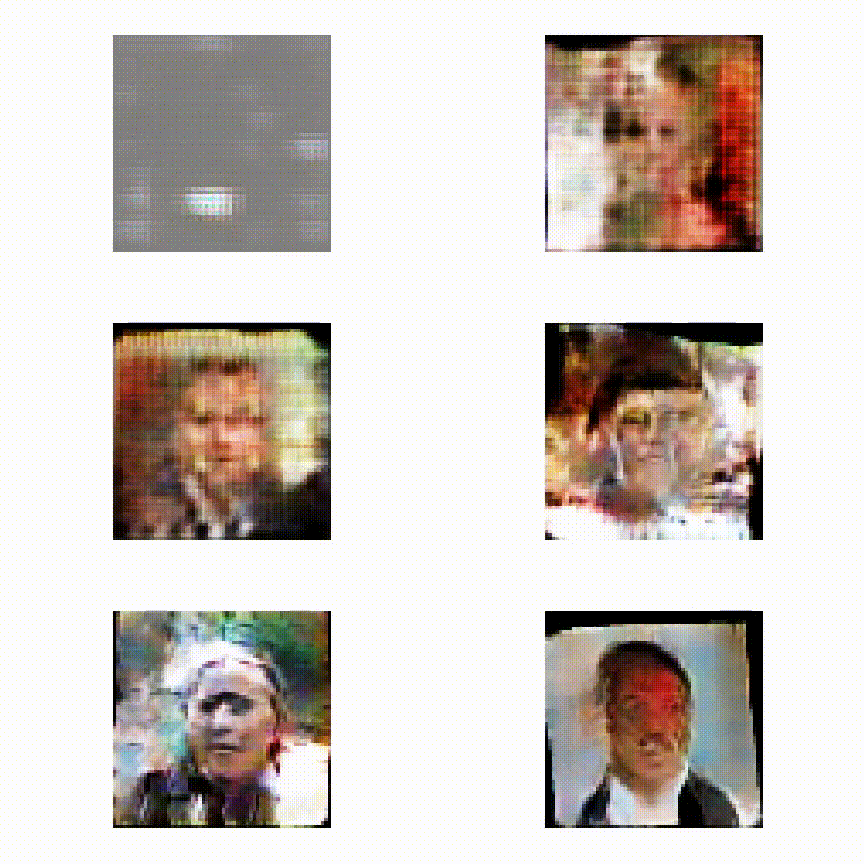
+## How the Generator learns
+We trained the Generator for a couple of epochs and stored a couple of fake images per epoch. Check the video.
+ 
+
+
+The following function computes the TSNE on the feature matrix and stores the result in a json-file. This file can be loaded with [TSNEViewer](https://ml4a.github.io/guides/ImageTSNEViewer/)
+
+
+```python
+import json
+
+from sklearn.manifold import TSNE
+from scipy.spatial import distance
+
+tsne = TSNE(n_components=2, learning_rate=150, perplexity=30, verbose=2).fit_transform(features.asnumpy())
+
+# save data to json
+data = []
+counter = 0
+for i,f in enumerate(test_filenames):
+
+ point = [float((tsne[i,k] - np.min(tsne[:,k]))/(np.max(tsne[:,k]) - np.min(tsne[:,k]))) for k in range(2) ]
+ data.append({"path": os.path.abspath(os.path.join(os.getcwd(),f)), "point": point})
+
+with open("imagetsne.json", 'w') as outfile:
+ json.dump(data, outfile)
+```
+
+Load the file with TSNEViewer. You can now inspect whether similiar looking images are grouped nearby or not.
+
+<img src="https://raw.githubusercontent.com/NRauschmayr/web-data/master/mxnet/doc/tutorials/info_gan/tsne.png" style="width:800px;height:600px;">
+
+<!-- INSERT SOURCE DOWNLOAD BUTTONS -->
\ No newline at end of file
diff --git a/docs/python_docs/python/tutorials/packages/gluon/index.rst b/docs/python_docs/python/tutorials/packages/gluon/index.rst
index e2bdb18..d972794 100644
--- a/docs/python_docs/python/tutorials/packages/gluon/index.rst
+++ b/docs/python_docs/python/tutorials/packages/gluon/index.rst
@@ -72,21 +72,21 @@ Data
.. card::
:title: Data Loading
- :link: data.html
+ :link: data/data.html
How to load data for training.
.. card::
- :title: Image Augmentation
- :link: image-augmentation.html
+ :title: Data Augmentation
+ :link: data/data_augmentation.md
- Boost your training dataset with image augmentation.
+ A guide to data augmentation.
.. card::
- :title: Data Augmentation
+ :title: Image Augmentation
:link: image/image-augmentation.html
- A guide to data augmentation.
+ Boost your training dataset with image augmentation.
.. card::
:title: Gluon Datasets and DataLoader
@@ -167,7 +167,7 @@ Training
.. card::
:title: Autograd API
- :link: /api/python/docs/tutorials/packages/autograd/index.html
+ :link: ../autograd/index.html
How to use Automatic Differentiation with the Autograd API.
@@ -194,19 +194,15 @@ Advanced Topics
Building custom operators with numpy.
-..
-<-- tutorial missing -->
.. card::
:title: Custom Loss
- :link: custom-loss/custom-loss.html
+ :link: loss/custom-loss.md
A guide to implementing custom losses.
-..
-
.. card::
:title: Gotchas using NumPy in Apache MXNet
- :link: ../ndarray/gotchas_numpy_in_mxnet.html
+ :link: ../ndarray/gotchas_numpy_in_mxnet.md
Common misconceptions when using NumPy in Apache MXNet.
diff --git a/docs/python_docs/python/tutorials/packages/index.rst b/docs/python_docs/python/tutorials/packages/index.rst
index c24ebb8..9fdd75c 100644
--- a/docs/python_docs/python/tutorials/packages/index.rst
+++ b/docs/python_docs/python/tutorials/packages/index.rst
@@ -46,13 +46,13 @@ Shared APIs
.. card::
:title: Symbol API
- :link: symbol/index.html
+ :link: ../../api/symbol/
- How to use MXNet's Symbol API.
+ MXNet Symbol API has been depricated. API documentation is still available for reference.
.. card::
:title: Autograd API
- :link: autograd/autograd.html
+ :link: autograd/index.html
How to use Automatic Differentiation with the Autograd API.
diff --git a/docs/python_docs/python/tutorials/performance/backend/index.rst b/docs/python_docs/python/tutorials/performance/backend/index.rst
index 1113948..c4cfaf6 100644
--- a/docs/python_docs/python/tutorials/performance/backend/index.rst
+++ b/docs/python_docs/python/tutorials/performance/backend/index.rst
@@ -47,7 +47,7 @@ The following tutorials will help you learn how to use backend tools to boost pe
.. card::
:title: MXNet Operator Profiler
- :link: profilder.html
+ :link: profiler.html
Use the profiler to monitor the performance of individual operators
..
diff --git a/docs/python_docs/python/tutorials/performance/index.rst b/docs/python_docs/python/tutorials/performance/index.rst
index 78943a8..e547ecd 100644
--- a/docs/python_docs/python/tutorials/performance/index.rst
+++ b/docs/python_docs/python/tutorials/performance/index.rst
@@ -26,7 +26,7 @@ Essential
.. card::
:title: Improving Performance
- :link: https://mxnet.apache.org/api/faq/perf
+ :link: /api/faq/perf
How to get the best performance from MXNet.
@@ -38,8 +38,7 @@ Essential
.. card::
:title: Tuning NumPy Operations
- :link: https://mxnet.apache.org/versions/master/tutorials/gluon/gotchas_numpy_in_mxnet.html
-
+ :link: ../packages/ndarray/gotchas_numpy_in_mxnet.html
Gotchas using NumPy in MXNet.
Compression
@@ -49,13 +48,13 @@ Compression
.. card::
:title: Compression: float16
- :link: compression/float16.html
+ :link: /api/faq/float16
How to use float16 in your model to boost training speed.
.. card::
:title: Gradient Compression
- :link: compression/gradient_compression.html
+ :link: /api/faq/gradient_compression
How to use gradient compression to reduce communication bandwidth and increase speed.
..
@@ -74,7 +73,7 @@ Accelerated Backend
.. card::
:title: TensorRT
- :link: backend/tensorRt.html
+ :link: backend/tensorrt/tensorrt.html
How to use NVIDIA's TensorRT to boost inference performance.
@@ -82,7 +81,7 @@ Accelerated Backend
TBD Content
.. card::
:title: MKL-DNN
- :link: backend/mkl-dnn.html
+ :link: backend/mkldnn/mkldnn_readme
How to get the most from your CPU by using Intel's MKL-DNN.
@@ -100,19 +99,19 @@ Distributed Training
.. card::
:title: Distributed Training Using the KVStore API
- :link: https://mxnet.apache.org/versions/master/faq/distributed_training.html
+ :link: /api/faq/distributed_training.html
How to use the KVStore API to use multiple GPUs when training a model.
.. card::
:title: Training with Multiple GPUs Using Model Parallelism
- :link: https://mxnet.apache.org/versions/master/faq/model_parallel_lstm.html
+ :link: /api/faq/model_parallel_lstm.html
An overview of using multiple GPUs when training an LSTM.
.. card::
:title: Data Parallelism in MXNet
- :link: https://mxnet.apache.org/versions/master/faq/multi_devices.html
+ :link: /api/faq/multi_devices.html
An overview of distributed training strategies.
diff --git a/docs/static_site/src/pages/api/faq/multi_devices.md b/docs/static_site/src/pages/api/faq/multi_devices.md
new file mode 100644
index 0000000..d8bc81c
--- /dev/null
+++ b/docs/static_site/src/pages/api/faq/multi_devices.md
@@ -0,0 +1,217 @@
+---
+layout: page_category
+title: Data Parallelism with Multiple CPU/GPUs on MXNet
+category: faq
+faq_c: Model
+question: How do I run MXNet on Multiple CPU/GPUs with data parallelism?
+permalink: /api/faq/multi_device
+---
+<!--- Licensed to the Apache Software Foundation (ASF) under one -->
+<!--- or more contributor license agreements. See the NOTICE file -->
+<!--- distributed with this work for additional information -->
+<!--- regarding copyright ownership. The ASF licenses this file -->
+<!--- to you under the Apache License, Version 2.0 (the -->
+<!--- "License"); you may not use this file except in compliance -->
+<!--- with the License. You may obtain a copy of the License at -->
+
+<!--- http://www.apache.org/licenses/LICENSE-2.0 -->
+
+<!--- Unless required by applicable law or agreed to in writing, -->
+<!--- software distributed under the License is distributed on an -->
+<!--- "AS IS" BASIS, WITHOUT WARRANTIES OR CONDITIONS OF ANY -->
+<!--- KIND, either express or implied. See the License for the -->
+<!--- specific language governing permissions and limitations -->
+<!--- under the License. -->
+
+# Run MXNet on Multiple CPU/GPUs with Data Parallelism
+
+_MXNet_ supports training with multiple CPUs and GPUs, which may be located on different physical machines.
+
+## Data Parallelism vs Model Parallelism
+
+By default, _MXNet_ uses data parallelism to partition the workload over multiple
+devices.
+Assume there are *n* devices.
+Then each one will receive a copy of the complete model
+and train it on *1/n* of the data.
+The results such as gradients and
+updated model are communicated across these devices.
+
+MXNet also supports model parallelism.
+In this approach, each device holds onto only part of the model.
+This proves useful when the model is too large to fit onto a single device.
+As an example, see the following [tutorial](./model_parallel_lstm.md)
+which shows how to use model parallelism for training a multi-layer LSTM model.
+In this tutorial, we'll focus on data parallelism.
+
+## Multiple GPUs within a Single Machine
+
+### Workload Partitioning
+
+By default, _MXNet_ partitions a data batch evenly among the available GPUs.
+Assume a batch size *b* and assume there are *k* GPUs, then in one iteration
+each GPU will perform forward and backward on *b/k* examples. The
+gradients are then summed over all GPUs before updating the model.
+
+### How to Use
+
+> To use GPUs, we need to compile MXNet with GPU support. For
+> example, set `USE_CUDA=1` in `config.mk` before `make`. (see
+> [MXNet installation guide](/get_started) for more options).
+
+If a machine has one or more GPU cards installed,
+then each card is labeled by a number starting from 0.
+To use a particular GPU, one can either
+specify the context `context` in code
+or pass `--gpus` at the command line.
+For example, to use GPU 0 and 2 in python,
+one can typically create a module with
+```python
+import mxnet as mx
+module = mx.module.Module(context=[mx.gpu(0), mx.gpu(2)], ...)
+```
+while if the program accepts a `--gpus` flag (as seen in
+[example/image-classification](https://github.com/dmlc/mxnet/tree/master/example/image-classification)),
+then we can try
+```bash
+python train_mnist.py --gpus 0,2 ...
+```
+
+### Advanced Usage
+If the available GPUs are not all equally powerful,
+we can partition the workload accordingly.
+For example, if GPU 0 is 3 times faster than GPU 2,
+then we might use the workload option `work_load_list=[3, 1]`,
+see [Module](/api/python/docs/api/module/index.html)
+for more details.
+
+Training with multiple GPUs should yield the same results
+as training on a single GPU if all other hyper-parameters are the same.
+In practice, the results may exhibit small differences,
+owing to the randomness of I/O (random order or other augmentations),
+weight initialization with different seeds, and CUDNN.
+
+We can control on which devices the gradient is aggregated
+and on which device the model is updated via [`KVStore`](/api/python/docs/api/kvstore/index.html),
+the _MXNet_ module that supports data communication.
+One can either use `mx.kvstore.create(type)` to get an instance
+or use the program flag `--kv-store type`.
+
+There are two commonly used types,
+
+- `local`: all gradients are copied to CPU memory and weights are updated there.
+- `device`: both gradient aggregation and weight updates are run on GPUs.
+With this setting, the `KVStore` also attempts to use GPU peer-to-peer communication,
+potentially accelerating the communication.
+Note that this option may result in higher GPU memory usage.
+
+When using a large number of GPUs, e.g. >=4, we suggest using `device` for better performance.
+
+## Distributed Training with Multiple Machines
+
+`KVStore` also supports a number of options for running on multiple machines.
+
+- `dist_sync` behaves similarly to `local` but exhibits one major difference.
+ With `dist_sync`, `batch-size` now means the batch size used on each machine.
+ So if there are *n* machines and we use batch size *b*,
+ then `dist_sync` behaves like `local` with batch size *n\*b*.
+- `dist_device_sync` is similar to `dist_sync`. The difference between them is that
+ `dist_device_sync` aggregates gradients and updates weight on GPUs
+ while `dist_sync` does so on CPU memory.
+- `dist_async` performs asynchronous updates.
+ The weight is updated whenever gradients are received from any machine.
+ The update is atomic, i.e., no two updates happen on the same weight at the same time.
+ However, the order is not guaranteed.
+
+### How to Launch a Job
+
+> To use distributed training, we need to compile with `USE_DIST_KVSTORE=1`
+> (see [MXNet installation guide](/get_started) for more options).
+
+Launching a distributed job is a bit different from running on a single
+machine. MXNet provides
+[tools/launch.py](https://github.com/dmlc/mxnet/blob/master/tools/launch.py) to
+start a job by using `ssh`, `mpi`, `sge`, or `yarn`.
+
+An easy way to set up a cluster of EC2 instances for distributed deep learning
+is using an [AWS CloudFormation template](https://github.com/awslabs/deeplearning-cfn).
+If you do not have a cluster, you can check the repository before you continue.
+
+Assume we are at the directory `mxnet/example/image-classification`
+and want to train LeNet to classify MNIST images, as demonstrated here:
+[train_mnist.py](https://github.com/dmlc/mxnet/blob/master/example/image-classification/train_mnist.py).
+
+On a single machine, we can run:
+
+```bash
+python train_mnist.py --network lenet
+```
+
+Now, say we are given two ssh-able machines and _MXNet_ is installed on both machines.
+We want to train LeNet on these two machines.
+First, we save the IPs (or hostname) of these two machines in file `hosts`, e.g.
+
+```bash
+$ cat hosts
+172.30.0.172
+172.30.0.171
+```
+
+Next, if the mxnet folder is accessible from both machines, e.g. on a
+[network filesystem](https://help.ubuntu.com/lts/serverguide/network-file-system.html),
+then we can run:
+
+```bash
+python ../../tools/launch.py -n 2 --launcher ssh -H hosts python train_mnist.py --network lenet --kv-store dist_sync
+```
+
+Note that here we
+
+- use `launch.py` to submit the job.
+- provide launcher, `ssh` if all machines are ssh-able, `mpi` if `mpirun` is
+ available, `sge` for Sun Grid Engine, and `yarn` for Apache Yarn.
+- `-n` number of worker nodes to run on
+- `-H` the host file which is required by `ssh` and `mpi`
+- `--kv-store` use either `dist_sync` or `dist_async`
+
+
+### Synchronize Directory
+
+Now consider if the mxnet folder is not accessible.
+We can first copy the `MXNet` library to this folder by
+```bash
+cp -r ../../python/mxnet .
+cp -r ../../lib/libmxnet.so mxnet
+```
+
+then ask `launch.py` to synchronize the current directory to all machines'
+ `/tmp/mxnet` directory with `--sync-dst-dir`
+
+```bash
+python ../../tools/launch.py -n 2 -H hosts --sync-dst-dir /tmp/mxnet \
+ python train_mnist.py --network lenet --kv-store dist_sync
+```
+
+### Use a Particular Network Interface
+
+_MXNet_ often chooses the first available network interface.
+But for machines that have multiple interfaces,
+we can specify which network interface to use for data
+communication by the environment variable `DMLC_INTERFACE`.
+For example, to use the interface `eth0`, we can
+
+```
+export DMLC_INTERFACE=eth0; python ../../tools/launch.py ...
+```
+
+### Debug Connection
+
+Set`PS_VERBOSE=1` to see the debug logging, e.g
+```
+export PS_VERBOSE=1; python ../../tools/launch.py ...
+```
+
+### More
+
+- See more launch options by `python ../../tools/launch.py -h`
+- See more options of [ps-lite](http://ps-lite.readthedocs.org/en/latest/how_to.html)
\ No newline at end of file