You are viewing a plain text version of this content. The canonical link for it is here.
Posted to reviews@spark.apache.org by GitBox <gi...@apache.org> on 2021/07/15 09:27:51 UTC
[GitHub] [spark] AngersZhuuuu opened a new pull request #33362: [SPARK-36153][SQL] Update transform doc to current code
AngersZhuuuu opened a new pull request #33362:
URL: https://github.com/apache/spark/pull/33362


   ### What changes were proposed in this pull request?
   Update trasform's doc to latest code.

   ### Why are the changes needed?
   keep consistence


   ### Does this PR introduce _any_ user-facing change?
   No

   ### How was this patch tested?
   No


--
This is an automated message from the Apache Git Service.
To respond to the message, please log on to GitHub and use the
URL above to go to the specific comment.

To unsubscribe, e-mail: reviews-unsubscribe@spark.apache.org

For queries about this service, please contact Infrastructure at:
users@infra.apache.org


---------------------------------------------------------------------
To unsubscribe, e-mail: reviews-unsubscribe@spark.apache.org
For additional commands, e-mail: reviews-help@spark.apache.org
[GitHub] [spark] SparkQA commented on pull request #33362: [SPARK-36153][SQL][DOCS] Update transform doc to match the current code
Posted by GitBox <gi...@apache.org>.
SparkQA commented on pull request #33362:
URL: https://github.com/apache/spark/pull/33362#issuecomment-882565884


   **[Test build #141259 has started](https://amplab.cs.berkeley.edu/jenkins/job/SparkPullRequestBuilder/141259/testReport)** for PR 33362 at commit [`1220725`](https://github.com/apache/spark/commit/12207255071e3538797d3b1ae8a18bc7603529ae).


--
This is an automated message from the Apache Git Service.
To respond to the message, please log on to GitHub and use the
URL above to go to the specific comment.

To unsubscribe, e-mail: reviews-unsubscribe@spark.apache.org

For queries about this service, please contact Infrastructure at:
users@infra.apache.org


---------------------------------------------------------------------
To unsubscribe, e-mail: reviews-unsubscribe@spark.apache.org
For additional commands, e-mail: reviews-help@spark.apache.org
[GitHub] [spark] srowen commented on pull request #33362: [SPARK-36153][SQL][DOCS] Update transform doc to match the current code
Posted by GitBox <gi...@apache.org>.
srowen commented on pull request #33362:
URL: https://github.com/apache/spark/pull/33362#issuecomment-884127573


   I see, let's get the underlying code change in first. This probably cherry-picks to 3.2 just fine.


--
This is an automated message from the Apache Git Service.
To respond to the message, please log on to GitHub and use the
URL above to go to the specific comment.

To unsubscribe, e-mail: reviews-unsubscribe@spark.apache.org

For queries about this service, please contact Infrastructure at:
users@infra.apache.org


---------------------------------------------------------------------
To unsubscribe, e-mail: reviews-unsubscribe@spark.apache.org
For additional commands, e-mail: reviews-help@spark.apache.org
[GitHub] [spark] AngersZhuuuu commented on pull request #33362: [SPARK-36153][SQL][DOCS] Update transform doc to match the current code
Posted by GitBox <gi...@apache.org>.
AngersZhuuuu commented on pull request #33362:
URL: https://github.com/apache/spark/pull/33362#issuecomment-883887300


   > do we need it in 3.2?

   Yea, need


--
This is an automated message from the Apache Git Service.
To respond to the message, please log on to GitHub and use the
URL above to go to the specific comment.

To unsubscribe, e-mail: reviews-unsubscribe@spark.apache.org

For queries about this service, please contact Infrastructure at:
users@infra.apache.org


---------------------------------------------------------------------
To unsubscribe, e-mail: reviews-unsubscribe@spark.apache.org
For additional commands, e-mail: reviews-help@spark.apache.org
[GitHub] [spark] AngersZhuuuu commented on a change in pull request #33362: [SPARK-36153][SQL][DOCS] Update transform doc to match the current code
Posted by GitBox <gi...@apache.org>.
AngersZhuuuu commented on a change in pull request #33362:
URL: https://github.com/apache/spark/pull/33362#discussion_r672340244


##########
File path: docs/sql-ref-syntax-qry-select-transform.md
##########
@@ -57,19 +66,85 @@ SELECT TRANSFORM ( expression [ , ... ] )

     Specifies a command or a path to script to process data.

-### SerDe behavior
-
-Spark uses the Hive SerDe `org.apache.hadoop.hive.serde2.lazy.LazySimpleSerDe` by default, so columns will be casted
-to `STRING` and combined by tabs before feeding to the user script. All `NULL` values will be converted
-to the literal string `"\N"` in order to differentiate `NULL` values from empty strings. The standard output of the
-user script will be treated as tab-separated `STRING` columns, any cell containing only `"\N"` will be re-interpreted
-as a `NULL` value, and then the resulting STRING column will be cast to the data type specified in `col_type`. If the actual
-number of output columns is less than the number of specified output columns, insufficient output columns will be
-supplemented with `NULL`. If the actual number of output columns is more than the number of specified output columns,
-the output columns will only select the corresponding columns and the remaining part will be discarded.
-If there is no `AS` clause after `USING my_script`, an output schema will be `key: STRING, value: STRING`.
-The `key` column contains all the characters before the first tab and the `value` column contains the remaining characters after the first tab.
-If there is no enough tab, Spark will return `NULL` value. These defaults can be overridden with `ROW FORMAT SERDE` or `ROW FORMAT DELIMITED`.
+### ROW FORMAT DELIMITED BEHAVIOR
+
+When Spark use `ROW FORMAT DELIMITED` format:
+ - Spark use `\u0001` as default field delimiter and this delimiter can be overridden by `FIELDS TERMINATED BY`.
+ - Spark use `\n` as default line delimit and this delimiter can be overridden by `LINES TERMINATED BY`.
+ - Spark use `"\N"` as default  `NULL` value in order to differentiate `NULL` values
+ from empty strings. This delimiter can be overridden by `NULL DEFINED AS`.
+ - Spark casts all columns to `STRING` and combine columns by tabs before feeding to the user script.
+ For complex type such as `ARRAY`/`MAP`/`STRUCT`, Spark use `to_json` cast it to input `JSON` string and use
+ `from_json` to convert result output `JSON` string to `ARRAY`/`MAP`/`STRUCT` data.
+ - `COLLECTION ITEMS TERMINATED BY` and `MAP KEYS TERMINATED BY` are delimiters to split complex data such as
+  `ARRAY`/`MAP`/`STRUCT`, Spark use `to_json` and `from_json` to handle complex data type with `JSON` format, so
+ `COLLECTION ITEMS TERMINATED BY` and `MAP KEYS TERMINATED BY` won't work in default row format.
+ - The standard output of the user script is treated as tab-separated `STRING` columns, any cell containing only `"\N"`
+ is re-interpreted as a `NULL` value, and then the resulting `STRING` column will be cast to the data type specified in `col_type`.
+ - If the actual number of output columns is less than the number of specified output columns,
+  insufficient output columns will be supplemented with `NULL`.
+     ```
+     output tabs: `1, 2`
+     output columns: `A: INT, B INT, C: INT`
+     result:
+       +---+---+------+
+       |  a|  b|     c|
+       +---+---+------+
+       |  1|  2|  NULL|
+       +---+---+------+
+     ```
+ - If the actual number of output columns is more than the number of specified output columns,
+ the output columns only select the corresponding columns, and the remaining part will be discarded.
+ For example, output have three tabs and output columns only have two columns:
+     ```
+     output tabs: `1, 2, 3`
+     output columns: `A: INT, B INT`
+     result:
+       +---+---+
+       |  a|  b|
+       +---+---+
+       |  1|  2|
+       +---+---+
+     ```
+ - If there is no `AS` clause after `USING my_script`, an output schema is `key: STRING, value: STRING`.
+ The `key` column contains all the characters before the first tab and the `value` column contains the remaining characters after the first tab.
+ If there are not enough tabs, Spark pads `NULL` value.
+      ```
+      output tabs: `1, 2, 3`
+      output columns:
+      result:
+        +-----+-------+
+        |  key|  value|
+        +-----+-------+
+        |    1|      2|
+        +-----+-------+
+
+      output tabs: `1, 2`
+      output columns:
+      result:
+        +-----+-------+
+        |  key|  value|
+        +-----+-------+
+        |    1|   NULL|
+        +-----+-------+
+      ```
+
+### Hive SerDe behavior
+
+When enable Hive and use Hive Serde mode:
+ - Spark uses the Hive SerDe `org.apache.hadoop.hive.serde2.lazy.LazySimpleSerDe` by default, so columns are casted
+ to `STRING` and combined by tabs before feeding to the user script.
+ - All `NULL` values are converted to the literal string `"\N"` in order to differentiate `NULL` values from empty strings.

Review comment:
       > OK if it's definitely that 4 character string, that's fine.
   > BTW is it single or double quotes? your comment differs from the doc.

   I change it to single quotes since in SQL doc for string value we always use single quote?


--
This is an automated message from the Apache Git Service.
To respond to the message, please log on to GitHub and use the
URL above to go to the specific comment.

To unsubscribe, e-mail: reviews-unsubscribe@spark.apache.org

For queries about this service, please contact Infrastructure at:
users@infra.apache.org


---------------------------------------------------------------------
To unsubscribe, e-mail: reviews-unsubscribe@spark.apache.org
For additional commands, e-mail: reviews-help@spark.apache.org
[GitHub] [spark] SparkQA removed a comment on pull request #33362: [SPARK-36153][SQL] Update transform doc to current code
Posted by GitBox <gi...@apache.org>.
SparkQA removed a comment on pull request #33362:
URL: https://github.com/apache/spark/pull/33362#issuecomment-880549900


   **[Test build #141069 has started](https://amplab.cs.berkeley.edu/jenkins/job/SparkPullRequestBuilder/141069/testReport)** for PR 33362 at commit [`766bd0e`](https://github.com/apache/spark/commit/766bd0e2f20fcfc219b4795828b56efb6d2b21f5).


--
This is an automated message from the Apache Git Service.
To respond to the message, please log on to GitHub and use the
URL above to go to the specific comment.

To unsubscribe, e-mail: reviews-unsubscribe@spark.apache.org

For queries about this service, please contact Infrastructure at:
users@infra.apache.org


---------------------------------------------------------------------
To unsubscribe, e-mail: reviews-unsubscribe@spark.apache.org
For additional commands, e-mail: reviews-help@spark.apache.org
[GitHub] [spark] AngersZhuuuu commented on a change in pull request #33362: [SPARK-36153][SQL][DOCS] Update transform doc to match the current code
Posted by GitBox <gi...@apache.org>.
AngersZhuuuu commented on a change in pull request #33362:
URL: https://github.com/apache/spark/pull/33362#discussion_r673235481


##########
File path: docs/sql-ref-syntax-qry-select-transform.md
##########
@@ -57,19 +66,85 @@ SELECT TRANSFORM ( expression [ , ... ] )

     Specifies a command or a path to script to process data.

-### SerDe behavior
-
-Spark uses the Hive SerDe `org.apache.hadoop.hive.serde2.lazy.LazySimpleSerDe` by default, so columns will be casted
-to `STRING` and combined by tabs before feeding to the user script. All `NULL` values will be converted
-to the literal string `"\N"` in order to differentiate `NULL` values from empty strings. The standard output of the
-user script will be treated as tab-separated `STRING` columns, any cell containing only `"\N"` will be re-interpreted
-as a `NULL` value, and then the resulting STRING column will be cast to the data type specified in `col_type`. If the actual
-number of output columns is less than the number of specified output columns, insufficient output columns will be
-supplemented with `NULL`. If the actual number of output columns is more than the number of specified output columns,
-the output columns will only select the corresponding columns and the remaining part will be discarded.
-If there is no `AS` clause after `USING my_script`, an output schema will be `key: STRING, value: STRING`.
-The `key` column contains all the characters before the first tab and the `value` column contains the remaining characters after the first tab.
-If there is no enough tab, Spark will return `NULL` value. These defaults can be overridden with `ROW FORMAT SERDE` or `ROW FORMAT DELIMITED`.
+### ROW FORMAT DELIMITED BEHAVIOR
+
+When Spark uses `ROW FORMAT DELIMITED` format:
+ - Spark uses `\u0001` as the default field delimiter and this delimiter can be overridden by `FIELDS TERMINATED BY`.
+ - Spark uses `\n` as the default line delimit and this delimiter can be overridden by `LINES TERMINATED BY`.
+ - Spark uses literal string `\N` as the default `NULL` value in order to differentiate `NULL` values
+ from literal string `NULL`. This delimiter can be overridden by `NULL DEFINED AS`.
+ - Spark casts all columns to `STRING` and combines columns by tabs before feeding to the user script.
+ For complex types such as `ARRAY`/`MAP`/`STRUCT`. Spark uses `to_json` cast it to an input `JSON` string and use
+ `from_json` to convert the result output `JSON` string to `ARRAY`/`MAP`/`STRUCT` data.
+ - `COLLECTION ITEMS TERMINATED BY` and `MAP KEYS TERMINATED BY` are delimiters to split complex data such as
+ `ARRAY`/`MAP`/`STRUCT`, Spark uses `to_json` and `from_json` to handle complex data types with `JSON` format, so
+ `COLLECTION ITEMS TERMINATED BY` and `MAP KEYS TERMINATED BY` won't work in default row format.
+ - The standard output of the user script is treated as tab-separated `STRING` columns, any cell containing only literal string `\N`
+ is re-interpreted as a literal `NULL` value, and then the resulting `STRING` column will be cast to the data types specified in `col_type`.
+ - If the actual number of output columns is less than the number of specified output columns,
+  additional output columns will be filled with `NULL`. For example:
+     ```
+     output tabs: 1, 2
+     output columns: A: INT, B INT, C: INT
+     result:
+       +---+---+------+
+       |  a|  b|     c|
+       +---+---+------+
+       |  1|  2|  NULL|
+       +---+---+------+
+     ```
+ - If the actual number of output columns is more than the number of specified output columns,
+ the output columns only select the corresponding columns, and the remaining part will be discarded.
+ For example, if the output has three tabs and there are only two output columns:
+     ```
+     output tabs: 1, 2, 3
+     output columns: A: INT, B INT
+     result:
+       +---+---+
+       |  a|  b|
+       +---+---+
+       |  1|  2|
+       +---+---+
+     ```
+ - If there is no `AS` clause after `USING my_script`, the output schema is `key: STRING, value: STRING`.
+ The `key` column contains all the characters before the first tab and the `value` column contains the remaining characters after the first tab.
+ If there are no tabs, Spark returns the `NULL` value. For example:
+      ```
+      output tabs: 1, 2, 3
+      output columns:
+      result:
+        +-----+-------+
+        |  key|  value|
+        +-----+-------+
+        |    1|      2|
+        +-----+-------+
+
+      output tabs: 1, 2
+      output columns:
+      result:
+        +-----+-------+
+        |  key|  value|
+        +-----+-------+
+        |    1|   NULL|
+        +-----+-------+
+      ```
+
+### Hive SerDe behavior
+
+When Hive support is enabled and use Hive SerDe mode:

Review comment:
       Done

##########
File path: docs/sql-ref-syntax-qry-select-transform.md
##########
@@ -57,19 +66,85 @@ SELECT TRANSFORM ( expression [ , ... ] )

     Specifies a command or a path to script to process data.

-### SerDe behavior
-
-Spark uses the Hive SerDe `org.apache.hadoop.hive.serde2.lazy.LazySimpleSerDe` by default, so columns will be casted
-to `STRING` and combined by tabs before feeding to the user script. All `NULL` values will be converted
-to the literal string `"\N"` in order to differentiate `NULL` values from empty strings. The standard output of the
-user script will be treated as tab-separated `STRING` columns, any cell containing only `"\N"` will be re-interpreted
-as a `NULL` value, and then the resulting STRING column will be cast to the data type specified in `col_type`. If the actual
-number of output columns is less than the number of specified output columns, insufficient output columns will be
-supplemented with `NULL`. If the actual number of output columns is more than the number of specified output columns,
-the output columns will only select the corresponding columns and the remaining part will be discarded.
-If there is no `AS` clause after `USING my_script`, an output schema will be `key: STRING, value: STRING`.
-The `key` column contains all the characters before the first tab and the `value` column contains the remaining characters after the first tab.
-If there is no enough tab, Spark will return `NULL` value. These defaults can be overridden with `ROW FORMAT SERDE` or `ROW FORMAT DELIMITED`.
+### ROW FORMAT DELIMITED BEHAVIOR
+
+When Spark uses `ROW FORMAT DELIMITED` format:
+ - Spark uses `\u0001` as the default field delimiter and this delimiter can be overridden by `FIELDS TERMINATED BY`.
+ - Spark uses `\n` as the default line delimit and this delimiter can be overridden by `LINES TERMINATED BY`.
+ - Spark uses literal string `\N` as the default `NULL` value in order to differentiate `NULL` values
+ from literal string `NULL`. This delimiter can be overridden by `NULL DEFINED AS`.
+ - Spark casts all columns to `STRING` and combines columns by tabs before feeding to the user script.
+ For complex types such as `ARRAY`/`MAP`/`STRUCT`. Spark uses `to_json` cast it to an input `JSON` string and use
+ `from_json` to convert the result output `JSON` string to `ARRAY`/`MAP`/`STRUCT` data.
+ - `COLLECTION ITEMS TERMINATED BY` and `MAP KEYS TERMINATED BY` are delimiters to split complex data such as
+ `ARRAY`/`MAP`/`STRUCT`, Spark uses `to_json` and `from_json` to handle complex data types with `JSON` format, so
+ `COLLECTION ITEMS TERMINATED BY` and `MAP KEYS TERMINATED BY` won't work in default row format.
+ - The standard output of the user script is treated as tab-separated `STRING` columns, any cell containing only literal string `\N`

Review comment:
       Done

##########
File path: docs/sql-ref-syntax-qry-select-transform.md
##########
@@ -57,19 +66,85 @@ SELECT TRANSFORM ( expression [ , ... ] )

     Specifies a command or a path to script to process data.

-### SerDe behavior
-
-Spark uses the Hive SerDe `org.apache.hadoop.hive.serde2.lazy.LazySimpleSerDe` by default, so columns will be casted
-to `STRING` and combined by tabs before feeding to the user script. All `NULL` values will be converted
-to the literal string `"\N"` in order to differentiate `NULL` values from empty strings. The standard output of the
-user script will be treated as tab-separated `STRING` columns, any cell containing only `"\N"` will be re-interpreted
-as a `NULL` value, and then the resulting STRING column will be cast to the data type specified in `col_type`. If the actual
-number of output columns is less than the number of specified output columns, insufficient output columns will be
-supplemented with `NULL`. If the actual number of output columns is more than the number of specified output columns,
-the output columns will only select the corresponding columns and the remaining part will be discarded.
-If there is no `AS` clause after `USING my_script`, an output schema will be `key: STRING, value: STRING`.
-The `key` column contains all the characters before the first tab and the `value` column contains the remaining characters after the first tab.
-If there is no enough tab, Spark will return `NULL` value. These defaults can be overridden with `ROW FORMAT SERDE` or `ROW FORMAT DELIMITED`.
+### ROW FORMAT DELIMITED BEHAVIOR
+
+When Spark uses `ROW FORMAT DELIMITED` format:
+ - Spark uses `\u0001` as the default field delimiter and this delimiter can be overridden by `FIELDS TERMINATED BY`.
+ - Spark uses `\n` as the default line delimit and this delimiter can be overridden by `LINES TERMINATED BY`.
+ - Spark uses literal string `\N` as the default `NULL` value in order to differentiate `NULL` values
+ from literal string `NULL`. This delimiter can be overridden by `NULL DEFINED AS`.
+ - Spark casts all columns to `STRING` and combines columns by tabs before feeding to the user script.
+ For complex types such as `ARRAY`/`MAP`/`STRUCT`. Spark uses `to_json` cast it to an input `JSON` string and use
+ `from_json` to convert the result output `JSON` string to `ARRAY`/`MAP`/`STRUCT` data.
+ - `COLLECTION ITEMS TERMINATED BY` and `MAP KEYS TERMINATED BY` are delimiters to split complex data such as
+ `ARRAY`/`MAP`/`STRUCT`, Spark uses `to_json` and `from_json` to handle complex data types with `JSON` format, so

Review comment:
       Done

##########
File path: docs/sql-ref-syntax-qry-select-transform.md
##########
@@ -57,19 +66,85 @@ SELECT TRANSFORM ( expression [ , ... ] )

     Specifies a command or a path to script to process data.

-### SerDe behavior
-
-Spark uses the Hive SerDe `org.apache.hadoop.hive.serde2.lazy.LazySimpleSerDe` by default, so columns will be casted
-to `STRING` and combined by tabs before feeding to the user script. All `NULL` values will be converted
-to the literal string `"\N"` in order to differentiate `NULL` values from empty strings. The standard output of the
-user script will be treated as tab-separated `STRING` columns, any cell containing only `"\N"` will be re-interpreted
-as a `NULL` value, and then the resulting STRING column will be cast to the data type specified in `col_type`. If the actual
-number of output columns is less than the number of specified output columns, insufficient output columns will be
-supplemented with `NULL`. If the actual number of output columns is more than the number of specified output columns,
-the output columns will only select the corresponding columns and the remaining part will be discarded.
-If there is no `AS` clause after `USING my_script`, an output schema will be `key: STRING, value: STRING`.
-The `key` column contains all the characters before the first tab and the `value` column contains the remaining characters after the first tab.
-If there is no enough tab, Spark will return `NULL` value. These defaults can be overridden with `ROW FORMAT SERDE` or `ROW FORMAT DELIMITED`.
+### ROW FORMAT DELIMITED BEHAVIOR
+
+When Spark uses `ROW FORMAT DELIMITED` format:
+ - Spark uses `\u0001` as the default field delimiter and this delimiter can be overridden by `FIELDS TERMINATED BY`.
+ - Spark uses `\n` as the default line delimit and this delimiter can be overridden by `LINES TERMINATED BY`.
+ - Spark uses literal string `\N` as the default `NULL` value in order to differentiate `NULL` values
+ from literal string `NULL`. This delimiter can be overridden by `NULL DEFINED AS`.
+ - Spark casts all columns to `STRING` and combines columns by tabs before feeding to the user script.
+ For complex types such as `ARRAY`/`MAP`/`STRUCT`. Spark uses `to_json` cast it to an input `JSON` string and use

Review comment:
       DOne

##########
File path: docs/sql-ref-syntax-qry-select-transform.md
##########
@@ -57,19 +66,85 @@ SELECT TRANSFORM ( expression [ , ... ] )

     Specifies a command or a path to script to process data.

-### SerDe behavior
-
-Spark uses the Hive SerDe `org.apache.hadoop.hive.serde2.lazy.LazySimpleSerDe` by default, so columns will be casted
-to `STRING` and combined by tabs before feeding to the user script. All `NULL` values will be converted
-to the literal string `"\N"` in order to differentiate `NULL` values from empty strings. The standard output of the
-user script will be treated as tab-separated `STRING` columns, any cell containing only `"\N"` will be re-interpreted
-as a `NULL` value, and then the resulting STRING column will be cast to the data type specified in `col_type`. If the actual
-number of output columns is less than the number of specified output columns, insufficient output columns will be
-supplemented with `NULL`. If the actual number of output columns is more than the number of specified output columns,
-the output columns will only select the corresponding columns and the remaining part will be discarded.
-If there is no `AS` clause after `USING my_script`, an output schema will be `key: STRING, value: STRING`.
-The `key` column contains all the characters before the first tab and the `value` column contains the remaining characters after the first tab.
-If there is no enough tab, Spark will return `NULL` value. These defaults can be overridden with `ROW FORMAT SERDE` or `ROW FORMAT DELIMITED`.
+### ROW FORMAT DELIMITED BEHAVIOR
+
+When Spark uses `ROW FORMAT DELIMITED` format:
+ - Spark uses `\u0001` as the default field delimiter and this delimiter can be overridden by `FIELDS TERMINATED BY`.
+ - Spark uses `\n` as the default line delimit and this delimiter can be overridden by `LINES TERMINATED BY`.
+ - Spark uses literal string `\N` as the default `NULL` value in order to differentiate `NULL` values

Review comment:
       Done

##########
File path: docs/sql-ref-syntax-qry-select-transform.md
##########
@@ -57,19 +66,85 @@ SELECT TRANSFORM ( expression [ , ... ] )

     Specifies a command or a path to script to process data.

-### SerDe behavior
-
-Spark uses the Hive SerDe `org.apache.hadoop.hive.serde2.lazy.LazySimpleSerDe` by default, so columns will be casted
-to `STRING` and combined by tabs before feeding to the user script. All `NULL` values will be converted
-to the literal string `"\N"` in order to differentiate `NULL` values from empty strings. The standard output of the
-user script will be treated as tab-separated `STRING` columns, any cell containing only `"\N"` will be re-interpreted
-as a `NULL` value, and then the resulting STRING column will be cast to the data type specified in `col_type`. If the actual
-number of output columns is less than the number of specified output columns, insufficient output columns will be
-supplemented with `NULL`. If the actual number of output columns is more than the number of specified output columns,
-the output columns will only select the corresponding columns and the remaining part will be discarded.
-If there is no `AS` clause after `USING my_script`, an output schema will be `key: STRING, value: STRING`.
-The `key` column contains all the characters before the first tab and the `value` column contains the remaining characters after the first tab.
-If there is no enough tab, Spark will return `NULL` value. These defaults can be overridden with `ROW FORMAT SERDE` or `ROW FORMAT DELIMITED`.
+### ROW FORMAT DELIMITED BEHAVIOR
+
+When Spark uses `ROW FORMAT DELIMITED` format:
+ - Spark uses `\u0001` as the default field delimiter and this delimiter can be overridden by `FIELDS TERMINATED BY`.
+ - Spark uses `\n` as the default line delimit and this delimiter can be overridden by `LINES TERMINATED BY`.

Review comment:
       DOne

##########
File path: docs/sql-ref-syntax-qry-select-transform.md
##########
@@ -57,19 +66,85 @@ SELECT TRANSFORM ( expression [ , ... ] )

     Specifies a command or a path to script to process data.

-### SerDe behavior
-
-Spark uses the Hive SerDe `org.apache.hadoop.hive.serde2.lazy.LazySimpleSerDe` by default, so columns will be casted
-to `STRING` and combined by tabs before feeding to the user script. All `NULL` values will be converted
-to the literal string `"\N"` in order to differentiate `NULL` values from empty strings. The standard output of the
-user script will be treated as tab-separated `STRING` columns, any cell containing only `"\N"` will be re-interpreted
-as a `NULL` value, and then the resulting STRING column will be cast to the data type specified in `col_type`. If the actual
-number of output columns is less than the number of specified output columns, insufficient output columns will be
-supplemented with `NULL`. If the actual number of output columns is more than the number of specified output columns,
-the output columns will only select the corresponding columns and the remaining part will be discarded.
-If there is no `AS` clause after `USING my_script`, an output schema will be `key: STRING, value: STRING`.
-The `key` column contains all the characters before the first tab and the `value` column contains the remaining characters after the first tab.
-If there is no enough tab, Spark will return `NULL` value. These defaults can be overridden with `ROW FORMAT SERDE` or `ROW FORMAT DELIMITED`.
+### ROW FORMAT DELIMITED BEHAVIOR
+
+When Spark uses `ROW FORMAT DELIMITED` format:
+ - Spark uses `\u0001` as the default field delimiter and this delimiter can be overridden by `FIELDS TERMINATED BY`.

Review comment:
       DOne


--
This is an automated message from the Apache Git Service.
To respond to the message, please log on to GitHub and use the
URL above to go to the specific comment.

To unsubscribe, e-mail: reviews-unsubscribe@spark.apache.org

For queries about this service, please contact Infrastructure at:
users@infra.apache.org


---------------------------------------------------------------------
To unsubscribe, e-mail: reviews-unsubscribe@spark.apache.org
For additional commands, e-mail: reviews-help@spark.apache.org
[GitHub] [spark] SparkQA commented on pull request #33362: [SPARK-36153][SQL][DOCS] Update transform doc to match the current code
Posted by GitBox <gi...@apache.org>.
SparkQA commented on pull request #33362:
URL: https://github.com/apache/spark/pull/33362#issuecomment-882381508


   **[Test build #141238 has finished](https://amplab.cs.berkeley.edu/jenkins/job/SparkPullRequestBuilder/141238/testReport)** for PR 33362 at commit [`a28fe35`](https://github.com/apache/spark/commit/a28fe352d198a19fc30c1683a79202e84b418563).
    * This patch passes all tests.
    * This patch merges cleanly.
    * This patch adds no public classes.


--
This is an automated message from the Apache Git Service.
To respond to the message, please log on to GitHub and use the
URL above to go to the specific comment.

To unsubscribe, e-mail: reviews-unsubscribe@spark.apache.org

For queries about this service, please contact Infrastructure at:
users@infra.apache.org


---------------------------------------------------------------------
To unsubscribe, e-mail: reviews-unsubscribe@spark.apache.org
For additional commands, e-mail: reviews-help@spark.apache.org
[GitHub] [spark] AngersZhuuuu commented on a change in pull request #33362: [SPARK-36153][SQL][DOCS] Update transform doc to match the current code
Posted by GitBox <gi...@apache.org>.
AngersZhuuuu commented on a change in pull request #33362:
URL: https://github.com/apache/spark/pull/33362#discussion_r672355008


##########
File path: docs/sql-ref-syntax-qry-select-transform.md
##########
@@ -57,19 +66,85 @@ SELECT TRANSFORM ( expression [ , ... ] )

     Specifies a command or a path to script to process data.

-### SerDe behavior
-
-Spark uses the Hive SerDe `org.apache.hadoop.hive.serde2.lazy.LazySimpleSerDe` by default, so columns will be casted
-to `STRING` and combined by tabs before feeding to the user script. All `NULL` values will be converted
-to the literal string `"\N"` in order to differentiate `NULL` values from empty strings. The standard output of the
-user script will be treated as tab-separated `STRING` columns, any cell containing only `"\N"` will be re-interpreted
-as a `NULL` value, and then the resulting STRING column will be cast to the data type specified in `col_type`. If the actual
-number of output columns is less than the number of specified output columns, insufficient output columns will be
-supplemented with `NULL`. If the actual number of output columns is more than the number of specified output columns,
-the output columns will only select the corresponding columns and the remaining part will be discarded.
-If there is no `AS` clause after `USING my_script`, an output schema will be `key: STRING, value: STRING`.
-The `key` column contains all the characters before the first tab and the `value` column contains the remaining characters after the first tab.
-If there is no enough tab, Spark will return `NULL` value. These defaults can be overridden with `ROW FORMAT SERDE` or `ROW FORMAT DELIMITED`.
+### ROW FORMAT DELIMITED BEHAVIOR
+
+When Spark use `ROW FORMAT DELIMITED` format:
+ - Spark use `\u0001` as default field delimiter and this delimiter can be overridden by `FIELDS TERMINATED BY`.
+ - Spark use `\n` as default line delimit and this delimiter can be overridden by `LINES TERMINATED BY`.
+ - Spark use `"\N"` as default  `NULL` value in order to differentiate `NULL` values
+ from empty strings. This delimiter can be overridden by `NULL DEFINED AS`.
+ - Spark casts all columns to `STRING` and combine columns by tabs before feeding to the user script.
+ For complex type such as `ARRAY`/`MAP`/`STRUCT`, Spark use `to_json` cast it to input `JSON` string and use
+ `from_json` to convert result output `JSON` string to `ARRAY`/`MAP`/`STRUCT` data.
+ - `COLLECTION ITEMS TERMINATED BY` and `MAP KEYS TERMINATED BY` are delimiters to split complex data such as
+  `ARRAY`/`MAP`/`STRUCT`, Spark use `to_json` and `from_json` to handle complex data type with `JSON` format, so
+ `COLLECTION ITEMS TERMINATED BY` and `MAP KEYS TERMINATED BY` won't work in default row format.
+ - The standard output of the user script is treated as tab-separated `STRING` columns, any cell containing only `"\N"`
+ is re-interpreted as a `NULL` value, and then the resulting `STRING` column will be cast to the data type specified in `col_type`.
+ - If the actual number of output columns is less than the number of specified output columns,
+  insufficient output columns will be supplemented with `NULL`.
+     ```
+     output tabs: `1, 2`
+     output columns: `A: INT, B INT, C: INT`
+     result:
+       +---+---+------+
+       |  a|  b|     c|
+       +---+---+------+
+       |  1|  2|  NULL|
+       +---+---+------+
+     ```
+ - If the actual number of output columns is more than the number of specified output columns,
+ the output columns only select the corresponding columns, and the remaining part will be discarded.
+ For example, output have three tabs and output columns only have two columns:
+     ```
+     output tabs: `1, 2, 3`
+     output columns: `A: INT, B INT`
+     result:
+       +---+---+
+       |  a|  b|
+       +---+---+
+       |  1|  2|
+       +---+---+
+     ```
+ - If there is no `AS` clause after `USING my_script`, an output schema is `key: STRING, value: STRING`.
+ The `key` column contains all the characters before the first tab and the `value` column contains the remaining characters after the first tab.
+ If there are not enough tabs, Spark pads `NULL` value.
+      ```
+      output tabs: `1, 2, 3`
+      output columns:
+      result:
+        +-----+-------+
+        |  key|  value|
+        +-----+-------+
+        |    1|      2|
+        +-----+-------+
+
+      output tabs: `1, 2`
+      output columns:
+      result:
+        +-----+-------+
+        |  key|  value|
+        +-----+-------+
+        |    1|   NULL|
+        +-----+-------+
+      ```
+
+### Hive SerDe behavior
+
+When enable Hive and use Hive Serde mode:
+ - Spark uses the Hive SerDe `org.apache.hadoop.hive.serde2.lazy.LazySimpleSerDe` by default, so columns are casted
+ to `STRING` and combined by tabs before feeding to the user script.
+ - All `NULL` values are converted to the literal string `"\N"` in order to differentiate `NULL` values from empty strings.

Review comment:
       > That's not my question. You are suggesting here that the value has four characters: a quote, a backlash, N, a quote. I'm not sure that's what you mean, as you are saying the quote is just a doc convention. If you are code-quoting the string, you are implying the whole thing is a literal.
   >
   > Here's a simple question - how many characters does the actual value have?

   Got the point. like this

    - All literal `NULL` values are converted to the literal string `\N` in order to differentiate literal `NULL` values from literal string `NULL`.


--
This is an automated message from the Apache Git Service.
To respond to the message, please log on to GitHub and use the
URL above to go to the specific comment.

To unsubscribe, e-mail: reviews-unsubscribe@spark.apache.org

For queries about this service, please contact Infrastructure at:
users@infra.apache.org


---------------------------------------------------------------------
To unsubscribe, e-mail: reviews-unsubscribe@spark.apache.org
For additional commands, e-mail: reviews-help@spark.apache.org
[GitHub] [spark] AmplabJenkins commented on pull request #33362: [SPARK-36153][SQL][DOCS] Update transform doc to match the current code
Posted by GitBox <gi...@apache.org>.
AmplabJenkins commented on pull request #33362:
URL: https://github.com/apache/spark/pull/33362#issuecomment-882447527


--
This is an automated message from the Apache Git Service.
To respond to the message, please log on to GitHub and use the
URL above to go to the specific comment.

To unsubscribe, e-mail: reviews-unsubscribe@spark.apache.org

For queries about this service, please contact Infrastructure at:
users@infra.apache.org


---------------------------------------------------------------------
To unsubscribe, e-mail: reviews-unsubscribe@spark.apache.org
For additional commands, e-mail: reviews-help@spark.apache.org
[GitHub] [spark] srowen commented on a change in pull request #33362: [SPARK-36153][SQL][DOCS] Update transform doc to match the current code
Posted by GitBox <gi...@apache.org>.
srowen commented on a change in pull request #33362:
URL: https://github.com/apache/spark/pull/33362#discussion_r672276502


##########
File path: docs/sql-ref-syntax-qry-select-transform.md
##########
@@ -24,6 +24,15 @@ license: |
 The `TRANSFORM` clause is used to specify a Hive-style transform query specification
 to transform the inputs by running a user-specified command or script.

+Spark's script transform supports two modes:
+
+  1. Hive supported disabled: Spark script transform can run without `spark.sql.catalogImplementation=true`

Review comment:
       supported -> support

##########
File path: docs/sql-ref-syntax-qry-select-transform.md
##########
@@ -24,6 +24,15 @@ license: |
 The `TRANSFORM` clause is used to specify a Hive-style transform query specification
 to transform the inputs by running a user-specified command or script.

+Spark's script transform supports two modes:
+
+  1. Hive supported disabled: Spark script transform can run without `spark.sql.catalogImplementation=true`
+  or `SparkSession.builder.enableHiveSupport()`. In this case, now spark only use script transform with
+  `ROW FORMAT DELIMITED` and treat all values passed to the script as strings.
+  2. Hive support enabled: When run Spark with `spark.sql.catalogImplementation=true` or started Spark SQL
+  with `SparkSession.builder.enableHiveSupport()`, spark can use script transform with Hive SerDe and both

Review comment:
       spark can use -> Spark can use the
   Hive Serde and both -> both Hive SerDe and

##########
File path: docs/sql-ref-syntax-qry-select-transform.md
##########
@@ -57,19 +66,85 @@ SELECT TRANSFORM ( expression [ , ... ] )

     Specifies a command or a path to script to process data.

-### SerDe behavior
-
-Spark uses the Hive SerDe `org.apache.hadoop.hive.serde2.lazy.LazySimpleSerDe` by default, so columns will be casted
-to `STRING` and combined by tabs before feeding to the user script. All `NULL` values will be converted
-to the literal string `"\N"` in order to differentiate `NULL` values from empty strings. The standard output of the
-user script will be treated as tab-separated `STRING` columns, any cell containing only `"\N"` will be re-interpreted
-as a `NULL` value, and then the resulting STRING column will be cast to the data type specified in `col_type`. If the actual
-number of output columns is less than the number of specified output columns, insufficient output columns will be
-supplemented with `NULL`. If the actual number of output columns is more than the number of specified output columns,
-the output columns will only select the corresponding columns and the remaining part will be discarded.
-If there is no `AS` clause after `USING my_script`, an output schema will be `key: STRING, value: STRING`.
-The `key` column contains all the characters before the first tab and the `value` column contains the remaining characters after the first tab.
-If there is no enough tab, Spark will return `NULL` value. These defaults can be overridden with `ROW FORMAT SERDE` or `ROW FORMAT DELIMITED`.
+### ROW FORMAT DELIMITED BEHAVIOR
+
+When Spark use `ROW FORMAT DELIMITED` format:
+ - Spark use `\u0001` as default field delimiter and this delimiter can be overridden by `FIELDS TERMINATED BY`.
+ - Spark use `\n` as default line delimit and this delimiter can be overridden by `LINES TERMINATED BY`.
+ - Spark use `"\N"` as default  `NULL` value in order to differentiate `NULL` values
+ from empty strings. This delimiter can be overridden by `NULL DEFINED AS`.
+ - Spark casts all columns to `STRING` and combine columns by tabs before feeding to the user script.

Review comment:
       combine -> combines

##########
File path: docs/sql-ref-syntax-qry-select-transform.md
##########
@@ -57,19 +66,85 @@ SELECT TRANSFORM ( expression [ , ... ] )

     Specifies a command or a path to script to process data.

-### SerDe behavior
-
-Spark uses the Hive SerDe `org.apache.hadoop.hive.serde2.lazy.LazySimpleSerDe` by default, so columns will be casted
-to `STRING` and combined by tabs before feeding to the user script. All `NULL` values will be converted
-to the literal string `"\N"` in order to differentiate `NULL` values from empty strings. The standard output of the
-user script will be treated as tab-separated `STRING` columns, any cell containing only `"\N"` will be re-interpreted
-as a `NULL` value, and then the resulting STRING column will be cast to the data type specified in `col_type`. If the actual
-number of output columns is less than the number of specified output columns, insufficient output columns will be
-supplemented with `NULL`. If the actual number of output columns is more than the number of specified output columns,
-the output columns will only select the corresponding columns and the remaining part will be discarded.
-If there is no `AS` clause after `USING my_script`, an output schema will be `key: STRING, value: STRING`.
-The `key` column contains all the characters before the first tab and the `value` column contains the remaining characters after the first tab.
-If there is no enough tab, Spark will return `NULL` value. These defaults can be overridden with `ROW FORMAT SERDE` or `ROW FORMAT DELIMITED`.
+### ROW FORMAT DELIMITED BEHAVIOR
+
+When Spark use `ROW FORMAT DELIMITED` format:
+ - Spark use `\u0001` as default field delimiter and this delimiter can be overridden by `FIELDS TERMINATED BY`.
+ - Spark use `\n` as default line delimit and this delimiter can be overridden by `LINES TERMINATED BY`.
+ - Spark use `"\N"` as default  `NULL` value in order to differentiate `NULL` values
+ from empty strings. This delimiter can be overridden by `NULL DEFINED AS`.
+ - Spark casts all columns to `STRING` and combine columns by tabs before feeding to the user script.
+ For complex type such as `ARRAY`/`MAP`/`STRUCT`, Spark use `to_json` cast it to input `JSON` string and use
+ `from_json` to convert result output `JSON` string to `ARRAY`/`MAP`/`STRUCT` data.
+ - `COLLECTION ITEMS TERMINATED BY` and `MAP KEYS TERMINATED BY` are delimiters to split complex data such as
+  `ARRAY`/`MAP`/`STRUCT`, Spark use `to_json` and `from_json` to handle complex data type with `JSON` format, so

Review comment:
       , Spark use -> . Spark uses
   data type -> data types

##########
File path: docs/sql-ref-syntax-qry-select-transform.md
##########
@@ -57,19 +66,85 @@ SELECT TRANSFORM ( expression [ , ... ] )

     Specifies a command or a path to script to process data.

-### SerDe behavior
-
-Spark uses the Hive SerDe `org.apache.hadoop.hive.serde2.lazy.LazySimpleSerDe` by default, so columns will be casted
-to `STRING` and combined by tabs before feeding to the user script. All `NULL` values will be converted
-to the literal string `"\N"` in order to differentiate `NULL` values from empty strings. The standard output of the
-user script will be treated as tab-separated `STRING` columns, any cell containing only `"\N"` will be re-interpreted
-as a `NULL` value, and then the resulting STRING column will be cast to the data type specified in `col_type`. If the actual
-number of output columns is less than the number of specified output columns, insufficient output columns will be
-supplemented with `NULL`. If the actual number of output columns is more than the number of specified output columns,
-the output columns will only select the corresponding columns and the remaining part will be discarded.
-If there is no `AS` clause after `USING my_script`, an output schema will be `key: STRING, value: STRING`.
-The `key` column contains all the characters before the first tab and the `value` column contains the remaining characters after the first tab.
-If there is no enough tab, Spark will return `NULL` value. These defaults can be overridden with `ROW FORMAT SERDE` or `ROW FORMAT DELIMITED`.
+### ROW FORMAT DELIMITED BEHAVIOR
+
+When Spark use `ROW FORMAT DELIMITED` format:
+ - Spark use `\u0001` as default field delimiter and this delimiter can be overridden by `FIELDS TERMINATED BY`.
+ - Spark use `\n` as default line delimit and this delimiter can be overridden by `LINES TERMINATED BY`.
+ - Spark use `"\N"` as default  `NULL` value in order to differentiate `NULL` values
+ from empty strings. This delimiter can be overridden by `NULL DEFINED AS`.
+ - Spark casts all columns to `STRING` and combine columns by tabs before feeding to the user script.
+ For complex type such as `ARRAY`/`MAP`/`STRUCT`, Spark use `to_json` cast it to input `JSON` string and use
+ `from_json` to convert result output `JSON` string to `ARRAY`/`MAP`/`STRUCT` data.
+ - `COLLECTION ITEMS TERMINATED BY` and `MAP KEYS TERMINATED BY` are delimiters to split complex data such as
+  `ARRAY`/`MAP`/`STRUCT`, Spark use `to_json` and `from_json` to handle complex data type with `JSON` format, so
+ `COLLECTION ITEMS TERMINATED BY` and `MAP KEYS TERMINATED BY` won't work in default row format.
+ - The standard output of the user script is treated as tab-separated `STRING` columns, any cell containing only `"\N"`
+ is re-interpreted as a `NULL` value, and then the resulting `STRING` column will be cast to the data type specified in `col_type`.
+ - If the actual number of output columns is less than the number of specified output columns,
+  insufficient output columns will be supplemented with `NULL`.
+     ```
+     output tabs: `1, 2`
+     output columns: `A: INT, B INT, C: INT`
+     result:
+       +---+---+------+
+       |  a|  b|     c|
+       +---+---+------+
+       |  1|  2|  NULL|
+       +---+---+------+
+     ```
+ - If the actual number of output columns is more than the number of specified output columns,
+ the output columns only select the corresponding columns, and the remaining part will be discarded.
+ For example, output have three tabs and output columns only have two columns:
+     ```
+     output tabs: `1, 2, 3`
+     output columns: `A: INT, B INT`
+     result:
+       +---+---+
+       |  a|  b|
+       +---+---+
+       |  1|  2|
+       +---+---+
+     ```
+ - If there is no `AS` clause after `USING my_script`, an output schema is `key: STRING, value: STRING`.
+ The `key` column contains all the characters before the first tab and the `value` column contains the remaining characters after the first tab.
+ If there are not enough tabs, Spark pads `NULL` value.
+      ```
+      output tabs: `1, 2, 3`
+      output columns:
+      result:
+        +-----+-------+
+        |  key|  value|
+        +-----+-------+
+        |    1|      2|
+        +-----+-------+
+
+      output tabs: `1, 2`
+      output columns:
+      result:
+        +-----+-------+
+        |  key|  value|
+        +-----+-------+
+        |    1|   NULL|
+        +-----+-------+
+      ```
+
+### Hive SerDe behavior
+
+When enable Hive and use Hive Serde mode:
+ - Spark uses the Hive SerDe `org.apache.hadoop.hive.serde2.lazy.LazySimpleSerDe` by default, so columns are casted
+ to `STRING` and combined by tabs before feeding to the user script.
+ - All `NULL` values are converted to the literal string `"\N"` in order to differentiate `NULL` values from empty strings.
+ - The standard output of the user script is treated as tab-separated `STRING` columns, any cell containing only `"\N"` is re-interpreted
+ as a `NULL` value, and then the resulting STRING column will be cast to the data type specified in `col_type`.
+ - If the actual number of output columns is less than the number of specified output columns,
+  insufficient output columns will be supplemented with `NULL`.
+ - If the actual number of output columns is more than the number of specified output columns,
+ the output columns only select the corresponding columns, and the remaining part will be discarded.
+ - If there is no `AS` clause after `USING my_script`, an output schema is `key: STRING, value: STRING`.

Review comment:
       Same as above

##########
File path: docs/sql-ref-syntax-qry-select-transform.md
##########
@@ -24,6 +24,15 @@ license: |
 The `TRANSFORM` clause is used to specify a Hive-style transform query specification
 to transform the inputs by running a user-specified command or script.

+Spark's script transform supports two modes:
+
+  1. Hive supported disabled: Spark script transform can run without `spark.sql.catalogImplementation=true`
+  or `SparkSession.builder.enableHiveSupport()`. In this case, now spark only use script transform with

Review comment:
       spark only use -> Spark only uses the
   treat -> treats

##########
File path: docs/sql-ref-syntax-qry-select-transform.md
##########
@@ -57,19 +66,85 @@ SELECT TRANSFORM ( expression [ , ... ] )

     Specifies a command or a path to script to process data.

-### SerDe behavior
-
-Spark uses the Hive SerDe `org.apache.hadoop.hive.serde2.lazy.LazySimpleSerDe` by default, so columns will be casted
-to `STRING` and combined by tabs before feeding to the user script. All `NULL` values will be converted
-to the literal string `"\N"` in order to differentiate `NULL` values from empty strings. The standard output of the
-user script will be treated as tab-separated `STRING` columns, any cell containing only `"\N"` will be re-interpreted
-as a `NULL` value, and then the resulting STRING column will be cast to the data type specified in `col_type`. If the actual
-number of output columns is less than the number of specified output columns, insufficient output columns will be
-supplemented with `NULL`. If the actual number of output columns is more than the number of specified output columns,
-the output columns will only select the corresponding columns and the remaining part will be discarded.
-If there is no `AS` clause after `USING my_script`, an output schema will be `key: STRING, value: STRING`.
-The `key` column contains all the characters before the first tab and the `value` column contains the remaining characters after the first tab.
-If there is no enough tab, Spark will return `NULL` value. These defaults can be overridden with `ROW FORMAT SERDE` or `ROW FORMAT DELIMITED`.
+### ROW FORMAT DELIMITED BEHAVIOR
+
+When Spark use `ROW FORMAT DELIMITED` format:
+ - Spark use `\u0001` as default field delimiter and this delimiter can be overridden by `FIELDS TERMINATED BY`.
+ - Spark use `\n` as default line delimit and this delimiter can be overridden by `LINES TERMINATED BY`.
+ - Spark use `"\N"` as default  `NULL` value in order to differentiate `NULL` values
+ from empty strings. This delimiter can be overridden by `NULL DEFINED AS`.
+ - Spark casts all columns to `STRING` and combine columns by tabs before feeding to the user script.
+ For complex type such as `ARRAY`/`MAP`/`STRUCT`, Spark use `to_json` cast it to input `JSON` string and use
+ `from_json` to convert result output `JSON` string to `ARRAY`/`MAP`/`STRUCT` data.
+ - `COLLECTION ITEMS TERMINATED BY` and `MAP KEYS TERMINATED BY` are delimiters to split complex data such as
+  `ARRAY`/`MAP`/`STRUCT`, Spark use `to_json` and `from_json` to handle complex data type with `JSON` format, so
+ `COLLECTION ITEMS TERMINATED BY` and `MAP KEYS TERMINATED BY` won't work in default row format.
+ - The standard output of the user script is treated as tab-separated `STRING` columns, any cell containing only `"\N"`
+ is re-interpreted as a `NULL` value, and then the resulting `STRING` column will be cast to the data type specified in `col_type`.
+ - If the actual number of output columns is less than the number of specified output columns,
+  insufficient output columns will be supplemented with `NULL`.
+     ```
+     output tabs: `1, 2`
+     output columns: `A: INT, B INT, C: INT`
+     result:
+       +---+---+------+
+       |  a|  b|     c|
+       +---+---+------+
+       |  1|  2|  NULL|
+       +---+---+------+
+     ```
+ - If the actual number of output columns is more than the number of specified output columns,
+ the output columns only select the corresponding columns, and the remaining part will be discarded.
+ For example, output have three tabs and output columns only have two columns:
+     ```
+     output tabs: `1, 2, 3`
+     output columns: `A: INT, B INT`
+     result:
+       +---+---+
+       |  a|  b|
+       +---+---+
+       |  1|  2|
+       +---+---+
+     ```
+ - If there is no `AS` clause after `USING my_script`, an output schema is `key: STRING, value: STRING`.
+ The `key` column contains all the characters before the first tab and the `value` column contains the remaining characters after the first tab.
+ If there are not enough tabs, Spark pads `NULL` value.
+      ```
+      output tabs: `1, 2, 3`
+      output columns:
+      result:
+        +-----+-------+
+        |  key|  value|
+        +-----+-------+
+        |    1|      2|
+        +-----+-------+
+
+      output tabs: `1, 2`
+      output columns:
+      result:
+        +-----+-------+
+        |  key|  value|
+        +-----+-------+
+        |    1|   NULL|
+        +-----+-------+
+      ```
+
+### Hive SerDe behavior
+
+When enable Hive and use Hive Serde mode:
+ - Spark uses the Hive SerDe `org.apache.hadoop.hive.serde2.lazy.LazySimpleSerDe` by default, so columns are casted
+ to `STRING` and combined by tabs before feeding to the user script.
+ - All `NULL` values are converted to the literal string `"\N"` in order to differentiate `NULL` values from empty strings.
+ - The standard output of the user script is treated as tab-separated `STRING` columns, any cell containing only `"\N"` is re-interpreted
+ as a `NULL` value, and then the resulting STRING column will be cast to the data type specified in `col_type`.
+ - If the actual number of output columns is less than the number of specified output columns,
+  insufficient output columns will be supplemented with `NULL`.
+ - If the actual number of output columns is more than the number of specified output columns,
+ the output columns only select the corresponding columns, and the remaining part will be discarded.
+ - If there is no `AS` clause after `USING my_script`, an output schema is `key: STRING, value: STRING`.
+ The `key` column contains all the characters before the first tab and the `value` column contains the remaining characters after the first tab.
+ If there is no enough tab, Spark returns `NULL` value.

Review comment:
       no enough -> no
   returns -> returns the

##########
File path: docs/sql-ref-syntax-qry-select-transform.md
##########
@@ -24,6 +24,15 @@ license: |
 The `TRANSFORM` clause is used to specify a Hive-style transform query specification
 to transform the inputs by running a user-specified command or script.

+Spark's script transform supports two modes:
+
+  1. Hive supported disabled: Spark script transform can run without `spark.sql.catalogImplementation=true`
+  or `SparkSession.builder.enableHiveSupport()`. In this case, now spark only use script transform with
+  `ROW FORMAT DELIMITED` and treat all values passed to the script as strings.
+  2. Hive support enabled: When run Spark with `spark.sql.catalogImplementation=true` or started Spark SQL

Review comment:
       When run Spark -> When Spark is run
   started Spark SQL -> Spark SQL is started

##########
File path: docs/sql-ref-syntax-qry-select-transform.md
##########
@@ -57,19 +66,85 @@ SELECT TRANSFORM ( expression [ , ... ] )

     Specifies a command or a path to script to process data.

-### SerDe behavior
-
-Spark uses the Hive SerDe `org.apache.hadoop.hive.serde2.lazy.LazySimpleSerDe` by default, so columns will be casted
-to `STRING` and combined by tabs before feeding to the user script. All `NULL` values will be converted
-to the literal string `"\N"` in order to differentiate `NULL` values from empty strings. The standard output of the
-user script will be treated as tab-separated `STRING` columns, any cell containing only `"\N"` will be re-interpreted
-as a `NULL` value, and then the resulting STRING column will be cast to the data type specified in `col_type`. If the actual
-number of output columns is less than the number of specified output columns, insufficient output columns will be
-supplemented with `NULL`. If the actual number of output columns is more than the number of specified output columns,
-the output columns will only select the corresponding columns and the remaining part will be discarded.
-If there is no `AS` clause after `USING my_script`, an output schema will be `key: STRING, value: STRING`.
-The `key` column contains all the characters before the first tab and the `value` column contains the remaining characters after the first tab.
-If there is no enough tab, Spark will return `NULL` value. These defaults can be overridden with `ROW FORMAT SERDE` or `ROW FORMAT DELIMITED`.
+### ROW FORMAT DELIMITED BEHAVIOR
+
+When Spark use `ROW FORMAT DELIMITED` format:
+ - Spark use `\u0001` as default field delimiter and this delimiter can be overridden by `FIELDS TERMINATED BY`.
+ - Spark use `\n` as default line delimit and this delimiter can be overridden by `LINES TERMINATED BY`.
+ - Spark use `"\N"` as default  `NULL` value in order to differentiate `NULL` values
+ from empty strings. This delimiter can be overridden by `NULL DEFINED AS`.
+ - Spark casts all columns to `STRING` and combine columns by tabs before feeding to the user script.
+ For complex type such as `ARRAY`/`MAP`/`STRUCT`, Spark use `to_json` cast it to input `JSON` string and use
+ `from_json` to convert result output `JSON` string to `ARRAY`/`MAP`/`STRUCT` data.

Review comment:
       convert result -> convert the result

##########
File path: docs/sql-ref-syntax-qry-select-transform.md
##########
@@ -57,19 +66,85 @@ SELECT TRANSFORM ( expression [ , ... ] )

     Specifies a command or a path to script to process data.

-### SerDe behavior
-
-Spark uses the Hive SerDe `org.apache.hadoop.hive.serde2.lazy.LazySimpleSerDe` by default, so columns will be casted
-to `STRING` and combined by tabs before feeding to the user script. All `NULL` values will be converted
-to the literal string `"\N"` in order to differentiate `NULL` values from empty strings. The standard output of the
-user script will be treated as tab-separated `STRING` columns, any cell containing only `"\N"` will be re-interpreted
-as a `NULL` value, and then the resulting STRING column will be cast to the data type specified in `col_type`. If the actual
-number of output columns is less than the number of specified output columns, insufficient output columns will be
-supplemented with `NULL`. If the actual number of output columns is more than the number of specified output columns,
-the output columns will only select the corresponding columns and the remaining part will be discarded.
-If there is no `AS` clause after `USING my_script`, an output schema will be `key: STRING, value: STRING`.
-The `key` column contains all the characters before the first tab and the `value` column contains the remaining characters after the first tab.
-If there is no enough tab, Spark will return `NULL` value. These defaults can be overridden with `ROW FORMAT SERDE` or `ROW FORMAT DELIMITED`.
+### ROW FORMAT DELIMITED BEHAVIOR
+
+When Spark use `ROW FORMAT DELIMITED` format:
+ - Spark use `\u0001` as default field delimiter and this delimiter can be overridden by `FIELDS TERMINATED BY`.
+ - Spark use `\n` as default line delimit and this delimiter can be overridden by `LINES TERMINATED BY`.
+ - Spark use `"\N"` as default  `NULL` value in order to differentiate `NULL` values
+ from empty strings. This delimiter can be overridden by `NULL DEFINED AS`.
+ - Spark casts all columns to `STRING` and combine columns by tabs before feeding to the user script.
+ For complex type such as `ARRAY`/`MAP`/`STRUCT`, Spark use `to_json` cast it to input `JSON` string and use
+ `from_json` to convert result output `JSON` string to `ARRAY`/`MAP`/`STRUCT` data.
+ - `COLLECTION ITEMS TERMINATED BY` and `MAP KEYS TERMINATED BY` are delimiters to split complex data such as
+  `ARRAY`/`MAP`/`STRUCT`, Spark use `to_json` and `from_json` to handle complex data type with `JSON` format, so
+ `COLLECTION ITEMS TERMINATED BY` and `MAP KEYS TERMINATED BY` won't work in default row format.
+ - The standard output of the user script is treated as tab-separated `STRING` columns, any cell containing only `"\N"`
+ is re-interpreted as a `NULL` value, and then the resulting `STRING` column will be cast to the data type specified in `col_type`.
+ - If the actual number of output columns is less than the number of specified output columns,

Review comment:
       insufficient -> additional (?)
   supplemented -> filled

##########
File path: docs/sql-ref-syntax-qry-select-transform.md
##########
@@ -57,19 +66,85 @@ SELECT TRANSFORM ( expression [ , ... ] )

     Specifies a command or a path to script to process data.

-### SerDe behavior
-
-Spark uses the Hive SerDe `org.apache.hadoop.hive.serde2.lazy.LazySimpleSerDe` by default, so columns will be casted
-to `STRING` and combined by tabs before feeding to the user script. All `NULL` values will be converted
-to the literal string `"\N"` in order to differentiate `NULL` values from empty strings. The standard output of the
-user script will be treated as tab-separated `STRING` columns, any cell containing only `"\N"` will be re-interpreted
-as a `NULL` value, and then the resulting STRING column will be cast to the data type specified in `col_type`. If the actual
-number of output columns is less than the number of specified output columns, insufficient output columns will be
-supplemented with `NULL`. If the actual number of output columns is more than the number of specified output columns,
-the output columns will only select the corresponding columns and the remaining part will be discarded.
-If there is no `AS` clause after `USING my_script`, an output schema will be `key: STRING, value: STRING`.
-The `key` column contains all the characters before the first tab and the `value` column contains the remaining characters after the first tab.
-If there is no enough tab, Spark will return `NULL` value. These defaults can be overridden with `ROW FORMAT SERDE` or `ROW FORMAT DELIMITED`.
+### ROW FORMAT DELIMITED BEHAVIOR
+
+When Spark use `ROW FORMAT DELIMITED` format:

Review comment:
       When Spark _uses_...
   (and similarly below)

##########
File path: docs/sql-ref-syntax-qry-select-transform.md
##########
@@ -57,19 +66,85 @@ SELECT TRANSFORM ( expression [ , ... ] )

     Specifies a command or a path to script to process data.

-### SerDe behavior
-
-Spark uses the Hive SerDe `org.apache.hadoop.hive.serde2.lazy.LazySimpleSerDe` by default, so columns will be casted
-to `STRING` and combined by tabs before feeding to the user script. All `NULL` values will be converted
-to the literal string `"\N"` in order to differentiate `NULL` values from empty strings. The standard output of the
-user script will be treated as tab-separated `STRING` columns, any cell containing only `"\N"` will be re-interpreted
-as a `NULL` value, and then the resulting STRING column will be cast to the data type specified in `col_type`. If the actual
-number of output columns is less than the number of specified output columns, insufficient output columns will be
-supplemented with `NULL`. If the actual number of output columns is more than the number of specified output columns,
-the output columns will only select the corresponding columns and the remaining part will be discarded.
-If there is no `AS` clause after `USING my_script`, an output schema will be `key: STRING, value: STRING`.
-The `key` column contains all the characters before the first tab and the `value` column contains the remaining characters after the first tab.
-If there is no enough tab, Spark will return `NULL` value. These defaults can be overridden with `ROW FORMAT SERDE` or `ROW FORMAT DELIMITED`.
+### ROW FORMAT DELIMITED BEHAVIOR
+
+When Spark use `ROW FORMAT DELIMITED` format:
+ - Spark use `\u0001` as default field delimiter and this delimiter can be overridden by `FIELDS TERMINATED BY`.

Review comment:
       as default -> as the default
   (and below)

##########
File path: docs/sql-ref-syntax-qry-select-transform.md
##########
@@ -57,19 +66,85 @@ SELECT TRANSFORM ( expression [ , ... ] )

     Specifies a command or a path to script to process data.

-### SerDe behavior
-
-Spark uses the Hive SerDe `org.apache.hadoop.hive.serde2.lazy.LazySimpleSerDe` by default, so columns will be casted
-to `STRING` and combined by tabs before feeding to the user script. All `NULL` values will be converted
-to the literal string `"\N"` in order to differentiate `NULL` values from empty strings. The standard output of the
-user script will be treated as tab-separated `STRING` columns, any cell containing only `"\N"` will be re-interpreted
-as a `NULL` value, and then the resulting STRING column will be cast to the data type specified in `col_type`. If the actual
-number of output columns is less than the number of specified output columns, insufficient output columns will be
-supplemented with `NULL`. If the actual number of output columns is more than the number of specified output columns,
-the output columns will only select the corresponding columns and the remaining part will be discarded.
-If there is no `AS` clause after `USING my_script`, an output schema will be `key: STRING, value: STRING`.
-The `key` column contains all the characters before the first tab and the `value` column contains the remaining characters after the first tab.
-If there is no enough tab, Spark will return `NULL` value. These defaults can be overridden with `ROW FORMAT SERDE` or `ROW FORMAT DELIMITED`.
+### ROW FORMAT DELIMITED BEHAVIOR
+
+When Spark use `ROW FORMAT DELIMITED` format:
+ - Spark use `\u0001` as default field delimiter and this delimiter can be overridden by `FIELDS TERMINATED BY`.
+ - Spark use `\n` as default line delimit and this delimiter can be overridden by `LINES TERMINATED BY`.
+ - Spark use `"\N"` as default  `NULL` value in order to differentiate `NULL` values
+ from empty strings. This delimiter can be overridden by `NULL DEFINED AS`.
+ - Spark casts all columns to `STRING` and combine columns by tabs before feeding to the user script.
+ For complex type such as `ARRAY`/`MAP`/`STRUCT`, Spark use `to_json` cast it to input `JSON` string and use
+ `from_json` to convert result output `JSON` string to `ARRAY`/`MAP`/`STRUCT` data.
+ - `COLLECTION ITEMS TERMINATED BY` and `MAP KEYS TERMINATED BY` are delimiters to split complex data such as
+  `ARRAY`/`MAP`/`STRUCT`, Spark use `to_json` and `from_json` to handle complex data type with `JSON` format, so
+ `COLLECTION ITEMS TERMINATED BY` and `MAP KEYS TERMINATED BY` won't work in default row format.
+ - The standard output of the user script is treated as tab-separated `STRING` columns, any cell containing only `"\N"`
+ is re-interpreted as a `NULL` value, and then the resulting `STRING` column will be cast to the data type specified in `col_type`.
+ - If the actual number of output columns is less than the number of specified output columns,
+  insufficient output columns will be supplemented with `NULL`.
+     ```
+     output tabs: `1, 2`
+     output columns: `A: INT, B INT, C: INT`
+     result:
+       +---+---+------+
+       |  a|  b|     c|
+       +---+---+------+
+       |  1|  2|  NULL|
+       +---+---+------+
+     ```
+ - If the actual number of output columns is more than the number of specified output columns,
+ the output columns only select the corresponding columns, and the remaining part will be discarded.
+ For example, output have three tabs and output columns only have two columns:
+     ```
+     output tabs: `1, 2, 3`
+     output columns: `A: INT, B INT`
+     result:
+       +---+---+
+       |  a|  b|
+       +---+---+
+       |  1|  2|
+       +---+---+
+     ```
+ - If there is no `AS` clause after `USING my_script`, an output schema is `key: STRING, value: STRING`.
+ The `key` column contains all the characters before the first tab and the `value` column contains the remaining characters after the first tab.
+ If there are not enough tabs, Spark pads `NULL` value.
+      ```
+      output tabs: `1, 2, 3`
+      output columns:
+      result:
+        +-----+-------+
+        |  key|  value|
+        +-----+-------+
+        |    1|      2|
+        +-----+-------+
+
+      output tabs: `1, 2`
+      output columns:
+      result:
+        +-----+-------+
+        |  key|  value|
+        +-----+-------+
+        |    1|   NULL|
+        +-----+-------+
+      ```
+
+### Hive SerDe behavior
+
+When enable Hive and use Hive Serde mode:

Review comment:
       When Hive support is enabled
   Serde -> SerDe

##########
File path: docs/sql-ref-syntax-qry-select-transform.md
##########
@@ -57,19 +66,85 @@ SELECT TRANSFORM ( expression [ , ... ] )

     Specifies a command or a path to script to process data.

-### SerDe behavior
-
-Spark uses the Hive SerDe `org.apache.hadoop.hive.serde2.lazy.LazySimpleSerDe` by default, so columns will be casted
-to `STRING` and combined by tabs before feeding to the user script. All `NULL` values will be converted
-to the literal string `"\N"` in order to differentiate `NULL` values from empty strings. The standard output of the
-user script will be treated as tab-separated `STRING` columns, any cell containing only `"\N"` will be re-interpreted
-as a `NULL` value, and then the resulting STRING column will be cast to the data type specified in `col_type`. If the actual
-number of output columns is less than the number of specified output columns, insufficient output columns will be
-supplemented with `NULL`. If the actual number of output columns is more than the number of specified output columns,
-the output columns will only select the corresponding columns and the remaining part will be discarded.
-If there is no `AS` clause after `USING my_script`, an output schema will be `key: STRING, value: STRING`.
-The `key` column contains all the characters before the first tab and the `value` column contains the remaining characters after the first tab.
-If there is no enough tab, Spark will return `NULL` value. These defaults can be overridden with `ROW FORMAT SERDE` or `ROW FORMAT DELIMITED`.
+### ROW FORMAT DELIMITED BEHAVIOR
+
+When Spark use `ROW FORMAT DELIMITED` format:
+ - Spark use `\u0001` as default field delimiter and this delimiter can be overridden by `FIELDS TERMINATED BY`.
+ - Spark use `\n` as default line delimit and this delimiter can be overridden by `LINES TERMINATED BY`.
+ - Spark use `"\N"` as default  `NULL` value in order to differentiate `NULL` values
+ from empty strings. This delimiter can be overridden by `NULL DEFINED AS`.
+ - Spark casts all columns to `STRING` and combine columns by tabs before feeding to the user script.
+ For complex type such as `ARRAY`/`MAP`/`STRUCT`, Spark use `to_json` cast it to input `JSON` string and use
+ `from_json` to convert result output `JSON` string to `ARRAY`/`MAP`/`STRUCT` data.
+ - `COLLECTION ITEMS TERMINATED BY` and `MAP KEYS TERMINATED BY` are delimiters to split complex data such as
+  `ARRAY`/`MAP`/`STRUCT`, Spark use `to_json` and `from_json` to handle complex data type with `JSON` format, so
+ `COLLECTION ITEMS TERMINATED BY` and `MAP KEYS TERMINATED BY` won't work in default row format.
+ - The standard output of the user script is treated as tab-separated `STRING` columns, any cell containing only `"\N"`
+ is re-interpreted as a `NULL` value, and then the resulting `STRING` column will be cast to the data type specified in `col_type`.
+ - If the actual number of output columns is less than the number of specified output columns,
+  insufficient output columns will be supplemented with `NULL`.
+     ```
+     output tabs: `1, 2`
+     output columns: `A: INT, B INT, C: INT`
+     result:
+       +---+---+------+
+       |  a|  b|     c|
+       +---+---+------+
+       |  1|  2|  NULL|
+       +---+---+------+
+     ```
+ - If the actual number of output columns is more than the number of specified output columns,
+ the output columns only select the corresponding columns, and the remaining part will be discarded.
+ For example, output have three tabs and output columns only have two columns:
+     ```
+     output tabs: `1, 2, 3`
+     output columns: `A: INT, B INT`
+     result:
+       +---+---+
+       |  a|  b|
+       +---+---+
+       |  1|  2|
+       +---+---+
+     ```
+ - If there is no `AS` clause after `USING my_script`, an output schema is `key: STRING, value: STRING`.

Review comment:
       an output -> the output

##########
File path: docs/sql-ref-syntax-qry-select-transform.md
##########
@@ -57,19 +66,85 @@ SELECT TRANSFORM ( expression [ , ... ] )

     Specifies a command or a path to script to process data.

-### SerDe behavior
-
-Spark uses the Hive SerDe `org.apache.hadoop.hive.serde2.lazy.LazySimpleSerDe` by default, so columns will be casted
-to `STRING` and combined by tabs before feeding to the user script. All `NULL` values will be converted
-to the literal string `"\N"` in order to differentiate `NULL` values from empty strings. The standard output of the
-user script will be treated as tab-separated `STRING` columns, any cell containing only `"\N"` will be re-interpreted
-as a `NULL` value, and then the resulting STRING column will be cast to the data type specified in `col_type`. If the actual
-number of output columns is less than the number of specified output columns, insufficient output columns will be
-supplemented with `NULL`. If the actual number of output columns is more than the number of specified output columns,
-the output columns will only select the corresponding columns and the remaining part will be discarded.
-If there is no `AS` clause after `USING my_script`, an output schema will be `key: STRING, value: STRING`.
-The `key` column contains all the characters before the first tab and the `value` column contains the remaining characters after the first tab.
-If there is no enough tab, Spark will return `NULL` value. These defaults can be overridden with `ROW FORMAT SERDE` or `ROW FORMAT DELIMITED`.
+### ROW FORMAT DELIMITED BEHAVIOR
+
+When Spark use `ROW FORMAT DELIMITED` format:
+ - Spark use `\u0001` as default field delimiter and this delimiter can be overridden by `FIELDS TERMINATED BY`.
+ - Spark use `\n` as default line delimit and this delimiter can be overridden by `LINES TERMINATED BY`.
+ - Spark use `"\N"` as default  `NULL` value in order to differentiate `NULL` values
+ from empty strings. This delimiter can be overridden by `NULL DEFINED AS`.
+ - Spark casts all columns to `STRING` and combine columns by tabs before feeding to the user script.
+ For complex type such as `ARRAY`/`MAP`/`STRUCT`, Spark use `to_json` cast it to input `JSON` string and use

Review comment:
       complex type -> complex types
   Spark use -> Spark uses
   cast it -> cast it to
   to input -> to an input
   use -> uses

##########
File path: docs/sql-ref-syntax-qry-select-transform.md
##########
@@ -57,19 +66,85 @@ SELECT TRANSFORM ( expression [ , ... ] )

     Specifies a command or a path to script to process data.

-### SerDe behavior
-
-Spark uses the Hive SerDe `org.apache.hadoop.hive.serde2.lazy.LazySimpleSerDe` by default, so columns will be casted
-to `STRING` and combined by tabs before feeding to the user script. All `NULL` values will be converted
-to the literal string `"\N"` in order to differentiate `NULL` values from empty strings. The standard output of the
-user script will be treated as tab-separated `STRING` columns, any cell containing only `"\N"` will be re-interpreted
-as a `NULL` value, and then the resulting STRING column will be cast to the data type specified in `col_type`. If the actual
-number of output columns is less than the number of specified output columns, insufficient output columns will be
-supplemented with `NULL`. If the actual number of output columns is more than the number of specified output columns,
-the output columns will only select the corresponding columns and the remaining part will be discarded.
-If there is no `AS` clause after `USING my_script`, an output schema will be `key: STRING, value: STRING`.
-The `key` column contains all the characters before the first tab and the `value` column contains the remaining characters after the first tab.
-If there is no enough tab, Spark will return `NULL` value. These defaults can be overridden with `ROW FORMAT SERDE` or `ROW FORMAT DELIMITED`.
+### ROW FORMAT DELIMITED BEHAVIOR
+
+When Spark use `ROW FORMAT DELIMITED` format:
+ - Spark use `\u0001` as default field delimiter and this delimiter can be overridden by `FIELDS TERMINATED BY`.
+ - Spark use `\n` as default line delimit and this delimiter can be overridden by `LINES TERMINATED BY`.
+ - Spark use `"\N"` as default  `NULL` value in order to differentiate `NULL` values
+ from empty strings. This delimiter can be overridden by `NULL DEFINED AS`.
+ - Spark casts all columns to `STRING` and combine columns by tabs before feeding to the user script.
+ For complex type such as `ARRAY`/`MAP`/`STRUCT`, Spark use `to_json` cast it to input `JSON` string and use
+ `from_json` to convert result output `JSON` string to `ARRAY`/`MAP`/`STRUCT` data.
+ - `COLLECTION ITEMS TERMINATED BY` and `MAP KEYS TERMINATED BY` are delimiters to split complex data such as
+  `ARRAY`/`MAP`/`STRUCT`, Spark use `to_json` and `from_json` to handle complex data type with `JSON` format, so
+ `COLLECTION ITEMS TERMINATED BY` and `MAP KEYS TERMINATED BY` won't work in default row format.
+ - The standard output of the user script is treated as tab-separated `STRING` columns, any cell containing only `"\N"`
+ is re-interpreted as a `NULL` value, and then the resulting `STRING` column will be cast to the data type specified in `col_type`.
+ - If the actual number of output columns is less than the number of specified output columns,
+  insufficient output columns will be supplemented with `NULL`.
+     ```
+     output tabs: `1, 2`
+     output columns: `A: INT, B INT, C: INT`
+     result:
+       +---+---+------+
+       |  a|  b|     c|
+       +---+---+------+
+       |  1|  2|  NULL|
+       +---+---+------+
+     ```
+ - If the actual number of output columns is more than the number of specified output columns,
+ the output columns only select the corresponding columns, and the remaining part will be discarded.
+ For example, output have three tabs and output columns only have two columns:
+     ```
+     output tabs: `1, 2, 3`
+     output columns: `A: INT, B INT`
+     result:
+       +---+---+
+       |  a|  b|
+       +---+---+
+       |  1|  2|
+       +---+---+
+     ```
+ - If there is no `AS` clause after `USING my_script`, an output schema is `key: STRING, value: STRING`.
+ The `key` column contains all the characters before the first tab and the `value` column contains the remaining characters after the first tab.
+ If there are not enough tabs, Spark pads `NULL` value.
+      ```
+      output tabs: `1, 2, 3`
+      output columns:
+      result:
+        +-----+-------+
+        |  key|  value|
+        +-----+-------+
+        |    1|      2|
+        +-----+-------+
+
+      output tabs: `1, 2`
+      output columns:
+      result:
+        +-----+-------+
+        |  key|  value|
+        +-----+-------+
+        |    1|   NULL|
+        +-----+-------+
+      ```
+
+### Hive SerDe behavior
+
+When enable Hive and use Hive Serde mode:
+ - Spark uses the Hive SerDe `org.apache.hadoop.hive.serde2.lazy.LazySimpleSerDe` by default, so columns are casted
+ to `STRING` and combined by tabs before feeding to the user script.
+ - All `NULL` values are converted to the literal string `"\N"` in order to differentiate `NULL` values from empty strings.
+ - The standard output of the user script is treated as tab-separated `STRING` columns, any cell containing only `"\N"` is re-interpreted
+ as a `NULL` value, and then the resulting STRING column will be cast to the data type specified in `col_type`.
+ - If the actual number of output columns is less than the number of specified output columns,
+  insufficient output columns will be supplemented with `NULL`.

Review comment:
       Same as above

##########
File path: docs/sql-ref-syntax-qry-select-transform.md
##########
@@ -57,19 +66,85 @@ SELECT TRANSFORM ( expression [ , ... ] )

     Specifies a command or a path to script to process data.

-### SerDe behavior
-
-Spark uses the Hive SerDe `org.apache.hadoop.hive.serde2.lazy.LazySimpleSerDe` by default, so columns will be casted
-to `STRING` and combined by tabs before feeding to the user script. All `NULL` values will be converted
-to the literal string `"\N"` in order to differentiate `NULL` values from empty strings. The standard output of the
-user script will be treated as tab-separated `STRING` columns, any cell containing only `"\N"` will be re-interpreted
-as a `NULL` value, and then the resulting STRING column will be cast to the data type specified in `col_type`. If the actual
-number of output columns is less than the number of specified output columns, insufficient output columns will be
-supplemented with `NULL`. If the actual number of output columns is more than the number of specified output columns,
-the output columns will only select the corresponding columns and the remaining part will be discarded.
-If there is no `AS` clause after `USING my_script`, an output schema will be `key: STRING, value: STRING`.
-The `key` column contains all the characters before the first tab and the `value` column contains the remaining characters after the first tab.
-If there is no enough tab, Spark will return `NULL` value. These defaults can be overridden with `ROW FORMAT SERDE` or `ROW FORMAT DELIMITED`.
+### ROW FORMAT DELIMITED BEHAVIOR
+
+When Spark use `ROW FORMAT DELIMITED` format:
+ - Spark use `\u0001` as default field delimiter and this delimiter can be overridden by `FIELDS TERMINATED BY`.
+ - Spark use `\n` as default line delimit and this delimiter can be overridden by `LINES TERMINATED BY`.
+ - Spark use `"\N"` as default  `NULL` value in order to differentiate `NULL` values
+ from empty strings. This delimiter can be overridden by `NULL DEFINED AS`.
+ - Spark casts all columns to `STRING` and combine columns by tabs before feeding to the user script.
+ For complex type such as `ARRAY`/`MAP`/`STRUCT`, Spark use `to_json` cast it to input `JSON` string and use
+ `from_json` to convert result output `JSON` string to `ARRAY`/`MAP`/`STRUCT` data.
+ - `COLLECTION ITEMS TERMINATED BY` and `MAP KEYS TERMINATED BY` are delimiters to split complex data such as
+  `ARRAY`/`MAP`/`STRUCT`, Spark use `to_json` and `from_json` to handle complex data type with `JSON` format, so
+ `COLLECTION ITEMS TERMINATED BY` and `MAP KEYS TERMINATED BY` won't work in default row format.
+ - The standard output of the user script is treated as tab-separated `STRING` columns, any cell containing only `"\N"`
+ is re-interpreted as a `NULL` value, and then the resulting `STRING` column will be cast to the data type specified in `col_type`.
+ - If the actual number of output columns is less than the number of specified output columns,
+  insufficient output columns will be supplemented with `NULL`.
+     ```
+     output tabs: `1, 2`
+     output columns: `A: INT, B INT, C: INT`
+     result:
+       +---+---+------+
+       |  a|  b|     c|
+       +---+---+------+
+       |  1|  2|  NULL|
+       +---+---+------+
+     ```
+ - If the actual number of output columns is more than the number of specified output columns,
+ the output columns only select the corresponding columns, and the remaining part will be discarded.
+ For example, output have three tabs and output columns only have two columns:
+     ```
+     output tabs: `1, 2, 3`
+     output columns: `A: INT, B INT`
+     result:
+       +---+---+
+       |  a|  b|
+       +---+---+
+       |  1|  2|
+       +---+---+
+     ```
+ - If there is no `AS` clause after `USING my_script`, an output schema is `key: STRING, value: STRING`.
+ The `key` column contains all the characters before the first tab and the `value` column contains the remaining characters after the first tab.
+ If there are not enough tabs, Spark pads `NULL` value.
+      ```
+      output tabs: `1, 2, 3`
+      output columns:
+      result:
+        +-----+-------+
+        |  key|  value|
+        +-----+-------+
+        |    1|      2|
+        +-----+-------+
+
+      output tabs: `1, 2`
+      output columns:
+      result:
+        +-----+-------+
+        |  key|  value|
+        +-----+-------+
+        |    1|   NULL|
+        +-----+-------+
+      ```
+
+### Hive SerDe behavior
+
+When enable Hive and use Hive Serde mode:
+ - Spark uses the Hive SerDe `org.apache.hadoop.hive.serde2.lazy.LazySimpleSerDe` by default, so columns are casted

Review comment:
       casted -> cast

##########
File path: docs/sql-ref-syntax-qry-select-transform.md
##########
@@ -57,19 +66,85 @@ SELECT TRANSFORM ( expression [ , ... ] )

     Specifies a command or a path to script to process data.

-### SerDe behavior
-
-Spark uses the Hive SerDe `org.apache.hadoop.hive.serde2.lazy.LazySimpleSerDe` by default, so columns will be casted
-to `STRING` and combined by tabs before feeding to the user script. All `NULL` values will be converted
-to the literal string `"\N"` in order to differentiate `NULL` values from empty strings. The standard output of the
-user script will be treated as tab-separated `STRING` columns, any cell containing only `"\N"` will be re-interpreted
-as a `NULL` value, and then the resulting STRING column will be cast to the data type specified in `col_type`. If the actual
-number of output columns is less than the number of specified output columns, insufficient output columns will be
-supplemented with `NULL`. If the actual number of output columns is more than the number of specified output columns,
-the output columns will only select the corresponding columns and the remaining part will be discarded.
-If there is no `AS` clause after `USING my_script`, an output schema will be `key: STRING, value: STRING`.
-The `key` column contains all the characters before the first tab and the `value` column contains the remaining characters after the first tab.
-If there is no enough tab, Spark will return `NULL` value. These defaults can be overridden with `ROW FORMAT SERDE` or `ROW FORMAT DELIMITED`.
+### ROW FORMAT DELIMITED BEHAVIOR
+
+When Spark use `ROW FORMAT DELIMITED` format:
+ - Spark use `\u0001` as default field delimiter and this delimiter can be overridden by `FIELDS TERMINATED BY`.
+ - Spark use `\n` as default line delimit and this delimiter can be overridden by `LINES TERMINATED BY`.
+ - Spark use `"\N"` as default  `NULL` value in order to differentiate `NULL` values
+ from empty strings. This delimiter can be overridden by `NULL DEFINED AS`.
+ - Spark casts all columns to `STRING` and combine columns by tabs before feeding to the user script.
+ For complex type such as `ARRAY`/`MAP`/`STRUCT`, Spark use `to_json` cast it to input `JSON` string and use
+ `from_json` to convert result output `JSON` string to `ARRAY`/`MAP`/`STRUCT` data.
+ - `COLLECTION ITEMS TERMINATED BY` and `MAP KEYS TERMINATED BY` are delimiters to split complex data such as
+  `ARRAY`/`MAP`/`STRUCT`, Spark use `to_json` and `from_json` to handle complex data type with `JSON` format, so
+ `COLLECTION ITEMS TERMINATED BY` and `MAP KEYS TERMINATED BY` won't work in default row format.
+ - The standard output of the user script is treated as tab-separated `STRING` columns, any cell containing only `"\N"`
+ is re-interpreted as a `NULL` value, and then the resulting `STRING` column will be cast to the data type specified in `col_type`.
+ - If the actual number of output columns is less than the number of specified output columns,
+  insufficient output columns will be supplemented with `NULL`.
+     ```
+     output tabs: `1, 2`
+     output columns: `A: INT, B INT, C: INT`
+     result:
+       +---+---+------+
+       |  a|  b|     c|
+       +---+---+------+
+       |  1|  2|  NULL|
+       +---+---+------+
+     ```
+ - If the actual number of output columns is more than the number of specified output columns,
+ the output columns only select the corresponding columns, and the remaining part will be discarded.
+ For example, output have three tabs and output columns only have two columns:
+     ```
+     output tabs: `1, 2, 3`
+     output columns: `A: INT, B INT`
+     result:
+       +---+---+
+       |  a|  b|
+       +---+---+
+       |  1|  2|
+       +---+---+
+     ```
+ - If there is no `AS` clause after `USING my_script`, an output schema is `key: STRING, value: STRING`.
+ The `key` column contains all the characters before the first tab and the `value` column contains the remaining characters after the first tab.
+ If there are not enough tabs, Spark pads `NULL` value.
+      ```
+      output tabs: `1, 2, 3`
+      output columns:
+      result:
+        +-----+-------+
+        |  key|  value|
+        +-----+-------+
+        |    1|      2|
+        +-----+-------+
+
+      output tabs: `1, 2`
+      output columns:
+      result:
+        +-----+-------+
+        |  key|  value|
+        +-----+-------+
+        |    1|   NULL|
+        +-----+-------+
+      ```
+
+### Hive SerDe behavior
+
+When enable Hive and use Hive Serde mode:
+ - Spark uses the Hive SerDe `org.apache.hadoop.hive.serde2.lazy.LazySimpleSerDe` by default, so columns are casted
+ to `STRING` and combined by tabs before feeding to the user script.
+ - All `NULL` values are converted to the literal string `"\N"` in order to differentiate `NULL` values from empty strings.

Review comment:
       Is that literally the 4-character string passed? with quotes? and not a new line but the two chars `\N`?

##########
File path: docs/sql-ref-syntax-qry-select-transform.md
##########
@@ -57,19 +66,85 @@ SELECT TRANSFORM ( expression [ , ... ] )

     Specifies a command or a path to script to process data.

-### SerDe behavior
-
-Spark uses the Hive SerDe `org.apache.hadoop.hive.serde2.lazy.LazySimpleSerDe` by default, so columns will be casted
-to `STRING` and combined by tabs before feeding to the user script. All `NULL` values will be converted
-to the literal string `"\N"` in order to differentiate `NULL` values from empty strings. The standard output of the
-user script will be treated as tab-separated `STRING` columns, any cell containing only `"\N"` will be re-interpreted
-as a `NULL` value, and then the resulting STRING column will be cast to the data type specified in `col_type`. If the actual
-number of output columns is less than the number of specified output columns, insufficient output columns will be
-supplemented with `NULL`. If the actual number of output columns is more than the number of specified output columns,
-the output columns will only select the corresponding columns and the remaining part will be discarded.
-If there is no `AS` clause after `USING my_script`, an output schema will be `key: STRING, value: STRING`.
-The `key` column contains all the characters before the first tab and the `value` column contains the remaining characters after the first tab.
-If there is no enough tab, Spark will return `NULL` value. These defaults can be overridden with `ROW FORMAT SERDE` or `ROW FORMAT DELIMITED`.
+### ROW FORMAT DELIMITED BEHAVIOR
+
+When Spark use `ROW FORMAT DELIMITED` format:
+ - Spark use `\u0001` as default field delimiter and this delimiter can be overridden by `FIELDS TERMINATED BY`.
+ - Spark use `\n` as default line delimit and this delimiter can be overridden by `LINES TERMINATED BY`.
+ - Spark use `"\N"` as default  `NULL` value in order to differentiate `NULL` values
+ from empty strings. This delimiter can be overridden by `NULL DEFINED AS`.
+ - Spark casts all columns to `STRING` and combine columns by tabs before feeding to the user script.
+ For complex type such as `ARRAY`/`MAP`/`STRUCT`, Spark use `to_json` cast it to input `JSON` string and use
+ `from_json` to convert result output `JSON` string to `ARRAY`/`MAP`/`STRUCT` data.
+ - `COLLECTION ITEMS TERMINATED BY` and `MAP KEYS TERMINATED BY` are delimiters to split complex data such as
+  `ARRAY`/`MAP`/`STRUCT`, Spark use `to_json` and `from_json` to handle complex data type with `JSON` format, so
+ `COLLECTION ITEMS TERMINATED BY` and `MAP KEYS TERMINATED BY` won't work in default row format.
+ - The standard output of the user script is treated as tab-separated `STRING` columns, any cell containing only `"\N"`
+ is re-interpreted as a `NULL` value, and then the resulting `STRING` column will be cast to the data type specified in `col_type`.
+ - If the actual number of output columns is less than the number of specified output columns,
+  insufficient output columns will be supplemented with `NULL`.
+     ```
+     output tabs: `1, 2`
+     output columns: `A: INT, B INT, C: INT`
+     result:
+       +---+---+------+
+       |  a|  b|     c|
+       +---+---+------+
+       |  1|  2|  NULL|
+       +---+---+------+
+     ```
+ - If the actual number of output columns is more than the number of specified output columns,
+ the output columns only select the corresponding columns, and the remaining part will be discarded.
+ For example, output have three tabs and output columns only have two columns:

Review comment:
       output have -> if the output has
   and there are only two output columns


--
This is an automated message from the Apache Git Service.
To respond to the message, please log on to GitHub and use the
URL above to go to the specific comment.

To unsubscribe, e-mail: reviews-unsubscribe@spark.apache.org

For queries about this service, please contact Infrastructure at:
users@infra.apache.org


---------------------------------------------------------------------
To unsubscribe, e-mail: reviews-unsubscribe@spark.apache.org
For additional commands, e-mail: reviews-help@spark.apache.org
[GitHub] [spark] AmplabJenkins commented on pull request #33362: [SPARK-36153][SQL][DOCS] Update transform doc to match the current code
Posted by GitBox <gi...@apache.org>.
AmplabJenkins commented on pull request #33362:
URL: https://github.com/apache/spark/pull/33362#issuecomment-882658232


--
This is an automated message from the Apache Git Service.
To respond to the message, please log on to GitHub and use the
URL above to go to the specific comment.

To unsubscribe, e-mail: reviews-unsubscribe@spark.apache.org

For queries about this service, please contact Infrastructure at:
users@infra.apache.org


---------------------------------------------------------------------
To unsubscribe, e-mail: reviews-unsubscribe@spark.apache.org
For additional commands, e-mail: reviews-help@spark.apache.org
[GitHub] [spark] AngersZhuuuu commented on pull request #33362: [SPARK-36153][SQL][DOCS] Update transform doc to match the current code
Posted by GitBox <gi...@apache.org>.
AngersZhuuuu commented on pull request #33362:
URL: https://github.com/apache/spark/pull/33362#issuecomment-882414104


--
This is an automated message from the Apache Git Service.
To respond to the message, please log on to GitHub and use the
URL above to go to the specific comment.

To unsubscribe, e-mail: reviews-unsubscribe@spark.apache.org

For queries about this service, please contact Infrastructure at:
users@infra.apache.org


---------------------------------------------------------------------
To unsubscribe, e-mail: reviews-unsubscribe@spark.apache.org
For additional commands, e-mail: reviews-help@spark.apache.org
[GitHub] [spark] srowen commented on a change in pull request #33362: [SPARK-36153][SQL][DOCS] Update transform doc to match the current code
Posted by GitBox <gi...@apache.org>.
srowen commented on a change in pull request #33362:
URL: https://github.com/apache/spark/pull/33362#discussion_r672276502


##########
File path: docs/sql-ref-syntax-qry-select-transform.md
##########
@@ -24,6 +24,15 @@ license: |
 The `TRANSFORM` clause is used to specify a Hive-style transform query specification
 to transform the inputs by running a user-specified command or script.

+Spark's script transform supports two modes:
+
+  1. Hive supported disabled: Spark script transform can run without `spark.sql.catalogImplementation=true`

Review comment:
       supported -> support

##########
File path: docs/sql-ref-syntax-qry-select-transform.md
##########
@@ -24,6 +24,15 @@ license: |
 The `TRANSFORM` clause is used to specify a Hive-style transform query specification
 to transform the inputs by running a user-specified command or script.

+Spark's script transform supports two modes:
+
+  1. Hive supported disabled: Spark script transform can run without `spark.sql.catalogImplementation=true`
+  or `SparkSession.builder.enableHiveSupport()`. In this case, now spark only use script transform with
+  `ROW FORMAT DELIMITED` and treat all values passed to the script as strings.
+  2. Hive support enabled: When run Spark with `spark.sql.catalogImplementation=true` or started Spark SQL
+  with `SparkSession.builder.enableHiveSupport()`, spark can use script transform with Hive SerDe and both

Review comment:
       spark can use -> Spark can use the
   Hive Serde and both -> both Hive SerDe and

##########
File path: docs/sql-ref-syntax-qry-select-transform.md
##########
@@ -57,19 +66,85 @@ SELECT TRANSFORM ( expression [ , ... ] )

     Specifies a command or a path to script to process data.

-### SerDe behavior
-
-Spark uses the Hive SerDe `org.apache.hadoop.hive.serde2.lazy.LazySimpleSerDe` by default, so columns will be casted
-to `STRING` and combined by tabs before feeding to the user script. All `NULL` values will be converted
-to the literal string `"\N"` in order to differentiate `NULL` values from empty strings. The standard output of the
-user script will be treated as tab-separated `STRING` columns, any cell containing only `"\N"` will be re-interpreted
-as a `NULL` value, and then the resulting STRING column will be cast to the data type specified in `col_type`. If the actual
-number of output columns is less than the number of specified output columns, insufficient output columns will be
-supplemented with `NULL`. If the actual number of output columns is more than the number of specified output columns,
-the output columns will only select the corresponding columns and the remaining part will be discarded.
-If there is no `AS` clause after `USING my_script`, an output schema will be `key: STRING, value: STRING`.
-The `key` column contains all the characters before the first tab and the `value` column contains the remaining characters after the first tab.
-If there is no enough tab, Spark will return `NULL` value. These defaults can be overridden with `ROW FORMAT SERDE` or `ROW FORMAT DELIMITED`.
+### ROW FORMAT DELIMITED BEHAVIOR
+
+When Spark use `ROW FORMAT DELIMITED` format:
+ - Spark use `\u0001` as default field delimiter and this delimiter can be overridden by `FIELDS TERMINATED BY`.
+ - Spark use `\n` as default line delimit and this delimiter can be overridden by `LINES TERMINATED BY`.
+ - Spark use `"\N"` as default  `NULL` value in order to differentiate `NULL` values
+ from empty strings. This delimiter can be overridden by `NULL DEFINED AS`.
+ - Spark casts all columns to `STRING` and combine columns by tabs before feeding to the user script.

Review comment:
       combine -> combines

##########
File path: docs/sql-ref-syntax-qry-select-transform.md
##########
@@ -57,19 +66,85 @@ SELECT TRANSFORM ( expression [ , ... ] )

     Specifies a command or a path to script to process data.

-### SerDe behavior
-
-Spark uses the Hive SerDe `org.apache.hadoop.hive.serde2.lazy.LazySimpleSerDe` by default, so columns will be casted
-to `STRING` and combined by tabs before feeding to the user script. All `NULL` values will be converted
-to the literal string `"\N"` in order to differentiate `NULL` values from empty strings. The standard output of the
-user script will be treated as tab-separated `STRING` columns, any cell containing only `"\N"` will be re-interpreted
-as a `NULL` value, and then the resulting STRING column will be cast to the data type specified in `col_type`. If the actual
-number of output columns is less than the number of specified output columns, insufficient output columns will be
-supplemented with `NULL`. If the actual number of output columns is more than the number of specified output columns,
-the output columns will only select the corresponding columns and the remaining part will be discarded.
-If there is no `AS` clause after `USING my_script`, an output schema will be `key: STRING, value: STRING`.
-The `key` column contains all the characters before the first tab and the `value` column contains the remaining characters after the first tab.
-If there is no enough tab, Spark will return `NULL` value. These defaults can be overridden with `ROW FORMAT SERDE` or `ROW FORMAT DELIMITED`.
+### ROW FORMAT DELIMITED BEHAVIOR
+
+When Spark use `ROW FORMAT DELIMITED` format:
+ - Spark use `\u0001` as default field delimiter and this delimiter can be overridden by `FIELDS TERMINATED BY`.
+ - Spark use `\n` as default line delimit and this delimiter can be overridden by `LINES TERMINATED BY`.
+ - Spark use `"\N"` as default  `NULL` value in order to differentiate `NULL` values
+ from empty strings. This delimiter can be overridden by `NULL DEFINED AS`.
+ - Spark casts all columns to `STRING` and combine columns by tabs before feeding to the user script.
+ For complex type such as `ARRAY`/`MAP`/`STRUCT`, Spark use `to_json` cast it to input `JSON` string and use
+ `from_json` to convert result output `JSON` string to `ARRAY`/`MAP`/`STRUCT` data.
+ - `COLLECTION ITEMS TERMINATED BY` and `MAP KEYS TERMINATED BY` are delimiters to split complex data such as
+  `ARRAY`/`MAP`/`STRUCT`, Spark use `to_json` and `from_json` to handle complex data type with `JSON` format, so

Review comment:
       , Spark use -> . Spark uses
   data type -> data types

##########
File path: docs/sql-ref-syntax-qry-select-transform.md
##########
@@ -57,19 +66,85 @@ SELECT TRANSFORM ( expression [ , ... ] )

     Specifies a command or a path to script to process data.

-### SerDe behavior
-
-Spark uses the Hive SerDe `org.apache.hadoop.hive.serde2.lazy.LazySimpleSerDe` by default, so columns will be casted
-to `STRING` and combined by tabs before feeding to the user script. All `NULL` values will be converted
-to the literal string `"\N"` in order to differentiate `NULL` values from empty strings. The standard output of the
-user script will be treated as tab-separated `STRING` columns, any cell containing only `"\N"` will be re-interpreted
-as a `NULL` value, and then the resulting STRING column will be cast to the data type specified in `col_type`. If the actual
-number of output columns is less than the number of specified output columns, insufficient output columns will be
-supplemented with `NULL`. If the actual number of output columns is more than the number of specified output columns,
-the output columns will only select the corresponding columns and the remaining part will be discarded.
-If there is no `AS` clause after `USING my_script`, an output schema will be `key: STRING, value: STRING`.
-The `key` column contains all the characters before the first tab and the `value` column contains the remaining characters after the first tab.
-If there is no enough tab, Spark will return `NULL` value. These defaults can be overridden with `ROW FORMAT SERDE` or `ROW FORMAT DELIMITED`.
+### ROW FORMAT DELIMITED BEHAVIOR
+
+When Spark use `ROW FORMAT DELIMITED` format:
+ - Spark use `\u0001` as default field delimiter and this delimiter can be overridden by `FIELDS TERMINATED BY`.
+ - Spark use `\n` as default line delimit and this delimiter can be overridden by `LINES TERMINATED BY`.
+ - Spark use `"\N"` as default  `NULL` value in order to differentiate `NULL` values
+ from empty strings. This delimiter can be overridden by `NULL DEFINED AS`.
+ - Spark casts all columns to `STRING` and combine columns by tabs before feeding to the user script.
+ For complex type such as `ARRAY`/`MAP`/`STRUCT`, Spark use `to_json` cast it to input `JSON` string and use
+ `from_json` to convert result output `JSON` string to `ARRAY`/`MAP`/`STRUCT` data.
+ - `COLLECTION ITEMS TERMINATED BY` and `MAP KEYS TERMINATED BY` are delimiters to split complex data such as
+  `ARRAY`/`MAP`/`STRUCT`, Spark use `to_json` and `from_json` to handle complex data type with `JSON` format, so
+ `COLLECTION ITEMS TERMINATED BY` and `MAP KEYS TERMINATED BY` won't work in default row format.
+ - The standard output of the user script is treated as tab-separated `STRING` columns, any cell containing only `"\N"`
+ is re-interpreted as a `NULL` value, and then the resulting `STRING` column will be cast to the data type specified in `col_type`.
+ - If the actual number of output columns is less than the number of specified output columns,
+  insufficient output columns will be supplemented with `NULL`.
+     ```
+     output tabs: `1, 2`
+     output columns: `A: INT, B INT, C: INT`
+     result:
+       +---+---+------+
+       |  a|  b|     c|
+       +---+---+------+
+       |  1|  2|  NULL|
+       +---+---+------+
+     ```
+ - If the actual number of output columns is more than the number of specified output columns,
+ the output columns only select the corresponding columns, and the remaining part will be discarded.
+ For example, output have three tabs and output columns only have two columns:
+     ```
+     output tabs: `1, 2, 3`
+     output columns: `A: INT, B INT`
+     result:
+       +---+---+
+       |  a|  b|
+       +---+---+
+       |  1|  2|
+       +---+---+
+     ```
+ - If there is no `AS` clause after `USING my_script`, an output schema is `key: STRING, value: STRING`.
+ The `key` column contains all the characters before the first tab and the `value` column contains the remaining characters after the first tab.
+ If there are not enough tabs, Spark pads `NULL` value.
+      ```
+      output tabs: `1, 2, 3`
+      output columns:
+      result:
+        +-----+-------+
+        |  key|  value|
+        +-----+-------+
+        |    1|      2|
+        +-----+-------+
+
+      output tabs: `1, 2`
+      output columns:
+      result:
+        +-----+-------+
+        |  key|  value|
+        +-----+-------+
+        |    1|   NULL|
+        +-----+-------+
+      ```
+
+### Hive SerDe behavior
+
+When enable Hive and use Hive Serde mode:
+ - Spark uses the Hive SerDe `org.apache.hadoop.hive.serde2.lazy.LazySimpleSerDe` by default, so columns are casted
+ to `STRING` and combined by tabs before feeding to the user script.
+ - All `NULL` values are converted to the literal string `"\N"` in order to differentiate `NULL` values from empty strings.
+ - The standard output of the user script is treated as tab-separated `STRING` columns, any cell containing only `"\N"` is re-interpreted
+ as a `NULL` value, and then the resulting STRING column will be cast to the data type specified in `col_type`.
+ - If the actual number of output columns is less than the number of specified output columns,
+  insufficient output columns will be supplemented with `NULL`.
+ - If the actual number of output columns is more than the number of specified output columns,
+ the output columns only select the corresponding columns, and the remaining part will be discarded.
+ - If there is no `AS` clause after `USING my_script`, an output schema is `key: STRING, value: STRING`.

Review comment:
       Same as above

##########
File path: docs/sql-ref-syntax-qry-select-transform.md
##########
@@ -24,6 +24,15 @@ license: |
 The `TRANSFORM` clause is used to specify a Hive-style transform query specification
 to transform the inputs by running a user-specified command or script.

+Spark's script transform supports two modes:
+
+  1. Hive supported disabled: Spark script transform can run without `spark.sql.catalogImplementation=true`
+  or `SparkSession.builder.enableHiveSupport()`. In this case, now spark only use script transform with

Review comment:
       spark only use -> Spark only uses the
   treat -> treats

##########
File path: docs/sql-ref-syntax-qry-select-transform.md
##########
@@ -57,19 +66,85 @@ SELECT TRANSFORM ( expression [ , ... ] )

     Specifies a command or a path to script to process data.

-### SerDe behavior
-
-Spark uses the Hive SerDe `org.apache.hadoop.hive.serde2.lazy.LazySimpleSerDe` by default, so columns will be casted
-to `STRING` and combined by tabs before feeding to the user script. All `NULL` values will be converted
-to the literal string `"\N"` in order to differentiate `NULL` values from empty strings. The standard output of the
-user script will be treated as tab-separated `STRING` columns, any cell containing only `"\N"` will be re-interpreted
-as a `NULL` value, and then the resulting STRING column will be cast to the data type specified in `col_type`. If the actual
-number of output columns is less than the number of specified output columns, insufficient output columns will be
-supplemented with `NULL`. If the actual number of output columns is more than the number of specified output columns,
-the output columns will only select the corresponding columns and the remaining part will be discarded.
-If there is no `AS` clause after `USING my_script`, an output schema will be `key: STRING, value: STRING`.
-The `key` column contains all the characters before the first tab and the `value` column contains the remaining characters after the first tab.
-If there is no enough tab, Spark will return `NULL` value. These defaults can be overridden with `ROW FORMAT SERDE` or `ROW FORMAT DELIMITED`.
+### ROW FORMAT DELIMITED BEHAVIOR
+
+When Spark use `ROW FORMAT DELIMITED` format:
+ - Spark use `\u0001` as default field delimiter and this delimiter can be overridden by `FIELDS TERMINATED BY`.
+ - Spark use `\n` as default line delimit and this delimiter can be overridden by `LINES TERMINATED BY`.
+ - Spark use `"\N"` as default  `NULL` value in order to differentiate `NULL` values
+ from empty strings. This delimiter can be overridden by `NULL DEFINED AS`.
+ - Spark casts all columns to `STRING` and combine columns by tabs before feeding to the user script.
+ For complex type such as `ARRAY`/`MAP`/`STRUCT`, Spark use `to_json` cast it to input `JSON` string and use
+ `from_json` to convert result output `JSON` string to `ARRAY`/`MAP`/`STRUCT` data.
+ - `COLLECTION ITEMS TERMINATED BY` and `MAP KEYS TERMINATED BY` are delimiters to split complex data such as
+  `ARRAY`/`MAP`/`STRUCT`, Spark use `to_json` and `from_json` to handle complex data type with `JSON` format, so
+ `COLLECTION ITEMS TERMINATED BY` and `MAP KEYS TERMINATED BY` won't work in default row format.
+ - The standard output of the user script is treated as tab-separated `STRING` columns, any cell containing only `"\N"`
+ is re-interpreted as a `NULL` value, and then the resulting `STRING` column will be cast to the data type specified in `col_type`.
+ - If the actual number of output columns is less than the number of specified output columns,
+  insufficient output columns will be supplemented with `NULL`.
+     ```
+     output tabs: `1, 2`
+     output columns: `A: INT, B INT, C: INT`
+     result:
+       +---+---+------+
+       |  a|  b|     c|
+       +---+---+------+
+       |  1|  2|  NULL|
+       +---+---+------+
+     ```
+ - If the actual number of output columns is more than the number of specified output columns,
+ the output columns only select the corresponding columns, and the remaining part will be discarded.
+ For example, output have three tabs and output columns only have two columns:
+     ```
+     output tabs: `1, 2, 3`
+     output columns: `A: INT, B INT`
+     result:
+       +---+---+
+       |  a|  b|
+       +---+---+
+       |  1|  2|
+       +---+---+
+     ```
+ - If there is no `AS` clause after `USING my_script`, an output schema is `key: STRING, value: STRING`.
+ The `key` column contains all the characters before the first tab and the `value` column contains the remaining characters after the first tab.
+ If there are not enough tabs, Spark pads `NULL` value.
+      ```
+      output tabs: `1, 2, 3`
+      output columns:
+      result:
+        +-----+-------+
+        |  key|  value|
+        +-----+-------+
+        |    1|      2|
+        +-----+-------+
+
+      output tabs: `1, 2`
+      output columns:
+      result:
+        +-----+-------+
+        |  key|  value|
+        +-----+-------+
+        |    1|   NULL|
+        +-----+-------+
+      ```
+
+### Hive SerDe behavior
+
+When enable Hive and use Hive Serde mode:
+ - Spark uses the Hive SerDe `org.apache.hadoop.hive.serde2.lazy.LazySimpleSerDe` by default, so columns are casted
+ to `STRING` and combined by tabs before feeding to the user script.
+ - All `NULL` values are converted to the literal string `"\N"` in order to differentiate `NULL` values from empty strings.
+ - The standard output of the user script is treated as tab-separated `STRING` columns, any cell containing only `"\N"` is re-interpreted
+ as a `NULL` value, and then the resulting STRING column will be cast to the data type specified in `col_type`.
+ - If the actual number of output columns is less than the number of specified output columns,
+  insufficient output columns will be supplemented with `NULL`.
+ - If the actual number of output columns is more than the number of specified output columns,
+ the output columns only select the corresponding columns, and the remaining part will be discarded.
+ - If there is no `AS` clause after `USING my_script`, an output schema is `key: STRING, value: STRING`.
+ The `key` column contains all the characters before the first tab and the `value` column contains the remaining characters after the first tab.
+ If there is no enough tab, Spark returns `NULL` value.

Review comment:
       no enough -> no
   returns -> returns the

##########
File path: docs/sql-ref-syntax-qry-select-transform.md
##########
@@ -24,6 +24,15 @@ license: |
 The `TRANSFORM` clause is used to specify a Hive-style transform query specification
 to transform the inputs by running a user-specified command or script.

+Spark's script transform supports two modes:
+
+  1. Hive supported disabled: Spark script transform can run without `spark.sql.catalogImplementation=true`
+  or `SparkSession.builder.enableHiveSupport()`. In this case, now spark only use script transform with
+  `ROW FORMAT DELIMITED` and treat all values passed to the script as strings.
+  2. Hive support enabled: When run Spark with `spark.sql.catalogImplementation=true` or started Spark SQL

Review comment:
       When run Spark -> When Spark is run
   started Spark SQL -> Spark SQL is started

##########
File path: docs/sql-ref-syntax-qry-select-transform.md
##########
@@ -57,19 +66,85 @@ SELECT TRANSFORM ( expression [ , ... ] )

     Specifies a command or a path to script to process data.

-### SerDe behavior
-
-Spark uses the Hive SerDe `org.apache.hadoop.hive.serde2.lazy.LazySimpleSerDe` by default, so columns will be casted
-to `STRING` and combined by tabs before feeding to the user script. All `NULL` values will be converted
-to the literal string `"\N"` in order to differentiate `NULL` values from empty strings. The standard output of the
-user script will be treated as tab-separated `STRING` columns, any cell containing only `"\N"` will be re-interpreted
-as a `NULL` value, and then the resulting STRING column will be cast to the data type specified in `col_type`. If the actual
-number of output columns is less than the number of specified output columns, insufficient output columns will be
-supplemented with `NULL`. If the actual number of output columns is more than the number of specified output columns,
-the output columns will only select the corresponding columns and the remaining part will be discarded.
-If there is no `AS` clause after `USING my_script`, an output schema will be `key: STRING, value: STRING`.
-The `key` column contains all the characters before the first tab and the `value` column contains the remaining characters after the first tab.
-If there is no enough tab, Spark will return `NULL` value. These defaults can be overridden with `ROW FORMAT SERDE` or `ROW FORMAT DELIMITED`.
+### ROW FORMAT DELIMITED BEHAVIOR
+
+When Spark use `ROW FORMAT DELIMITED` format:
+ - Spark use `\u0001` as default field delimiter and this delimiter can be overridden by `FIELDS TERMINATED BY`.
+ - Spark use `\n` as default line delimit and this delimiter can be overridden by `LINES TERMINATED BY`.
+ - Spark use `"\N"` as default  `NULL` value in order to differentiate `NULL` values
+ from empty strings. This delimiter can be overridden by `NULL DEFINED AS`.
+ - Spark casts all columns to `STRING` and combine columns by tabs before feeding to the user script.
+ For complex type such as `ARRAY`/`MAP`/`STRUCT`, Spark use `to_json` cast it to input `JSON` string and use
+ `from_json` to convert result output `JSON` string to `ARRAY`/`MAP`/`STRUCT` data.

Review comment:
       convert result -> convert the result

##########
File path: docs/sql-ref-syntax-qry-select-transform.md
##########
@@ -57,19 +66,85 @@ SELECT TRANSFORM ( expression [ , ... ] )

     Specifies a command or a path to script to process data.

-### SerDe behavior
-
-Spark uses the Hive SerDe `org.apache.hadoop.hive.serde2.lazy.LazySimpleSerDe` by default, so columns will be casted
-to `STRING` and combined by tabs before feeding to the user script. All `NULL` values will be converted
-to the literal string `"\N"` in order to differentiate `NULL` values from empty strings. The standard output of the
-user script will be treated as tab-separated `STRING` columns, any cell containing only `"\N"` will be re-interpreted
-as a `NULL` value, and then the resulting STRING column will be cast to the data type specified in `col_type`. If the actual
-number of output columns is less than the number of specified output columns, insufficient output columns will be
-supplemented with `NULL`. If the actual number of output columns is more than the number of specified output columns,
-the output columns will only select the corresponding columns and the remaining part will be discarded.
-If there is no `AS` clause after `USING my_script`, an output schema will be `key: STRING, value: STRING`.
-The `key` column contains all the characters before the first tab and the `value` column contains the remaining characters after the first tab.
-If there is no enough tab, Spark will return `NULL` value. These defaults can be overridden with `ROW FORMAT SERDE` or `ROW FORMAT DELIMITED`.
+### ROW FORMAT DELIMITED BEHAVIOR
+
+When Spark use `ROW FORMAT DELIMITED` format:
+ - Spark use `\u0001` as default field delimiter and this delimiter can be overridden by `FIELDS TERMINATED BY`.
+ - Spark use `\n` as default line delimit and this delimiter can be overridden by `LINES TERMINATED BY`.
+ - Spark use `"\N"` as default  `NULL` value in order to differentiate `NULL` values
+ from empty strings. This delimiter can be overridden by `NULL DEFINED AS`.
+ - Spark casts all columns to `STRING` and combine columns by tabs before feeding to the user script.
+ For complex type such as `ARRAY`/`MAP`/`STRUCT`, Spark use `to_json` cast it to input `JSON` string and use
+ `from_json` to convert result output `JSON` string to `ARRAY`/`MAP`/`STRUCT` data.
+ - `COLLECTION ITEMS TERMINATED BY` and `MAP KEYS TERMINATED BY` are delimiters to split complex data such as
+  `ARRAY`/`MAP`/`STRUCT`, Spark use `to_json` and `from_json` to handle complex data type with `JSON` format, so
+ `COLLECTION ITEMS TERMINATED BY` and `MAP KEYS TERMINATED BY` won't work in default row format.
+ - The standard output of the user script is treated as tab-separated `STRING` columns, any cell containing only `"\N"`
+ is re-interpreted as a `NULL` value, and then the resulting `STRING` column will be cast to the data type specified in `col_type`.
+ - If the actual number of output columns is less than the number of specified output columns,

Review comment:
       insufficient -> additional (?)
   supplemented -> filled

##########
File path: docs/sql-ref-syntax-qry-select-transform.md
##########
@@ -57,19 +66,85 @@ SELECT TRANSFORM ( expression [ , ... ] )

     Specifies a command or a path to script to process data.

-### SerDe behavior
-
-Spark uses the Hive SerDe `org.apache.hadoop.hive.serde2.lazy.LazySimpleSerDe` by default, so columns will be casted
-to `STRING` and combined by tabs before feeding to the user script. All `NULL` values will be converted
-to the literal string `"\N"` in order to differentiate `NULL` values from empty strings. The standard output of the
-user script will be treated as tab-separated `STRING` columns, any cell containing only `"\N"` will be re-interpreted
-as a `NULL` value, and then the resulting STRING column will be cast to the data type specified in `col_type`. If the actual
-number of output columns is less than the number of specified output columns, insufficient output columns will be
-supplemented with `NULL`. If the actual number of output columns is more than the number of specified output columns,
-the output columns will only select the corresponding columns and the remaining part will be discarded.
-If there is no `AS` clause after `USING my_script`, an output schema will be `key: STRING, value: STRING`.
-The `key` column contains all the characters before the first tab and the `value` column contains the remaining characters after the first tab.
-If there is no enough tab, Spark will return `NULL` value. These defaults can be overridden with `ROW FORMAT SERDE` or `ROW FORMAT DELIMITED`.
+### ROW FORMAT DELIMITED BEHAVIOR
+
+When Spark use `ROW FORMAT DELIMITED` format:

Review comment:
       When Spark _uses_...
   (and similarly below)

##########
File path: docs/sql-ref-syntax-qry-select-transform.md
##########
@@ -57,19 +66,85 @@ SELECT TRANSFORM ( expression [ , ... ] )

     Specifies a command or a path to script to process data.

-### SerDe behavior
-
-Spark uses the Hive SerDe `org.apache.hadoop.hive.serde2.lazy.LazySimpleSerDe` by default, so columns will be casted
-to `STRING` and combined by tabs before feeding to the user script. All `NULL` values will be converted
-to the literal string `"\N"` in order to differentiate `NULL` values from empty strings. The standard output of the
-user script will be treated as tab-separated `STRING` columns, any cell containing only `"\N"` will be re-interpreted
-as a `NULL` value, and then the resulting STRING column will be cast to the data type specified in `col_type`. If the actual
-number of output columns is less than the number of specified output columns, insufficient output columns will be
-supplemented with `NULL`. If the actual number of output columns is more than the number of specified output columns,
-the output columns will only select the corresponding columns and the remaining part will be discarded.
-If there is no `AS` clause after `USING my_script`, an output schema will be `key: STRING, value: STRING`.
-The `key` column contains all the characters before the first tab and the `value` column contains the remaining characters after the first tab.
-If there is no enough tab, Spark will return `NULL` value. These defaults can be overridden with `ROW FORMAT SERDE` or `ROW FORMAT DELIMITED`.
+### ROW FORMAT DELIMITED BEHAVIOR
+
+When Spark use `ROW FORMAT DELIMITED` format:
+ - Spark use `\u0001` as default field delimiter and this delimiter can be overridden by `FIELDS TERMINATED BY`.

Review comment:
       as default -> as the default
   (and below)

##########
File path: docs/sql-ref-syntax-qry-select-transform.md
##########
@@ -57,19 +66,85 @@ SELECT TRANSFORM ( expression [ , ... ] )

     Specifies a command or a path to script to process data.

-### SerDe behavior
-
-Spark uses the Hive SerDe `org.apache.hadoop.hive.serde2.lazy.LazySimpleSerDe` by default, so columns will be casted
-to `STRING` and combined by tabs before feeding to the user script. All `NULL` values will be converted
-to the literal string `"\N"` in order to differentiate `NULL` values from empty strings. The standard output of the
-user script will be treated as tab-separated `STRING` columns, any cell containing only `"\N"` will be re-interpreted
-as a `NULL` value, and then the resulting STRING column will be cast to the data type specified in `col_type`. If the actual
-number of output columns is less than the number of specified output columns, insufficient output columns will be
-supplemented with `NULL`. If the actual number of output columns is more than the number of specified output columns,
-the output columns will only select the corresponding columns and the remaining part will be discarded.
-If there is no `AS` clause after `USING my_script`, an output schema will be `key: STRING, value: STRING`.
-The `key` column contains all the characters before the first tab and the `value` column contains the remaining characters after the first tab.
-If there is no enough tab, Spark will return `NULL` value. These defaults can be overridden with `ROW FORMAT SERDE` or `ROW FORMAT DELIMITED`.
+### ROW FORMAT DELIMITED BEHAVIOR
+
+When Spark use `ROW FORMAT DELIMITED` format:
+ - Spark use `\u0001` as default field delimiter and this delimiter can be overridden by `FIELDS TERMINATED BY`.
+ - Spark use `\n` as default line delimit and this delimiter can be overridden by `LINES TERMINATED BY`.
+ - Spark use `"\N"` as default  `NULL` value in order to differentiate `NULL` values
+ from empty strings. This delimiter can be overridden by `NULL DEFINED AS`.
+ - Spark casts all columns to `STRING` and combine columns by tabs before feeding to the user script.
+ For complex type such as `ARRAY`/`MAP`/`STRUCT`, Spark use `to_json` cast it to input `JSON` string and use
+ `from_json` to convert result output `JSON` string to `ARRAY`/`MAP`/`STRUCT` data.
+ - `COLLECTION ITEMS TERMINATED BY` and `MAP KEYS TERMINATED BY` are delimiters to split complex data such as
+  `ARRAY`/`MAP`/`STRUCT`, Spark use `to_json` and `from_json` to handle complex data type with `JSON` format, so
+ `COLLECTION ITEMS TERMINATED BY` and `MAP KEYS TERMINATED BY` won't work in default row format.
+ - The standard output of the user script is treated as tab-separated `STRING` columns, any cell containing only `"\N"`
+ is re-interpreted as a `NULL` value, and then the resulting `STRING` column will be cast to the data type specified in `col_type`.
+ - If the actual number of output columns is less than the number of specified output columns,
+  insufficient output columns will be supplemented with `NULL`.
+     ```
+     output tabs: `1, 2`
+     output columns: `A: INT, B INT, C: INT`
+     result:
+       +---+---+------+
+       |  a|  b|     c|
+       +---+---+------+
+       |  1|  2|  NULL|
+       +---+---+------+
+     ```
+ - If the actual number of output columns is more than the number of specified output columns,
+ the output columns only select the corresponding columns, and the remaining part will be discarded.
+ For example, output have three tabs and output columns only have two columns:
+     ```
+     output tabs: `1, 2, 3`
+     output columns: `A: INT, B INT`
+     result:
+       +---+---+
+       |  a|  b|
+       +---+---+
+       |  1|  2|
+       +---+---+
+     ```
+ - If there is no `AS` clause after `USING my_script`, an output schema is `key: STRING, value: STRING`.
+ The `key` column contains all the characters before the first tab and the `value` column contains the remaining characters after the first tab.
+ If there are not enough tabs, Spark pads `NULL` value.
+      ```
+      output tabs: `1, 2, 3`
+      output columns:
+      result:
+        +-----+-------+
+        |  key|  value|
+        +-----+-------+
+        |    1|      2|
+        +-----+-------+
+
+      output tabs: `1, 2`
+      output columns:
+      result:
+        +-----+-------+
+        |  key|  value|
+        +-----+-------+
+        |    1|   NULL|
+        +-----+-------+
+      ```
+
+### Hive SerDe behavior
+
+When enable Hive and use Hive Serde mode:

Review comment:
       When Hive support is enabled
   Serde -> SerDe

##########
File path: docs/sql-ref-syntax-qry-select-transform.md
##########
@@ -57,19 +66,85 @@ SELECT TRANSFORM ( expression [ , ... ] )

     Specifies a command or a path to script to process data.

-### SerDe behavior
-
-Spark uses the Hive SerDe `org.apache.hadoop.hive.serde2.lazy.LazySimpleSerDe` by default, so columns will be casted
-to `STRING` and combined by tabs before feeding to the user script. All `NULL` values will be converted
-to the literal string `"\N"` in order to differentiate `NULL` values from empty strings. The standard output of the
-user script will be treated as tab-separated `STRING` columns, any cell containing only `"\N"` will be re-interpreted
-as a `NULL` value, and then the resulting STRING column will be cast to the data type specified in `col_type`. If the actual
-number of output columns is less than the number of specified output columns, insufficient output columns will be
-supplemented with `NULL`. If the actual number of output columns is more than the number of specified output columns,
-the output columns will only select the corresponding columns and the remaining part will be discarded.
-If there is no `AS` clause after `USING my_script`, an output schema will be `key: STRING, value: STRING`.
-The `key` column contains all the characters before the first tab and the `value` column contains the remaining characters after the first tab.
-If there is no enough tab, Spark will return `NULL` value. These defaults can be overridden with `ROW FORMAT SERDE` or `ROW FORMAT DELIMITED`.
+### ROW FORMAT DELIMITED BEHAVIOR
+
+When Spark use `ROW FORMAT DELIMITED` format:
+ - Spark use `\u0001` as default field delimiter and this delimiter can be overridden by `FIELDS TERMINATED BY`.
+ - Spark use `\n` as default line delimit and this delimiter can be overridden by `LINES TERMINATED BY`.
+ - Spark use `"\N"` as default  `NULL` value in order to differentiate `NULL` values
+ from empty strings. This delimiter can be overridden by `NULL DEFINED AS`.
+ - Spark casts all columns to `STRING` and combine columns by tabs before feeding to the user script.
+ For complex type such as `ARRAY`/`MAP`/`STRUCT`, Spark use `to_json` cast it to input `JSON` string and use
+ `from_json` to convert result output `JSON` string to `ARRAY`/`MAP`/`STRUCT` data.
+ - `COLLECTION ITEMS TERMINATED BY` and `MAP KEYS TERMINATED BY` are delimiters to split complex data such as
+  `ARRAY`/`MAP`/`STRUCT`, Spark use `to_json` and `from_json` to handle complex data type with `JSON` format, so
+ `COLLECTION ITEMS TERMINATED BY` and `MAP KEYS TERMINATED BY` won't work in default row format.
+ - The standard output of the user script is treated as tab-separated `STRING` columns, any cell containing only `"\N"`
+ is re-interpreted as a `NULL` value, and then the resulting `STRING` column will be cast to the data type specified in `col_type`.
+ - If the actual number of output columns is less than the number of specified output columns,
+  insufficient output columns will be supplemented with `NULL`.
+     ```
+     output tabs: `1, 2`
+     output columns: `A: INT, B INT, C: INT`
+     result:
+       +---+---+------+
+       |  a|  b|     c|
+       +---+---+------+
+       |  1|  2|  NULL|
+       +---+---+------+
+     ```
+ - If the actual number of output columns is more than the number of specified output columns,
+ the output columns only select the corresponding columns, and the remaining part will be discarded.
+ For example, output have three tabs and output columns only have two columns:
+     ```
+     output tabs: `1, 2, 3`
+     output columns: `A: INT, B INT`
+     result:
+       +---+---+
+       |  a|  b|
+       +---+---+
+       |  1|  2|
+       +---+---+
+     ```
+ - If there is no `AS` clause after `USING my_script`, an output schema is `key: STRING, value: STRING`.

Review comment:
       an output -> the output

##########
File path: docs/sql-ref-syntax-qry-select-transform.md
##########
@@ -57,19 +66,85 @@ SELECT TRANSFORM ( expression [ , ... ] )

     Specifies a command or a path to script to process data.

-### SerDe behavior
-
-Spark uses the Hive SerDe `org.apache.hadoop.hive.serde2.lazy.LazySimpleSerDe` by default, so columns will be casted
-to `STRING` and combined by tabs before feeding to the user script. All `NULL` values will be converted
-to the literal string `"\N"` in order to differentiate `NULL` values from empty strings. The standard output of the
-user script will be treated as tab-separated `STRING` columns, any cell containing only `"\N"` will be re-interpreted
-as a `NULL` value, and then the resulting STRING column will be cast to the data type specified in `col_type`. If the actual
-number of output columns is less than the number of specified output columns, insufficient output columns will be
-supplemented with `NULL`. If the actual number of output columns is more than the number of specified output columns,
-the output columns will only select the corresponding columns and the remaining part will be discarded.
-If there is no `AS` clause after `USING my_script`, an output schema will be `key: STRING, value: STRING`.
-The `key` column contains all the characters before the first tab and the `value` column contains the remaining characters after the first tab.
-If there is no enough tab, Spark will return `NULL` value. These defaults can be overridden with `ROW FORMAT SERDE` or `ROW FORMAT DELIMITED`.
+### ROW FORMAT DELIMITED BEHAVIOR
+
+When Spark use `ROW FORMAT DELIMITED` format:
+ - Spark use `\u0001` as default field delimiter and this delimiter can be overridden by `FIELDS TERMINATED BY`.
+ - Spark use `\n` as default line delimit and this delimiter can be overridden by `LINES TERMINATED BY`.
+ - Spark use `"\N"` as default  `NULL` value in order to differentiate `NULL` values
+ from empty strings. This delimiter can be overridden by `NULL DEFINED AS`.
+ - Spark casts all columns to `STRING` and combine columns by tabs before feeding to the user script.
+ For complex type such as `ARRAY`/`MAP`/`STRUCT`, Spark use `to_json` cast it to input `JSON` string and use

Review comment:
       complex type -> complex types
   Spark use -> Spark uses
   cast it -> cast it to
   to input -> to an input
   use -> uses

##########
File path: docs/sql-ref-syntax-qry-select-transform.md
##########
@@ -57,19 +66,85 @@ SELECT TRANSFORM ( expression [ , ... ] )

     Specifies a command or a path to script to process data.

-### SerDe behavior
-
-Spark uses the Hive SerDe `org.apache.hadoop.hive.serde2.lazy.LazySimpleSerDe` by default, so columns will be casted
-to `STRING` and combined by tabs before feeding to the user script. All `NULL` values will be converted
-to the literal string `"\N"` in order to differentiate `NULL` values from empty strings. The standard output of the
-user script will be treated as tab-separated `STRING` columns, any cell containing only `"\N"` will be re-interpreted
-as a `NULL` value, and then the resulting STRING column will be cast to the data type specified in `col_type`. If the actual
-number of output columns is less than the number of specified output columns, insufficient output columns will be
-supplemented with `NULL`. If the actual number of output columns is more than the number of specified output columns,
-the output columns will only select the corresponding columns and the remaining part will be discarded.
-If there is no `AS` clause after `USING my_script`, an output schema will be `key: STRING, value: STRING`.
-The `key` column contains all the characters before the first tab and the `value` column contains the remaining characters after the first tab.
-If there is no enough tab, Spark will return `NULL` value. These defaults can be overridden with `ROW FORMAT SERDE` or `ROW FORMAT DELIMITED`.
+### ROW FORMAT DELIMITED BEHAVIOR
+
+When Spark use `ROW FORMAT DELIMITED` format:
+ - Spark use `\u0001` as default field delimiter and this delimiter can be overridden by `FIELDS TERMINATED BY`.
+ - Spark use `\n` as default line delimit and this delimiter can be overridden by `LINES TERMINATED BY`.
+ - Spark use `"\N"` as default  `NULL` value in order to differentiate `NULL` values
+ from empty strings. This delimiter can be overridden by `NULL DEFINED AS`.
+ - Spark casts all columns to `STRING` and combine columns by tabs before feeding to the user script.
+ For complex type such as `ARRAY`/`MAP`/`STRUCT`, Spark use `to_json` cast it to input `JSON` string and use
+ `from_json` to convert result output `JSON` string to `ARRAY`/`MAP`/`STRUCT` data.
+ - `COLLECTION ITEMS TERMINATED BY` and `MAP KEYS TERMINATED BY` are delimiters to split complex data such as
+  `ARRAY`/`MAP`/`STRUCT`, Spark use `to_json` and `from_json` to handle complex data type with `JSON` format, so
+ `COLLECTION ITEMS TERMINATED BY` and `MAP KEYS TERMINATED BY` won't work in default row format.
+ - The standard output of the user script is treated as tab-separated `STRING` columns, any cell containing only `"\N"`
+ is re-interpreted as a `NULL` value, and then the resulting `STRING` column will be cast to the data type specified in `col_type`.
+ - If the actual number of output columns is less than the number of specified output columns,
+  insufficient output columns will be supplemented with `NULL`.
+     ```
+     output tabs: `1, 2`
+     output columns: `A: INT, B INT, C: INT`
+     result:
+       +---+---+------+
+       |  a|  b|     c|
+       +---+---+------+
+       |  1|  2|  NULL|
+       +---+---+------+
+     ```
+ - If the actual number of output columns is more than the number of specified output columns,
+ the output columns only select the corresponding columns, and the remaining part will be discarded.
+ For example, output have three tabs and output columns only have two columns:
+     ```
+     output tabs: `1, 2, 3`
+     output columns: `A: INT, B INT`
+     result:
+       +---+---+
+       |  a|  b|
+       +---+---+
+       |  1|  2|
+       +---+---+
+     ```
+ - If there is no `AS` clause after `USING my_script`, an output schema is `key: STRING, value: STRING`.
+ The `key` column contains all the characters before the first tab and the `value` column contains the remaining characters after the first tab.
+ If there are not enough tabs, Spark pads `NULL` value.
+      ```
+      output tabs: `1, 2, 3`
+      output columns:
+      result:
+        +-----+-------+
+        |  key|  value|
+        +-----+-------+
+        |    1|      2|
+        +-----+-------+
+
+      output tabs: `1, 2`
+      output columns:
+      result:
+        +-----+-------+
+        |  key|  value|
+        +-----+-------+
+        |    1|   NULL|
+        +-----+-------+
+      ```
+
+### Hive SerDe behavior
+
+When enable Hive and use Hive Serde mode:
+ - Spark uses the Hive SerDe `org.apache.hadoop.hive.serde2.lazy.LazySimpleSerDe` by default, so columns are casted
+ to `STRING` and combined by tabs before feeding to the user script.
+ - All `NULL` values are converted to the literal string `"\N"` in order to differentiate `NULL` values from empty strings.
+ - The standard output of the user script is treated as tab-separated `STRING` columns, any cell containing only `"\N"` is re-interpreted
+ as a `NULL` value, and then the resulting STRING column will be cast to the data type specified in `col_type`.
+ - If the actual number of output columns is less than the number of specified output columns,
+  insufficient output columns will be supplemented with `NULL`.

Review comment:
       Same as above

##########
File path: docs/sql-ref-syntax-qry-select-transform.md
##########
@@ -57,19 +66,85 @@ SELECT TRANSFORM ( expression [ , ... ] )

     Specifies a command or a path to script to process data.

-### SerDe behavior
-
-Spark uses the Hive SerDe `org.apache.hadoop.hive.serde2.lazy.LazySimpleSerDe` by default, so columns will be casted
-to `STRING` and combined by tabs before feeding to the user script. All `NULL` values will be converted
-to the literal string `"\N"` in order to differentiate `NULL` values from empty strings. The standard output of the
-user script will be treated as tab-separated `STRING` columns, any cell containing only `"\N"` will be re-interpreted
-as a `NULL` value, and then the resulting STRING column will be cast to the data type specified in `col_type`. If the actual
-number of output columns is less than the number of specified output columns, insufficient output columns will be
-supplemented with `NULL`. If the actual number of output columns is more than the number of specified output columns,
-the output columns will only select the corresponding columns and the remaining part will be discarded.
-If there is no `AS` clause after `USING my_script`, an output schema will be `key: STRING, value: STRING`.
-The `key` column contains all the characters before the first tab and the `value` column contains the remaining characters after the first tab.
-If there is no enough tab, Spark will return `NULL` value. These defaults can be overridden with `ROW FORMAT SERDE` or `ROW FORMAT DELIMITED`.
+### ROW FORMAT DELIMITED BEHAVIOR
+
+When Spark use `ROW FORMAT DELIMITED` format:
+ - Spark use `\u0001` as default field delimiter and this delimiter can be overridden by `FIELDS TERMINATED BY`.
+ - Spark use `\n` as default line delimit and this delimiter can be overridden by `LINES TERMINATED BY`.
+ - Spark use `"\N"` as default  `NULL` value in order to differentiate `NULL` values
+ from empty strings. This delimiter can be overridden by `NULL DEFINED AS`.
+ - Spark casts all columns to `STRING` and combine columns by tabs before feeding to the user script.
+ For complex type such as `ARRAY`/`MAP`/`STRUCT`, Spark use `to_json` cast it to input `JSON` string and use
+ `from_json` to convert result output `JSON` string to `ARRAY`/`MAP`/`STRUCT` data.
+ - `COLLECTION ITEMS TERMINATED BY` and `MAP KEYS TERMINATED BY` are delimiters to split complex data such as
+  `ARRAY`/`MAP`/`STRUCT`, Spark use `to_json` and `from_json` to handle complex data type with `JSON` format, so
+ `COLLECTION ITEMS TERMINATED BY` and `MAP KEYS TERMINATED BY` won't work in default row format.
+ - The standard output of the user script is treated as tab-separated `STRING` columns, any cell containing only `"\N"`
+ is re-interpreted as a `NULL` value, and then the resulting `STRING` column will be cast to the data type specified in `col_type`.
+ - If the actual number of output columns is less than the number of specified output columns,
+  insufficient output columns will be supplemented with `NULL`.
+     ```
+     output tabs: `1, 2`
+     output columns: `A: INT, B INT, C: INT`
+     result:
+       +---+---+------+
+       |  a|  b|     c|
+       +---+---+------+
+       |  1|  2|  NULL|
+       +---+---+------+
+     ```
+ - If the actual number of output columns is more than the number of specified output columns,
+ the output columns only select the corresponding columns, and the remaining part will be discarded.
+ For example, output have three tabs and output columns only have two columns:
+     ```
+     output tabs: `1, 2, 3`
+     output columns: `A: INT, B INT`
+     result:
+       +---+---+
+       |  a|  b|
+       +---+---+
+       |  1|  2|
+       +---+---+
+     ```
+ - If there is no `AS` clause after `USING my_script`, an output schema is `key: STRING, value: STRING`.
+ The `key` column contains all the characters before the first tab and the `value` column contains the remaining characters after the first tab.
+ If there are not enough tabs, Spark pads `NULL` value.
+      ```
+      output tabs: `1, 2, 3`
+      output columns:
+      result:
+        +-----+-------+
+        |  key|  value|
+        +-----+-------+
+        |    1|      2|
+        +-----+-------+
+
+      output tabs: `1, 2`
+      output columns:
+      result:
+        +-----+-------+
+        |  key|  value|
+        +-----+-------+
+        |    1|   NULL|
+        +-----+-------+
+      ```
+
+### Hive SerDe behavior
+
+When enable Hive and use Hive Serde mode:
+ - Spark uses the Hive SerDe `org.apache.hadoop.hive.serde2.lazy.LazySimpleSerDe` by default, so columns are casted

Review comment:
       casted -> cast

##########
File path: docs/sql-ref-syntax-qry-select-transform.md
##########
@@ -57,19 +66,85 @@ SELECT TRANSFORM ( expression [ , ... ] )

     Specifies a command or a path to script to process data.

-### SerDe behavior
-
-Spark uses the Hive SerDe `org.apache.hadoop.hive.serde2.lazy.LazySimpleSerDe` by default, so columns will be casted
-to `STRING` and combined by tabs before feeding to the user script. All `NULL` values will be converted
-to the literal string `"\N"` in order to differentiate `NULL` values from empty strings. The standard output of the
-user script will be treated as tab-separated `STRING` columns, any cell containing only `"\N"` will be re-interpreted
-as a `NULL` value, and then the resulting STRING column will be cast to the data type specified in `col_type`. If the actual
-number of output columns is less than the number of specified output columns, insufficient output columns will be
-supplemented with `NULL`. If the actual number of output columns is more than the number of specified output columns,
-the output columns will only select the corresponding columns and the remaining part will be discarded.
-If there is no `AS` clause after `USING my_script`, an output schema will be `key: STRING, value: STRING`.
-The `key` column contains all the characters before the first tab and the `value` column contains the remaining characters after the first tab.
-If there is no enough tab, Spark will return `NULL` value. These defaults can be overridden with `ROW FORMAT SERDE` or `ROW FORMAT DELIMITED`.
+### ROW FORMAT DELIMITED BEHAVIOR
+
+When Spark use `ROW FORMAT DELIMITED` format:
+ - Spark use `\u0001` as default field delimiter and this delimiter can be overridden by `FIELDS TERMINATED BY`.
+ - Spark use `\n` as default line delimit and this delimiter can be overridden by `LINES TERMINATED BY`.
+ - Spark use `"\N"` as default  `NULL` value in order to differentiate `NULL` values
+ from empty strings. This delimiter can be overridden by `NULL DEFINED AS`.
+ - Spark casts all columns to `STRING` and combine columns by tabs before feeding to the user script.
+ For complex type such as `ARRAY`/`MAP`/`STRUCT`, Spark use `to_json` cast it to input `JSON` string and use
+ `from_json` to convert result output `JSON` string to `ARRAY`/`MAP`/`STRUCT` data.
+ - `COLLECTION ITEMS TERMINATED BY` and `MAP KEYS TERMINATED BY` are delimiters to split complex data such as
+  `ARRAY`/`MAP`/`STRUCT`, Spark use `to_json` and `from_json` to handle complex data type with `JSON` format, so
+ `COLLECTION ITEMS TERMINATED BY` and `MAP KEYS TERMINATED BY` won't work in default row format.
+ - The standard output of the user script is treated as tab-separated `STRING` columns, any cell containing only `"\N"`
+ is re-interpreted as a `NULL` value, and then the resulting `STRING` column will be cast to the data type specified in `col_type`.
+ - If the actual number of output columns is less than the number of specified output columns,
+  insufficient output columns will be supplemented with `NULL`.
+     ```
+     output tabs: `1, 2`
+     output columns: `A: INT, B INT, C: INT`
+     result:
+       +---+---+------+
+       |  a|  b|     c|
+       +---+---+------+
+       |  1|  2|  NULL|
+       +---+---+------+
+     ```
+ - If the actual number of output columns is more than the number of specified output columns,
+ the output columns only select the corresponding columns, and the remaining part will be discarded.
+ For example, output have three tabs and output columns only have two columns:
+     ```
+     output tabs: `1, 2, 3`
+     output columns: `A: INT, B INT`
+     result:
+       +---+---+
+       |  a|  b|
+       +---+---+
+       |  1|  2|
+       +---+---+
+     ```
+ - If there is no `AS` clause after `USING my_script`, an output schema is `key: STRING, value: STRING`.
+ The `key` column contains all the characters before the first tab and the `value` column contains the remaining characters after the first tab.
+ If there are not enough tabs, Spark pads `NULL` value.
+      ```
+      output tabs: `1, 2, 3`
+      output columns:
+      result:
+        +-----+-------+
+        |  key|  value|
+        +-----+-------+
+        |    1|      2|
+        +-----+-------+
+
+      output tabs: `1, 2`
+      output columns:
+      result:
+        +-----+-------+
+        |  key|  value|
+        +-----+-------+
+        |    1|   NULL|
+        +-----+-------+
+      ```
+
+### Hive SerDe behavior
+
+When enable Hive and use Hive Serde mode:
+ - Spark uses the Hive SerDe `org.apache.hadoop.hive.serde2.lazy.LazySimpleSerDe` by default, so columns are casted
+ to `STRING` and combined by tabs before feeding to the user script.
+ - All `NULL` values are converted to the literal string `"\N"` in order to differentiate `NULL` values from empty strings.

Review comment:
       Is that literally the 4-character string passed? with quotes? and not a new line but the two chars `\N`?

##########
File path: docs/sql-ref-syntax-qry-select-transform.md
##########
@@ -57,19 +66,85 @@ SELECT TRANSFORM ( expression [ , ... ] )

     Specifies a command or a path to script to process data.

-### SerDe behavior
-
-Spark uses the Hive SerDe `org.apache.hadoop.hive.serde2.lazy.LazySimpleSerDe` by default, so columns will be casted
-to `STRING` and combined by tabs before feeding to the user script. All `NULL` values will be converted
-to the literal string `"\N"` in order to differentiate `NULL` values from empty strings. The standard output of the
-user script will be treated as tab-separated `STRING` columns, any cell containing only `"\N"` will be re-interpreted
-as a `NULL` value, and then the resulting STRING column will be cast to the data type specified in `col_type`. If the actual
-number of output columns is less than the number of specified output columns, insufficient output columns will be
-supplemented with `NULL`. If the actual number of output columns is more than the number of specified output columns,
-the output columns will only select the corresponding columns and the remaining part will be discarded.
-If there is no `AS` clause after `USING my_script`, an output schema will be `key: STRING, value: STRING`.
-The `key` column contains all the characters before the first tab and the `value` column contains the remaining characters after the first tab.
-If there is no enough tab, Spark will return `NULL` value. These defaults can be overridden with `ROW FORMAT SERDE` or `ROW FORMAT DELIMITED`.
+### ROW FORMAT DELIMITED BEHAVIOR
+
+When Spark use `ROW FORMAT DELIMITED` format:
+ - Spark use `\u0001` as default field delimiter and this delimiter can be overridden by `FIELDS TERMINATED BY`.
+ - Spark use `\n` as default line delimit and this delimiter can be overridden by `LINES TERMINATED BY`.
+ - Spark use `"\N"` as default  `NULL` value in order to differentiate `NULL` values
+ from empty strings. This delimiter can be overridden by `NULL DEFINED AS`.
+ - Spark casts all columns to `STRING` and combine columns by tabs before feeding to the user script.
+ For complex type such as `ARRAY`/`MAP`/`STRUCT`, Spark use `to_json` cast it to input `JSON` string and use
+ `from_json` to convert result output `JSON` string to `ARRAY`/`MAP`/`STRUCT` data.
+ - `COLLECTION ITEMS TERMINATED BY` and `MAP KEYS TERMINATED BY` are delimiters to split complex data such as
+  `ARRAY`/`MAP`/`STRUCT`, Spark use `to_json` and `from_json` to handle complex data type with `JSON` format, so
+ `COLLECTION ITEMS TERMINATED BY` and `MAP KEYS TERMINATED BY` won't work in default row format.
+ - The standard output of the user script is treated as tab-separated `STRING` columns, any cell containing only `"\N"`
+ is re-interpreted as a `NULL` value, and then the resulting `STRING` column will be cast to the data type specified in `col_type`.
+ - If the actual number of output columns is less than the number of specified output columns,
+  insufficient output columns will be supplemented with `NULL`.
+     ```
+     output tabs: `1, 2`
+     output columns: `A: INT, B INT, C: INT`
+     result:
+       +---+---+------+
+       |  a|  b|     c|
+       +---+---+------+
+       |  1|  2|  NULL|
+       +---+---+------+
+     ```
+ - If the actual number of output columns is more than the number of specified output columns,
+ the output columns only select the corresponding columns, and the remaining part will be discarded.
+ For example, output have three tabs and output columns only have two columns:

Review comment:
       output have -> if the output has
   and there are only two output columns

##########
File path: docs/sql-ref-syntax-qry-select-transform.md
##########
@@ -57,19 +66,85 @@ SELECT TRANSFORM ( expression [ , ... ] )

     Specifies a command or a path to script to process data.

-### SerDe behavior
-
-Spark uses the Hive SerDe `org.apache.hadoop.hive.serde2.lazy.LazySimpleSerDe` by default, so columns will be casted
-to `STRING` and combined by tabs before feeding to the user script. All `NULL` values will be converted
-to the literal string `"\N"` in order to differentiate `NULL` values from empty strings. The standard output of the
-user script will be treated as tab-separated `STRING` columns, any cell containing only `"\N"` will be re-interpreted
-as a `NULL` value, and then the resulting STRING column will be cast to the data type specified in `col_type`. If the actual
-number of output columns is less than the number of specified output columns, insufficient output columns will be
-supplemented with `NULL`. If the actual number of output columns is more than the number of specified output columns,
-the output columns will only select the corresponding columns and the remaining part will be discarded.
-If there is no `AS` clause after `USING my_script`, an output schema will be `key: STRING, value: STRING`.
-The `key` column contains all the characters before the first tab and the `value` column contains the remaining characters after the first tab.
-If there is no enough tab, Spark will return `NULL` value. These defaults can be overridden with `ROW FORMAT SERDE` or `ROW FORMAT DELIMITED`.
+### ROW FORMAT DELIMITED BEHAVIOR
+
+When Spark use `ROW FORMAT DELIMITED` format:
+ - Spark use `\u0001` as default field delimiter and this delimiter can be overridden by `FIELDS TERMINATED BY`.
+ - Spark use `\n` as default line delimit and this delimiter can be overridden by `LINES TERMINATED BY`.
+ - Spark use `"\N"` as default  `NULL` value in order to differentiate `NULL` values
+ from empty strings. This delimiter can be overridden by `NULL DEFINED AS`.
+ - Spark casts all columns to `STRING` and combine columns by tabs before feeding to the user script.
+ For complex type such as `ARRAY`/`MAP`/`STRUCT`, Spark use `to_json` cast it to input `JSON` string and use
+ `from_json` to convert result output `JSON` string to `ARRAY`/`MAP`/`STRUCT` data.
+ - `COLLECTION ITEMS TERMINATED BY` and `MAP KEYS TERMINATED BY` are delimiters to split complex data such as
+  `ARRAY`/`MAP`/`STRUCT`, Spark use `to_json` and `from_json` to handle complex data type with `JSON` format, so
+ `COLLECTION ITEMS TERMINATED BY` and `MAP KEYS TERMINATED BY` won't work in default row format.
+ - The standard output of the user script is treated as tab-separated `STRING` columns, any cell containing only `"\N"`
+ is re-interpreted as a `NULL` value, and then the resulting `STRING` column will be cast to the data type specified in `col_type`.
+ - If the actual number of output columns is less than the number of specified output columns,
+  insufficient output columns will be supplemented with `NULL`.
+     ```
+     output tabs: `1, 2`
+     output columns: `A: INT, B INT, C: INT`
+     result:
+       +---+---+------+
+       |  a|  b|     c|
+       +---+---+------+
+       |  1|  2|  NULL|
+       +---+---+------+
+     ```
+ - If the actual number of output columns is more than the number of specified output columns,
+ the output columns only select the corresponding columns, and the remaining part will be discarded.
+ For example, output have three tabs and output columns only have two columns:
+     ```
+     output tabs: `1, 2, 3`
+     output columns: `A: INT, B INT`
+     result:
+       +---+---+
+       |  a|  b|
+       +---+---+
+       |  1|  2|
+       +---+---+
+     ```
+ - If there is no `AS` clause after `USING my_script`, an output schema is `key: STRING, value: STRING`.
+ The `key` column contains all the characters before the first tab and the `value` column contains the remaining characters after the first tab.
+ If there are not enough tabs, Spark pads `NULL` value.
+      ```
+      output tabs: `1, 2, 3`
+      output columns:
+      result:
+        +-----+-------+
+        |  key|  value|
+        +-----+-------+
+        |    1|      2|
+        +-----+-------+
+
+      output tabs: `1, 2`
+      output columns:
+      result:
+        +-----+-------+
+        |  key|  value|
+        +-----+-------+
+        |    1|   NULL|
+        +-----+-------+
+      ```
+
+### Hive SerDe behavior
+
+When enable Hive and use Hive Serde mode:
+ - Spark uses the Hive SerDe `org.apache.hadoop.hive.serde2.lazy.LazySimpleSerDe` by default, so columns are casted
+ to `STRING` and combined by tabs before feeding to the user script.
+ - All `NULL` values are converted to the literal string `"\N"` in order to differentiate `NULL` values from empty strings.

Review comment:
       I'm asking whether it's correct - that seems surprising

##########
File path: docs/sql-ref-syntax-qry-select-transform.md
##########
@@ -57,19 +66,85 @@ SELECT TRANSFORM ( expression [ , ... ] )

     Specifies a command or a path to script to process data.

-### SerDe behavior
-
-Spark uses the Hive SerDe `org.apache.hadoop.hive.serde2.lazy.LazySimpleSerDe` by default, so columns will be casted
-to `STRING` and combined by tabs before feeding to the user script. All `NULL` values will be converted
-to the literal string `"\N"` in order to differentiate `NULL` values from empty strings. The standard output of the
-user script will be treated as tab-separated `STRING` columns, any cell containing only `"\N"` will be re-interpreted
-as a `NULL` value, and then the resulting STRING column will be cast to the data type specified in `col_type`. If the actual
-number of output columns is less than the number of specified output columns, insufficient output columns will be
-supplemented with `NULL`. If the actual number of output columns is more than the number of specified output columns,
-the output columns will only select the corresponding columns and the remaining part will be discarded.
-If there is no `AS` clause after `USING my_script`, an output schema will be `key: STRING, value: STRING`.
-The `key` column contains all the characters before the first tab and the `value` column contains the remaining characters after the first tab.
-If there is no enough tab, Spark will return `NULL` value. These defaults can be overridden with `ROW FORMAT SERDE` or `ROW FORMAT DELIMITED`.
+### ROW FORMAT DELIMITED BEHAVIOR
+
+When Spark use `ROW FORMAT DELIMITED` format:
+ - Spark use `\u0001` as default field delimiter and this delimiter can be overridden by `FIELDS TERMINATED BY`.
+ - Spark use `\n` as default line delimit and this delimiter can be overridden by `LINES TERMINATED BY`.
+ - Spark use `"\N"` as default  `NULL` value in order to differentiate `NULL` values
+ from empty strings. This delimiter can be overridden by `NULL DEFINED AS`.
+ - Spark casts all columns to `STRING` and combine columns by tabs before feeding to the user script.
+ For complex type such as `ARRAY`/`MAP`/`STRUCT`, Spark use `to_json` cast it to input `JSON` string and use
+ `from_json` to convert result output `JSON` string to `ARRAY`/`MAP`/`STRUCT` data.
+ - `COLLECTION ITEMS TERMINATED BY` and `MAP KEYS TERMINATED BY` are delimiters to split complex data such as
+  `ARRAY`/`MAP`/`STRUCT`, Spark use `to_json` and `from_json` to handle complex data type with `JSON` format, so
+ `COLLECTION ITEMS TERMINATED BY` and `MAP KEYS TERMINATED BY` won't work in default row format.
+ - The standard output of the user script is treated as tab-separated `STRING` columns, any cell containing only `"\N"`
+ is re-interpreted as a `NULL` value, and then the resulting `STRING` column will be cast to the data type specified in `col_type`.
+ - If the actual number of output columns is less than the number of specified output columns,
+  insufficient output columns will be supplemented with `NULL`.
+     ```
+     output tabs: `1, 2`
+     output columns: `A: INT, B INT, C: INT`
+     result:
+       +---+---+------+
+       |  a|  b|     c|
+       +---+---+------+
+       |  1|  2|  NULL|
+       +---+---+------+
+     ```
+ - If the actual number of output columns is more than the number of specified output columns,
+ the output columns only select the corresponding columns, and the remaining part will be discarded.
+ For example, output have three tabs and output columns only have two columns:
+     ```
+     output tabs: `1, 2, 3`
+     output columns: `A: INT, B INT`
+     result:
+       +---+---+
+       |  a|  b|
+       +---+---+
+       |  1|  2|
+       +---+---+
+     ```
+ - If there is no `AS` clause after `USING my_script`, an output schema is `key: STRING, value: STRING`.
+ The `key` column contains all the characters before the first tab and the `value` column contains the remaining characters after the first tab.
+ If there are not enough tabs, Spark pads `NULL` value.
+      ```
+      output tabs: `1, 2, 3`
+      output columns:
+      result:
+        +-----+-------+
+        |  key|  value|
+        +-----+-------+
+        |    1|      2|
+        +-----+-------+
+
+      output tabs: `1, 2`
+      output columns:
+      result:
+        +-----+-------+
+        |  key|  value|
+        +-----+-------+
+        |    1|   NULL|
+        +-----+-------+
+      ```
+
+### Hive SerDe behavior
+
+When enable Hive and use Hive Serde mode:
+ - Spark uses the Hive SerDe `org.apache.hadoop.hive.serde2.lazy.LazySimpleSerDe` by default, so columns are casted
+ to `STRING` and combined by tabs before feeding to the user script.
+ - All `NULL` values are converted to the literal string `"\N"` in order to differentiate `NULL` values from empty strings.

Review comment:
       OK if it's definitely that 4 character string, that's fine.
   BTW is it single or double quotes? your comment differs from the doc.

##########
File path: docs/sql-ref-syntax-qry-select-transform.md
##########
@@ -57,19 +66,85 @@ SELECT TRANSFORM ( expression [ , ... ] )

     Specifies a command or a path to script to process data.

-### SerDe behavior
-
-Spark uses the Hive SerDe `org.apache.hadoop.hive.serde2.lazy.LazySimpleSerDe` by default, so columns will be casted
-to `STRING` and combined by tabs before feeding to the user script. All `NULL` values will be converted
-to the literal string `"\N"` in order to differentiate `NULL` values from empty strings. The standard output of the
-user script will be treated as tab-separated `STRING` columns, any cell containing only `"\N"` will be re-interpreted
-as a `NULL` value, and then the resulting STRING column will be cast to the data type specified in `col_type`. If the actual
-number of output columns is less than the number of specified output columns, insufficient output columns will be
-supplemented with `NULL`. If the actual number of output columns is more than the number of specified output columns,
-the output columns will only select the corresponding columns and the remaining part will be discarded.
-If there is no `AS` clause after `USING my_script`, an output schema will be `key: STRING, value: STRING`.
-The `key` column contains all the characters before the first tab and the `value` column contains the remaining characters after the first tab.
-If there is no enough tab, Spark will return `NULL` value. These defaults can be overridden with `ROW FORMAT SERDE` or `ROW FORMAT DELIMITED`.
+### ROW FORMAT DELIMITED BEHAVIOR
+
+When Spark use `ROW FORMAT DELIMITED` format:
+ - Spark use `\u0001` as default field delimiter and this delimiter can be overridden by `FIELDS TERMINATED BY`.
+ - Spark use `\n` as default line delimit and this delimiter can be overridden by `LINES TERMINATED BY`.
+ - Spark use `"\N"` as default  `NULL` value in order to differentiate `NULL` values
+ from empty strings. This delimiter can be overridden by `NULL DEFINED AS`.
+ - Spark casts all columns to `STRING` and combine columns by tabs before feeding to the user script.
+ For complex type such as `ARRAY`/`MAP`/`STRUCT`, Spark use `to_json` cast it to input `JSON` string and use
+ `from_json` to convert result output `JSON` string to `ARRAY`/`MAP`/`STRUCT` data.
+ - `COLLECTION ITEMS TERMINATED BY` and `MAP KEYS TERMINATED BY` are delimiters to split complex data such as
+  `ARRAY`/`MAP`/`STRUCT`, Spark use `to_json` and `from_json` to handle complex data type with `JSON` format, so
+ `COLLECTION ITEMS TERMINATED BY` and `MAP KEYS TERMINATED BY` won't work in default row format.
+ - The standard output of the user script is treated as tab-separated `STRING` columns, any cell containing only `"\N"`
+ is re-interpreted as a `NULL` value, and then the resulting `STRING` column will be cast to the data type specified in `col_type`.
+ - If the actual number of output columns is less than the number of specified output columns,
+  insufficient output columns will be supplemented with `NULL`.
+     ```
+     output tabs: `1, 2`
+     output columns: `A: INT, B INT, C: INT`
+     result:
+       +---+---+------+
+       |  a|  b|     c|
+       +---+---+------+
+       |  1|  2|  NULL|
+       +---+---+------+
+     ```
+ - If the actual number of output columns is more than the number of specified output columns,
+ the output columns only select the corresponding columns, and the remaining part will be discarded.
+ For example, output have three tabs and output columns only have two columns:
+     ```
+     output tabs: `1, 2, 3`
+     output columns: `A: INT, B INT`
+     result:
+       +---+---+
+       |  a|  b|
+       +---+---+
+       |  1|  2|
+       +---+---+
+     ```
+ - If there is no `AS` clause after `USING my_script`, an output schema is `key: STRING, value: STRING`.
+ The `key` column contains all the characters before the first tab and the `value` column contains the remaining characters after the first tab.
+ If there are not enough tabs, Spark pads `NULL` value.
+      ```
+      output tabs: `1, 2, 3`
+      output columns:
+      result:
+        +-----+-------+
+        |  key|  value|
+        +-----+-------+
+        |    1|      2|
+        +-----+-------+
+
+      output tabs: `1, 2`
+      output columns:
+      result:
+        +-----+-------+
+        |  key|  value|
+        +-----+-------+
+        |    1|   NULL|
+        +-----+-------+
+      ```
+
+### Hive SerDe behavior
+
+When enable Hive and use Hive Serde mode:
+ - Spark uses the Hive SerDe `org.apache.hadoop.hive.serde2.lazy.LazySimpleSerDe` by default, so columns are casted
+ to `STRING` and combined by tabs before feeding to the user script.
+ - All `NULL` values are converted to the literal string `"\N"` in order to differentiate `NULL` values from empty strings.

Review comment:
       That's not my question. You are suggesting here that the value has four characters: a quote, a backlash, N, a quote. I'm not sure that's what you mean, as you are saying the quote is just a doc convention. If you are code-quoting the string, you are implying the whole thing is a literal.

   Here's a simple question - how many characters does the actual value have?

##########
File path: docs/sql-ref-syntax-qry-select-transform.md
##########
@@ -57,19 +66,85 @@ SELECT TRANSFORM ( expression [ , ... ] )

     Specifies a command or a path to script to process data.

-### SerDe behavior
-
-Spark uses the Hive SerDe `org.apache.hadoop.hive.serde2.lazy.LazySimpleSerDe` by default, so columns will be casted
-to `STRING` and combined by tabs before feeding to the user script. All `NULL` values will be converted
-to the literal string `"\N"` in order to differentiate `NULL` values from empty strings. The standard output of the
-user script will be treated as tab-separated `STRING` columns, any cell containing only `"\N"` will be re-interpreted
-as a `NULL` value, and then the resulting STRING column will be cast to the data type specified in `col_type`. If the actual
-number of output columns is less than the number of specified output columns, insufficient output columns will be
-supplemented with `NULL`. If the actual number of output columns is more than the number of specified output columns,
-the output columns will only select the corresponding columns and the remaining part will be discarded.
-If there is no `AS` clause after `USING my_script`, an output schema will be `key: STRING, value: STRING`.
-The `key` column contains all the characters before the first tab and the `value` column contains the remaining characters after the first tab.
-If there is no enough tab, Spark will return `NULL` value. These defaults can be overridden with `ROW FORMAT SERDE` or `ROW FORMAT DELIMITED`.
+### ROW FORMAT DELIMITED BEHAVIOR
+
+When Spark use `ROW FORMAT DELIMITED` format:
+ - Spark use `\u0001` as default field delimiter and this delimiter can be overridden by `FIELDS TERMINATED BY`.
+ - Spark use `\n` as default line delimit and this delimiter can be overridden by `LINES TERMINATED BY`.
+ - Spark use `"\N"` as default  `NULL` value in order to differentiate `NULL` values
+ from empty strings. This delimiter can be overridden by `NULL DEFINED AS`.
+ - Spark casts all columns to `STRING` and combine columns by tabs before feeding to the user script.
+ For complex type such as `ARRAY`/`MAP`/`STRUCT`, Spark use `to_json` cast it to input `JSON` string and use
+ `from_json` to convert result output `JSON` string to `ARRAY`/`MAP`/`STRUCT` data.
+ - `COLLECTION ITEMS TERMINATED BY` and `MAP KEYS TERMINATED BY` are delimiters to split complex data such as
+  `ARRAY`/`MAP`/`STRUCT`, Spark use `to_json` and `from_json` to handle complex data type with `JSON` format, so
+ `COLLECTION ITEMS TERMINATED BY` and `MAP KEYS TERMINATED BY` won't work in default row format.
+ - The standard output of the user script is treated as tab-separated `STRING` columns, any cell containing only `"\N"`
+ is re-interpreted as a `NULL` value, and then the resulting `STRING` column will be cast to the data type specified in `col_type`.
+ - If the actual number of output columns is less than the number of specified output columns,
+  insufficient output columns will be supplemented with `NULL`.
+     ```
+     output tabs: `1, 2`
+     output columns: `A: INT, B INT, C: INT`
+     result:
+       +---+---+------+
+       |  a|  b|     c|
+       +---+---+------+
+       |  1|  2|  NULL|
+       +---+---+------+
+     ```
+ - If the actual number of output columns is more than the number of specified output columns,
+ the output columns only select the corresponding columns, and the remaining part will be discarded.
+ For example, output have three tabs and output columns only have two columns:
+     ```
+     output tabs: `1, 2, 3`
+     output columns: `A: INT, B INT`
+     result:
+       +---+---+
+       |  a|  b|
+       +---+---+
+       |  1|  2|
+       +---+---+
+     ```
+ - If there is no `AS` clause after `USING my_script`, an output schema is `key: STRING, value: STRING`.
+ The `key` column contains all the characters before the first tab and the `value` column contains the remaining characters after the first tab.
+ If there are not enough tabs, Spark pads `NULL` value.
+      ```
+      output tabs: `1, 2, 3`
+      output columns:
+      result:
+        +-----+-------+
+        |  key|  value|
+        +-----+-------+
+        |    1|      2|
+        +-----+-------+
+
+      output tabs: `1, 2`
+      output columns:
+      result:
+        +-----+-------+
+        |  key|  value|
+        +-----+-------+
+        |    1|   NULL|
+        +-----+-------+
+      ```
+
+### Hive SerDe behavior
+
+When enable Hive and use Hive Serde mode:
+ - Spark uses the Hive SerDe `org.apache.hadoop.hive.serde2.lazy.LazySimpleSerDe` by default, so columns are casted
+ to `STRING` and combined by tabs before feeding to the user script.
+ - All `NULL` values are converted to the literal string `"\N"` in order to differentiate `NULL` values from empty strings.

Review comment:
       Right, the literal should be `\N` then


--
This is an automated message from the Apache Git Service.
To respond to the message, please log on to GitHub and use the
URL above to go to the specific comment.

To unsubscribe, e-mail: reviews-unsubscribe@spark.apache.org

For queries about this service, please contact Infrastructure at:
users@infra.apache.org


---------------------------------------------------------------------
To unsubscribe, e-mail: reviews-unsubscribe@spark.apache.org
For additional commands, e-mail: reviews-help@spark.apache.org
[GitHub] [spark] srowen commented on a change in pull request #33362: [SPARK-36153][SQL][DOCS] Update transform doc to match the current code
Posted by GitBox <gi...@apache.org>.
srowen commented on a change in pull request #33362:
URL: https://github.com/apache/spark/pull/33362#discussion_r672328036


##########
File path: docs/sql-ref-syntax-qry-select-transform.md
##########
@@ -57,19 +66,85 @@ SELECT TRANSFORM ( expression [ , ... ] )

     Specifies a command or a path to script to process data.

-### SerDe behavior
-
-Spark uses the Hive SerDe `org.apache.hadoop.hive.serde2.lazy.LazySimpleSerDe` by default, so columns will be casted
-to `STRING` and combined by tabs before feeding to the user script. All `NULL` values will be converted
-to the literal string `"\N"` in order to differentiate `NULL` values from empty strings. The standard output of the
-user script will be treated as tab-separated `STRING` columns, any cell containing only `"\N"` will be re-interpreted
-as a `NULL` value, and then the resulting STRING column will be cast to the data type specified in `col_type`. If the actual
-number of output columns is less than the number of specified output columns, insufficient output columns will be
-supplemented with `NULL`. If the actual number of output columns is more than the number of specified output columns,
-the output columns will only select the corresponding columns and the remaining part will be discarded.
-If there is no `AS` clause after `USING my_script`, an output schema will be `key: STRING, value: STRING`.
-The `key` column contains all the characters before the first tab and the `value` column contains the remaining characters after the first tab.
-If there is no enough tab, Spark will return `NULL` value. These defaults can be overridden with `ROW FORMAT SERDE` or `ROW FORMAT DELIMITED`.
+### ROW FORMAT DELIMITED BEHAVIOR
+
+When Spark use `ROW FORMAT DELIMITED` format:
+ - Spark use `\u0001` as default field delimiter and this delimiter can be overridden by `FIELDS TERMINATED BY`.
+ - Spark use `\n` as default line delimit and this delimiter can be overridden by `LINES TERMINATED BY`.
+ - Spark use `"\N"` as default  `NULL` value in order to differentiate `NULL` values
+ from empty strings. This delimiter can be overridden by `NULL DEFINED AS`.
+ - Spark casts all columns to `STRING` and combine columns by tabs before feeding to the user script.
+ For complex type such as `ARRAY`/`MAP`/`STRUCT`, Spark use `to_json` cast it to input `JSON` string and use
+ `from_json` to convert result output `JSON` string to `ARRAY`/`MAP`/`STRUCT` data.
+ - `COLLECTION ITEMS TERMINATED BY` and `MAP KEYS TERMINATED BY` are delimiters to split complex data such as
+  `ARRAY`/`MAP`/`STRUCT`, Spark use `to_json` and `from_json` to handle complex data type with `JSON` format, so
+ `COLLECTION ITEMS TERMINATED BY` and `MAP KEYS TERMINATED BY` won't work in default row format.
+ - The standard output of the user script is treated as tab-separated `STRING` columns, any cell containing only `"\N"`
+ is re-interpreted as a `NULL` value, and then the resulting `STRING` column will be cast to the data type specified in `col_type`.
+ - If the actual number of output columns is less than the number of specified output columns,
+  insufficient output columns will be supplemented with `NULL`.
+     ```
+     output tabs: `1, 2`
+     output columns: `A: INT, B INT, C: INT`
+     result:
+       +---+---+------+
+       |  a|  b|     c|
+       +---+---+------+
+       |  1|  2|  NULL|
+       +---+---+------+
+     ```
+ - If the actual number of output columns is more than the number of specified output columns,
+ the output columns only select the corresponding columns, and the remaining part will be discarded.
+ For example, output have three tabs and output columns only have two columns:
+     ```
+     output tabs: `1, 2, 3`
+     output columns: `A: INT, B INT`
+     result:
+       +---+---+
+       |  a|  b|
+       +---+---+
+       |  1|  2|
+       +---+---+
+     ```
+ - If there is no `AS` clause after `USING my_script`, an output schema is `key: STRING, value: STRING`.
+ The `key` column contains all the characters before the first tab and the `value` column contains the remaining characters after the first tab.
+ If there are not enough tabs, Spark pads `NULL` value.
+      ```
+      output tabs: `1, 2, 3`
+      output columns:
+      result:
+        +-----+-------+
+        |  key|  value|
+        +-----+-------+
+        |    1|      2|
+        +-----+-------+
+
+      output tabs: `1, 2`
+      output columns:
+      result:
+        +-----+-------+
+        |  key|  value|
+        +-----+-------+
+        |    1|   NULL|
+        +-----+-------+
+      ```
+
+### Hive SerDe behavior
+
+When enable Hive and use Hive Serde mode:
+ - Spark uses the Hive SerDe `org.apache.hadoop.hive.serde2.lazy.LazySimpleSerDe` by default, so columns are casted
+ to `STRING` and combined by tabs before feeding to the user script.
+ - All `NULL` values are converted to the literal string `"\N"` in order to differentiate `NULL` values from empty strings.

Review comment:
       I'm asking whether it's correct - that seems surprising


--
This is an automated message from the Apache Git Service.
To respond to the message, please log on to GitHub and use the
URL above to go to the specific comment.

To unsubscribe, e-mail: reviews-unsubscribe@spark.apache.org

For queries about this service, please contact Infrastructure at:
users@infra.apache.org


---------------------------------------------------------------------
To unsubscribe, e-mail: reviews-unsubscribe@spark.apache.org
For additional commands, e-mail: reviews-help@spark.apache.org
[GitHub] [spark] SparkQA commented on pull request #33362: [SPARK-36153][SQL][DOCS] Update transform doc to match the current code
Posted by GitBox <gi...@apache.org>.
SparkQA commented on pull request #33362:
URL: https://github.com/apache/spark/pull/33362#issuecomment-882632762


   Kubernetes integration test status success
   URL: https://amplab.cs.berkeley.edu/jenkins/job/SparkPullRequestBuilder-K8s/45773/


--
This is an automated message from the Apache Git Service.
To respond to the message, please log on to GitHub and use the
URL above to go to the specific comment.

To unsubscribe, e-mail: reviews-unsubscribe@spark.apache.org

For queries about this service, please contact Infrastructure at:
users@infra.apache.org


---------------------------------------------------------------------
To unsubscribe, e-mail: reviews-unsubscribe@spark.apache.org
For additional commands, e-mail: reviews-help@spark.apache.org
[GitHub] [spark] AmplabJenkins removed a comment on pull request #33362: [SPARK-36153][SQL][DOCS] Update transform doc to current code
Posted by GitBox <gi...@apache.org>.
AmplabJenkins removed a comment on pull request #33362:
URL: https://github.com/apache/spark/pull/33362#issuecomment-882367890


   Refer to this link for build results (access rights to CI server needed):
   https://amplab.cs.berkeley.edu/jenkins//job/SparkPullRequestBuilder/141234/


--
This is an automated message from the Apache Git Service.
To respond to the message, please log on to GitHub and use the
URL above to go to the specific comment.

To unsubscribe, e-mail: reviews-unsubscribe@spark.apache.org

For queries about this service, please contact Infrastructure at:
users@infra.apache.org


---------------------------------------------------------------------
To unsubscribe, e-mail: reviews-unsubscribe@spark.apache.org
For additional commands, e-mail: reviews-help@spark.apache.org
[GitHub] [spark] AmplabJenkins commented on pull request #33362: [SPARK-36153][SQL][DOCS] Update transform doc to match the current code
Posted by GitBox <gi...@apache.org>.
AmplabJenkins commented on pull request #33362:
URL: https://github.com/apache/spark/pull/33362#issuecomment-883583039


   Refer to this link for build results (access rights to CI server needed):
   https://amplab.cs.berkeley.edu/jenkins//job/SparkPullRequestBuilder-K8s/45858/


--
This is an automated message from the Apache Git Service.
To respond to the message, please log on to GitHub and use the
URL above to go to the specific comment.

To unsubscribe, e-mail: reviews-unsubscribe@spark.apache.org

For queries about this service, please contact Infrastructure at:
users@infra.apache.org


---------------------------------------------------------------------
To unsubscribe, e-mail: reviews-unsubscribe@spark.apache.org
For additional commands, e-mail: reviews-help@spark.apache.org
[GitHub] [spark] HyukjinKwon commented on pull request #33362: [SPARK-36153][SQL] Update transform doc to current code
Posted by GitBox <gi...@apache.org>.
HyukjinKwon commented on pull request #33362:
URL: https://github.com/apache/spark/pull/33362#issuecomment-880574844


   Nice, I like these details. Thanks for working on this @AngersZhuuuu


--
This is an automated message from the Apache Git Service.
To respond to the message, please log on to GitHub and use the
URL above to go to the specific comment.

To unsubscribe, e-mail: reviews-unsubscribe@spark.apache.org

For queries about this service, please contact Infrastructure at:
users@infra.apache.org


---------------------------------------------------------------------
To unsubscribe, e-mail: reviews-unsubscribe@spark.apache.org
For additional commands, e-mail: reviews-help@spark.apache.org
[GitHub] [spark] srowen commented on pull request #33362: [SPARK-36153][SQL][DOCS] Update transform doc to match the current code
Posted by GitBox <gi...@apache.org>.
srowen commented on pull request #33362:
URL: https://github.com/apache/spark/pull/33362#issuecomment-882575469


   ... did you see all my comments? yes, many more nits to fix


--
This is an automated message from the Apache Git Service.
To respond to the message, please log on to GitHub and use the
URL above to go to the specific comment.

To unsubscribe, e-mail: reviews-unsubscribe@spark.apache.org

For queries about this service, please contact Infrastructure at:
users@infra.apache.org


---------------------------------------------------------------------
To unsubscribe, e-mail: reviews-unsubscribe@spark.apache.org
For additional commands, e-mail: reviews-help@spark.apache.org
[GitHub] [spark] HyukjinKwon commented on a change in pull request #33362: [SPARK-36153][SQL] Update transform doc to current code
Posted by GitBox <gi...@apache.org>.
HyukjinKwon commented on a change in pull request #33362:
URL: https://github.com/apache/spark/pull/33362#discussion_r670325767


##########
File path: docs/sql-ref-syntax-qry-select-transform.md
##########
@@ -57,16 +65,38 @@ SELECT TRANSFORM ( expression [ , ... ] )

     Specifies a command or a path to script to process data.

-### SerDe behavior
+### ROW FORMAT DELIMITED BEHAVIOR
+
+When spark use `ROW FORMAT DELIMITED` format, Spark will use `\u0001` as default filed delimit,
+use `\n` as default line delimit and use `"\N"` as `NULL` value in order to differentiate `NULL` values
+from empty strings. These delimit can be overridden by `FIELDS TERMINATED BY`, `LINES TERMINATED BY` and
+`NULL TERMINATED AS`. Since we use `to_json` and `from_json` to handle complex data type, so

Review comment:
       I am I know we use to_json and from_json internally. but how does it relate to `COLLECTION ITEMS TERMINATED BY` and `MAP KEYS TERMINATED BY`, and why they don't work?


--
This is an automated message from the Apache Git Service.
To respond to the message, please log on to GitHub and use the
URL above to go to the specific comment.

To unsubscribe, e-mail: reviews-unsubscribe@spark.apache.org

For queries about this service, please contact Infrastructure at:
users@infra.apache.org


---------------------------------------------------------------------
To unsubscribe, e-mail: reviews-unsubscribe@spark.apache.org
For additional commands, e-mail: reviews-help@spark.apache.org
[GitHub] [spark] maropu commented on pull request #33362: [SPARK-36153][SQL][DOCS] Update transform doc to current code
Posted by GitBox <gi...@apache.org>.
maropu commented on pull request #33362:
URL: https://github.com/apache/spark/pull/33362#issuecomment-881128511


   Thanks for working on this, @AngersZhuuuu . Could you add the screenshot of the update doc in the PR description, too?


--
This is an automated message from the Apache Git Service.
To respond to the message, please log on to GitHub and use the
URL above to go to the specific comment.

To unsubscribe, e-mail: reviews-unsubscribe@spark.apache.org

For queries about this service, please contact Infrastructure at:
users@infra.apache.org


---------------------------------------------------------------------
To unsubscribe, e-mail: reviews-unsubscribe@spark.apache.org
For additional commands, e-mail: reviews-help@spark.apache.org
[GitHub] [spark] AmplabJenkins commented on pull request #33362: [SPARK-36153][SQL][DOCS] Update transform doc to match the current code
Posted by GitBox <gi...@apache.org>.
AmplabJenkins commented on pull request #33362:
URL: https://github.com/apache/spark/pull/33362#issuecomment-883517263


   Refer to this link for build results (access rights to CI server needed):
   https://amplab.cs.berkeley.edu/jenkins//job/SparkPullRequestBuilder/141343/


--
This is an automated message from the Apache Git Service.
To respond to the message, please log on to GitHub and use the
URL above to go to the specific comment.

To unsubscribe, e-mail: reviews-unsubscribe@spark.apache.org

For queries about this service, please contact Infrastructure at:
users@infra.apache.org


---------------------------------------------------------------------
To unsubscribe, e-mail: reviews-unsubscribe@spark.apache.org
For additional commands, e-mail: reviews-help@spark.apache.org
[GitHub] [spark] AmplabJenkins commented on pull request #33362: [SPARK-36153][SQL][DOCS] Update transform doc to match the current code
Posted by GitBox <gi...@apache.org>.
AmplabJenkins commented on pull request #33362:
URL: https://github.com/apache/spark/pull/33362#issuecomment-882381867


   Refer to this link for build results (access rights to CI server needed):
   https://amplab.cs.berkeley.edu/jenkins//job/SparkPullRequestBuilder/141238/


--
This is an automated message from the Apache Git Service.
To respond to the message, please log on to GitHub and use the
URL above to go to the specific comment.

To unsubscribe, e-mail: reviews-unsubscribe@spark.apache.org

For queries about this service, please contact Infrastructure at:
users@infra.apache.org


---------------------------------------------------------------------
To unsubscribe, e-mail: reviews-unsubscribe@spark.apache.org
For additional commands, e-mail: reviews-help@spark.apache.org
[GitHub] [spark] AngersZhuuuu commented on pull request #33362: [SPARK-36153][SQL][DOCS] Update transform doc to match the current code
Posted by GitBox <gi...@apache.org>.
AngersZhuuuu commented on pull request #33362:
URL: https://github.com/apache/spark/pull/33362#issuecomment-882414104


   > Thanks for working on this, @AngersZhuuuu . Could you add the screenshot of the update doc in the PR description, too?

   updated to the latest


--
This is an automated message from the Apache Git Service.
To respond to the message, please log on to GitHub and use the
URL above to go to the specific comment.

To unsubscribe, e-mail: reviews-unsubscribe@spark.apache.org

For queries about this service, please contact Infrastructure at:
users@infra.apache.org


---------------------------------------------------------------------
To unsubscribe, e-mail: reviews-unsubscribe@spark.apache.org
For additional commands, e-mail: reviews-help@spark.apache.org
[GitHub] [spark] HyukjinKwon commented on a change in pull request #33362: [SPARK-36153][SQL] Update transform doc to current code
Posted by GitBox <gi...@apache.org>.
HyukjinKwon commented on a change in pull request #33362:
URL: https://github.com/apache/spark/pull/33362#discussion_r670322937


##########
File path: docs/sql-ref-syntax-qry-select-transform.md
##########
@@ -24,6 +24,14 @@ license: |
 The `TRANSFORM` clause is used to specify a Hive-style transform query specification
 to transform the inputs by running a user-specified command or script.

+Currently, Spark's script transform support two modes:
+
+    1. Without Hive: Spark scripts transform can run without `-Phive` or `SparkSession.builder.enableHiveSupport()`.

Review comment:
       You wan't have to say the profiles here since end users don't use or know the profiles. You can just say Hive support enabled vs Hive support disabled. And then, you can separately mention both `SparkSession.builder.enableHiveSupport` and `spark.sql.catalogImplementation` configuration

##########
File path: docs/sql-ref-syntax-qry-select-transform.md
##########
@@ -24,6 +24,14 @@ license: |
 The `TRANSFORM` clause is used to specify a Hive-style transform query specification
 to transform the inputs by running a user-specified command or script.

+Currently, Spark's script transform support two modes:
+
+    1. Without Hive: Spark scripts transform can run without `-Phive` or `SparkSession.builder.enableHiveSupport()`.

Review comment:
       You won't have to say the profiles here since end users don't use or know the profiles. You can just say Hive support enabled vs Hive support disabled. And then, you can separately mention both `SparkSession.builder.enableHiveSupport` and `spark.sql.catalogImplementation` configuration


--
This is an automated message from the Apache Git Service.
To respond to the message, please log on to GitHub and use the
URL above to go to the specific comment.

To unsubscribe, e-mail: reviews-unsubscribe@spark.apache.org

For queries about this service, please contact Infrastructure at:
users@infra.apache.org


---------------------------------------------------------------------
To unsubscribe, e-mail: reviews-unsubscribe@spark.apache.org
For additional commands, e-mail: reviews-help@spark.apache.org
[GitHub] [spark] SparkQA removed a comment on pull request #33362: [SPARK-36153][SQL][DOCS] Update transform doc to match the current code
Posted by GitBox <gi...@apache.org>.
SparkQA removed a comment on pull request #33362:
URL: https://github.com/apache/spark/pull/33362#issuecomment-882565884


   **[Test build #141259 has started](https://amplab.cs.berkeley.edu/jenkins/job/SparkPullRequestBuilder/141259/testReport)** for PR 33362 at commit [`1220725`](https://github.com/apache/spark/commit/12207255071e3538797d3b1ae8a18bc7603529ae).


--
This is an automated message from the Apache Git Service.
To respond to the message, please log on to GitHub and use the
URL above to go to the specific comment.

To unsubscribe, e-mail: reviews-unsubscribe@spark.apache.org

For queries about this service, please contact Infrastructure at:
users@infra.apache.org


---------------------------------------------------------------------
To unsubscribe, e-mail: reviews-unsubscribe@spark.apache.org
For additional commands, e-mail: reviews-help@spark.apache.org
[GitHub] [spark] SparkQA removed a comment on pull request #33362: [SPARK-36153][SQL][DOCS] Update transform doc to match the current code
Posted by GitBox <gi...@apache.org>.
SparkQA removed a comment on pull request #33362:
URL: https://github.com/apache/spark/pull/33362#issuecomment-882369466


--
This is an automated message from the Apache Git Service.
To respond to the message, please log on to GitHub and use the
URL above to go to the specific comment.

To unsubscribe, e-mail: reviews-unsubscribe@spark.apache.org

For queries about this service, please contact Infrastructure at:
users@infra.apache.org


---------------------------------------------------------------------
To unsubscribe, e-mail: reviews-unsubscribe@spark.apache.org
For additional commands, e-mail: reviews-help@spark.apache.org
[GitHub] [spark] AmplabJenkins commented on pull request #33362: [SPARK-36153][SQL][DOCS] Update transform doc to current code
Posted by GitBox <gi...@apache.org>.
AmplabJenkins commented on pull request #33362:
URL: https://github.com/apache/spark/pull/33362#issuecomment-882367890


   Refer to this link for build results (access rights to CI server needed):
   https://amplab.cs.berkeley.edu/jenkins//job/SparkPullRequestBuilder/141234/


--
This is an automated message from the Apache Git Service.
To respond to the message, please log on to GitHub and use the
URL above to go to the specific comment.

To unsubscribe, e-mail: reviews-unsubscribe@spark.apache.org

For queries about this service, please contact Infrastructure at:
users@infra.apache.org


---------------------------------------------------------------------
To unsubscribe, e-mail: reviews-unsubscribe@spark.apache.org
For additional commands, e-mail: reviews-help@spark.apache.org
[GitHub] [spark] SparkQA commented on pull request #33362: [SPARK-36153][SQL][DOCS] Update transform doc to match the current code
Posted by GitBox <gi...@apache.org>.
SparkQA commented on pull request #33362:
URL: https://github.com/apache/spark/pull/33362#issuecomment-882425451


   **[Test build #141244 has finished](https://amplab.cs.berkeley.edu/jenkins/job/SparkPullRequestBuilder/141244/testReport)** for PR 33362 at commit [`df8f134`](https://github.com/apache/spark/commit/df8f1343f4e18a25d90d7570191eddf611e1fa5a).
    * This patch passes all tests.
    * This patch merges cleanly.
    * This patch adds no public classes.


--
This is an automated message from the Apache Git Service.
To respond to the message, please log on to GitHub and use the
URL above to go to the specific comment.

To unsubscribe, e-mail: reviews-unsubscribe@spark.apache.org

For queries about this service, please contact Infrastructure at:
users@infra.apache.org


---------------------------------------------------------------------
To unsubscribe, e-mail: reviews-unsubscribe@spark.apache.org
For additional commands, e-mail: reviews-help@spark.apache.org
[GitHub] [spark] SparkQA commented on pull request #33362: [SPARK-36153][SQL][DOCS] Update transform doc to match the current code
Posted by GitBox <gi...@apache.org>.
SparkQA commented on pull request #33362:
URL: https://github.com/apache/spark/pull/33362#issuecomment-882507922


   Kubernetes integration test status success
   URL: https://amplab.cs.berkeley.edu/jenkins/job/SparkPullRequestBuilder-K8s/45758/


--
This is an automated message from the Apache Git Service.
To respond to the message, please log on to GitHub and use the
URL above to go to the specific comment.

To unsubscribe, e-mail: reviews-unsubscribe@spark.apache.org

For queries about this service, please contact Infrastructure at:
users@infra.apache.org


---------------------------------------------------------------------
To unsubscribe, e-mail: reviews-unsubscribe@spark.apache.org
For additional commands, e-mail: reviews-help@spark.apache.org
[GitHub] [spark] AmplabJenkins removed a comment on pull request #33362: [SPARK-36153][SQL][DOCS] Update transform doc to match the current code
Posted by GitBox <gi...@apache.org>.
AmplabJenkins removed a comment on pull request #33362:
URL: https://github.com/apache/spark/pull/33362#issuecomment-882576561


   Refer to this link for build results (access rights to CI server needed):
   https://amplab.cs.berkeley.edu/jenkins//job/SparkPullRequestBuilder/141259/


--
This is an automated message from the Apache Git Service.
To respond to the message, please log on to GitHub and use the
URL above to go to the specific comment.

To unsubscribe, e-mail: reviews-unsubscribe@spark.apache.org

For queries about this service, please contact Infrastructure at:
users@infra.apache.org


---------------------------------------------------------------------
To unsubscribe, e-mail: reviews-unsubscribe@spark.apache.org
For additional commands, e-mail: reviews-help@spark.apache.org
[GitHub] [spark] AmplabJenkins commented on pull request #33362: [SPARK-36153][SQL][DOCS] Update transform doc to match the current code
Posted by GitBox <gi...@apache.org>.
AmplabJenkins commented on pull request #33362:
URL: https://github.com/apache/spark/pull/33362#issuecomment-882410039


--
This is an automated message from the Apache Git Service.
To respond to the message, please log on to GitHub and use the
URL above to go to the specific comment.

To unsubscribe, e-mail: reviews-unsubscribe@spark.apache.org

For queries about this service, please contact Infrastructure at:
users@infra.apache.org


---------------------------------------------------------------------
To unsubscribe, e-mail: reviews-unsubscribe@spark.apache.org
For additional commands, e-mail: reviews-help@spark.apache.org
[GitHub] [spark] AmplabJenkins removed a comment on pull request #33362: [SPARK-36153][SQL][DOCS] Update transform doc to match the current code
Posted by GitBox <gi...@apache.org>.
AmplabJenkins removed a comment on pull request #33362:
URL: https://github.com/apache/spark/pull/33362#issuecomment-882484109


--
This is an automated message from the Apache Git Service.
To respond to the message, please log on to GitHub and use the
URL above to go to the specific comment.

To unsubscribe, e-mail: reviews-unsubscribe@spark.apache.org

For queries about this service, please contact Infrastructure at:
users@infra.apache.org


---------------------------------------------------------------------
To unsubscribe, e-mail: reviews-unsubscribe@spark.apache.org
For additional commands, e-mail: reviews-help@spark.apache.org
[GitHub] [spark] SparkQA removed a comment on pull request #33362: [SPARK-36153][SQL][DOCS] Update transform doc to match the current code
Posted by GitBox <gi...@apache.org>.
SparkQA removed a comment on pull request #33362:
URL: https://github.com/apache/spark/pull/33362#issuecomment-882369466


   **[Test build #141238 has started](https://amplab.cs.berkeley.edu/jenkins/job/SparkPullRequestBuilder/141238/testReport)** for PR 33362 at commit [`a28fe35`](https://github.com/apache/spark/commit/a28fe352d198a19fc30c1683a79202e84b418563).


--
This is an automated message from the Apache Git Service.
To respond to the message, please log on to GitHub and use the
URL above to go to the specific comment.

To unsubscribe, e-mail: reviews-unsubscribe@spark.apache.org

For queries about this service, please contact Infrastructure at:
users@infra.apache.org


---------------------------------------------------------------------
To unsubscribe, e-mail: reviews-unsubscribe@spark.apache.org
For additional commands, e-mail: reviews-help@spark.apache.org
[GitHub] [spark] HyukjinKwon commented on a change in pull request #33362: [SPARK-36153][SQL] Update transform doc to current code
Posted by GitBox <gi...@apache.org>.
HyukjinKwon commented on a change in pull request #33362:
URL: https://github.com/apache/spark/pull/33362#discussion_r670323631


##########
File path: docs/sql-ref-syntax-qry-select-transform.md
##########
@@ -57,16 +65,38 @@ SELECT TRANSFORM ( expression [ , ... ] )

     Specifies a command or a path to script to process data.

-### SerDe behavior
+### ROW FORMAT DELIMITED BEHAVIOR
+
+When spark use `ROW FORMAT DELIMITED` format, Spark will use `\u0001` as default filed delimit,

Review comment:
       spark has to be always Spark


--
This is an automated message from the Apache Git Service.
To respond to the message, please log on to GitHub and use the
URL above to go to the specific comment.

To unsubscribe, e-mail: reviews-unsubscribe@spark.apache.org

For queries about this service, please contact Infrastructure at:
users@infra.apache.org


---------------------------------------------------------------------
To unsubscribe, e-mail: reviews-unsubscribe@spark.apache.org
For additional commands, e-mail: reviews-help@spark.apache.org
[GitHub] [spark] SparkQA removed a comment on pull request #33362: [SPARK-36153][SQL][DOCS] Update transform doc to match the current code
Posted by GitBox <gi...@apache.org>.
SparkQA removed a comment on pull request #33362:
URL: https://github.com/apache/spark/pull/33362#issuecomment-882377677


   **[Test build #141240 has started](https://amplab.cs.berkeley.edu/jenkins/job/SparkPullRequestBuilder/141240/testReport)** for PR 33362 at commit [`92271a3`](https://github.com/apache/spark/commit/92271a3ba02446634b8342550c76b2fc39ea2499).


--
This is an automated message from the Apache Git Service.
To respond to the message, please log on to GitHub and use the
URL above to go to the specific comment.

To unsubscribe, e-mail: reviews-unsubscribe@spark.apache.org

For queries about this service, please contact Infrastructure at:
users@infra.apache.org


---------------------------------------------------------------------
To unsubscribe, e-mail: reviews-unsubscribe@spark.apache.org
For additional commands, e-mail: reviews-help@spark.apache.org
[GitHub] [spark] SparkQA commented on pull request #33362: [SPARK-36153][SQL][DOCS] Update transform doc to match the current code
Posted by GitBox <gi...@apache.org>.
SparkQA commented on pull request #33362:
URL: https://github.com/apache/spark/pull/33362#issuecomment-882605554


   Kubernetes integration test starting
   URL: https://amplab.cs.berkeley.edu/jenkins/job/SparkPullRequestBuilder-K8s/45773/


--
This is an automated message from the Apache Git Service.
To respond to the message, please log on to GitHub and use the
URL above to go to the specific comment.

To unsubscribe, e-mail: reviews-unsubscribe@spark.apache.org

For queries about this service, please contact Infrastructure at:
users@infra.apache.org


---------------------------------------------------------------------
To unsubscribe, e-mail: reviews-unsubscribe@spark.apache.org
For additional commands, e-mail: reviews-help@spark.apache.org
[GitHub] [spark] AmplabJenkins commented on pull request #33362: [SPARK-36153][SQL] Update transform doc to current code
Posted by GitBox <gi...@apache.org>.
AmplabJenkins commented on pull request #33362:
URL: https://github.com/apache/spark/pull/33362#issuecomment-880558738


   Refer to this link for build results (access rights to CI server needed):
   https://amplab.cs.berkeley.edu/jenkins//job/SparkPullRequestBuilder/141069/


--
This is an automated message from the Apache Git Service.
To respond to the message, please log on to GitHub and use the
URL above to go to the specific comment.

To unsubscribe, e-mail: reviews-unsubscribe@spark.apache.org

For queries about this service, please contact Infrastructure at:
users@infra.apache.org


---------------------------------------------------------------------
To unsubscribe, e-mail: reviews-unsubscribe@spark.apache.org
For additional commands, e-mail: reviews-help@spark.apache.org
[GitHub] [spark] SparkQA commented on pull request #33362: [SPARK-36153][SQL][DOCS] Update transform doc to match the current code
Posted by GitBox <gi...@apache.org>.
SparkQA commented on pull request #33362:
URL: https://github.com/apache/spark/pull/33362#issuecomment-883551634


   Kubernetes integration test starting
   URL: https://amplab.cs.berkeley.edu/jenkins/job/SparkPullRequestBuilder-K8s/45858/


--
This is an automated message from the Apache Git Service.
To respond to the message, please log on to GitHub and use the
URL above to go to the specific comment.

To unsubscribe, e-mail: reviews-unsubscribe@spark.apache.org

For queries about this service, please contact Infrastructure at:
users@infra.apache.org


---------------------------------------------------------------------
To unsubscribe, e-mail: reviews-unsubscribe@spark.apache.org
For additional commands, e-mail: reviews-help@spark.apache.org
[GitHub] [spark] HyukjinKwon commented on a change in pull request #33362: [SPARK-36153][SQL] Update transform doc to current code
Posted by GitBox <gi...@apache.org>.
HyukjinKwon commented on a change in pull request #33362:
URL: https://github.com/apache/spark/pull/33362#discussion_r670325293


##########
File path: docs/sql-ref-syntax-qry-select-transform.md
##########
@@ -57,16 +65,38 @@ SELECT TRANSFORM ( expression [ , ... ] )

     Specifies a command or a path to script to process data.

-### SerDe behavior
+### ROW FORMAT DELIMITED BEHAVIOR
+
+When spark use `ROW FORMAT DELIMITED` format, Spark will use `\u0001` as default filed delimit,
+use `\n` as default line delimit and use `"\N"` as `NULL` value in order to differentiate `NULL` values
+from empty strings. These delimit can be overridden by `FIELDS TERMINATED BY`, `LINES TERMINATED BY` and
+`NULL TERMINATED AS`. Since we use `to_json` and `from_json` to handle complex data type, so

Review comment:
       > Since we use `to_json` and `from_json` to handle complex data type, so
   `COLLECTION ITEMS TERMINATED BY` and `MAP KEYS TERMINATED BY` won't work in current code.

   I can't follow what this is saying ..


--
This is an automated message from the Apache Git Service.
To respond to the message, please log on to GitHub and use the
URL above to go to the specific comment.

To unsubscribe, e-mail: reviews-unsubscribe@spark.apache.org

For queries about this service, please contact Infrastructure at:
users@infra.apache.org


---------------------------------------------------------------------
To unsubscribe, e-mail: reviews-unsubscribe@spark.apache.org
For additional commands, e-mail: reviews-help@spark.apache.org
[GitHub] [spark] AngersZhuuuu commented on a change in pull request #33362: [SPARK-36153][SQL][DOCS] Update transform doc to match the current code
Posted by GitBox <gi...@apache.org>.
AngersZhuuuu commented on a change in pull request #33362:
URL: https://github.com/apache/spark/pull/33362#discussion_r672307837
##########
File path: docs/sql-ref-syntax-qry-select-transform.md
##########
@@ -57,19 +66,85 @@ SELECT TRANSFORM ( expression [ , ... ] )
Specifies a command or a path to script to process data.
-### SerDe behavior
-
-Spark uses the Hive SerDe `org.apache.hadoop.hive.serde2.lazy.LazySimpleSerDe` by default, so columns will be casted
-to `STRING` and combined by tabs before feeding to the user script. All `NULL` values will be converted
-to the literal string `"\N"` in order to differentiate `NULL` values from empty strings. The standard output of the
-user script will be treated as tab-separated `STRING` columns, any cell containing only `"\N"` will be re-interpreted
-as a `NULL` value, and then the resulting STRING column will be cast to the data type specified in `col_type`. If the actual
-number of output columns is less than the number of specified output columns, insufficient output columns will be
-supplemented with `NULL`. If the actual number of output columns is more than the number of specified output columns,
-the output columns will only select the corresponding columns and the remaining part will be discarded.
-If there is no `AS` clause after `USING my_script`, an output schema will be `key: STRING, value: STRING`.
-The `key` column contains all the characters before the first tab and the `value` column contains the remaining characters after the first tab.
-If there is no enough tab, Spark will return `NULL` value. These defaults can be overridden with `ROW FORMAT SERDE` or `ROW FORMAT DELIMITED`.
+### ROW FORMAT DELIMITED BEHAVIOR
+
+When Spark use `ROW FORMAT DELIMITED` format:
+ - Spark use `\u0001` as default field delimiter and this delimiter can be overridden by `FIELDS TERMINATED BY`.
+ - Spark use `\n` as default line delimit and this delimiter can be overridden by `LINES TERMINATED BY`.
+ - Spark use `"\N"` as default `NULL` value in order to differentiate `NULL` values
+ from empty strings. This delimiter can be overridden by `NULL DEFINED AS`.
+ - Spark casts all columns to `STRING` and combine columns by tabs before feeding to the user script.
+ For complex type such as `ARRAY`/`MAP`/`STRUCT`, Spark use `to_json` cast it to input `JSON` string and use
+ `from_json` to convert result output `JSON` string to `ARRAY`/`MAP`/`STRUCT` data.
+ - `COLLECTION ITEMS TERMINATED BY` and `MAP KEYS TERMINATED BY` are delimiters to split complex data such as
+ `ARRAY`/`MAP`/`STRUCT`, Spark use `to_json` and `from_json` to handle complex data type with `JSON` format, so
+ `COLLECTION ITEMS TERMINATED BY` and `MAP KEYS TERMINATED BY` won't work in default row format.
+ - The standard output of the user script is treated as tab-separated `STRING` columns, any cell containing only `"\N"`
+ is re-interpreted as a `NULL` value, and then the resulting `STRING` column will be cast to the data type specified in `col_type`.
+ - If the actual number of output columns is less than the number of specified output columns,
+ insufficient output columns will be supplemented with `NULL`.
+ ```
+ output tabs: `1, 2`
+ output columns: `A: INT, B INT, C: INT`
+ result:
+ +---+---+------+
+ | a| b| c|
+ +---+---+------+
+ | 1| 2| NULL|
+ +---+---+------+
+ ```
+ - If the actual number of output columns is more than the number of specified output columns,
+ the output columns only select the corresponding columns, and the remaining part will be discarded.
+ For example, output have three tabs and output columns only have two columns:
+ ```
+ output tabs: `1, 2, 3`
+ output columns: `A: INT, B INT`
+ result:
+ +---+---+
+ | a| b|
+ +---+---+
+ | 1| 2|
+ +---+---+
+ ```
+ - If there is no `AS` clause after `USING my_script`, an output schema is `key: STRING, value: STRING`.
+ The `key` column contains all the characters before the first tab and the `value` column contains the remaining characters after the first tab.
+ If there are not enough tabs, Spark pads `NULL` value.
+ ```
+ output tabs: `1, 2, 3`
+ output columns:
+ result:
+ +-----+-------+
+ | key| value|
+ +-----+-------+
+ | 1| 2|
+ +-----+-------+
+
+ output tabs: `1, 2`
+ output columns:
+ result:
+ +-----+-------+
+ | key| value|
+ +-----+-------+
+ | 1| NULL|
+ +-----+-------+
+ ```
+
+### Hive SerDe behavior
+
+When enable Hive and use Hive Serde mode:
+ - Spark uses the Hive SerDe `org.apache.hadoop.hive.serde2.lazy.LazySimpleSerDe` by default, so columns are casted
+ to `STRING` and combined by tabs before feeding to the user script.
+ - All `NULL` values are converted to the literal string `"\N"` in order to differentiate `NULL` values from empty strings.
Review comment:
Yea, you can see the screen shot
##########
File path: docs/sql-ref-syntax-qry-select-transform.md
##########
@@ -57,19 +66,85 @@ SELECT TRANSFORM ( expression [ , ... ] )
Specifies a command or a path to script to process data.
-### SerDe behavior
-
-Spark uses the Hive SerDe `org.apache.hadoop.hive.serde2.lazy.LazySimpleSerDe` by default, so columns will be casted
-to `STRING` and combined by tabs before feeding to the user script. All `NULL` values will be converted
-to the literal string `"\N"` in order to differentiate `NULL` values from empty strings. The standard output of the
-user script will be treated as tab-separated `STRING` columns, any cell containing only `"\N"` will be re-interpreted
-as a `NULL` value, and then the resulting STRING column will be cast to the data type specified in `col_type`. If the actual
-number of output columns is less than the number of specified output columns, insufficient output columns will be
-supplemented with `NULL`. If the actual number of output columns is more than the number of specified output columns,
-the output columns will only select the corresponding columns and the remaining part will be discarded.
-If there is no `AS` clause after `USING my_script`, an output schema will be `key: STRING, value: STRING`.
-The `key` column contains all the characters before the first tab and the `value` column contains the remaining characters after the first tab.
-If there is no enough tab, Spark will return `NULL` value. These defaults can be overridden with `ROW FORMAT SERDE` or `ROW FORMAT DELIMITED`.
+### ROW FORMAT DELIMITED BEHAVIOR
+
+When Spark use `ROW FORMAT DELIMITED` format:
+ - Spark use `\u0001` as default field delimiter and this delimiter can be overridden by `FIELDS TERMINATED BY`.
+ - Spark use `\n` as default line delimit and this delimiter can be overridden by `LINES TERMINATED BY`.
+ - Spark use `"\N"` as default `NULL` value in order to differentiate `NULL` values
+ from empty strings. This delimiter can be overridden by `NULL DEFINED AS`.
+ - Spark casts all columns to `STRING` and combine columns by tabs before feeding to the user script.
+ For complex type such as `ARRAY`/`MAP`/`STRUCT`, Spark use `to_json` cast it to input `JSON` string and use
+ `from_json` to convert result output `JSON` string to `ARRAY`/`MAP`/`STRUCT` data.
+ - `COLLECTION ITEMS TERMINATED BY` and `MAP KEYS TERMINATED BY` are delimiters to split complex data such as
+ `ARRAY`/`MAP`/`STRUCT`, Spark use `to_json` and `from_json` to handle complex data type with `JSON` format, so
+ `COLLECTION ITEMS TERMINATED BY` and `MAP KEYS TERMINATED BY` won't work in default row format.
+ - The standard output of the user script is treated as tab-separated `STRING` columns, any cell containing only `"\N"`
+ is re-interpreted as a `NULL` value, and then the resulting `STRING` column will be cast to the data type specified in `col_type`.
+ - If the actual number of output columns is less than the number of specified output columns,
+ insufficient output columns will be supplemented with `NULL`.
+ ```
+ output tabs: `1, 2`
+ output columns: `A: INT, B INT, C: INT`
+ result:
+ +---+---+------+
+ | a| b| c|
+ +---+---+------+
+ | 1| 2| NULL|
+ +---+---+------+
+ ```
+ - If the actual number of output columns is more than the number of specified output columns,
+ the output columns only select the corresponding columns, and the remaining part will be discarded.
+ For example, output have three tabs and output columns only have two columns:
+ ```
+ output tabs: `1, 2, 3`
+ output columns: `A: INT, B INT`
+ result:
+ +---+---+
+ | a| b|
+ +---+---+
+ | 1| 2|
+ +---+---+
+ ```
+ - If there is no `AS` clause after `USING my_script`, an output schema is `key: STRING, value: STRING`.
+ The `key` column contains all the characters before the first tab and the `value` column contains the remaining characters after the first tab.
+ If there are not enough tabs, Spark pads `NULL` value.
+ ```
+ output tabs: `1, 2, 3`
+ output columns:
+ result:
+ +-----+-------+
+ | key| value|
+ +-----+-------+
+ | 1| 2|
+ +-----+-------+
+
+ output tabs: `1, 2`
+ output columns:
+ result:
+ +-----+-------+
+ | key| value|
+ +-----+-------+
+ | 1| NULL|
+ +-----+-------+
+ ```
+
+### Hive SerDe behavior
+
+When enable Hive and use Hive Serde mode:
+ - Spark uses the Hive SerDe `org.apache.hadoop.hive.serde2.lazy.LazySimpleSerDe` by default, so columns are casted
+ to `STRING` and combined by tabs before feeding to the user script.
+ - All `NULL` values are converted to the literal string `"\N"` in order to differentiate `NULL` values from empty strings.
Review comment:
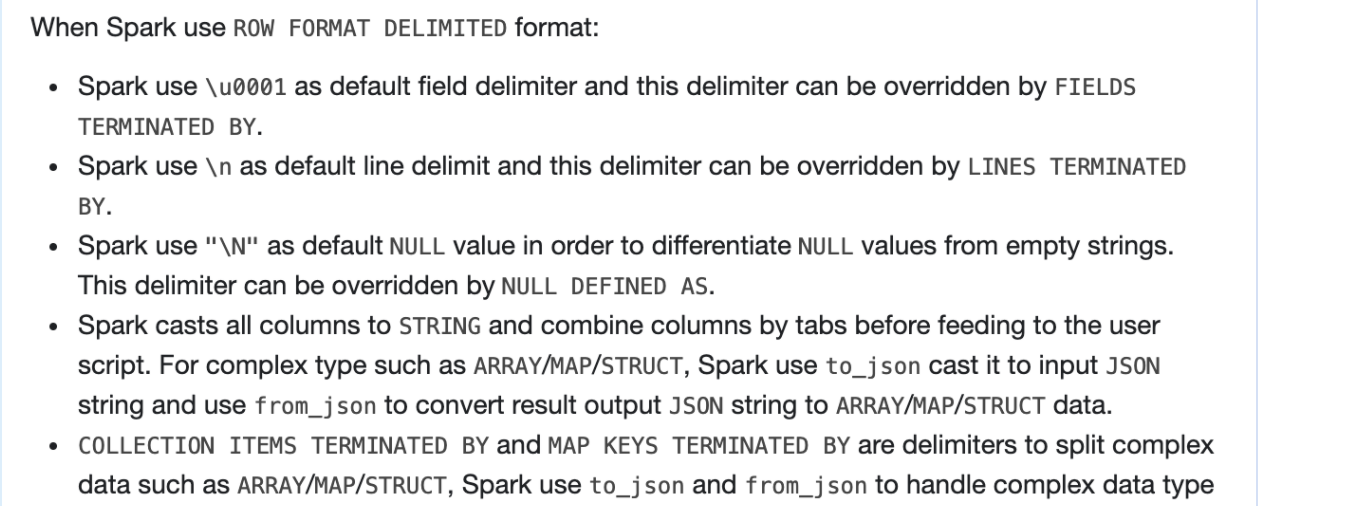
##########
File path: docs/sql-ref-syntax-qry-select-transform.md
##########
@@ -57,19 +66,85 @@ SELECT TRANSFORM ( expression [ , ... ] )
Specifies a command or a path to script to process data.
-### SerDe behavior
-
-Spark uses the Hive SerDe `org.apache.hadoop.hive.serde2.lazy.LazySimpleSerDe` by default, so columns will be casted
-to `STRING` and combined by tabs before feeding to the user script. All `NULL` values will be converted
-to the literal string `"\N"` in order to differentiate `NULL` values from empty strings. The standard output of the
-user script will be treated as tab-separated `STRING` columns, any cell containing only `"\N"` will be re-interpreted
-as a `NULL` value, and then the resulting STRING column will be cast to the data type specified in `col_type`. If the actual
-number of output columns is less than the number of specified output columns, insufficient output columns will be
-supplemented with `NULL`. If the actual number of output columns is more than the number of specified output columns,
-the output columns will only select the corresponding columns and the remaining part will be discarded.
-If there is no `AS` clause after `USING my_script`, an output schema will be `key: STRING, value: STRING`.
-The `key` column contains all the characters before the first tab and the `value` column contains the remaining characters after the first tab.
-If there is no enough tab, Spark will return `NULL` value. These defaults can be overridden with `ROW FORMAT SERDE` or `ROW FORMAT DELIMITED`.
+### ROW FORMAT DELIMITED BEHAVIOR
+
+When Spark use `ROW FORMAT DELIMITED` format:
+ - Spark use `\u0001` as default field delimiter and this delimiter can be overridden by `FIELDS TERMINATED BY`.
+ - Spark use `\n` as default line delimit and this delimiter can be overridden by `LINES TERMINATED BY`.
+ - Spark use `"\N"` as default `NULL` value in order to differentiate `NULL` values
+ from empty strings. This delimiter can be overridden by `NULL DEFINED AS`.
+ - Spark casts all columns to `STRING` and combine columns by tabs before feeding to the user script.
+ For complex type such as `ARRAY`/`MAP`/`STRUCT`, Spark use `to_json` cast it to input `JSON` string and use
+ `from_json` to convert result output `JSON` string to `ARRAY`/`MAP`/`STRUCT` data.
+ - `COLLECTION ITEMS TERMINATED BY` and `MAP KEYS TERMINATED BY` are delimiters to split complex data such as
+ `ARRAY`/`MAP`/`STRUCT`, Spark use `to_json` and `from_json` to handle complex data type with `JSON` format, so
+ `COLLECTION ITEMS TERMINATED BY` and `MAP KEYS TERMINATED BY` won't work in default row format.
+ - The standard output of the user script is treated as tab-separated `STRING` columns, any cell containing only `"\N"`
+ is re-interpreted as a `NULL` value, and then the resulting `STRING` column will be cast to the data type specified in `col_type`.
+ - If the actual number of output columns is less than the number of specified output columns,
+ insufficient output columns will be supplemented with `NULL`.
+ ```
+ output tabs: `1, 2`
+ output columns: `A: INT, B INT, C: INT`
+ result:
+ +---+---+------+
+ | a| b| c|
+ +---+---+------+
+ | 1| 2| NULL|
+ +---+---+------+
+ ```
+ - If the actual number of output columns is more than the number of specified output columns,
+ the output columns only select the corresponding columns, and the remaining part will be discarded.
+ For example, output have three tabs and output columns only have two columns:
+ ```
+ output tabs: `1, 2, 3`
+ output columns: `A: INT, B INT`
+ result:
+ +---+---+
+ | a| b|
+ +---+---+
+ | 1| 2|
+ +---+---+
+ ```
+ - If there is no `AS` clause after `USING my_script`, an output schema is `key: STRING, value: STRING`.
+ The `key` column contains all the characters before the first tab and the `value` column contains the remaining characters after the first tab.
+ If there are not enough tabs, Spark pads `NULL` value.
+ ```
+ output tabs: `1, 2, 3`
+ output columns:
+ result:
+ +-----+-------+
+ | key| value|
+ +-----+-------+
+ | 1| 2|
+ +-----+-------+
+
+ output tabs: `1, 2`
+ output columns:
+ result:
+ +-----+-------+
+ | key| value|
+ +-----+-------+
+ | 1| NULL|
+ +-----+-------+
+ ```
+
+### Hive SerDe behavior
+
+When enable Hive and use Hive Serde mode:
+ - Spark uses the Hive SerDe `org.apache.hadoop.hive.serde2.lazy.LazySimpleSerDe` by default, so columns are casted
+ to `STRING` and combined by tabs before feeding to the user script.
+ - All `NULL` values are converted to the literal string `"\N"` in order to differentiate `NULL` values from empty strings.
Review comment:
> I'm asking whether it's correct - that seems surprising
Below should be more clear?
All `NULL` values are converted to the literal string `'\N'` in order to differentiate `NULL` values from `'NULL'`.
##########
File path: docs/sql-ref-syntax-qry-select-transform.md
##########
@@ -57,19 +66,85 @@ SELECT TRANSFORM ( expression [ , ... ] )
Specifies a command or a path to script to process data.
-### SerDe behavior
-
-Spark uses the Hive SerDe `org.apache.hadoop.hive.serde2.lazy.LazySimpleSerDe` by default, so columns will be casted
-to `STRING` and combined by tabs before feeding to the user script. All `NULL` values will be converted
-to the literal string `"\N"` in order to differentiate `NULL` values from empty strings. The standard output of the
-user script will be treated as tab-separated `STRING` columns, any cell containing only `"\N"` will be re-interpreted
-as a `NULL` value, and then the resulting STRING column will be cast to the data type specified in `col_type`. If the actual
-number of output columns is less than the number of specified output columns, insufficient output columns will be
-supplemented with `NULL`. If the actual number of output columns is more than the number of specified output columns,
-the output columns will only select the corresponding columns and the remaining part will be discarded.
-If there is no `AS` clause after `USING my_script`, an output schema will be `key: STRING, value: STRING`.
-The `key` column contains all the characters before the first tab and the `value` column contains the remaining characters after the first tab.
-If there is no enough tab, Spark will return `NULL` value. These defaults can be overridden with `ROW FORMAT SERDE` or `ROW FORMAT DELIMITED`.
+### ROW FORMAT DELIMITED BEHAVIOR
+
+When Spark use `ROW FORMAT DELIMITED` format:
+ - Spark use `\u0001` as default field delimiter and this delimiter can be overridden by `FIELDS TERMINATED BY`.
+ - Spark use `\n` as default line delimit and this delimiter can be overridden by `LINES TERMINATED BY`.
+ - Spark use `"\N"` as default `NULL` value in order to differentiate `NULL` values
+ from empty strings. This delimiter can be overridden by `NULL DEFINED AS`.
+ - Spark casts all columns to `STRING` and combine columns by tabs before feeding to the user script.
+ For complex type such as `ARRAY`/`MAP`/`STRUCT`, Spark use `to_json` cast it to input `JSON` string and use
+ `from_json` to convert result output `JSON` string to `ARRAY`/`MAP`/`STRUCT` data.
+ - `COLLECTION ITEMS TERMINATED BY` and `MAP KEYS TERMINATED BY` are delimiters to split complex data such as
+ `ARRAY`/`MAP`/`STRUCT`, Spark use `to_json` and `from_json` to handle complex data type with `JSON` format, so
+ `COLLECTION ITEMS TERMINATED BY` and `MAP KEYS TERMINATED BY` won't work in default row format.
+ - The standard output of the user script is treated as tab-separated `STRING` columns, any cell containing only `"\N"`
+ is re-interpreted as a `NULL` value, and then the resulting `STRING` column will be cast to the data type specified in `col_type`.
+ - If the actual number of output columns is less than the number of specified output columns,
+ insufficient output columns will be supplemented with `NULL`.
+ ```
+ output tabs: `1, 2`
+ output columns: `A: INT, B INT, C: INT`
+ result:
+ +---+---+------+
+ | a| b| c|
+ +---+---+------+
+ | 1| 2| NULL|
+ +---+---+------+
+ ```
+ - If the actual number of output columns is more than the number of specified output columns,
+ the output columns only select the corresponding columns, and the remaining part will be discarded.
+ For example, output have three tabs and output columns only have two columns:
+ ```
+ output tabs: `1, 2, 3`
+ output columns: `A: INT, B INT`
+ result:
+ +---+---+
+ | a| b|
+ +---+---+
+ | 1| 2|
+ +---+---+
+ ```
+ - If there is no `AS` clause after `USING my_script`, an output schema is `key: STRING, value: STRING`.
+ The `key` column contains all the characters before the first tab and the `value` column contains the remaining characters after the first tab.
+ If there are not enough tabs, Spark pads `NULL` value.
+ ```
+ output tabs: `1, 2, 3`
+ output columns:
+ result:
+ +-----+-------+
+ | key| value|
+ +-----+-------+
+ | 1| 2|
+ +-----+-------+
+
+ output tabs: `1, 2`
+ output columns:
+ result:
+ +-----+-------+
+ | key| value|
+ +-----+-------+
+ | 1| NULL|
+ +-----+-------+
+ ```
+
+### Hive SerDe behavior
+
+When enable Hive and use Hive Serde mode:
+ - Spark uses the Hive SerDe `org.apache.hadoop.hive.serde2.lazy.LazySimpleSerDe` by default, so columns are casted
+ to `STRING` and combined by tabs before feeding to the user script.
+ - All `NULL` values are converted to the literal string `"\N"` in order to differentiate `NULL` values from empty strings.
Review comment:
> OK if it's definitely that 4 character string, that's fine.
> BTW is it single or double quotes? your comment differs from the doc.
I change it to single quotes since in SQL doc for string value we always use single quote?
##########
File path: docs/sql-ref-syntax-qry-select-transform.md
##########
@@ -57,19 +66,85 @@ SELECT TRANSFORM ( expression [ , ... ] )
Specifies a command or a path to script to process data.
-### SerDe behavior
-
-Spark uses the Hive SerDe `org.apache.hadoop.hive.serde2.lazy.LazySimpleSerDe` by default, so columns will be casted
-to `STRING` and combined by tabs before feeding to the user script. All `NULL` values will be converted
-to the literal string `"\N"` in order to differentiate `NULL` values from empty strings. The standard output of the
-user script will be treated as tab-separated `STRING` columns, any cell containing only `"\N"` will be re-interpreted
-as a `NULL` value, and then the resulting STRING column will be cast to the data type specified in `col_type`. If the actual
-number of output columns is less than the number of specified output columns, insufficient output columns will be
-supplemented with `NULL`. If the actual number of output columns is more than the number of specified output columns,
-the output columns will only select the corresponding columns and the remaining part will be discarded.
-If there is no `AS` clause after `USING my_script`, an output schema will be `key: STRING, value: STRING`.
-The `key` column contains all the characters before the first tab and the `value` column contains the remaining characters after the first tab.
-If there is no enough tab, Spark will return `NULL` value. These defaults can be overridden with `ROW FORMAT SERDE` or `ROW FORMAT DELIMITED`.
+### ROW FORMAT DELIMITED BEHAVIOR
+
+When Spark use `ROW FORMAT DELIMITED` format:
+ - Spark use `\u0001` as default field delimiter and this delimiter can be overridden by `FIELDS TERMINATED BY`.
+ - Spark use `\n` as default line delimit and this delimiter can be overridden by `LINES TERMINATED BY`.
+ - Spark use `"\N"` as default `NULL` value in order to differentiate `NULL` values
+ from empty strings. This delimiter can be overridden by `NULL DEFINED AS`.
+ - Spark casts all columns to `STRING` and combine columns by tabs before feeding to the user script.
+ For complex type such as `ARRAY`/`MAP`/`STRUCT`, Spark use `to_json` cast it to input `JSON` string and use
+ `from_json` to convert result output `JSON` string to `ARRAY`/`MAP`/`STRUCT` data.
+ - `COLLECTION ITEMS TERMINATED BY` and `MAP KEYS TERMINATED BY` are delimiters to split complex data such as
+ `ARRAY`/`MAP`/`STRUCT`, Spark use `to_json` and `from_json` to handle complex data type with `JSON` format, so
+ `COLLECTION ITEMS TERMINATED BY` and `MAP KEYS TERMINATED BY` won't work in default row format.
+ - The standard output of the user script is treated as tab-separated `STRING` columns, any cell containing only `"\N"`
+ is re-interpreted as a `NULL` value, and then the resulting `STRING` column will be cast to the data type specified in `col_type`.
+ - If the actual number of output columns is less than the number of specified output columns,
+ insufficient output columns will be supplemented with `NULL`.
+ ```
+ output tabs: `1, 2`
+ output columns: `A: INT, B INT, C: INT`
+ result:
+ +---+---+------+
+ | a| b| c|
+ +---+---+------+
+ | 1| 2| NULL|
+ +---+---+------+
+ ```
+ - If the actual number of output columns is more than the number of specified output columns,
+ the output columns only select the corresponding columns, and the remaining part will be discarded.
+ For example, output have three tabs and output columns only have two columns:
+ ```
+ output tabs: `1, 2, 3`
+ output columns: `A: INT, B INT`
+ result:
+ +---+---+
+ | a| b|
+ +---+---+
+ | 1| 2|
+ +---+---+
+ ```
+ - If there is no `AS` clause after `USING my_script`, an output schema is `key: STRING, value: STRING`.
+ The `key` column contains all the characters before the first tab and the `value` column contains the remaining characters after the first tab.
+ If there are not enough tabs, Spark pads `NULL` value.
+ ```
+ output tabs: `1, 2, 3`
+ output columns:
+ result:
+ +-----+-------+
+ | key| value|
+ +-----+-------+
+ | 1| 2|
+ +-----+-------+
+
+ output tabs: `1, 2`
+ output columns:
+ result:
+ +-----+-------+
+ | key| value|
+ +-----+-------+
+ | 1| NULL|
+ +-----+-------+
+ ```
+
+### Hive SerDe behavior
+
+When enable Hive and use Hive Serde mode:
+ - Spark uses the Hive SerDe `org.apache.hadoop.hive.serde2.lazy.LazySimpleSerDe` by default, so columns are casted
+ to `STRING` and combined by tabs before feeding to the user script.
+ - All `NULL` values are converted to the literal string `"\N"` in order to differentiate `NULL` values from empty strings.
Review comment:
> OK if it's definitely that 4 character string, that's fine.
> BTW is it single or double quotes? your comment differs from the doc.
have not update the screan shot yet
##########
File path: docs/sql-ref-syntax-qry-select-transform.md
##########
@@ -57,19 +66,85 @@ SELECT TRANSFORM ( expression [ , ... ] )
Specifies a command or a path to script to process data.
-### SerDe behavior
-
-Spark uses the Hive SerDe `org.apache.hadoop.hive.serde2.lazy.LazySimpleSerDe` by default, so columns will be casted
-to `STRING` and combined by tabs before feeding to the user script. All `NULL` values will be converted
-to the literal string `"\N"` in order to differentiate `NULL` values from empty strings. The standard output of the
-user script will be treated as tab-separated `STRING` columns, any cell containing only `"\N"` will be re-interpreted
-as a `NULL` value, and then the resulting STRING column will be cast to the data type specified in `col_type`. If the actual
-number of output columns is less than the number of specified output columns, insufficient output columns will be
-supplemented with `NULL`. If the actual number of output columns is more than the number of specified output columns,
-the output columns will only select the corresponding columns and the remaining part will be discarded.
-If there is no `AS` clause after `USING my_script`, an output schema will be `key: STRING, value: STRING`.
-The `key` column contains all the characters before the first tab and the `value` column contains the remaining characters after the first tab.
-If there is no enough tab, Spark will return `NULL` value. These defaults can be overridden with `ROW FORMAT SERDE` or `ROW FORMAT DELIMITED`.
+### ROW FORMAT DELIMITED BEHAVIOR
+
+When Spark use `ROW FORMAT DELIMITED` format:
+ - Spark use `\u0001` as default field delimiter and this delimiter can be overridden by `FIELDS TERMINATED BY`.
+ - Spark use `\n` as default line delimit and this delimiter can be overridden by `LINES TERMINATED BY`.
+ - Spark use `"\N"` as default `NULL` value in order to differentiate `NULL` values
+ from empty strings. This delimiter can be overridden by `NULL DEFINED AS`.
+ - Spark casts all columns to `STRING` and combine columns by tabs before feeding to the user script.
+ For complex type such as `ARRAY`/`MAP`/`STRUCT`, Spark use `to_json` cast it to input `JSON` string and use
+ `from_json` to convert result output `JSON` string to `ARRAY`/`MAP`/`STRUCT` data.
+ - `COLLECTION ITEMS TERMINATED BY` and `MAP KEYS TERMINATED BY` are delimiters to split complex data such as
+ `ARRAY`/`MAP`/`STRUCT`, Spark use `to_json` and `from_json` to handle complex data type with `JSON` format, so
+ `COLLECTION ITEMS TERMINATED BY` and `MAP KEYS TERMINATED BY` won't work in default row format.
+ - The standard output of the user script is treated as tab-separated `STRING` columns, any cell containing only `"\N"`
+ is re-interpreted as a `NULL` value, and then the resulting `STRING` column will be cast to the data type specified in `col_type`.
+ - If the actual number of output columns is less than the number of specified output columns,
+ insufficient output columns will be supplemented with `NULL`.
+ ```
+ output tabs: `1, 2`
+ output columns: `A: INT, B INT, C: INT`
+ result:
+ +---+---+------+
+ | a| b| c|
+ +---+---+------+
+ | 1| 2| NULL|
+ +---+---+------+
+ ```
+ - If the actual number of output columns is more than the number of specified output columns,
+ the output columns only select the corresponding columns, and the remaining part will be discarded.
+ For example, output have three tabs and output columns only have two columns:
+ ```
+ output tabs: `1, 2, 3`
+ output columns: `A: INT, B INT`
+ result:
+ +---+---+
+ | a| b|
+ +---+---+
+ | 1| 2|
+ +---+---+
+ ```
+ - If there is no `AS` clause after `USING my_script`, an output schema is `key: STRING, value: STRING`.
+ The `key` column contains all the characters before the first tab and the `value` column contains the remaining characters after the first tab.
+ If there are not enough tabs, Spark pads `NULL` value.
+ ```
+ output tabs: `1, 2, 3`
+ output columns:
+ result:
+ +-----+-------+
+ | key| value|
+ +-----+-------+
+ | 1| 2|
+ +-----+-------+
+
+ output tabs: `1, 2`
+ output columns:
+ result:
+ +-----+-------+
+ | key| value|
+ +-----+-------+
+ | 1| NULL|
+ +-----+-------+
+ ```
+
+### Hive SerDe behavior
+
+When enable Hive and use Hive Serde mode:
+ - Spark uses the Hive SerDe `org.apache.hadoop.hive.serde2.lazy.LazySimpleSerDe` by default, so columns are casted
+ to `STRING` and combined by tabs before feeding to the user script.
+ - All `NULL` values are converted to the literal string `"\N"` in order to differentiate `NULL` values from empty strings.
Review comment:
> That's not my question. You are suggesting here that the value has four characters: a quote, a backlash, N, a quote. I'm not sure that's what you mean, as you are saying the quote is just a doc convention. If you are code-quoting the string, you are implying the whole thing is a literal.
>
> Here's a simple question - how many characters does the actual value have?
Got the point. like this
- All literal `NULL` values are converted to the literal string `\N` in order to differentiate literal `NULL` values from literal string `NULL`.
--
This is an automated message from the Apache Git Service.
To respond to the message, please log on to GitHub and use the
URL above to go to the specific comment.
To unsubscribe, e-mail: reviews-unsubscribe@spark.apache.org
For queries about this service, please contact Infrastructure at:
users@infra.apache.org
---------------------------------------------------------------------
To unsubscribe, e-mail: reviews-unsubscribe@spark.apache.org
For additional commands, e-mail: reviews-help@spark.apache.org
[GitHub] [spark] AmplabJenkins removed a comment on pull request #33362: [SPARK-36153][SQL][DOCS] Update transform doc to match the current code
Posted by GitBox <gi...@apache.org>.
AmplabJenkins removed a comment on pull request #33362:
URL: https://github.com/apache/spark/pull/33362#issuecomment-882484109


   Refer to this link for build results (access rights to CI server needed):
   https://amplab.cs.berkeley.edu/jenkins//job/SparkPullRequestBuilder-K8s/45752/


--
This is an automated message from the Apache Git Service.
To respond to the message, please log on to GitHub and use the
URL above to go to the specific comment.

To unsubscribe, e-mail: reviews-unsubscribe@spark.apache.org

For queries about this service, please contact Infrastructure at:
users@infra.apache.org


---------------------------------------------------------------------
To unsubscribe, e-mail: reviews-unsubscribe@spark.apache.org
For additional commands, e-mail: reviews-help@spark.apache.org
[GitHub] [spark] HyukjinKwon commented on a change in pull request #33362: [SPARK-36153][SQL] Update transform doc to current code
Posted by GitBox <gi...@apache.org>.
HyukjinKwon commented on a change in pull request #33362:
URL: https://github.com/apache/spark/pull/33362#discussion_r670326359


##########
File path: docs/sql-ref-syntax-qry-select-transform.md
##########
@@ -57,16 +65,38 @@ SELECT TRANSFORM ( expression [ , ... ] )

     Specifies a command or a path to script to process data.

-### SerDe behavior
+### ROW FORMAT DELIMITED BEHAVIOR
+
+When spark use `ROW FORMAT DELIMITED` format, Spark will use `\u0001` as default filed delimit,
+use `\n` as default line delimit and use `"\N"` as `NULL` value in order to differentiate `NULL` values
+from empty strings. These delimit can be overridden by `FIELDS TERMINATED BY`, `LINES TERMINATED BY` and
+`NULL TERMINATED AS`. Since we use `to_json` and `from_json` to handle complex data type, so
+`COLLECTION ITEMS TERMINATED BY` and `MAP KEYS TERMINATED BY` won't work in current code.
+Spark will cast all columns to `STRING` and combined by tabs before feeding to the user script.
+For complex type such as `ARRAY\MAP\STRUCT`, spark use `to_json` cast it to input json string
+and use `from_json` to convert result output to `ARRAY/MAP/STRUCT` data. The standard output of

Review comment:
       ```suggestion
   and use `from_json` to convert result output to `ARRAY`/`MAP`/`STRUCT` data. The standard output of
   ```


--
This is an automated message from the Apache Git Service.
To respond to the message, please log on to GitHub and use the
URL above to go to the specific comment.

To unsubscribe, e-mail: reviews-unsubscribe@spark.apache.org

For queries about this service, please contact Infrastructure at:
users@infra.apache.org


---------------------------------------------------------------------
To unsubscribe, e-mail: reviews-unsubscribe@spark.apache.org
For additional commands, e-mail: reviews-help@spark.apache.org
[GitHub] [spark] AngersZhuuuu commented on a change in pull request #33362: [SPARK-36153][SQL][DOCS] Update transform doc to match the current code
Posted by GitBox <gi...@apache.org>.
AngersZhuuuu commented on a change in pull request #33362:
URL: https://github.com/apache/spark/pull/33362#discussion_r672146117


##########
File path: docs/sql-ref-syntax-qry-select-transform.md
##########
@@ -57,16 +65,38 @@ SELECT TRANSFORM ( expression [ , ... ] )

     Specifies a command or a path to script to process data.

-### SerDe behavior
+### ROW FORMAT DELIMITED BEHAVIOR
+
+When spark use `ROW FORMAT DELIMITED` format, Spark will use `\u0001` as default filed delimit,
+use `\n` as default line delimit and use `"\N"` as `NULL` value in order to differentiate `NULL` values
+from empty strings. These delimit can be overridden by `FIELDS TERMINATED BY`, `LINES TERMINATED BY` and
+`NULL TERMINATED AS`. Since we use `to_json` and `from_json` to handle complex data type, so
+`COLLECTION ITEMS TERMINATED BY` and `MAP KEYS TERMINATED BY` won't work in current code.
+Spark will cast all columns to `STRING` and combined by tabs before feeding to the user script.
+For complex type such as `ARRAY\MAP\STRUCT`, spark use `to_json` cast it to input json string
+and use `from_json` to convert result output to `ARRAY/MAP/STRUCT` data. The standard output of
+the user script will be treated as tab-separated `STRING` columns, any cell containing only `"\N"`
+will be re-interpreted as a `NULL` value, and then the resulting STRING column will be cast to the
+data type specified in `col_type`. If the actual number of output columns is less than the number
+of specified output columns, insufficient output columns will be supplemented with `NULL`.
+If the actual number of output columns is more than the number of specified output columns,
+the output columns will only select the corresponding columns and the remaining part will be discarded.

Review comment:
       How about current


--
This is an automated message from the Apache Git Service.
To respond to the message, please log on to GitHub and use the
URL above to go to the specific comment.

To unsubscribe, e-mail: reviews-unsubscribe@spark.apache.org

For queries about this service, please contact Infrastructure at:
users@infra.apache.org


---------------------------------------------------------------------
To unsubscribe, e-mail: reviews-unsubscribe@spark.apache.org
For additional commands, e-mail: reviews-help@spark.apache.org
[GitHub] [spark] SparkQA commented on pull request #33362: [SPARK-36153][SQL] Update transform doc to current code
Posted by GitBox <gi...@apache.org>.
SparkQA commented on pull request #33362:
URL: https://github.com/apache/spark/pull/33362#issuecomment-880549900


   **[Test build #141069 has started](https://amplab.cs.berkeley.edu/jenkins/job/SparkPullRequestBuilder/141069/testReport)** for PR 33362 at commit [`766bd0e`](https://github.com/apache/spark/commit/766bd0e2f20fcfc219b4795828b56efb6d2b21f5).


--
This is an automated message from the Apache Git Service.
To respond to the message, please log on to GitHub and use the
URL above to go to the specific comment.

To unsubscribe, e-mail: reviews-unsubscribe@spark.apache.org

For queries about this service, please contact Infrastructure at:
users@infra.apache.org


---------------------------------------------------------------------
To unsubscribe, e-mail: reviews-unsubscribe@spark.apache.org
For additional commands, e-mail: reviews-help@spark.apache.org
[GitHub] [spark] srowen closed pull request #33362: [SPARK-36153][SQL][DOCS] Update transform doc to match the current code
Posted by GitBox <gi...@apache.org>.
srowen closed pull request #33362:
URL: https://github.com/apache/spark/pull/33362


--
This is an automated message from the Apache Git Service.
To respond to the message, please log on to GitHub and use the
URL above to go to the specific comment.

To unsubscribe, e-mail: reviews-unsubscribe@spark.apache.org

For queries about this service, please contact Infrastructure at:
users@infra.apache.org


---------------------------------------------------------------------
To unsubscribe, e-mail: reviews-unsubscribe@spark.apache.org
For additional commands, e-mail: reviews-help@spark.apache.org
[GitHub] [spark] AngersZhuuuu commented on pull request #33362: [SPARK-36153][SQL][DOCS] Update transform doc to match the current code
Posted by GitBox <gi...@apache.org>.
AngersZhuuuu commented on pull request #33362:
URL: https://github.com/apache/spark/pull/33362#issuecomment-882549654


   > Yeah a quick paste in Google Docs will catch a lot of this

   Need more setting? I pass this to google doc with no catch? can you show me one screanshot about incorrect notice?


--
This is an automated message from the Apache Git Service.
To respond to the message, please log on to GitHub and use the
URL above to go to the specific comment.

To unsubscribe, e-mail: reviews-unsubscribe@spark.apache.org

For queries about this service, please contact Infrastructure at:
users@infra.apache.org


---------------------------------------------------------------------
To unsubscribe, e-mail: reviews-unsubscribe@spark.apache.org
For additional commands, e-mail: reviews-help@spark.apache.org
[GitHub] [spark] AmplabJenkins removed a comment on pull request #33362: [SPARK-36153][SQL][DOCS] Update transform doc to match the current code
Posted by GitBox <gi...@apache.org>.
AmplabJenkins removed a comment on pull request #33362:
URL: https://github.com/apache/spark/pull/33362#issuecomment-882520053


   Refer to this link for build results (access rights to CI server needed):
   https://amplab.cs.berkeley.edu/jenkins//job/SparkPullRequestBuilder-K8s/45758/


--
This is an automated message from the Apache Git Service.
To respond to the message, please log on to GitHub and use the
URL above to go to the specific comment.

To unsubscribe, e-mail: reviews-unsubscribe@spark.apache.org

For queries about this service, please contact Infrastructure at:
users@infra.apache.org


---------------------------------------------------------------------
To unsubscribe, e-mail: reviews-unsubscribe@spark.apache.org
For additional commands, e-mail: reviews-help@spark.apache.org
[GitHub] [spark] AngersZhuuuu commented on a change in pull request #33362: [SPARK-36153][SQL][DOCS] Update transform doc to match the current code
Posted by GitBox <gi...@apache.org>.
AngersZhuuuu commented on a change in pull request #33362:
URL: https://github.com/apache/spark/pull/33362#discussion_r672146359


##########
File path: docs/sql-ref-syntax-qry-select-transform.md
##########
@@ -57,16 +65,38 @@ SELECT TRANSFORM ( expression [ , ... ] )

     Specifies a command or a path to script to process data.

-### SerDe behavior
+### ROW FORMAT DELIMITED BEHAVIOR
+
+When spark use `ROW FORMAT DELIMITED` format, Spark will use `\u0001` as default filed delimit,
+use `\n` as default line delimit and use `"\N"` as `NULL` value in order to differentiate `NULL` values

Review comment:
       How about current


--
This is an automated message from the Apache Git Service.
To respond to the message, please log on to GitHub and use the
URL above to go to the specific comment.

To unsubscribe, e-mail: reviews-unsubscribe@spark.apache.org

For queries about this service, please contact Infrastructure at:
users@infra.apache.org


---------------------------------------------------------------------
To unsubscribe, e-mail: reviews-unsubscribe@spark.apache.org
For additional commands, e-mail: reviews-help@spark.apache.org
[GitHub] [spark] AmplabJenkins removed a comment on pull request #33362: [SPARK-36153][SQL][DOCS] Update transform doc to match the current code
Posted by GitBox <gi...@apache.org>.
AmplabJenkins removed a comment on pull request #33362:
URL: https://github.com/apache/spark/pull/33362#issuecomment-883517263


   Refer to this link for build results (access rights to CI server needed):
   https://amplab.cs.berkeley.edu/jenkins//job/SparkPullRequestBuilder/141343/


--
This is an automated message from the Apache Git Service.
To respond to the message, please log on to GitHub and use the
URL above to go to the specific comment.

To unsubscribe, e-mail: reviews-unsubscribe@spark.apache.org

For queries about this service, please contact Infrastructure at:
users@infra.apache.org


---------------------------------------------------------------------
To unsubscribe, e-mail: reviews-unsubscribe@spark.apache.org
For additional commands, e-mail: reviews-help@spark.apache.org
[GitHub] [spark] HyukjinKwon commented on a change in pull request #33362: [SPARK-36153][SQL] Update transform doc to current code
Posted by GitBox <gi...@apache.org>.
HyukjinKwon commented on a change in pull request #33362:
URL: https://github.com/apache/spark/pull/33362#discussion_r670328050


##########
File path: docs/sql-ref-syntax-qry-select-transform.md
##########
@@ -57,16 +65,38 @@ SELECT TRANSFORM ( expression [ , ... ] )

     Specifies a command or a path to script to process data.

-### SerDe behavior
+### ROW FORMAT DELIMITED BEHAVIOR
+
+When spark use `ROW FORMAT DELIMITED` format, Spark will use `\u0001` as default filed delimit,
+use `\n` as default line delimit and use `"\N"` as `NULL` value in order to differentiate `NULL` values
+from empty strings. These delimit can be overridden by `FIELDS TERMINATED BY`, `LINES TERMINATED BY` and
+`NULL TERMINATED AS`. Since we use `to_json` and `from_json` to handle complex data type, so
+`COLLECTION ITEMS TERMINATED BY` and `MAP KEYS TERMINATED BY` won't work in current code.
+Spark will cast all columns to `STRING` and combined by tabs before feeding to the user script.
+For complex type such as `ARRAY\MAP\STRUCT`, spark use `to_json` cast it to input json string
+and use `from_json` to convert result output to `ARRAY/MAP/STRUCT` data. The standard output of
+the user script will be treated as tab-separated `STRING` columns, any cell containing only `"\N"`
+will be re-interpreted as a `NULL` value, and then the resulting STRING column will be cast to the
+data type specified in `col_type`. If the actual number of output columns is less than the number
+of specified output columns, insufficient output columns will be supplemented with `NULL`.
+If the actual number of output columns is more than the number of specified output columns,
+the output columns will only select the corresponding columns and the remaining part will be discarded.

-Spark uses the Hive SerDe `org.apache.hadoop.hive.serde2.lazy.LazySimpleSerDe` by default, so columns will be casted
+If there is no `AS` clause after `USING my_script`, an output schema will be `key: STRING, value: STRING`.
+The `key` column contains all the characters before the first tab and the `value` column contains the remaining characters after the first tab.
+If there is no enough tab, Spark will return `NULL` value. These defaults can be overridden with `ROW FORMAT SERDE` or `ROW FORMAT DELIMITED`.

Review comment:
       BTW, avoid using future tense. For example, replace `Spark will return` to  `Spark returns`.


--
This is an automated message from the Apache Git Service.
To respond to the message, please log on to GitHub and use the
URL above to go to the specific comment.

To unsubscribe, e-mail: reviews-unsubscribe@spark.apache.org

For queries about this service, please contact Infrastructure at:
users@infra.apache.org


---------------------------------------------------------------------
To unsubscribe, e-mail: reviews-unsubscribe@spark.apache.org
For additional commands, e-mail: reviews-help@spark.apache.org
[GitHub] [spark] SparkQA commented on pull request #33362: [SPARK-36153][SQL][DOCS] Update transform doc to match the current code
Posted by GitBox <gi...@apache.org>.
SparkQA commented on pull request #33362:
URL: https://github.com/apache/spark/pull/33362#issuecomment-883516917


   **[Test build #141343 has finished](https://amplab.cs.berkeley.edu/jenkins/job/SparkPullRequestBuilder/141343/testReport)** for PR 33362 at commit [`2c6505a`](https://github.com/apache/spark/commit/2c6505aec7ad08410d09169cbaaa3b7fe463d86a).
    * This patch passes all tests.
    * This patch merges cleanly.
    * This patch adds no public classes.


--
This is an automated message from the Apache Git Service.
To respond to the message, please log on to GitHub and use the
URL above to go to the specific comment.

To unsubscribe, e-mail: reviews-unsubscribe@spark.apache.org

For queries about this service, please contact Infrastructure at:
users@infra.apache.org


---------------------------------------------------------------------
To unsubscribe, e-mail: reviews-unsubscribe@spark.apache.org
For additional commands, e-mail: reviews-help@spark.apache.org
[GitHub] [spark] SparkQA commented on pull request #33362: [SPARK-36153][SQL][DOCS] Update transform doc to match the current code
Posted by GitBox <gi...@apache.org>.
SparkQA commented on pull request #33362:
URL: https://github.com/apache/spark/pull/33362#issuecomment-882441152


   Kubernetes integration test starting
   URL: https://amplab.cs.berkeley.edu/jenkins/job/SparkPullRequestBuilder-K8s/45752/


--
This is an automated message from the Apache Git Service.
To respond to the message, please log on to GitHub and use the
URL above to go to the specific comment.

To unsubscribe, e-mail: reviews-unsubscribe@spark.apache.org

For queries about this service, please contact Infrastructure at:
users@infra.apache.org


---------------------------------------------------------------------
To unsubscribe, e-mail: reviews-unsubscribe@spark.apache.org
For additional commands, e-mail: reviews-help@spark.apache.org
[GitHub] [spark] SparkQA commented on pull request #33362: [SPARK-36153][SQL][DOCS] Update transform doc to current code
Posted by GitBox <gi...@apache.org>.
SparkQA commented on pull request #33362:
URL: https://github.com/apache/spark/pull/33362#issuecomment-880586504


   Kubernetes integration test unable to build dist.

   exiting with code: 1
   URL: https://amplab.cs.berkeley.edu/jenkins/job/SparkPullRequestBuilder-K8s/45584/


--
This is an automated message from the Apache Git Service.
To respond to the message, please log on to GitHub and use the
URL above to go to the specific comment.

To unsubscribe, e-mail: reviews-unsubscribe@spark.apache.org

For queries about this service, please contact Infrastructure at:
users@infra.apache.org


---------------------------------------------------------------------
To unsubscribe, e-mail: reviews-unsubscribe@spark.apache.org
For additional commands, e-mail: reviews-help@spark.apache.org
[GitHub] [spark] SparkQA commented on pull request #33362: [SPARK-36153][SQL][DOCS] Update transform doc to match the current code
Posted by GitBox <gi...@apache.org>.
SparkQA commented on pull request #33362:
URL: https://github.com/apache/spark/pull/33362#issuecomment-882483837


   Kubernetes integration test starting
   URL: https://amplab.cs.berkeley.edu/jenkins/job/SparkPullRequestBuilder-K8s/45758/


--
This is an automated message from the Apache Git Service.
To respond to the message, please log on to GitHub and use the
URL above to go to the specific comment.

To unsubscribe, e-mail: reviews-unsubscribe@spark.apache.org

For queries about this service, please contact Infrastructure at:
users@infra.apache.org


---------------------------------------------------------------------
To unsubscribe, e-mail: reviews-unsubscribe@spark.apache.org
For additional commands, e-mail: reviews-help@spark.apache.org
[GitHub] [spark] AmplabJenkins commented on pull request #33362: [SPARK-36153][SQL][DOCS] Update transform doc to match the current code
Posted by GitBox <gi...@apache.org>.
AmplabJenkins commented on pull request #33362:
URL: https://github.com/apache/spark/pull/33362#issuecomment-882624991


   Refer to this link for build results (access rights to CI server needed):
   https://amplab.cs.berkeley.edu/jenkins//job/SparkPullRequestBuilder/141262/


--
This is an automated message from the Apache Git Service.
To respond to the message, please log on to GitHub and use the
URL above to go to the specific comment.

To unsubscribe, e-mail: reviews-unsubscribe@spark.apache.org

For queries about this service, please contact Infrastructure at:
users@infra.apache.org


---------------------------------------------------------------------
To unsubscribe, e-mail: reviews-unsubscribe@spark.apache.org
For additional commands, e-mail: reviews-help@spark.apache.org
[GitHub] [spark] HyukjinKwon commented on a change in pull request #33362: [SPARK-36153][SQL] Update transform doc to current code
Posted by GitBox <gi...@apache.org>.
HyukjinKwon commented on a change in pull request #33362:
URL: https://github.com/apache/spark/pull/33362#discussion_r670326226


##########
File path: docs/sql-ref-syntax-qry-select-transform.md
##########
@@ -57,16 +65,38 @@ SELECT TRANSFORM ( expression [ , ... ] )

     Specifies a command or a path to script to process data.

-### SerDe behavior
+### ROW FORMAT DELIMITED BEHAVIOR
+
+When spark use `ROW FORMAT DELIMITED` format, Spark will use `\u0001` as default filed delimit,
+use `\n` as default line delimit and use `"\N"` as `NULL` value in order to differentiate `NULL` values
+from empty strings. These delimit can be overridden by `FIELDS TERMINATED BY`, `LINES TERMINATED BY` and
+`NULL TERMINATED AS`. Since we use `to_json` and `from_json` to handle complex data type, so
+`COLLECTION ITEMS TERMINATED BY` and `MAP KEYS TERMINATED BY` won't work in current code.
+Spark will cast all columns to `STRING` and combined by tabs before feeding to the user script.
+For complex type such as `ARRAY\MAP\STRUCT`, spark use `to_json` cast it to input json string

Review comment:
       json is always JSON too


--
This is an automated message from the Apache Git Service.
To respond to the message, please log on to GitHub and use the
URL above to go to the specific comment.

To unsubscribe, e-mail: reviews-unsubscribe@spark.apache.org

For queries about this service, please contact Infrastructure at:
users@infra.apache.org


---------------------------------------------------------------------
To unsubscribe, e-mail: reviews-unsubscribe@spark.apache.org
For additional commands, e-mail: reviews-help@spark.apache.org
[GitHub] [spark] AngersZhuuuu commented on a change in pull request #33362: [SPARK-36153][SQL][DOCS] Update transform doc to match the current code
Posted by GitBox <gi...@apache.org>.
AngersZhuuuu commented on a change in pull request #33362:
URL: https://github.com/apache/spark/pull/33362#discussion_r672146258


##########
File path: docs/sql-ref-syntax-qry-select-transform.md
##########
@@ -57,16 +65,38 @@ SELECT TRANSFORM ( expression [ , ... ] )

     Specifies a command or a path to script to process data.

-### SerDe behavior
+### ROW FORMAT DELIMITED BEHAVIOR
+
+When spark use `ROW FORMAT DELIMITED` format, Spark will use `\u0001` as default filed delimit,
+use `\n` as default line delimit and use `"\N"` as `NULL` value in order to differentiate `NULL` values
+from empty strings. These delimit can be overridden by `FIELDS TERMINATED BY`, `LINES TERMINATED BY` and
+`NULL TERMINATED AS`. Since we use `to_json` and `from_json` to handle complex data type, so

Review comment:
       How about current


--
This is an automated message from the Apache Git Service.
To respond to the message, please log on to GitHub and use the
URL above to go to the specific comment.

To unsubscribe, e-mail: reviews-unsubscribe@spark.apache.org

For queries about this service, please contact Infrastructure at:
users@infra.apache.org


---------------------------------------------------------------------
To unsubscribe, e-mail: reviews-unsubscribe@spark.apache.org
For additional commands, e-mail: reviews-help@spark.apache.org
[GitHub] [spark] SparkQA removed a comment on pull request #33362: [SPARK-36153][SQL][DOCS] Update transform doc to match the current code
Posted by GitBox <gi...@apache.org>.
SparkQA removed a comment on pull request #33362:
URL: https://github.com/apache/spark/pull/33362#issuecomment-882565884


--
This is an automated message from the Apache Git Service.
To respond to the message, please log on to GitHub and use the
URL above to go to the specific comment.

To unsubscribe, e-mail: reviews-unsubscribe@spark.apache.org

For queries about this service, please contact Infrastructure at:
users@infra.apache.org


---------------------------------------------------------------------
To unsubscribe, e-mail: reviews-unsubscribe@spark.apache.org
For additional commands, e-mail: reviews-help@spark.apache.org
[GitHub] [spark] SparkQA commented on pull request #33362: [SPARK-36153][SQL][DOCS] Update transform doc to match the current code
Posted by GitBox <gi...@apache.org>.
SparkQA commented on pull request #33362:
URL: https://github.com/apache/spark/pull/33362#issuecomment-882624587


   **[Test build #141262 has finished](https://amplab.cs.berkeley.edu/jenkins/job/SparkPullRequestBuilder/141262/testReport)** for PR 33362 at commit [`085d309`](https://github.com/apache/spark/commit/085d309aedcbe18a6518ee9a6eec0f2c251908cb).
    * This patch passes all tests.
    * This patch merges cleanly.
    * This patch adds no public classes.


--
This is an automated message from the Apache Git Service.
To respond to the message, please log on to GitHub and use the
URL above to go to the specific comment.

To unsubscribe, e-mail: reviews-unsubscribe@spark.apache.org

For queries about this service, please contact Infrastructure at:
users@infra.apache.org


---------------------------------------------------------------------
To unsubscribe, e-mail: reviews-unsubscribe@spark.apache.org
For additional commands, e-mail: reviews-help@spark.apache.org
[GitHub] [spark] AngersZhuuuu commented on a change in pull request #33362: [SPARK-36153][SQL][DOCS] Update transform doc to match the current code
Posted by GitBox <gi...@apache.org>.
AngersZhuuuu commented on a change in pull request #33362:
URL: https://github.com/apache/spark/pull/33362#discussion_r672307837


##########
File path: docs/sql-ref-syntax-qry-select-transform.md
##########
@@ -57,19 +66,85 @@ SELECT TRANSFORM ( expression [ , ... ] )

     Specifies a command or a path to script to process data.

-### SerDe behavior
-
-Spark uses the Hive SerDe `org.apache.hadoop.hive.serde2.lazy.LazySimpleSerDe` by default, so columns will be casted
-to `STRING` and combined by tabs before feeding to the user script. All `NULL` values will be converted
-to the literal string `"\N"` in order to differentiate `NULL` values from empty strings. The standard output of the
-user script will be treated as tab-separated `STRING` columns, any cell containing only `"\N"` will be re-interpreted
-as a `NULL` value, and then the resulting STRING column will be cast to the data type specified in `col_type`. If the actual
-number of output columns is less than the number of specified output columns, insufficient output columns will be
-supplemented with `NULL`. If the actual number of output columns is more than the number of specified output columns,
-the output columns will only select the corresponding columns and the remaining part will be discarded.
-If there is no `AS` clause after `USING my_script`, an output schema will be `key: STRING, value: STRING`.
-The `key` column contains all the characters before the first tab and the `value` column contains the remaining characters after the first tab.
-If there is no enough tab, Spark will return `NULL` value. These defaults can be overridden with `ROW FORMAT SERDE` or `ROW FORMAT DELIMITED`.
+### ROW FORMAT DELIMITED BEHAVIOR
+
+When Spark use `ROW FORMAT DELIMITED` format:
+ - Spark use `\u0001` as default field delimiter and this delimiter can be overridden by `FIELDS TERMINATED BY`.
+ - Spark use `\n` as default line delimit and this delimiter can be overridden by `LINES TERMINATED BY`.
+ - Spark use `"\N"` as default  `NULL` value in order to differentiate `NULL` values
+ from empty strings. This delimiter can be overridden by `NULL DEFINED AS`.
+ - Spark casts all columns to `STRING` and combine columns by tabs before feeding to the user script.
+ For complex type such as `ARRAY`/`MAP`/`STRUCT`, Spark use `to_json` cast it to input `JSON` string and use
+ `from_json` to convert result output `JSON` string to `ARRAY`/`MAP`/`STRUCT` data.
+ - `COLLECTION ITEMS TERMINATED BY` and `MAP KEYS TERMINATED BY` are delimiters to split complex data such as
+  `ARRAY`/`MAP`/`STRUCT`, Spark use `to_json` and `from_json` to handle complex data type with `JSON` format, so
+ `COLLECTION ITEMS TERMINATED BY` and `MAP KEYS TERMINATED BY` won't work in default row format.
+ - The standard output of the user script is treated as tab-separated `STRING` columns, any cell containing only `"\N"`
+ is re-interpreted as a `NULL` value, and then the resulting `STRING` column will be cast to the data type specified in `col_type`.
+ - If the actual number of output columns is less than the number of specified output columns,
+  insufficient output columns will be supplemented with `NULL`.
+     ```
+     output tabs: `1, 2`
+     output columns: `A: INT, B INT, C: INT`
+     result:
+       +---+---+------+
+       |  a|  b|     c|
+       +---+---+------+
+       |  1|  2|  NULL|
+       +---+---+------+
+     ```
+ - If the actual number of output columns is more than the number of specified output columns,
+ the output columns only select the corresponding columns, and the remaining part will be discarded.
+ For example, output have three tabs and output columns only have two columns:
+     ```
+     output tabs: `1, 2, 3`
+     output columns: `A: INT, B INT`
+     result:
+       +---+---+
+       |  a|  b|
+       +---+---+
+       |  1|  2|
+       +---+---+
+     ```
+ - If there is no `AS` clause after `USING my_script`, an output schema is `key: STRING, value: STRING`.
+ The `key` column contains all the characters before the first tab and the `value` column contains the remaining characters after the first tab.
+ If there are not enough tabs, Spark pads `NULL` value.
+      ```
+      output tabs: `1, 2, 3`
+      output columns:
+      result:
+        +-----+-------+
+        |  key|  value|
+        +-----+-------+
+        |    1|      2|
+        +-----+-------+
+
+      output tabs: `1, 2`
+      output columns:
+      result:
+        +-----+-------+
+        |  key|  value|
+        +-----+-------+
+        |    1|   NULL|
+        +-----+-------+
+      ```
+
+### Hive SerDe behavior
+
+When enable Hive and use Hive Serde mode:
+ - Spark uses the Hive SerDe `org.apache.hadoop.hive.serde2.lazy.LazySimpleSerDe` by default, so columns are casted
+ to `STRING` and combined by tabs before feeding to the user script.
+ - All `NULL` values are converted to the literal string `"\N"` in order to differentiate `NULL` values from empty strings.

Review comment:
       Yea, you can see the screen shot


--
This is an automated message from the Apache Git Service.
To respond to the message, please log on to GitHub and use the
URL above to go to the specific comment.

To unsubscribe, e-mail: reviews-unsubscribe@spark.apache.org

For queries about this service, please contact Infrastructure at:
users@infra.apache.org


---------------------------------------------------------------------
To unsubscribe, e-mail: reviews-unsubscribe@spark.apache.org
For additional commands, e-mail: reviews-help@spark.apache.org
[GitHub] [spark] AngersZhuuuu commented on a change in pull request #33362: [SPARK-36153][SQL][DOCS] Update transform doc to match the current code
Posted by GitBox <gi...@apache.org>.
AngersZhuuuu commented on a change in pull request #33362:
URL: https://github.com/apache/spark/pull/33362#discussion_r672311493
##########
File path: docs/sql-ref-syntax-qry-select-transform.md
##########
@@ -57,19 +66,85 @@ SELECT TRANSFORM ( expression [ , ... ] )
Specifies a command or a path to script to process data.
-### SerDe behavior
-
-Spark uses the Hive SerDe `org.apache.hadoop.hive.serde2.lazy.LazySimpleSerDe` by default, so columns will be casted
-to `STRING` and combined by tabs before feeding to the user script. All `NULL` values will be converted
-to the literal string `"\N"` in order to differentiate `NULL` values from empty strings. The standard output of the
-user script will be treated as tab-separated `STRING` columns, any cell containing only `"\N"` will be re-interpreted
-as a `NULL` value, and then the resulting STRING column will be cast to the data type specified in `col_type`. If the actual
-number of output columns is less than the number of specified output columns, insufficient output columns will be
-supplemented with `NULL`. If the actual number of output columns is more than the number of specified output columns,
-the output columns will only select the corresponding columns and the remaining part will be discarded.
-If there is no `AS` clause after `USING my_script`, an output schema will be `key: STRING, value: STRING`.
-The `key` column contains all the characters before the first tab and the `value` column contains the remaining characters after the first tab.
-If there is no enough tab, Spark will return `NULL` value. These defaults can be overridden with `ROW FORMAT SERDE` or `ROW FORMAT DELIMITED`.
+### ROW FORMAT DELIMITED BEHAVIOR
+
+When Spark use `ROW FORMAT DELIMITED` format:
+ - Spark use `\u0001` as default field delimiter and this delimiter can be overridden by `FIELDS TERMINATED BY`.
+ - Spark use `\n` as default line delimit and this delimiter can be overridden by `LINES TERMINATED BY`.
+ - Spark use `"\N"` as default `NULL` value in order to differentiate `NULL` values
+ from empty strings. This delimiter can be overridden by `NULL DEFINED AS`.
+ - Spark casts all columns to `STRING` and combine columns by tabs before feeding to the user script.
+ For complex type such as `ARRAY`/`MAP`/`STRUCT`, Spark use `to_json` cast it to input `JSON` string and use
+ `from_json` to convert result output `JSON` string to `ARRAY`/`MAP`/`STRUCT` data.
+ - `COLLECTION ITEMS TERMINATED BY` and `MAP KEYS TERMINATED BY` are delimiters to split complex data such as
+ `ARRAY`/`MAP`/`STRUCT`, Spark use `to_json` and `from_json` to handle complex data type with `JSON` format, so
+ `COLLECTION ITEMS TERMINATED BY` and `MAP KEYS TERMINATED BY` won't work in default row format.
+ - The standard output of the user script is treated as tab-separated `STRING` columns, any cell containing only `"\N"`
+ is re-interpreted as a `NULL` value, and then the resulting `STRING` column will be cast to the data type specified in `col_type`.
+ - If the actual number of output columns is less than the number of specified output columns,
+ insufficient output columns will be supplemented with `NULL`.
+ ```
+ output tabs: `1, 2`
+ output columns: `A: INT, B INT, C: INT`
+ result:
+ +---+---+------+
+ | a| b| c|
+ +---+---+------+
+ | 1| 2| NULL|
+ +---+---+------+
+ ```
+ - If the actual number of output columns is more than the number of specified output columns,
+ the output columns only select the corresponding columns, and the remaining part will be discarded.
+ For example, output have three tabs and output columns only have two columns:
+ ```
+ output tabs: `1, 2, 3`
+ output columns: `A: INT, B INT`
+ result:
+ +---+---+
+ | a| b|
+ +---+---+
+ | 1| 2|
+ +---+---+
+ ```
+ - If there is no `AS` clause after `USING my_script`, an output schema is `key: STRING, value: STRING`.
+ The `key` column contains all the characters before the first tab and the `value` column contains the remaining characters after the first tab.
+ If there are not enough tabs, Spark pads `NULL` value.
+ ```
+ output tabs: `1, 2, 3`
+ output columns:
+ result:
+ +-----+-------+
+ | key| value|
+ +-----+-------+
+ | 1| 2|
+ +-----+-------+
+
+ output tabs: `1, 2`
+ output columns:
+ result:
+ +-----+-------+
+ | key| value|
+ +-----+-------+
+ | 1| NULL|
+ +-----+-------+
+ ```
+
+### Hive SerDe behavior
+
+When enable Hive and use Hive Serde mode:
+ - Spark uses the Hive SerDe `org.apache.hadoop.hive.serde2.lazy.LazySimpleSerDe` by default, so columns are casted
+ to `STRING` and combined by tabs before feeding to the user script.
+ - All `NULL` values are converted to the literal string `"\N"` in order to differentiate `NULL` values from empty strings.
Review comment:

--
This is an automated message from the Apache Git Service.
To respond to the message, please log on to GitHub and use the
URL above to go to the specific comment.
To unsubscribe, e-mail: reviews-unsubscribe@spark.apache.org
For queries about this service, please contact Infrastructure at:
users@infra.apache.org
---------------------------------------------------------------------
To unsubscribe, e-mail: reviews-unsubscribe@spark.apache.org
For additional commands, e-mail: reviews-help@spark.apache.org
[GitHub] [spark] HyukjinKwon commented on a change in pull request #33362: [SPARK-36153][SQL] Update transform doc to current code
Posted by GitBox <gi...@apache.org>.
HyukjinKwon commented on a change in pull request #33362:
URL: https://github.com/apache/spark/pull/33362#discussion_r670317869


##########
File path: docs/sql-ref-syntax-qry-select-transform.md
##########
@@ -24,6 +24,14 @@ license: |
 The `TRANSFORM` clause is used to specify a Hive-style transform query specification
 to transform the inputs by running a user-specified command or script.

+Currently, Spark's script transform support two modes:

Review comment:
       ```suggestion
   Spark's script transform supports two modes:
   ```

##########
File path: docs/sql-ref-syntax-qry-select-transform.md
##########
@@ -24,6 +24,14 @@ license: |
 The `TRANSFORM` clause is used to specify a Hive-style transform query specification
 to transform the inputs by running a user-specified command or script.

+Currently, Spark's script transform support two modes:
+
+    1. Without Hive: Spark scripts transform can run without `-Phive` or `SparkSession.builder.enableHiveSupport()`.

Review comment:
       ```suggestion
       1. Without Hive: Spark script transform can run without `-Phive` or `SparkSession.builder.enableHiveSupport()`.
   ```

##########
File path: docs/sql-ref-syntax-qry-select-transform.md
##########
@@ -24,6 +24,14 @@ license: |
 The `TRANSFORM` clause is used to specify a Hive-style transform query specification
 to transform the inputs by running a user-specified command or script.

+Currently, Spark's script transform support two modes:
+
+    1. Without Hive: Spark scripts transform can run without `-Phive` or `SparkSession.builder.enableHiveSupport()`.
+                     In this case, now spark only use script transform with `ROW FORMAT DELIMITED` and treat all value passed

Review comment:
       ```suggestion
                        In this case, now spark only use script transform with `ROW FORMAT DELIMITED` and treat all values passed
   ```

##########
File path: docs/sql-ref-syntax-qry-select-transform.md
##########
@@ -24,6 +24,14 @@ license: |
 The `TRANSFORM` clause is used to specify a Hive-style transform query specification
 to transform the inputs by running a user-specified command or script.

+Currently, Spark's script transform support two modes:
+
+    1. Without Hive: Spark scripts transform can run without `-Phive` or `SparkSession.builder.enableHiveSupport()`.
+                     In this case, now spark only use script transform with `ROW FORMAT DELIMITED` and treat all value passed
+                     to script as a string.

Review comment:
       ```suggestion
                        to the script as strings.
   ```


--
This is an automated message from the Apache Git Service.
To respond to the message, please log on to GitHub and use the
URL above to go to the specific comment.

To unsubscribe, e-mail: reviews-unsubscribe@spark.apache.org

For queries about this service, please contact Infrastructure at:
users@infra.apache.org


---------------------------------------------------------------------
To unsubscribe, e-mail: reviews-unsubscribe@spark.apache.org
For additional commands, e-mail: reviews-help@spark.apache.org
[GitHub] [spark] AngersZhuuuu commented on pull request #33362: [SPARK-36153][SQL][DOCS] Update transform doc to current code
Posted by GitBox <gi...@apache.org>.
AngersZhuuuu commented on pull request #33362:
URL: https://github.com/apache/spark/pull/33362#issuecomment-880590480


   > Nice, I like these details. Thanks for working on this @AngersZhuuuu

   Yea, Still working and checking more detail about the behavior.


--
This is an automated message from the Apache Git Service.
To respond to the message, please log on to GitHub and use the
URL above to go to the specific comment.

To unsubscribe, e-mail: reviews-unsubscribe@spark.apache.org

For queries about this service, please contact Infrastructure at:
users@infra.apache.org


---------------------------------------------------------------------
To unsubscribe, e-mail: reviews-unsubscribe@spark.apache.org
For additional commands, e-mail: reviews-help@spark.apache.org
[GitHub] [spark] AmplabJenkins commented on pull request #33362: [SPARK-36153][SQL][DOCS] Update transform doc to match the current code
Posted by GitBox <gi...@apache.org>.
AmplabJenkins commented on pull request #33362:
URL: https://github.com/apache/spark/pull/33362#issuecomment-882576561


   Refer to this link for build results (access rights to CI server needed):
   https://amplab.cs.berkeley.edu/jenkins//job/SparkPullRequestBuilder/141259/


--
This is an automated message from the Apache Git Service.
To respond to the message, please log on to GitHub and use the
URL above to go to the specific comment.

To unsubscribe, e-mail: reviews-unsubscribe@spark.apache.org

For queries about this service, please contact Infrastructure at:
users@infra.apache.org


---------------------------------------------------------------------
To unsubscribe, e-mail: reviews-unsubscribe@spark.apache.org
For additional commands, e-mail: reviews-help@spark.apache.org
[GitHub] [spark] srowen commented on a change in pull request #33362: [SPARK-36153][SQL][DOCS] Update transform doc to match the current code
Posted by GitBox <gi...@apache.org>.
srowen commented on a change in pull request #33362:
URL: https://github.com/apache/spark/pull/33362#discussion_r672357603


##########
File path: docs/sql-ref-syntax-qry-select-transform.md
##########
@@ -57,19 +66,85 @@ SELECT TRANSFORM ( expression [ , ... ] )

     Specifies a command or a path to script to process data.

-### SerDe behavior
-
-Spark uses the Hive SerDe `org.apache.hadoop.hive.serde2.lazy.LazySimpleSerDe` by default, so columns will be casted
-to `STRING` and combined by tabs before feeding to the user script. All `NULL` values will be converted
-to the literal string `"\N"` in order to differentiate `NULL` values from empty strings. The standard output of the
-user script will be treated as tab-separated `STRING` columns, any cell containing only `"\N"` will be re-interpreted
-as a `NULL` value, and then the resulting STRING column will be cast to the data type specified in `col_type`. If the actual
-number of output columns is less than the number of specified output columns, insufficient output columns will be
-supplemented with `NULL`. If the actual number of output columns is more than the number of specified output columns,
-the output columns will only select the corresponding columns and the remaining part will be discarded.
-If there is no `AS` clause after `USING my_script`, an output schema will be `key: STRING, value: STRING`.
-The `key` column contains all the characters before the first tab and the `value` column contains the remaining characters after the first tab.
-If there is no enough tab, Spark will return `NULL` value. These defaults can be overridden with `ROW FORMAT SERDE` or `ROW FORMAT DELIMITED`.
+### ROW FORMAT DELIMITED BEHAVIOR
+
+When Spark use `ROW FORMAT DELIMITED` format:
+ - Spark use `\u0001` as default field delimiter and this delimiter can be overridden by `FIELDS TERMINATED BY`.
+ - Spark use `\n` as default line delimit and this delimiter can be overridden by `LINES TERMINATED BY`.
+ - Spark use `"\N"` as default  `NULL` value in order to differentiate `NULL` values
+ from empty strings. This delimiter can be overridden by `NULL DEFINED AS`.
+ - Spark casts all columns to `STRING` and combine columns by tabs before feeding to the user script.
+ For complex type such as `ARRAY`/`MAP`/`STRUCT`, Spark use `to_json` cast it to input `JSON` string and use
+ `from_json` to convert result output `JSON` string to `ARRAY`/`MAP`/`STRUCT` data.
+ - `COLLECTION ITEMS TERMINATED BY` and `MAP KEYS TERMINATED BY` are delimiters to split complex data such as
+  `ARRAY`/`MAP`/`STRUCT`, Spark use `to_json` and `from_json` to handle complex data type with `JSON` format, so
+ `COLLECTION ITEMS TERMINATED BY` and `MAP KEYS TERMINATED BY` won't work in default row format.
+ - The standard output of the user script is treated as tab-separated `STRING` columns, any cell containing only `"\N"`
+ is re-interpreted as a `NULL` value, and then the resulting `STRING` column will be cast to the data type specified in `col_type`.
+ - If the actual number of output columns is less than the number of specified output columns,
+  insufficient output columns will be supplemented with `NULL`.
+     ```
+     output tabs: `1, 2`
+     output columns: `A: INT, B INT, C: INT`
+     result:
+       +---+---+------+
+       |  a|  b|     c|
+       +---+---+------+
+       |  1|  2|  NULL|
+       +---+---+------+
+     ```
+ - If the actual number of output columns is more than the number of specified output columns,
+ the output columns only select the corresponding columns, and the remaining part will be discarded.
+ For example, output have three tabs and output columns only have two columns:
+     ```
+     output tabs: `1, 2, 3`
+     output columns: `A: INT, B INT`
+     result:
+       +---+---+
+       |  a|  b|
+       +---+---+
+       |  1|  2|
+       +---+---+
+     ```
+ - If there is no `AS` clause after `USING my_script`, an output schema is `key: STRING, value: STRING`.
+ The `key` column contains all the characters before the first tab and the `value` column contains the remaining characters after the first tab.
+ If there are not enough tabs, Spark pads `NULL` value.
+      ```
+      output tabs: `1, 2, 3`
+      output columns:
+      result:
+        +-----+-------+
+        |  key|  value|
+        +-----+-------+
+        |    1|      2|
+        +-----+-------+
+
+      output tabs: `1, 2`
+      output columns:
+      result:
+        +-----+-------+
+        |  key|  value|
+        +-----+-------+
+        |    1|   NULL|
+        +-----+-------+
+      ```
+
+### Hive SerDe behavior
+
+When enable Hive and use Hive Serde mode:
+ - Spark uses the Hive SerDe `org.apache.hadoop.hive.serde2.lazy.LazySimpleSerDe` by default, so columns are casted
+ to `STRING` and combined by tabs before feeding to the user script.
+ - All `NULL` values are converted to the literal string `"\N"` in order to differentiate `NULL` values from empty strings.

Review comment:
       Right, the literal should be `\N` then


--
This is an automated message from the Apache Git Service.
To respond to the message, please log on to GitHub and use the
URL above to go to the specific comment.

To unsubscribe, e-mail: reviews-unsubscribe@spark.apache.org

For queries about this service, please contact Infrastructure at:
users@infra.apache.org


---------------------------------------------------------------------
To unsubscribe, e-mail: reviews-unsubscribe@spark.apache.org
For additional commands, e-mail: reviews-help@spark.apache.org
[GitHub] [spark] AngersZhuuuu commented on a change in pull request #33362: [SPARK-36153][SQL][DOCS] Update transform doc to match the current code
Posted by GitBox <gi...@apache.org>.
AngersZhuuuu commented on a change in pull request #33362:
URL: https://github.com/apache/spark/pull/33362#discussion_r672146117
##########
File path: docs/sql-ref-syntax-qry-select-transform.md
##########
@@ -57,16 +65,38 @@ SELECT TRANSFORM ( expression [ , ... ] )
Specifies a command or a path to script to process data.
-### SerDe behavior
+### ROW FORMAT DELIMITED BEHAVIOR
+
+When spark use `ROW FORMAT DELIMITED` format, Spark will use `\u0001` as default filed delimit,
+use `\n` as default line delimit and use `"\N"` as `NULL` value in order to differentiate `NULL` values
+from empty strings. These delimit can be overridden by `FIELDS TERMINATED BY`, `LINES TERMINATED BY` and
+`NULL TERMINATED AS`. Since we use `to_json` and `from_json` to handle complex data type, so
+`COLLECTION ITEMS TERMINATED BY` and `MAP KEYS TERMINATED BY` won't work in current code.
+Spark will cast all columns to `STRING` and combined by tabs before feeding to the user script.
+For complex type such as `ARRAY\MAP\STRUCT`, spark use `to_json` cast it to input json string
+and use `from_json` to convert result output to `ARRAY/MAP/STRUCT` data. The standard output of
+the user script will be treated as tab-separated `STRING` columns, any cell containing only `"\N"`
+will be re-interpreted as a `NULL` value, and then the resulting STRING column will be cast to the
+data type specified in `col_type`. If the actual number of output columns is less than the number
+of specified output columns, insufficient output columns will be supplemented with `NULL`.
+If the actual number of output columns is more than the number of specified output columns,
+the output columns will only select the corresponding columns and the remaining part will be discarded.
Review comment:
How about current
##########
File path: docs/sql-ref-syntax-qry-select-transform.md
##########
@@ -57,16 +65,38 @@ SELECT TRANSFORM ( expression [ , ... ] )
Specifies a command or a path to script to process data.
-### SerDe behavior
+### ROW FORMAT DELIMITED BEHAVIOR
+
+When spark use `ROW FORMAT DELIMITED` format, Spark will use `\u0001` as default filed delimit,
+use `\n` as default line delimit and use `"\N"` as `NULL` value in order to differentiate `NULL` values
+from empty strings. These delimit can be overridden by `FIELDS TERMINATED BY`, `LINES TERMINATED BY` and
+`NULL TERMINATED AS`. Since we use `to_json` and `from_json` to handle complex data type, so
Review comment:
How about current
##########
File path: docs/sql-ref-syntax-qry-select-transform.md
##########
@@ -57,16 +65,38 @@ SELECT TRANSFORM ( expression [ , ... ] )
Specifies a command or a path to script to process data.
-### SerDe behavior
+### ROW FORMAT DELIMITED BEHAVIOR
+
+When spark use `ROW FORMAT DELIMITED` format, Spark will use `\u0001` as default filed delimit,
+use `\n` as default line delimit and use `"\N"` as `NULL` value in order to differentiate `NULL` values
Review comment:
How about current
##########
File path: docs/sql-ref-syntax-qry-select-transform.md
##########
@@ -24,6 +24,14 @@ license: |
The `TRANSFORM` clause is used to specify a Hive-style transform query specification
to transform the inputs by running a user-specified command or script.
+Currently, Spark's script transform support two modes:
+
+ 1. Without Hive: Spark scripts transform can run without `-Phive` or `SparkSession.builder.enableHiveSupport()`.
Review comment:
How about current?
##########
File path: docs/sql-ref-syntax-qry-select-transform.md
##########
@@ -57,19 +66,85 @@ SELECT TRANSFORM ( expression [ , ... ] )
Specifies a command or a path to script to process data.
-### SerDe behavior
-
-Spark uses the Hive SerDe `org.apache.hadoop.hive.serde2.lazy.LazySimpleSerDe` by default, so columns will be casted
-to `STRING` and combined by tabs before feeding to the user script. All `NULL` values will be converted
-to the literal string `"\N"` in order to differentiate `NULL` values from empty strings. The standard output of the
-user script will be treated as tab-separated `STRING` columns, any cell containing only `"\N"` will be re-interpreted
-as a `NULL` value, and then the resulting STRING column will be cast to the data type specified in `col_type`. If the actual
-number of output columns is less than the number of specified output columns, insufficient output columns will be
-supplemented with `NULL`. If the actual number of output columns is more than the number of specified output columns,
-the output columns will only select the corresponding columns and the remaining part will be discarded.
-If there is no `AS` clause after `USING my_script`, an output schema will be `key: STRING, value: STRING`.
-The `key` column contains all the characters before the first tab and the `value` column contains the remaining characters after the first tab.
-If there is no enough tab, Spark will return `NULL` value. These defaults can be overridden with `ROW FORMAT SERDE` or `ROW FORMAT DELIMITED`.
+### ROW FORMAT DELIMITED BEHAVIOR
+
+When Spark use `ROW FORMAT DELIMITED` format:
+ - Spark use `\u0001` as default field delimiter and this delimiter can be overridden by `FIELDS TERMINATED BY`.
+ - Spark use `\n` as default line delimit and this delimiter can be overridden by `LINES TERMINATED BY`.
+ - Spark use `"\N"` as default `NULL` value in order to differentiate `NULL` values
+ from empty strings. This delimiter can be overridden by `NULL DEFINED AS`.
+ - Spark casts all columns to `STRING` and combine columns by tabs before feeding to the user script.
+ For complex type such as `ARRAY`/`MAP`/`STRUCT`, Spark use `to_json` cast it to input `JSON` string and use
+ `from_json` to convert result output `JSON` string to `ARRAY`/`MAP`/`STRUCT` data.
+ - `COLLECTION ITEMS TERMINATED BY` and `MAP KEYS TERMINATED BY` are delimiters to split complex data such as
+ `ARRAY`/`MAP`/`STRUCT`, Spark use `to_json` and `from_json` to handle complex data type with `JSON` format, so
+ `COLLECTION ITEMS TERMINATED BY` and `MAP KEYS TERMINATED BY` won't work in default row format.
+ - The standard output of the user script is treated as tab-separated `STRING` columns, any cell containing only `"\N"`
+ is re-interpreted as a `NULL` value, and then the resulting `STRING` column will be cast to the data type specified in `col_type`.
+ - If the actual number of output columns is less than the number of specified output columns,
+ insufficient output columns will be supplemented with `NULL`.
+ ```
+ output tabs: `1, 2`
+ output columns: `A: INT, B INT, C: INT`
+ result:
+ +---+---+------+
+ | a| b| c|
+ +---+---+------+
+ | 1| 2| NULL|
+ +---+---+------+
+ ```
+ - If the actual number of output columns is more than the number of specified output columns,
+ the output columns only select the corresponding columns, and the remaining part will be discarded.
+ For example, output have three tabs and output columns only have two columns:
+ ```
+ output tabs: `1, 2, 3`
+ output columns: `A: INT, B INT`
+ result:
+ +---+---+
+ | a| b|
+ +---+---+
+ | 1| 2|
+ +---+---+
+ ```
+ - If there is no `AS` clause after `USING my_script`, an output schema is `key: STRING, value: STRING`.
+ The `key` column contains all the characters before the first tab and the `value` column contains the remaining characters after the first tab.
+ If there are not enough tabs, Spark pads `NULL` value.
+ ```
+ output tabs: `1, 2, 3`
+ output columns:
+ result:
+ +-----+-------+
+ | key| value|
+ +-----+-------+
+ | 1| 2|
+ +-----+-------+
+
+ output tabs: `1, 2`
+ output columns:
+ result:
+ +-----+-------+
+ | key| value|
+ +-----+-------+
+ | 1| NULL|
+ +-----+-------+
+ ```
+
+### Hive SerDe behavior
+
+When enable Hive and use Hive Serde mode:
+ - Spark uses the Hive SerDe `org.apache.hadoop.hive.serde2.lazy.LazySimpleSerDe` by default, so columns are casted
+ to `STRING` and combined by tabs before feeding to the user script.
+ - All `NULL` values are converted to the literal string `"\N"` in order to differentiate `NULL` values from empty strings.
Review comment:
Yea, you can see the screen shot
##########
File path: docs/sql-ref-syntax-qry-select-transform.md
##########
@@ -57,19 +66,85 @@ SELECT TRANSFORM ( expression [ , ... ] )
Specifies a command or a path to script to process data.
-### SerDe behavior
-
-Spark uses the Hive SerDe `org.apache.hadoop.hive.serde2.lazy.LazySimpleSerDe` by default, so columns will be casted
-to `STRING` and combined by tabs before feeding to the user script. All `NULL` values will be converted
-to the literal string `"\N"` in order to differentiate `NULL` values from empty strings. The standard output of the
-user script will be treated as tab-separated `STRING` columns, any cell containing only `"\N"` will be re-interpreted
-as a `NULL` value, and then the resulting STRING column will be cast to the data type specified in `col_type`. If the actual
-number of output columns is less than the number of specified output columns, insufficient output columns will be
-supplemented with `NULL`. If the actual number of output columns is more than the number of specified output columns,
-the output columns will only select the corresponding columns and the remaining part will be discarded.
-If there is no `AS` clause after `USING my_script`, an output schema will be `key: STRING, value: STRING`.
-The `key` column contains all the characters before the first tab and the `value` column contains the remaining characters after the first tab.
-If there is no enough tab, Spark will return `NULL` value. These defaults can be overridden with `ROW FORMAT SERDE` or `ROW FORMAT DELIMITED`.
+### ROW FORMAT DELIMITED BEHAVIOR
+
+When Spark use `ROW FORMAT DELIMITED` format:
+ - Spark use `\u0001` as default field delimiter and this delimiter can be overridden by `FIELDS TERMINATED BY`.
+ - Spark use `\n` as default line delimit and this delimiter can be overridden by `LINES TERMINATED BY`.
+ - Spark use `"\N"` as default `NULL` value in order to differentiate `NULL` values
+ from empty strings. This delimiter can be overridden by `NULL DEFINED AS`.
+ - Spark casts all columns to `STRING` and combine columns by tabs before feeding to the user script.
+ For complex type such as `ARRAY`/`MAP`/`STRUCT`, Spark use `to_json` cast it to input `JSON` string and use
+ `from_json` to convert result output `JSON` string to `ARRAY`/`MAP`/`STRUCT` data.
+ - `COLLECTION ITEMS TERMINATED BY` and `MAP KEYS TERMINATED BY` are delimiters to split complex data such as
+ `ARRAY`/`MAP`/`STRUCT`, Spark use `to_json` and `from_json` to handle complex data type with `JSON` format, so
+ `COLLECTION ITEMS TERMINATED BY` and `MAP KEYS TERMINATED BY` won't work in default row format.
+ - The standard output of the user script is treated as tab-separated `STRING` columns, any cell containing only `"\N"`
+ is re-interpreted as a `NULL` value, and then the resulting `STRING` column will be cast to the data type specified in `col_type`.
+ - If the actual number of output columns is less than the number of specified output columns,
+ insufficient output columns will be supplemented with `NULL`.
+ ```
+ output tabs: `1, 2`
+ output columns: `A: INT, B INT, C: INT`
+ result:
+ +---+---+------+
+ | a| b| c|
+ +---+---+------+
+ | 1| 2| NULL|
+ +---+---+------+
+ ```
+ - If the actual number of output columns is more than the number of specified output columns,
+ the output columns only select the corresponding columns, and the remaining part will be discarded.
+ For example, output have three tabs and output columns only have two columns:
+ ```
+ output tabs: `1, 2, 3`
+ output columns: `A: INT, B INT`
+ result:
+ +---+---+
+ | a| b|
+ +---+---+
+ | 1| 2|
+ +---+---+
+ ```
+ - If there is no `AS` clause after `USING my_script`, an output schema is `key: STRING, value: STRING`.
+ The `key` column contains all the characters before the first tab and the `value` column contains the remaining characters after the first tab.
+ If there are not enough tabs, Spark pads `NULL` value.
+ ```
+ output tabs: `1, 2, 3`
+ output columns:
+ result:
+ +-----+-------+
+ | key| value|
+ +-----+-------+
+ | 1| 2|
+ +-----+-------+
+
+ output tabs: `1, 2`
+ output columns:
+ result:
+ +-----+-------+
+ | key| value|
+ +-----+-------+
+ | 1| NULL|
+ +-----+-------+
+ ```
+
+### Hive SerDe behavior
+
+When enable Hive and use Hive Serde mode:
+ - Spark uses the Hive SerDe `org.apache.hadoop.hive.serde2.lazy.LazySimpleSerDe` by default, so columns are casted
+ to `STRING` and combined by tabs before feeding to the user script.
+ - All `NULL` values are converted to the literal string `"\N"` in order to differentiate `NULL` values from empty strings.
Review comment:

##########
File path: docs/sql-ref-syntax-qry-select-transform.md
##########
@@ -57,19 +66,85 @@ SELECT TRANSFORM ( expression [ , ... ] )
Specifies a command or a path to script to process data.
-### SerDe behavior
-
-Spark uses the Hive SerDe `org.apache.hadoop.hive.serde2.lazy.LazySimpleSerDe` by default, so columns will be casted
-to `STRING` and combined by tabs before feeding to the user script. All `NULL` values will be converted
-to the literal string `"\N"` in order to differentiate `NULL` values from empty strings. The standard output of the
-user script will be treated as tab-separated `STRING` columns, any cell containing only `"\N"` will be re-interpreted
-as a `NULL` value, and then the resulting STRING column will be cast to the data type specified in `col_type`. If the actual
-number of output columns is less than the number of specified output columns, insufficient output columns will be
-supplemented with `NULL`. If the actual number of output columns is more than the number of specified output columns,
-the output columns will only select the corresponding columns and the remaining part will be discarded.
-If there is no `AS` clause after `USING my_script`, an output schema will be `key: STRING, value: STRING`.
-The `key` column contains all the characters before the first tab and the `value` column contains the remaining characters after the first tab.
-If there is no enough tab, Spark will return `NULL` value. These defaults can be overridden with `ROW FORMAT SERDE` or `ROW FORMAT DELIMITED`.
+### ROW FORMAT DELIMITED BEHAVIOR
+
+When Spark use `ROW FORMAT DELIMITED` format:
+ - Spark use `\u0001` as default field delimiter and this delimiter can be overridden by `FIELDS TERMINATED BY`.
+ - Spark use `\n` as default line delimit and this delimiter can be overridden by `LINES TERMINATED BY`.
+ - Spark use `"\N"` as default `NULL` value in order to differentiate `NULL` values
+ from empty strings. This delimiter can be overridden by `NULL DEFINED AS`.
+ - Spark casts all columns to `STRING` and combine columns by tabs before feeding to the user script.
+ For complex type such as `ARRAY`/`MAP`/`STRUCT`, Spark use `to_json` cast it to input `JSON` string and use
+ `from_json` to convert result output `JSON` string to `ARRAY`/`MAP`/`STRUCT` data.
+ - `COLLECTION ITEMS TERMINATED BY` and `MAP KEYS TERMINATED BY` are delimiters to split complex data such as
+ `ARRAY`/`MAP`/`STRUCT`, Spark use `to_json` and `from_json` to handle complex data type with `JSON` format, so
+ `COLLECTION ITEMS TERMINATED BY` and `MAP KEYS TERMINATED BY` won't work in default row format.
+ - The standard output of the user script is treated as tab-separated `STRING` columns, any cell containing only `"\N"`
+ is re-interpreted as a `NULL` value, and then the resulting `STRING` column will be cast to the data type specified in `col_type`.
+ - If the actual number of output columns is less than the number of specified output columns,
+ insufficient output columns will be supplemented with `NULL`.
+ ```
+ output tabs: `1, 2`
+ output columns: `A: INT, B INT, C: INT`
+ result:
+ +---+---+------+
+ | a| b| c|
+ +---+---+------+
+ | 1| 2| NULL|
+ +---+---+------+
+ ```
+ - If the actual number of output columns is more than the number of specified output columns,
+ the output columns only select the corresponding columns, and the remaining part will be discarded.
+ For example, output have three tabs and output columns only have two columns:
+ ```
+ output tabs: `1, 2, 3`
+ output columns: `A: INT, B INT`
+ result:
+ +---+---+
+ | a| b|
+ +---+---+
+ | 1| 2|
+ +---+---+
+ ```
+ - If there is no `AS` clause after `USING my_script`, an output schema is `key: STRING, value: STRING`.
+ The `key` column contains all the characters before the first tab and the `value` column contains the remaining characters after the first tab.
+ If there are not enough tabs, Spark pads `NULL` value.
+ ```
+ output tabs: `1, 2, 3`
+ output columns:
+ result:
+ +-----+-------+
+ | key| value|
+ +-----+-------+
+ | 1| 2|
+ +-----+-------+
+
+ output tabs: `1, 2`
+ output columns:
+ result:
+ +-----+-------+
+ | key| value|
+ +-----+-------+
+ | 1| NULL|
+ +-----+-------+
+ ```
+
+### Hive SerDe behavior
+
+When enable Hive and use Hive Serde mode:
+ - Spark uses the Hive SerDe `org.apache.hadoop.hive.serde2.lazy.LazySimpleSerDe` by default, so columns are casted
+ to `STRING` and combined by tabs before feeding to the user script.
+ - All `NULL` values are converted to the literal string `"\N"` in order to differentiate `NULL` values from empty strings.
Review comment:
> I'm asking whether it's correct - that seems surprising
Below should be more clear?
All `NULL` values are converted to the literal string `'\N'` in order to differentiate `NULL` values from `'NULL'`.
##########
File path: docs/sql-ref-syntax-qry-select-transform.md
##########
@@ -57,19 +66,85 @@ SELECT TRANSFORM ( expression [ , ... ] )
Specifies a command or a path to script to process data.
-### SerDe behavior
-
-Spark uses the Hive SerDe `org.apache.hadoop.hive.serde2.lazy.LazySimpleSerDe` by default, so columns will be casted
-to `STRING` and combined by tabs before feeding to the user script. All `NULL` values will be converted
-to the literal string `"\N"` in order to differentiate `NULL` values from empty strings. The standard output of the
-user script will be treated as tab-separated `STRING` columns, any cell containing only `"\N"` will be re-interpreted
-as a `NULL` value, and then the resulting STRING column will be cast to the data type specified in `col_type`. If the actual
-number of output columns is less than the number of specified output columns, insufficient output columns will be
-supplemented with `NULL`. If the actual number of output columns is more than the number of specified output columns,
-the output columns will only select the corresponding columns and the remaining part will be discarded.
-If there is no `AS` clause after `USING my_script`, an output schema will be `key: STRING, value: STRING`.
-The `key` column contains all the characters before the first tab and the `value` column contains the remaining characters after the first tab.
-If there is no enough tab, Spark will return `NULL` value. These defaults can be overridden with `ROW FORMAT SERDE` or `ROW FORMAT DELIMITED`.
+### ROW FORMAT DELIMITED BEHAVIOR
+
+When Spark use `ROW FORMAT DELIMITED` format:
+ - Spark use `\u0001` as default field delimiter and this delimiter can be overridden by `FIELDS TERMINATED BY`.
+ - Spark use `\n` as default line delimit and this delimiter can be overridden by `LINES TERMINATED BY`.
+ - Spark use `"\N"` as default `NULL` value in order to differentiate `NULL` values
+ from empty strings. This delimiter can be overridden by `NULL DEFINED AS`.
+ - Spark casts all columns to `STRING` and combine columns by tabs before feeding to the user script.
+ For complex type such as `ARRAY`/`MAP`/`STRUCT`, Spark use `to_json` cast it to input `JSON` string and use
+ `from_json` to convert result output `JSON` string to `ARRAY`/`MAP`/`STRUCT` data.
+ - `COLLECTION ITEMS TERMINATED BY` and `MAP KEYS TERMINATED BY` are delimiters to split complex data such as
+ `ARRAY`/`MAP`/`STRUCT`, Spark use `to_json` and `from_json` to handle complex data type with `JSON` format, so
+ `COLLECTION ITEMS TERMINATED BY` and `MAP KEYS TERMINATED BY` won't work in default row format.
+ - The standard output of the user script is treated as tab-separated `STRING` columns, any cell containing only `"\N"`
+ is re-interpreted as a `NULL` value, and then the resulting `STRING` column will be cast to the data type specified in `col_type`.
+ - If the actual number of output columns is less than the number of specified output columns,
+ insufficient output columns will be supplemented with `NULL`.
+ ```
+ output tabs: `1, 2`
+ output columns: `A: INT, B INT, C: INT`
+ result:
+ +---+---+------+
+ | a| b| c|
+ +---+---+------+
+ | 1| 2| NULL|
+ +---+---+------+
+ ```
+ - If the actual number of output columns is more than the number of specified output columns,
+ the output columns only select the corresponding columns, and the remaining part will be discarded.
+ For example, output have three tabs and output columns only have two columns:
+ ```
+ output tabs: `1, 2, 3`
+ output columns: `A: INT, B INT`
+ result:
+ +---+---+
+ | a| b|
+ +---+---+
+ | 1| 2|
+ +---+---+
+ ```
+ - If there is no `AS` clause after `USING my_script`, an output schema is `key: STRING, value: STRING`.
+ The `key` column contains all the characters before the first tab and the `value` column contains the remaining characters after the first tab.
+ If there are not enough tabs, Spark pads `NULL` value.
+ ```
+ output tabs: `1, 2, 3`
+ output columns:
+ result:
+ +-----+-------+
+ | key| value|
+ +-----+-------+
+ | 1| 2|
+ +-----+-------+
+
+ output tabs: `1, 2`
+ output columns:
+ result:
+ +-----+-------+
+ | key| value|
+ +-----+-------+
+ | 1| NULL|
+ +-----+-------+
+ ```
+
+### Hive SerDe behavior
+
+When enable Hive and use Hive Serde mode:
+ - Spark uses the Hive SerDe `org.apache.hadoop.hive.serde2.lazy.LazySimpleSerDe` by default, so columns are casted
+ to `STRING` and combined by tabs before feeding to the user script.
+ - All `NULL` values are converted to the literal string `"\N"` in order to differentiate `NULL` values from empty strings.
Review comment:
> OK if it's definitely that 4 character string, that's fine.
> BTW is it single or double quotes? your comment differs from the doc.
I change it to single quotes since in SQL doc for string value we always use single quote?
##########
File path: docs/sql-ref-syntax-qry-select-transform.md
##########
@@ -57,19 +66,85 @@ SELECT TRANSFORM ( expression [ , ... ] )
Specifies a command or a path to script to process data.
-### SerDe behavior
-
-Spark uses the Hive SerDe `org.apache.hadoop.hive.serde2.lazy.LazySimpleSerDe` by default, so columns will be casted
-to `STRING` and combined by tabs before feeding to the user script. All `NULL` values will be converted
-to the literal string `"\N"` in order to differentiate `NULL` values from empty strings. The standard output of the
-user script will be treated as tab-separated `STRING` columns, any cell containing only `"\N"` will be re-interpreted
-as a `NULL` value, and then the resulting STRING column will be cast to the data type specified in `col_type`. If the actual
-number of output columns is less than the number of specified output columns, insufficient output columns will be
-supplemented with `NULL`. If the actual number of output columns is more than the number of specified output columns,
-the output columns will only select the corresponding columns and the remaining part will be discarded.
-If there is no `AS` clause after `USING my_script`, an output schema will be `key: STRING, value: STRING`.
-The `key` column contains all the characters before the first tab and the `value` column contains the remaining characters after the first tab.
-If there is no enough tab, Spark will return `NULL` value. These defaults can be overridden with `ROW FORMAT SERDE` or `ROW FORMAT DELIMITED`.
+### ROW FORMAT DELIMITED BEHAVIOR
+
+When Spark use `ROW FORMAT DELIMITED` format:
+ - Spark use `\u0001` as default field delimiter and this delimiter can be overridden by `FIELDS TERMINATED BY`.
+ - Spark use `\n` as default line delimit and this delimiter can be overridden by `LINES TERMINATED BY`.
+ - Spark use `"\N"` as default `NULL` value in order to differentiate `NULL` values
+ from empty strings. This delimiter can be overridden by `NULL DEFINED AS`.
+ - Spark casts all columns to `STRING` and combine columns by tabs before feeding to the user script.
+ For complex type such as `ARRAY`/`MAP`/`STRUCT`, Spark use `to_json` cast it to input `JSON` string and use
+ `from_json` to convert result output `JSON` string to `ARRAY`/`MAP`/`STRUCT` data.
+ - `COLLECTION ITEMS TERMINATED BY` and `MAP KEYS TERMINATED BY` are delimiters to split complex data such as
+ `ARRAY`/`MAP`/`STRUCT`, Spark use `to_json` and `from_json` to handle complex data type with `JSON` format, so
+ `COLLECTION ITEMS TERMINATED BY` and `MAP KEYS TERMINATED BY` won't work in default row format.
+ - The standard output of the user script is treated as tab-separated `STRING` columns, any cell containing only `"\N"`
+ is re-interpreted as a `NULL` value, and then the resulting `STRING` column will be cast to the data type specified in `col_type`.
+ - If the actual number of output columns is less than the number of specified output columns,
+ insufficient output columns will be supplemented with `NULL`.
+ ```
+ output tabs: `1, 2`
+ output columns: `A: INT, B INT, C: INT`
+ result:
+ +---+---+------+
+ | a| b| c|
+ +---+---+------+
+ | 1| 2| NULL|
+ +---+---+------+
+ ```
+ - If the actual number of output columns is more than the number of specified output columns,
+ the output columns only select the corresponding columns, and the remaining part will be discarded.
+ For example, output have three tabs and output columns only have two columns:
+ ```
+ output tabs: `1, 2, 3`
+ output columns: `A: INT, B INT`
+ result:
+ +---+---+
+ | a| b|
+ +---+---+
+ | 1| 2|
+ +---+---+
+ ```
+ - If there is no `AS` clause after `USING my_script`, an output schema is `key: STRING, value: STRING`.
+ The `key` column contains all the characters before the first tab and the `value` column contains the remaining characters after the first tab.
+ If there are not enough tabs, Spark pads `NULL` value.
+ ```
+ output tabs: `1, 2, 3`
+ output columns:
+ result:
+ +-----+-------+
+ | key| value|
+ +-----+-------+
+ | 1| 2|
+ +-----+-------+
+
+ output tabs: `1, 2`
+ output columns:
+ result:
+ +-----+-------+
+ | key| value|
+ +-----+-------+
+ | 1| NULL|
+ +-----+-------+
+ ```
+
+### Hive SerDe behavior
+
+When enable Hive and use Hive Serde mode:
+ - Spark uses the Hive SerDe `org.apache.hadoop.hive.serde2.lazy.LazySimpleSerDe` by default, so columns are casted
+ to `STRING` and combined by tabs before feeding to the user script.
+ - All `NULL` values are converted to the literal string `"\N"` in order to differentiate `NULL` values from empty strings.
Review comment:
> OK if it's definitely that 4 character string, that's fine.
> BTW is it single or double quotes? your comment differs from the doc.
have not update the screan shot yet
##########
File path: docs/sql-ref-syntax-qry-select-transform.md
##########
@@ -57,19 +66,85 @@ SELECT TRANSFORM ( expression [ , ... ] )
Specifies a command or a path to script to process data.
-### SerDe behavior
-
-Spark uses the Hive SerDe `org.apache.hadoop.hive.serde2.lazy.LazySimpleSerDe` by default, so columns will be casted
-to `STRING` and combined by tabs before feeding to the user script. All `NULL` values will be converted
-to the literal string `"\N"` in order to differentiate `NULL` values from empty strings. The standard output of the
-user script will be treated as tab-separated `STRING` columns, any cell containing only `"\N"` will be re-interpreted
-as a `NULL` value, and then the resulting STRING column will be cast to the data type specified in `col_type`. If the actual
-number of output columns is less than the number of specified output columns, insufficient output columns will be
-supplemented with `NULL`. If the actual number of output columns is more than the number of specified output columns,
-the output columns will only select the corresponding columns and the remaining part will be discarded.
-If there is no `AS` clause after `USING my_script`, an output schema will be `key: STRING, value: STRING`.
-The `key` column contains all the characters before the first tab and the `value` column contains the remaining characters after the first tab.
-If there is no enough tab, Spark will return `NULL` value. These defaults can be overridden with `ROW FORMAT SERDE` or `ROW FORMAT DELIMITED`.
+### ROW FORMAT DELIMITED BEHAVIOR
+
+When Spark use `ROW FORMAT DELIMITED` format:
+ - Spark use `\u0001` as default field delimiter and this delimiter can be overridden by `FIELDS TERMINATED BY`.
+ - Spark use `\n` as default line delimit and this delimiter can be overridden by `LINES TERMINATED BY`.
+ - Spark use `"\N"` as default `NULL` value in order to differentiate `NULL` values
+ from empty strings. This delimiter can be overridden by `NULL DEFINED AS`.
+ - Spark casts all columns to `STRING` and combine columns by tabs before feeding to the user script.
+ For complex type such as `ARRAY`/`MAP`/`STRUCT`, Spark use `to_json` cast it to input `JSON` string and use
+ `from_json` to convert result output `JSON` string to `ARRAY`/`MAP`/`STRUCT` data.
+ - `COLLECTION ITEMS TERMINATED BY` and `MAP KEYS TERMINATED BY` are delimiters to split complex data such as
+ `ARRAY`/`MAP`/`STRUCT`, Spark use `to_json` and `from_json` to handle complex data type with `JSON` format, so
+ `COLLECTION ITEMS TERMINATED BY` and `MAP KEYS TERMINATED BY` won't work in default row format.
+ - The standard output of the user script is treated as tab-separated `STRING` columns, any cell containing only `"\N"`
+ is re-interpreted as a `NULL` value, and then the resulting `STRING` column will be cast to the data type specified in `col_type`.
+ - If the actual number of output columns is less than the number of specified output columns,
+ insufficient output columns will be supplemented with `NULL`.
+ ```
+ output tabs: `1, 2`
+ output columns: `A: INT, B INT, C: INT`
+ result:
+ +---+---+------+
+ | a| b| c|
+ +---+---+------+
+ | 1| 2| NULL|
+ +---+---+------+
+ ```
+ - If the actual number of output columns is more than the number of specified output columns,
+ the output columns only select the corresponding columns, and the remaining part will be discarded.
+ For example, output have three tabs and output columns only have two columns:
+ ```
+ output tabs: `1, 2, 3`
+ output columns: `A: INT, B INT`
+ result:
+ +---+---+
+ | a| b|
+ +---+---+
+ | 1| 2|
+ +---+---+
+ ```
+ - If there is no `AS` clause after `USING my_script`, an output schema is `key: STRING, value: STRING`.
+ The `key` column contains all the characters before the first tab and the `value` column contains the remaining characters after the first tab.
+ If there are not enough tabs, Spark pads `NULL` value.
+ ```
+ output tabs: `1, 2, 3`
+ output columns:
+ result:
+ +-----+-------+
+ | key| value|
+ +-----+-------+
+ | 1| 2|
+ +-----+-------+
+
+ output tabs: `1, 2`
+ output columns:
+ result:
+ +-----+-------+
+ | key| value|
+ +-----+-------+
+ | 1| NULL|
+ +-----+-------+
+ ```
+
+### Hive SerDe behavior
+
+When enable Hive and use Hive Serde mode:
+ - Spark uses the Hive SerDe `org.apache.hadoop.hive.serde2.lazy.LazySimpleSerDe` by default, so columns are casted
+ to `STRING` and combined by tabs before feeding to the user script.
+ - All `NULL` values are converted to the literal string `"\N"` in order to differentiate `NULL` values from empty strings.
Review comment:
> That's not my question. You are suggesting here that the value has four characters: a quote, a backlash, N, a quote. I'm not sure that's what you mean, as you are saying the quote is just a doc convention. If you are code-quoting the string, you are implying the whole thing is a literal.
>
> Here's a simple question - how many characters does the actual value have?
Got the point. like this
- All literal `NULL` values are converted to the literal string `\N` in order to differentiate literal `NULL` values from literal string `NULL`.
--
This is an automated message from the Apache Git Service.
To respond to the message, please log on to GitHub and use the
URL above to go to the specific comment.
To unsubscribe, e-mail: reviews-unsubscribe@spark.apache.org
For queries about this service, please contact Infrastructure at:
users@infra.apache.org
---------------------------------------------------------------------
To unsubscribe, e-mail: reviews-unsubscribe@spark.apache.org
For additional commands, e-mail: reviews-help@spark.apache.org
[GitHub] [spark] AngersZhuuuu commented on pull request #33362: [SPARK-36153][SQL] Update transform doc to current code
Posted by GitBox <gi...@apache.org>.
AngersZhuuuu commented on pull request #33362:
URL: https://github.com/apache/spark/pull/33362#issuecomment-880543621


   FYI @maropu @cloud-fan  I am starting update the doc about script transform in this PR.


--
This is an automated message from the Apache Git Service.
To respond to the message, please log on to GitHub and use the
URL above to go to the specific comment.

To unsubscribe, e-mail: reviews-unsubscribe@spark.apache.org

For queries about this service, please contact Infrastructure at:
users@infra.apache.org


---------------------------------------------------------------------
To unsubscribe, e-mail: reviews-unsubscribe@spark.apache.org
For additional commands, e-mail: reviews-help@spark.apache.org
[GitHub] [spark] HyukjinKwon commented on a change in pull request #33362: [SPARK-36153][SQL] Update transform doc to current code
Posted by GitBox <gi...@apache.org>.
HyukjinKwon commented on a change in pull request #33362:
URL: https://github.com/apache/spark/pull/33362#discussion_r670323946


##########
File path: docs/sql-ref-syntax-qry-select-transform.md
##########
@@ -57,16 +65,38 @@ SELECT TRANSFORM ( expression [ , ... ] )

     Specifies a command or a path to script to process data.

-### SerDe behavior
+### ROW FORMAT DELIMITED BEHAVIOR
+
+When spark use `ROW FORMAT DELIMITED` format, Spark will use `\u0001` as default filed delimit,

Review comment:
       there are some typos here too like "filed delimit"


--
This is an automated message from the Apache Git Service.
To respond to the message, please log on to GitHub and use the
URL above to go to the specific comment.

To unsubscribe, e-mail: reviews-unsubscribe@spark.apache.org

For queries about this service, please contact Infrastructure at:
users@infra.apache.org


---------------------------------------------------------------------
To unsubscribe, e-mail: reviews-unsubscribe@spark.apache.org
For additional commands, e-mail: reviews-help@spark.apache.org
[GitHub] [spark] AmplabJenkins removed a comment on pull request #33362: [SPARK-36153][SQL][DOCS] Update transform doc to current code
Posted by GitBox <gi...@apache.org>.
AmplabJenkins removed a comment on pull request #33362:
URL: https://github.com/apache/spark/pull/33362#issuecomment-880586520


   Refer to this link for build results (access rights to CI server needed):
   https://amplab.cs.berkeley.edu/jenkins//job/SparkPullRequestBuilder-K8s/45584/


--
This is an automated message from the Apache Git Service.
To respond to the message, please log on to GitHub and use the
URL above to go to the specific comment.

To unsubscribe, e-mail: reviews-unsubscribe@spark.apache.org

For queries about this service, please contact Infrastructure at:
users@infra.apache.org


---------------------------------------------------------------------
To unsubscribe, e-mail: reviews-unsubscribe@spark.apache.org
For additional commands, e-mail: reviews-help@spark.apache.org
[GitHub] [spark] SparkQA commented on pull request #33362: [SPARK-36153][SQL] Update transform doc to current code
Posted by GitBox <gi...@apache.org>.
SparkQA commented on pull request #33362:
URL: https://github.com/apache/spark/pull/33362#issuecomment-880558479


   **[Test build #141069 has finished](https://amplab.cs.berkeley.edu/jenkins/job/SparkPullRequestBuilder/141069/testReport)** for PR 33362 at commit [`766bd0e`](https://github.com/apache/spark/commit/766bd0e2f20fcfc219b4795828b56efb6d2b21f5).
    * This patch passes all tests.
    * This patch merges cleanly.
    * This patch adds no public classes.


--
This is an automated message from the Apache Git Service.
To respond to the message, please log on to GitHub and use the
URL above to go to the specific comment.

To unsubscribe, e-mail: reviews-unsubscribe@spark.apache.org

For queries about this service, please contact Infrastructure at:
users@infra.apache.org


---------------------------------------------------------------------
To unsubscribe, e-mail: reviews-unsubscribe@spark.apache.org
For additional commands, e-mail: reviews-help@spark.apache.org
[GitHub] [spark] SparkQA commented on pull request #33362: [SPARK-36153][SQL][DOCS] Update transform doc to match the current code
Posted by GitBox <gi...@apache.org>.
SparkQA commented on pull request #33362:
URL: https://github.com/apache/spark/pull/33362#issuecomment-882652837


   Kubernetes integration test unable to build dist.

   exiting with code: 1
   URL: https://amplab.cs.berkeley.edu/jenkins/job/SparkPullRequestBuilder-K8s/45776/


--
This is an automated message from the Apache Git Service.
To respond to the message, please log on to GitHub and use the
URL above to go to the specific comment.

To unsubscribe, e-mail: reviews-unsubscribe@spark.apache.org

For queries about this service, please contact Infrastructure at:
users@infra.apache.org


---------------------------------------------------------------------
To unsubscribe, e-mail: reviews-unsubscribe@spark.apache.org
For additional commands, e-mail: reviews-help@spark.apache.org
[GitHub] [spark] AngersZhuuuu commented on pull request #33362: [SPARK-36153][SQL][DOCS] Update transform doc to match the current code
Posted by GitBox <gi...@apache.org>.
AngersZhuuuu commented on pull request #33362:
URL: https://github.com/apache/spark/pull/33362#issuecomment-882549654


   > Yeah a quick paste in Google Docs will catch a lot of this

   Need more setting? I pass this to google doc with no catch? can you show me one screanshot about incorrect notice?


--
This is an automated message from the Apache Git Service.
To respond to the message, please log on to GitHub and use the
URL above to go to the specific comment.

To unsubscribe, e-mail: reviews-unsubscribe@spark.apache.org

For queries about this service, please contact Infrastructure at:
users@infra.apache.org


---------------------------------------------------------------------
To unsubscribe, e-mail: reviews-unsubscribe@spark.apache.org
For additional commands, e-mail: reviews-help@spark.apache.org
[GitHub] [spark] AmplabJenkins commented on pull request #33362: [SPARK-36153][SQL][DOCS] Update transform doc to match the current code
Posted by GitBox <gi...@apache.org>.
AmplabJenkins commented on pull request #33362:
URL: https://github.com/apache/spark/pull/33362#issuecomment-882484109


   Refer to this link for build results (access rights to CI server needed):
   https://amplab.cs.berkeley.edu/jenkins//job/SparkPullRequestBuilder-K8s/45752/


--
This is an automated message from the Apache Git Service.
To respond to the message, please log on to GitHub and use the
URL above to go to the specific comment.

To unsubscribe, e-mail: reviews-unsubscribe@spark.apache.org

For queries about this service, please contact Infrastructure at:
users@infra.apache.org


---------------------------------------------------------------------
To unsubscribe, e-mail: reviews-unsubscribe@spark.apache.org
For additional commands, e-mail: reviews-help@spark.apache.org
[GitHub] [spark] AmplabJenkins removed a comment on pull request #33362: [SPARK-36153][SQL] Update transform doc to current code
Posted by GitBox <gi...@apache.org>.
AmplabJenkins removed a comment on pull request #33362:
URL: https://github.com/apache/spark/pull/33362#issuecomment-880558738


   Refer to this link for build results (access rights to CI server needed):
   https://amplab.cs.berkeley.edu/jenkins//job/SparkPullRequestBuilder/141069/


--
This is an automated message from the Apache Git Service.
To respond to the message, please log on to GitHub and use the
URL above to go to the specific comment.

To unsubscribe, e-mail: reviews-unsubscribe@spark.apache.org

For queries about this service, please contact Infrastructure at:
users@infra.apache.org


---------------------------------------------------------------------
To unsubscribe, e-mail: reviews-unsubscribe@spark.apache.org
For additional commands, e-mail: reviews-help@spark.apache.org
[GitHub] [spark] SparkQA commented on pull request #33362: [SPARK-36153][SQL][DOCS] Update transform doc to match the current code
Posted by GitBox <gi...@apache.org>.
SparkQA commented on pull request #33362:
URL: https://github.com/apache/spark/pull/33362#issuecomment-882413217


   **[Test build #141244 has started](https://amplab.cs.berkeley.edu/jenkins/job/SparkPullRequestBuilder/141244/testReport)** for PR 33362 at commit [`df8f134`](https://github.com/apache/spark/commit/df8f1343f4e18a25d90d7570191eddf611e1fa5a).


--
This is an automated message from the Apache Git Service.
To respond to the message, please log on to GitHub and use the
URL above to go to the specific comment.

To unsubscribe, e-mail: reviews-unsubscribe@spark.apache.org

For queries about this service, please contact Infrastructure at:
users@infra.apache.org


---------------------------------------------------------------------
To unsubscribe, e-mail: reviews-unsubscribe@spark.apache.org
For additional commands, e-mail: reviews-help@spark.apache.org
[GitHub] [spark] srowen commented on a change in pull request #33362: [SPARK-36153][SQL][DOCS] Update transform doc to match the current code
Posted by GitBox <gi...@apache.org>.
srowen commented on a change in pull request #33362:
URL: https://github.com/apache/spark/pull/33362#discussion_r672348357


##########
File path: docs/sql-ref-syntax-qry-select-transform.md
##########
@@ -57,19 +66,85 @@ SELECT TRANSFORM ( expression [ , ... ] )

     Specifies a command or a path to script to process data.

-### SerDe behavior
-
-Spark uses the Hive SerDe `org.apache.hadoop.hive.serde2.lazy.LazySimpleSerDe` by default, so columns will be casted
-to `STRING` and combined by tabs before feeding to the user script. All `NULL` values will be converted
-to the literal string `"\N"` in order to differentiate `NULL` values from empty strings. The standard output of the
-user script will be treated as tab-separated `STRING` columns, any cell containing only `"\N"` will be re-interpreted
-as a `NULL` value, and then the resulting STRING column will be cast to the data type specified in `col_type`. If the actual
-number of output columns is less than the number of specified output columns, insufficient output columns will be
-supplemented with `NULL`. If the actual number of output columns is more than the number of specified output columns,
-the output columns will only select the corresponding columns and the remaining part will be discarded.
-If there is no `AS` clause after `USING my_script`, an output schema will be `key: STRING, value: STRING`.
-The `key` column contains all the characters before the first tab and the `value` column contains the remaining characters after the first tab.
-If there is no enough tab, Spark will return `NULL` value. These defaults can be overridden with `ROW FORMAT SERDE` or `ROW FORMAT DELIMITED`.
+### ROW FORMAT DELIMITED BEHAVIOR
+
+When Spark use `ROW FORMAT DELIMITED` format:
+ - Spark use `\u0001` as default field delimiter and this delimiter can be overridden by `FIELDS TERMINATED BY`.
+ - Spark use `\n` as default line delimit and this delimiter can be overridden by `LINES TERMINATED BY`.
+ - Spark use `"\N"` as default  `NULL` value in order to differentiate `NULL` values
+ from empty strings. This delimiter can be overridden by `NULL DEFINED AS`.
+ - Spark casts all columns to `STRING` and combine columns by tabs before feeding to the user script.
+ For complex type such as `ARRAY`/`MAP`/`STRUCT`, Spark use `to_json` cast it to input `JSON` string and use
+ `from_json` to convert result output `JSON` string to `ARRAY`/`MAP`/`STRUCT` data.
+ - `COLLECTION ITEMS TERMINATED BY` and `MAP KEYS TERMINATED BY` are delimiters to split complex data such as
+  `ARRAY`/`MAP`/`STRUCT`, Spark use `to_json` and `from_json` to handle complex data type with `JSON` format, so
+ `COLLECTION ITEMS TERMINATED BY` and `MAP KEYS TERMINATED BY` won't work in default row format.
+ - The standard output of the user script is treated as tab-separated `STRING` columns, any cell containing only `"\N"`
+ is re-interpreted as a `NULL` value, and then the resulting `STRING` column will be cast to the data type specified in `col_type`.
+ - If the actual number of output columns is less than the number of specified output columns,
+  insufficient output columns will be supplemented with `NULL`.
+     ```
+     output tabs: `1, 2`
+     output columns: `A: INT, B INT, C: INT`
+     result:
+       +---+---+------+
+       |  a|  b|     c|
+       +---+---+------+
+       |  1|  2|  NULL|
+       +---+---+------+
+     ```
+ - If the actual number of output columns is more than the number of specified output columns,
+ the output columns only select the corresponding columns, and the remaining part will be discarded.
+ For example, output have three tabs and output columns only have two columns:
+     ```
+     output tabs: `1, 2, 3`
+     output columns: `A: INT, B INT`
+     result:
+       +---+---+
+       |  a|  b|
+       +---+---+
+       |  1|  2|
+       +---+---+
+     ```
+ - If there is no `AS` clause after `USING my_script`, an output schema is `key: STRING, value: STRING`.
+ The `key` column contains all the characters before the first tab and the `value` column contains the remaining characters after the first tab.
+ If there are not enough tabs, Spark pads `NULL` value.
+      ```
+      output tabs: `1, 2, 3`
+      output columns:
+      result:
+        +-----+-------+
+        |  key|  value|
+        +-----+-------+
+        |    1|      2|
+        +-----+-------+
+
+      output tabs: `1, 2`
+      output columns:
+      result:
+        +-----+-------+
+        |  key|  value|
+        +-----+-------+
+        |    1|   NULL|
+        +-----+-------+
+      ```
+
+### Hive SerDe behavior
+
+When enable Hive and use Hive Serde mode:
+ - Spark uses the Hive SerDe `org.apache.hadoop.hive.serde2.lazy.LazySimpleSerDe` by default, so columns are casted
+ to `STRING` and combined by tabs before feeding to the user script.
+ - All `NULL` values are converted to the literal string `"\N"` in order to differentiate `NULL` values from empty strings.

Review comment:
       That's not my question. You are suggesting here that the value has four characters: a quote, a backlash, N, a quote. I'm not sure that's what you mean, as you are saying the quote is just a doc convention. If you are code-quoting the string, you are implying the whole thing is a literal.

   Here's a simple question - how many characters does the actual value have?


--
This is an automated message from the Apache Git Service.
To respond to the message, please log on to GitHub and use the
URL above to go to the specific comment.

To unsubscribe, e-mail: reviews-unsubscribe@spark.apache.org

For queries about this service, please contact Infrastructure at:
users@infra.apache.org


---------------------------------------------------------------------
To unsubscribe, e-mail: reviews-unsubscribe@spark.apache.org
For additional commands, e-mail: reviews-help@spark.apache.org
[GitHub] [spark] AmplabJenkins commented on pull request #33362: [SPARK-36153][SQL][DOCS] Update transform doc to match the current code
Posted by GitBox <gi...@apache.org>.
AmplabJenkins commented on pull request #33362:
URL: https://github.com/apache/spark/pull/33362#issuecomment-882520053


   Refer to this link for build results (access rights to CI server needed):
   https://amplab.cs.berkeley.edu/jenkins//job/SparkPullRequestBuilder-K8s/45758/


--
This is an automated message from the Apache Git Service.
To respond to the message, please log on to GitHub and use the
URL above to go to the specific comment.

To unsubscribe, e-mail: reviews-unsubscribe@spark.apache.org

For queries about this service, please contact Infrastructure at:
users@infra.apache.org


---------------------------------------------------------------------
To unsubscribe, e-mail: reviews-unsubscribe@spark.apache.org
For additional commands, e-mail: reviews-help@spark.apache.org
[GitHub] [spark] AmplabJenkins commented on pull request #33362: [SPARK-36153][SQL][DOCS] Update transform doc to current code
Posted by GitBox <gi...@apache.org>.
AmplabJenkins commented on pull request #33362:
URL: https://github.com/apache/spark/pull/33362#issuecomment-882367890


--
This is an automated message from the Apache Git Service.
To respond to the message, please log on to GitHub and use the
URL above to go to the specific comment.

To unsubscribe, e-mail: reviews-unsubscribe@spark.apache.org

For queries about this service, please contact Infrastructure at:
users@infra.apache.org


---------------------------------------------------------------------
To unsubscribe, e-mail: reviews-unsubscribe@spark.apache.org
For additional commands, e-mail: reviews-help@spark.apache.org
[GitHub] [spark] SparkQA commented on pull request #33362: [SPARK-36153][SQL][DOCS] Update transform doc to current code
Posted by GitBox <gi...@apache.org>.
SparkQA commented on pull request #33362:
URL: https://github.com/apache/spark/pull/33362#issuecomment-882369466


--
This is an automated message from the Apache Git Service.
To respond to the message, please log on to GitHub and use the
URL above to go to the specific comment.

To unsubscribe, e-mail: reviews-unsubscribe@spark.apache.org

For queries about this service, please contact Infrastructure at:
users@infra.apache.org


---------------------------------------------------------------------
To unsubscribe, e-mail: reviews-unsubscribe@spark.apache.org
For additional commands, e-mail: reviews-help@spark.apache.org
[GitHub] [spark] srowen commented on a change in pull request #33362: [SPARK-36153][SQL][DOCS] Update transform doc to match the current code
Posted by GitBox <gi...@apache.org>.
srowen commented on a change in pull request #33362:
URL: https://github.com/apache/spark/pull/33362#discussion_r673196345


##########
File path: docs/sql-ref-syntax-qry-select-transform.md
##########
@@ -57,19 +66,85 @@ SELECT TRANSFORM ( expression [ , ... ] )

     Specifies a command or a path to script to process data.

-### SerDe behavior
-
-Spark uses the Hive SerDe `org.apache.hadoop.hive.serde2.lazy.LazySimpleSerDe` by default, so columns will be casted
-to `STRING` and combined by tabs before feeding to the user script. All `NULL` values will be converted
-to the literal string `"\N"` in order to differentiate `NULL` values from empty strings. The standard output of the
-user script will be treated as tab-separated `STRING` columns, any cell containing only `"\N"` will be re-interpreted
-as a `NULL` value, and then the resulting STRING column will be cast to the data type specified in `col_type`. If the actual
-number of output columns is less than the number of specified output columns, insufficient output columns will be
-supplemented with `NULL`. If the actual number of output columns is more than the number of specified output columns,
-the output columns will only select the corresponding columns and the remaining part will be discarded.
-If there is no `AS` clause after `USING my_script`, an output schema will be `key: STRING, value: STRING`.
-The `key` column contains all the characters before the first tab and the `value` column contains the remaining characters after the first tab.
-If there is no enough tab, Spark will return `NULL` value. These defaults can be overridden with `ROW FORMAT SERDE` or `ROW FORMAT DELIMITED`.
+### ROW FORMAT DELIMITED BEHAVIOR
+
+When Spark uses `ROW FORMAT DELIMITED` format:
+ - Spark uses `\u0001` as the default field delimiter and this delimiter can be overridden by `FIELDS TERMINATED BY`.

Review comment:
       To be unambiguous, let's say "... the character `\u0001`" where referring to a single character string. Or "single-character string". Below, `\N` looks similar but is a two-character string.

##########
File path: docs/sql-ref-syntax-qry-select-transform.md
##########
@@ -57,19 +66,85 @@ SELECT TRANSFORM ( expression [ , ... ] )

     Specifies a command or a path to script to process data.

-### SerDe behavior
-
-Spark uses the Hive SerDe `org.apache.hadoop.hive.serde2.lazy.LazySimpleSerDe` by default, so columns will be casted
-to `STRING` and combined by tabs before feeding to the user script. All `NULL` values will be converted
-to the literal string `"\N"` in order to differentiate `NULL` values from empty strings. The standard output of the
-user script will be treated as tab-separated `STRING` columns, any cell containing only `"\N"` will be re-interpreted
-as a `NULL` value, and then the resulting STRING column will be cast to the data type specified in `col_type`. If the actual
-number of output columns is less than the number of specified output columns, insufficient output columns will be
-supplemented with `NULL`. If the actual number of output columns is more than the number of specified output columns,
-the output columns will only select the corresponding columns and the remaining part will be discarded.
-If there is no `AS` clause after `USING my_script`, an output schema will be `key: STRING, value: STRING`.
-The `key` column contains all the characters before the first tab and the `value` column contains the remaining characters after the first tab.
-If there is no enough tab, Spark will return `NULL` value. These defaults can be overridden with `ROW FORMAT SERDE` or `ROW FORMAT DELIMITED`.
+### ROW FORMAT DELIMITED BEHAVIOR
+
+When Spark uses `ROW FORMAT DELIMITED` format:
+ - Spark uses `\u0001` as the default field delimiter and this delimiter can be overridden by `FIELDS TERMINATED BY`.
+ - Spark uses `\n` as the default line delimit and this delimiter can be overridden by `LINES TERMINATED BY`.
+ - Spark uses literal string `\N` as the default `NULL` value in order to differentiate `NULL` values

Review comment:
       literal string -> the literal string
    (also below)

##########
File path: docs/sql-ref-syntax-qry-select-transform.md
##########
@@ -57,19 +66,85 @@ SELECT TRANSFORM ( expression [ , ... ] )

     Specifies a command or a path to script to process data.

-### SerDe behavior
-
-Spark uses the Hive SerDe `org.apache.hadoop.hive.serde2.lazy.LazySimpleSerDe` by default, so columns will be casted
-to `STRING` and combined by tabs before feeding to the user script. All `NULL` values will be converted
-to the literal string `"\N"` in order to differentiate `NULL` values from empty strings. The standard output of the
-user script will be treated as tab-separated `STRING` columns, any cell containing only `"\N"` will be re-interpreted
-as a `NULL` value, and then the resulting STRING column will be cast to the data type specified in `col_type`. If the actual
-number of output columns is less than the number of specified output columns, insufficient output columns will be
-supplemented with `NULL`. If the actual number of output columns is more than the number of specified output columns,
-the output columns will only select the corresponding columns and the remaining part will be discarded.
-If there is no `AS` clause after `USING my_script`, an output schema will be `key: STRING, value: STRING`.
-The `key` column contains all the characters before the first tab and the `value` column contains the remaining characters after the first tab.
-If there is no enough tab, Spark will return `NULL` value. These defaults can be overridden with `ROW FORMAT SERDE` or `ROW FORMAT DELIMITED`.
+### ROW FORMAT DELIMITED BEHAVIOR
+
+When Spark uses `ROW FORMAT DELIMITED` format:
+ - Spark uses `\u0001` as the default field delimiter and this delimiter can be overridden by `FIELDS TERMINATED BY`.
+ - Spark uses `\n` as the default line delimit and this delimiter can be overridden by `LINES TERMINATED BY`.
+ - Spark uses literal string `\N` as the default `NULL` value in order to differentiate `NULL` values
+ from literal string `NULL`. This delimiter can be overridden by `NULL DEFINED AS`.
+ - Spark casts all columns to `STRING` and combines columns by tabs before feeding to the user script.
+ For complex types such as `ARRAY`/`MAP`/`STRUCT`. Spark uses `to_json` cast it to an input `JSON` string and use
+ `from_json` to convert the result output `JSON` string to `ARRAY`/`MAP`/`STRUCT` data.
+ - `COLLECTION ITEMS TERMINATED BY` and `MAP KEYS TERMINATED BY` are delimiters to split complex data such as
+ `ARRAY`/`MAP`/`STRUCT`, Spark uses `to_json` and `from_json` to handle complex data types with `JSON` format, so
+ `COLLECTION ITEMS TERMINATED BY` and `MAP KEYS TERMINATED BY` won't work in default row format.
+ - The standard output of the user script is treated as tab-separated `STRING` columns, any cell containing only literal string `\N`

Review comment:
       , any -> . Any
   Is `NULL` below a literal string? I'd call it a string

##########
File path: docs/sql-ref-syntax-qry-select-transform.md
##########
@@ -57,19 +66,85 @@ SELECT TRANSFORM ( expression [ , ... ] )

     Specifies a command or a path to script to process data.

-### SerDe behavior
-
-Spark uses the Hive SerDe `org.apache.hadoop.hive.serde2.lazy.LazySimpleSerDe` by default, so columns will be casted
-to `STRING` and combined by tabs before feeding to the user script. All `NULL` values will be converted
-to the literal string `"\N"` in order to differentiate `NULL` values from empty strings. The standard output of the
-user script will be treated as tab-separated `STRING` columns, any cell containing only `"\N"` will be re-interpreted
-as a `NULL` value, and then the resulting STRING column will be cast to the data type specified in `col_type`. If the actual
-number of output columns is less than the number of specified output columns, insufficient output columns will be
-supplemented with `NULL`. If the actual number of output columns is more than the number of specified output columns,
-the output columns will only select the corresponding columns and the remaining part will be discarded.
-If there is no `AS` clause after `USING my_script`, an output schema will be `key: STRING, value: STRING`.
-The `key` column contains all the characters before the first tab and the `value` column contains the remaining characters after the first tab.
-If there is no enough tab, Spark will return `NULL` value. These defaults can be overridden with `ROW FORMAT SERDE` or `ROW FORMAT DELIMITED`.
+### ROW FORMAT DELIMITED BEHAVIOR
+
+When Spark uses `ROW FORMAT DELIMITED` format:
+ - Spark uses `\u0001` as the default field delimiter and this delimiter can be overridden by `FIELDS TERMINATED BY`.
+ - Spark uses `\n` as the default line delimit and this delimiter can be overridden by `LINES TERMINATED BY`.
+ - Spark uses literal string `\N` as the default `NULL` value in order to differentiate `NULL` values
+ from literal string `NULL`. This delimiter can be overridden by `NULL DEFINED AS`.
+ - Spark casts all columns to `STRING` and combines columns by tabs before feeding to the user script.
+ For complex types such as `ARRAY`/`MAP`/`STRUCT`. Spark uses `to_json` cast it to an input `JSON` string and use
+ `from_json` to convert the result output `JSON` string to `ARRAY`/`MAP`/`STRUCT` data.
+ - `COLLECTION ITEMS TERMINATED BY` and `MAP KEYS TERMINATED BY` are delimiters to split complex data such as
+ `ARRAY`/`MAP`/`STRUCT`, Spark uses `to_json` and `from_json` to handle complex data types with `JSON` format, so

Review comment:
       comma should be a period

##########
File path: docs/sql-ref-syntax-qry-select-transform.md
##########
@@ -57,19 +66,85 @@ SELECT TRANSFORM ( expression [ , ... ] )

     Specifies a command or a path to script to process data.

-### SerDe behavior
-
-Spark uses the Hive SerDe `org.apache.hadoop.hive.serde2.lazy.LazySimpleSerDe` by default, so columns will be casted
-to `STRING` and combined by tabs before feeding to the user script. All `NULL` values will be converted
-to the literal string `"\N"` in order to differentiate `NULL` values from empty strings. The standard output of the
-user script will be treated as tab-separated `STRING` columns, any cell containing only `"\N"` will be re-interpreted
-as a `NULL` value, and then the resulting STRING column will be cast to the data type specified in `col_type`. If the actual
-number of output columns is less than the number of specified output columns, insufficient output columns will be
-supplemented with `NULL`. If the actual number of output columns is more than the number of specified output columns,
-the output columns will only select the corresponding columns and the remaining part will be discarded.
-If there is no `AS` clause after `USING my_script`, an output schema will be `key: STRING, value: STRING`.
-The `key` column contains all the characters before the first tab and the `value` column contains the remaining characters after the first tab.
-If there is no enough tab, Spark will return `NULL` value. These defaults can be overridden with `ROW FORMAT SERDE` or `ROW FORMAT DELIMITED`.
+### ROW FORMAT DELIMITED BEHAVIOR
+
+When Spark uses `ROW FORMAT DELIMITED` format:
+ - Spark uses `\u0001` as the default field delimiter and this delimiter can be overridden by `FIELDS TERMINATED BY`.
+ - Spark uses `\n` as the default line delimit and this delimiter can be overridden by `LINES TERMINATED BY`.
+ - Spark uses literal string `\N` as the default `NULL` value in order to differentiate `NULL` values
+ from literal string `NULL`. This delimiter can be overridden by `NULL DEFINED AS`.
+ - Spark casts all columns to `STRING` and combines columns by tabs before feeding to the user script.
+ For complex types such as `ARRAY`/`MAP`/`STRUCT`. Spark uses `to_json` cast it to an input `JSON` string and use

Review comment:
       Change the period to a comma
   cast -> casts
   use -> uses

##########
File path: docs/sql-ref-syntax-qry-select-transform.md
##########
@@ -57,19 +66,85 @@ SELECT TRANSFORM ( expression [ , ... ] )

     Specifies a command or a path to script to process data.

-### SerDe behavior
-
-Spark uses the Hive SerDe `org.apache.hadoop.hive.serde2.lazy.LazySimpleSerDe` by default, so columns will be casted
-to `STRING` and combined by tabs before feeding to the user script. All `NULL` values will be converted
-to the literal string `"\N"` in order to differentiate `NULL` values from empty strings. The standard output of the
-user script will be treated as tab-separated `STRING` columns, any cell containing only `"\N"` will be re-interpreted
-as a `NULL` value, and then the resulting STRING column will be cast to the data type specified in `col_type`. If the actual
-number of output columns is less than the number of specified output columns, insufficient output columns will be
-supplemented with `NULL`. If the actual number of output columns is more than the number of specified output columns,
-the output columns will only select the corresponding columns and the remaining part will be discarded.
-If there is no `AS` clause after `USING my_script`, an output schema will be `key: STRING, value: STRING`.
-The `key` column contains all the characters before the first tab and the `value` column contains the remaining characters after the first tab.
-If there is no enough tab, Spark will return `NULL` value. These defaults can be overridden with `ROW FORMAT SERDE` or `ROW FORMAT DELIMITED`.
+### ROW FORMAT DELIMITED BEHAVIOR
+
+When Spark uses `ROW FORMAT DELIMITED` format:
+ - Spark uses `\u0001` as the default field delimiter and this delimiter can be overridden by `FIELDS TERMINATED BY`.
+ - Spark uses `\n` as the default line delimit and this delimiter can be overridden by `LINES TERMINATED BY`.

Review comment:
       delimit -> delimiter

##########
File path: docs/sql-ref-syntax-qry-select-transform.md
##########
@@ -57,19 +66,85 @@ SELECT TRANSFORM ( expression [ , ... ] )

     Specifies a command or a path to script to process data.

-### SerDe behavior
-
-Spark uses the Hive SerDe `org.apache.hadoop.hive.serde2.lazy.LazySimpleSerDe` by default, so columns will be casted
-to `STRING` and combined by tabs before feeding to the user script. All `NULL` values will be converted
-to the literal string `"\N"` in order to differentiate `NULL` values from empty strings. The standard output of the
-user script will be treated as tab-separated `STRING` columns, any cell containing only `"\N"` will be re-interpreted
-as a `NULL` value, and then the resulting STRING column will be cast to the data type specified in `col_type`. If the actual
-number of output columns is less than the number of specified output columns, insufficient output columns will be
-supplemented with `NULL`. If the actual number of output columns is more than the number of specified output columns,
-the output columns will only select the corresponding columns and the remaining part will be discarded.
-If there is no `AS` clause after `USING my_script`, an output schema will be `key: STRING, value: STRING`.
-The `key` column contains all the characters before the first tab and the `value` column contains the remaining characters after the first tab.
-If there is no enough tab, Spark will return `NULL` value. These defaults can be overridden with `ROW FORMAT SERDE` or `ROW FORMAT DELIMITED`.
+### ROW FORMAT DELIMITED BEHAVIOR
+
+When Spark uses `ROW FORMAT DELIMITED` format:
+ - Spark uses `\u0001` as the default field delimiter and this delimiter can be overridden by `FIELDS TERMINATED BY`.
+ - Spark uses `\n` as the default line delimit and this delimiter can be overridden by `LINES TERMINATED BY`.
+ - Spark uses literal string `\N` as the default `NULL` value in order to differentiate `NULL` values
+ from literal string `NULL`. This delimiter can be overridden by `NULL DEFINED AS`.
+ - Spark casts all columns to `STRING` and combines columns by tabs before feeding to the user script.
+ For complex types such as `ARRAY`/`MAP`/`STRUCT`. Spark uses `to_json` cast it to an input `JSON` string and use
+ `from_json` to convert the result output `JSON` string to `ARRAY`/`MAP`/`STRUCT` data.
+ - `COLLECTION ITEMS TERMINATED BY` and `MAP KEYS TERMINATED BY` are delimiters to split complex data such as
+ `ARRAY`/`MAP`/`STRUCT`, Spark uses `to_json` and `from_json` to handle complex data types with `JSON` format, so
+ `COLLECTION ITEMS TERMINATED BY` and `MAP KEYS TERMINATED BY` won't work in default row format.
+ - The standard output of the user script is treated as tab-separated `STRING` columns, any cell containing only literal string `\N`
+ is re-interpreted as a literal `NULL` value, and then the resulting `STRING` column will be cast to the data types specified in `col_type`.
+ - If the actual number of output columns is less than the number of specified output columns,
+  additional output columns will be filled with `NULL`. For example:
+     ```
+     output tabs: 1, 2
+     output columns: A: INT, B INT, C: INT
+     result:
+       +---+---+------+
+       |  a|  b|     c|
+       +---+---+------+
+       |  1|  2|  NULL|
+       +---+---+------+
+     ```
+ - If the actual number of output columns is more than the number of specified output columns,
+ the output columns only select the corresponding columns, and the remaining part will be discarded.
+ For example, if the output has three tabs and there are only two output columns:
+     ```
+     output tabs: 1, 2, 3
+     output columns: A: INT, B INT
+     result:
+       +---+---+
+       |  a|  b|
+       +---+---+
+       |  1|  2|
+       +---+---+
+     ```
+ - If there is no `AS` clause after `USING my_script`, the output schema is `key: STRING, value: STRING`.
+ The `key` column contains all the characters before the first tab and the `value` column contains the remaining characters after the first tab.
+ If there are no tabs, Spark returns the `NULL` value. For example:
+      ```
+      output tabs: 1, 2, 3
+      output columns:
+      result:
+        +-----+-------+
+        |  key|  value|
+        +-----+-------+
+        |    1|      2|
+        +-----+-------+
+
+      output tabs: 1, 2
+      output columns:
+      result:
+        +-----+-------+
+        |  key|  value|
+        +-----+-------+
+        |    1|   NULL|
+        +-----+-------+
+      ```
+
+### Hive SerDe behavior
+
+When Hive support is enabled and use Hive SerDe mode:

Review comment:
       use Hive SerDe mode -> Hive SerDe mode is used


--
This is an automated message from the Apache Git Service.
To respond to the message, please log on to GitHub and use the
URL above to go to the specific comment.

To unsubscribe, e-mail: reviews-unsubscribe@spark.apache.org

For queries about this service, please contact Infrastructure at:
users@infra.apache.org


---------------------------------------------------------------------
To unsubscribe, e-mail: reviews-unsubscribe@spark.apache.org
For additional commands, e-mail: reviews-help@spark.apache.org
[GitHub] [spark] AmplabJenkins removed a comment on pull request #33362: [SPARK-36153][SQL][DOCS] Update transform doc to match the current code
Posted by GitBox <gi...@apache.org>.
AmplabJenkins removed a comment on pull request #33362:
URL: https://github.com/apache/spark/pull/33362#issuecomment-882410039


--
This is an automated message from the Apache Git Service.
To respond to the message, please log on to GitHub and use the
URL above to go to the specific comment.

To unsubscribe, e-mail: reviews-unsubscribe@spark.apache.org

For queries about this service, please contact Infrastructure at:
users@infra.apache.org


---------------------------------------------------------------------
To unsubscribe, e-mail: reviews-unsubscribe@spark.apache.org
For additional commands, e-mail: reviews-help@spark.apache.org
[GitHub] [spark] AmplabJenkins removed a comment on pull request #33362: [SPARK-36153][SQL][DOCS] Update transform doc to match the current code
Posted by GitBox <gi...@apache.org>.
AmplabJenkins removed a comment on pull request #33362:
URL: https://github.com/apache/spark/pull/33362#issuecomment-882658232


--
This is an automated message from the Apache Git Service.
To respond to the message, please log on to GitHub and use the
URL above to go to the specific comment.

To unsubscribe, e-mail: reviews-unsubscribe@spark.apache.org

For queries about this service, please contact Infrastructure at:
users@infra.apache.org


---------------------------------------------------------------------
To unsubscribe, e-mail: reviews-unsubscribe@spark.apache.org
For additional commands, e-mail: reviews-help@spark.apache.org
[GitHub] [spark] srowen edited a comment on pull request #33362: [SPARK-36153][SQL][DOCS] Update transform doc to match the current code
Posted by GitBox <gi...@apache.org>.
srowen edited a comment on pull request #33362:
URL: https://github.com/apache/spark/pull/33362#issuecomment-884127573


   This probably cherry-picks to 3.2 just fine, let me try


--
This is an automated message from the Apache Git Service.
To respond to the message, please log on to GitHub and use the
URL above to go to the specific comment.

To unsubscribe, e-mail: reviews-unsubscribe@spark.apache.org

For queries about this service, please contact Infrastructure at:
users@infra.apache.org


---------------------------------------------------------------------
To unsubscribe, e-mail: reviews-unsubscribe@spark.apache.org
For additional commands, e-mail: reviews-help@spark.apache.org
[GitHub] [spark] cloud-fan commented on pull request #33362: [SPARK-36153][SQL][DOCS] Update transform doc to match the current code
Posted by GitBox <gi...@apache.org>.
cloud-fan commented on pull request #33362:
URL: https://github.com/apache/spark/pull/33362#issuecomment-883908351


   @AngersZhuuuu can you open a backport PR? thanks!


--
This is an automated message from the Apache Git Service.
To respond to the message, please log on to GitHub and use the
URL above to go to the specific comment.

To unsubscribe, e-mail: reviews-unsubscribe@spark.apache.org

For queries about this service, please contact Infrastructure at:
users@infra.apache.org


---------------------------------------------------------------------
To unsubscribe, e-mail: reviews-unsubscribe@spark.apache.org
For additional commands, e-mail: reviews-help@spark.apache.org
[GitHub] [spark] AngersZhuuuu commented on a change in pull request #33362: [SPARK-36153][SQL][DOCS] Update transform doc to match the current code
Posted by GitBox <gi...@apache.org>.
AngersZhuuuu commented on a change in pull request #33362:
URL: https://github.com/apache/spark/pull/33362#discussion_r672155802


##########
File path: docs/sql-ref-syntax-qry-select-transform.md
##########
@@ -24,6 +24,14 @@ license: |
 The `TRANSFORM` clause is used to specify a Hive-style transform query specification
 to transform the inputs by running a user-specified command or script.

+Currently, Spark's script transform support two modes:
+
+    1. Without Hive: Spark scripts transform can run without `-Phive` or `SparkSession.builder.enableHiveSupport()`.

Review comment:
       How about current?


--
This is an automated message from the Apache Git Service.
To respond to the message, please log on to GitHub and use the
URL above to go to the specific comment.

To unsubscribe, e-mail: reviews-unsubscribe@spark.apache.org

For queries about this service, please contact Infrastructure at:
users@infra.apache.org


---------------------------------------------------------------------
To unsubscribe, e-mail: reviews-unsubscribe@spark.apache.org
For additional commands, e-mail: reviews-help@spark.apache.org
[GitHub] [spark] SparkQA commented on pull request #33362: [SPARK-36153][SQL][DOCS] Update transform doc to current code
Posted by GitBox <gi...@apache.org>.
SparkQA commented on pull request #33362:
URL: https://github.com/apache/spark/pull/33362#issuecomment-882328939


   **[Test build #141234 has started](https://amplab.cs.berkeley.edu/jenkins/job/SparkPullRequestBuilder/141234/testReport)** for PR 33362 at commit [`d59b41f`](https://github.com/apache/spark/commit/d59b41fe278beaae532e342a182b712b59cac97f).


--
This is an automated message from the Apache Git Service.
To respond to the message, please log on to GitHub and use the
URL above to go to the specific comment.

To unsubscribe, e-mail: reviews-unsubscribe@spark.apache.org

For queries about this service, please contact Infrastructure at:
users@infra.apache.org


---------------------------------------------------------------------
To unsubscribe, e-mail: reviews-unsubscribe@spark.apache.org
For additional commands, e-mail: reviews-help@spark.apache.org
[GitHub] [spark] AmplabJenkins removed a comment on pull request #33362: [SPARK-36153][SQL][DOCS] Update transform doc to match the current code
Posted by GitBox <gi...@apache.org>.
AmplabJenkins removed a comment on pull request #33362:
URL: https://github.com/apache/spark/pull/33362#issuecomment-882381867


   Refer to this link for build results (access rights to CI server needed):
   https://amplab.cs.berkeley.edu/jenkins//job/SparkPullRequestBuilder/141238/


--
This is an automated message from the Apache Git Service.
To respond to the message, please log on to GitHub and use the
URL above to go to the specific comment.

To unsubscribe, e-mail: reviews-unsubscribe@spark.apache.org

For queries about this service, please contact Infrastructure at:
users@infra.apache.org


---------------------------------------------------------------------
To unsubscribe, e-mail: reviews-unsubscribe@spark.apache.org
For additional commands, e-mail: reviews-help@spark.apache.org
[GitHub] [spark] SparkQA commented on pull request #33362: [SPARK-36153][SQL][DOCS] Update transform doc to match the current code
Posted by GitBox <gi...@apache.org>.
SparkQA commented on pull request #33362:
URL: https://github.com/apache/spark/pull/33362#issuecomment-882393323


   **[Test build #141240 has finished](https://amplab.cs.berkeley.edu/jenkins/job/SparkPullRequestBuilder/141240/testReport)** for PR 33362 at commit [`92271a3`](https://github.com/apache/spark/commit/92271a3ba02446634b8342550c76b2fc39ea2499).
    * This patch passes all tests.
    * This patch merges cleanly.
    * This patch adds no public classes.


--
This is an automated message from the Apache Git Service.
To respond to the message, please log on to GitHub and use the
URL above to go to the specific comment.

To unsubscribe, e-mail: reviews-unsubscribe@spark.apache.org

For queries about this service, please contact Infrastructure at:
users@infra.apache.org


---------------------------------------------------------------------
To unsubscribe, e-mail: reviews-unsubscribe@spark.apache.org
For additional commands, e-mail: reviews-help@spark.apache.org
[GitHub] [spark] AngersZhuuuu commented on a change in pull request #33362: [SPARK-36153][SQL][DOCS] Update transform doc to match the current code
Posted by GitBox <gi...@apache.org>.
AngersZhuuuu commented on a change in pull request #33362:
URL: https://github.com/apache/spark/pull/33362#discussion_r672340788


##########
File path: docs/sql-ref-syntax-qry-select-transform.md
##########
@@ -57,19 +66,85 @@ SELECT TRANSFORM ( expression [ , ... ] )

     Specifies a command or a path to script to process data.

-### SerDe behavior
-
-Spark uses the Hive SerDe `org.apache.hadoop.hive.serde2.lazy.LazySimpleSerDe` by default, so columns will be casted
-to `STRING` and combined by tabs before feeding to the user script. All `NULL` values will be converted
-to the literal string `"\N"` in order to differentiate `NULL` values from empty strings. The standard output of the
-user script will be treated as tab-separated `STRING` columns, any cell containing only `"\N"` will be re-interpreted
-as a `NULL` value, and then the resulting STRING column will be cast to the data type specified in `col_type`. If the actual
-number of output columns is less than the number of specified output columns, insufficient output columns will be
-supplemented with `NULL`. If the actual number of output columns is more than the number of specified output columns,
-the output columns will only select the corresponding columns and the remaining part will be discarded.
-If there is no `AS` clause after `USING my_script`, an output schema will be `key: STRING, value: STRING`.
-The `key` column contains all the characters before the first tab and the `value` column contains the remaining characters after the first tab.
-If there is no enough tab, Spark will return `NULL` value. These defaults can be overridden with `ROW FORMAT SERDE` or `ROW FORMAT DELIMITED`.
+### ROW FORMAT DELIMITED BEHAVIOR
+
+When Spark use `ROW FORMAT DELIMITED` format:
+ - Spark use `\u0001` as default field delimiter and this delimiter can be overridden by `FIELDS TERMINATED BY`.
+ - Spark use `\n` as default line delimit and this delimiter can be overridden by `LINES TERMINATED BY`.
+ - Spark use `"\N"` as default  `NULL` value in order to differentiate `NULL` values
+ from empty strings. This delimiter can be overridden by `NULL DEFINED AS`.
+ - Spark casts all columns to `STRING` and combine columns by tabs before feeding to the user script.
+ For complex type such as `ARRAY`/`MAP`/`STRUCT`, Spark use `to_json` cast it to input `JSON` string and use
+ `from_json` to convert result output `JSON` string to `ARRAY`/`MAP`/`STRUCT` data.
+ - `COLLECTION ITEMS TERMINATED BY` and `MAP KEYS TERMINATED BY` are delimiters to split complex data such as
+  `ARRAY`/`MAP`/`STRUCT`, Spark use `to_json` and `from_json` to handle complex data type with `JSON` format, so
+ `COLLECTION ITEMS TERMINATED BY` and `MAP KEYS TERMINATED BY` won't work in default row format.
+ - The standard output of the user script is treated as tab-separated `STRING` columns, any cell containing only `"\N"`
+ is re-interpreted as a `NULL` value, and then the resulting `STRING` column will be cast to the data type specified in `col_type`.
+ - If the actual number of output columns is less than the number of specified output columns,
+  insufficient output columns will be supplemented with `NULL`.
+     ```
+     output tabs: `1, 2`
+     output columns: `A: INT, B INT, C: INT`
+     result:
+       +---+---+------+
+       |  a|  b|     c|
+       +---+---+------+
+       |  1|  2|  NULL|
+       +---+---+------+
+     ```
+ - If the actual number of output columns is more than the number of specified output columns,
+ the output columns only select the corresponding columns, and the remaining part will be discarded.
+ For example, output have three tabs and output columns only have two columns:
+     ```
+     output tabs: `1, 2, 3`
+     output columns: `A: INT, B INT`
+     result:
+       +---+---+
+       |  a|  b|
+       +---+---+
+       |  1|  2|
+       +---+---+
+     ```
+ - If there is no `AS` clause after `USING my_script`, an output schema is `key: STRING, value: STRING`.
+ The `key` column contains all the characters before the first tab and the `value` column contains the remaining characters after the first tab.
+ If there are not enough tabs, Spark pads `NULL` value.
+      ```
+      output tabs: `1, 2, 3`
+      output columns:
+      result:
+        +-----+-------+
+        |  key|  value|
+        +-----+-------+
+        |    1|      2|
+        +-----+-------+
+
+      output tabs: `1, 2`
+      output columns:
+      result:
+        +-----+-------+
+        |  key|  value|
+        +-----+-------+
+        |    1|   NULL|
+        +-----+-------+
+      ```
+
+### Hive SerDe behavior
+
+When enable Hive and use Hive Serde mode:
+ - Spark uses the Hive SerDe `org.apache.hadoop.hive.serde2.lazy.LazySimpleSerDe` by default, so columns are casted
+ to `STRING` and combined by tabs before feeding to the user script.
+ - All `NULL` values are converted to the literal string `"\N"` in order to differentiate `NULL` values from empty strings.

Review comment:
       > OK if it's definitely that 4 character string, that's fine.
   > BTW is it single or double quotes? your comment differs from the doc.

   have not update the screan shot yet


--
This is an automated message from the Apache Git Service.
To respond to the message, please log on to GitHub and use the
URL above to go to the specific comment.

To unsubscribe, e-mail: reviews-unsubscribe@spark.apache.org

For queries about this service, please contact Infrastructure at:
users@infra.apache.org


---------------------------------------------------------------------
To unsubscribe, e-mail: reviews-unsubscribe@spark.apache.org
For additional commands, e-mail: reviews-help@spark.apache.org
[GitHub] [spark] srowen commented on a change in pull request #33362: [SPARK-36153][SQL][DOCS] Update transform doc to match the current code
Posted by GitBox <gi...@apache.org>.
srowen commented on a change in pull request #33362:
URL: https://github.com/apache/spark/pull/33362#discussion_r672337523


##########
File path: docs/sql-ref-syntax-qry-select-transform.md
##########
@@ -57,19 +66,85 @@ SELECT TRANSFORM ( expression [ , ... ] )

     Specifies a command or a path to script to process data.

-### SerDe behavior
-
-Spark uses the Hive SerDe `org.apache.hadoop.hive.serde2.lazy.LazySimpleSerDe` by default, so columns will be casted
-to `STRING` and combined by tabs before feeding to the user script. All `NULL` values will be converted
-to the literal string `"\N"` in order to differentiate `NULL` values from empty strings. The standard output of the
-user script will be treated as tab-separated `STRING` columns, any cell containing only `"\N"` will be re-interpreted
-as a `NULL` value, and then the resulting STRING column will be cast to the data type specified in `col_type`. If the actual
-number of output columns is less than the number of specified output columns, insufficient output columns will be
-supplemented with `NULL`. If the actual number of output columns is more than the number of specified output columns,
-the output columns will only select the corresponding columns and the remaining part will be discarded.
-If there is no `AS` clause after `USING my_script`, an output schema will be `key: STRING, value: STRING`.
-The `key` column contains all the characters before the first tab and the `value` column contains the remaining characters after the first tab.
-If there is no enough tab, Spark will return `NULL` value. These defaults can be overridden with `ROW FORMAT SERDE` or `ROW FORMAT DELIMITED`.
+### ROW FORMAT DELIMITED BEHAVIOR
+
+When Spark use `ROW FORMAT DELIMITED` format:
+ - Spark use `\u0001` as default field delimiter and this delimiter can be overridden by `FIELDS TERMINATED BY`.
+ - Spark use `\n` as default line delimit and this delimiter can be overridden by `LINES TERMINATED BY`.
+ - Spark use `"\N"` as default  `NULL` value in order to differentiate `NULL` values
+ from empty strings. This delimiter can be overridden by `NULL DEFINED AS`.
+ - Spark casts all columns to `STRING` and combine columns by tabs before feeding to the user script.
+ For complex type such as `ARRAY`/`MAP`/`STRUCT`, Spark use `to_json` cast it to input `JSON` string and use
+ `from_json` to convert result output `JSON` string to `ARRAY`/`MAP`/`STRUCT` data.
+ - `COLLECTION ITEMS TERMINATED BY` and `MAP KEYS TERMINATED BY` are delimiters to split complex data such as
+  `ARRAY`/`MAP`/`STRUCT`, Spark use `to_json` and `from_json` to handle complex data type with `JSON` format, so
+ `COLLECTION ITEMS TERMINATED BY` and `MAP KEYS TERMINATED BY` won't work in default row format.
+ - The standard output of the user script is treated as tab-separated `STRING` columns, any cell containing only `"\N"`
+ is re-interpreted as a `NULL` value, and then the resulting `STRING` column will be cast to the data type specified in `col_type`.
+ - If the actual number of output columns is less than the number of specified output columns,
+  insufficient output columns will be supplemented with `NULL`.
+     ```
+     output tabs: `1, 2`
+     output columns: `A: INT, B INT, C: INT`
+     result:
+       +---+---+------+
+       |  a|  b|     c|
+       +---+---+------+
+       |  1|  2|  NULL|
+       +---+---+------+
+     ```
+ - If the actual number of output columns is more than the number of specified output columns,
+ the output columns only select the corresponding columns, and the remaining part will be discarded.
+ For example, output have three tabs and output columns only have two columns:
+     ```
+     output tabs: `1, 2, 3`
+     output columns: `A: INT, B INT`
+     result:
+       +---+---+
+       |  a|  b|
+       +---+---+
+       |  1|  2|
+       +---+---+
+     ```
+ - If there is no `AS` clause after `USING my_script`, an output schema is `key: STRING, value: STRING`.
+ The `key` column contains all the characters before the first tab and the `value` column contains the remaining characters after the first tab.
+ If there are not enough tabs, Spark pads `NULL` value.
+      ```
+      output tabs: `1, 2, 3`
+      output columns:
+      result:
+        +-----+-------+
+        |  key|  value|
+        +-----+-------+
+        |    1|      2|
+        +-----+-------+
+
+      output tabs: `1, 2`
+      output columns:
+      result:
+        +-----+-------+
+        |  key|  value|
+        +-----+-------+
+        |    1|   NULL|
+        +-----+-------+
+      ```
+
+### Hive SerDe behavior
+
+When enable Hive and use Hive Serde mode:
+ - Spark uses the Hive SerDe `org.apache.hadoop.hive.serde2.lazy.LazySimpleSerDe` by default, so columns are casted
+ to `STRING` and combined by tabs before feeding to the user script.
+ - All `NULL` values are converted to the literal string `"\N"` in order to differentiate `NULL` values from empty strings.

Review comment:
       OK if it's definitely that 4 character string, that's fine.
   BTW is it single or double quotes? your comment differs from the doc.


--
This is an automated message from the Apache Git Service.
To respond to the message, please log on to GitHub and use the
URL above to go to the specific comment.

To unsubscribe, e-mail: reviews-unsubscribe@spark.apache.org

For queries about this service, please contact Infrastructure at:
users@infra.apache.org


---------------------------------------------------------------------
To unsubscribe, e-mail: reviews-unsubscribe@spark.apache.org
For additional commands, e-mail: reviews-help@spark.apache.org
[GitHub] [spark] srowen commented on a change in pull request #33362: [SPARK-36153][SQL][DOCS] Update transform doc to match the current code
Posted by GitBox <gi...@apache.org>.
srowen commented on a change in pull request #33362:
URL: https://github.com/apache/spark/pull/33362#discussion_r672276502


##########
File path: docs/sql-ref-syntax-qry-select-transform.md
##########
@@ -24,6 +24,15 @@ license: |
 The `TRANSFORM` clause is used to specify a Hive-style transform query specification
 to transform the inputs by running a user-specified command or script.

+Spark's script transform supports two modes:
+
+  1. Hive supported disabled: Spark script transform can run without `spark.sql.catalogImplementation=true`

Review comment:
       supported -> support

##########
File path: docs/sql-ref-syntax-qry-select-transform.md
##########
@@ -24,6 +24,15 @@ license: |
 The `TRANSFORM` clause is used to specify a Hive-style transform query specification
 to transform the inputs by running a user-specified command or script.

+Spark's script transform supports two modes:
+
+  1. Hive supported disabled: Spark script transform can run without `spark.sql.catalogImplementation=true`
+  or `SparkSession.builder.enableHiveSupport()`. In this case, now spark only use script transform with
+  `ROW FORMAT DELIMITED` and treat all values passed to the script as strings.
+  2. Hive support enabled: When run Spark with `spark.sql.catalogImplementation=true` or started Spark SQL
+  with `SparkSession.builder.enableHiveSupport()`, spark can use script transform with Hive SerDe and both

Review comment:
       spark can use -> Spark can use the
   Hive Serde and both -> both Hive SerDe and

##########
File path: docs/sql-ref-syntax-qry-select-transform.md
##########
@@ -57,19 +66,85 @@ SELECT TRANSFORM ( expression [ , ... ] )

     Specifies a command or a path to script to process data.

-### SerDe behavior
-
-Spark uses the Hive SerDe `org.apache.hadoop.hive.serde2.lazy.LazySimpleSerDe` by default, so columns will be casted
-to `STRING` and combined by tabs before feeding to the user script. All `NULL` values will be converted
-to the literal string `"\N"` in order to differentiate `NULL` values from empty strings. The standard output of the
-user script will be treated as tab-separated `STRING` columns, any cell containing only `"\N"` will be re-interpreted
-as a `NULL` value, and then the resulting STRING column will be cast to the data type specified in `col_type`. If the actual
-number of output columns is less than the number of specified output columns, insufficient output columns will be
-supplemented with `NULL`. If the actual number of output columns is more than the number of specified output columns,
-the output columns will only select the corresponding columns and the remaining part will be discarded.
-If there is no `AS` clause after `USING my_script`, an output schema will be `key: STRING, value: STRING`.
-The `key` column contains all the characters before the first tab and the `value` column contains the remaining characters after the first tab.
-If there is no enough tab, Spark will return `NULL` value. These defaults can be overridden with `ROW FORMAT SERDE` or `ROW FORMAT DELIMITED`.
+### ROW FORMAT DELIMITED BEHAVIOR
+
+When Spark use `ROW FORMAT DELIMITED` format:
+ - Spark use `\u0001` as default field delimiter and this delimiter can be overridden by `FIELDS TERMINATED BY`.
+ - Spark use `\n` as default line delimit and this delimiter can be overridden by `LINES TERMINATED BY`.
+ - Spark use `"\N"` as default  `NULL` value in order to differentiate `NULL` values
+ from empty strings. This delimiter can be overridden by `NULL DEFINED AS`.
+ - Spark casts all columns to `STRING` and combine columns by tabs before feeding to the user script.

Review comment:
       combine -> combines

##########
File path: docs/sql-ref-syntax-qry-select-transform.md
##########
@@ -57,19 +66,85 @@ SELECT TRANSFORM ( expression [ , ... ] )

     Specifies a command or a path to script to process data.

-### SerDe behavior
-
-Spark uses the Hive SerDe `org.apache.hadoop.hive.serde2.lazy.LazySimpleSerDe` by default, so columns will be casted
-to `STRING` and combined by tabs before feeding to the user script. All `NULL` values will be converted
-to the literal string `"\N"` in order to differentiate `NULL` values from empty strings. The standard output of the
-user script will be treated as tab-separated `STRING` columns, any cell containing only `"\N"` will be re-interpreted
-as a `NULL` value, and then the resulting STRING column will be cast to the data type specified in `col_type`. If the actual
-number of output columns is less than the number of specified output columns, insufficient output columns will be
-supplemented with `NULL`. If the actual number of output columns is more than the number of specified output columns,
-the output columns will only select the corresponding columns and the remaining part will be discarded.
-If there is no `AS` clause after `USING my_script`, an output schema will be `key: STRING, value: STRING`.
-The `key` column contains all the characters before the first tab and the `value` column contains the remaining characters after the first tab.
-If there is no enough tab, Spark will return `NULL` value. These defaults can be overridden with `ROW FORMAT SERDE` or `ROW FORMAT DELIMITED`.
+### ROW FORMAT DELIMITED BEHAVIOR
+
+When Spark use `ROW FORMAT DELIMITED` format:
+ - Spark use `\u0001` as default field delimiter and this delimiter can be overridden by `FIELDS TERMINATED BY`.
+ - Spark use `\n` as default line delimit and this delimiter can be overridden by `LINES TERMINATED BY`.
+ - Spark use `"\N"` as default  `NULL` value in order to differentiate `NULL` values
+ from empty strings. This delimiter can be overridden by `NULL DEFINED AS`.
+ - Spark casts all columns to `STRING` and combine columns by tabs before feeding to the user script.
+ For complex type such as `ARRAY`/`MAP`/`STRUCT`, Spark use `to_json` cast it to input `JSON` string and use
+ `from_json` to convert result output `JSON` string to `ARRAY`/`MAP`/`STRUCT` data.
+ - `COLLECTION ITEMS TERMINATED BY` and `MAP KEYS TERMINATED BY` are delimiters to split complex data such as
+  `ARRAY`/`MAP`/`STRUCT`, Spark use `to_json` and `from_json` to handle complex data type with `JSON` format, so

Review comment:
       , Spark use -> . Spark uses
   data type -> data types

##########
File path: docs/sql-ref-syntax-qry-select-transform.md
##########
@@ -57,19 +66,85 @@ SELECT TRANSFORM ( expression [ , ... ] )

     Specifies a command or a path to script to process data.

-### SerDe behavior
-
-Spark uses the Hive SerDe `org.apache.hadoop.hive.serde2.lazy.LazySimpleSerDe` by default, so columns will be casted
-to `STRING` and combined by tabs before feeding to the user script. All `NULL` values will be converted
-to the literal string `"\N"` in order to differentiate `NULL` values from empty strings. The standard output of the
-user script will be treated as tab-separated `STRING` columns, any cell containing only `"\N"` will be re-interpreted
-as a `NULL` value, and then the resulting STRING column will be cast to the data type specified in `col_type`. If the actual
-number of output columns is less than the number of specified output columns, insufficient output columns will be
-supplemented with `NULL`. If the actual number of output columns is more than the number of specified output columns,
-the output columns will only select the corresponding columns and the remaining part will be discarded.
-If there is no `AS` clause after `USING my_script`, an output schema will be `key: STRING, value: STRING`.
-The `key` column contains all the characters before the first tab and the `value` column contains the remaining characters after the first tab.
-If there is no enough tab, Spark will return `NULL` value. These defaults can be overridden with `ROW FORMAT SERDE` or `ROW FORMAT DELIMITED`.
+### ROW FORMAT DELIMITED BEHAVIOR
+
+When Spark use `ROW FORMAT DELIMITED` format:
+ - Spark use `\u0001` as default field delimiter and this delimiter can be overridden by `FIELDS TERMINATED BY`.
+ - Spark use `\n` as default line delimit and this delimiter can be overridden by `LINES TERMINATED BY`.
+ - Spark use `"\N"` as default  `NULL` value in order to differentiate `NULL` values
+ from empty strings. This delimiter can be overridden by `NULL DEFINED AS`.
+ - Spark casts all columns to `STRING` and combine columns by tabs before feeding to the user script.
+ For complex type such as `ARRAY`/`MAP`/`STRUCT`, Spark use `to_json` cast it to input `JSON` string and use
+ `from_json` to convert result output `JSON` string to `ARRAY`/`MAP`/`STRUCT` data.
+ - `COLLECTION ITEMS TERMINATED BY` and `MAP KEYS TERMINATED BY` are delimiters to split complex data such as
+  `ARRAY`/`MAP`/`STRUCT`, Spark use `to_json` and `from_json` to handle complex data type with `JSON` format, so
+ `COLLECTION ITEMS TERMINATED BY` and `MAP KEYS TERMINATED BY` won't work in default row format.
+ - The standard output of the user script is treated as tab-separated `STRING` columns, any cell containing only `"\N"`
+ is re-interpreted as a `NULL` value, and then the resulting `STRING` column will be cast to the data type specified in `col_type`.
+ - If the actual number of output columns is less than the number of specified output columns,
+  insufficient output columns will be supplemented with `NULL`.
+     ```
+     output tabs: `1, 2`
+     output columns: `A: INT, B INT, C: INT`
+     result:
+       +---+---+------+
+       |  a|  b|     c|
+       +---+---+------+
+       |  1|  2|  NULL|
+       +---+---+------+
+     ```
+ - If the actual number of output columns is more than the number of specified output columns,
+ the output columns only select the corresponding columns, and the remaining part will be discarded.
+ For example, output have three tabs and output columns only have two columns:
+     ```
+     output tabs: `1, 2, 3`
+     output columns: `A: INT, B INT`
+     result:
+       +---+---+
+       |  a|  b|
+       +---+---+
+       |  1|  2|
+       +---+---+
+     ```
+ - If there is no `AS` clause after `USING my_script`, an output schema is `key: STRING, value: STRING`.
+ The `key` column contains all the characters before the first tab and the `value` column contains the remaining characters after the first tab.
+ If there are not enough tabs, Spark pads `NULL` value.
+      ```
+      output tabs: `1, 2, 3`
+      output columns:
+      result:
+        +-----+-------+
+        |  key|  value|
+        +-----+-------+
+        |    1|      2|
+        +-----+-------+
+
+      output tabs: `1, 2`
+      output columns:
+      result:
+        +-----+-------+
+        |  key|  value|
+        +-----+-------+
+        |    1|   NULL|
+        +-----+-------+
+      ```
+
+### Hive SerDe behavior
+
+When enable Hive and use Hive Serde mode:
+ - Spark uses the Hive SerDe `org.apache.hadoop.hive.serde2.lazy.LazySimpleSerDe` by default, so columns are casted
+ to `STRING` and combined by tabs before feeding to the user script.
+ - All `NULL` values are converted to the literal string `"\N"` in order to differentiate `NULL` values from empty strings.
+ - The standard output of the user script is treated as tab-separated `STRING` columns, any cell containing only `"\N"` is re-interpreted
+ as a `NULL` value, and then the resulting STRING column will be cast to the data type specified in `col_type`.
+ - If the actual number of output columns is less than the number of specified output columns,
+  insufficient output columns will be supplemented with `NULL`.
+ - If the actual number of output columns is more than the number of specified output columns,
+ the output columns only select the corresponding columns, and the remaining part will be discarded.
+ - If there is no `AS` clause after `USING my_script`, an output schema is `key: STRING, value: STRING`.

Review comment:
       Same as above

##########
File path: docs/sql-ref-syntax-qry-select-transform.md
##########
@@ -24,6 +24,15 @@ license: |
 The `TRANSFORM` clause is used to specify a Hive-style transform query specification
 to transform the inputs by running a user-specified command or script.

+Spark's script transform supports two modes:
+
+  1. Hive supported disabled: Spark script transform can run without `spark.sql.catalogImplementation=true`
+  or `SparkSession.builder.enableHiveSupport()`. In this case, now spark only use script transform with

Review comment:
       spark only use -> Spark only uses the
   treat -> treats

##########
File path: docs/sql-ref-syntax-qry-select-transform.md
##########
@@ -57,19 +66,85 @@ SELECT TRANSFORM ( expression [ , ... ] )

     Specifies a command or a path to script to process data.

-### SerDe behavior
-
-Spark uses the Hive SerDe `org.apache.hadoop.hive.serde2.lazy.LazySimpleSerDe` by default, so columns will be casted
-to `STRING` and combined by tabs before feeding to the user script. All `NULL` values will be converted
-to the literal string `"\N"` in order to differentiate `NULL` values from empty strings. The standard output of the
-user script will be treated as tab-separated `STRING` columns, any cell containing only `"\N"` will be re-interpreted
-as a `NULL` value, and then the resulting STRING column will be cast to the data type specified in `col_type`. If the actual
-number of output columns is less than the number of specified output columns, insufficient output columns will be
-supplemented with `NULL`. If the actual number of output columns is more than the number of specified output columns,
-the output columns will only select the corresponding columns and the remaining part will be discarded.
-If there is no `AS` clause after `USING my_script`, an output schema will be `key: STRING, value: STRING`.
-The `key` column contains all the characters before the first tab and the `value` column contains the remaining characters after the first tab.
-If there is no enough tab, Spark will return `NULL` value. These defaults can be overridden with `ROW FORMAT SERDE` or `ROW FORMAT DELIMITED`.
+### ROW FORMAT DELIMITED BEHAVIOR
+
+When Spark use `ROW FORMAT DELIMITED` format:
+ - Spark use `\u0001` as default field delimiter and this delimiter can be overridden by `FIELDS TERMINATED BY`.
+ - Spark use `\n` as default line delimit and this delimiter can be overridden by `LINES TERMINATED BY`.
+ - Spark use `"\N"` as default  `NULL` value in order to differentiate `NULL` values
+ from empty strings. This delimiter can be overridden by `NULL DEFINED AS`.
+ - Spark casts all columns to `STRING` and combine columns by tabs before feeding to the user script.
+ For complex type such as `ARRAY`/`MAP`/`STRUCT`, Spark use `to_json` cast it to input `JSON` string and use
+ `from_json` to convert result output `JSON` string to `ARRAY`/`MAP`/`STRUCT` data.
+ - `COLLECTION ITEMS TERMINATED BY` and `MAP KEYS TERMINATED BY` are delimiters to split complex data such as
+  `ARRAY`/`MAP`/`STRUCT`, Spark use `to_json` and `from_json` to handle complex data type with `JSON` format, so
+ `COLLECTION ITEMS TERMINATED BY` and `MAP KEYS TERMINATED BY` won't work in default row format.
+ - The standard output of the user script is treated as tab-separated `STRING` columns, any cell containing only `"\N"`
+ is re-interpreted as a `NULL` value, and then the resulting `STRING` column will be cast to the data type specified in `col_type`.
+ - If the actual number of output columns is less than the number of specified output columns,
+  insufficient output columns will be supplemented with `NULL`.
+     ```
+     output tabs: `1, 2`
+     output columns: `A: INT, B INT, C: INT`
+     result:
+       +---+---+------+
+       |  a|  b|     c|
+       +---+---+------+
+       |  1|  2|  NULL|
+       +---+---+------+
+     ```
+ - If the actual number of output columns is more than the number of specified output columns,
+ the output columns only select the corresponding columns, and the remaining part will be discarded.
+ For example, output have three tabs and output columns only have two columns:
+     ```
+     output tabs: `1, 2, 3`
+     output columns: `A: INT, B INT`
+     result:
+       +---+---+
+       |  a|  b|
+       +---+---+
+       |  1|  2|
+       +---+---+
+     ```
+ - If there is no `AS` clause after `USING my_script`, an output schema is `key: STRING, value: STRING`.
+ The `key` column contains all the characters before the first tab and the `value` column contains the remaining characters after the first tab.
+ If there are not enough tabs, Spark pads `NULL` value.
+      ```
+      output tabs: `1, 2, 3`
+      output columns:
+      result:
+        +-----+-------+
+        |  key|  value|
+        +-----+-------+
+        |    1|      2|
+        +-----+-------+
+
+      output tabs: `1, 2`
+      output columns:
+      result:
+        +-----+-------+
+        |  key|  value|
+        +-----+-------+
+        |    1|   NULL|
+        +-----+-------+
+      ```
+
+### Hive SerDe behavior
+
+When enable Hive and use Hive Serde mode:
+ - Spark uses the Hive SerDe `org.apache.hadoop.hive.serde2.lazy.LazySimpleSerDe` by default, so columns are casted
+ to `STRING` and combined by tabs before feeding to the user script.
+ - All `NULL` values are converted to the literal string `"\N"` in order to differentiate `NULL` values from empty strings.
+ - The standard output of the user script is treated as tab-separated `STRING` columns, any cell containing only `"\N"` is re-interpreted
+ as a `NULL` value, and then the resulting STRING column will be cast to the data type specified in `col_type`.
+ - If the actual number of output columns is less than the number of specified output columns,
+  insufficient output columns will be supplemented with `NULL`.
+ - If the actual number of output columns is more than the number of specified output columns,
+ the output columns only select the corresponding columns, and the remaining part will be discarded.
+ - If there is no `AS` clause after `USING my_script`, an output schema is `key: STRING, value: STRING`.
+ The `key` column contains all the characters before the first tab and the `value` column contains the remaining characters after the first tab.
+ If there is no enough tab, Spark returns `NULL` value.

Review comment:
       no enough -> no
   returns -> returns the

##########
File path: docs/sql-ref-syntax-qry-select-transform.md
##########
@@ -24,6 +24,15 @@ license: |
 The `TRANSFORM` clause is used to specify a Hive-style transform query specification
 to transform the inputs by running a user-specified command or script.

+Spark's script transform supports two modes:
+
+  1. Hive supported disabled: Spark script transform can run without `spark.sql.catalogImplementation=true`
+  or `SparkSession.builder.enableHiveSupport()`. In this case, now spark only use script transform with
+  `ROW FORMAT DELIMITED` and treat all values passed to the script as strings.
+  2. Hive support enabled: When run Spark with `spark.sql.catalogImplementation=true` or started Spark SQL

Review comment:
       When run Spark -> When Spark is run
   started Spark SQL -> Spark SQL is started

##########
File path: docs/sql-ref-syntax-qry-select-transform.md
##########
@@ -57,19 +66,85 @@ SELECT TRANSFORM ( expression [ , ... ] )

     Specifies a command or a path to script to process data.

-### SerDe behavior
-
-Spark uses the Hive SerDe `org.apache.hadoop.hive.serde2.lazy.LazySimpleSerDe` by default, so columns will be casted
-to `STRING` and combined by tabs before feeding to the user script. All `NULL` values will be converted
-to the literal string `"\N"` in order to differentiate `NULL` values from empty strings. The standard output of the
-user script will be treated as tab-separated `STRING` columns, any cell containing only `"\N"` will be re-interpreted
-as a `NULL` value, and then the resulting STRING column will be cast to the data type specified in `col_type`. If the actual
-number of output columns is less than the number of specified output columns, insufficient output columns will be
-supplemented with `NULL`. If the actual number of output columns is more than the number of specified output columns,
-the output columns will only select the corresponding columns and the remaining part will be discarded.
-If there is no `AS` clause after `USING my_script`, an output schema will be `key: STRING, value: STRING`.
-The `key` column contains all the characters before the first tab and the `value` column contains the remaining characters after the first tab.
-If there is no enough tab, Spark will return `NULL` value. These defaults can be overridden with `ROW FORMAT SERDE` or `ROW FORMAT DELIMITED`.
+### ROW FORMAT DELIMITED BEHAVIOR
+
+When Spark use `ROW FORMAT DELIMITED` format:
+ - Spark use `\u0001` as default field delimiter and this delimiter can be overridden by `FIELDS TERMINATED BY`.
+ - Spark use `\n` as default line delimit and this delimiter can be overridden by `LINES TERMINATED BY`.
+ - Spark use `"\N"` as default  `NULL` value in order to differentiate `NULL` values
+ from empty strings. This delimiter can be overridden by `NULL DEFINED AS`.
+ - Spark casts all columns to `STRING` and combine columns by tabs before feeding to the user script.
+ For complex type such as `ARRAY`/`MAP`/`STRUCT`, Spark use `to_json` cast it to input `JSON` string and use
+ `from_json` to convert result output `JSON` string to `ARRAY`/`MAP`/`STRUCT` data.

Review comment:
       convert result -> convert the result

##########
File path: docs/sql-ref-syntax-qry-select-transform.md
##########
@@ -57,19 +66,85 @@ SELECT TRANSFORM ( expression [ , ... ] )

     Specifies a command or a path to script to process data.

-### SerDe behavior
-
-Spark uses the Hive SerDe `org.apache.hadoop.hive.serde2.lazy.LazySimpleSerDe` by default, so columns will be casted
-to `STRING` and combined by tabs before feeding to the user script. All `NULL` values will be converted
-to the literal string `"\N"` in order to differentiate `NULL` values from empty strings. The standard output of the
-user script will be treated as tab-separated `STRING` columns, any cell containing only `"\N"` will be re-interpreted
-as a `NULL` value, and then the resulting STRING column will be cast to the data type specified in `col_type`. If the actual
-number of output columns is less than the number of specified output columns, insufficient output columns will be
-supplemented with `NULL`. If the actual number of output columns is more than the number of specified output columns,
-the output columns will only select the corresponding columns and the remaining part will be discarded.
-If there is no `AS` clause after `USING my_script`, an output schema will be `key: STRING, value: STRING`.
-The `key` column contains all the characters before the first tab and the `value` column contains the remaining characters after the first tab.
-If there is no enough tab, Spark will return `NULL` value. These defaults can be overridden with `ROW FORMAT SERDE` or `ROW FORMAT DELIMITED`.
+### ROW FORMAT DELIMITED BEHAVIOR
+
+When Spark use `ROW FORMAT DELIMITED` format:
+ - Spark use `\u0001` as default field delimiter and this delimiter can be overridden by `FIELDS TERMINATED BY`.
+ - Spark use `\n` as default line delimit and this delimiter can be overridden by `LINES TERMINATED BY`.
+ - Spark use `"\N"` as default  `NULL` value in order to differentiate `NULL` values
+ from empty strings. This delimiter can be overridden by `NULL DEFINED AS`.
+ - Spark casts all columns to `STRING` and combine columns by tabs before feeding to the user script.
+ For complex type such as `ARRAY`/`MAP`/`STRUCT`, Spark use `to_json` cast it to input `JSON` string and use
+ `from_json` to convert result output `JSON` string to `ARRAY`/`MAP`/`STRUCT` data.
+ - `COLLECTION ITEMS TERMINATED BY` and `MAP KEYS TERMINATED BY` are delimiters to split complex data such as
+  `ARRAY`/`MAP`/`STRUCT`, Spark use `to_json` and `from_json` to handle complex data type with `JSON` format, so
+ `COLLECTION ITEMS TERMINATED BY` and `MAP KEYS TERMINATED BY` won't work in default row format.
+ - The standard output of the user script is treated as tab-separated `STRING` columns, any cell containing only `"\N"`
+ is re-interpreted as a `NULL` value, and then the resulting `STRING` column will be cast to the data type specified in `col_type`.
+ - If the actual number of output columns is less than the number of specified output columns,

Review comment:
       insufficient -> additional (?)
   supplemented -> filled

##########
File path: docs/sql-ref-syntax-qry-select-transform.md
##########
@@ -57,19 +66,85 @@ SELECT TRANSFORM ( expression [ , ... ] )

     Specifies a command or a path to script to process data.

-### SerDe behavior
-
-Spark uses the Hive SerDe `org.apache.hadoop.hive.serde2.lazy.LazySimpleSerDe` by default, so columns will be casted
-to `STRING` and combined by tabs before feeding to the user script. All `NULL` values will be converted
-to the literal string `"\N"` in order to differentiate `NULL` values from empty strings. The standard output of the
-user script will be treated as tab-separated `STRING` columns, any cell containing only `"\N"` will be re-interpreted
-as a `NULL` value, and then the resulting STRING column will be cast to the data type specified in `col_type`. If the actual
-number of output columns is less than the number of specified output columns, insufficient output columns will be
-supplemented with `NULL`. If the actual number of output columns is more than the number of specified output columns,
-the output columns will only select the corresponding columns and the remaining part will be discarded.
-If there is no `AS` clause after `USING my_script`, an output schema will be `key: STRING, value: STRING`.
-The `key` column contains all the characters before the first tab and the `value` column contains the remaining characters after the first tab.
-If there is no enough tab, Spark will return `NULL` value. These defaults can be overridden with `ROW FORMAT SERDE` or `ROW FORMAT DELIMITED`.
+### ROW FORMAT DELIMITED BEHAVIOR
+
+When Spark use `ROW FORMAT DELIMITED` format:

Review comment:
       When Spark _uses_...
   (and similarly below)

##########
File path: docs/sql-ref-syntax-qry-select-transform.md
##########
@@ -57,19 +66,85 @@ SELECT TRANSFORM ( expression [ , ... ] )

     Specifies a command or a path to script to process data.

-### SerDe behavior
-
-Spark uses the Hive SerDe `org.apache.hadoop.hive.serde2.lazy.LazySimpleSerDe` by default, so columns will be casted
-to `STRING` and combined by tabs before feeding to the user script. All `NULL` values will be converted
-to the literal string `"\N"` in order to differentiate `NULL` values from empty strings. The standard output of the
-user script will be treated as tab-separated `STRING` columns, any cell containing only `"\N"` will be re-interpreted
-as a `NULL` value, and then the resulting STRING column will be cast to the data type specified in `col_type`. If the actual
-number of output columns is less than the number of specified output columns, insufficient output columns will be
-supplemented with `NULL`. If the actual number of output columns is more than the number of specified output columns,
-the output columns will only select the corresponding columns and the remaining part will be discarded.
-If there is no `AS` clause after `USING my_script`, an output schema will be `key: STRING, value: STRING`.
-The `key` column contains all the characters before the first tab and the `value` column contains the remaining characters after the first tab.
-If there is no enough tab, Spark will return `NULL` value. These defaults can be overridden with `ROW FORMAT SERDE` or `ROW FORMAT DELIMITED`.
+### ROW FORMAT DELIMITED BEHAVIOR
+
+When Spark use `ROW FORMAT DELIMITED` format:
+ - Spark use `\u0001` as default field delimiter and this delimiter can be overridden by `FIELDS TERMINATED BY`.

Review comment:
       as default -> as the default
   (and below)

##########
File path: docs/sql-ref-syntax-qry-select-transform.md
##########
@@ -57,19 +66,85 @@ SELECT TRANSFORM ( expression [ , ... ] )

     Specifies a command or a path to script to process data.

-### SerDe behavior
-
-Spark uses the Hive SerDe `org.apache.hadoop.hive.serde2.lazy.LazySimpleSerDe` by default, so columns will be casted
-to `STRING` and combined by tabs before feeding to the user script. All `NULL` values will be converted
-to the literal string `"\N"` in order to differentiate `NULL` values from empty strings. The standard output of the
-user script will be treated as tab-separated `STRING` columns, any cell containing only `"\N"` will be re-interpreted
-as a `NULL` value, and then the resulting STRING column will be cast to the data type specified in `col_type`. If the actual
-number of output columns is less than the number of specified output columns, insufficient output columns will be
-supplemented with `NULL`. If the actual number of output columns is more than the number of specified output columns,
-the output columns will only select the corresponding columns and the remaining part will be discarded.
-If there is no `AS` clause after `USING my_script`, an output schema will be `key: STRING, value: STRING`.
-The `key` column contains all the characters before the first tab and the `value` column contains the remaining characters after the first tab.
-If there is no enough tab, Spark will return `NULL` value. These defaults can be overridden with `ROW FORMAT SERDE` or `ROW FORMAT DELIMITED`.
+### ROW FORMAT DELIMITED BEHAVIOR
+
+When Spark use `ROW FORMAT DELIMITED` format:
+ - Spark use `\u0001` as default field delimiter and this delimiter can be overridden by `FIELDS TERMINATED BY`.
+ - Spark use `\n` as default line delimit and this delimiter can be overridden by `LINES TERMINATED BY`.
+ - Spark use `"\N"` as default  `NULL` value in order to differentiate `NULL` values
+ from empty strings. This delimiter can be overridden by `NULL DEFINED AS`.
+ - Spark casts all columns to `STRING` and combine columns by tabs before feeding to the user script.
+ For complex type such as `ARRAY`/`MAP`/`STRUCT`, Spark use `to_json` cast it to input `JSON` string and use
+ `from_json` to convert result output `JSON` string to `ARRAY`/`MAP`/`STRUCT` data.
+ - `COLLECTION ITEMS TERMINATED BY` and `MAP KEYS TERMINATED BY` are delimiters to split complex data such as
+  `ARRAY`/`MAP`/`STRUCT`, Spark use `to_json` and `from_json` to handle complex data type with `JSON` format, so
+ `COLLECTION ITEMS TERMINATED BY` and `MAP KEYS TERMINATED BY` won't work in default row format.
+ - The standard output of the user script is treated as tab-separated `STRING` columns, any cell containing only `"\N"`
+ is re-interpreted as a `NULL` value, and then the resulting `STRING` column will be cast to the data type specified in `col_type`.
+ - If the actual number of output columns is less than the number of specified output columns,
+  insufficient output columns will be supplemented with `NULL`.
+     ```
+     output tabs: `1, 2`
+     output columns: `A: INT, B INT, C: INT`
+     result:
+       +---+---+------+
+       |  a|  b|     c|
+       +---+---+------+
+       |  1|  2|  NULL|
+       +---+---+------+
+     ```
+ - If the actual number of output columns is more than the number of specified output columns,
+ the output columns only select the corresponding columns, and the remaining part will be discarded.
+ For example, output have three tabs and output columns only have two columns:
+     ```
+     output tabs: `1, 2, 3`
+     output columns: `A: INT, B INT`
+     result:
+       +---+---+
+       |  a|  b|
+       +---+---+
+       |  1|  2|
+       +---+---+
+     ```
+ - If there is no `AS` clause after `USING my_script`, an output schema is `key: STRING, value: STRING`.
+ The `key` column contains all the characters before the first tab and the `value` column contains the remaining characters after the first tab.
+ If there are not enough tabs, Spark pads `NULL` value.
+      ```
+      output tabs: `1, 2, 3`
+      output columns:
+      result:
+        +-----+-------+
+        |  key|  value|
+        +-----+-------+
+        |    1|      2|
+        +-----+-------+
+
+      output tabs: `1, 2`
+      output columns:
+      result:
+        +-----+-------+
+        |  key|  value|
+        +-----+-------+
+        |    1|   NULL|
+        +-----+-------+
+      ```
+
+### Hive SerDe behavior
+
+When enable Hive and use Hive Serde mode:

Review comment:
       When Hive support is enabled
   Serde -> SerDe

##########
File path: docs/sql-ref-syntax-qry-select-transform.md
##########
@@ -57,19 +66,85 @@ SELECT TRANSFORM ( expression [ , ... ] )

     Specifies a command or a path to script to process data.

-### SerDe behavior
-
-Spark uses the Hive SerDe `org.apache.hadoop.hive.serde2.lazy.LazySimpleSerDe` by default, so columns will be casted
-to `STRING` and combined by tabs before feeding to the user script. All `NULL` values will be converted
-to the literal string `"\N"` in order to differentiate `NULL` values from empty strings. The standard output of the
-user script will be treated as tab-separated `STRING` columns, any cell containing only `"\N"` will be re-interpreted
-as a `NULL` value, and then the resulting STRING column will be cast to the data type specified in `col_type`. If the actual
-number of output columns is less than the number of specified output columns, insufficient output columns will be
-supplemented with `NULL`. If the actual number of output columns is more than the number of specified output columns,
-the output columns will only select the corresponding columns and the remaining part will be discarded.
-If there is no `AS` clause after `USING my_script`, an output schema will be `key: STRING, value: STRING`.
-The `key` column contains all the characters before the first tab and the `value` column contains the remaining characters after the first tab.
-If there is no enough tab, Spark will return `NULL` value. These defaults can be overridden with `ROW FORMAT SERDE` or `ROW FORMAT DELIMITED`.
+### ROW FORMAT DELIMITED BEHAVIOR
+
+When Spark use `ROW FORMAT DELIMITED` format:
+ - Spark use `\u0001` as default field delimiter and this delimiter can be overridden by `FIELDS TERMINATED BY`.
+ - Spark use `\n` as default line delimit and this delimiter can be overridden by `LINES TERMINATED BY`.
+ - Spark use `"\N"` as default  `NULL` value in order to differentiate `NULL` values
+ from empty strings. This delimiter can be overridden by `NULL DEFINED AS`.
+ - Spark casts all columns to `STRING` and combine columns by tabs before feeding to the user script.
+ For complex type such as `ARRAY`/`MAP`/`STRUCT`, Spark use `to_json` cast it to input `JSON` string and use
+ `from_json` to convert result output `JSON` string to `ARRAY`/`MAP`/`STRUCT` data.
+ - `COLLECTION ITEMS TERMINATED BY` and `MAP KEYS TERMINATED BY` are delimiters to split complex data such as
+  `ARRAY`/`MAP`/`STRUCT`, Spark use `to_json` and `from_json` to handle complex data type with `JSON` format, so
+ `COLLECTION ITEMS TERMINATED BY` and `MAP KEYS TERMINATED BY` won't work in default row format.
+ - The standard output of the user script is treated as tab-separated `STRING` columns, any cell containing only `"\N"`
+ is re-interpreted as a `NULL` value, and then the resulting `STRING` column will be cast to the data type specified in `col_type`.
+ - If the actual number of output columns is less than the number of specified output columns,
+  insufficient output columns will be supplemented with `NULL`.
+     ```
+     output tabs: `1, 2`
+     output columns: `A: INT, B INT, C: INT`
+     result:
+       +---+---+------+
+       |  a|  b|     c|
+       +---+---+------+
+       |  1|  2|  NULL|
+       +---+---+------+
+     ```
+ - If the actual number of output columns is more than the number of specified output columns,
+ the output columns only select the corresponding columns, and the remaining part will be discarded.
+ For example, output have three tabs and output columns only have two columns:
+     ```
+     output tabs: `1, 2, 3`
+     output columns: `A: INT, B INT`
+     result:
+       +---+---+
+       |  a|  b|
+       +---+---+
+       |  1|  2|
+       +---+---+
+     ```
+ - If there is no `AS` clause after `USING my_script`, an output schema is `key: STRING, value: STRING`.

Review comment:
       an output -> the output

##########
File path: docs/sql-ref-syntax-qry-select-transform.md
##########
@@ -57,19 +66,85 @@ SELECT TRANSFORM ( expression [ , ... ] )

     Specifies a command or a path to script to process data.

-### SerDe behavior
-
-Spark uses the Hive SerDe `org.apache.hadoop.hive.serde2.lazy.LazySimpleSerDe` by default, so columns will be casted
-to `STRING` and combined by tabs before feeding to the user script. All `NULL` values will be converted
-to the literal string `"\N"` in order to differentiate `NULL` values from empty strings. The standard output of the
-user script will be treated as tab-separated `STRING` columns, any cell containing only `"\N"` will be re-interpreted
-as a `NULL` value, and then the resulting STRING column will be cast to the data type specified in `col_type`. If the actual
-number of output columns is less than the number of specified output columns, insufficient output columns will be
-supplemented with `NULL`. If the actual number of output columns is more than the number of specified output columns,
-the output columns will only select the corresponding columns and the remaining part will be discarded.
-If there is no `AS` clause after `USING my_script`, an output schema will be `key: STRING, value: STRING`.
-The `key` column contains all the characters before the first tab and the `value` column contains the remaining characters after the first tab.
-If there is no enough tab, Spark will return `NULL` value. These defaults can be overridden with `ROW FORMAT SERDE` or `ROW FORMAT DELIMITED`.
+### ROW FORMAT DELIMITED BEHAVIOR
+
+When Spark use `ROW FORMAT DELIMITED` format:
+ - Spark use `\u0001` as default field delimiter and this delimiter can be overridden by `FIELDS TERMINATED BY`.
+ - Spark use `\n` as default line delimit and this delimiter can be overridden by `LINES TERMINATED BY`.
+ - Spark use `"\N"` as default  `NULL` value in order to differentiate `NULL` values
+ from empty strings. This delimiter can be overridden by `NULL DEFINED AS`.
+ - Spark casts all columns to `STRING` and combine columns by tabs before feeding to the user script.
+ For complex type such as `ARRAY`/`MAP`/`STRUCT`, Spark use `to_json` cast it to input `JSON` string and use

Review comment:
       complex type -> complex types
   Spark use -> Spark uses
   cast it -> cast it to
   to input -> to an input
   use -> uses

##########
File path: docs/sql-ref-syntax-qry-select-transform.md
##########
@@ -57,19 +66,85 @@ SELECT TRANSFORM ( expression [ , ... ] )

     Specifies a command or a path to script to process data.

-### SerDe behavior
-
-Spark uses the Hive SerDe `org.apache.hadoop.hive.serde2.lazy.LazySimpleSerDe` by default, so columns will be casted
-to `STRING` and combined by tabs before feeding to the user script. All `NULL` values will be converted
-to the literal string `"\N"` in order to differentiate `NULL` values from empty strings. The standard output of the
-user script will be treated as tab-separated `STRING` columns, any cell containing only `"\N"` will be re-interpreted
-as a `NULL` value, and then the resulting STRING column will be cast to the data type specified in `col_type`. If the actual
-number of output columns is less than the number of specified output columns, insufficient output columns will be
-supplemented with `NULL`. If the actual number of output columns is more than the number of specified output columns,
-the output columns will only select the corresponding columns and the remaining part will be discarded.
-If there is no `AS` clause after `USING my_script`, an output schema will be `key: STRING, value: STRING`.
-The `key` column contains all the characters before the first tab and the `value` column contains the remaining characters after the first tab.
-If there is no enough tab, Spark will return `NULL` value. These defaults can be overridden with `ROW FORMAT SERDE` or `ROW FORMAT DELIMITED`.
+### ROW FORMAT DELIMITED BEHAVIOR
+
+When Spark use `ROW FORMAT DELIMITED` format:
+ - Spark use `\u0001` as default field delimiter and this delimiter can be overridden by `FIELDS TERMINATED BY`.
+ - Spark use `\n` as default line delimit and this delimiter can be overridden by `LINES TERMINATED BY`.
+ - Spark use `"\N"` as default  `NULL` value in order to differentiate `NULL` values
+ from empty strings. This delimiter can be overridden by `NULL DEFINED AS`.
+ - Spark casts all columns to `STRING` and combine columns by tabs before feeding to the user script.
+ For complex type such as `ARRAY`/`MAP`/`STRUCT`, Spark use `to_json` cast it to input `JSON` string and use
+ `from_json` to convert result output `JSON` string to `ARRAY`/`MAP`/`STRUCT` data.
+ - `COLLECTION ITEMS TERMINATED BY` and `MAP KEYS TERMINATED BY` are delimiters to split complex data such as
+  `ARRAY`/`MAP`/`STRUCT`, Spark use `to_json` and `from_json` to handle complex data type with `JSON` format, so
+ `COLLECTION ITEMS TERMINATED BY` and `MAP KEYS TERMINATED BY` won't work in default row format.
+ - The standard output of the user script is treated as tab-separated `STRING` columns, any cell containing only `"\N"`
+ is re-interpreted as a `NULL` value, and then the resulting `STRING` column will be cast to the data type specified in `col_type`.
+ - If the actual number of output columns is less than the number of specified output columns,
+  insufficient output columns will be supplemented with `NULL`.
+     ```
+     output tabs: `1, 2`
+     output columns: `A: INT, B INT, C: INT`
+     result:
+       +---+---+------+
+       |  a|  b|     c|
+       +---+---+------+
+       |  1|  2|  NULL|
+       +---+---+------+
+     ```
+ - If the actual number of output columns is more than the number of specified output columns,
+ the output columns only select the corresponding columns, and the remaining part will be discarded.
+ For example, output have three tabs and output columns only have two columns:
+     ```
+     output tabs: `1, 2, 3`
+     output columns: `A: INT, B INT`
+     result:
+       +---+---+
+       |  a|  b|
+       +---+---+
+       |  1|  2|
+       +---+---+
+     ```
+ - If there is no `AS` clause after `USING my_script`, an output schema is `key: STRING, value: STRING`.
+ The `key` column contains all the characters before the first tab and the `value` column contains the remaining characters after the first tab.
+ If there are not enough tabs, Spark pads `NULL` value.
+      ```
+      output tabs: `1, 2, 3`
+      output columns:
+      result:
+        +-----+-------+
+        |  key|  value|
+        +-----+-------+
+        |    1|      2|
+        +-----+-------+
+
+      output tabs: `1, 2`
+      output columns:
+      result:
+        +-----+-------+
+        |  key|  value|
+        +-----+-------+
+        |    1|   NULL|
+        +-----+-------+
+      ```
+
+### Hive SerDe behavior
+
+When enable Hive and use Hive Serde mode:
+ - Spark uses the Hive SerDe `org.apache.hadoop.hive.serde2.lazy.LazySimpleSerDe` by default, so columns are casted
+ to `STRING` and combined by tabs before feeding to the user script.
+ - All `NULL` values are converted to the literal string `"\N"` in order to differentiate `NULL` values from empty strings.
+ - The standard output of the user script is treated as tab-separated `STRING` columns, any cell containing only `"\N"` is re-interpreted
+ as a `NULL` value, and then the resulting STRING column will be cast to the data type specified in `col_type`.
+ - If the actual number of output columns is less than the number of specified output columns,
+  insufficient output columns will be supplemented with `NULL`.

Review comment:
       Same as above

##########
File path: docs/sql-ref-syntax-qry-select-transform.md
##########
@@ -57,19 +66,85 @@ SELECT TRANSFORM ( expression [ , ... ] )

     Specifies a command or a path to script to process data.

-### SerDe behavior
-
-Spark uses the Hive SerDe `org.apache.hadoop.hive.serde2.lazy.LazySimpleSerDe` by default, so columns will be casted
-to `STRING` and combined by tabs before feeding to the user script. All `NULL` values will be converted
-to the literal string `"\N"` in order to differentiate `NULL` values from empty strings. The standard output of the
-user script will be treated as tab-separated `STRING` columns, any cell containing only `"\N"` will be re-interpreted
-as a `NULL` value, and then the resulting STRING column will be cast to the data type specified in `col_type`. If the actual
-number of output columns is less than the number of specified output columns, insufficient output columns will be
-supplemented with `NULL`. If the actual number of output columns is more than the number of specified output columns,
-the output columns will only select the corresponding columns and the remaining part will be discarded.
-If there is no `AS` clause after `USING my_script`, an output schema will be `key: STRING, value: STRING`.
-The `key` column contains all the characters before the first tab and the `value` column contains the remaining characters after the first tab.
-If there is no enough tab, Spark will return `NULL` value. These defaults can be overridden with `ROW FORMAT SERDE` or `ROW FORMAT DELIMITED`.
+### ROW FORMAT DELIMITED BEHAVIOR
+
+When Spark use `ROW FORMAT DELIMITED` format:
+ - Spark use `\u0001` as default field delimiter and this delimiter can be overridden by `FIELDS TERMINATED BY`.
+ - Spark use `\n` as default line delimit and this delimiter can be overridden by `LINES TERMINATED BY`.
+ - Spark use `"\N"` as default  `NULL` value in order to differentiate `NULL` values
+ from empty strings. This delimiter can be overridden by `NULL DEFINED AS`.
+ - Spark casts all columns to `STRING` and combine columns by tabs before feeding to the user script.
+ For complex type such as `ARRAY`/`MAP`/`STRUCT`, Spark use `to_json` cast it to input `JSON` string and use
+ `from_json` to convert result output `JSON` string to `ARRAY`/`MAP`/`STRUCT` data.
+ - `COLLECTION ITEMS TERMINATED BY` and `MAP KEYS TERMINATED BY` are delimiters to split complex data such as
+  `ARRAY`/`MAP`/`STRUCT`, Spark use `to_json` and `from_json` to handle complex data type with `JSON` format, so
+ `COLLECTION ITEMS TERMINATED BY` and `MAP KEYS TERMINATED BY` won't work in default row format.
+ - The standard output of the user script is treated as tab-separated `STRING` columns, any cell containing only `"\N"`
+ is re-interpreted as a `NULL` value, and then the resulting `STRING` column will be cast to the data type specified in `col_type`.
+ - If the actual number of output columns is less than the number of specified output columns,
+  insufficient output columns will be supplemented with `NULL`.
+     ```
+     output tabs: `1, 2`
+     output columns: `A: INT, B INT, C: INT`
+     result:
+       +---+---+------+
+       |  a|  b|     c|
+       +---+---+------+
+       |  1|  2|  NULL|
+       +---+---+------+
+     ```
+ - If the actual number of output columns is more than the number of specified output columns,
+ the output columns only select the corresponding columns, and the remaining part will be discarded.
+ For example, output have three tabs and output columns only have two columns:
+     ```
+     output tabs: `1, 2, 3`
+     output columns: `A: INT, B INT`
+     result:
+       +---+---+
+       |  a|  b|
+       +---+---+
+       |  1|  2|
+       +---+---+
+     ```
+ - If there is no `AS` clause after `USING my_script`, an output schema is `key: STRING, value: STRING`.
+ The `key` column contains all the characters before the first tab and the `value` column contains the remaining characters after the first tab.
+ If there are not enough tabs, Spark pads `NULL` value.
+      ```
+      output tabs: `1, 2, 3`
+      output columns:
+      result:
+        +-----+-------+
+        |  key|  value|
+        +-----+-------+
+        |    1|      2|
+        +-----+-------+
+
+      output tabs: `1, 2`
+      output columns:
+      result:
+        +-----+-------+
+        |  key|  value|
+        +-----+-------+
+        |    1|   NULL|
+        +-----+-------+
+      ```
+
+### Hive SerDe behavior
+
+When enable Hive and use Hive Serde mode:
+ - Spark uses the Hive SerDe `org.apache.hadoop.hive.serde2.lazy.LazySimpleSerDe` by default, so columns are casted

Review comment:
       casted -> cast

##########
File path: docs/sql-ref-syntax-qry-select-transform.md
##########
@@ -57,19 +66,85 @@ SELECT TRANSFORM ( expression [ , ... ] )

     Specifies a command or a path to script to process data.

-### SerDe behavior
-
-Spark uses the Hive SerDe `org.apache.hadoop.hive.serde2.lazy.LazySimpleSerDe` by default, so columns will be casted
-to `STRING` and combined by tabs before feeding to the user script. All `NULL` values will be converted
-to the literal string `"\N"` in order to differentiate `NULL` values from empty strings. The standard output of the
-user script will be treated as tab-separated `STRING` columns, any cell containing only `"\N"` will be re-interpreted
-as a `NULL` value, and then the resulting STRING column will be cast to the data type specified in `col_type`. If the actual
-number of output columns is less than the number of specified output columns, insufficient output columns will be
-supplemented with `NULL`. If the actual number of output columns is more than the number of specified output columns,
-the output columns will only select the corresponding columns and the remaining part will be discarded.
-If there is no `AS` clause after `USING my_script`, an output schema will be `key: STRING, value: STRING`.
-The `key` column contains all the characters before the first tab and the `value` column contains the remaining characters after the first tab.
-If there is no enough tab, Spark will return `NULL` value. These defaults can be overridden with `ROW FORMAT SERDE` or `ROW FORMAT DELIMITED`.
+### ROW FORMAT DELIMITED BEHAVIOR
+
+When Spark use `ROW FORMAT DELIMITED` format:
+ - Spark use `\u0001` as default field delimiter and this delimiter can be overridden by `FIELDS TERMINATED BY`.
+ - Spark use `\n` as default line delimit and this delimiter can be overridden by `LINES TERMINATED BY`.
+ - Spark use `"\N"` as default  `NULL` value in order to differentiate `NULL` values
+ from empty strings. This delimiter can be overridden by `NULL DEFINED AS`.
+ - Spark casts all columns to `STRING` and combine columns by tabs before feeding to the user script.
+ For complex type such as `ARRAY`/`MAP`/`STRUCT`, Spark use `to_json` cast it to input `JSON` string and use
+ `from_json` to convert result output `JSON` string to `ARRAY`/`MAP`/`STRUCT` data.
+ - `COLLECTION ITEMS TERMINATED BY` and `MAP KEYS TERMINATED BY` are delimiters to split complex data such as
+  `ARRAY`/`MAP`/`STRUCT`, Spark use `to_json` and `from_json` to handle complex data type with `JSON` format, so
+ `COLLECTION ITEMS TERMINATED BY` and `MAP KEYS TERMINATED BY` won't work in default row format.
+ - The standard output of the user script is treated as tab-separated `STRING` columns, any cell containing only `"\N"`
+ is re-interpreted as a `NULL` value, and then the resulting `STRING` column will be cast to the data type specified in `col_type`.
+ - If the actual number of output columns is less than the number of specified output columns,
+  insufficient output columns will be supplemented with `NULL`.
+     ```
+     output tabs: `1, 2`
+     output columns: `A: INT, B INT, C: INT`
+     result:
+       +---+---+------+
+       |  a|  b|     c|
+       +---+---+------+
+       |  1|  2|  NULL|
+       +---+---+------+
+     ```
+ - If the actual number of output columns is more than the number of specified output columns,
+ the output columns only select the corresponding columns, and the remaining part will be discarded.
+ For example, output have three tabs and output columns only have two columns:
+     ```
+     output tabs: `1, 2, 3`
+     output columns: `A: INT, B INT`
+     result:
+       +---+---+
+       |  a|  b|
+       +---+---+
+       |  1|  2|
+       +---+---+
+     ```
+ - If there is no `AS` clause after `USING my_script`, an output schema is `key: STRING, value: STRING`.
+ The `key` column contains all the characters before the first tab and the `value` column contains the remaining characters after the first tab.
+ If there are not enough tabs, Spark pads `NULL` value.
+      ```
+      output tabs: `1, 2, 3`
+      output columns:
+      result:
+        +-----+-------+
+        |  key|  value|
+        +-----+-------+
+        |    1|      2|
+        +-----+-------+
+
+      output tabs: `1, 2`
+      output columns:
+      result:
+        +-----+-------+
+        |  key|  value|
+        +-----+-------+
+        |    1|   NULL|
+        +-----+-------+
+      ```
+
+### Hive SerDe behavior
+
+When enable Hive and use Hive Serde mode:
+ - Spark uses the Hive SerDe `org.apache.hadoop.hive.serde2.lazy.LazySimpleSerDe` by default, so columns are casted
+ to `STRING` and combined by tabs before feeding to the user script.
+ - All `NULL` values are converted to the literal string `"\N"` in order to differentiate `NULL` values from empty strings.

Review comment:
       Is that literally the 4-character string passed? with quotes? and not a new line but the two chars `\N`?

##########
File path: docs/sql-ref-syntax-qry-select-transform.md
##########
@@ -57,19 +66,85 @@ SELECT TRANSFORM ( expression [ , ... ] )

     Specifies a command or a path to script to process data.

-### SerDe behavior
-
-Spark uses the Hive SerDe `org.apache.hadoop.hive.serde2.lazy.LazySimpleSerDe` by default, so columns will be casted
-to `STRING` and combined by tabs before feeding to the user script. All `NULL` values will be converted
-to the literal string `"\N"` in order to differentiate `NULL` values from empty strings. The standard output of the
-user script will be treated as tab-separated `STRING` columns, any cell containing only `"\N"` will be re-interpreted
-as a `NULL` value, and then the resulting STRING column will be cast to the data type specified in `col_type`. If the actual
-number of output columns is less than the number of specified output columns, insufficient output columns will be
-supplemented with `NULL`. If the actual number of output columns is more than the number of specified output columns,
-the output columns will only select the corresponding columns and the remaining part will be discarded.
-If there is no `AS` clause after `USING my_script`, an output schema will be `key: STRING, value: STRING`.
-The `key` column contains all the characters before the first tab and the `value` column contains the remaining characters after the first tab.
-If there is no enough tab, Spark will return `NULL` value. These defaults can be overridden with `ROW FORMAT SERDE` or `ROW FORMAT DELIMITED`.
+### ROW FORMAT DELIMITED BEHAVIOR
+
+When Spark use `ROW FORMAT DELIMITED` format:
+ - Spark use `\u0001` as default field delimiter and this delimiter can be overridden by `FIELDS TERMINATED BY`.
+ - Spark use `\n` as default line delimit and this delimiter can be overridden by `LINES TERMINATED BY`.
+ - Spark use `"\N"` as default  `NULL` value in order to differentiate `NULL` values
+ from empty strings. This delimiter can be overridden by `NULL DEFINED AS`.
+ - Spark casts all columns to `STRING` and combine columns by tabs before feeding to the user script.
+ For complex type such as `ARRAY`/`MAP`/`STRUCT`, Spark use `to_json` cast it to input `JSON` string and use
+ `from_json` to convert result output `JSON` string to `ARRAY`/`MAP`/`STRUCT` data.
+ - `COLLECTION ITEMS TERMINATED BY` and `MAP KEYS TERMINATED BY` are delimiters to split complex data such as
+  `ARRAY`/`MAP`/`STRUCT`, Spark use `to_json` and `from_json` to handle complex data type with `JSON` format, so
+ `COLLECTION ITEMS TERMINATED BY` and `MAP KEYS TERMINATED BY` won't work in default row format.
+ - The standard output of the user script is treated as tab-separated `STRING` columns, any cell containing only `"\N"`
+ is re-interpreted as a `NULL` value, and then the resulting `STRING` column will be cast to the data type specified in `col_type`.
+ - If the actual number of output columns is less than the number of specified output columns,
+  insufficient output columns will be supplemented with `NULL`.
+     ```
+     output tabs: `1, 2`
+     output columns: `A: INT, B INT, C: INT`
+     result:
+       +---+---+------+
+       |  a|  b|     c|
+       +---+---+------+
+       |  1|  2|  NULL|
+       +---+---+------+
+     ```
+ - If the actual number of output columns is more than the number of specified output columns,
+ the output columns only select the corresponding columns, and the remaining part will be discarded.
+ For example, output have three tabs and output columns only have two columns:

Review comment:
       output have -> if the output has
   and there are only two output columns

##########
File path: docs/sql-ref-syntax-qry-select-transform.md
##########
@@ -57,19 +66,85 @@ SELECT TRANSFORM ( expression [ , ... ] )

     Specifies a command or a path to script to process data.

-### SerDe behavior
-
-Spark uses the Hive SerDe `org.apache.hadoop.hive.serde2.lazy.LazySimpleSerDe` by default, so columns will be casted
-to `STRING` and combined by tabs before feeding to the user script. All `NULL` values will be converted
-to the literal string `"\N"` in order to differentiate `NULL` values from empty strings. The standard output of the
-user script will be treated as tab-separated `STRING` columns, any cell containing only `"\N"` will be re-interpreted
-as a `NULL` value, and then the resulting STRING column will be cast to the data type specified in `col_type`. If the actual
-number of output columns is less than the number of specified output columns, insufficient output columns will be
-supplemented with `NULL`. If the actual number of output columns is more than the number of specified output columns,
-the output columns will only select the corresponding columns and the remaining part will be discarded.
-If there is no `AS` clause after `USING my_script`, an output schema will be `key: STRING, value: STRING`.
-The `key` column contains all the characters before the first tab and the `value` column contains the remaining characters after the first tab.
-If there is no enough tab, Spark will return `NULL` value. These defaults can be overridden with `ROW FORMAT SERDE` or `ROW FORMAT DELIMITED`.
+### ROW FORMAT DELIMITED BEHAVIOR
+
+When Spark use `ROW FORMAT DELIMITED` format:
+ - Spark use `\u0001` as default field delimiter and this delimiter can be overridden by `FIELDS TERMINATED BY`.
+ - Spark use `\n` as default line delimit and this delimiter can be overridden by `LINES TERMINATED BY`.
+ - Spark use `"\N"` as default  `NULL` value in order to differentiate `NULL` values
+ from empty strings. This delimiter can be overridden by `NULL DEFINED AS`.
+ - Spark casts all columns to `STRING` and combine columns by tabs before feeding to the user script.
+ For complex type such as `ARRAY`/`MAP`/`STRUCT`, Spark use `to_json` cast it to input `JSON` string and use
+ `from_json` to convert result output `JSON` string to `ARRAY`/`MAP`/`STRUCT` data.
+ - `COLLECTION ITEMS TERMINATED BY` and `MAP KEYS TERMINATED BY` are delimiters to split complex data such as
+  `ARRAY`/`MAP`/`STRUCT`, Spark use `to_json` and `from_json` to handle complex data type with `JSON` format, so
+ `COLLECTION ITEMS TERMINATED BY` and `MAP KEYS TERMINATED BY` won't work in default row format.
+ - The standard output of the user script is treated as tab-separated `STRING` columns, any cell containing only `"\N"`
+ is re-interpreted as a `NULL` value, and then the resulting `STRING` column will be cast to the data type specified in `col_type`.
+ - If the actual number of output columns is less than the number of specified output columns,
+  insufficient output columns will be supplemented with `NULL`.
+     ```
+     output tabs: `1, 2`
+     output columns: `A: INT, B INT, C: INT`
+     result:
+       +---+---+------+
+       |  a|  b|     c|
+       +---+---+------+
+       |  1|  2|  NULL|
+       +---+---+------+
+     ```
+ - If the actual number of output columns is more than the number of specified output columns,
+ the output columns only select the corresponding columns, and the remaining part will be discarded.
+ For example, output have three tabs and output columns only have two columns:
+     ```
+     output tabs: `1, 2, 3`
+     output columns: `A: INT, B INT`
+     result:
+       +---+---+
+       |  a|  b|
+       +---+---+
+       |  1|  2|
+       +---+---+
+     ```
+ - If there is no `AS` clause after `USING my_script`, an output schema is `key: STRING, value: STRING`.
+ The `key` column contains all the characters before the first tab and the `value` column contains the remaining characters after the first tab.
+ If there are not enough tabs, Spark pads `NULL` value.
+      ```
+      output tabs: `1, 2, 3`
+      output columns:
+      result:
+        +-----+-------+
+        |  key|  value|
+        +-----+-------+
+        |    1|      2|
+        +-----+-------+
+
+      output tabs: `1, 2`
+      output columns:
+      result:
+        +-----+-------+
+        |  key|  value|
+        +-----+-------+
+        |    1|   NULL|
+        +-----+-------+
+      ```
+
+### Hive SerDe behavior
+
+When enable Hive and use Hive Serde mode:
+ - Spark uses the Hive SerDe `org.apache.hadoop.hive.serde2.lazy.LazySimpleSerDe` by default, so columns are casted
+ to `STRING` and combined by tabs before feeding to the user script.
+ - All `NULL` values are converted to the literal string `"\N"` in order to differentiate `NULL` values from empty strings.

Review comment:
       I'm asking whether it's correct - that seems surprising

##########
File path: docs/sql-ref-syntax-qry-select-transform.md
##########
@@ -57,19 +66,85 @@ SELECT TRANSFORM ( expression [ , ... ] )

     Specifies a command or a path to script to process data.

-### SerDe behavior
-
-Spark uses the Hive SerDe `org.apache.hadoop.hive.serde2.lazy.LazySimpleSerDe` by default, so columns will be casted
-to `STRING` and combined by tabs before feeding to the user script. All `NULL` values will be converted
-to the literal string `"\N"` in order to differentiate `NULL` values from empty strings. The standard output of the
-user script will be treated as tab-separated `STRING` columns, any cell containing only `"\N"` will be re-interpreted
-as a `NULL` value, and then the resulting STRING column will be cast to the data type specified in `col_type`. If the actual
-number of output columns is less than the number of specified output columns, insufficient output columns will be
-supplemented with `NULL`. If the actual number of output columns is more than the number of specified output columns,
-the output columns will only select the corresponding columns and the remaining part will be discarded.
-If there is no `AS` clause after `USING my_script`, an output schema will be `key: STRING, value: STRING`.
-The `key` column contains all the characters before the first tab and the `value` column contains the remaining characters after the first tab.
-If there is no enough tab, Spark will return `NULL` value. These defaults can be overridden with `ROW FORMAT SERDE` or `ROW FORMAT DELIMITED`.
+### ROW FORMAT DELIMITED BEHAVIOR
+
+When Spark use `ROW FORMAT DELIMITED` format:
+ - Spark use `\u0001` as default field delimiter and this delimiter can be overridden by `FIELDS TERMINATED BY`.
+ - Spark use `\n` as default line delimit and this delimiter can be overridden by `LINES TERMINATED BY`.
+ - Spark use `"\N"` as default  `NULL` value in order to differentiate `NULL` values
+ from empty strings. This delimiter can be overridden by `NULL DEFINED AS`.
+ - Spark casts all columns to `STRING` and combine columns by tabs before feeding to the user script.
+ For complex type such as `ARRAY`/`MAP`/`STRUCT`, Spark use `to_json` cast it to input `JSON` string and use
+ `from_json` to convert result output `JSON` string to `ARRAY`/`MAP`/`STRUCT` data.
+ - `COLLECTION ITEMS TERMINATED BY` and `MAP KEYS TERMINATED BY` are delimiters to split complex data such as
+  `ARRAY`/`MAP`/`STRUCT`, Spark use `to_json` and `from_json` to handle complex data type with `JSON` format, so
+ `COLLECTION ITEMS TERMINATED BY` and `MAP KEYS TERMINATED BY` won't work in default row format.
+ - The standard output of the user script is treated as tab-separated `STRING` columns, any cell containing only `"\N"`
+ is re-interpreted as a `NULL` value, and then the resulting `STRING` column will be cast to the data type specified in `col_type`.
+ - If the actual number of output columns is less than the number of specified output columns,
+  insufficient output columns will be supplemented with `NULL`.
+     ```
+     output tabs: `1, 2`
+     output columns: `A: INT, B INT, C: INT`
+     result:
+       +---+---+------+
+       |  a|  b|     c|
+       +---+---+------+
+       |  1|  2|  NULL|
+       +---+---+------+
+     ```
+ - If the actual number of output columns is more than the number of specified output columns,
+ the output columns only select the corresponding columns, and the remaining part will be discarded.
+ For example, output have three tabs and output columns only have two columns:
+     ```
+     output tabs: `1, 2, 3`
+     output columns: `A: INT, B INT`
+     result:
+       +---+---+
+       |  a|  b|
+       +---+---+
+       |  1|  2|
+       +---+---+
+     ```
+ - If there is no `AS` clause after `USING my_script`, an output schema is `key: STRING, value: STRING`.
+ The `key` column contains all the characters before the first tab and the `value` column contains the remaining characters after the first tab.
+ If there are not enough tabs, Spark pads `NULL` value.
+      ```
+      output tabs: `1, 2, 3`
+      output columns:
+      result:
+        +-----+-------+
+        |  key|  value|
+        +-----+-------+
+        |    1|      2|
+        +-----+-------+
+
+      output tabs: `1, 2`
+      output columns:
+      result:
+        +-----+-------+
+        |  key|  value|
+        +-----+-------+
+        |    1|   NULL|
+        +-----+-------+
+      ```
+
+### Hive SerDe behavior
+
+When enable Hive and use Hive Serde mode:
+ - Spark uses the Hive SerDe `org.apache.hadoop.hive.serde2.lazy.LazySimpleSerDe` by default, so columns are casted
+ to `STRING` and combined by tabs before feeding to the user script.
+ - All `NULL` values are converted to the literal string `"\N"` in order to differentiate `NULL` values from empty strings.

Review comment:
       OK if it's definitely that 4 character string, that's fine.
   BTW is it single or double quotes? your comment differs from the doc.

##########
File path: docs/sql-ref-syntax-qry-select-transform.md
##########
@@ -57,19 +66,85 @@ SELECT TRANSFORM ( expression [ , ... ] )

     Specifies a command or a path to script to process data.

-### SerDe behavior
-
-Spark uses the Hive SerDe `org.apache.hadoop.hive.serde2.lazy.LazySimpleSerDe` by default, so columns will be casted
-to `STRING` and combined by tabs before feeding to the user script. All `NULL` values will be converted
-to the literal string `"\N"` in order to differentiate `NULL` values from empty strings. The standard output of the
-user script will be treated as tab-separated `STRING` columns, any cell containing only `"\N"` will be re-interpreted
-as a `NULL` value, and then the resulting STRING column will be cast to the data type specified in `col_type`. If the actual
-number of output columns is less than the number of specified output columns, insufficient output columns will be
-supplemented with `NULL`. If the actual number of output columns is more than the number of specified output columns,
-the output columns will only select the corresponding columns and the remaining part will be discarded.
-If there is no `AS` clause after `USING my_script`, an output schema will be `key: STRING, value: STRING`.
-The `key` column contains all the characters before the first tab and the `value` column contains the remaining characters after the first tab.
-If there is no enough tab, Spark will return `NULL` value. These defaults can be overridden with `ROW FORMAT SERDE` or `ROW FORMAT DELIMITED`.
+### ROW FORMAT DELIMITED BEHAVIOR
+
+When Spark use `ROW FORMAT DELIMITED` format:
+ - Spark use `\u0001` as default field delimiter and this delimiter can be overridden by `FIELDS TERMINATED BY`.
+ - Spark use `\n` as default line delimit and this delimiter can be overridden by `LINES TERMINATED BY`.
+ - Spark use `"\N"` as default  `NULL` value in order to differentiate `NULL` values
+ from empty strings. This delimiter can be overridden by `NULL DEFINED AS`.
+ - Spark casts all columns to `STRING` and combine columns by tabs before feeding to the user script.
+ For complex type such as `ARRAY`/`MAP`/`STRUCT`, Spark use `to_json` cast it to input `JSON` string and use
+ `from_json` to convert result output `JSON` string to `ARRAY`/`MAP`/`STRUCT` data.
+ - `COLLECTION ITEMS TERMINATED BY` and `MAP KEYS TERMINATED BY` are delimiters to split complex data such as
+  `ARRAY`/`MAP`/`STRUCT`, Spark use `to_json` and `from_json` to handle complex data type with `JSON` format, so
+ `COLLECTION ITEMS TERMINATED BY` and `MAP KEYS TERMINATED BY` won't work in default row format.
+ - The standard output of the user script is treated as tab-separated `STRING` columns, any cell containing only `"\N"`
+ is re-interpreted as a `NULL` value, and then the resulting `STRING` column will be cast to the data type specified in `col_type`.
+ - If the actual number of output columns is less than the number of specified output columns,
+  insufficient output columns will be supplemented with `NULL`.
+     ```
+     output tabs: `1, 2`
+     output columns: `A: INT, B INT, C: INT`
+     result:
+       +---+---+------+
+       |  a|  b|     c|
+       +---+---+------+
+       |  1|  2|  NULL|
+       +---+---+------+
+     ```
+ - If the actual number of output columns is more than the number of specified output columns,
+ the output columns only select the corresponding columns, and the remaining part will be discarded.
+ For example, output have three tabs and output columns only have two columns:
+     ```
+     output tabs: `1, 2, 3`
+     output columns: `A: INT, B INT`
+     result:
+       +---+---+
+       |  a|  b|
+       +---+---+
+       |  1|  2|
+       +---+---+
+     ```
+ - If there is no `AS` clause after `USING my_script`, an output schema is `key: STRING, value: STRING`.
+ The `key` column contains all the characters before the first tab and the `value` column contains the remaining characters after the first tab.
+ If there are not enough tabs, Spark pads `NULL` value.
+      ```
+      output tabs: `1, 2, 3`
+      output columns:
+      result:
+        +-----+-------+
+        |  key|  value|
+        +-----+-------+
+        |    1|      2|
+        +-----+-------+
+
+      output tabs: `1, 2`
+      output columns:
+      result:
+        +-----+-------+
+        |  key|  value|
+        +-----+-------+
+        |    1|   NULL|
+        +-----+-------+
+      ```
+
+### Hive SerDe behavior
+
+When enable Hive and use Hive Serde mode:
+ - Spark uses the Hive SerDe `org.apache.hadoop.hive.serde2.lazy.LazySimpleSerDe` by default, so columns are casted
+ to `STRING` and combined by tabs before feeding to the user script.
+ - All `NULL` values are converted to the literal string `"\N"` in order to differentiate `NULL` values from empty strings.

Review comment:
       That's not my question. You are suggesting here that the value has four characters: a quote, a backlash, N, a quote. I'm not sure that's what you mean, as you are saying the quote is just a doc convention. If you are code-quoting the string, you are implying the whole thing is a literal.

   Here's a simple question - how many characters does the actual value have?

##########
File path: docs/sql-ref-syntax-qry-select-transform.md
##########
@@ -57,19 +66,85 @@ SELECT TRANSFORM ( expression [ , ... ] )

     Specifies a command or a path to script to process data.

-### SerDe behavior
-
-Spark uses the Hive SerDe `org.apache.hadoop.hive.serde2.lazy.LazySimpleSerDe` by default, so columns will be casted
-to `STRING` and combined by tabs before feeding to the user script. All `NULL` values will be converted
-to the literal string `"\N"` in order to differentiate `NULL` values from empty strings. The standard output of the
-user script will be treated as tab-separated `STRING` columns, any cell containing only `"\N"` will be re-interpreted
-as a `NULL` value, and then the resulting STRING column will be cast to the data type specified in `col_type`. If the actual
-number of output columns is less than the number of specified output columns, insufficient output columns will be
-supplemented with `NULL`. If the actual number of output columns is more than the number of specified output columns,
-the output columns will only select the corresponding columns and the remaining part will be discarded.
-If there is no `AS` clause after `USING my_script`, an output schema will be `key: STRING, value: STRING`.
-The `key` column contains all the characters before the first tab and the `value` column contains the remaining characters after the first tab.
-If there is no enough tab, Spark will return `NULL` value. These defaults can be overridden with `ROW FORMAT SERDE` or `ROW FORMAT DELIMITED`.
+### ROW FORMAT DELIMITED BEHAVIOR
+
+When Spark use `ROW FORMAT DELIMITED` format:
+ - Spark use `\u0001` as default field delimiter and this delimiter can be overridden by `FIELDS TERMINATED BY`.
+ - Spark use `\n` as default line delimit and this delimiter can be overridden by `LINES TERMINATED BY`.
+ - Spark use `"\N"` as default  `NULL` value in order to differentiate `NULL` values
+ from empty strings. This delimiter can be overridden by `NULL DEFINED AS`.
+ - Spark casts all columns to `STRING` and combine columns by tabs before feeding to the user script.
+ For complex type such as `ARRAY`/`MAP`/`STRUCT`, Spark use `to_json` cast it to input `JSON` string and use
+ `from_json` to convert result output `JSON` string to `ARRAY`/`MAP`/`STRUCT` data.
+ - `COLLECTION ITEMS TERMINATED BY` and `MAP KEYS TERMINATED BY` are delimiters to split complex data such as
+  `ARRAY`/`MAP`/`STRUCT`, Spark use `to_json` and `from_json` to handle complex data type with `JSON` format, so
+ `COLLECTION ITEMS TERMINATED BY` and `MAP KEYS TERMINATED BY` won't work in default row format.
+ - The standard output of the user script is treated as tab-separated `STRING` columns, any cell containing only `"\N"`
+ is re-interpreted as a `NULL` value, and then the resulting `STRING` column will be cast to the data type specified in `col_type`.
+ - If the actual number of output columns is less than the number of specified output columns,
+  insufficient output columns will be supplemented with `NULL`.
+     ```
+     output tabs: `1, 2`
+     output columns: `A: INT, B INT, C: INT`
+     result:
+       +---+---+------+
+       |  a|  b|     c|
+       +---+---+------+
+       |  1|  2|  NULL|
+       +---+---+------+
+     ```
+ - If the actual number of output columns is more than the number of specified output columns,
+ the output columns only select the corresponding columns, and the remaining part will be discarded.
+ For example, output have three tabs and output columns only have two columns:
+     ```
+     output tabs: `1, 2, 3`
+     output columns: `A: INT, B INT`
+     result:
+       +---+---+
+       |  a|  b|
+       +---+---+
+       |  1|  2|
+       +---+---+
+     ```
+ - If there is no `AS` clause after `USING my_script`, an output schema is `key: STRING, value: STRING`.
+ The `key` column contains all the characters before the first tab and the `value` column contains the remaining characters after the first tab.
+ If there are not enough tabs, Spark pads `NULL` value.
+      ```
+      output tabs: `1, 2, 3`
+      output columns:
+      result:
+        +-----+-------+
+        |  key|  value|
+        +-----+-------+
+        |    1|      2|
+        +-----+-------+
+
+      output tabs: `1, 2`
+      output columns:
+      result:
+        +-----+-------+
+        |  key|  value|
+        +-----+-------+
+        |    1|   NULL|
+        +-----+-------+
+      ```
+
+### Hive SerDe behavior
+
+When enable Hive and use Hive Serde mode:
+ - Spark uses the Hive SerDe `org.apache.hadoop.hive.serde2.lazy.LazySimpleSerDe` by default, so columns are casted
+ to `STRING` and combined by tabs before feeding to the user script.
+ - All `NULL` values are converted to the literal string `"\N"` in order to differentiate `NULL` values from empty strings.

Review comment:
       Right, the literal should be `\N` then


--
This is an automated message from the Apache Git Service.
To respond to the message, please log on to GitHub and use the
URL above to go to the specific comment.

To unsubscribe, e-mail: reviews-unsubscribe@spark.apache.org

For queries about this service, please contact Infrastructure at:
users@infra.apache.org


---------------------------------------------------------------------
To unsubscribe, e-mail: reviews-unsubscribe@spark.apache.org
For additional commands, e-mail: reviews-help@spark.apache.org
[GitHub] [spark] SparkQA commented on pull request #33362: [SPARK-36153][SQL][DOCS] Update transform doc to current code
Posted by GitBox <gi...@apache.org>.
SparkQA commented on pull request #33362:
URL: https://github.com/apache/spark/pull/33362#issuecomment-882341299


   **[Test build #141234 has finished](https://amplab.cs.berkeley.edu/jenkins/job/SparkPullRequestBuilder/141234/testReport)** for PR 33362 at commit [`d59b41f`](https://github.com/apache/spark/commit/d59b41fe278beaae532e342a182b712b59cac97f).
    * This patch passes all tests.
    * This patch merges cleanly.
    * This patch adds no public classes.


--
This is an automated message from the Apache Git Service.
To respond to the message, please log on to GitHub and use the
URL above to go to the specific comment.

To unsubscribe, e-mail: reviews-unsubscribe@spark.apache.org

For queries about this service, please contact Infrastructure at:
users@infra.apache.org


---------------------------------------------------------------------
To unsubscribe, e-mail: reviews-unsubscribe@spark.apache.org
For additional commands, e-mail: reviews-help@spark.apache.org
[GitHub] [spark] SparkQA commented on pull request #33362: [SPARK-36153][SQL][DOCS] Update transform doc to current code
Posted by GitBox <gi...@apache.org>.
SparkQA commented on pull request #33362:
URL: https://github.com/apache/spark/pull/33362#issuecomment-882369466


   **[Test build #141238 has started](https://amplab.cs.berkeley.edu/jenkins/job/SparkPullRequestBuilder/141238/testReport)** for PR 33362 at commit [`a28fe35`](https://github.com/apache/spark/commit/a28fe352d198a19fc30c1683a79202e84b418563).


--
This is an automated message from the Apache Git Service.
To respond to the message, please log on to GitHub and use the
URL above to go to the specific comment.

To unsubscribe, e-mail: reviews-unsubscribe@spark.apache.org

For queries about this service, please contact Infrastructure at:
users@infra.apache.org


---------------------------------------------------------------------
To unsubscribe, e-mail: reviews-unsubscribe@spark.apache.org
For additional commands, e-mail: reviews-help@spark.apache.org
[GitHub] [spark] SparkQA commented on pull request #33362: [SPARK-36153][SQL][DOCS] Update transform doc to current code
Posted by GitBox <gi...@apache.org>.
SparkQA commented on pull request #33362:
URL: https://github.com/apache/spark/pull/33362#issuecomment-882370551


   Kubernetes integration test starting
   URL: https://amplab.cs.berkeley.edu/jenkins/job/SparkPullRequestBuilder-K8s/45748/


--
This is an automated message from the Apache Git Service.
To respond to the message, please log on to GitHub and use the
URL above to go to the specific comment.

To unsubscribe, e-mail: reviews-unsubscribe@spark.apache.org

For queries about this service, please contact Infrastructure at:
users@infra.apache.org


---------------------------------------------------------------------
To unsubscribe, e-mail: reviews-unsubscribe@spark.apache.org
For additional commands, e-mail: reviews-help@spark.apache.org
[GitHub] [spark] cloud-fan commented on pull request #33362: [SPARK-36153][SQL][DOCS] Update transform doc to match the current code
Posted by GitBox <gi...@apache.org>.
cloud-fan commented on pull request #33362:
URL: https://github.com/apache/spark/pull/33362#issuecomment-883878174


   do we need it in 3.2?


--
This is an automated message from the Apache Git Service.
To respond to the message, please log on to GitHub and use the
URL above to go to the specific comment.

To unsubscribe, e-mail: reviews-unsubscribe@spark.apache.org

For queries about this service, please contact Infrastructure at:
users@infra.apache.org


---------------------------------------------------------------------
To unsubscribe, e-mail: reviews-unsubscribe@spark.apache.org
For additional commands, e-mail: reviews-help@spark.apache.org
[GitHub] [spark] HyukjinKwon commented on a change in pull request #33362: [SPARK-36153][SQL] Update transform doc to current code
Posted by GitBox <gi...@apache.org>.
HyukjinKwon commented on a change in pull request #33362:
URL: https://github.com/apache/spark/pull/33362#discussion_r670325767


##########
File path: docs/sql-ref-syntax-qry-select-transform.md
##########
@@ -57,16 +65,38 @@ SELECT TRANSFORM ( expression [ , ... ] )

     Specifies a command or a path to script to process data.

-### SerDe behavior
+### ROW FORMAT DELIMITED BEHAVIOR
+
+When spark use `ROW FORMAT DELIMITED` format, Spark will use `\u0001` as default filed delimit,
+use `\n` as default line delimit and use `"\N"` as `NULL` value in order to differentiate `NULL` values
+from empty strings. These delimit can be overridden by `FIELDS TERMINATED BY`, `LINES TERMINATED BY` and
+`NULL TERMINATED AS`. Since we use `to_json` and `from_json` to handle complex data type, so

Review comment:
       I mean I know we use to_json and from_json internally. but how does it relate to `COLLECTION ITEMS TERMINATED BY` and `MAP KEYS TERMINATED BY`, and why they don't work?


--
This is an automated message from the Apache Git Service.
To respond to the message, please log on to GitHub and use the
URL above to go to the specific comment.

To unsubscribe, e-mail: reviews-unsubscribe@spark.apache.org

For queries about this service, please contact Infrastructure at:
users@infra.apache.org


---------------------------------------------------------------------
To unsubscribe, e-mail: reviews-unsubscribe@spark.apache.org
For additional commands, e-mail: reviews-help@spark.apache.org
[GitHub] [spark] AmplabJenkins removed a comment on pull request #33362: [SPARK-36153][SQL][DOCS] Update transform doc to current code
Posted by GitBox <gi...@apache.org>.
AmplabJenkins removed a comment on pull request #33362:
URL: https://github.com/apache/spark/pull/33362#issuecomment-882367890


--
This is an automated message from the Apache Git Service.
To respond to the message, please log on to GitHub and use the
URL above to go to the specific comment.

To unsubscribe, e-mail: reviews-unsubscribe@spark.apache.org

For queries about this service, please contact Infrastructure at:
users@infra.apache.org


---------------------------------------------------------------------
To unsubscribe, e-mail: reviews-unsubscribe@spark.apache.org
For additional commands, e-mail: reviews-help@spark.apache.org
[GitHub] [spark] AmplabJenkins commented on pull request #33362: [SPARK-36153][SQL][DOCS] Update transform doc to match the current code
Posted by GitBox <gi...@apache.org>.
AmplabJenkins commented on pull request #33362:
URL: https://github.com/apache/spark/pull/33362#issuecomment-882484109


--
This is an automated message from the Apache Git Service.
To respond to the message, please log on to GitHub and use the
URL above to go to the specific comment.

To unsubscribe, e-mail: reviews-unsubscribe@spark.apache.org

For queries about this service, please contact Infrastructure at:
users@infra.apache.org


---------------------------------------------------------------------
To unsubscribe, e-mail: reviews-unsubscribe@spark.apache.org
For additional commands, e-mail: reviews-help@spark.apache.org
[GitHub] [spark] SparkQA commented on pull request #33362: [SPARK-36153][SQL][DOCS] Update transform doc to match the current code
Posted by GitBox <gi...@apache.org>.
SparkQA commented on pull request #33362:
URL: https://github.com/apache/spark/pull/33362#issuecomment-882439993


   Kubernetes integration test unable to build dist.

   exiting with code: 1
   URL: https://amplab.cs.berkeley.edu/jenkins/job/SparkPullRequestBuilder-K8s/45754/


--
This is an automated message from the Apache Git Service.
To respond to the message, please log on to GitHub and use the
URL above to go to the specific comment.

To unsubscribe, e-mail: reviews-unsubscribe@spark.apache.org

For queries about this service, please contact Infrastructure at:
users@infra.apache.org


---------------------------------------------------------------------
To unsubscribe, e-mail: reviews-unsubscribe@spark.apache.org
For additional commands, e-mail: reviews-help@spark.apache.org
[GitHub] [spark] SparkQA commented on pull request #33362: [SPARK-36153][SQL][DOCS] Update transform doc to match the current code
Posted by GitBox <gi...@apache.org>.
SparkQA commented on pull request #33362:
URL: https://github.com/apache/spark/pull/33362#issuecomment-883505521


   **[Test build #141343 has started](https://amplab.cs.berkeley.edu/jenkins/job/SparkPullRequestBuilder/141343/testReport)** for PR 33362 at commit [`2c6505a`](https://github.com/apache/spark/commit/2c6505aec7ad08410d09169cbaaa3b7fe463d86a).


--
This is an automated message from the Apache Git Service.
To respond to the message, please log on to GitHub and use the
URL above to go to the specific comment.

To unsubscribe, e-mail: reviews-unsubscribe@spark.apache.org

For queries about this service, please contact Infrastructure at:
users@infra.apache.org


---------------------------------------------------------------------
To unsubscribe, e-mail: reviews-unsubscribe@spark.apache.org
For additional commands, e-mail: reviews-help@spark.apache.org
[GitHub] [spark] SparkQA commented on pull request #33362: [SPARK-36153][SQL][DOCS] Update transform doc to match the current code
Posted by GitBox <gi...@apache.org>.
SparkQA commented on pull request #33362:
URL: https://github.com/apache/spark/pull/33362#issuecomment-882377677


   **[Test build #141240 has started](https://amplab.cs.berkeley.edu/jenkins/job/SparkPullRequestBuilder/141240/testReport)** for PR 33362 at commit [`92271a3`](https://github.com/apache/spark/commit/92271a3ba02446634b8342550c76b2fc39ea2499).


--
This is an automated message from the Apache Git Service.
To respond to the message, please log on to GitHub and use the
URL above to go to the specific comment.

To unsubscribe, e-mail: reviews-unsubscribe@spark.apache.org

For queries about this service, please contact Infrastructure at:
users@infra.apache.org


---------------------------------------------------------------------
To unsubscribe, e-mail: reviews-unsubscribe@spark.apache.org
For additional commands, e-mail: reviews-help@spark.apache.org
[GitHub] [spark] srowen commented on pull request #33362: [SPARK-36153][SQL][DOCS] Update transform doc to match the current code
Posted by GitBox <gi...@apache.org>.
srowen commented on pull request #33362:
URL: https://github.com/apache/spark/pull/33362#issuecomment-882575469


   ... did you see all my comments? yes, many more nits to fix


--
This is an automated message from the Apache Git Service.
To respond to the message, please log on to GitHub and use the
URL above to go to the specific comment.

To unsubscribe, e-mail: reviews-unsubscribe@spark.apache.org

For queries about this service, please contact Infrastructure at:
users@infra.apache.org


---------------------------------------------------------------------
To unsubscribe, e-mail: reviews-unsubscribe@spark.apache.org
For additional commands, e-mail: reviews-help@spark.apache.org
[GitHub] [spark] SparkQA removed a comment on pull request #33362: [SPARK-36153][SQL][DOCS] Update transform doc to match the current code
Posted by GitBox <gi...@apache.org>.
SparkQA removed a comment on pull request #33362:
URL: https://github.com/apache/spark/pull/33362#issuecomment-883505521


   **[Test build #141343 has started](https://amplab.cs.berkeley.edu/jenkins/job/SparkPullRequestBuilder/141343/testReport)** for PR 33362 at commit [`2c6505a`](https://github.com/apache/spark/commit/2c6505aec7ad08410d09169cbaaa3b7fe463d86a).


--
This is an automated message from the Apache Git Service.
To respond to the message, please log on to GitHub and use the
URL above to go to the specific comment.

To unsubscribe, e-mail: reviews-unsubscribe@spark.apache.org

For queries about this service, please contact Infrastructure at:
users@infra.apache.org


---------------------------------------------------------------------
To unsubscribe, e-mail: reviews-unsubscribe@spark.apache.org
For additional commands, e-mail: reviews-help@spark.apache.org
[GitHub] [spark] SparkQA commented on pull request #33362: [SPARK-36153][SQL][DOCS] Update transform doc to match the current code
Posted by GitBox <gi...@apache.org>.
SparkQA commented on pull request #33362:
URL: https://github.com/apache/spark/pull/33362#issuecomment-883572954


   Kubernetes integration test status success
   URL: https://amplab.cs.berkeley.edu/jenkins/job/SparkPullRequestBuilder-K8s/45858/


--
This is an automated message from the Apache Git Service.
To respond to the message, please log on to GitHub and use the
URL above to go to the specific comment.

To unsubscribe, e-mail: reviews-unsubscribe@spark.apache.org

For queries about this service, please contact Infrastructure at:
users@infra.apache.org


---------------------------------------------------------------------
To unsubscribe, e-mail: reviews-unsubscribe@spark.apache.org
For additional commands, e-mail: reviews-help@spark.apache.org
[GitHub] [spark] AngersZhuuuu commented on a change in pull request #33362: [SPARK-36153][SQL][DOCS] Update transform doc to match the current code
Posted by GitBox <gi...@apache.org>.
AngersZhuuuu commented on a change in pull request #33362:
URL: https://github.com/apache/spark/pull/33362#discussion_r672335728


##########
File path: docs/sql-ref-syntax-qry-select-transform.md
##########
@@ -57,19 +66,85 @@ SELECT TRANSFORM ( expression [ , ... ] )

     Specifies a command or a path to script to process data.

-### SerDe behavior
-
-Spark uses the Hive SerDe `org.apache.hadoop.hive.serde2.lazy.LazySimpleSerDe` by default, so columns will be casted
-to `STRING` and combined by tabs before feeding to the user script. All `NULL` values will be converted
-to the literal string `"\N"` in order to differentiate `NULL` values from empty strings. The standard output of the
-user script will be treated as tab-separated `STRING` columns, any cell containing only `"\N"` will be re-interpreted
-as a `NULL` value, and then the resulting STRING column will be cast to the data type specified in `col_type`. If the actual
-number of output columns is less than the number of specified output columns, insufficient output columns will be
-supplemented with `NULL`. If the actual number of output columns is more than the number of specified output columns,
-the output columns will only select the corresponding columns and the remaining part will be discarded.
-If there is no `AS` clause after `USING my_script`, an output schema will be `key: STRING, value: STRING`.
-The `key` column contains all the characters before the first tab and the `value` column contains the remaining characters after the first tab.
-If there is no enough tab, Spark will return `NULL` value. These defaults can be overridden with `ROW FORMAT SERDE` or `ROW FORMAT DELIMITED`.
+### ROW FORMAT DELIMITED BEHAVIOR
+
+When Spark use `ROW FORMAT DELIMITED` format:
+ - Spark use `\u0001` as default field delimiter and this delimiter can be overridden by `FIELDS TERMINATED BY`.
+ - Spark use `\n` as default line delimit and this delimiter can be overridden by `LINES TERMINATED BY`.
+ - Spark use `"\N"` as default  `NULL` value in order to differentiate `NULL` values
+ from empty strings. This delimiter can be overridden by `NULL DEFINED AS`.
+ - Spark casts all columns to `STRING` and combine columns by tabs before feeding to the user script.
+ For complex type such as `ARRAY`/`MAP`/`STRUCT`, Spark use `to_json` cast it to input `JSON` string and use
+ `from_json` to convert result output `JSON` string to `ARRAY`/`MAP`/`STRUCT` data.
+ - `COLLECTION ITEMS TERMINATED BY` and `MAP KEYS TERMINATED BY` are delimiters to split complex data such as
+  `ARRAY`/`MAP`/`STRUCT`, Spark use `to_json` and `from_json` to handle complex data type with `JSON` format, so
+ `COLLECTION ITEMS TERMINATED BY` and `MAP KEYS TERMINATED BY` won't work in default row format.
+ - The standard output of the user script is treated as tab-separated `STRING` columns, any cell containing only `"\N"`
+ is re-interpreted as a `NULL` value, and then the resulting `STRING` column will be cast to the data type specified in `col_type`.
+ - If the actual number of output columns is less than the number of specified output columns,
+  insufficient output columns will be supplemented with `NULL`.
+     ```
+     output tabs: `1, 2`
+     output columns: `A: INT, B INT, C: INT`
+     result:
+       +---+---+------+
+       |  a|  b|     c|
+       +---+---+------+
+       |  1|  2|  NULL|
+       +---+---+------+
+     ```
+ - If the actual number of output columns is more than the number of specified output columns,
+ the output columns only select the corresponding columns, and the remaining part will be discarded.
+ For example, output have three tabs and output columns only have two columns:
+     ```
+     output tabs: `1, 2, 3`
+     output columns: `A: INT, B INT`
+     result:
+       +---+---+
+       |  a|  b|
+       +---+---+
+       |  1|  2|
+       +---+---+
+     ```
+ - If there is no `AS` clause after `USING my_script`, an output schema is `key: STRING, value: STRING`.
+ The `key` column contains all the characters before the first tab and the `value` column contains the remaining characters after the first tab.
+ If there are not enough tabs, Spark pads `NULL` value.
+      ```
+      output tabs: `1, 2, 3`
+      output columns:
+      result:
+        +-----+-------+
+        |  key|  value|
+        +-----+-------+
+        |    1|      2|
+        +-----+-------+
+
+      output tabs: `1, 2`
+      output columns:
+      result:
+        +-----+-------+
+        |  key|  value|
+        +-----+-------+
+        |    1|   NULL|
+        +-----+-------+
+      ```
+
+### Hive SerDe behavior
+
+When enable Hive and use Hive Serde mode:
+ - Spark uses the Hive SerDe `org.apache.hadoop.hive.serde2.lazy.LazySimpleSerDe` by default, so columns are casted
+ to `STRING` and combined by tabs before feeding to the user script.
+ - All `NULL` values are converted to the literal string `"\N"` in order to differentiate `NULL` values from empty strings.

Review comment:
       > I'm asking whether it's correct - that seems surprising

   Below should be more clear?

   All `NULL` values are converted to the literal string `'\N'` in order to differentiate `NULL` values from `'NULL'`.


--
This is an automated message from the Apache Git Service.
To respond to the message, please log on to GitHub and use the
URL above to go to the specific comment.

To unsubscribe, e-mail: reviews-unsubscribe@spark.apache.org

For queries about this service, please contact Infrastructure at:
users@infra.apache.org


---------------------------------------------------------------------
To unsubscribe, e-mail: reviews-unsubscribe@spark.apache.org
For additional commands, e-mail: reviews-help@spark.apache.org
[GitHub] [spark] HyukjinKwon commented on a change in pull request #33362: [SPARK-36153][SQL] Update transform doc to current code
Posted by GitBox <gi...@apache.org>.
HyukjinKwon commented on a change in pull request #33362:
URL: https://github.com/apache/spark/pull/33362#discussion_r670326046


##########
File path: docs/sql-ref-syntax-qry-select-transform.md
##########
@@ -57,16 +65,38 @@ SELECT TRANSFORM ( expression [ , ... ] )

     Specifies a command or a path to script to process data.

-### SerDe behavior
+### ROW FORMAT DELIMITED BEHAVIOR
+
+When spark use `ROW FORMAT DELIMITED` format, Spark will use `\u0001` as default filed delimit,
+use `\n` as default line delimit and use `"\N"` as `NULL` value in order to differentiate `NULL` values
+from empty strings. These delimit can be overridden by `FIELDS TERMINATED BY`, `LINES TERMINATED BY` and
+`NULL TERMINATED AS`. Since we use `to_json` and `from_json` to handle complex data type, so
+`COLLECTION ITEMS TERMINATED BY` and `MAP KEYS TERMINATED BY` won't work in current code.
+Spark will cast all columns to `STRING` and combined by tabs before feeding to the user script.
+For complex type such as `ARRAY\MAP\STRUCT`, spark use `to_json` cast it to input json string

Review comment:
       ```suggestion
   For complex type such as `ARRAY`\`MAP`\`STRUCT`, spark use `to_json` cast it to input json string
   ```


--
This is an automated message from the Apache Git Service.
To respond to the message, please log on to GitHub and use the
URL above to go to the specific comment.

To unsubscribe, e-mail: reviews-unsubscribe@spark.apache.org

For queries about this service, please contact Infrastructure at:
users@infra.apache.org


---------------------------------------------------------------------
To unsubscribe, e-mail: reviews-unsubscribe@spark.apache.org
For additional commands, e-mail: reviews-help@spark.apache.org
[GitHub] [spark] HyukjinKwon commented on a change in pull request #33362: [SPARK-36153][SQL] Update transform doc to current code
Posted by GitBox <gi...@apache.org>.
HyukjinKwon commented on a change in pull request #33362:
URL: https://github.com/apache/spark/pull/33362#discussion_r670329207


##########
File path: docs/sql-ref-syntax-qry-select-transform.md
##########
@@ -24,6 +24,14 @@ license: |
 The `TRANSFORM` clause is used to specify a Hive-style transform query specification
 to transform the inputs by running a user-specified command or script.

+Currently, Spark's script transform support two modes:

Review comment:
       avoid time related wordings like currently or now.


--
This is an automated message from the Apache Git Service.
To respond to the message, please log on to GitHub and use the
URL above to go to the specific comment.

To unsubscribe, e-mail: reviews-unsubscribe@spark.apache.org

For queries about this service, please contact Infrastructure at:
users@infra.apache.org


---------------------------------------------------------------------
To unsubscribe, e-mail: reviews-unsubscribe@spark.apache.org
For additional commands, e-mail: reviews-help@spark.apache.org
[GitHub] [spark] HyukjinKwon commented on a change in pull request #33362: [SPARK-36153][SQL] Update transform doc to current code
Posted by GitBox <gi...@apache.org>.
HyukjinKwon commented on a change in pull request #33362:
URL: https://github.com/apache/spark/pull/33362#discussion_r670326847


##########
File path: docs/sql-ref-syntax-qry-select-transform.md
##########
@@ -57,16 +65,38 @@ SELECT TRANSFORM ( expression [ , ... ] )

     Specifies a command or a path to script to process data.

-### SerDe behavior
+### ROW FORMAT DELIMITED BEHAVIOR
+
+When spark use `ROW FORMAT DELIMITED` format, Spark will use `\u0001` as default filed delimit,
+use `\n` as default line delimit and use `"\N"` as `NULL` value in order to differentiate `NULL` values
+from empty strings. These delimit can be overridden by `FIELDS TERMINATED BY`, `LINES TERMINATED BY` and
+`NULL TERMINATED AS`. Since we use `to_json` and `from_json` to handle complex data type, so
+`COLLECTION ITEMS TERMINATED BY` and `MAP KEYS TERMINATED BY` won't work in current code.
+Spark will cast all columns to `STRING` and combined by tabs before feeding to the user script.
+For complex type such as `ARRAY\MAP\STRUCT`, spark use `to_json` cast it to input json string
+and use `from_json` to convert result output to `ARRAY/MAP/STRUCT` data. The standard output of
+the user script will be treated as tab-separated `STRING` columns, any cell containing only `"\N"`
+will be re-interpreted as a `NULL` value, and then the resulting STRING column will be cast to the
+data type specified in `col_type`. If the actual number of output columns is less than the number
+of specified output columns, insufficient output columns will be supplemented with `NULL`.
+If the actual number of output columns is more than the number of specified output columns,
+the output columns will only select the corresponding columns and the remaining part will be discarded.

Review comment:
       I think we should show some examples with input/outputs. it's difficult to follow it just from reading the texts.


--
This is an automated message from the Apache Git Service.
To respond to the message, please log on to GitHub and use the
URL above to go to the specific comment.

To unsubscribe, e-mail: reviews-unsubscribe@spark.apache.org

For queries about this service, please contact Infrastructure at:
users@infra.apache.org


---------------------------------------------------------------------
To unsubscribe, e-mail: reviews-unsubscribe@spark.apache.org
For additional commands, e-mail: reviews-help@spark.apache.org
[GitHub] [spark] maropu commented on a change in pull request #33362: [SPARK-36153][SQL][DOCS] Update transform doc to current code
Posted by GitBox <gi...@apache.org>.
maropu commented on a change in pull request #33362:
URL: https://github.com/apache/spark/pull/33362#discussion_r670921043


##########
File path: docs/sql-ref-syntax-qry-select-transform.md
##########
@@ -57,16 +65,38 @@ SELECT TRANSFORM ( expression [ , ... ] )

     Specifies a command or a path to script to process data.

-### SerDe behavior
+### ROW FORMAT DELIMITED BEHAVIOR
+
+When spark use `ROW FORMAT DELIMITED` format, Spark will use `\u0001` as default filed delimit,
+use `\n` as default line delimit and use `"\N"` as `NULL` value in order to differentiate `NULL` values

Review comment:
       yea, +1 for the @HyukjinKwon suggestion. The current sentence is hard to read...


--
This is an automated message from the Apache Git Service.
To respond to the message, please log on to GitHub and use the
URL above to go to the specific comment.

To unsubscribe, e-mail: reviews-unsubscribe@spark.apache.org

For queries about this service, please contact Infrastructure at:
users@infra.apache.org


---------------------------------------------------------------------
To unsubscribe, e-mail: reviews-unsubscribe@spark.apache.org
For additional commands, e-mail: reviews-help@spark.apache.org
[GitHub] [spark] srowen commented on pull request #33362: [SPARK-36153][SQL][DOCS] Update transform doc to match the current code
Posted by GitBox <gi...@apache.org>.
srowen commented on pull request #33362:
URL: https://github.com/apache/spark/pull/33362#issuecomment-884129745


   Merged to 3.2


--
This is an automated message from the Apache Git Service.
To respond to the message, please log on to GitHub and use the
URL above to go to the specific comment.

To unsubscribe, e-mail: reviews-unsubscribe@spark.apache.org

For queries about this service, please contact Infrastructure at:
users@infra.apache.org


---------------------------------------------------------------------
To unsubscribe, e-mail: reviews-unsubscribe@spark.apache.org
For additional commands, e-mail: reviews-help@spark.apache.org
[GitHub] [spark] SparkQA commented on pull request #33362: [SPARK-36153][SQL][DOCS] Update transform doc to match the current code
Posted by GitBox <gi...@apache.org>.
SparkQA commented on pull request #33362:
URL: https://github.com/apache/spark/pull/33362#issuecomment-882576175


   **[Test build #141259 has finished](https://amplab.cs.berkeley.edu/jenkins/job/SparkPullRequestBuilder/141259/testReport)** for PR 33362 at commit [`1220725`](https://github.com/apache/spark/commit/12207255071e3538797d3b1ae8a18bc7603529ae).
    * This patch passes all tests.
    * This patch merges cleanly.
    * This patch adds no public classes.


--
This is an automated message from the Apache Git Service.
To respond to the message, please log on to GitHub and use the
URL above to go to the specific comment.

To unsubscribe, e-mail: reviews-unsubscribe@spark.apache.org

For queries about this service, please contact Infrastructure at:
users@infra.apache.org


---------------------------------------------------------------------
To unsubscribe, e-mail: reviews-unsubscribe@spark.apache.org
For additional commands, e-mail: reviews-help@spark.apache.org
[GitHub] [spark] AmplabJenkins removed a comment on pull request #33362: [SPARK-36153][SQL][DOCS] Update transform doc to match the current code
Posted by GitBox <gi...@apache.org>.
AmplabJenkins removed a comment on pull request #33362:
URL: https://github.com/apache/spark/pull/33362#issuecomment-883583039


   Refer to this link for build results (access rights to CI server needed):
   https://amplab.cs.berkeley.edu/jenkins//job/SparkPullRequestBuilder-K8s/45858/


--
This is an automated message from the Apache Git Service.
To respond to the message, please log on to GitHub and use the
URL above to go to the specific comment.

To unsubscribe, e-mail: reviews-unsubscribe@spark.apache.org

For queries about this service, please contact Infrastructure at:
users@infra.apache.org


---------------------------------------------------------------------
To unsubscribe, e-mail: reviews-unsubscribe@spark.apache.org
For additional commands, e-mail: reviews-help@spark.apache.org
[GitHub] [spark] SparkQA removed a comment on pull request #33362: [SPARK-36153][SQL][DOCS] Update transform doc to match the current code
Posted by GitBox <gi...@apache.org>.
SparkQA removed a comment on pull request #33362:
URL: https://github.com/apache/spark/pull/33362#issuecomment-882413217


   **[Test build #141244 has started](https://amplab.cs.berkeley.edu/jenkins/job/SparkPullRequestBuilder/141244/testReport)** for PR 33362 at commit [`df8f134`](https://github.com/apache/spark/commit/df8f1343f4e18a25d90d7570191eddf611e1fa5a).


--
This is an automated message from the Apache Git Service.
To respond to the message, please log on to GitHub and use the
URL above to go to the specific comment.

To unsubscribe, e-mail: reviews-unsubscribe@spark.apache.org

For queries about this service, please contact Infrastructure at:
users@infra.apache.org


---------------------------------------------------------------------
To unsubscribe, e-mail: reviews-unsubscribe@spark.apache.org
For additional commands, e-mail: reviews-help@spark.apache.org
[GitHub] [spark] SparkQA removed a comment on pull request #33362: [SPARK-36153][SQL][DOCS] Update transform doc to match the current code
Posted by GitBox <gi...@apache.org>.
SparkQA removed a comment on pull request #33362:
URL: https://github.com/apache/spark/pull/33362#issuecomment-882612362


   **[Test build #141262 has started](https://amplab.cs.berkeley.edu/jenkins/job/SparkPullRequestBuilder/141262/testReport)** for PR 33362 at commit [`085d309`](https://github.com/apache/spark/commit/085d309aedcbe18a6518ee9a6eec0f2c251908cb).


--
This is an automated message from the Apache Git Service.
To respond to the message, please log on to GitHub and use the
URL above to go to the specific comment.

To unsubscribe, e-mail: reviews-unsubscribe@spark.apache.org

For queries about this service, please contact Infrastructure at:
users@infra.apache.org


---------------------------------------------------------------------
To unsubscribe, e-mail: reviews-unsubscribe@spark.apache.org
For additional commands, e-mail: reviews-help@spark.apache.org
[GitHub] [spark] SparkQA commented on pull request #33362: [SPARK-36153][SQL][DOCS] Update transform doc to match the current code
Posted by GitBox <gi...@apache.org>.
SparkQA commented on pull request #33362:
URL: https://github.com/apache/spark/pull/33362#issuecomment-882483837


--
This is an automated message from the Apache Git Service.
To respond to the message, please log on to GitHub and use the
URL above to go to the specific comment.

To unsubscribe, e-mail: reviews-unsubscribe@spark.apache.org

For queries about this service, please contact Infrastructure at:
users@infra.apache.org


---------------------------------------------------------------------
To unsubscribe, e-mail: reviews-unsubscribe@spark.apache.org
For additional commands, e-mail: reviews-help@spark.apache.org
[GitHub] [spark] AmplabJenkins removed a comment on pull request #33362: [SPARK-36153][SQL][DOCS] Update transform doc to match the current code
Posted by GitBox <gi...@apache.org>.
AmplabJenkins removed a comment on pull request #33362:
URL: https://github.com/apache/spark/pull/33362#issuecomment-882624991


   Refer to this link for build results (access rights to CI server needed):
   https://amplab.cs.berkeley.edu/jenkins//job/SparkPullRequestBuilder/141262/


--
This is an automated message from the Apache Git Service.
To respond to the message, please log on to GitHub and use the
URL above to go to the specific comment.

To unsubscribe, e-mail: reviews-unsubscribe@spark.apache.org

For queries about this service, please contact Infrastructure at:
users@infra.apache.org


---------------------------------------------------------------------
To unsubscribe, e-mail: reviews-unsubscribe@spark.apache.org
For additional commands, e-mail: reviews-help@spark.apache.org
[GitHub] [spark] SparkQA commented on pull request #33362: [SPARK-36153][SQL][DOCS] Update transform doc to match the current code
Posted by GitBox <gi...@apache.org>.
SparkQA commented on pull request #33362:
URL: https://github.com/apache/spark/pull/33362#issuecomment-882612362


   **[Test build #141262 has started](https://amplab.cs.berkeley.edu/jenkins/job/SparkPullRequestBuilder/141262/testReport)** for PR 33362 at commit [`085d309`](https://github.com/apache/spark/commit/085d309aedcbe18a6518ee9a6eec0f2c251908cb).


--
This is an automated message from the Apache Git Service.
To respond to the message, please log on to GitHub and use the
URL above to go to the specific comment.

To unsubscribe, e-mail: reviews-unsubscribe@spark.apache.org

For queries about this service, please contact Infrastructure at:
users@infra.apache.org


---------------------------------------------------------------------
To unsubscribe, e-mail: reviews-unsubscribe@spark.apache.org
For additional commands, e-mail: reviews-help@spark.apache.org
[GitHub] [spark] HyukjinKwon commented on a change in pull request #33362: [SPARK-36153][SQL] Update transform doc to current code
Posted by GitBox <gi...@apache.org>.
HyukjinKwon commented on a change in pull request #33362:
URL: https://github.com/apache/spark/pull/33362#discussion_r670324341


##########
File path: docs/sql-ref-syntax-qry-select-transform.md
##########
@@ -57,16 +65,38 @@ SELECT TRANSFORM ( expression [ , ... ] )

     Specifies a command or a path to script to process data.

-### SerDe behavior
+### ROW FORMAT DELIMITED BEHAVIOR
+
+When spark use `ROW FORMAT DELIMITED` format, Spark will use `\u0001` as default filed delimit,
+use `\n` as default line delimit and use `"\N"` as `NULL` value in order to differentiate `NULL` values

Review comment:
       This is too long to read. Can we list up in bulletpoints?


--
This is an automated message from the Apache Git Service.
To respond to the message, please log on to GitHub and use the
URL above to go to the specific comment.

To unsubscribe, e-mail: reviews-unsubscribe@spark.apache.org

For queries about this service, please contact Infrastructure at:
users@infra.apache.org


---------------------------------------------------------------------
To unsubscribe, e-mail: reviews-unsubscribe@spark.apache.org
For additional commands, e-mail: reviews-help@spark.apache.org
[GitHub] [spark] SparkQA commented on pull request #33362: [SPARK-36153][SQL][DOCS] Update transform doc to match the current code
Posted by GitBox <gi...@apache.org>.
SparkQA commented on pull request #33362:
URL: https://github.com/apache/spark/pull/33362#issuecomment-882395887


   Kubernetes integration test status success
   URL: https://amplab.cs.berkeley.edu/jenkins/job/SparkPullRequestBuilder-K8s/45748/


--
This is an automated message from the Apache Git Service.
To respond to the message, please log on to GitHub and use the
URL above to go to the specific comment.

To unsubscribe, e-mail: reviews-unsubscribe@spark.apache.org

For queries about this service, please contact Infrastructure at:
users@infra.apache.org


---------------------------------------------------------------------
To unsubscribe, e-mail: reviews-unsubscribe@spark.apache.org
For additional commands, e-mail: reviews-help@spark.apache.org
[GitHub] [spark] AmplabJenkins commented on pull request #33362: [SPARK-36153][SQL][DOCS] Update transform doc to current code
Posted by GitBox <gi...@apache.org>.
AmplabJenkins commented on pull request #33362:
URL: https://github.com/apache/spark/pull/33362#issuecomment-880586520


   Refer to this link for build results (access rights to CI server needed):
   https://amplab.cs.berkeley.edu/jenkins//job/SparkPullRequestBuilder-K8s/45584/


--
This is an automated message from the Apache Git Service.
To respond to the message, please log on to GitHub and use the
URL above to go to the specific comment.

To unsubscribe, e-mail: reviews-unsubscribe@spark.apache.org

For queries about this service, please contact Infrastructure at:
users@infra.apache.org


---------------------------------------------------------------------
To unsubscribe, e-mail: reviews-unsubscribe@spark.apache.org
For additional commands, e-mail: reviews-help@spark.apache.org
[GitHub] [spark] AmplabJenkins removed a comment on pull request #33362: [SPARK-36153][SQL][DOCS] Update transform doc to match the current code
Posted by GitBox <gi...@apache.org>.
AmplabJenkins removed a comment on pull request #33362:
URL: https://github.com/apache/spark/pull/33362#issuecomment-882447527


--
This is an automated message from the Apache Git Service.
To respond to the message, please log on to GitHub and use the
URL above to go to the specific comment.

To unsubscribe, e-mail: reviews-unsubscribe@spark.apache.org

For queries about this service, please contact Infrastructure at:
users@infra.apache.org


---------------------------------------------------------------------
To unsubscribe, e-mail: reviews-unsubscribe@spark.apache.org
For additional commands, e-mail: reviews-help@spark.apache.org
[GitHub] [spark] srowen commented on pull request #33362: [SPARK-36153][SQL][DOCS] Update transform doc to match the current code
Posted by GitBox <gi...@apache.org>.
srowen commented on pull request #33362:
URL: https://github.com/apache/spark/pull/33362#issuecomment-883841000


   Merged to master


--
This is an automated message from the Apache Git Service.
To respond to the message, please log on to GitHub and use the
URL above to go to the specific comment.

To unsubscribe, e-mail: reviews-unsubscribe@spark.apache.org

For queries about this service, please contact Infrastructure at:
users@infra.apache.org


---------------------------------------------------------------------
To unsubscribe, e-mail: reviews-unsubscribe@spark.apache.org
For additional commands, e-mail: reviews-help@spark.apache.org
[GitHub] [spark] SparkQA commented on pull request #33362: [SPARK-36153][SQL][DOCS] Update transform doc to match the current code
Posted by GitBox <gi...@apache.org>.
SparkQA commented on pull request #33362:
URL: https://github.com/apache/spark/pull/33362#issuecomment-882462444


   Kubernetes integration test status success
   URL: https://amplab.cs.berkeley.edu/jenkins/job/SparkPullRequestBuilder-K8s/45752/


--
This is an automated message from the Apache Git Service.
To respond to the message, please log on to GitHub and use the
URL above to go to the specific comment.

To unsubscribe, e-mail: reviews-unsubscribe@spark.apache.org

For queries about this service, please contact Infrastructure at:
users@infra.apache.org


---------------------------------------------------------------------
To unsubscribe, e-mail: reviews-unsubscribe@spark.apache.org
For additional commands, e-mail: reviews-help@spark.apache.org
[GitHub] [spark] SparkQA removed a comment on pull request #33362: [SPARK-36153][SQL][DOCS] Update transform doc to current code
Posted by GitBox <gi...@apache.org>.
SparkQA removed a comment on pull request #33362:
URL: https://github.com/apache/spark/pull/33362#issuecomment-882328939


   **[Test build #141234 has started](https://amplab.cs.berkeley.edu/jenkins/job/SparkPullRequestBuilder/141234/testReport)** for PR 33362 at commit [`d59b41f`](https://github.com/apache/spark/commit/d59b41fe278beaae532e342a182b712b59cac97f).


--
This is an automated message from the Apache Git Service.
To respond to the message, please log on to GitHub and use the
URL above to go to the specific comment.

To unsubscribe, e-mail: reviews-unsubscribe@spark.apache.org

For queries about this service, please contact Infrastructure at:
users@infra.apache.org


---------------------------------------------------------------------
To unsubscribe, e-mail: reviews-unsubscribe@spark.apache.org
For additional commands, e-mail: reviews-help@spark.apache.org
[GitHub] [spark] srowen commented on pull request #33362: [SPARK-36153][SQL][DOCS] Update transform doc to match the current code
Posted by GitBox <gi...@apache.org>.
srowen commented on pull request #33362:
URL: https://github.com/apache/spark/pull/33362#issuecomment-882575469


   ... did you see all my comments? yes, many more nits to fix


--
This is an automated message from the Apache Git Service.
To respond to the message, please log on to GitHub and use the
URL above to go to the specific comment.

To unsubscribe, e-mail: reviews-unsubscribe@spark.apache.org

For queries about this service, please contact Infrastructure at:
users@infra.apache.org


---------------------------------------------------------------------
To unsubscribe, e-mail: reviews-unsubscribe@spark.apache.org
For additional commands, e-mail: reviews-help@spark.apache.org