You are viewing a plain text version of this content. The canonical link for it is here.
Posted to commits@echarts.apache.org by GitBox <gi...@apache.org> on 2022/12/20 14:48:08 UTC
[GitHub] [echarts] echarts-bot[bot] commented on issue #18083: [Bug] 3D地球在苹果手机纹理出不来?
echarts-bot[bot] commented on issue #18083:
URL: https://github.com/apache/echarts/issues/18083#issuecomment-1359493681
@AlwaysMing It seems you are not using English, I've helped translate the content automatically. To make your issue understood by more people and get helped, we'd like to suggest using English next time. 🤗
<details><summary><b>TRANSLATED</b></summary><br>
**TITLE**
[Bug] 3D Earth texture on Apple phone?
**BODY**
### Version
5.3.3
### Link to Minimal Reproduction
_No response_
### Steps to Reproduce
Set the baseTexture of the globe to a png image, and the Android phone will display it normally:
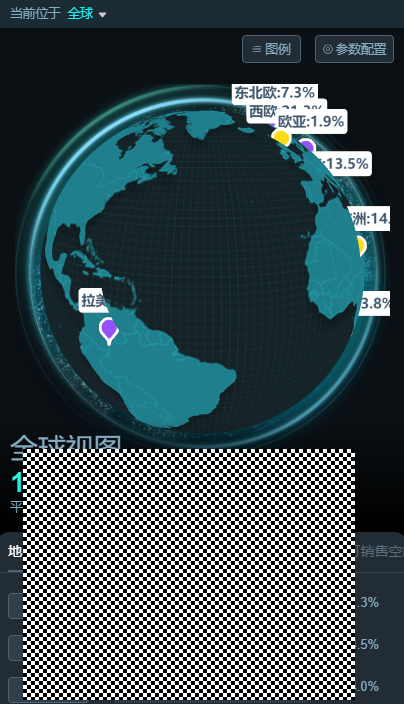
But it cannot be displayed on Apple mobile phone (iPhone11):
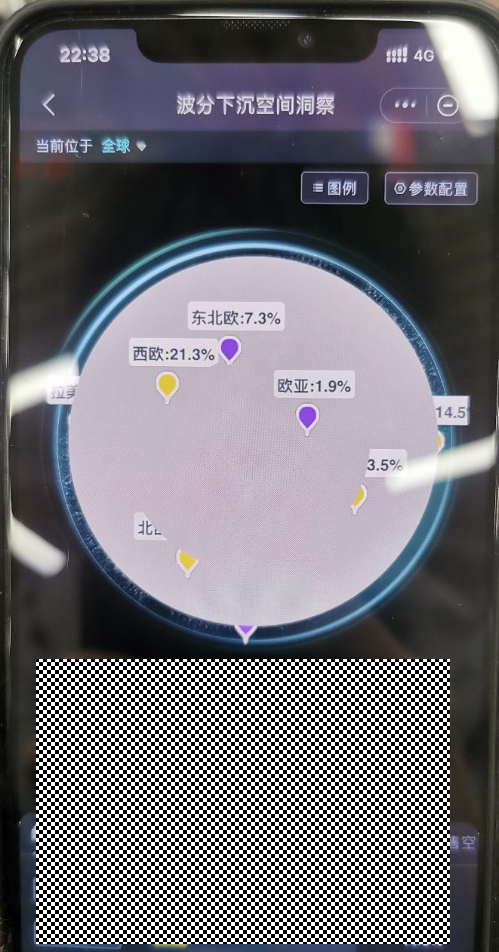
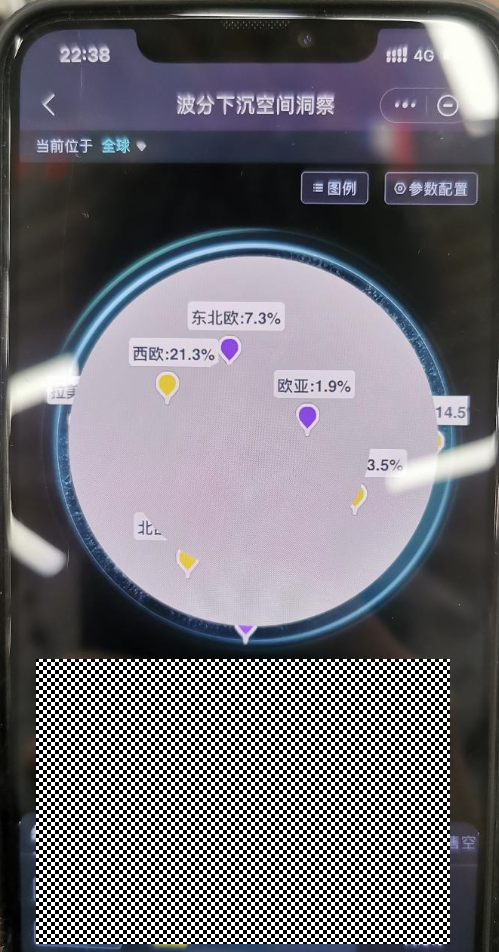
I thought the picture was too big, so changing it to a small one won't work. What kind of bug is this?
The following are options:
import gisBg from '../../images/earth_global.png';
...
{
Globe: {
atmosphere: {
show: false,
},
globeRadius: 100,
globeOuterRadius: 200,
baseTexture: gisBg, // image overlaid on the earth's surface
light: {
ambient: {
intensity: 0.8,
},
main: {
intensity: 0,
},
},
zlevel: -100,
viewControl: {
autoRotate: true, // Whether to enable the automatic rotation of the viewing angle around the object
autoRotateSpeed: 10, //The speed of the object's rotation, the unit is angle/second, the default is 10, that is, it takes 36 seconds to make a circle.
autoRotateAfterStill: 2, // The time interval for resuming auto-rotation after the mouse is stationary, the default is 3s
rotateSensitivity: 2, // The sensitivity of the rotation operation, the larger the value, the more sensitive it is. After setting it to 0, it cannot be rotated. [1, 0] can only rotate horizontally. [0, 1] can only rotate vertically
maxDistance: 165,
minDistance: 165,
// targetCoord: [116.46, 39.92] Positioning according to latitude and longitude (locating to Beijing) After setting, alpha and beta are invalid
alpha: 17,
beta: 120,
distance: 0,
},
},
series: series, // water droplets on the sphere
}
### Current Behavior
![Uploading image.png…]()
### Expected Behavior
### Environment
```markdown
-OS:iOS 16.1.1
-Browser:
- Framework:
```
### Any additional comments?
_No response_
</details>
--
This is an automated message from the Apache Git Service.
To respond to the message, please log on to GitHub and use the
URL above to go to the specific comment.
To unsubscribe, e-mail: commits-unsubscribe@echarts.apache.org
For queries about this service, please contact Infrastructure at:
users@infra.apache.org
---------------------------------------------------------------------
To unsubscribe, e-mail: commits-unsubscribe@echarts.apache.org
For additional commands, e-mail: commits-help@echarts.apache.org