You are viewing a plain text version of this content. The canonical link for it is here.
Posted to notifications@geode.apache.org by GitBox <gi...@apache.org> on 2021/06/09 20:47:27 UTC
[GitHub] [geode] davebarnes97 opened a new pull request #6597: GEODE-9165: User Guide - Add "getting started with clients"
davebarnes97 opened a new pull request #6597:
URL: https://github.com/apache/geode/pull/6597


   Community members John Martin and Kelly Weldon submitted material introducing templates for a variety of Geode clients, including Java, Spring Boot, .NET, and C++.

   In their words:

   **Why do we need this content?**
   We have learned that folks need an easy way to find clients that are compatible with Geode.

   **What is it?**
   This is a starting point for people to quickly see what clients are compatible, along with very rudimentary connect, put, get, and then a reference to more in-depth docs and examples on how to use the client.

   **What is it NOT?**

   - This is not meant to be a place to have in-depth information about each client.
   - It is not meant to cover all use cases for a client.
   - It is not meant to teach folks best practices for the clients or Geode.


--
This is an automated message from the Apache Git Service.
To respond to the message, please log on to GitHub and use the
URL above to go to the specific comment.

For queries about this service, please contact Infrastructure at:
users@infra.apache.org
[GitHub] [geode] davebarnes97 merged pull request #6597: GEODE-9165: User Guide - Add "getting started with clients"
Posted by GitBox <gi...@apache.org>.
davebarnes97 merged pull request #6597:
URL: https://github.com/apache/geode/pull/6597


--
This is an automated message from the Apache Git Service.
To respond to the message, please log on to GitHub and use the
URL above to go to the specific comment.

For queries about this service, please contact Infrastructure at:
users@infra.apache.org
[GitHub] [geode] jomartin-999 commented on a change in pull request #6597: GEODE-9165: User Guide - Add "getting started with clients"
Posted by GitBox <gi...@apache.org>.
jomartin-999 commented on a change in pull request #6597:
URL: https://github.com/apache/geode/pull/6597#discussion_r650220603
##########
File path: geode-docs/getting_started/intro_to_clients.html.md.erb
##########
@@ -0,0 +1,357 @@
+<!--
+Licensed to the Apache Software Foundation (ASF) under one or more
+contributor license agreements. See the NOTICE file distributed with
+this work for additional information regarding copyright ownership.
+The ASF licenses this file to You under the Apache License, Version 2.0
+(the "License"); you may not use this file except in compliance with
+the License. You may obtain a copy of the License at
+
+ http://www.apache.org/licenses/LICENSE-2.0
+
+Unless required by applicable law or agreed to in writing, software
+distributed under the License is distributed on an "AS IS" BASIS,
+WITHOUT WARRANTIES OR CONDITIONS OF ANY KIND, either express or implied.
+See the License for the specific language governing permissions and
+limitations under the License.
+-->
+
+<% set_title("Introduction to", product_name_long, "Clients") %>
+
+This section provides basic starting points for a variety of <%=vars.product_name_long %> clients, along
+with very rudimentary connect, put, get operations, and then a reference to more in-depth docs and examples on
+how to use the client.
+
+For an in-depth look at how to use <%=vars.product_name_long%> clients, see [Client/Server Configuration](../topologies_and_comm/cs_configuration/chapter_overview.html).
+
+## <a id="client-intro-installing"></a>Installing <%=vars.product_name_long%>
+
+You can download <%=vars.product_name_long%> from the website, run a Docker image, or install with homebrew on OSX.
+See [How to Install Apache Geode](installation/install_standalone.html) for details.
+
+## <a id="client-intro-starting"></a>Starting an <%=vars.product_name_long%> Cluster
+
+For client tests and examples, start a simple cluster and create an example region.
+
+Start an <%=vars.product_name_long%> cluster with one locator and one server.
+
+```
+$ gfsh
+gfsh> start locator
+gfsh> start server
+```
+
+Create a region called "helloWorld".
+
+```
+gfsh> create region --name=helloWorld --type=PARTITION
+```
+
+When you are through running client tests and examples, shut down the <%=vars.product_name_long%> cluster:
+
+```
+gfsh> shutdown --include-locators=true
+```
+
+## <a id="client-intro-java"></a><%=vars.product_name_long%> Java Client
+
+**Maven Dependencies**
+
+Declare the following dependency and replace $VERSION, with the version of <%=vars.product_name_long%> that you have installed.
+
+```
+<dependencies>
+ <dependency>
+ <groupId>org.apache.geode</groupId>
+ <artifactId>geode-core</artifactId>
+ <version>$VERSION</version>
+ </dependency>
+</dependencies>
+```
+
+**Gradle Dependencies**
+
+```
+dependencies {
+ compile "org.apache.geode:geode-core:$VERSION"
+}
+```
+
+Connect to the server from your application
Review comment:
I believe this should be bolded similar to the headings above it, **Connect to the server from your application**
It's meant to represent a different set of code, but the way it's styled now makes it feel like it goes with the "Gradle Dependencies" section.
##########
File path: geode-docs/getting_started/intro_to_clients.html.md.erb
##########
@@ -0,0 +1,357 @@
+<!--
+Licensed to the Apache Software Foundation (ASF) under one or more
+contributor license agreements. See the NOTICE file distributed with
+this work for additional information regarding copyright ownership.
+The ASF licenses this file to You under the Apache License, Version 2.0
+(the "License"); you may not use this file except in compliance with
+the License. You may obtain a copy of the License at
+
+ http://www.apache.org/licenses/LICENSE-2.0
+
+Unless required by applicable law or agreed to in writing, software
+distributed under the License is distributed on an "AS IS" BASIS,
+WITHOUT WARRANTIES OR CONDITIONS OF ANY KIND, either express or implied.
+See the License for the specific language governing permissions and
+limitations under the License.
+-->
+
+<% set_title("Introduction to", product_name_long, "Clients") %>
+
+This section provides basic starting points for a variety of <%=vars.product_name_long %> clients, along
+with very rudimentary connect, put, get operations, and then a reference to more in-depth docs and examples on
+how to use the client.
+
+For an in-depth look at how to use <%=vars.product_name_long%> clients, see [Client/Server Configuration](../topologies_and_comm/cs_configuration/chapter_overview.html).
+
+## <a id="client-intro-installing"></a>Installing <%=vars.product_name_long%>
+
+You can download <%=vars.product_name_long%> from the website, run a Docker image, or install with homebrew on OSX.
+See [How to Install Apache Geode](installation/install_standalone.html) for details.
+
+## <a id="client-intro-starting"></a>Starting an <%=vars.product_name_long%> Cluster
+
+For client tests and examples, start a simple cluster and create an example region.
+
+Start an <%=vars.product_name_long%> cluster with one locator and one server.
+
+```
+$ gfsh
+gfsh> start locator
+gfsh> start server
+```
+
+Create a region called "helloWorld".
+
+```
+gfsh> create region --name=helloWorld --type=PARTITION
+```
+
+When you are through running client tests and examples, shut down the <%=vars.product_name_long%> cluster:
+
+```
+gfsh> shutdown --include-locators=true
+```
+
+## <a id="client-intro-java"></a><%=vars.product_name_long%> Java Client
+
+**Maven Dependencies**
+
+Declare the following dependency and replace $VERSION, with the version of <%=vars.product_name_long%> that you have installed.
+
+```
+<dependencies>
+ <dependency>
+ <groupId>org.apache.geode</groupId>
+ <artifactId>geode-core</artifactId>
+ <version>$VERSION</version>
+ </dependency>
+</dependencies>
+```
+
+**Gradle Dependencies**
+
+```
+dependencies {
+ compile "org.apache.geode:geode-core:$VERSION"
+}
+```
+
+Connect to the server from your application
+
+```
+import org.apache.geode.cache.client.ClientCache;
+import org.apache.geode.cache.client.ClientCacheFactory;
+
+public class HelloWorld {
+
+ public static void main(String[] args) {
+ ClientCache cache = new ClientCacheFactory().addPoolLocator("127.0.0.1", 10334).create();
+
+ System.out.println(cache.getDefaultPool().getLocators());
+
+ cache.close();
+ }
+}
+```
+
+The information printed out should match the host and port of your <%=vars.product_name_long%> instance locators and should resemble
+
+```
+[/127.0.0.1:10334]
+```
+
+**Simple Put and Get with <%=vars.product_name_long%> Java client**
+
+```
+public static void main(String[] args) {
+ClientCache cache = new ClientCacheFactory().addPoolLocator("127.0.0.1", 10334).create();
+
+ Region<String, String>
+ helloWorldRegion =
+ cache.<String, String>createClientRegionFactory(ClientRegionShortcut.PROXY).create("helloWorld");
+
+ helloWorldRegion.put("1", "HelloWorldValue");
+ String value1 = helloWorldRegion.get("1");
+ System.out.println(value1);
+
+ cache.close();
+}
+```
+
+Build and run the application. This puts the key ‘1’ with a value of ‘HelloWorldValue’ into the
+‘helloWorld’ region, then retrieves and prints the value of key ‘1’.
+
+**Additional Resources**
+
+- [Apache Geode Examples GitHub Repo](https://github.com/apache/geode-examples)
+- [Apache Geode Javadocs](https://geode.apache.org/releases/latest/javadoc/index.html)
+
+## <a id="client-intro-spring-boot"></a>Spring Boot Client For Apache Geode
+
+Spring Boot for Apache Geode provides a powerful abstraction that simplifies the developer
+experience when using Spring Boot and Apache Geode. The best way to get started with Spring Boot
+for Apache Geode, is by creating a project using [Spring™ initializr](https://start.spring.io/).
+
+Add the ‘Spring for Apache Geode’ dependency and then select either ‘Generate’, which creates a zip
+file to import into your IDE or ‘Explore’, which opens a build file based on your Project selection
+(Maven or Gradle)
+
+**Maven Dependencies**
+
+Your Maven pom.xml file should include something similar to
+
+```
+<properties>
+ ...
+ <spring-geode.version>1.4.3</spring-geode.version>
+ </properties>
+ <dependencies>
+ <dependency>
+ <groupId>org.springframework.geode</groupId>
+ <artifactId>spring-geode-starter</artifactId>
+ </dependency>
+…
+</dependencies>
+
+ <dependencyManagement>
+ <dependencies>
+ <dependency>
+ <groupId>org.springframework.geode</groupId>
+ <artifactId>spring-geode-bom</artifactId>
+ <version>${spring-geode.version}</version>
+ <type>pom</type>
+ <scope>import</scope>
+ </dependency>
+ </dependencies>
+ </dependencyManagement>
+```
+
+**Gradle Dependencies**
+
+Your Gradle gradle.build file should include something similar to
+
+```
+ext {
+ set('springGeodeVersion', "1.4.3")
+}
+
+dependencies {
+ implementation 'org.springframework.geode:spring-geode-starter'
+ testImplementation 'org.springframework.boot:spring-boot-starter-test'
+}
+dependencyManagement {
+ imports {
+ mavenBom "org.springframework.geode:spring-geode-bom:${springGeodeVersion}"
+ }
+}
+```
+
+1. Connect to Geode from your application
Review comment:
I would advocate that instead of this being 1. Connect to Geode from your application, that it instead be:
** Connect to Geode from Your Application**
The way it's styled now makes it appear as though it goes in order with the "Gradle dependencies" section.
So it would be
1. Open your web browser to Spring Initializr...
--
This is an automated message from the Apache Git Service.
To respond to the message, please log on to GitHub and use the
URL above to go to the specific comment.
For queries about this service, please contact Infrastructure at:
users@infra.apache.org
[GitHub] [geode] alb3rtobr commented on a change in pull request #6597: GEODE-9165: User Guide - Add "getting started with clients"
Posted by GitBox <gi...@apache.org>.
alb3rtobr commented on a change in pull request #6597:
URL: https://github.com/apache/geode/pull/6597#discussion_r648719729


##########
File path: geode-docs/getting_started/intro_to_clients.html.md.erb
##########
@@ -0,0 +1,353 @@
+<!--
+Licensed to the Apache Software Foundation (ASF) under one or more
+contributor license agreements.  See the NOTICE file distributed with
+this work for additional information regarding copyright ownership.
+The ASF licenses this file to You under the Apache License, Version 2.0
+(the "License"); you may not use this file except in compliance with
+the License.  You may obtain a copy of the License at
+
+     http://www.apache.org/licenses/LICENSE-2.0
+
+Unless required by applicable law or agreed to in writing, software
+distributed under the License is distributed on an "AS IS" BASIS,
+WITHOUT WARRANTIES OR CONDITIONS OF ANY KIND, either express or implied.
+See the License for the specific language governing permissions and
+limitations under the License.
+-->
+
+<% set_title("Introduction to", product_name, "Clients") %>
+
+This section provides basic starting points for a variety of <%=vars.product_name %> clients, along
+with very rudimentary connect, put, get, and then a reference to more in-depth docs and examples on
+how to use the client.
+
+## Installing Apache Geode
+
+You can download Apache Geode from the website, run a Docker image, or install with homebrew on OSX.
+
+## Start an Apache Geode Cluster
+
+With a path that contains the bin directory of the installation, start a locator and server.
+
+```
+$ gfsh
+gfsh> start locator
+gfsh> start server
+```
+
+Create a region
+
+```
+gfsh> create region --name=helloWorld --type=PARTITION
+```
+
+Shutting Down Apache Geode
+
+```
+gfsh> shutdown --include-locators=true
+```
+
+## Apache Geode Java Client
+
+**Maven Dependencies**
+
+Declare the following dependency and replace $VERSION, with the version of Geode that you have installed.
+
+```
+<dependencies>
+     <dependency>
+        <groupId>org.apache.geode</groupId>
+        <artifactId>geode-core</artifactId>
+        <version>$VERSION</version>
+    </dependency>
+</dependencies>
+```
+
+**Gradle Dependencies**
+
+``
+dependencies {
+  compile "org.apache.geode:geode-core:$VERSION"
+}
+``
+
+Connect to Geode from your application
+
+```
+import org.apache.geode.cache.client.ClientCache;
+import org.apache.geode.cache.client.ClientCacheFactory;
+
+public class HelloWorld {
+
+ public static void main(String[] args) {
+  ClientCache cache = new ClientCacheFactory().addPoolLocator("127.0.0.1", 10334).create();
+
+   System.out.println(cache.getDefaultPool().getLocators());
+
+cache.close();
+ }
+}
+```
+
+The information printed out should match the host and port of your Geode instance locators and should resemble
+
+```
+[/127.0.0.1:10334]
+```
+
+### Simple Put and Get with Geode Java client
+
+```
+public static void main(String[] args) {
+ClientCache cache = new ClientCacheFactory().addPoolLocator("127.0.0.1", 10334).create();
+
+ Region<String, String>
+     helloWorldRegion =
+     cache.<String, String>createClientRegionFactory(ClientRegionShortcut.PROXY).create("helloWorld");
+
+ helloWorldRegion.put("1", "HelloWorldValue");
+ String value1 = helloWorldRegion.get("1");
+ System.out.println(value1);
+
+ cache.close();
+}
+```
+
+Build and run the application.  This puts the key ‘1’ with a value of ‘HelloWorldValue’ into the
+‘helloWorld’ region, then retrieves and prints the value of key ‘1’.
+
+### Additional Resources
+
+- [Apache Geode Examples GitHub Repo](https://github.com/apache/geode-examples)
+- [Apache Geode Documentation](https://geode.apache.org/docs/)
+- [Apache Geode Javadocs](https://geode.apache.org/releases/latest/javadoc/index.html)
+
+## Spring Boot Client For Apache Geode
+
+Spring Boot for Apache Geode provides a powerful abstraction that simplifies the developer
+experience when using Spring Boot and Apache Geode.  The best way to get started with Spring Boot
+for Apache Geode, is by creating a project on start.spring.io.

Review comment:
       I would convert the text "start.spring.io" to a link to that page. And in line 186 too.


--
This is an automated message from the Apache Git Service.
To respond to the message, please log on to GitHub and use the
URL above to go to the specific comment.

For queries about this service, please contact Infrastructure at:
users@infra.apache.org
[GitHub] [geode] alb3rtobr commented on a change in pull request #6597: GEODE-9165: User Guide - Add "getting started with clients"
Posted by GitBox <gi...@apache.org>.
alb3rtobr commented on a change in pull request #6597:
URL: https://github.com/apache/geode/pull/6597#discussion_r648716398


##########
File path: geode-docs/getting_started/intro_to_clients.html.md.erb
##########
@@ -0,0 +1,353 @@
+<!--
+Licensed to the Apache Software Foundation (ASF) under one or more
+contributor license agreements.  See the NOTICE file distributed with
+this work for additional information regarding copyright ownership.
+The ASF licenses this file to You under the Apache License, Version 2.0
+(the "License"); you may not use this file except in compliance with
+the License.  You may obtain a copy of the License at
+
+     http://www.apache.org/licenses/LICENSE-2.0
+
+Unless required by applicable law or agreed to in writing, software
+distributed under the License is distributed on an "AS IS" BASIS,
+WITHOUT WARRANTIES OR CONDITIONS OF ANY KIND, either express or implied.
+See the License for the specific language governing permissions and
+limitations under the License.
+-->
+
+<% set_title("Introduction to", product_name, "Clients") %>
+
+This section provides basic starting points for a variety of <%=vars.product_name %> clients, along
+with very rudimentary connect, put, get, and then a reference to more in-depth docs and examples on
+how to use the client.
+
+## Installing Apache Geode
+
+You can download Apache Geode from the website, run a Docker image, or install with homebrew on OSX.
+
+## Start an Apache Geode Cluster
+
+With a path that contains the bin directory of the installation, start a locator and server.
+
+```
+$ gfsh
+gfsh> start locator
+gfsh> start server
+```
+
+Create a region
+
+```
+gfsh> create region --name=helloWorld --type=PARTITION
+```
+
+Shutting Down Apache Geode

Review comment:
       "Once you are done, you can shutdown the cluster executing:"


--
This is an automated message from the Apache Git Service.
To respond to the message, please log on to GitHub and use the
URL above to go to the specific comment.

For queries about this service, please contact Infrastructure at:
users@infra.apache.org
[GitHub] [geode] davebarnes97 commented on a change in pull request #6597: GEODE-9165: User Guide - Add "getting started with clients"
Posted by GitBox <gi...@apache.org>.
davebarnes97 commented on a change in pull request #6597:
URL: https://github.com/apache/geode/pull/6597#discussion_r651145035


##########
File path: geode-docs/getting_started/intro_to_clients.html.md.erb
##########
@@ -0,0 +1,357 @@
+<!--
+Licensed to the Apache Software Foundation (ASF) under one or more
+contributor license agreements.  See the NOTICE file distributed with
+this work for additional information regarding copyright ownership.
+The ASF licenses this file to You under the Apache License, Version 2.0
+(the "License"); you may not use this file except in compliance with
+the License.  You may obtain a copy of the License at
+
+     http://www.apache.org/licenses/LICENSE-2.0
+
+Unless required by applicable law or agreed to in writing, software
+distributed under the License is distributed on an "AS IS" BASIS,
+WITHOUT WARRANTIES OR CONDITIONS OF ANY KIND, either express or implied.
+See the License for the specific language governing permissions and
+limitations under the License.
+-->
+
+<% set_title("Introduction to", product_name_long, "Clients") %>
+
+This section provides basic starting points for a variety of <%=vars.product_name_long %> clients, along
+with very rudimentary connect, put, get operations, and then a reference to more in-depth docs and examples on
+how to use the client.
+
+For an in-depth look at how to use <%=vars.product_name_long%> clients, see [Client/Server Configuration](../topologies_and_comm/cs_configuration/chapter_overview.html).
+
+## <a id="client-intro-installing"></a>Installing <%=vars.product_name_long%>
+
+You can download <%=vars.product_name_long%> from the website, run a Docker image, or install with homebrew on OSX.
+See [How to Install Apache Geode](installation/install_standalone.html) for details.
+
+## <a id="client-intro-starting"></a>Starting an <%=vars.product_name_long%> Cluster
+
+For client tests and examples, start a simple cluster and create an example region.
+
+Start an <%=vars.product_name_long%> cluster with one locator and one server.
+
+```
+$ gfsh
+gfsh> start locator
+gfsh> start server
+```
+
+Create a region called "helloWorld".
+
+```
+gfsh> create region --name=helloWorld --type=PARTITION
+```
+
+When you are through running client tests and examples, shut down the <%=vars.product_name_long%> cluster:
+
+```
+gfsh> shutdown --include-locators=true
+```
+
+## <a id="client-intro-java"></a><%=vars.product_name_long%> Java Client
+
+**Maven Dependencies**
+
+Declare the following dependency and replace $VERSION, with the version of <%=vars.product_name_long%> that you have installed.
+
+```
+<dependencies>
+     <dependency>
+        <groupId>org.apache.geode</groupId>
+        <artifactId>geode-core</artifactId>
+        <version>$VERSION</version>
+    </dependency>
+</dependencies>
+```
+
+**Gradle Dependencies**
+
+```
+dependencies {
+  compile "org.apache.geode:geode-core:$VERSION"

Review comment:
       corrected.


--
This is an automated message from the Apache Git Service.
To respond to the message, please log on to GitHub and use the
URL above to go to the specific comment.

For queries about this service, please contact Infrastructure at:
users@infra.apache.org
[GitHub] [geode] davebarnes97 commented on a change in pull request #6597: GEODE-9165: User Guide - Add "getting started with clients"
Posted by GitBox <gi...@apache.org>.
davebarnes97 commented on a change in pull request #6597:
URL: https://github.com/apache/geode/pull/6597#discussion_r651147738


##########
File path: geode-docs/getting_started/intro_to_clients.html.md.erb
##########
@@ -0,0 +1,357 @@
+<!--
+Licensed to the Apache Software Foundation (ASF) under one or more
+contributor license agreements.  See the NOTICE file distributed with
+this work for additional information regarding copyright ownership.
+The ASF licenses this file to You under the Apache License, Version 2.0
+(the "License"); you may not use this file except in compliance with
+the License.  You may obtain a copy of the License at
+
+     http://www.apache.org/licenses/LICENSE-2.0
+
+Unless required by applicable law or agreed to in writing, software
+distributed under the License is distributed on an "AS IS" BASIS,
+WITHOUT WARRANTIES OR CONDITIONS OF ANY KIND, either express or implied.
+See the License for the specific language governing permissions and
+limitations under the License.
+-->
+
+<% set_title("Introduction to", product_name_long, "Clients") %>
+
+This section provides basic starting points for a variety of <%=vars.product_name_long %> clients, along
+with very rudimentary connect, put, get operations, and then a reference to more in-depth docs and examples on
+how to use the client.
+
+For an in-depth look at how to use <%=vars.product_name_long%> clients, see [Client/Server Configuration](../topologies_and_comm/cs_configuration/chapter_overview.html).
+
+## <a id="client-intro-installing"></a>Installing <%=vars.product_name_long%>
+
+You can download <%=vars.product_name_long%> from the website, run a Docker image, or install with homebrew on OSX.
+See [How to Install Apache Geode](installation/install_standalone.html) for details.
+
+## <a id="client-intro-starting"></a>Starting an <%=vars.product_name_long%> Cluster
+
+For client tests and examples, start a simple cluster and create an example region.
+
+Start an <%=vars.product_name_long%> cluster with one locator and one server.
+
+```
+$ gfsh
+gfsh> start locator
+gfsh> start server
+```
+
+Create a region called "helloWorld".
+
+```
+gfsh> create region --name=helloWorld --type=PARTITION
+```
+
+When you are through running client tests and examples, shut down the <%=vars.product_name_long%> cluster:
+
+```
+gfsh> shutdown --include-locators=true
+```
+
+## <a id="client-intro-java"></a><%=vars.product_name_long%> Java Client
+
+**Maven Dependencies**
+
+Declare the following dependency and replace $VERSION, with the version of <%=vars.product_name_long%> that you have installed.
+
+```
+<dependencies>
+     <dependency>
+        <groupId>org.apache.geode</groupId>
+        <artifactId>geode-core</artifactId>
+        <version>$VERSION</version>
+    </dependency>
+</dependencies>
+```
+
+**Gradle Dependencies**
+
+```
+dependencies {
+  compile "org.apache.geode:geode-core:$VERSION"
+}
+```
+
+Connect to the server from your application

Review comment:
       Corrected.


--
This is an automated message from the Apache Git Service.
To respond to the message, please log on to GitHub and use the
URL above to go to the specific comment.

For queries about this service, please contact Infrastructure at:
users@infra.apache.org
[GitHub] [geode] moleske commented on a change in pull request #6597: GEODE-9165: User Guide - Add "getting started with clients"
Posted by GitBox <gi...@apache.org>.
moleske commented on a change in pull request #6597:
URL: https://github.com/apache/geode/pull/6597#discussion_r648678228


##########
File path: geode-docs/getting_started/intro_to_clients.html.md.erb
##########
@@ -0,0 +1,353 @@
+<!--
+Licensed to the Apache Software Foundation (ASF) under one or more
+contributor license agreements.  See the NOTICE file distributed with
+this work for additional information regarding copyright ownership.
+The ASF licenses this file to You under the Apache License, Version 2.0
+(the "License"); you may not use this file except in compliance with
+the License.  You may obtain a copy of the License at
+
+     http://www.apache.org/licenses/LICENSE-2.0
+
+Unless required by applicable law or agreed to in writing, software
+distributed under the License is distributed on an "AS IS" BASIS,
+WITHOUT WARRANTIES OR CONDITIONS OF ANY KIND, either express or implied.
+See the License for the specific language governing permissions and
+limitations under the License.
+-->
+
+<% set_title("Introduction to", product_name, "Clients") %>
+
+This section provides basic starting points for a variety of <%=vars.product_name %> clients, along
+with very rudimentary connect, put, get, and then a reference to more in-depth docs and examples on
+how to use the client.
+
+## Installing Apache Geode
+
+You can download Apache Geode from the website, run a Docker image, or install with homebrew on OSX.
+
+## Start an Apache Geode Cluster
+
+With a path that contains the bin directory of the installation, start a locator and server.
+
+```
+$ gfsh
+gfsh> start locator
+gfsh> start server
+```
+
+Create a region
+
+```
+gfsh> create region --name=helloWorld --type=PARTITION
+```
+
+Shutting Down Apache Geode
+
+```
+gfsh> shutdown --include-locators=true
+```
+
+## Apache Geode Java Client
+
+**Maven Dependencies**
+
+Declare the following dependency and replace $VERSION, with the version of Geode that you have installed.
+
+```
+<dependencies>
+     <dependency>
+        <groupId>org.apache.geode</groupId>
+        <artifactId>geode-core</artifactId>
+        <version>$VERSION</version>
+    </dependency>
+</dependencies>
+```
+
+**Gradle Dependencies**
+
+``
+dependencies {
+  compile "org.apache.geode:geode-core:$VERSION"
+}
+``
+
+Connect to Geode from your application
+
+```
+import org.apache.geode.cache.client.ClientCache;
+import org.apache.geode.cache.client.ClientCacheFactory;
+
+public class HelloWorld {
+
+ public static void main(String[] args) {
+  ClientCache cache = new ClientCacheFactory().addPoolLocator("127.0.0.1", 10334).create();
+
+   System.out.println(cache.getDefaultPool().getLocators());
+
+cache.close();
+ }
+}
+```
+
+The information printed out should match the host and port of your Geode instance locators and should resemble
+
+```
+[/127.0.0.1:10334]
+```
+
+### Simple Put and Get with Geode Java client
+
+```
+public static void main(String[] args) {
+ClientCache cache = new ClientCacheFactory().addPoolLocator("127.0.0.1", 10334).create();
+
+ Region<String, String>
+     helloWorldRegion =
+     cache.<String, String>createClientRegionFactory(ClientRegionShortcut.PROXY).create("helloWorld");
+
+ helloWorldRegion.put("1", "HelloWorldValue");
+ String value1 = helloWorldRegion.get("1");
+ System.out.println(value1);
+
+ cache.close();
+}
+```
+
+Build and run the application.  This puts the key ‘1’ with a value of ‘HelloWorldValue’ into the
+‘helloWorld’ region, then retrieves and prints the value of key ‘1’.
+
+### Additional Resources
+
+- [Apache Geode Examples GitHub Repo](https://github.com/apache/geode-examples)
+- [Apache Geode Documentation](https://geode.apache.org/docs/)
+- [Apache Geode Javadocs](https://geode.apache.org/releases/latest/javadoc/index.html)
+
+## Spring Boot Client For Apache Geode
+
+Spring Boot for Apache Geode provides a powerful abstraction that simplifies the developer
+experience when using Spring Boot and Apache Geode.  The best way to get started with Spring Boot
+for Apache Geode, is by creating a project on start.spring.io.
+
+Add the ‘Spring for Apache Geode’ dependency and then select either ‘Generate’, which creates a zip
+file to import into your IDE or ‘Explore’, which opens a build file based on your Project selection
+(Maven or Gradle)
+
+**Maven Dependencies**
+
+Your Maven pom.xml file should include something similar to
+
+```
+<properties>
+   ...
+   <spring-geode.version>1.4.3</spring-geode.version>
+ </properties>
+ <dependencies>
+   <dependency>
+     <groupId>org.springframework.geode</groupId>
+     <artifactId>spring-geode-starter</artifactId>
+ </dependency>
+…
+</dependencies>
+
+ <dependencyManagement>
+   <dependencies>
+     <dependency>
+       <groupId>org.springframework.geode</groupId>
+       <artifactId>spring-geode-bom</artifactId>
+       <version>${spring-geode.version}</version>
+       <type>pom</type>
+       <scope>import</scope>
+     </dependency>
+   </dependencies>
+ </dependencyManagement>
+```
+
+**Gradle Dependencies**
+
+Your Gradle gradle.build file should include something similar to
+
+```
+ext {
+ set('springGeodeVersion', "1.4.3")
+}
+
+dependencies {
+ implementation 'org.springframework.geode:spring-geode-starter'
+ testImplementation 'org.springframework.boot:spring-boot-starter-test'
+}
+dependencyManagement {
+ imports {
+   mavenBom "org.springframework.geode:spring-geode-bom:${springGeodeVersion}"
+ }
+}
+```
+
+- Connect to Geode from your application
+- Open your web browser to start.spring.io.
+
+- Click ‘Add Dependencies’. Search for the ‘Spring for Apache Geode’ dependency and add it to your project. Select ‘Generate’, which creates a zip file. Import this file into your IDE.
+
+- With your Geode cluster running, build and run the application (without making any other changes).
+
+- In the console output, you should see something similar to (starting with Spring Boot for Apache Geode v1.4.2+)
+
+```
+2021-03-19 11:27:14.532  INFO 8730 --- [          main] o.s.g.c.a.ClusterAwareConfiguration      : Successfully connected to localhost[40404]
+2021-03-19 11:27:14.537  INFO 8730 --- [           main] o.s.g.c.a.ClusterAwareConfiguration      : Successfully connected to localhost[10334]
+2021-03-19 11:27:14.538  INFO 8730 --- [           main] o.s.g.c.a.ClusterAwareConfiguration      : Cluster was found; Auto-configuration made [2] successful connection(s)
+2021-03-19 11:27:14.538  INFO 8730 --- [           main] o.s.g.c.a.ClusterAwareConfiguration      : Spring Boot application is running in a client/server topology using a standalone Apache Geode-based cluster
+```
+
+This confirms that without adding any additional code, the application was able to connect to our Geode Cluster.
+
+### Building an Application with Spring Boot for Apache Geode.
+
+Spring Boot for Apache Geode is very powerful and robust.  We recommend looking at the Spring Boot for Apache Geode documentation and examples for your next steps in working with this dependency.
+
+### Additional Resources
+
+- [Spring Boot for Apache Geode Reference Guide](https://docs.spring.io/spring-boot-data-geode-build/1.4.x/reference/html5/)
+
+## Apache Geode Native Clients
+
+To begin using the Apache Geode Native Clients, you must first build the Apache Geode Native Client libraries from the source code.
+You can download the Apache Geode Native Source code here
+`https://geode.apache.org/releases`, then follow the [BUILDING.md](https://github.com/apache/geode-native/blob/develop/BUILDING.md) instructions to compile the libraries.

Review comment:
       There's the potential for the `BUILDING.md` file in the source release to be different than the `BUILDING.md` located on the develop branch on GitHub.  It may not be problem very often though, except in the case where support for a compiler is dropped.  It may be worth instead saying "refer to the `BUILDING.md` file in the source release`

##########
File path: geode-docs/getting_started/intro_to_clients.html.md.erb
##########
@@ -0,0 +1,353 @@
+<!--
+Licensed to the Apache Software Foundation (ASF) under one or more
+contributor license agreements.  See the NOTICE file distributed with
+this work for additional information regarding copyright ownership.
+The ASF licenses this file to You under the Apache License, Version 2.0
+(the "License"); you may not use this file except in compliance with
+the License.  You may obtain a copy of the License at
+
+     http://www.apache.org/licenses/LICENSE-2.0
+
+Unless required by applicable law or agreed to in writing, software
+distributed under the License is distributed on an "AS IS" BASIS,
+WITHOUT WARRANTIES OR CONDITIONS OF ANY KIND, either express or implied.
+See the License for the specific language governing permissions and
+limitations under the License.
+-->
+
+<% set_title("Introduction to", product_name, "Clients") %>
+
+This section provides basic starting points for a variety of <%=vars.product_name %> clients, along
+with very rudimentary connect, put, get, and then a reference to more in-depth docs and examples on
+how to use the client.
+
+## Installing Apache Geode

Review comment:
       This is potentially a silly question, but will ask anyway since I'm not familiar.  There's use of `product_name` variable elsewhere (like lines 18 and 20 above), but here and others it is hard-coded to Apache Geode.  Is there something I'm missing about this or should everything be `product_name`?


--
This is an automated message from the Apache Git Service.
To respond to the message, please log on to GitHub and use the
URL above to go to the specific comment.

For queries about this service, please contact Infrastructure at:
users@infra.apache.org
[GitHub] [geode] davebarnes97 commented on a change in pull request #6597: GEODE-9165: User Guide - Add "getting started with clients"
Posted by GitBox <gi...@apache.org>.
davebarnes97 commented on a change in pull request #6597:
URL: https://github.com/apache/geode/pull/6597#discussion_r649416518


##########
File path: geode-docs/getting_started/intro_to_clients.html.md.erb
##########
@@ -0,0 +1,353 @@
+<!--
+Licensed to the Apache Software Foundation (ASF) under one or more
+contributor license agreements.  See the NOTICE file distributed with
+this work for additional information regarding copyright ownership.
+The ASF licenses this file to You under the Apache License, Version 2.0
+(the "License"); you may not use this file except in compliance with
+the License.  You may obtain a copy of the License at
+
+     http://www.apache.org/licenses/LICENSE-2.0
+
+Unless required by applicable law or agreed to in writing, software
+distributed under the License is distributed on an "AS IS" BASIS,
+WITHOUT WARRANTIES OR CONDITIONS OF ANY KIND, either express or implied.
+See the License for the specific language governing permissions and
+limitations under the License.
+-->
+
+<% set_title("Introduction to", product_name, "Clients") %>
+
+This section provides basic starting points for a variety of <%=vars.product_name %> clients, along
+with very rudimentary connect, put, get, and then a reference to more in-depth docs and examples on
+how to use the client.
+
+## Installing Apache Geode
+
+You can download Apache Geode from the website, run a Docker image, or install with homebrew on OSX.
+
+## Start an Apache Geode Cluster
+
+With a path that contains the bin directory of the installation, start a locator and server.
+
+```
+$ gfsh
+gfsh> start locator
+gfsh> start server
+```
+
+Create a region
+
+```
+gfsh> create region --name=helloWorld --type=PARTITION
+```
+
+Shutting Down Apache Geode
+
+```
+gfsh> shutdown --include-locators=true
+```
+
+## Apache Geode Java Client
+
+**Maven Dependencies**
+
+Declare the following dependency and replace $VERSION, with the version of Geode that you have installed.
+
+```
+<dependencies>
+     <dependency>
+        <groupId>org.apache.geode</groupId>
+        <artifactId>geode-core</artifactId>
+        <version>$VERSION</version>
+    </dependency>
+</dependencies>
+```
+
+**Gradle Dependencies**
+
+``
+dependencies {
+  compile "org.apache.geode:geode-core:$VERSION"
+}
+``
+
+Connect to Geode from your application
+
+```
+import org.apache.geode.cache.client.ClientCache;
+import org.apache.geode.cache.client.ClientCacheFactory;
+
+public class HelloWorld {
+
+ public static void main(String[] args) {
+  ClientCache cache = new ClientCacheFactory().addPoolLocator("127.0.0.1", 10334).create();
+
+   System.out.println(cache.getDefaultPool().getLocators());
+
+cache.close();
+ }
+}
+```
+
+The information printed out should match the host and port of your Geode instance locators and should resemble
+
+```
+[/127.0.0.1:10334]
+```
+
+### Simple Put and Get with Geode Java client
+
+```
+public static void main(String[] args) {
+ClientCache cache = new ClientCacheFactory().addPoolLocator("127.0.0.1", 10334).create();
+
+ Region<String, String>
+     helloWorldRegion =
+     cache.<String, String>createClientRegionFactory(ClientRegionShortcut.PROXY).create("helloWorld");
+
+ helloWorldRegion.put("1", "HelloWorldValue");
+ String value1 = helloWorldRegion.get("1");
+ System.out.println(value1);
+
+ cache.close();
+}
+```
+
+Build and run the application.  This puts the key ‘1’ with a value of ‘HelloWorldValue’ into the
+‘helloWorld’ region, then retrieves and prints the value of key ‘1’.
+
+### Additional Resources
+
+- [Apache Geode Examples GitHub Repo](https://github.com/apache/geode-examples)
+- [Apache Geode Documentation](https://geode.apache.org/docs/)
+- [Apache Geode Javadocs](https://geode.apache.org/releases/latest/javadoc/index.html)
+
+## Spring Boot Client For Apache Geode
+
+Spring Boot for Apache Geode provides a powerful abstraction that simplifies the developer
+experience when using Spring Boot and Apache Geode.  The best way to get started with Spring Boot
+for Apache Geode, is by creating a project on start.spring.io.

Review comment:
       done


--
This is an automated message from the Apache Git Service.
To respond to the message, please log on to GitHub and use the
URL above to go to the specific comment.

For queries about this service, please contact Infrastructure at:
users@infra.apache.org
[GitHub] [geode] moleske commented on a change in pull request #6597: GEODE-9165: User Guide - Add "getting started with clients"
Posted by GitBox <gi...@apache.org>.
moleske commented on a change in pull request #6597:
URL: https://github.com/apache/geode/pull/6597#discussion_r651214870
##########
File path: geode-docs/getting_started/intro_to_clients.html.md.erb
##########
@@ -0,0 +1,357 @@
+<!--
+Licensed to the Apache Software Foundation (ASF) under one or more
+contributor license agreements. See the NOTICE file distributed with
+this work for additional information regarding copyright ownership.
+The ASF licenses this file to You under the Apache License, Version 2.0
+(the "License"); you may not use this file except in compliance with
+the License. You may obtain a copy of the License at
+
+ http://www.apache.org/licenses/LICENSE-2.0
+
+Unless required by applicable law or agreed to in writing, software
+distributed under the License is distributed on an "AS IS" BASIS,
+WITHOUT WARRANTIES OR CONDITIONS OF ANY KIND, either express or implied.
+See the License for the specific language governing permissions and
+limitations under the License.
+-->
+
+<% set_title("Introduction to", product_name_long, "Clients") %>
+
+This section provides basic starting points for a variety of <%=vars.product_name_long %> clients, along
+with very rudimentary connect, put, get operations, and then a reference to more in-depth docs and examples on
+how to use the client.
+
+For an in-depth look at how to use <%=vars.product_name_long%> clients, see [Client/Server Configuration](../topologies_and_comm/cs_configuration/chapter_overview.html).
+
+## <a id="client-intro-installing"></a>Installing <%=vars.product_name_long%>
+
+You can download <%=vars.product_name_long%> from the website, run a Docker image, or install with homebrew on OSX.
+See [How to Install Apache Geode](installation/install_standalone.html) for details.
+
+## <a id="client-intro-starting"></a>Starting an <%=vars.product_name_long%> Cluster
+
+For client tests and examples, start a simple cluster and create an example region.
+
+Start an <%=vars.product_name_long%> cluster with one locator and one server.
+
+```
+$ gfsh
+gfsh> start locator
+gfsh> start server
+```
+
+Create a region called "helloWorld".
+
+```
+gfsh> create region --name=helloWorld --type=PARTITION
+```
+
+When you are through running client tests and examples, shut down the <%=vars.product_name_long%> cluster:
+
+```
+gfsh> shutdown --include-locators=true
+```
+
+## <a id="client-intro-java"></a><%=vars.product_name_long%> Java Client
+
+**Maven Dependencies**
+
+Declare the following dependency and replace $VERSION, with the version of <%=vars.product_name_long%> that you have installed.
+
+```
+<dependencies>
+ <dependency>
+ <groupId>org.apache.geode</groupId>
+ <artifactId>geode-core</artifactId>
+ <version>$VERSION</version>
+ </dependency>
+</dependencies>
+```
+
+**Gradle Dependencies**
+
+```
+dependencies {
+ compile "org.apache.geode:geode-core:$VERSION"
+}
+```
+
+Connect to the server from your application
+
+```
+import org.apache.geode.cache.client.ClientCache;
+import org.apache.geode.cache.client.ClientCacheFactory;
+
+public class HelloWorld {
+
+ public static void main(String[] args) {
+ ClientCache cache = new ClientCacheFactory().addPoolLocator("127.0.0.1", 10334).create();
+
+ System.out.println(cache.getDefaultPool().getLocators());
+
+ cache.close();
+ }
+}
+```
+
+The information printed out should match the host and port of your <%=vars.product_name_long%> instance locators and should resemble
+
+```
+[/127.0.0.1:10334]
+```
+
+**Simple Put and Get with <%=vars.product_name_long%> Java client**
+
+```
+public static void main(String[] args) {
+ClientCache cache = new ClientCacheFactory().addPoolLocator("127.0.0.1", 10334).create();
+
+ Region<String, String>
+ helloWorldRegion =
+ cache.<String, String>createClientRegionFactory(ClientRegionShortcut.PROXY).create("helloWorld");
+
+ helloWorldRegion.put("1", "HelloWorldValue");
+ String value1 = helloWorldRegion.get("1");
+ System.out.println(value1);
+
+ cache.close();
+}
+```
+
+Build and run the application. This puts the key ‘1’ with a value of ‘HelloWorldValue’ into the
+‘helloWorld’ region, then retrieves and prints the value of key ‘1’.
+
+**Additional Resources**
+
+- [Apache Geode Examples GitHub Repo](https://github.com/apache/geode-examples)
+- [Apache Geode Javadocs](https://geode.apache.org/releases/latest/javadoc/index.html)
+
+## <a id="client-intro-spring-boot"></a>Spring Boot Client For Apache Geode
+
+Spring Boot for Apache Geode provides a powerful abstraction that simplifies the developer
+experience when using Spring Boot and Apache Geode. The best way to get started with Spring Boot
+for Apache Geode, is by creating a project using [Spring™ initializr](https://start.spring.io/).
+
+Add the ‘Spring for Apache Geode’ dependency and then select either ‘Generate’, which creates a zip
+file to import into your IDE or ‘Explore’, which opens a build file based on your Project selection
+(Maven or Gradle)
+
+**Maven Dependencies**
+
+Your Maven pom.xml file should include something similar to
+
+```
+<properties>
+ ...
+ <spring-geode.version>1.4.3</spring-geode.version>
+ </properties>
+ <dependencies>
+ <dependency>
+ <groupId>org.springframework.geode</groupId>
+ <artifactId>spring-geode-starter</artifactId>
+ </dependency>
+…
+</dependencies>
+
+ <dependencyManagement>
+ <dependencies>
+ <dependency>
+ <groupId>org.springframework.geode</groupId>
+ <artifactId>spring-geode-bom</artifactId>
+ <version>${spring-geode.version}</version>
+ <type>pom</type>
+ <scope>import</scope>
+ </dependency>
+ </dependencies>
+ </dependencyManagement>
+```
+
+**Gradle Dependencies**
+
+Your Gradle gradle.build file should include something similar to
+
+```
+ext {
+ set('springGeodeVersion', "1.4.3")
+}
+
+dependencies {
+ implementation 'org.springframework.geode:spring-geode-starter'
+ testImplementation 'org.springframework.boot:spring-boot-starter-test'
+}
+dependencyManagement {
+ imports {
+ mavenBom "org.springframework.geode:spring-geode-bom:${springGeodeVersion}"
+ }
+}
+```
+
+1. Connect to Geode from your application
Review comment:
That seems reasonable to me
--
This is an automated message from the Apache Git Service.
To respond to the message, please log on to GitHub and use the
URL above to go to the specific comment.
For queries about this service, please contact Infrastructure at:
users@infra.apache.org
[GitHub] [geode] moleske commented on a change in pull request #6597: GEODE-9165: User Guide - Add "getting started with clients"
Posted by GitBox <gi...@apache.org>.
moleske commented on a change in pull request #6597:
URL: https://github.com/apache/geode/pull/6597#discussion_r650151991
##########
File path: geode-docs/getting_started/intro_to_clients.html.md.erb
##########
@@ -0,0 +1,357 @@
+<!--
+Licensed to the Apache Software Foundation (ASF) under one or more
+contributor license agreements. See the NOTICE file distributed with
+this work for additional information regarding copyright ownership.
+The ASF licenses this file to You under the Apache License, Version 2.0
+(the "License"); you may not use this file except in compliance with
+the License. You may obtain a copy of the License at
+
+ http://www.apache.org/licenses/LICENSE-2.0
+
+Unless required by applicable law or agreed to in writing, software
+distributed under the License is distributed on an "AS IS" BASIS,
+WITHOUT WARRANTIES OR CONDITIONS OF ANY KIND, either express or implied.
+See the License for the specific language governing permissions and
+limitations under the License.
+-->
+
+<% set_title("Introduction to", product_name_long, "Clients") %>
+
+This section provides basic starting points for a variety of <%=vars.product_name_long %> clients, along
+with very rudimentary connect, put, get operations, and then a reference to more in-depth docs and examples on
+how to use the client.
+
+For an in-depth look at how to use <%=vars.product_name_long%> clients, see [Client/Server Configuration](../topologies_and_comm/cs_configuration/chapter_overview.html).
+
+## <a id="client-intro-installing"></a>Installing <%=vars.product_name_long%>
+
+You can download <%=vars.product_name_long%> from the website, run a Docker image, or install with homebrew on OSX.
+See [How to Install Apache Geode](installation/install_standalone.html) for details.
+
+## <a id="client-intro-starting"></a>Starting an <%=vars.product_name_long%> Cluster
+
+For client tests and examples, start a simple cluster and create an example region.
+
+Start an <%=vars.product_name_long%> cluster with one locator and one server.
+
+```
+$ gfsh
+gfsh> start locator
+gfsh> start server
+```
+
+Create a region called "helloWorld".
+
+```
+gfsh> create region --name=helloWorld --type=PARTITION
+```
+
+When you are through running client tests and examples, shut down the <%=vars.product_name_long%> cluster:
+
+```
+gfsh> shutdown --include-locators=true
+```
+
+## <a id="client-intro-java"></a><%=vars.product_name_long%> Java Client
+
+**Maven Dependencies**
+
+Declare the following dependency and replace $VERSION, with the version of <%=vars.product_name_long%> that you have installed.
+
+```
+<dependencies>
+ <dependency>
+ <groupId>org.apache.geode</groupId>
+ <artifactId>geode-core</artifactId>
+ <version>$VERSION</version>
+ </dependency>
+</dependencies>
+```
+
+**Gradle Dependencies**
+
+```
+dependencies {
+ compile "org.apache.geode:geode-core:$VERSION"
+}
+```
+
+Connect to the server from your application
+
+```
+import org.apache.geode.cache.client.ClientCache;
+import org.apache.geode.cache.client.ClientCacheFactory;
+
+public class HelloWorld {
+
+ public static void main(String[] args) {
+ ClientCache cache = new ClientCacheFactory().addPoolLocator("127.0.0.1", 10334).create();
+
+ System.out.println(cache.getDefaultPool().getLocators());
+
+ cache.close();
+ }
+}
+```
+
+The information printed out should match the host and port of your <%=vars.product_name_long%> instance locators and should resemble
+
+```
+[/127.0.0.1:10334]
+```
+
+**Simple Put and Get with <%=vars.product_name_long%> Java client**
+
+```
+public static void main(String[] args) {
+ClientCache cache = new ClientCacheFactory().addPoolLocator("127.0.0.1", 10334).create();
+
+ Region<String, String>
+ helloWorldRegion =
+ cache.<String, String>createClientRegionFactory(ClientRegionShortcut.PROXY).create("helloWorld");
+
+ helloWorldRegion.put("1", "HelloWorldValue");
+ String value1 = helloWorldRegion.get("1");
+ System.out.println(value1);
+
+ cache.close();
+}
+```
+
+Build and run the application. This puts the key ‘1’ with a value of ‘HelloWorldValue’ into the
+‘helloWorld’ region, then retrieves and prints the value of key ‘1’.
+
+**Additional Resources**
+
+- [Apache Geode Examples GitHub Repo](https://github.com/apache/geode-examples)
+- [Apache Geode Javadocs](https://geode.apache.org/releases/latest/javadoc/index.html)
+
+## <a id="client-intro-spring-boot"></a>Spring Boot Client For Apache Geode
+
+Spring Boot for Apache Geode provides a powerful abstraction that simplifies the developer
+experience when using Spring Boot and Apache Geode. The best way to get started with Spring Boot
+for Apache Geode, is by creating a project using [Spring™ initializr](https://start.spring.io/).
+
+Add the ‘Spring for Apache Geode’ dependency and then select either ‘Generate’, which creates a zip
+file to import into your IDE or ‘Explore’, which opens a build file based on your Project selection
+(Maven or Gradle)
+
+**Maven Dependencies**
+
+Your Maven pom.xml file should include something similar to
+
+```
+<properties>
+ ...
+ <spring-geode.version>1.4.3</spring-geode.version>
+ </properties>
+ <dependencies>
+ <dependency>
+ <groupId>org.springframework.geode</groupId>
+ <artifactId>spring-geode-starter</artifactId>
+ </dependency>
+…
+</dependencies>
+
+ <dependencyManagement>
+ <dependencies>
+ <dependency>
+ <groupId>org.springframework.geode</groupId>
+ <artifactId>spring-geode-bom</artifactId>
+ <version>${spring-geode.version}</version>
+ <type>pom</type>
+ <scope>import</scope>
+ </dependency>
+ </dependencies>
+ </dependencyManagement>
+```
+
+**Gradle Dependencies**
+
+Your Gradle gradle.build file should include something similar to
+
+```
+ext {
+ set('springGeodeVersion', "1.4.3")
+}
+
+dependencies {
+ implementation 'org.springframework.geode:spring-geode-starter'
+ testImplementation 'org.springframework.boot:spring-boot-starter-test'
+}
+dependencyManagement {
+ imports {
+ mavenBom "org.springframework.geode:spring-geode-bom:${springGeodeVersion}"
+ }
+}
+```
+
+1. Connect to Geode from your application
+2. Open your web browser to [Spring™ initializr](https://start.spring.io/).
+
+3. Click ‘Add Dependencies’. Search for the ‘Spring for Apache Geode’ dependency and add it to your project. Select ‘Generate’, which creates a zip file. Import this file into your IDE.
+
+4. With your Geode cluster running, build and run the application (without making any other changes).
+
+5. In the console output, you should see something similar to (starting with Spring Boot for Apache Geode v1.4.2+)
+
+ ```
+ 2021-03-19 11:27:14.532 INFO 8730 --- [ main] o.s.g.c.a.ClusterAwareConfiguration : Successfully connected to localhost[40404]
+ 2021-03-19 11:27:14.537 INFO 8730 --- [ main] o.s.g.c.a.ClusterAwareConfiguration : Successfully connected to localhost[10334]
+ 2021-03-19 11:27:14.538 INFO 8730 --- [ main] o.s.g.c.a.ClusterAwareConfiguration : Cluster was found; Auto-configuration made [2] successful connection(s)
+ 2021-03-19 11:27:14.538 INFO 8730 --- [ main] o.s.g.c.a.ClusterAwareConfiguration : Spring Boot application is running in a client/server topology using a standalone Apache Geode-based cluster
+ ```
+
+This confirms that without adding any additional code, the application was able to connect to our Geode Cluster.
+
+**Building an Application with Spring Boot for Apache Geode.**
+
+Spring Boot for Apache Geode is very powerful and robust. We recommend looking at the Spring Boot for Apache Geode documentation and examples for your next steps in working with this dependency.
+
+**Additional Resources**
+
+- [Spring Boot for Apache Geode Reference Guide](https://docs.spring.io/spring-boot-data-geode-build/1.4.x/reference/html5/)
+
+## <a id="client-intro-native"></a><%=vars.product_name_long%> Native Clients
+
+To begin using the <%=vars.product_name_long%> Native Clients, you must first build the <%=vars.product_name_long%> Native Client libraries from the source code.
+You can download the <%=vars.product_name_long%> Native Source code here
+`https://geode.apache.org/releases`, then refer to the `BUILDING.md]` file in the source release to compile the libraries.
Review comment:
There's an extra `]` in `BUILDING.md]`
##########
File path: geode-docs/getting_started/intro_to_clients.html.md.erb
##########
@@ -0,0 +1,357 @@
+<!--
+Licensed to the Apache Software Foundation (ASF) under one or more
+contributor license agreements. See the NOTICE file distributed with
+this work for additional information regarding copyright ownership.
+The ASF licenses this file to You under the Apache License, Version 2.0
+(the "License"); you may not use this file except in compliance with
+the License. You may obtain a copy of the License at
+
+ http://www.apache.org/licenses/LICENSE-2.0
+
+Unless required by applicable law or agreed to in writing, software
+distributed under the License is distributed on an "AS IS" BASIS,
+WITHOUT WARRANTIES OR CONDITIONS OF ANY KIND, either express or implied.
+See the License for the specific language governing permissions and
+limitations under the License.
+-->
+
+<% set_title("Introduction to", product_name_long, "Clients") %>
+
+This section provides basic starting points for a variety of <%=vars.product_name_long %> clients, along
+with very rudimentary connect, put, get operations, and then a reference to more in-depth docs and examples on
+how to use the client.
+
+For an in-depth look at how to use <%=vars.product_name_long%> clients, see [Client/Server Configuration](../topologies_and_comm/cs_configuration/chapter_overview.html).
+
+## <a id="client-intro-installing"></a>Installing <%=vars.product_name_long%>
+
+You can download <%=vars.product_name_long%> from the website, run a Docker image, or install with homebrew on OSX.
+See [How to Install Apache Geode](installation/install_standalone.html) for details.
+
+## <a id="client-intro-starting"></a>Starting an <%=vars.product_name_long%> Cluster
+
+For client tests and examples, start a simple cluster and create an example region.
+
+Start an <%=vars.product_name_long%> cluster with one locator and one server.
+
+```
+$ gfsh
+gfsh> start locator
+gfsh> start server
+```
+
+Create a region called "helloWorld".
+
+```
+gfsh> create region --name=helloWorld --type=PARTITION
+```
+
+When you are through running client tests and examples, shut down the <%=vars.product_name_long%> cluster:
+
+```
+gfsh> shutdown --include-locators=true
+```
+
+## <a id="client-intro-java"></a><%=vars.product_name_long%> Java Client
+
+**Maven Dependencies**
+
+Declare the following dependency and replace $VERSION, with the version of <%=vars.product_name_long%> that you have installed.
+
+```
+<dependencies>
+ <dependency>
+ <groupId>org.apache.geode</groupId>
+ <artifactId>geode-core</artifactId>
+ <version>$VERSION</version>
+ </dependency>
+</dependencies>
+```
+
+**Gradle Dependencies**
+
+```
+dependencies {
+ compile "org.apache.geode:geode-core:$VERSION"
Review comment:
`compile` is deprecated and will be removed in the next version of gradle. `implementation` should be used
##########
File path: geode-docs/getting_started/intro_to_clients.html.md.erb
##########
@@ -0,0 +1,357 @@
+<!--
+Licensed to the Apache Software Foundation (ASF) under one or more
+contributor license agreements. See the NOTICE file distributed with
+this work for additional information regarding copyright ownership.
+The ASF licenses this file to You under the Apache License, Version 2.0
+(the "License"); you may not use this file except in compliance with
+the License. You may obtain a copy of the License at
+
+ http://www.apache.org/licenses/LICENSE-2.0
+
+Unless required by applicable law or agreed to in writing, software
+distributed under the License is distributed on an "AS IS" BASIS,
+WITHOUT WARRANTIES OR CONDITIONS OF ANY KIND, either express or implied.
+See the License for the specific language governing permissions and
+limitations under the License.
+-->
+
+<% set_title("Introduction to", product_name_long, "Clients") %>
+
+This section provides basic starting points for a variety of <%=vars.product_name_long %> clients, along
+with very rudimentary connect, put, get operations, and then a reference to more in-depth docs and examples on
+how to use the client.
+
+For an in-depth look at how to use <%=vars.product_name_long%> clients, see [Client/Server Configuration](../topologies_and_comm/cs_configuration/chapter_overview.html).
+
+## <a id="client-intro-installing"></a>Installing <%=vars.product_name_long%>
+
+You can download <%=vars.product_name_long%> from the website, run a Docker image, or install with homebrew on OSX.
+See [How to Install Apache Geode](installation/install_standalone.html) for details.
+
+## <a id="client-intro-starting"></a>Starting an <%=vars.product_name_long%> Cluster
+
+For client tests and examples, start a simple cluster and create an example region.
+
+Start an <%=vars.product_name_long%> cluster with one locator and one server.
+
+```
+$ gfsh
+gfsh> start locator
+gfsh> start server
+```
+
+Create a region called "helloWorld".
+
+```
+gfsh> create region --name=helloWorld --type=PARTITION
+```
+
+When you are through running client tests and examples, shut down the <%=vars.product_name_long%> cluster:
+
+```
+gfsh> shutdown --include-locators=true
+```
+
+## <a id="client-intro-java"></a><%=vars.product_name_long%> Java Client
+
+**Maven Dependencies**
+
+Declare the following dependency and replace $VERSION, with the version of <%=vars.product_name_long%> that you have installed.
+
+```
+<dependencies>
+ <dependency>
+ <groupId>org.apache.geode</groupId>
+ <artifactId>geode-core</artifactId>
+ <version>$VERSION</version>
+ </dependency>
+</dependencies>
+```
+
+**Gradle Dependencies**
+
+```
+dependencies {
+ compile "org.apache.geode:geode-core:$VERSION"
+}
+```
+
+Connect to the server from your application
+
+```
+import org.apache.geode.cache.client.ClientCache;
+import org.apache.geode.cache.client.ClientCacheFactory;
+
+public class HelloWorld {
+
+ public static void main(String[] args) {
+ ClientCache cache = new ClientCacheFactory().addPoolLocator("127.0.0.1", 10334).create();
+
+ System.out.println(cache.getDefaultPool().getLocators());
+
+ cache.close();
+ }
+}
+```
+
+The information printed out should match the host and port of your <%=vars.product_name_long%> instance locators and should resemble
+
+```
+[/127.0.0.1:10334]
+```
+
+**Simple Put and Get with <%=vars.product_name_long%> Java client**
+
+```
+public static void main(String[] args) {
+ClientCache cache = new ClientCacheFactory().addPoolLocator("127.0.0.1", 10334).create();
+
+ Region<String, String>
+ helloWorldRegion =
+ cache.<String, String>createClientRegionFactory(ClientRegionShortcut.PROXY).create("helloWorld");
+
+ helloWorldRegion.put("1", "HelloWorldValue");
+ String value1 = helloWorldRegion.get("1");
+ System.out.println(value1);
+
+ cache.close();
+}
+```
+
+Build and run the application. This puts the key ‘1’ with a value of ‘HelloWorldValue’ into the
+‘helloWorld’ region, then retrieves and prints the value of key ‘1’.
+
+**Additional Resources**
+
+- [Apache Geode Examples GitHub Repo](https://github.com/apache/geode-examples)
+- [Apache Geode Javadocs](https://geode.apache.org/releases/latest/javadoc/index.html)
+
+## <a id="client-intro-spring-boot"></a>Spring Boot Client For Apache Geode
+
+Spring Boot for Apache Geode provides a powerful abstraction that simplifies the developer
+experience when using Spring Boot and Apache Geode. The best way to get started with Spring Boot
+for Apache Geode, is by creating a project using [Spring™ initializr](https://start.spring.io/).
+
+Add the ‘Spring for Apache Geode’ dependency and then select either ‘Generate’, which creates a zip
+file to import into your IDE or ‘Explore’, which opens a build file based on your Project selection
+(Maven or Gradle)
+
+**Maven Dependencies**
+
+Your Maven pom.xml file should include something similar to
+
+```
+<properties>
+ ...
+ <spring-geode.version>1.4.3</spring-geode.version>
+ </properties>
+ <dependencies>
+ <dependency>
+ <groupId>org.springframework.geode</groupId>
+ <artifactId>spring-geode-starter</artifactId>
+ </dependency>
+…
+</dependencies>
+
+ <dependencyManagement>
+ <dependencies>
+ <dependency>
+ <groupId>org.springframework.geode</groupId>
+ <artifactId>spring-geode-bom</artifactId>
+ <version>${spring-geode.version}</version>
+ <type>pom</type>
+ <scope>import</scope>
+ </dependency>
+ </dependencies>
+ </dependencyManagement>
+```
+
+**Gradle Dependencies**
+
+Your Gradle gradle.build file should include something similar to
+
+```
+ext {
+ set('springGeodeVersion', "1.4.3")
+}
+
+dependencies {
+ implementation 'org.springframework.geode:spring-geode-starter'
+ testImplementation 'org.springframework.boot:spring-boot-starter-test'
+}
+dependencyManagement {
+ imports {
+ mavenBom "org.springframework.geode:spring-geode-bom:${springGeodeVersion}"
+ }
+}
+```
+
+1. Connect to Geode from your application
Review comment:
I got confused here because I thought the maven/gradle snippets above was all I needed. But after rereading I saw that I was actually not supposed to do this by hand, but use spring initializer to generate the project
--
This is an automated message from the Apache Git Service.
To respond to the message, please log on to GitHub and use the
URL above to go to the specific comment.
For queries about this service, please contact Infrastructure at:
users@infra.apache.org
[GitHub] [geode] alb3rtobr commented on a change in pull request #6597: GEODE-9165: User Guide - Add "getting started with clients"
Posted by GitBox <gi...@apache.org>.
alb3rtobr commented on a change in pull request #6597:
URL: https://github.com/apache/geode/pull/6597#discussion_r648717735


##########
File path: geode-docs/getting_started/intro_to_clients.html.md.erb
##########
@@ -0,0 +1,353 @@
+<!--
+Licensed to the Apache Software Foundation (ASF) under one or more
+contributor license agreements.  See the NOTICE file distributed with
+this work for additional information regarding copyright ownership.
+The ASF licenses this file to You under the Apache License, Version 2.0
+(the "License"); you may not use this file except in compliance with
+the License.  You may obtain a copy of the License at
+
+     http://www.apache.org/licenses/LICENSE-2.0
+
+Unless required by applicable law or agreed to in writing, software
+distributed under the License is distributed on an "AS IS" BASIS,
+WITHOUT WARRANTIES OR CONDITIONS OF ANY KIND, either express or implied.
+See the License for the specific language governing permissions and
+limitations under the License.
+-->
+
+<% set_title("Introduction to", product_name, "Clients") %>
+
+This section provides basic starting points for a variety of <%=vars.product_name %> clients, along
+with very rudimentary connect, put, get, and then a reference to more in-depth docs and examples on
+how to use the client.
+
+## Installing Apache Geode
+
+You can download Apache Geode from the website, run a Docker image, or install with homebrew on OSX.
+
+## Start an Apache Geode Cluster
+
+With a path that contains the bin directory of the installation, start a locator and server.
+
+```
+$ gfsh
+gfsh> start locator
+gfsh> start server
+```
+
+Create a region
+
+```
+gfsh> create region --name=helloWorld --type=PARTITION
+```
+
+Shutting Down Apache Geode
+
+```
+gfsh> shutdown --include-locators=true
+```
+
+## Apache Geode Java Client
+
+**Maven Dependencies**
+
+Declare the following dependency and replace $VERSION, with the version of Geode that you have installed.
+
+```
+<dependencies>
+     <dependency>
+        <groupId>org.apache.geode</groupId>
+        <artifactId>geode-core</artifactId>
+        <version>$VERSION</version>
+    </dependency>
+</dependencies>
+```
+
+**Gradle Dependencies**
+
+``

Review comment:
       Add a third ` here and in line 72


--
This is an automated message from the Apache Git Service.
To respond to the message, please log on to GitHub and use the
URL above to go to the specific comment.

For queries about this service, please contact Infrastructure at:
users@infra.apache.org
[GitHub] [geode] davebarnes97 commented on pull request #6597: GEODE-9165: User Guide - Add "getting started with clients"
Posted by GitBox <gi...@apache.org>.
davebarnes97 commented on pull request #6597:
URL: https://github.com/apache/geode/pull/6597#issuecomment-860990182


   @alb3rtobr @jomartin-999 I have incorporated your feedback. Please revisit this PR and approve, if you're satisfied with the changes. Thanks!


--
This is an automated message from the Apache Git Service.
To respond to the message, please log on to GitHub and use the
URL above to go to the specific comment.

For queries about this service, please contact Infrastructure at:
users@infra.apache.org
[GitHub] [geode] davebarnes97 commented on a change in pull request #6597: GEODE-9165: User Guide - Add "getting started with clients"
Posted by GitBox <gi...@apache.org>.
davebarnes97 commented on a change in pull request #6597:
URL: https://github.com/apache/geode/pull/6597#discussion_r650111197
##########
File path: geode-docs/getting_started/intro_to_clients.html.md.erb
##########
@@ -0,0 +1,353 @@
+<!--
+Licensed to the Apache Software Foundation (ASF) under one or more
+contributor license agreements. See the NOTICE file distributed with
+this work for additional information regarding copyright ownership.
+The ASF licenses this file to You under the Apache License, Version 2.0
+(the "License"); you may not use this file except in compliance with
+the License. You may obtain a copy of the License at
+
+ http://www.apache.org/licenses/LICENSE-2.0
+
+Unless required by applicable law or agreed to in writing, software
+distributed under the License is distributed on an "AS IS" BASIS,
+WITHOUT WARRANTIES OR CONDITIONS OF ANY KIND, either express or implied.
+See the License for the specific language governing permissions and
+limitations under the License.
+-->
+
+<% set_title("Introduction to", product_name, "Clients") %>
+
+This section provides basic starting points for a variety of <%=vars.product_name %> clients, along
+with very rudimentary connect, put, get, and then a reference to more in-depth docs and examples on
+how to use the client.
+
Review comment:
I instructed bookbinder to generate a table of contents for a page. How does this look?
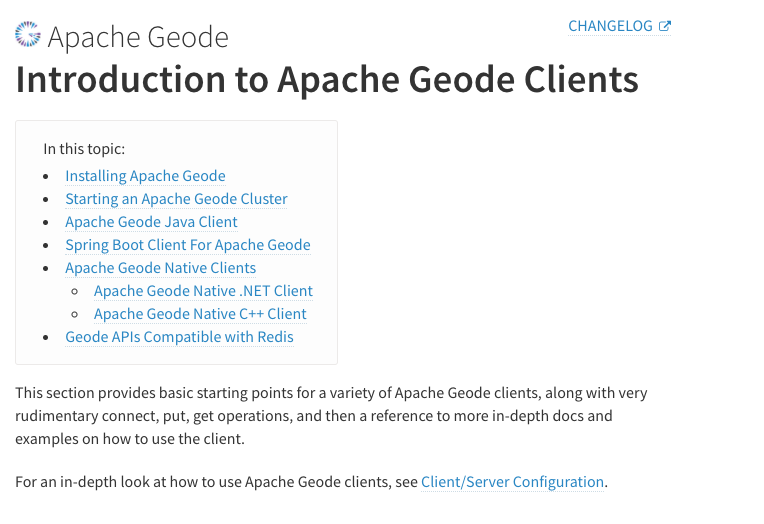
##########
File path: geode-docs/getting_started/intro_to_clients.html.md.erb
##########
@@ -0,0 +1,353 @@
+<!--
+Licensed to the Apache Software Foundation (ASF) under one or more
+contributor license agreements. See the NOTICE file distributed with
+this work for additional information regarding copyright ownership.
+The ASF licenses this file to You under the Apache License, Version 2.0
+(the "License"); you may not use this file except in compliance with
+the License. You may obtain a copy of the License at
+
+ http://www.apache.org/licenses/LICENSE-2.0
+
+Unless required by applicable law or agreed to in writing, software
+distributed under the License is distributed on an "AS IS" BASIS,
+WITHOUT WARRANTIES OR CONDITIONS OF ANY KIND, either express or implied.
+See the License for the specific language governing permissions and
+limitations under the License.
+-->
+
+<% set_title("Introduction to", product_name, "Clients") %>
+
+This section provides basic starting points for a variety of <%=vars.product_name %> clients, along
+with very rudimentary connect, put, get, and then a reference to more in-depth docs and examples on
+how to use the client.
+
Review comment:
I used a bookbinder feature to generate a table of contents for a page. How does this look?

##########
File path: geode-docs/getting_started/intro_to_clients.html.md.erb
##########
@@ -0,0 +1,353 @@
+<!--
+Licensed to the Apache Software Foundation (ASF) under one or more
+contributor license agreements. See the NOTICE file distributed with
+this work for additional information regarding copyright ownership.
+The ASF licenses this file to You under the Apache License, Version 2.0
+(the "License"); you may not use this file except in compliance with
+the License. You may obtain a copy of the License at
+
+ http://www.apache.org/licenses/LICENSE-2.0
+
+Unless required by applicable law or agreed to in writing, software
+distributed under the License is distributed on an "AS IS" BASIS,
+WITHOUT WARRANTIES OR CONDITIONS OF ANY KIND, either express or implied.
+See the License for the specific language governing permissions and
+limitations under the License.
+-->
+
+<% set_title("Introduction to", product_name, "Clients") %>
+
+This section provides basic starting points for a variety of <%=vars.product_name %> clients, along
+with very rudimentary connect, put, get, and then a reference to more in-depth docs and examples on
+how to use the client.
+
+## Installing Apache Geode
+
+You can download Apache Geode from the website, run a Docker image, or install with homebrew on OSX.
+
+## Start an Apache Geode Cluster
+
+With a path that contains the bin directory of the installation, start a locator and server.
+
+```
+$ gfsh
+gfsh> start locator
+gfsh> start server
+```
+
+Create a region
+
+```
+gfsh> create region --name=helloWorld --type=PARTITION
+```
+
+Shutting Down Apache Geode
+
+```
+gfsh> shutdown --include-locators=true
+```
+
+## Apache Geode Java Client
+
+**Maven Dependencies**
+
+Declare the following dependency and replace $VERSION, with the version of Geode that you have installed.
+
+```
+<dependencies>
+ <dependency>
+ <groupId>org.apache.geode</groupId>
+ <artifactId>geode-core</artifactId>
+ <version>$VERSION</version>
+ </dependency>
+</dependencies>
+```
+
+**Gradle Dependencies**
+
+``
+dependencies {
+ compile "org.apache.geode:geode-core:$VERSION"
+}
+``
+
+Connect to Geode from your application
+
+```
+import org.apache.geode.cache.client.ClientCache;
+import org.apache.geode.cache.client.ClientCacheFactory;
+
+public class HelloWorld {
+
+ public static void main(String[] args) {
+ ClientCache cache = new ClientCacheFactory().addPoolLocator("127.0.0.1", 10334).create();
+
+ System.out.println(cache.getDefaultPool().getLocators());
Review comment:
done.
##########
File path: geode-docs/getting_started/intro_to_clients.html.md.erb
##########
@@ -0,0 +1,353 @@
+<!--
+Licensed to the Apache Software Foundation (ASF) under one or more
+contributor license agreements. See the NOTICE file distributed with
+this work for additional information regarding copyright ownership.
+The ASF licenses this file to You under the Apache License, Version 2.0
+(the "License"); you may not use this file except in compliance with
+the License. You may obtain a copy of the License at
+
+ http://www.apache.org/licenses/LICENSE-2.0
+
+Unless required by applicable law or agreed to in writing, software
+distributed under the License is distributed on an "AS IS" BASIS,
+WITHOUT WARRANTIES OR CONDITIONS OF ANY KIND, either express or implied.
+See the License for the specific language governing permissions and
+limitations under the License.
+-->
+
+<% set_title("Introduction to", product_name, "Clients") %>
+
+This section provides basic starting points for a variety of <%=vars.product_name %> clients, along
+with very rudimentary connect, put, get, and then a reference to more in-depth docs and examples on
+how to use the client.
+
Review comment:
I used a bookbinder feature to generate a table of contents for the page. How does this look?

--
This is an automated message from the Apache Git Service.
To respond to the message, please log on to GitHub and use the
URL above to go to the specific comment.
For queries about this service, please contact Infrastructure at:
users@infra.apache.org
[GitHub] [geode] alb3rtobr commented on a change in pull request #6597: GEODE-9165: User Guide - Add "getting started with clients"
Posted by GitBox <gi...@apache.org>.
alb3rtobr commented on a change in pull request #6597:
URL: https://github.com/apache/geode/pull/6597#discussion_r648715360


##########
File path: geode-docs/getting_started/intro_to_clients.html.md.erb
##########
@@ -0,0 +1,353 @@
+<!--
+Licensed to the Apache Software Foundation (ASF) under one or more
+contributor license agreements.  See the NOTICE file distributed with
+this work for additional information regarding copyright ownership.
+The ASF licenses this file to You under the Apache License, Version 2.0
+(the "License"); you may not use this file except in compliance with
+the License.  You may obtain a copy of the License at
+
+     http://www.apache.org/licenses/LICENSE-2.0
+
+Unless required by applicable law or agreed to in writing, software
+distributed under the License is distributed on an "AS IS" BASIS,
+WITHOUT WARRANTIES OR CONDITIONS OF ANY KIND, either express or implied.
+See the License for the specific language governing permissions and
+limitations under the License.
+-->
+
+<% set_title("Introduction to", product_name, "Clients") %>
+
+This section provides basic starting points for a variety of <%=vars.product_name %> clients, along
+with very rudimentary connect, put, get, and then a reference to more in-depth docs and examples on
+how to use the client.
+
+## Installing Apache Geode
+
+You can download Apache Geode from the website, run a Docker image, or install with homebrew on OSX.
+
+## Start an Apache Geode Cluster
+
+With a path that contains the bin directory of the installation, start a locator and server.

Review comment:
       > With a path that contains the bin directory of the installation
   If Geode is installed, this should be already configured so I think it is not necessary to say this. Actually, you could run gfsh without adding it to the path.

   I would write something like: "As a first step for running these examples, we need to start an Apache Geode cluster that will be composed by a locator and a server"

##########
File path: geode-docs/getting_started/intro_to_clients.html.md.erb
##########
@@ -0,0 +1,353 @@
+<!--
+Licensed to the Apache Software Foundation (ASF) under one or more
+contributor license agreements.  See the NOTICE file distributed with
+this work for additional information regarding copyright ownership.
+The ASF licenses this file to You under the Apache License, Version 2.0
+(the "License"); you may not use this file except in compliance with
+the License.  You may obtain a copy of the License at
+
+     http://www.apache.org/licenses/LICENSE-2.0
+
+Unless required by applicable law or agreed to in writing, software
+distributed under the License is distributed on an "AS IS" BASIS,
+WITHOUT WARRANTIES OR CONDITIONS OF ANY KIND, either express or implied.
+See the License for the specific language governing permissions and
+limitations under the License.
+-->
+
+<% set_title("Introduction to", product_name, "Clients") %>
+
+This section provides basic starting points for a variety of <%=vars.product_name %> clients, along
+with very rudimentary connect, put, get, and then a reference to more in-depth docs and examples on
+how to use the client.
+
+## Installing Apache Geode
+
+You can download Apache Geode from the website, run a Docker image, or install with homebrew on OSX.
+
+## Start an Apache Geode Cluster
+
+With a path that contains the bin directory of the installation, start a locator and server.

Review comment:
       > With a path that contains the bin directory of the installation

   If Geode is installed, this should be already configured so I think it is not necessary to say this. Actually, you could run gfsh without adding it to the path.

   I would write something like: "As a first step for running these examples, we need to start an Apache Geode cluster that will be composed by a locator and a server"


--
This is an automated message from the Apache Git Service.
To respond to the message, please log on to GitHub and use the
URL above to go to the specific comment.

For queries about this service, please contact Infrastructure at:
users@infra.apache.org
[GitHub] [geode] davebarnes97 commented on pull request #6597: GEODE-9165: User Guide - Add "getting started with clients"
Posted by GitBox <gi...@apache.org>.
davebarnes97 commented on pull request #6597:
URL: https://github.com/apache/geode/pull/6597#issuecomment-858089320


   Interested reviewers can contact me directly for a link to a compiled review draft. [Sorry, but if you're unknown to me I cannot send you this link for security reasons. You can still download this modification and compile your own.]


--
This is an automated message from the Apache Git Service.
To respond to the message, please log on to GitHub and use the
URL above to go to the specific comment.

For queries about this service, please contact Infrastructure at:
users@infra.apache.org
[GitHub] [geode] davebarnes97 commented on a change in pull request #6597: GEODE-9165: User Guide - Add "getting started with clients"
Posted by GitBox <gi...@apache.org>.
davebarnes97 commented on a change in pull request #6597:
URL: https://github.com/apache/geode/pull/6597#discussion_r649408963


##########
File path: geode-docs/getting_started/intro_to_clients.html.md.erb
##########
@@ -0,0 +1,353 @@
+<!--
+Licensed to the Apache Software Foundation (ASF) under one or more
+contributor license agreements.  See the NOTICE file distributed with
+this work for additional information regarding copyright ownership.
+The ASF licenses this file to You under the Apache License, Version 2.0
+(the "License"); you may not use this file except in compliance with
+the License.  You may obtain a copy of the License at
+
+     http://www.apache.org/licenses/LICENSE-2.0
+
+Unless required by applicable law or agreed to in writing, software
+distributed under the License is distributed on an "AS IS" BASIS,
+WITHOUT WARRANTIES OR CONDITIONS OF ANY KIND, either express or implied.
+See the License for the specific language governing permissions and
+limitations under the License.
+-->
+
+<% set_title("Introduction to", product_name, "Clients") %>
+
+This section provides basic starting points for a variety of <%=vars.product_name %> clients, along
+with very rudimentary connect, put, get, and then a reference to more in-depth docs and examples on
+how to use the client.
+
+## Installing Apache Geode
+
+You can download Apache Geode from the website, run a Docker image, or install with homebrew on OSX.
+
+## Start an Apache Geode Cluster
+
+With a path that contains the bin directory of the installation, start a locator and server.

Review comment:
       Done (with some re-wording)


--
This is an automated message from the Apache Git Service.
To respond to the message, please log on to GitHub and use the
URL above to go to the specific comment.

For queries about this service, please contact Infrastructure at:
users@infra.apache.org
[GitHub] [geode] davebarnes97 commented on a change in pull request #6597: GEODE-9165: User Guide - Add "getting started with clients"
Posted by GitBox <gi...@apache.org>.
davebarnes97 commented on a change in pull request #6597:
URL: https://github.com/apache/geode/pull/6597#discussion_r649409056


##########
File path: geode-docs/getting_started/intro_to_clients.html.md.erb
##########
@@ -0,0 +1,353 @@
+<!--
+Licensed to the Apache Software Foundation (ASF) under one or more
+contributor license agreements.  See the NOTICE file distributed with
+this work for additional information regarding copyright ownership.
+The ASF licenses this file to You under the Apache License, Version 2.0
+(the "License"); you may not use this file except in compliance with
+the License.  You may obtain a copy of the License at
+
+     http://www.apache.org/licenses/LICENSE-2.0
+
+Unless required by applicable law or agreed to in writing, software
+distributed under the License is distributed on an "AS IS" BASIS,
+WITHOUT WARRANTIES OR CONDITIONS OF ANY KIND, either express or implied.
+See the License for the specific language governing permissions and
+limitations under the License.
+-->
+
+<% set_title("Introduction to", product_name, "Clients") %>
+
+This section provides basic starting points for a variety of <%=vars.product_name %> clients, along
+with very rudimentary connect, put, get, and then a reference to more in-depth docs and examples on
+how to use the client.
+
+## Installing Apache Geode
+
+You can download Apache Geode from the website, run a Docker image, or install with homebrew on OSX.
+
+## Start an Apache Geode Cluster
+
+With a path that contains the bin directory of the installation, start a locator and server.
+
+```
+$ gfsh
+gfsh> start locator
+gfsh> start server
+```
+
+Create a region

Review comment:
       Done


--
This is an automated message from the Apache Git Service.
To respond to the message, please log on to GitHub and use the
URL above to go to the specific comment.

For queries about this service, please contact Infrastructure at:
users@infra.apache.org
[GitHub] [geode] davebarnes97 commented on a change in pull request #6597: GEODE-9165: User Guide - Add "getting started with clients"
Posted by GitBox <gi...@apache.org>.
davebarnes97 commented on a change in pull request #6597:
URL: https://github.com/apache/geode/pull/6597#discussion_r648696385


##########
File path: geode-docs/getting_started/intro_to_clients.html.md.erb
##########
@@ -0,0 +1,353 @@
+<!--
+Licensed to the Apache Software Foundation (ASF) under one or more
+contributor license agreements.  See the NOTICE file distributed with
+this work for additional information regarding copyright ownership.
+The ASF licenses this file to You under the Apache License, Version 2.0
+(the "License"); you may not use this file except in compliance with
+the License.  You may obtain a copy of the License at
+
+     http://www.apache.org/licenses/LICENSE-2.0
+
+Unless required by applicable law or agreed to in writing, software
+distributed under the License is distributed on an "AS IS" BASIS,
+WITHOUT WARRANTIES OR CONDITIONS OF ANY KIND, either express or implied.
+See the License for the specific language governing permissions and
+limitations under the License.
+-->
+
+<% set_title("Introduction to", product_name, "Clients") %>
+
+This section provides basic starting points for a variety of <%=vars.product_name %> clients, along
+with very rudimentary connect, put, get, and then a reference to more in-depth docs and examples on
+how to use the client.
+
+## Installing Apache Geode
+
+You can download Apache Geode from the website, run a Docker image, or install with homebrew on OSX.
+
+## Start an Apache Geode Cluster
+
+With a path that contains the bin directory of the installation, start a locator and server.
+
+```
+$ gfsh
+gfsh> start locator
+gfsh> start server
+```
+
+Create a region
+
+```
+gfsh> create region --name=helloWorld --type=PARTITION
+```
+
+Shutting Down Apache Geode
+
+```
+gfsh> shutdown --include-locators=true
+```
+
+## Apache Geode Java Client
+
+**Maven Dependencies**
+
+Declare the following dependency and replace $VERSION, with the version of Geode that you have installed.
+
+```
+<dependencies>
+     <dependency>
+        <groupId>org.apache.geode</groupId>
+        <artifactId>geode-core</artifactId>
+        <version>$VERSION</version>
+    </dependency>
+</dependencies>
+```
+
+**Gradle Dependencies**
+
+``
+dependencies {
+  compile "org.apache.geode:geode-core:$VERSION"
+}
+``
+
+Connect to Geode from your application
+
+```
+import org.apache.geode.cache.client.ClientCache;
+import org.apache.geode.cache.client.ClientCacheFactory;
+
+public class HelloWorld {
+
+ public static void main(String[] args) {
+  ClientCache cache = new ClientCacheFactory().addPoolLocator("127.0.0.1", 10334).create();
+
+   System.out.println(cache.getDefaultPool().getLocators());
+
+cache.close();
+ }
+}
+```
+
+The information printed out should match the host and port of your Geode instance locators and should resemble
+
+```
+[/127.0.0.1:10334]
+```
+
+### Simple Put and Get with Geode Java client
+
+```
+public static void main(String[] args) {
+ClientCache cache = new ClientCacheFactory().addPoolLocator("127.0.0.1", 10334).create();
+
+ Region<String, String>
+     helloWorldRegion =
+     cache.<String, String>createClientRegionFactory(ClientRegionShortcut.PROXY).create("helloWorld");
+
+ helloWorldRegion.put("1", "HelloWorldValue");
+ String value1 = helloWorldRegion.get("1");
+ System.out.println(value1);
+
+ cache.close();
+}
+```
+
+Build and run the application.  This puts the key ‘1’ with a value of ‘HelloWorldValue’ into the
+‘helloWorld’ region, then retrieves and prints the value of key ‘1’.
+
+### Additional Resources
+
+- [Apache Geode Examples GitHub Repo](https://github.com/apache/geode-examples)
+- [Apache Geode Documentation](https://geode.apache.org/docs/)
+- [Apache Geode Javadocs](https://geode.apache.org/releases/latest/javadoc/index.html)
+
+## Spring Boot Client For Apache Geode
+
+Spring Boot for Apache Geode provides a powerful abstraction that simplifies the developer
+experience when using Spring Boot and Apache Geode.  The best way to get started with Spring Boot
+for Apache Geode, is by creating a project on start.spring.io.
+
+Add the ‘Spring for Apache Geode’ dependency and then select either ‘Generate’, which creates a zip
+file to import into your IDE or ‘Explore’, which opens a build file based on your Project selection
+(Maven or Gradle)
+
+**Maven Dependencies**
+
+Your Maven pom.xml file should include something similar to
+
+```
+<properties>
+   ...
+   <spring-geode.version>1.4.3</spring-geode.version>
+ </properties>
+ <dependencies>
+   <dependency>
+     <groupId>org.springframework.geode</groupId>
+     <artifactId>spring-geode-starter</artifactId>
+ </dependency>
+…
+</dependencies>
+
+ <dependencyManagement>
+   <dependencies>
+     <dependency>
+       <groupId>org.springframework.geode</groupId>
+       <artifactId>spring-geode-bom</artifactId>
+       <version>${spring-geode.version}</version>
+       <type>pom</type>
+       <scope>import</scope>
+     </dependency>
+   </dependencies>
+ </dependencyManagement>
+```
+
+**Gradle Dependencies**
+
+Your Gradle gradle.build file should include something similar to
+
+```
+ext {
+ set('springGeodeVersion', "1.4.3")
+}
+
+dependencies {
+ implementation 'org.springframework.geode:spring-geode-starter'
+ testImplementation 'org.springframework.boot:spring-boot-starter-test'
+}
+dependencyManagement {
+ imports {
+   mavenBom "org.springframework.geode:spring-geode-bom:${springGeodeVersion}"
+ }
+}
+```
+
+- Connect to Geode from your application
+- Open your web browser to start.spring.io.
+
+- Click ‘Add Dependencies’. Search for the ‘Spring for Apache Geode’ dependency and add it to your project. Select ‘Generate’, which creates a zip file. Import this file into your IDE.
+
+- With your Geode cluster running, build and run the application (without making any other changes).
+
+- In the console output, you should see something similar to (starting with Spring Boot for Apache Geode v1.4.2+)
+
+```
+2021-03-19 11:27:14.532  INFO 8730 --- [          main] o.s.g.c.a.ClusterAwareConfiguration      : Successfully connected to localhost[40404]
+2021-03-19 11:27:14.537  INFO 8730 --- [           main] o.s.g.c.a.ClusterAwareConfiguration      : Successfully connected to localhost[10334]
+2021-03-19 11:27:14.538  INFO 8730 --- [           main] o.s.g.c.a.ClusterAwareConfiguration      : Cluster was found; Auto-configuration made [2] successful connection(s)
+2021-03-19 11:27:14.538  INFO 8730 --- [           main] o.s.g.c.a.ClusterAwareConfiguration      : Spring Boot application is running in a client/server topology using a standalone Apache Geode-based cluster
+```
+
+This confirms that without adding any additional code, the application was able to connect to our Geode Cluster.
+
+### Building an Application with Spring Boot for Apache Geode.
+
+Spring Boot for Apache Geode is very powerful and robust.  We recommend looking at the Spring Boot for Apache Geode documentation and examples for your next steps in working with this dependency.
+
+### Additional Resources
+
+- [Spring Boot for Apache Geode Reference Guide](https://docs.spring.io/spring-boot-data-geode-build/1.4.x/reference/html5/)
+
+## Apache Geode Native Clients
+
+To begin using the Apache Geode Native Clients, you must first build the Apache Geode Native Client libraries from the source code.
+You can download the Apache Geode Native Source code here
+`https://geode.apache.org/releases`, then follow the [BUILDING.md](https://github.com/apache/geode-native/blob/develop/BUILDING.md) instructions to compile the libraries.

Review comment:
       Good - thanks.


--
This is an automated message from the Apache Git Service.
To respond to the message, please log on to GitHub and use the
URL above to go to the specific comment.

For queries about this service, please contact Infrastructure at:
users@infra.apache.org
[GitHub] [geode] davebarnes97 commented on a change in pull request #6597: GEODE-9165: User Guide - Add "getting started with clients"
Posted by GitBox <gi...@apache.org>.
davebarnes97 commented on a change in pull request #6597:
URL: https://github.com/apache/geode/pull/6597#discussion_r651223451
##########
File path: geode-docs/getting_started/intro_to_clients.html.md.erb
##########
@@ -0,0 +1,357 @@
+<!--
+Licensed to the Apache Software Foundation (ASF) under one or more
+contributor license agreements. See the NOTICE file distributed with
+this work for additional information regarding copyright ownership.
+The ASF licenses this file to You under the Apache License, Version 2.0
+(the "License"); you may not use this file except in compliance with
+the License. You may obtain a copy of the License at
+
+ http://www.apache.org/licenses/LICENSE-2.0
+
+Unless required by applicable law or agreed to in writing, software
+distributed under the License is distributed on an "AS IS" BASIS,
+WITHOUT WARRANTIES OR CONDITIONS OF ANY KIND, either express or implied.
+See the License for the specific language governing permissions and
+limitations under the License.
+-->
+
+<% set_title("Introduction to", product_name_long, "Clients") %>
+
+This section provides basic starting points for a variety of <%=vars.product_name_long %> clients, along
+with very rudimentary connect, put, get operations, and then a reference to more in-depth docs and examples on
+how to use the client.
+
+For an in-depth look at how to use <%=vars.product_name_long%> clients, see [Client/Server Configuration](../topologies_and_comm/cs_configuration/chapter_overview.html).
+
+## <a id="client-intro-installing"></a>Installing <%=vars.product_name_long%>
+
+You can download <%=vars.product_name_long%> from the website, run a Docker image, or install with homebrew on OSX.
+See [How to Install Apache Geode](installation/install_standalone.html) for details.
+
+## <a id="client-intro-starting"></a>Starting an <%=vars.product_name_long%> Cluster
+
+For client tests and examples, start a simple cluster and create an example region.
+
+Start an <%=vars.product_name_long%> cluster with one locator and one server.
+
+```
+$ gfsh
+gfsh> start locator
+gfsh> start server
+```
+
+Create a region called "helloWorld".
+
+```
+gfsh> create region --name=helloWorld --type=PARTITION
+```
+
+When you are through running client tests and examples, shut down the <%=vars.product_name_long%> cluster:
+
+```
+gfsh> shutdown --include-locators=true
+```
+
+## <a id="client-intro-java"></a><%=vars.product_name_long%> Java Client
+
+**Maven Dependencies**
+
+Declare the following dependency and replace $VERSION, with the version of <%=vars.product_name_long%> that you have installed.
+
+```
+<dependencies>
+ <dependency>
+ <groupId>org.apache.geode</groupId>
+ <artifactId>geode-core</artifactId>
+ <version>$VERSION</version>
+ </dependency>
+</dependencies>
+```
+
+**Gradle Dependencies**
+
+```
+dependencies {
+ compile "org.apache.geode:geode-core:$VERSION"
+}
+```
+
+Connect to the server from your application
+
+```
+import org.apache.geode.cache.client.ClientCache;
+import org.apache.geode.cache.client.ClientCacheFactory;
+
+public class HelloWorld {
+
+ public static void main(String[] args) {
+ ClientCache cache = new ClientCacheFactory().addPoolLocator("127.0.0.1", 10334).create();
+
+ System.out.println(cache.getDefaultPool().getLocators());
+
+ cache.close();
+ }
+}
+```
+
+The information printed out should match the host and port of your <%=vars.product_name_long%> instance locators and should resemble
+
+```
+[/127.0.0.1:10334]
+```
+
+**Simple Put and Get with <%=vars.product_name_long%> Java client**
+
+```
+public static void main(String[] args) {
+ClientCache cache = new ClientCacheFactory().addPoolLocator("127.0.0.1", 10334).create();
+
+ Region<String, String>
+ helloWorldRegion =
+ cache.<String, String>createClientRegionFactory(ClientRegionShortcut.PROXY).create("helloWorld");
+
+ helloWorldRegion.put("1", "HelloWorldValue");
+ String value1 = helloWorldRegion.get("1");
+ System.out.println(value1);
+
+ cache.close();
+}
+```
+
+Build and run the application. This puts the key ‘1’ with a value of ‘HelloWorldValue’ into the
+‘helloWorld’ region, then retrieves and prints the value of key ‘1’.
+
+**Additional Resources**
+
+- [Apache Geode Examples GitHub Repo](https://github.com/apache/geode-examples)
+- [Apache Geode Javadocs](https://geode.apache.org/releases/latest/javadoc/index.html)
+
+## <a id="client-intro-spring-boot"></a>Spring Boot Client For Apache Geode
+
+Spring Boot for Apache Geode provides a powerful abstraction that simplifies the developer
+experience when using Spring Boot and Apache Geode. The best way to get started with Spring Boot
+for Apache Geode, is by creating a project using [Spring™ initializr](https://start.spring.io/).
+
+Add the ‘Spring for Apache Geode’ dependency and then select either ‘Generate’, which creates a zip
+file to import into your IDE or ‘Explore’, which opens a build file based on your Project selection
+(Maven or Gradle)
+
+**Maven Dependencies**
+
+Your Maven pom.xml file should include something similar to
+
+```
+<properties>
+ ...
+ <spring-geode.version>1.4.3</spring-geode.version>
+ </properties>
+ <dependencies>
+ <dependency>
+ <groupId>org.springframework.geode</groupId>
+ <artifactId>spring-geode-starter</artifactId>
+ </dependency>
+…
+</dependencies>
+
+ <dependencyManagement>
+ <dependencies>
+ <dependency>
+ <groupId>org.springframework.geode</groupId>
+ <artifactId>spring-geode-bom</artifactId>
+ <version>${spring-geode.version}</version>
+ <type>pom</type>
+ <scope>import</scope>
+ </dependency>
+ </dependencies>
+ </dependencyManagement>
+```
+
+**Gradle Dependencies**
+
+Your Gradle gradle.build file should include something similar to
+
+```
+ext {
+ set('springGeodeVersion', "1.4.3")
+}
+
+dependencies {
+ implementation 'org.springframework.geode:spring-geode-starter'
+ testImplementation 'org.springframework.boot:spring-boot-starter-test'
+}
+dependencyManagement {
+ imports {
+ mavenBom "org.springframework.geode:spring-geode-bom:${springGeodeVersion}"
+ }
+}
+```
+
+1. Connect to Geode from your application
Review comment:
Thanks, @moleske. The text is included in the latest commit.
--
This is an automated message from the Apache Git Service.
To respond to the message, please log on to GitHub and use the
URL above to go to the specific comment.
For queries about this service, please contact Infrastructure at:
users@infra.apache.org
[GitHub] [geode] alb3rtobr commented on a change in pull request #6597: GEODE-9165: User Guide - Add "getting started with clients"
Posted by GitBox <gi...@apache.org>.
alb3rtobr commented on a change in pull request #6597:
URL: https://github.com/apache/geode/pull/6597#discussion_r648703249


##########
File path: geode-docs/getting_started/intro_to_clients.html.md.erb
##########
@@ -0,0 +1,353 @@
+<!--
+Licensed to the Apache Software Foundation (ASF) under one or more
+contributor license agreements.  See the NOTICE file distributed with
+this work for additional information regarding copyright ownership.
+The ASF licenses this file to You under the Apache License, Version 2.0
+(the "License"); you may not use this file except in compliance with
+the License.  You may obtain a copy of the License at
+
+     http://www.apache.org/licenses/LICENSE-2.0
+
+Unless required by applicable law or agreed to in writing, software
+distributed under the License is distributed on an "AS IS" BASIS,
+WITHOUT WARRANTIES OR CONDITIONS OF ANY KIND, either express or implied.
+See the License for the specific language governing permissions and
+limitations under the License.
+-->
+
+<% set_title("Introduction to", product_name, "Clients") %>
+
+This section provides basic starting points for a variety of <%=vars.product_name %> clients, along
+with very rudimentary connect, put, get, and then a reference to more in-depth docs and examples on
+how to use the client.
+
+## Installing Apache Geode
+
+You can download Apache Geode from the website, run a Docker image, or install with homebrew on OSX.

Review comment:
       There is a chapter dedicated to installation in the user guide (https://geode.apache.org/docs/guide/113/prereq_and_install.html), so instead of a `Installing Apache Geode` chapter I would add a reference to that chapter. For example, something like "Before runnig this examples, you need to install Geode on your system. For more info about installation, check chapter ...."


--
This is an automated message from the Apache Git Service.
To respond to the message, please log on to GitHub and use the
URL above to go to the specific comment.

For queries about this service, please contact Infrastructure at:
users@infra.apache.org
[GitHub] [geode] davebarnes97 commented on a change in pull request #6597: GEODE-9165: User Guide - Add "getting started with clients"
Posted by GitBox <gi...@apache.org>.
davebarnes97 commented on a change in pull request #6597:
URL: https://github.com/apache/geode/pull/6597#discussion_r648727228


##########
File path: geode-docs/getting_started/intro_to_clients.html.md.erb
##########
@@ -0,0 +1,353 @@
+<!--
+Licensed to the Apache Software Foundation (ASF) under one or more
+contributor license agreements.  See the NOTICE file distributed with
+this work for additional information regarding copyright ownership.
+The ASF licenses this file to You under the Apache License, Version 2.0
+(the "License"); you may not use this file except in compliance with
+the License.  You may obtain a copy of the License at
+
+     http://www.apache.org/licenses/LICENSE-2.0
+
+Unless required by applicable law or agreed to in writing, software
+distributed under the License is distributed on an "AS IS" BASIS,
+WITHOUT WARRANTIES OR CONDITIONS OF ANY KIND, either express or implied.
+See the License for the specific language governing permissions and
+limitations under the License.
+-->
+
+<% set_title("Introduction to", product_name, "Clients") %>
+
+This section provides basic starting points for a variety of <%=vars.product_name %> clients, along
+with very rudimentary connect, put, get, and then a reference to more in-depth docs and examples on
+how to use the client.
+
+## Installing Apache Geode
+
+You can download Apache Geode from the website, run a Docker image, or install with homebrew on OSX.

Review comment:
       Left the existing verbiage, but added the cross-reference.
   Rationale: this is not a set of precise instructions, but a general template, so I'm comfortable with the existing wording. The link is a definite improvement. Thanks!


--
This is an automated message from the Apache Git Service.
To respond to the message, please log on to GitHub and use the
URL above to go to the specific comment.

For queries about this service, please contact Infrastructure at:
users@infra.apache.org
[GitHub] [geode] davebarnes97 commented on a change in pull request #6597: GEODE-9165: User Guide - Add "getting started with clients"
Posted by GitBox <gi...@apache.org>.
davebarnes97 commented on a change in pull request #6597:
URL: https://github.com/apache/geode/pull/6597#discussion_r648726145


##########
File path: geode-docs/getting_started/intro_to_clients.html.md.erb
##########
@@ -0,0 +1,353 @@
+<!--
+Licensed to the Apache Software Foundation (ASF) under one or more
+contributor license agreements.  See the NOTICE file distributed with
+this work for additional information regarding copyright ownership.
+The ASF licenses this file to You under the Apache License, Version 2.0
+(the "License"); you may not use this file except in compliance with
+the License.  You may obtain a copy of the License at
+
+     http://www.apache.org/licenses/LICENSE-2.0
+
+Unless required by applicable law or agreed to in writing, software
+distributed under the License is distributed on an "AS IS" BASIS,
+WITHOUT WARRANTIES OR CONDITIONS OF ANY KIND, either express or implied.
+See the License for the specific language governing permissions and
+limitations under the License.
+-->
+
+<% set_title("Introduction to", product_name, "Clients") %>
+
+This section provides basic starting points for a variety of <%=vars.product_name %> clients, along
+with very rudimentary connect, put, get, and then a reference to more in-depth docs and examples on
+how to use the client.
+
+## Installing Apache Geode

Review comment:
       Selectively incorporated product_name_long template variable. Retained hard-coded "Geode" where I felt it was appropriate.


--
This is an automated message from the Apache Git Service.
To respond to the message, please log on to GitHub and use the
URL above to go to the specific comment.

For queries about this service, please contact Infrastructure at:
users@infra.apache.org
[GitHub] [geode] alb3rtobr commented on a change in pull request #6597: GEODE-9165: User Guide - Add "getting started with clients"
Posted by GitBox <gi...@apache.org>.
alb3rtobr commented on a change in pull request #6597:
URL: https://github.com/apache/geode/pull/6597#discussion_r648718006


##########
File path: geode-docs/getting_started/intro_to_clients.html.md.erb
##########
@@ -0,0 +1,353 @@
+<!--
+Licensed to the Apache Software Foundation (ASF) under one or more
+contributor license agreements.  See the NOTICE file distributed with
+this work for additional information regarding copyright ownership.
+The ASF licenses this file to You under the Apache License, Version 2.0
+(the "License"); you may not use this file except in compliance with
+the License.  You may obtain a copy of the License at
+
+     http://www.apache.org/licenses/LICENSE-2.0
+
+Unless required by applicable law or agreed to in writing, software
+distributed under the License is distributed on an "AS IS" BASIS,
+WITHOUT WARRANTIES OR CONDITIONS OF ANY KIND, either express or implied.
+See the License for the specific language governing permissions and
+limitations under the License.
+-->
+
+<% set_title("Introduction to", product_name, "Clients") %>
+
+This section provides basic starting points for a variety of <%=vars.product_name %> clients, along
+with very rudimentary connect, put, get, and then a reference to more in-depth docs and examples on
+how to use the client.
+
+## Installing Apache Geode
+
+You can download Apache Geode from the website, run a Docker image, or install with homebrew on OSX.
+
+## Start an Apache Geode Cluster
+
+With a path that contains the bin directory of the installation, start a locator and server.
+
+```
+$ gfsh
+gfsh> start locator
+gfsh> start server
+```
+
+Create a region
+
+```
+gfsh> create region --name=helloWorld --type=PARTITION
+```
+
+Shutting Down Apache Geode
+
+```
+gfsh> shutdown --include-locators=true
+```
+
+## Apache Geode Java Client
+
+**Maven Dependencies**
+
+Declare the following dependency and replace $VERSION, with the version of Geode that you have installed.
+
+```
+<dependencies>
+     <dependency>
+        <groupId>org.apache.geode</groupId>
+        <artifactId>geode-core</artifactId>
+        <version>$VERSION</version>
+    </dependency>
+</dependencies>
+```
+
+**Gradle Dependencies**
+
+``
+dependencies {
+  compile "org.apache.geode:geode-core:$VERSION"
+}
+``
+
+Connect to Geode from your application
+
+```
+import org.apache.geode.cache.client.ClientCache;
+import org.apache.geode.cache.client.ClientCacheFactory;
+
+public class HelloWorld {
+
+ public static void main(String[] args) {
+  ClientCache cache = new ClientCacheFactory().addPoolLocator("127.0.0.1", 10334).create();
+
+   System.out.println(cache.getDefaultPool().getLocators());

Review comment:
       Fix indentation here and in line 87


--
This is an automated message from the Apache Git Service.
To respond to the message, please log on to GitHub and use the
URL above to go to the specific comment.

For queries about this service, please contact Infrastructure at:
users@infra.apache.org
[GitHub] [geode] davebarnes97 commented on a change in pull request #6597: GEODE-9165: User Guide - Add "getting started with clients"
Posted by GitBox <gi...@apache.org>.
davebarnes97 commented on a change in pull request #6597:
URL: https://github.com/apache/geode/pull/6597#discussion_r649506646


##########
File path: geode-docs/getting_started/intro_to_clients.html.md.erb
##########
@@ -0,0 +1,353 @@
+<!--
+Licensed to the Apache Software Foundation (ASF) under one or more
+contributor license agreements.  See the NOTICE file distributed with
+this work for additional information regarding copyright ownership.
+The ASF licenses this file to You under the Apache License, Version 2.0
+(the "License"); you may not use this file except in compliance with
+the License.  You may obtain a copy of the License at
+
+     http://www.apache.org/licenses/LICENSE-2.0
+
+Unless required by applicable law or agreed to in writing, software
+distributed under the License is distributed on an "AS IS" BASIS,
+WITHOUT WARRANTIES OR CONDITIONS OF ANY KIND, either express or implied.
+See the License for the specific language governing permissions and
+limitations under the License.
+-->
+
+<% set_title("Introduction to", product_name, "Clients") %>
+
+This section provides basic starting points for a variety of <%=vars.product_name %> clients, along
+with very rudimentary connect, put, get, and then a reference to more in-depth docs and examples on
+how to use the client.
+
+## Installing Apache Geode
+
+You can download Apache Geode from the website, run a Docker image, or install with homebrew on OSX.
+
+## Start an Apache Geode Cluster
+
+With a path that contains the bin directory of the installation, start a locator and server.
+
+```
+$ gfsh
+gfsh> start locator
+gfsh> start server
+```
+
+Create a region
+
+```
+gfsh> create region --name=helloWorld --type=PARTITION
+```
+
+Shutting Down Apache Geode

Review comment:
       Done, slightly re-worded


--
This is an automated message from the Apache Git Service.
To respond to the message, please log on to GitHub and use the
URL above to go to the specific comment.

For queries about this service, please contact Infrastructure at:
users@infra.apache.org
[GitHub] [geode] davebarnes97 commented on a change in pull request #6597: GEODE-9165: User Guide - Add "getting started with clients"
Posted by GitBox <gi...@apache.org>.
davebarnes97 commented on a change in pull request #6597:
URL: https://github.com/apache/geode/pull/6597#discussion_r651227496


##########
File path: geode-docs/getting_started/intro_to_clients.html.md.erb
##########
@@ -0,0 +1,353 @@
+<!--
+Licensed to the Apache Software Foundation (ASF) under one or more
+contributor license agreements.  See the NOTICE file distributed with
+this work for additional information regarding copyright ownership.
+The ASF licenses this file to You under the Apache License, Version 2.0
+(the "License"); you may not use this file except in compliance with
+the License.  You may obtain a copy of the License at
+
+     http://www.apache.org/licenses/LICENSE-2.0
+
+Unless required by applicable law or agreed to in writing, software
+distributed under the License is distributed on an "AS IS" BASIS,
+WITHOUT WARRANTIES OR CONDITIONS OF ANY KIND, either express or implied.
+See the License for the specific language governing permissions and
+limitations under the License.
+-->
+
+<% set_title("Introduction to", product_name, "Clients") %>
+
+This section provides basic starting points for a variety of <%=vars.product_name %> clients, along
+with very rudimentary connect, put, get, and then a reference to more in-depth docs and examples on
+how to use the client.
+

Review comment:
       This is the default behavior for bookbinder. You will see in many other doc sources that anchors contain code to suppress this: `class="no-quick-link"`


--
This is an automated message from the Apache Git Service.
To respond to the message, please log on to GitHub and use the
URL above to go to the specific comment.

For queries about this service, please contact Infrastructure at:
users@infra.apache.org
[GitHub] [geode] davebarnes97 commented on a change in pull request #6597: GEODE-9165: User Guide - Add "getting started with clients"
Posted by GitBox <gi...@apache.org>.
davebarnes97 commented on a change in pull request #6597:
URL: https://github.com/apache/geode/pull/6597#discussion_r648697182


##########
File path: geode-docs/getting_started/intro_to_clients.html.md.erb
##########
@@ -0,0 +1,353 @@
+<!--
+Licensed to the Apache Software Foundation (ASF) under one or more
+contributor license agreements.  See the NOTICE file distributed with
+this work for additional information regarding copyright ownership.
+The ASF licenses this file to You under the Apache License, Version 2.0
+(the "License"); you may not use this file except in compliance with
+the License.  You may obtain a copy of the License at
+
+     http://www.apache.org/licenses/LICENSE-2.0
+
+Unless required by applicable law or agreed to in writing, software
+distributed under the License is distributed on an "AS IS" BASIS,
+WITHOUT WARRANTIES OR CONDITIONS OF ANY KIND, either express or implied.
+See the License for the specific language governing permissions and
+limitations under the License.
+-->
+
+<% set_title("Introduction to", product_name, "Clients") %>
+
+This section provides basic starting points for a variety of <%=vars.product_name %> clients, along
+with very rudimentary connect, put, get, and then a reference to more in-depth docs and examples on
+how to use the client.
+
+## Installing Apache Geode

Review comment:
       Laziness on the part of the encoding party (which would be me). Will take care of it.


--
This is an automated message from the Apache Git Service.
To respond to the message, please log on to GitHub and use the
URL above to go to the specific comment.

For queries about this service, please contact Infrastructure at:
users@infra.apache.org
[GitHub] [geode] davebarnes97 commented on a change in pull request #6597: GEODE-9165: User Guide - Add "getting started with clients"
Posted by GitBox <gi...@apache.org>.
davebarnes97 commented on a change in pull request #6597:
URL: https://github.com/apache/geode/pull/6597#discussion_r651145334
##########
File path: geode-docs/getting_started/intro_to_clients.html.md.erb
##########
@@ -0,0 +1,357 @@
+<!--
+Licensed to the Apache Software Foundation (ASF) under one or more
+contributor license agreements. See the NOTICE file distributed with
+this work for additional information regarding copyright ownership.
+The ASF licenses this file to You under the Apache License, Version 2.0
+(the "License"); you may not use this file except in compliance with
+the License. You may obtain a copy of the License at
+
+ http://www.apache.org/licenses/LICENSE-2.0
+
+Unless required by applicable law or agreed to in writing, software
+distributed under the License is distributed on an "AS IS" BASIS,
+WITHOUT WARRANTIES OR CONDITIONS OF ANY KIND, either express or implied.
+See the License for the specific language governing permissions and
+limitations under the License.
+-->
+
+<% set_title("Introduction to", product_name_long, "Clients") %>
+
+This section provides basic starting points for a variety of <%=vars.product_name_long %> clients, along
+with very rudimentary connect, put, get operations, and then a reference to more in-depth docs and examples on
+how to use the client.
+
+For an in-depth look at how to use <%=vars.product_name_long%> clients, see [Client/Server Configuration](../topologies_and_comm/cs_configuration/chapter_overview.html).
+
+## <a id="client-intro-installing"></a>Installing <%=vars.product_name_long%>
+
+You can download <%=vars.product_name_long%> from the website, run a Docker image, or install with homebrew on OSX.
+See [How to Install Apache Geode](installation/install_standalone.html) for details.
+
+## <a id="client-intro-starting"></a>Starting an <%=vars.product_name_long%> Cluster
+
+For client tests and examples, start a simple cluster and create an example region.
+
+Start an <%=vars.product_name_long%> cluster with one locator and one server.
+
+```
+$ gfsh
+gfsh> start locator
+gfsh> start server
+```
+
+Create a region called "helloWorld".
+
+```
+gfsh> create region --name=helloWorld --type=PARTITION
+```
+
+When you are through running client tests and examples, shut down the <%=vars.product_name_long%> cluster:
+
+```
+gfsh> shutdown --include-locators=true
+```
+
+## <a id="client-intro-java"></a><%=vars.product_name_long%> Java Client
+
+**Maven Dependencies**
+
+Declare the following dependency and replace $VERSION, with the version of <%=vars.product_name_long%> that you have installed.
+
+```
+<dependencies>
+ <dependency>
+ <groupId>org.apache.geode</groupId>
+ <artifactId>geode-core</artifactId>
+ <version>$VERSION</version>
+ </dependency>
+</dependencies>
+```
+
+**Gradle Dependencies**
+
+```
+dependencies {
+ compile "org.apache.geode:geode-core:$VERSION"
+}
+```
+
+Connect to the server from your application
+
+```
+import org.apache.geode.cache.client.ClientCache;
+import org.apache.geode.cache.client.ClientCacheFactory;
+
+public class HelloWorld {
+
+ public static void main(String[] args) {
+ ClientCache cache = new ClientCacheFactory().addPoolLocator("127.0.0.1", 10334).create();
+
+ System.out.println(cache.getDefaultPool().getLocators());
+
+ cache.close();
+ }
+}
+```
+
+The information printed out should match the host and port of your <%=vars.product_name_long%> instance locators and should resemble
+
+```
+[/127.0.0.1:10334]
+```
+
+**Simple Put and Get with <%=vars.product_name_long%> Java client**
+
+```
+public static void main(String[] args) {
+ClientCache cache = new ClientCacheFactory().addPoolLocator("127.0.0.1", 10334).create();
+
+ Region<String, String>
+ helloWorldRegion =
+ cache.<String, String>createClientRegionFactory(ClientRegionShortcut.PROXY).create("helloWorld");
+
+ helloWorldRegion.put("1", "HelloWorldValue");
+ String value1 = helloWorldRegion.get("1");
+ System.out.println(value1);
+
+ cache.close();
+}
+```
+
+Build and run the application. This puts the key ‘1’ with a value of ‘HelloWorldValue’ into the
+‘helloWorld’ region, then retrieves and prints the value of key ‘1’.
+
+**Additional Resources**
+
+- [Apache Geode Examples GitHub Repo](https://github.com/apache/geode-examples)
+- [Apache Geode Javadocs](https://geode.apache.org/releases/latest/javadoc/index.html)
+
+## <a id="client-intro-spring-boot"></a>Spring Boot Client For Apache Geode
+
+Spring Boot for Apache Geode provides a powerful abstraction that simplifies the developer
+experience when using Spring Boot and Apache Geode. The best way to get started with Spring Boot
+for Apache Geode, is by creating a project using [Spring™ initializr](https://start.spring.io/).
+
+Add the ‘Spring for Apache Geode’ dependency and then select either ‘Generate’, which creates a zip
+file to import into your IDE or ‘Explore’, which opens a build file based on your Project selection
+(Maven or Gradle)
+
+**Maven Dependencies**
+
+Your Maven pom.xml file should include something similar to
+
+```
+<properties>
+ ...
+ <spring-geode.version>1.4.3</spring-geode.version>
+ </properties>
+ <dependencies>
+ <dependency>
+ <groupId>org.springframework.geode</groupId>
+ <artifactId>spring-geode-starter</artifactId>
+ </dependency>
+…
+</dependencies>
+
+ <dependencyManagement>
+ <dependencies>
+ <dependency>
+ <groupId>org.springframework.geode</groupId>
+ <artifactId>spring-geode-bom</artifactId>
+ <version>${spring-geode.version}</version>
+ <type>pom</type>
+ <scope>import</scope>
+ </dependency>
+ </dependencies>
+ </dependencyManagement>
+```
+
+**Gradle Dependencies**
+
+Your Gradle gradle.build file should include something similar to
+
+```
+ext {
+ set('springGeodeVersion', "1.4.3")
+}
+
+dependencies {
+ implementation 'org.springframework.geode:spring-geode-starter'
+ testImplementation 'org.springframework.boot:spring-boot-starter-test'
+}
+dependencyManagement {
+ imports {
+ mavenBom "org.springframework.geode:spring-geode-bom:${springGeodeVersion}"
+ }
+}
+```
+
+1. Connect to Geode from your application
+2. Open your web browser to [Spring™ initializr](https://start.spring.io/).
+
+3. Click ‘Add Dependencies’. Search for the ‘Spring for Apache Geode’ dependency and add it to your project. Select ‘Generate’, which creates a zip file. Import this file into your IDE.
+
+4. With your Geode cluster running, build and run the application (without making any other changes).
+
+5. In the console output, you should see something similar to (starting with Spring Boot for Apache Geode v1.4.2+)
+
+ ```
+ 2021-03-19 11:27:14.532 INFO 8730 --- [ main] o.s.g.c.a.ClusterAwareConfiguration : Successfully connected to localhost[40404]
+ 2021-03-19 11:27:14.537 INFO 8730 --- [ main] o.s.g.c.a.ClusterAwareConfiguration : Successfully connected to localhost[10334]
+ 2021-03-19 11:27:14.538 INFO 8730 --- [ main] o.s.g.c.a.ClusterAwareConfiguration : Cluster was found; Auto-configuration made [2] successful connection(s)
+ 2021-03-19 11:27:14.538 INFO 8730 --- [ main] o.s.g.c.a.ClusterAwareConfiguration : Spring Boot application is running in a client/server topology using a standalone Apache Geode-based cluster
+ ```
+
+This confirms that without adding any additional code, the application was able to connect to our Geode Cluster.
+
+**Building an Application with Spring Boot for Apache Geode.**
+
+Spring Boot for Apache Geode is very powerful and robust. We recommend looking at the Spring Boot for Apache Geode documentation and examples for your next steps in working with this dependency.
+
+**Additional Resources**
+
+- [Spring Boot for Apache Geode Reference Guide](https://docs.spring.io/spring-boot-data-geode-build/1.4.x/reference/html5/)
+
+## <a id="client-intro-native"></a><%=vars.product_name_long%> Native Clients
+
+To begin using the <%=vars.product_name_long%> Native Clients, you must first build the <%=vars.product_name_long%> Native Client libraries from the source code.
+You can download the <%=vars.product_name_long%> Native Source code here
+`https://geode.apache.org/releases`, then refer to the `BUILDING.md]` file in the source release to compile the libraries.
Review comment:
corrected.
--
This is an automated message from the Apache Git Service.
To respond to the message, please log on to GitHub and use the
URL above to go to the specific comment.
For queries about this service, please contact Infrastructure at:
users@infra.apache.org
[GitHub] [geode] davebarnes97 commented on a change in pull request #6597: GEODE-9165: User Guide - Add "getting started with clients"
Posted by GitBox <gi...@apache.org>.
davebarnes97 commented on a change in pull request #6597:
URL: https://github.com/apache/geode/pull/6597#discussion_r651158979
##########
File path: geode-docs/getting_started/intro_to_clients.html.md.erb
##########
@@ -0,0 +1,357 @@
+<!--
+Licensed to the Apache Software Foundation (ASF) under one or more
+contributor license agreements. See the NOTICE file distributed with
+this work for additional information regarding copyright ownership.
+The ASF licenses this file to You under the Apache License, Version 2.0
+(the "License"); you may not use this file except in compliance with
+the License. You may obtain a copy of the License at
+
+ http://www.apache.org/licenses/LICENSE-2.0
+
+Unless required by applicable law or agreed to in writing, software
+distributed under the License is distributed on an "AS IS" BASIS,
+WITHOUT WARRANTIES OR CONDITIONS OF ANY KIND, either express or implied.
+See the License for the specific language governing permissions and
+limitations under the License.
+-->
+
+<% set_title("Introduction to", product_name_long, "Clients") %>
+
+This section provides basic starting points for a variety of <%=vars.product_name_long %> clients, along
+with very rudimentary connect, put, get operations, and then a reference to more in-depth docs and examples on
+how to use the client.
+
+For an in-depth look at how to use <%=vars.product_name_long%> clients, see [Client/Server Configuration](../topologies_and_comm/cs_configuration/chapter_overview.html).
+
+## <a id="client-intro-installing"></a>Installing <%=vars.product_name_long%>
+
+You can download <%=vars.product_name_long%> from the website, run a Docker image, or install with homebrew on OSX.
+See [How to Install Apache Geode](installation/install_standalone.html) for details.
+
+## <a id="client-intro-starting"></a>Starting an <%=vars.product_name_long%> Cluster
+
+For client tests and examples, start a simple cluster and create an example region.
+
+Start an <%=vars.product_name_long%> cluster with one locator and one server.
+
+```
+$ gfsh
+gfsh> start locator
+gfsh> start server
+```
+
+Create a region called "helloWorld".
+
+```
+gfsh> create region --name=helloWorld --type=PARTITION
+```
+
+When you are through running client tests and examples, shut down the <%=vars.product_name_long%> cluster:
+
+```
+gfsh> shutdown --include-locators=true
+```
+
+## <a id="client-intro-java"></a><%=vars.product_name_long%> Java Client
+
+**Maven Dependencies**
+
+Declare the following dependency and replace $VERSION, with the version of <%=vars.product_name_long%> that you have installed.
+
+```
+<dependencies>
+ <dependency>
+ <groupId>org.apache.geode</groupId>
+ <artifactId>geode-core</artifactId>
+ <version>$VERSION</version>
+ </dependency>
+</dependencies>
+```
+
+**Gradle Dependencies**
+
+```
+dependencies {
+ compile "org.apache.geode:geode-core:$VERSION"
+}
+```
+
+Connect to the server from your application
+
+```
+import org.apache.geode.cache.client.ClientCache;
+import org.apache.geode.cache.client.ClientCacheFactory;
+
+public class HelloWorld {
+
+ public static void main(String[] args) {
+ ClientCache cache = new ClientCacheFactory().addPoolLocator("127.0.0.1", 10334).create();
+
+ System.out.println(cache.getDefaultPool().getLocators());
+
+ cache.close();
+ }
+}
+```
+
+The information printed out should match the host and port of your <%=vars.product_name_long%> instance locators and should resemble
+
+```
+[/127.0.0.1:10334]
+```
+
+**Simple Put and Get with <%=vars.product_name_long%> Java client**
+
+```
+public static void main(String[] args) {
+ClientCache cache = new ClientCacheFactory().addPoolLocator("127.0.0.1", 10334).create();
+
+ Region<String, String>
+ helloWorldRegion =
+ cache.<String, String>createClientRegionFactory(ClientRegionShortcut.PROXY).create("helloWorld");
+
+ helloWorldRegion.put("1", "HelloWorldValue");
+ String value1 = helloWorldRegion.get("1");
+ System.out.println(value1);
+
+ cache.close();
+}
+```
+
+Build and run the application. This puts the key ‘1’ with a value of ‘HelloWorldValue’ into the
+‘helloWorld’ region, then retrieves and prints the value of key ‘1’.
+
+**Additional Resources**
+
+- [Apache Geode Examples GitHub Repo](https://github.com/apache/geode-examples)
+- [Apache Geode Javadocs](https://geode.apache.org/releases/latest/javadoc/index.html)
+
+## <a id="client-intro-spring-boot"></a>Spring Boot Client For Apache Geode
+
+Spring Boot for Apache Geode provides a powerful abstraction that simplifies the developer
+experience when using Spring Boot and Apache Geode. The best way to get started with Spring Boot
+for Apache Geode, is by creating a project using [Spring™ initializr](https://start.spring.io/).
+
+Add the ‘Spring for Apache Geode’ dependency and then select either ‘Generate’, which creates a zip
+file to import into your IDE or ‘Explore’, which opens a build file based on your Project selection
+(Maven or Gradle)
+
+**Maven Dependencies**
+
+Your Maven pom.xml file should include something similar to
+
+```
+<properties>
+ ...
+ <spring-geode.version>1.4.3</spring-geode.version>
+ </properties>
+ <dependencies>
+ <dependency>
+ <groupId>org.springframework.geode</groupId>
+ <artifactId>spring-geode-starter</artifactId>
+ </dependency>
+…
+</dependencies>
+
+ <dependencyManagement>
+ <dependencies>
+ <dependency>
+ <groupId>org.springframework.geode</groupId>
+ <artifactId>spring-geode-bom</artifactId>
+ <version>${spring-geode.version}</version>
+ <type>pom</type>
+ <scope>import</scope>
+ </dependency>
+ </dependencies>
+ </dependencyManagement>
+```
+
+**Gradle Dependencies**
+
+Your Gradle gradle.build file should include something similar to
+
+```
+ext {
+ set('springGeodeVersion', "1.4.3")
+}
+
+dependencies {
+ implementation 'org.springframework.geode:spring-geode-starter'
+ testImplementation 'org.springframework.boot:spring-boot-starter-test'
+}
+dependencyManagement {
+ imports {
+ mavenBom "org.springframework.geode:spring-geode-bom:${springGeodeVersion}"
+ }
+}
+```
+
+1. Connect to Geode from your application
Review comment:
@moleske Does this help?
Apache Geode Java Client
For a conventional Java client, provide the dependencies that are appropriate for your build
environment. (The Spring Boot framework, described later, provides a utility that generates these
dependencies for you.)
--
This is an automated message from the Apache Git Service.
To respond to the message, please log on to GitHub and use the
URL above to go to the specific comment.
For queries about this service, please contact Infrastructure at:
users@infra.apache.org
[GitHub] [geode] alb3rtobr commented on a change in pull request #6597: GEODE-9165: User Guide - Add "getting started with clients"
Posted by GitBox <gi...@apache.org>.
alb3rtobr commented on a change in pull request #6597:
URL: https://github.com/apache/geode/pull/6597#discussion_r648724559


##########
File path: geode-docs/getting_started/intro_to_clients.html.md.erb
##########
@@ -0,0 +1,353 @@
+<!--
+Licensed to the Apache Software Foundation (ASF) under one or more
+contributor license agreements.  See the NOTICE file distributed with
+this work for additional information regarding copyright ownership.
+The ASF licenses this file to You under the Apache License, Version 2.0
+(the "License"); you may not use this file except in compliance with
+the License.  You may obtain a copy of the License at
+
+     http://www.apache.org/licenses/LICENSE-2.0
+
+Unless required by applicable law or agreed to in writing, software
+distributed under the License is distributed on an "AS IS" BASIS,
+WITHOUT WARRANTIES OR CONDITIONS OF ANY KIND, either express or implied.
+See the License for the specific language governing permissions and
+limitations under the License.
+-->
+
+<% set_title("Introduction to", product_name, "Clients") %>
+
+This section provides basic starting points for a variety of <%=vars.product_name %> clients, along
+with very rudimentary connect, put, get, and then a reference to more in-depth docs and examples on
+how to use the client.
+

Review comment:
       It could be a good idea to have an index with links to the different chapters here.


--
This is an automated message from the Apache Git Service.
To respond to the message, please log on to GitHub and use the
URL above to go to the specific comment.

For queries about this service, please contact Infrastructure at:
users@infra.apache.org
[GitHub] [geode] davebarnes97 commented on a change in pull request #6597: GEODE-9165: User Guide - Add "getting started with clients"
Posted by GitBox <gi...@apache.org>.
davebarnes97 commented on a change in pull request #6597:
URL: https://github.com/apache/geode/pull/6597#discussion_r648726227


##########
File path: geode-docs/getting_started/intro_to_clients.html.md.erb
##########
@@ -0,0 +1,353 @@
+<!--
+Licensed to the Apache Software Foundation (ASF) under one or more
+contributor license agreements.  See the NOTICE file distributed with
+this work for additional information regarding copyright ownership.
+The ASF licenses this file to You under the Apache License, Version 2.0
+(the "License"); you may not use this file except in compliance with
+the License.  You may obtain a copy of the License at
+
+     http://www.apache.org/licenses/LICENSE-2.0
+
+Unless required by applicable law or agreed to in writing, software
+distributed under the License is distributed on an "AS IS" BASIS,
+WITHOUT WARRANTIES OR CONDITIONS OF ANY KIND, either express or implied.
+See the License for the specific language governing permissions and
+limitations under the License.
+-->
+
+<% set_title("Introduction to", product_name, "Clients") %>
+
+This section provides basic starting points for a variety of <%=vars.product_name %> clients, along
+with very rudimentary connect, put, get, and then a reference to more in-depth docs and examples on
+how to use the client.
+
+## Installing Apache Geode
+
+You can download Apache Geode from the website, run a Docker image, or install with homebrew on OSX.
+
+## Start an Apache Geode Cluster
+
+With a path that contains the bin directory of the installation, start a locator and server.
+
+```
+$ gfsh
+gfsh> start locator
+gfsh> start server
+```
+
+Create a region
+
+```
+gfsh> create region --name=helloWorld --type=PARTITION
+```
+
+Shutting Down Apache Geode
+
+```
+gfsh> shutdown --include-locators=true
+```
+
+## Apache Geode Java Client
+
+**Maven Dependencies**
+
+Declare the following dependency and replace $VERSION, with the version of Geode that you have installed.
+
+```
+<dependencies>
+     <dependency>
+        <groupId>org.apache.geode</groupId>
+        <artifactId>geode-core</artifactId>
+        <version>$VERSION</version>
+    </dependency>
+</dependencies>
+```
+
+**Gradle Dependencies**
+
+``
+dependencies {
+  compile "org.apache.geode:geode-core:$VERSION"
+}
+``
+
+Connect to Geode from your application
+
+```
+import org.apache.geode.cache.client.ClientCache;
+import org.apache.geode.cache.client.ClientCacheFactory;
+
+public class HelloWorld {
+
+ public static void main(String[] args) {
+  ClientCache cache = new ClientCacheFactory().addPoolLocator("127.0.0.1", 10334).create();
+
+   System.out.println(cache.getDefaultPool().getLocators());
+
+cache.close();
+ }
+}
+```
+
+The information printed out should match the host and port of your Geode instance locators and should resemble
+
+```
+[/127.0.0.1:10334]
+```
+
+### Simple Put and Get with Geode Java client
+
+```
+public static void main(String[] args) {
+ClientCache cache = new ClientCacheFactory().addPoolLocator("127.0.0.1", 10334).create();
+
+ Region<String, String>
+     helloWorldRegion =
+     cache.<String, String>createClientRegionFactory(ClientRegionShortcut.PROXY).create("helloWorld");
+
+ helloWorldRegion.put("1", "HelloWorldValue");
+ String value1 = helloWorldRegion.get("1");
+ System.out.println(value1);
+
+ cache.close();
+}
+```
+
+Build and run the application.  This puts the key ‘1’ with a value of ‘HelloWorldValue’ into the
+‘helloWorld’ region, then retrieves and prints the value of key ‘1’.
+
+### Additional Resources
+
+- [Apache Geode Examples GitHub Repo](https://github.com/apache/geode-examples)
+- [Apache Geode Documentation](https://geode.apache.org/docs/)
+- [Apache Geode Javadocs](https://geode.apache.org/releases/latest/javadoc/index.html)
+
+## Spring Boot Client For Apache Geode
+
+Spring Boot for Apache Geode provides a powerful abstraction that simplifies the developer
+experience when using Spring Boot and Apache Geode.  The best way to get started with Spring Boot
+for Apache Geode, is by creating a project on start.spring.io.
+
+Add the ‘Spring for Apache Geode’ dependency and then select either ‘Generate’, which creates a zip
+file to import into your IDE or ‘Explore’, which opens a build file based on your Project selection
+(Maven or Gradle)
+
+**Maven Dependencies**
+
+Your Maven pom.xml file should include something similar to
+
+```
+<properties>
+   ...
+   <spring-geode.version>1.4.3</spring-geode.version>
+ </properties>
+ <dependencies>
+   <dependency>
+     <groupId>org.springframework.geode</groupId>
+     <artifactId>spring-geode-starter</artifactId>
+ </dependency>
+…
+</dependencies>
+
+ <dependencyManagement>
+   <dependencies>
+     <dependency>
+       <groupId>org.springframework.geode</groupId>
+       <artifactId>spring-geode-bom</artifactId>
+       <version>${spring-geode.version}</version>
+       <type>pom</type>
+       <scope>import</scope>
+     </dependency>
+   </dependencies>
+ </dependencyManagement>
+```
+
+**Gradle Dependencies**
+
+Your Gradle gradle.build file should include something similar to
+
+```
+ext {
+ set('springGeodeVersion', "1.4.3")
+}
+
+dependencies {
+ implementation 'org.springframework.geode:spring-geode-starter'
+ testImplementation 'org.springframework.boot:spring-boot-starter-test'
+}
+dependencyManagement {
+ imports {
+   mavenBom "org.springframework.geode:spring-geode-bom:${springGeodeVersion}"
+ }
+}
+```
+
+- Connect to Geode from your application
+- Open your web browser to start.spring.io.
+
+- Click ‘Add Dependencies’. Search for the ‘Spring for Apache Geode’ dependency and add it to your project. Select ‘Generate’, which creates a zip file. Import this file into your IDE.
+
+- With your Geode cluster running, build and run the application (without making any other changes).
+
+- In the console output, you should see something similar to (starting with Spring Boot for Apache Geode v1.4.2+)
+
+```
+2021-03-19 11:27:14.532  INFO 8730 --- [          main] o.s.g.c.a.ClusterAwareConfiguration      : Successfully connected to localhost[40404]
+2021-03-19 11:27:14.537  INFO 8730 --- [           main] o.s.g.c.a.ClusterAwareConfiguration      : Successfully connected to localhost[10334]
+2021-03-19 11:27:14.538  INFO 8730 --- [           main] o.s.g.c.a.ClusterAwareConfiguration      : Cluster was found; Auto-configuration made [2] successful connection(s)
+2021-03-19 11:27:14.538  INFO 8730 --- [           main] o.s.g.c.a.ClusterAwareConfiguration      : Spring Boot application is running in a client/server topology using a standalone Apache Geode-based cluster
+```
+
+This confirms that without adding any additional code, the application was able to connect to our Geode Cluster.
+
+### Building an Application with Spring Boot for Apache Geode.
+
+Spring Boot for Apache Geode is very powerful and robust.  We recommend looking at the Spring Boot for Apache Geode documentation and examples for your next steps in working with this dependency.
+
+### Additional Resources
+
+- [Spring Boot for Apache Geode Reference Guide](https://docs.spring.io/spring-boot-data-geode-build/1.4.x/reference/html5/)
+
+## Apache Geode Native Clients
+
+To begin using the Apache Geode Native Clients, you must first build the Apache Geode Native Client libraries from the source code.
+You can download the Apache Geode Native Source code here
+`https://geode.apache.org/releases`, then follow the [BUILDING.md](https://github.com/apache/geode-native/blob/develop/BUILDING.md) instructions to compile the libraries.

Review comment:
       Done.


--
This is an automated message from the Apache Git Service.
To respond to the message, please log on to GitHub and use the
URL above to go to the specific comment.

For queries about this service, please contact Infrastructure at:
users@infra.apache.org
[GitHub] [geode] davebarnes97 edited a comment on pull request #6597: GEODE-9165: User Guide - Add "getting started with clients"
Posted by GitBox <gi...@apache.org>.
davebarnes97 edited a comment on pull request #6597:
URL: https://github.com/apache/geode/pull/6597#issuecomment-858089320


   Interested reviewers can contact me directly for a link to a compiled review draft. Sorry, but if you're unknown to me I cannot send you this link for security reasons. You can still download this modification and compile your own.


--
This is an automated message from the Apache Git Service.
To respond to the message, please log on to GitHub and use the
URL above to go to the specific comment.

For queries about this service, please contact Infrastructure at:
users@infra.apache.org
[GitHub] [geode] davebarnes97 commented on a change in pull request #6597: GEODE-9165: User Guide - Add "getting started with clients"
Posted by GitBox <gi...@apache.org>.
davebarnes97 commented on a change in pull request #6597:
URL: https://github.com/apache/geode/pull/6597#discussion_r651142158


##########
File path: geode-docs/getting_started/intro_to_clients.html.md.erb
##########
@@ -0,0 +1,353 @@
+<!--
+Licensed to the Apache Software Foundation (ASF) under one or more
+contributor license agreements.  See the NOTICE file distributed with
+this work for additional information regarding copyright ownership.
+The ASF licenses this file to You under the Apache License, Version 2.0
+(the "License"); you may not use this file except in compliance with
+the License.  You may obtain a copy of the License at
+
+     http://www.apache.org/licenses/LICENSE-2.0
+
+Unless required by applicable law or agreed to in writing, software
+distributed under the License is distributed on an "AS IS" BASIS,
+WITHOUT WARRANTIES OR CONDITIONS OF ANY KIND, either express or implied.
+See the License for the specific language governing permissions and
+limitations under the License.
+-->
+
+<% set_title("Introduction to", product_name, "Clients") %>
+
+This section provides basic starting points for a variety of <%=vars.product_name %> clients, along
+with very rudimentary connect, put, get, and then a reference to more in-depth docs and examples on
+how to use the client.
+
+## Installing Apache Geode
+
+You can download Apache Geode from the website, run a Docker image, or install with homebrew on OSX.
+
+## Start an Apache Geode Cluster
+
+With a path that contains the bin directory of the installation, start a locator and server.
+
+```
+$ gfsh
+gfsh> start locator
+gfsh> start server
+```
+
+Create a region
+
+```
+gfsh> create region --name=helloWorld --type=PARTITION
+```
+
+Shutting Down Apache Geode
+
+```
+gfsh> shutdown --include-locators=true
+```
+
+## Apache Geode Java Client
+
+**Maven Dependencies**
+
+Declare the following dependency and replace $VERSION, with the version of Geode that you have installed.
+
+```
+<dependencies>
+     <dependency>
+        <groupId>org.apache.geode</groupId>
+        <artifactId>geode-core</artifactId>
+        <version>$VERSION</version>
+    </dependency>
+</dependencies>
+```
+
+**Gradle Dependencies**
+
+``
+dependencies {
+  compile "org.apache.geode:geode-core:$VERSION"
+}
+``
+
+Connect to Geode from your application
+
+```
+import org.apache.geode.cache.client.ClientCache;
+import org.apache.geode.cache.client.ClientCacheFactory;
+
+public class HelloWorld {
+
+ public static void main(String[] args) {
+  ClientCache cache = new ClientCacheFactory().addPoolLocator("127.0.0.1", 10334).create();
+
+   System.out.println(cache.getDefaultPool().getLocators());

Review comment:
       I wondered about that. Thanks for the clarification -- fixed in source file.


--
This is an automated message from the Apache Git Service.
To respond to the message, please log on to GitHub and use the
URL above to go to the specific comment.

For queries about this service, please contact Infrastructure at:
users@infra.apache.org
[GitHub] [geode] davebarnes97 commented on a change in pull request #6597: GEODE-9165: User Guide - Add "getting started with clients"
Posted by GitBox <gi...@apache.org>.
davebarnes97 commented on a change in pull request #6597:
URL: https://github.com/apache/geode/pull/6597#discussion_r649478332


##########
File path: geode-docs/getting_started/intro_to_clients.html.md.erb
##########
@@ -0,0 +1,353 @@
+<!--
+Licensed to the Apache Software Foundation (ASF) under one or more
+contributor license agreements.  See the NOTICE file distributed with
+this work for additional information regarding copyright ownership.
+The ASF licenses this file to You under the Apache License, Version 2.0
+(the "License"); you may not use this file except in compliance with
+the License.  You may obtain a copy of the License at
+
+     http://www.apache.org/licenses/LICENSE-2.0
+
+Unless required by applicable law or agreed to in writing, software
+distributed under the License is distributed on an "AS IS" BASIS,
+WITHOUT WARRANTIES OR CONDITIONS OF ANY KIND, either express or implied.
+See the License for the specific language governing permissions and
+limitations under the License.
+-->
+
+<% set_title("Introduction to", product_name, "Clients") %>
+
+This section provides basic starting points for a variety of <%=vars.product_name %> clients, along
+with very rudimentary connect, put, get, and then a reference to more in-depth docs and examples on
+how to use the client.
+

Review comment:
       Added a link to Client/Server Configuration


--
This is an automated message from the Apache Git Service.
To respond to the message, please log on to GitHub and use the
URL above to go to the specific comment.

For queries about this service, please contact Infrastructure at:
users@infra.apache.org
[GitHub] [geode] moleske commented on a change in pull request #6597: GEODE-9165: User Guide - Add "getting started with clients"
Posted by GitBox <gi...@apache.org>.
moleske commented on a change in pull request #6597:
URL: https://github.com/apache/geode/pull/6597#discussion_r648698938


##########
File path: geode-docs/getting_started/intro_to_clients.html.md.erb
##########
@@ -0,0 +1,353 @@
+<!--
+Licensed to the Apache Software Foundation (ASF) under one or more
+contributor license agreements.  See the NOTICE file distributed with
+this work for additional information regarding copyright ownership.
+The ASF licenses this file to You under the Apache License, Version 2.0
+(the "License"); you may not use this file except in compliance with
+the License.  You may obtain a copy of the License at
+
+     http://www.apache.org/licenses/LICENSE-2.0
+
+Unless required by applicable law or agreed to in writing, software
+distributed under the License is distributed on an "AS IS" BASIS,
+WITHOUT WARRANTIES OR CONDITIONS OF ANY KIND, either express or implied.
+See the License for the specific language governing permissions and
+limitations under the License.
+-->
+
+<% set_title("Introduction to", product_name, "Clients") %>
+
+This section provides basic starting points for a variety of <%=vars.product_name %> clients, along
+with very rudimentary connect, put, get, and then a reference to more in-depth docs and examples on
+how to use the client.
+
+## Installing Apache Geode

Review comment:
       I honestly wasn't sure, because I don't know if always makes sense to `brew install product_name` for example.  Though you could let that be a problem for people who distribute another product.

   And I would have accepted "laziness" as a reason not to fix it


--
This is an automated message from the Apache Git Service.
To respond to the message, please log on to GitHub and use the
URL above to go to the specific comment.

For queries about this service, please contact Infrastructure at:
users@infra.apache.org
[GitHub] [geode] alb3rtobr commented on a change in pull request #6597: GEODE-9165: User Guide - Add "getting started with clients"
Posted by GitBox <gi...@apache.org>.
alb3rtobr commented on a change in pull request #6597:
URL: https://github.com/apache/geode/pull/6597#discussion_r648715999


##########
File path: geode-docs/getting_started/intro_to_clients.html.md.erb
##########
@@ -0,0 +1,353 @@
+<!--
+Licensed to the Apache Software Foundation (ASF) under one or more
+contributor license agreements.  See the NOTICE file distributed with
+this work for additional information regarding copyright ownership.
+The ASF licenses this file to You under the Apache License, Version 2.0
+(the "License"); you may not use this file except in compliance with
+the License.  You may obtain a copy of the License at
+
+     http://www.apache.org/licenses/LICENSE-2.0
+
+Unless required by applicable law or agreed to in writing, software
+distributed under the License is distributed on an "AS IS" BASIS,
+WITHOUT WARRANTIES OR CONDITIONS OF ANY KIND, either express or implied.
+See the License for the specific language governing permissions and
+limitations under the License.
+-->
+
+<% set_title("Introduction to", product_name, "Clients") %>
+
+This section provides basic starting points for a variety of <%=vars.product_name %> clients, along
+with very rudimentary connect, put, get, and then a reference to more in-depth docs and examples on
+how to use the client.
+
+## Installing Apache Geode
+
+You can download Apache Geode from the website, run a Docker image, or install with homebrew on OSX.
+
+## Start an Apache Geode Cluster
+
+With a path that contains the bin directory of the installation, start a locator and server.
+
+```
+$ gfsh
+gfsh> start locator
+gfsh> start server
+```
+
+Create a region

Review comment:
       "Now we need to create a region called helloWorld:"


--
This is an automated message from the Apache Git Service.
To respond to the message, please log on to GitHub and use the
URL above to go to the specific comment.

For queries about this service, please contact Infrastructure at:
users@infra.apache.org
[GitHub] [geode] davebarnes97 commented on a change in pull request #6597: GEODE-9165: User Guide - Add "getting started with clients"
Posted by GitBox <gi...@apache.org>.
davebarnes97 commented on a change in pull request #6597:
URL: https://github.com/apache/geode/pull/6597#discussion_r651147604
##########
File path: geode-docs/getting_started/intro_to_clients.html.md.erb
##########
@@ -0,0 +1,357 @@
+<!--
+Licensed to the Apache Software Foundation (ASF) under one or more
+contributor license agreements. See the NOTICE file distributed with
+this work for additional information regarding copyright ownership.
+The ASF licenses this file to You under the Apache License, Version 2.0
+(the "License"); you may not use this file except in compliance with
+the License. You may obtain a copy of the License at
+
+ http://www.apache.org/licenses/LICENSE-2.0
+
+Unless required by applicable law or agreed to in writing, software
+distributed under the License is distributed on an "AS IS" BASIS,
+WITHOUT WARRANTIES OR CONDITIONS OF ANY KIND, either express or implied.
+See the License for the specific language governing permissions and
+limitations under the License.
+-->
+
+<% set_title("Introduction to", product_name_long, "Clients") %>
+
+This section provides basic starting points for a variety of <%=vars.product_name_long %> clients, along
+with very rudimentary connect, put, get operations, and then a reference to more in-depth docs and examples on
+how to use the client.
+
+For an in-depth look at how to use <%=vars.product_name_long%> clients, see [Client/Server Configuration](../topologies_and_comm/cs_configuration/chapter_overview.html).
+
+## <a id="client-intro-installing"></a>Installing <%=vars.product_name_long%>
+
+You can download <%=vars.product_name_long%> from the website, run a Docker image, or install with homebrew on OSX.
+See [How to Install Apache Geode](installation/install_standalone.html) for details.
+
+## <a id="client-intro-starting"></a>Starting an <%=vars.product_name_long%> Cluster
+
+For client tests and examples, start a simple cluster and create an example region.
+
+Start an <%=vars.product_name_long%> cluster with one locator and one server.
+
+```
+$ gfsh
+gfsh> start locator
+gfsh> start server
+```
+
+Create a region called "helloWorld".
+
+```
+gfsh> create region --name=helloWorld --type=PARTITION
+```
+
+When you are through running client tests and examples, shut down the <%=vars.product_name_long%> cluster:
+
+```
+gfsh> shutdown --include-locators=true
+```
+
+## <a id="client-intro-java"></a><%=vars.product_name_long%> Java Client
+
+**Maven Dependencies**
+
+Declare the following dependency and replace $VERSION, with the version of <%=vars.product_name_long%> that you have installed.
+
+```
+<dependencies>
+ <dependency>
+ <groupId>org.apache.geode</groupId>
+ <artifactId>geode-core</artifactId>
+ <version>$VERSION</version>
+ </dependency>
+</dependencies>
+```
+
+**Gradle Dependencies**
+
+```
+dependencies {
+ compile "org.apache.geode:geode-core:$VERSION"
+}
+```
+
+Connect to the server from your application
+
+```
+import org.apache.geode.cache.client.ClientCache;
+import org.apache.geode.cache.client.ClientCacheFactory;
+
+public class HelloWorld {
+
+ public static void main(String[] args) {
+ ClientCache cache = new ClientCacheFactory().addPoolLocator("127.0.0.1", 10334).create();
+
+ System.out.println(cache.getDefaultPool().getLocators());
+
+ cache.close();
+ }
+}
+```
+
+The information printed out should match the host and port of your <%=vars.product_name_long%> instance locators and should resemble
+
+```
+[/127.0.0.1:10334]
+```
+
+**Simple Put and Get with <%=vars.product_name_long%> Java client**
+
+```
+public static void main(String[] args) {
+ClientCache cache = new ClientCacheFactory().addPoolLocator("127.0.0.1", 10334).create();
+
+ Region<String, String>
+ helloWorldRegion =
+ cache.<String, String>createClientRegionFactory(ClientRegionShortcut.PROXY).create("helloWorld");
+
+ helloWorldRegion.put("1", "HelloWorldValue");
+ String value1 = helloWorldRegion.get("1");
+ System.out.println(value1);
+
+ cache.close();
+}
+```
+
+Build and run the application. This puts the key ‘1’ with a value of ‘HelloWorldValue’ into the
+‘helloWorld’ region, then retrieves and prints the value of key ‘1’.
+
+**Additional Resources**
+
+- [Apache Geode Examples GitHub Repo](https://github.com/apache/geode-examples)
+- [Apache Geode Javadocs](https://geode.apache.org/releases/latest/javadoc/index.html)
+
+## <a id="client-intro-spring-boot"></a>Spring Boot Client For Apache Geode
+
+Spring Boot for Apache Geode provides a powerful abstraction that simplifies the developer
+experience when using Spring Boot and Apache Geode. The best way to get started with Spring Boot
+for Apache Geode, is by creating a project using [Spring™ initializr](https://start.spring.io/).
+
+Add the ‘Spring for Apache Geode’ dependency and then select either ‘Generate’, which creates a zip
+file to import into your IDE or ‘Explore’, which opens a build file based on your Project selection
+(Maven or Gradle)
+
+**Maven Dependencies**
+
+Your Maven pom.xml file should include something similar to
+
+```
+<properties>
+ ...
+ <spring-geode.version>1.4.3</spring-geode.version>
+ </properties>
+ <dependencies>
+ <dependency>
+ <groupId>org.springframework.geode</groupId>
+ <artifactId>spring-geode-starter</artifactId>
+ </dependency>
+…
+</dependencies>
+
+ <dependencyManagement>
+ <dependencies>
+ <dependency>
+ <groupId>org.springframework.geode</groupId>
+ <artifactId>spring-geode-bom</artifactId>
+ <version>${spring-geode.version}</version>
+ <type>pom</type>
+ <scope>import</scope>
+ </dependency>
+ </dependencies>
+ </dependencyManagement>
+```
+
+**Gradle Dependencies**
+
+Your Gradle gradle.build file should include something similar to
+
+```
+ext {
+ set('springGeodeVersion', "1.4.3")
+}
+
+dependencies {
+ implementation 'org.springframework.geode:spring-geode-starter'
+ testImplementation 'org.springframework.boot:spring-boot-starter-test'
+}
+dependencyManagement {
+ imports {
+ mavenBom "org.springframework.geode:spring-geode-bom:${springGeodeVersion}"
+ }
+}
+```
+
+1. Connect to Geode from your application
Review comment:
Corrected.
--
This is an automated message from the Apache Git Service.
To respond to the message, please log on to GitHub and use the
URL above to go to the specific comment.
For queries about this service, please contact Infrastructure at:
users@infra.apache.org
[GitHub] [geode] davebarnes97 commented on a change in pull request #6597: GEODE-9165: User Guide - Add "getting started with clients"
Posted by GitBox <gi...@apache.org>.
davebarnes97 commented on a change in pull request #6597:
URL: https://github.com/apache/geode/pull/6597#discussion_r649415468


##########
File path: geode-docs/getting_started/intro_to_clients.html.md.erb
##########
@@ -0,0 +1,353 @@
+<!--
+Licensed to the Apache Software Foundation (ASF) under one or more
+contributor license agreements.  See the NOTICE file distributed with
+this work for additional information regarding copyright ownership.
+The ASF licenses this file to You under the Apache License, Version 2.0
+(the "License"); you may not use this file except in compliance with
+the License.  You may obtain a copy of the License at
+
+     http://www.apache.org/licenses/LICENSE-2.0
+
+Unless required by applicable law or agreed to in writing, software
+distributed under the License is distributed on an "AS IS" BASIS,
+WITHOUT WARRANTIES OR CONDITIONS OF ANY KIND, either express or implied.
+See the License for the specific language governing permissions and
+limitations under the License.
+-->
+
+<% set_title("Introduction to", product_name, "Clients") %>
+
+This section provides basic starting points for a variety of <%=vars.product_name %> clients, along
+with very rudimentary connect, put, get, and then a reference to more in-depth docs and examples on
+how to use the client.
+
+## Installing Apache Geode
+
+You can download Apache Geode from the website, run a Docker image, or install with homebrew on OSX.
+
+## Start an Apache Geode Cluster
+
+With a path that contains the bin directory of the installation, start a locator and server.
+
+```
+$ gfsh
+gfsh> start locator
+gfsh> start server
+```
+
+Create a region
+
+```
+gfsh> create region --name=helloWorld --type=PARTITION
+```
+
+Shutting Down Apache Geode
+
+```
+gfsh> shutdown --include-locators=true
+```
+
+## Apache Geode Java Client
+
+**Maven Dependencies**
+
+Declare the following dependency and replace $VERSION, with the version of Geode that you have installed.
+
+```
+<dependencies>
+     <dependency>
+        <groupId>org.apache.geode</groupId>
+        <artifactId>geode-core</artifactId>
+        <version>$VERSION</version>
+    </dependency>
+</dependencies>
+```
+
+**Gradle Dependencies**
+
+``
+dependencies {
+  compile "org.apache.geode:geode-core:$VERSION"
+}
+``
+
+Connect to Geode from your application
+
+```
+import org.apache.geode.cache.client.ClientCache;
+import org.apache.geode.cache.client.ClientCacheFactory;
+
+public class HelloWorld {
+
+ public static void main(String[] args) {
+  ClientCache cache = new ClientCacheFactory().addPoolLocator("127.0.0.1", 10334).create();
+
+   System.out.println(cache.getDefaultPool().getLocators());

Review comment:
       done


--
This is an automated message from the Apache Git Service.
To respond to the message, please log on to GitHub and use the
URL above to go to the specific comment.

For queries about this service, please contact Infrastructure at:
users@infra.apache.org
[GitHub] [geode] davebarnes97 commented on a change in pull request #6597: GEODE-9165: User Guide - Add "getting started with clients"
Posted by GitBox <gi...@apache.org>.
davebarnes97 commented on a change in pull request #6597:
URL: https://github.com/apache/geode/pull/6597#discussion_r649413249


##########
File path: geode-docs/getting_started/intro_to_clients.html.md.erb
##########
@@ -0,0 +1,353 @@
+<!--
+Licensed to the Apache Software Foundation (ASF) under one or more
+contributor license agreements.  See the NOTICE file distributed with
+this work for additional information regarding copyright ownership.
+The ASF licenses this file to You under the Apache License, Version 2.0
+(the "License"); you may not use this file except in compliance with
+the License.  You may obtain a copy of the License at
+
+     http://www.apache.org/licenses/LICENSE-2.0
+
+Unless required by applicable law or agreed to in writing, software
+distributed under the License is distributed on an "AS IS" BASIS,
+WITHOUT WARRANTIES OR CONDITIONS OF ANY KIND, either express or implied.
+See the License for the specific language governing permissions and
+limitations under the License.
+-->
+
+<% set_title("Introduction to", product_name, "Clients") %>
+
+This section provides basic starting points for a variety of <%=vars.product_name %> clients, along
+with very rudimentary connect, put, get, and then a reference to more in-depth docs and examples on
+how to use the client.
+
+## Installing Apache Geode
+
+You can download Apache Geode from the website, run a Docker image, or install with homebrew on OSX.
+
+## Start an Apache Geode Cluster
+
+With a path that contains the bin directory of the installation, start a locator and server.
+
+```
+$ gfsh
+gfsh> start locator
+gfsh> start server
+```
+
+Create a region
+
+```
+gfsh> create region --name=helloWorld --type=PARTITION
+```
+
+Shutting Down Apache Geode
+
+```
+gfsh> shutdown --include-locators=true
+```
+
+## Apache Geode Java Client
+
+**Maven Dependencies**
+
+Declare the following dependency and replace $VERSION, with the version of Geode that you have installed.
+
+```
+<dependencies>
+     <dependency>
+        <groupId>org.apache.geode</groupId>
+        <artifactId>geode-core</artifactId>
+        <version>$VERSION</version>
+    </dependency>
+</dependencies>
+```
+
+**Gradle Dependencies**
+
+``

Review comment:
       Good catch, thanks.


--
This is an automated message from the Apache Git Service.
To respond to the message, please log on to GitHub and use the
URL above to go to the specific comment.

For queries about this service, please contact Infrastructure at:
users@infra.apache.org
[GitHub] [geode] alb3rtobr commented on a change in pull request #6597: GEODE-9165: User Guide - Add "getting started with clients"
Posted by GitBox <gi...@apache.org>.
alb3rtobr commented on a change in pull request #6597:
URL: https://github.com/apache/geode/pull/6597#discussion_r649783584


##########
File path: geode-docs/getting_started/intro_to_clients.html.md.erb
##########
@@ -0,0 +1,353 @@
+<!--
+Licensed to the Apache Software Foundation (ASF) under one or more
+contributor license agreements.  See the NOTICE file distributed with
+this work for additional information regarding copyright ownership.
+The ASF licenses this file to You under the Apache License, Version 2.0
+(the "License"); you may not use this file except in compliance with
+the License.  You may obtain a copy of the License at
+
+     http://www.apache.org/licenses/LICENSE-2.0
+
+Unless required by applicable law or agreed to in writing, software
+distributed under the License is distributed on an "AS IS" BASIS,
+WITHOUT WARRANTIES OR CONDITIONS OF ANY KIND, either express or implied.
+See the License for the specific language governing permissions and
+limitations under the License.
+-->
+
+<% set_title("Introduction to", product_name, "Clients") %>
+
+This section provides basic starting points for a variety of <%=vars.product_name %> clients, along
+with very rudimentary connect, put, get, and then a reference to more in-depth docs and examples on
+how to use the client.
+

Review comment:
       Sorry, I think I did not explain it well. When I wrote my comment I was thinking about a index of this user guide article, so the reader can have an idea of the available clients from the beggining.

   * Start an Apache Geode Cluster
   * Java client
   * SpringBoot client
   * Native clients
     * .Net client
     * C++ client
   * Geode APIS compatible with Redis

   What do you think?

##########
File path: geode-docs/getting_started/intro_to_clients.html.md.erb
##########
@@ -0,0 +1,353 @@
+<!--
+Licensed to the Apache Software Foundation (ASF) under one or more
+contributor license agreements.  See the NOTICE file distributed with
+this work for additional information regarding copyright ownership.
+The ASF licenses this file to You under the Apache License, Version 2.0
+(the "License"); you may not use this file except in compliance with
+the License.  You may obtain a copy of the License at
+
+     http://www.apache.org/licenses/LICENSE-2.0
+
+Unless required by applicable law or agreed to in writing, software
+distributed under the License is distributed on an "AS IS" BASIS,
+WITHOUT WARRANTIES OR CONDITIONS OF ANY KIND, either express or implied.
+See the License for the specific language governing permissions and
+limitations under the License.
+-->
+
+<% set_title("Introduction to", product_name, "Clients") %>
+
+This section provides basic starting points for a variety of <%=vars.product_name %> clients, along
+with very rudimentary connect, put, get, and then a reference to more in-depth docs and examples on
+how to use the client.
+
+## Installing Apache Geode
+
+You can download Apache Geode from the website, run a Docker image, or install with homebrew on OSX.
+
+## Start an Apache Geode Cluster
+
+With a path that contains the bin directory of the installation, start a locator and server.
+
+```
+$ gfsh
+gfsh> start locator
+gfsh> start server
+```
+
+Create a region
+
+```
+gfsh> create region --name=helloWorld --type=PARTITION
+```
+
+Shutting Down Apache Geode
+
+```
+gfsh> shutdown --include-locators=true
+```
+
+## Apache Geode Java Client
+
+**Maven Dependencies**
+
+Declare the following dependency and replace $VERSION, with the version of Geode that you have installed.
+
+```
+<dependencies>
+     <dependency>
+        <groupId>org.apache.geode</groupId>
+        <artifactId>geode-core</artifactId>
+        <version>$VERSION</version>
+    </dependency>
+</dependencies>
+```
+
+**Gradle Dependencies**
+
+``
+dependencies {
+  compile "org.apache.geode:geode-core:$VERSION"
+}
+``
+
+Connect to Geode from your application
+
+```
+import org.apache.geode.cache.client.ClientCache;
+import org.apache.geode.cache.client.ClientCacheFactory;
+
+public class HelloWorld {
+
+ public static void main(String[] args) {
+  ClientCache cache = new ClientCacheFactory().addPoolLocator("127.0.0.1", 10334).create();
+
+   System.out.println(cache.getDefaultPool().getLocators());

Review comment:
       Line 87 (which is line 92 now after your new commits) is still bad indented:
   ```
   public static void main(String[] args) {
       ClientCache cache = new ClientCacheFactory().addPoolLocator("127.0.0.1", 10334).create();

       System.out.println(cache.getDefaultPool().getLocators());

     cache.close();
    }
   ```


##########
File path: geode-docs/getting_started/intro_to_clients.html.md.erb
##########
@@ -0,0 +1,353 @@
+<!--
+Licensed to the Apache Software Foundation (ASF) under one or more
+contributor license agreements.  See the NOTICE file distributed with
+this work for additional information regarding copyright ownership.
+The ASF licenses this file to You under the Apache License, Version 2.0
+(the "License"); you may not use this file except in compliance with
+the License.  You may obtain a copy of the License at
+
+     http://www.apache.org/licenses/LICENSE-2.0
+
+Unless required by applicable law or agreed to in writing, software
+distributed under the License is distributed on an "AS IS" BASIS,
+WITHOUT WARRANTIES OR CONDITIONS OF ANY KIND, either express or implied.
+See the License for the specific language governing permissions and
+limitations under the License.
+-->
+
+<% set_title("Introduction to", product_name, "Clients") %>
+
+This section provides basic starting points for a variety of <%=vars.product_name %> clients, along
+with very rudimentary connect, put, get, and then a reference to more in-depth docs and examples on
+how to use the client.
+

Review comment:
       Looks great! Im curious about how bookbinder is generating that because I just see you added the anchors to each section name but it seems there is no code related with the index itself.

##########
File path: geode-docs/getting_started/intro_to_clients.html.md.erb
##########
@@ -0,0 +1,353 @@
+<!--
+Licensed to the Apache Software Foundation (ASF) under one or more
+contributor license agreements.  See the NOTICE file distributed with
+this work for additional information regarding copyright ownership.
+The ASF licenses this file to You under the Apache License, Version 2.0
+(the "License"); you may not use this file except in compliance with
+the License.  You may obtain a copy of the License at
+
+     http://www.apache.org/licenses/LICENSE-2.0
+
+Unless required by applicable law or agreed to in writing, software
+distributed under the License is distributed on an "AS IS" BASIS,
+WITHOUT WARRANTIES OR CONDITIONS OF ANY KIND, either express or implied.
+See the License for the specific language governing permissions and
+limitations under the License.
+-->
+
+<% set_title("Introduction to", product_name, "Clients") %>
+
+This section provides basic starting points for a variety of <%=vars.product_name %> clients, along
+with very rudimentary connect, put, get, and then a reference to more in-depth docs and examples on
+how to use the client.
+
+## Installing Apache Geode
+
+You can download Apache Geode from the website, run a Docker image, or install with homebrew on OSX.
+
+## Start an Apache Geode Cluster
+
+With a path that contains the bin directory of the installation, start a locator and server.
+
+```
+$ gfsh
+gfsh> start locator
+gfsh> start server
+```
+
+Create a region
+
+```
+gfsh> create region --name=helloWorld --type=PARTITION
+```
+
+Shutting Down Apache Geode
+
+```
+gfsh> shutdown --include-locators=true
+```
+
+## Apache Geode Java Client
+
+**Maven Dependencies**
+
+Declare the following dependency and replace $VERSION, with the version of Geode that you have installed.
+
+```
+<dependencies>
+     <dependency>
+        <groupId>org.apache.geode</groupId>
+        <artifactId>geode-core</artifactId>
+        <version>$VERSION</version>
+    </dependency>
+</dependencies>
+```
+
+**Gradle Dependencies**
+
+``
+dependencies {
+  compile "org.apache.geode:geode-core:$VERSION"
+}
+``
+
+Connect to Geode from your application
+
+```
+import org.apache.geode.cache.client.ClientCache;
+import org.apache.geode.cache.client.ClientCacheFactory;
+
+public class HelloWorld {
+
+ public static void main(String[] args) {
+  ClientCache cache = new ClientCacheFactory().addPoolLocator("127.0.0.1", 10334).create();
+
+   System.out.println(cache.getDefaultPool().getLocators());

Review comment:
       Sorry, my fault: I added the code there to illustrate the bad indentation, but not to be included as it is... The `cache.close()` line should be aligned with the previous one. So the complete code snippet should look like:

   ```
   public static void main(String[] args) {
       ClientCache cache = new ClientCacheFactory().addPoolLocator("127.0.0.1", 10334).create();

       System.out.println(cache.getDefaultPool().getLocators());

       cache.close();
    }
   ```


--
This is an automated message from the Apache Git Service.
To respond to the message, please log on to GitHub and use the
URL above to go to the specific comment.

For queries about this service, please contact Infrastructure at:
users@infra.apache.org