You are viewing a plain text version of this content. The canonical link for it is here.
Posted to commits@iotdb.apache.org by cr...@apache.org on 2024/12/27 08:57:25 UTC
(iotdb-docs) branch remove_v1.0_V1.1_stage created (now 65338192)
This is an automated email from the ASF dual-hosted git repository.

critas pushed a change to branch remove_v1.0_V1.1_stage
in repository https://gitbox.apache.org/repos/asf/iotdb-docs.git


      at 65338192 remove V1.0 1.1 and all stage docs

This branch includes the following new commits:

     new 65338192 remove V1.0 1.1 and all stage docs

The 1 revisions listed above as "new" are entirely new to this
repository and will be described in separate emails.  The revisions
listed as "add" were already present in the repository and have only
been added to this reference.
(iotdb-docs) 01/01: remove V1.0 1.1 and all stage docs
Posted by cr...@apache.org.
This is an automated email from the ASF dual-hosted git repository.
critas pushed a commit to branch remove_v1.0_V1.1_stage
in repository https://gitbox.apache.org/repos/asf/iotdb-docs.git
commit 653381922911af91b3694c5778ed7e4922db2ba2
Author: CritasWang <cr...@outlook.com>
AuthorDate: Fri Dec 27 16:57:13 2024 +0800
remove V1.0 1.1 and all stage docs
---
src/.vuepress/navbar/en.ts | 2 -
src/.vuepress/navbar/zh.ts | 2 -
src/.vuepress/sidebar/V1.0.x/en.ts | 300 --
src/.vuepress/sidebar/V1.0.x/zh.ts | 286 --
src/.vuepress/sidebar/V1.1.x/en.ts | 322 --
src/.vuepress/sidebar/V1.1.x/zh.ts | 309 --
src/.vuepress/sidebar/en.ts | 4 -
src/.vuepress/sidebar/zh.ts | 4 -
src/.vuepress/sidebar_timecho/V1.0.x/en.ts | 301 --
src/.vuepress/sidebar_timecho/V1.0.x/zh.ts | 292 --
src/.vuepress/sidebar_timecho/V1.1.x/en.ts | 319 --
src/.vuepress/sidebar_timecho/V1.1.x/zh.ts | 175 -
.../Master/Tree/stage/AINode_Deployment.md | 329 --
.../Administration-Management/Administration.md | 541 ---
src/UserGuide/Master/Tree/stage/Architecture.md | 44 -
.../Master/Tree/stage/Cluster-Deployment.md | 615 ---
.../Tree/stage/Cluster-Deployment_timecho.md | 1109 -----
.../Master/Tree/stage/Cluster/Cluster-Concept.md | 117 -
.../Tree/stage/Cluster/Cluster-Maintenance.md | 718 ---
.../Master/Tree/stage/Cluster/Cluster-Setup.md | 447 --
.../Tree/stage/Cluster/Get-Installation-Package.md | 223 -
.../Master/Tree/stage/ClusterQuickStart.md | 260 --
.../Master/Tree/stage/Command-Line-Interface.md | 285 --
.../Master/Tree/stage/Data-Import-Export-Tool.md | 278 --
.../Master/Tree/stage/Data-Modeling/DataRegion.md | 57 -
.../stage/Data-Modeling/SchemaRegion-rocksdb.md | 110 -
.../Master/Tree/stage/Deadband-Process.md | 113 -
.../Master/Tree/stage/Delete-Data/Delete-Data.md | 98 -
src/UserGuide/Master/Tree/stage/Delete-Data/TTL.md | 132 -
.../Master/Tree/stage/Deployment-Recommendation.md | 182 -
src/UserGuide/Master/Tree/stage/Docker-Install.md | 187 -
.../stage/Edge-Cloud-Collaboration/Sync-Tool.md | 374 --
.../Master/Tree/stage/Environmental-Requirement.md | 33 -
src/UserGuide/Master/Tree/stage/Features.md | 58 -
src/UserGuide/Master/Tree/stage/Files.md | 128 -
src/UserGuide/Master/Tree/stage/Flink-SQL-IoTDB.md | 527 ---
.../Master/Tree/stage/General-SQL-Statements.md | 160 -
.../Integration-Test-refactoring-tutorial.md | 240 -
.../Master/Tree/stage/Interface-Comparison.md | 50 -
.../Master/Tree/stage/IoTDB-Data-Pipe_timecho.md | 24 -
.../Tree/stage/Maintenance-Tools/CSV-Tool.md | 263 --
.../IoTDB-Data-Dir-Overview-Tool.md | 82 -
.../Tree/stage/Maintenance-Tools/JMX-Tool.md | 59 -
.../Tree/stage/Maintenance-Tools/Load-Tsfile.md | 111 -
.../Tree/stage/Maintenance-Tools/Log-Tool.md | 68 -
.../stage/Maintenance-Tools/MLogParser-Tool.md | 40 -
.../stage/Maintenance-Tools/Maintenance-Command.md | 227 -
.../Overlap-Validation-And-Repair-Tool.md | 42 -
.../Maintenance-Tools/SchemaFileSketch-Tool.md | 38 -
.../Maintenance-Tools/TsFile-Load-Export-Tool.md | 179 -
.../TsFile-Resource-Sketch-Tool.md | 79 -
.../stage/Maintenance-Tools/TsFile-Settle-Tool.md | 42 -
.../stage/Maintenance-Tools/TsFile-Sketch-Tool.md | 108 -
.../stage/Maintenance-Tools/TsFile-Split-Tool.md | 46 -
.../Maintenance-Tools/TsFileSelfCheck-Tool.md | 42 -
.../Tree/stage/Maintenance-Tools/Watermark-Tool.md | 196 -
.../Master/Tree/stage/MapReduce-TsFile.md | 199 -
.../Master/Tree/stage/Monitor-Alert/Alerting.md | 402 --
.../Master/Tree/stage/Monitor-Alert/Metric-Tool.md | 674 ---
.../stage/Monitoring-Board-Install-and-Deploy.md | 207 -
.../stage/Operate-Metadata/Auto-Create-MetaData.md | 112 -
.../Master/Tree/stage/Operate-Metadata/Database.md | 227 -
.../Master/Tree/stage/Operate-Metadata/Node.md | 288 --
.../Master/Tree/stage/Operate-Metadata/Template.md | 241 -
.../Tree/stage/Operate-Metadata/Timeseries.md | 438 --
.../Tree/stage/Operators-Functions/Aggregation.md | 488 --
.../stage/Operators-Functions/Anomaly-Detection.md | 824 ----
.../Tree/stage/Operators-Functions/Comparison.md | 305 --
.../Tree/stage/Operators-Functions/Conditional.md | 349 --
.../Tree/stage/Operators-Functions/Constant.md | 57 -
.../Operators-Functions/Continuous-Interval.md | 73 -
.../Tree/stage/Operators-Functions/Conversion.md | 101 -
.../stage/Operators-Functions/Data-Matching.md | 335 --
.../stage/Operators-Functions/Data-Profiling.md | 1887 --------
.../Tree/stage/Operators-Functions/Data-Quality.md | 574 ---
.../stage/Operators-Functions/Data-Repairing.md | 520 ---
.../stage/Operators-Functions/Frequency-Domain.md | 672 ---
.../Tree/stage/Operators-Functions/Lambda.md | 77 -
.../Tree/stage/Operators-Functions/Logical.md | 63 -
.../stage/Operators-Functions/Machine-Learning.md | 207 -
.../Tree/stage/Operators-Functions/Mathematical.md | 134 -
.../Tree/stage/Operators-Functions/Overview.md | 287 --
.../Tree/stage/Operators-Functions/Sample.md | 399 --
.../Tree/stage/Operators-Functions/Selection.md | 51 -
.../stage/Operators-Functions/Series-Discovery.md | 173 -
.../Tree/stage/Operators-Functions/String.md | 911 ----
.../Tree/stage/Operators-Functions/Time-Series.md | 70 -
.../Operators-Functions/User-Defined-Function.md | 658 ---
.../stage/Operators-Functions/Variation-Trend.md | 114 -
src/UserGuide/Master/Tree/stage/Performance.md | 38 -
.../Master/Tree/stage/Programming-Thrift.md | 157 -
.../Master/Tree/stage/Query-Data/Align-By.md | 62 -
.../Tree/stage/Query-Data/Continuous-Query.md | 581 ---
src/UserGuide/Master/Tree/stage/Query-Data/Fill.md | 333 --
.../Master/Tree/stage/Query-Data/Group-By.md | 930 ----
.../Tree/stage/Query-Data/Having-Condition.md | 115 -
.../Master/Tree/stage/Query-Data/Last-Query.md | 101 -
.../Master/Tree/stage/Query-Data/Order-By.md | 276 --
.../Master/Tree/stage/Query-Data/Overview.md | 334 --
.../Master/Tree/stage/Query-Data/Pagination.md | 341 --
.../Tree/stage/Query-Data/Select-Expression.md | 324 --
.../Master/Tree/stage/Query-Data/Select-Into.md | 340 --
.../Tree/stage/Query-Data/Where-Condition.md | 191 -
src/UserGuide/Master/Tree/stage/QuickStart.md | 232 -
src/UserGuide/Master/Tree/stage/SQL-Reference.md | 1326 ------
src/UserGuide/Master/Tree/stage/Schema-Template.md | 67 -
.../Tree/stage/Security-Management_apache.md | 536 ---
.../Tree/stage/Security-Management_timecho.md | 544 ---
src/UserGuide/Master/Tree/stage/ServerFileList.md | 117 -
.../stage/Syntax-Conventions/Detailed-Grammar.md | 28 -
.../Tree/stage/Syntax-Conventions/Identifier.md | 141 -
.../Tree/stage/Syntax-Conventions/KeyValue-Pair.md | 119 -
.../Keywords-And-Reserved-Words.md | 26 -
.../stage/Syntax-Conventions/Literal-Values.md | 157 -
.../stage/Syntax-Conventions/NodeName-In-Path.md | 119 -
.../Syntax-Conventions/Session-And-TsFile-API.md | 119 -
src/UserGuide/Master/Tree/stage/TSDB-Comparison.md | 386 --
src/UserGuide/Master/Tree/stage/Time-Partition.md | 53 -
src/UserGuide/Master/Tree/stage/Time-zone.md | 90 -
.../Tree/stage/Trigger/Configuration-Parameters.md | 29 -
.../Master/Tree/stage/Trigger/Implement-Trigger.md | 294 --
.../Master/Tree/stage/Trigger/Instructions.md | 51 -
src/UserGuide/Master/Tree/stage/Trigger/Notes.md | 30 -
.../Tree/stage/Trigger/Trigger-Management.md | 152 -
.../Master/Tree/stage/TsFile-Import-Export-Tool.md | 428 --
src/UserGuide/Master/Tree/stage/WayToGetIoTDB.md | 211 -
.../Tree/stage/Write-Data/Batch-Load-Tool.md | 32 -
src/UserGuide/Master/Tree/stage/Write-Data/MQTT.md | 24 -
.../Master/Tree/stage/Write-Data/REST-API.md | 58 -
.../Master/Tree/stage/Write-Data/Session.md | 38 -
.../Master/Tree/stage/Write-Data/Write-Data.md | 110 -
.../Master/Tree/stage/Writing-Data-on-HDFS.md | 171 -
src/UserGuide/V1.0.x/API/InfluxDB-Protocol.md | 344 --
src/UserGuide/V1.0.x/API/Interface-Comparison.md | 50 -
.../V1.0.x/API/Programming-Cpp-Native-API.md | 410 --
.../V1.0.x/API/Programming-Go-Native-API.md | 65 -
src/UserGuide/V1.0.x/API/Programming-JDBC.md | 218 -
.../V1.0.x/API/Programming-Java-Native-API.md | 538 ---
src/UserGuide/V1.0.x/API/Programming-MQTT.md | 183 -
.../V1.0.x/API/Programming-Python-Native-API.md | 642 ---
src/UserGuide/V1.0.x/API/Programming-Thrift.md | 157 -
src/UserGuide/V1.0.x/API/Programming-TsFile-API.md | 570 ---
src/UserGuide/V1.0.x/API/RestService.md | 928 ----
.../Administration-Management/Administration.md | 529 ---
src/UserGuide/V1.0.x/Cluster/Cluster-Concept.md | 115 -
.../V1.0.x/Cluster/Cluster-Maintenance.md | 445 --
src/UserGuide/V1.0.x/Cluster/Cluster-Setup.md | 445 --
.../V1.0.x/Cluster/Deployment-Recommendation.md | 184 -
src/UserGuide/V1.0.x/Data-Concept/Compression.md | 47 -
.../Data-Concept/Data-Model-and-Terminology.md | 145 -
src/UserGuide/V1.0.x/Data-Concept/Data-Type.md | 163 -
.../V1.0.x/Data-Concept/Deadband-Process.md | 113 -
src/UserGuide/V1.0.x/Data-Concept/Encoding.md | 84 -
.../V1.0.x/Data-Concept/Schema-Template.md | 67 -
.../V1.0.x/Data-Concept/Time-Partition.md | 53 -
src/UserGuide/V1.0.x/Data-Concept/Time-zone.md | 90 -
src/UserGuide/V1.0.x/Data-Modeling/DataRegion.md | 55 -
.../V1.0.x/Data-Modeling/SchemaRegion-rocksdb.md | 108 -
src/UserGuide/V1.0.x/Delete-Data/Delete-Data.md | 98 -
src/UserGuide/V1.0.x/Delete-Data/TTL.md | 90 -
.../V1.0.x/Ecosystem-Integration/DBeaver.md | 94 -
.../V1.0.x/Ecosystem-Integration/Flink-IoTDB.md | 215 -
.../V1.0.x/Ecosystem-Integration/Flink-TsFile.md | 181 -
.../Ecosystem-Integration/Grafana-Connector.md | 181 -
.../V1.0.x/Ecosystem-Integration/Grafana-Plugin.md | 364 --
.../V1.0.x/Ecosystem-Integration/Hive-TsFile.md | 171 -
.../Ecosystem-Integration/MapReduce-TsFile.md | 199 -
.../V1.0.x/Ecosystem-Integration/NiFi-IoTDB.md | 141 -
.../V1.0.x/Ecosystem-Integration/Spark-IoTDB.md | 215 -
.../V1.0.x/Ecosystem-Integration/Spark-TsFile.md | 315 --
.../Ecosystem-Integration/Writing-Data-on-HDFS.md | 171 -
.../V1.0.x/Ecosystem-Integration/Zeppelin-IoTDB.md | 187 -
.../V1.0.x/Edge-Cloud-Collaboration/Sync-Tool.md | 375 --
src/UserGuide/V1.0.x/FAQ/FAQ-for-cluster-setup.md | 99 -
.../V1.0.x/FAQ/Frequently-asked-questions.md | 156 -
.../Integration-Test-refactoring-tutorial.md | 240 -
.../V1.0.x/IoTDB-Introduction/Architecture.md | 38 -
.../V1.0.x/IoTDB-Introduction/Features.md | 50 -
.../V1.0.x/IoTDB-Introduction/Publication.md | 41 -
.../V1.0.x/IoTDB-Introduction/Scenario.md | 76 -
.../V1.0.x/IoTDB-Introduction/What-is-IoTDB.md | 24 -
src/UserGuide/V1.0.x/Maintenance-Tools/CSV-Tool.md | 263 --
.../IoTDB-Data-Dir-Overview-Tool.md | 82 -
src/UserGuide/V1.0.x/Maintenance-Tools/JMX-Tool.md | 59 -
.../V1.0.x/Maintenance-Tools/Load-Tsfile.md | 102 -
src/UserGuide/V1.0.x/Maintenance-Tools/Log-Tool.md | 68 -
.../V1.0.x/Maintenance-Tools/MLogParser-Tool.md | 40 -
.../Maintenance-Tools/Maintenance-Command.md | 97 -
.../Maintenance-Tools/SchemaFileSketch-Tool.md | 38 -
.../Maintenance-Tools/TsFile-Load-Export-Tool.md | 171 -
.../TsFile-Resource-Sketch-Tool.md | 79 -
.../V1.0.x/Maintenance-Tools/TsFile-Sketch-Tool.md | 108 -
.../V1.0.x/Maintenance-Tools/TsFile-Split-Tool.md | 46 -
.../Maintenance-Tools/TsFileSelfCheck-Tool.md | 42 -
.../V1.0.x/Maintenance-Tools/Watermark-Tool.md | 196 -
src/UserGuide/V1.0.x/Monitor-Alert/Alerting.md | 401 --
.../Apache-IoTDB-ConfigNode-Dashboard.json | 2495 ----------
.../Apache-IoTDB-DataNode-Dashboard.json | 4815 --------------------
src/UserGuide/V1.0.x/Monitor-Alert/Metric-Tool.md | 557 ---
.../Operate-Metadata/Auto-Create-MetaData.md | 112 -
src/UserGuide/V1.0.x/Operate-Metadata/Database.md | 137 -
src/UserGuide/V1.0.x/Operate-Metadata/Node.md | 257 --
src/UserGuide/V1.0.x/Operate-Metadata/Template.md | 228 -
.../V1.0.x/Operate-Metadata/Timeseries.md | 385 --
.../V1.0.x/Operators-Functions/Aggregation.md | 58 -
.../Operators-Functions/Anomaly-Detection.md | 525 ---
.../V1.0.x/Operators-Functions/Comparison.md | 305 --
.../V1.0.x/Operators-Functions/Constant.md | 57 -
.../Operators-Functions/Continuous-Interval.md | 73 -
.../V1.0.x/Operators-Functions/Conversion.md | 127 -
.../V1.0.x/Operators-Functions/Data-Matching.md | 335 --
.../V1.0.x/Operators-Functions/Data-Profiling.md | 1887 --------
.../V1.0.x/Operators-Functions/Data-Quality.md | 574 ---
.../V1.0.x/Operators-Functions/Data-Repairing.md | 416 --
.../V1.0.x/Operators-Functions/Frequency-Domain.md | 605 ---
src/UserGuide/V1.0.x/Operators-Functions/Lambda.md | 77 -
.../V1.0.x/Operators-Functions/Logical.md | 63 -
.../V1.0.x/Operators-Functions/Mathematical.md | 113 -
.../V1.0.x/Operators-Functions/Overview.md | 65 -
src/UserGuide/V1.0.x/Operators-Functions/Sample.md | 389 --
.../V1.0.x/Operators-Functions/Selection.md | 51 -
.../V1.0.x/Operators-Functions/Series-Discovery.md | 173 -
src/UserGuide/V1.0.x/Operators-Functions/String.md | 863 ----
.../V1.0.x/Operators-Functions/Time-Series.md | 70 -
.../Operators-Functions/User-Defined-Function.md | 617 ---
.../V1.0.x/Operators-Functions/Variation-Trend.md | 54 -
src/UserGuide/V1.0.x/Query-Data/Align-By.md | 57 -
.../V1.0.x/Query-Data/Continuous-Query.md | 581 ---
src/UserGuide/V1.0.x/Query-Data/Fill.md | 209 -
src/UserGuide/V1.0.x/Query-Data/Group-By.md | 585 ---
.../V1.0.x/Query-Data/Having-Condition.md | 115 -
src/UserGuide/V1.0.x/Query-Data/Last-Query.md | 87 -
src/UserGuide/V1.0.x/Query-Data/Order-By.md | 24 -
src/UserGuide/V1.0.x/Query-Data/Overview.md | 279 --
src/UserGuide/V1.0.x/Query-Data/Pagination.md | 341 --
.../V1.0.x/Query-Data/Select-Expression.md | 323 --
src/UserGuide/V1.0.x/Query-Data/Select-Into.md | 340 --
src/UserGuide/V1.0.x/Query-Data/Where-Condition.md | 191 -
.../V1.0.x/QuickStart/ClusterQuickStart.md | 260 --
.../V1.0.x/QuickStart/Command-Line-Interface.md | 284 --
src/UserGuide/V1.0.x/QuickStart/Files.md | 128 -
src/UserGuide/V1.0.x/QuickStart/QuickStart.md | 242 -
src/UserGuide/V1.0.x/QuickStart/ServerFileList.md | 117 -
src/UserGuide/V1.0.x/QuickStart/WayToGetIoTDB.md | 234 -
.../V1.0.x/Reference/Common-Config-Manual.md | 2005 --------
.../V1.0.x/Reference/ConfigNode-Config-Manual.md | 223 -
.../V1.0.x/Reference/DataNode-Config-Manual.md | 359 --
src/UserGuide/V1.0.x/Reference/Keywords.md | 228 -
src/UserGuide/V1.0.x/Reference/SQL-Reference.md | 1261 -----
src/UserGuide/V1.0.x/Reference/Status-Codes.md | 165 -
src/UserGuide/V1.0.x/Reference/TSDB-Comparison.md | 386 --
.../V1.0.x/Syntax-Conventions/Detailed-Grammar.md | 28 -
.../V1.0.x/Syntax-Conventions/Identifier.md | 141 -
.../V1.0.x/Syntax-Conventions/KeyValue-Pair.md | 119 -
.../Keywords-And-Reserved-Words.md | 26 -
.../V1.0.x/Syntax-Conventions/Literal-Values.md | 157 -
.../V1.0.x/Syntax-Conventions/NodeName-In-Path.md | 119 -
.../Syntax-Conventions/Session-And-TsFile-API.md | 119 -
.../V1.0.x/Trigger/Configuration-Parameters.md | 29 -
src/UserGuide/V1.0.x/Trigger/Implement-Trigger.md | 294 --
src/UserGuide/V1.0.x/Trigger/Instructions.md | 51 -
src/UserGuide/V1.0.x/Trigger/Notes.md | 30 -
src/UserGuide/V1.0.x/Trigger/Trigger-Management.md | 152 -
src/UserGuide/V1.0.x/UserGuideReadme.md | 31 -
src/UserGuide/V1.0.x/Write-Data/Batch-Load-Tool.md | 32 -
src/UserGuide/V1.0.x/Write-Data/MQTT.md | 24 -
src/UserGuide/V1.0.x/Write-Data/REST-API.md | 58 -
src/UserGuide/V1.0.x/Write-Data/Session.md | 37 -
src/UserGuide/V1.0.x/Write-Data/Write-Data.md | 112 -
src/UserGuide/V1.1.x/API/InfluxDB-Protocol.md | 344 --
src/UserGuide/V1.1.x/API/Interface-Comparison.md | 50 -
.../V1.1.x/API/Programming-Cpp-Native-API.md | 410 --
.../V1.1.x/API/Programming-Go-Native-API.md | 65 -
src/UserGuide/V1.1.x/API/Programming-JDBC.md | 218 -
.../V1.1.x/API/Programming-Java-Native-API.md | 507 ---
src/UserGuide/V1.1.x/API/Programming-MQTT.md | 183 -
.../V1.1.x/API/Programming-Python-Native-API.md | 708 ---
src/UserGuide/V1.1.x/API/Programming-Thrift.md | 157 -
src/UserGuide/V1.1.x/API/Programming-TsFile-API.md | 570 ---
src/UserGuide/V1.1.x/API/RestServiceV1.md | 928 ----
src/UserGuide/V1.1.x/API/RestServiceV2.md | 928 ----
.../Administration-Management/Administration.md | 529 ---
src/UserGuide/V1.1.x/Cluster/Cluster-Concept.md | 115 -
.../V1.1.x/Cluster/Cluster-Maintenance.md | 618 ---
src/UserGuide/V1.1.x/Cluster/Cluster-Setup.md | 445 --
.../V1.1.x/Cluster/Deployment-Recommendation.md | 183 -
src/UserGuide/V1.1.x/Data-Concept/Compression.md | 49 -
.../Data-Concept/Data-Model-and-Terminology.md | 145 -
src/UserGuide/V1.1.x/Data-Concept/Data-Type.md | 178 -
.../V1.1.x/Data-Concept/Deadband-Process.md | 113 -
src/UserGuide/V1.1.x/Data-Concept/Encoding.md | 95 -
.../V1.1.x/Data-Concept/Schema-Template.md | 67 -
.../V1.1.x/Data-Concept/Time-Partition.md | 53 -
src/UserGuide/V1.1.x/Data-Concept/Time-zone.md | 90 -
src/UserGuide/V1.1.x/Data-Modeling/DataRegion.md | 55 -
.../V1.1.x/Data-Modeling/SchemaRegion-rocksdb.md | 108 -
src/UserGuide/V1.1.x/Delete-Data/Delete-Data.md | 98 -
src/UserGuide/V1.1.x/Delete-Data/TTL.md | 90 -
.../V1.1.x/Ecosystem-Integration/DBeaver.md | 94 -
.../V1.1.x/Ecosystem-Integration/Flink-IoTDB.md | 215 -
.../V1.1.x/Ecosystem-Integration/Flink-TsFile.md | 181 -
.../Ecosystem-Integration/Grafana-Connector.md | 181 -
.../V1.1.x/Ecosystem-Integration/Grafana-Plugin.md | 274 --
.../V1.1.x/Ecosystem-Integration/Hive-TsFile.md | 171 -
.../Ecosystem-Integration/MapReduce-TsFile.md | 199 -
.../V1.1.x/Ecosystem-Integration/NiFi-IoTDB.md | 141 -
.../V1.1.x/Ecosystem-Integration/Spark-IoTDB.md | 215 -
.../V1.1.x/Ecosystem-Integration/Spark-TsFile.md | 315 --
.../Ecosystem-Integration/Writing-Data-on-HDFS.md | 171 -
.../V1.1.x/Ecosystem-Integration/Zeppelin-IoTDB.md | 187 -
.../V1.1.x/Edge-Cloud-Collaboration/Sync-Tool.md | 375 --
src/UserGuide/V1.1.x/FAQ/FAQ-for-cluster-setup.md | 99 -
.../V1.1.x/FAQ/Frequently-asked-questions.md | 156 -
.../Integration-Test-refactoring-tutorial.md | 240 -
.../V1.1.x/IoTDB-Introduction/Architecture.md | 38 -
.../V1.1.x/IoTDB-Introduction/Features.md | 50 -
.../V1.1.x/IoTDB-Introduction/Publication.md | 42 -
.../V1.1.x/IoTDB-Introduction/Scenario.md | 76 -
.../V1.1.x/IoTDB-Introduction/What-is-IoTDB.md | 24 -
src/UserGuide/V1.1.x/Maintenance-Tools/CSV-Tool.md | 263 --
.../IoTDB-Data-Dir-Overview-Tool.md | 82 -
src/UserGuide/V1.1.x/Maintenance-Tools/JMX-Tool.md | 59 -
.../V1.1.x/Maintenance-Tools/Load-Tsfile.md | 102 -
src/UserGuide/V1.1.x/Maintenance-Tools/Log-Tool.md | 68 -
.../V1.1.x/Maintenance-Tools/MLogParser-Tool.md | 40 -
.../Maintenance-Tools/Maintenance-Command.md | 206 -
.../Maintenance-Tools/SchemaFileSketch-Tool.md | 38 -
.../Maintenance-Tools/TsFile-Load-Export-Tool.md | 170 -
.../TsFile-Resource-Sketch-Tool.md | 79 -
.../V1.1.x/Maintenance-Tools/TsFile-Sketch-Tool.md | 108 -
.../V1.1.x/Maintenance-Tools/TsFile-Split-Tool.md | 46 -
.../Maintenance-Tools/TsFileSelfCheck-Tool.md | 42 -
.../V1.1.x/Maintenance-Tools/Watermark-Tool.md | 196 -
src/UserGuide/V1.1.x/Monitor-Alert/Alerting.md | 401 --
src/UserGuide/V1.1.x/Monitor-Alert/Metric-Tool.md | 636 ---
.../Operate-Metadata/Auto-Create-MetaData.md | 112 -
src/UserGuide/V1.1.x/Operate-Metadata/Database.md | 137 -
src/UserGuide/V1.1.x/Operate-Metadata/Node.md | 257 --
src/UserGuide/V1.1.x/Operate-Metadata/Template.md | 228 -
.../V1.1.x/Operate-Metadata/Timeseries.md | 385 --
.../V1.1.x/Operators-Functions/Aggregation.md | 126 -
.../Operators-Functions/Anomaly-Detection.md | 594 ---
.../V1.1.x/Operators-Functions/Comparison.md | 305 --
.../V1.1.x/Operators-Functions/Constant.md | 57 -
.../Operators-Functions/Continuous-Interval.md | 73 -
.../V1.1.x/Operators-Functions/Conversion.md | 127 -
.../V1.1.x/Operators-Functions/Data-Matching.md | 335 --
.../V1.1.x/Operators-Functions/Data-Profiling.md | 1887 --------
.../V1.1.x/Operators-Functions/Data-Quality.md | 574 ---
.../V1.1.x/Operators-Functions/Data-Repairing.md | 520 ---
.../V1.1.x/Operators-Functions/Frequency-Domain.md | 605 ---
src/UserGuide/V1.1.x/Operators-Functions/Lambda.md | 77 -
.../V1.1.x/Operators-Functions/Logical.md | 63 -
.../V1.1.x/Operators-Functions/Machine-Learning.md | 84 -
.../V1.1.x/Operators-Functions/Mathematical.md | 113 -
.../V1.1.x/Operators-Functions/Overview.md | 65 -
src/UserGuide/V1.1.x/Operators-Functions/Sample.md | 389 --
.../V1.1.x/Operators-Functions/Selection.md | 51 -
.../V1.1.x/Operators-Functions/Series-Discovery.md | 173 -
src/UserGuide/V1.1.x/Operators-Functions/String.md | 863 ----
.../V1.1.x/Operators-Functions/Time-Series.md | 70 -
.../Operators-Functions/User-Defined-Function.md | 617 ---
.../V1.1.x/Operators-Functions/Variation-Trend.md | 117 -
src/UserGuide/V1.1.x/Query-Data/Align-By.md | 62 -
.../V1.1.x/Query-Data/Continuous-Query.md | 581 ---
src/UserGuide/V1.1.x/Query-Data/Fill.md | 209 -
src/UserGuide/V1.1.x/Query-Data/Group-By.md | 857 ----
.../V1.1.x/Query-Data/Having-Condition.md | 115 -
src/UserGuide/V1.1.x/Query-Data/Last-Query.md | 87 -
src/UserGuide/V1.1.x/Query-Data/Order-By.md | 133 -
src/UserGuide/V1.1.x/Query-Data/Overview.md | 333 --
src/UserGuide/V1.1.x/Query-Data/Pagination.md | 341 --
.../V1.1.x/Query-Data/Select-Expression.md | 324 --
src/UserGuide/V1.1.x/Query-Data/Select-Into.md | 340 --
src/UserGuide/V1.1.x/Query-Data/Where-Condition.md | 191 -
.../V1.1.x/QuickStart/ClusterQuickStart.md | 260 --
.../V1.1.x/QuickStart/Command-Line-Interface.md | 284 --
src/UserGuide/V1.1.x/QuickStart/Files.md | 128 -
src/UserGuide/V1.1.x/QuickStart/QuickStart.md | 242 -
src/UserGuide/V1.1.x/QuickStart/ServerFileList.md | 117 -
src/UserGuide/V1.1.x/QuickStart/WayToGetIoTDB.md | 236 -
.../V1.1.x/Reference/Common-Config-Manual.md | 2107 ---------
.../V1.1.x/Reference/ConfigNode-Config-Manual.md | 223 -
.../V1.1.x/Reference/DataNode-Config-Manual.md | 359 --
src/UserGuide/V1.1.x/Reference/Keywords.md | 224 -
src/UserGuide/V1.1.x/Reference/SQL-Reference.md | 1261 -----
src/UserGuide/V1.1.x/Reference/Status-Codes.md | 176 -
src/UserGuide/V1.1.x/Reference/TSDB-Comparison.md | 386 --
.../V1.1.x/Syntax-Conventions/Detailed-Grammar.md | 28 -
.../V1.1.x/Syntax-Conventions/Identifier.md | 141 -
.../V1.1.x/Syntax-Conventions/KeyValue-Pair.md | 119 -
.../Keywords-And-Reserved-Words.md | 26 -
.../V1.1.x/Syntax-Conventions/Literal-Values.md | 157 -
.../V1.1.x/Syntax-Conventions/NodeName-In-Path.md | 119 -
.../Syntax-Conventions/Session-And-TsFile-API.md | 119 -
.../V1.1.x/Trigger/Configuration-Parameters.md | 29 -
src/UserGuide/V1.1.x/Trigger/Implement-Trigger.md | 294 --
src/UserGuide/V1.1.x/Trigger/Instructions.md | 51 -
src/UserGuide/V1.1.x/Trigger/Notes.md | 30 -
src/UserGuide/V1.1.x/Trigger/Trigger-Management.md | 152 -
src/UserGuide/V1.1.x/UDF-Library/M4.md | 26 -
src/UserGuide/V1.1.x/UserGuideReadme.md | 31 -
src/UserGuide/V1.1.x/Write-Data/Batch-Load-Tool.md | 32 -
src/UserGuide/V1.1.x/Write-Data/MQTT.md | 24 -
src/UserGuide/V1.1.x/Write-Data/REST-API.md | 58 -
src/UserGuide/V1.1.x/Write-Data/Session.md | 37 -
src/UserGuide/V1.1.x/Write-Data/Write-Data.md | 112 -
.../Administration-Management/Administration.md | 529 ---
.../V1.2.x/stage/Cluster/Cluster-Concept.md | 117 -
.../V1.2.x/stage/Cluster/Cluster-Maintenance.md | 718 ---
.../V1.2.x/stage/Cluster/Cluster-Setup.md | 447 --
.../stage/Cluster/Get-Installation-Package.md | 223 -
.../V1.2.x/stage/Command-Line-Interface.md | 285 --
.../V1.2.x/stage/Data-Modeling/DataRegion.md | 57 -
.../stage/Data-Modeling/SchemaRegion-rocksdb.md | 110 -
src/UserGuide/V1.2.x/stage/Deadband-Process.md | 113 -
src/UserGuide/V1.2.x/stage/Delete-Data.md | 181 -
.../V1.2.x/stage/Delete-Data/Delete-Data.md | 98 -
src/UserGuide/V1.2.x/stage/Delete-Data/TTL.md | 90 -
.../stage/Edge-Cloud-Collaboration/Sync-Tool.md | 374 --
src/UserGuide/V1.2.x/stage/Files.md | 128 -
.../Integration-Test-refactoring-tutorial.md | 240 -
src/UserGuide/V1.2.x/stage/Interface-Comparison.md | 50 -
src/UserGuide/V1.2.x/stage/IoTDB-Collector.md | 128 -
.../V1.2.x/stage/Maintenance-Tools/CSV-Tool.md | 263 --
.../IoTDB-Data-Dir-Overview-Tool.md | 82 -
.../V1.2.x/stage/Maintenance-Tools/JMX-Tool.md | 59 -
.../V1.2.x/stage/Maintenance-Tools/Load-Tsfile.md | 111 -
.../V1.2.x/stage/Maintenance-Tools/Log-Tool.md | 68 -
.../stage/Maintenance-Tools/MLogParser-Tool.md | 40 -
.../stage/Maintenance-Tools/Maintenance-Command.md | 206 -
.../Maintenance-Tools/SchemaFileSketch-Tool.md | 38 -
.../Maintenance-Tools/TsFile-Load-Export-Tool.md | 179 -
.../TsFile-Resource-Sketch-Tool.md | 79 -
.../stage/Maintenance-Tools/TsFile-Settle-Tool.md | 42 -
.../stage/Maintenance-Tools/TsFile-Sketch-Tool.md | 108 -
.../stage/Maintenance-Tools/TsFile-Split-Tool.md | 46 -
.../Maintenance-Tools/TsFileSelfCheck-Tool.md | 42 -
.../stage/Maintenance-Tools/Watermark-Tool.md | 196 -
src/UserGuide/V1.2.x/stage/MapReduce-TsFile.md | 199 -
.../V1.2.x/stage/Monitor-Alert/Alerting.md | 402 --
.../V1.2.x/stage/Monitor-Alert/Metric-Tool.md | 674 ---
.../stage/Operate-Metadata/Auto-Create-MetaData.md | 112 -
.../V1.2.x/stage/Operate-Metadata/Database.md | 227 -
.../V1.2.x/stage/Operate-Metadata/Node.md | 259 --
.../V1.2.x/stage/Operate-Metadata/Template.md | 241 -
.../V1.2.x/stage/Operate-Metadata/Timeseries.md | 438 --
.../stage/Operators-Functions/Aggregation.md | 293 --
.../stage/Operators-Functions/Anomaly-Detection.md | 824 ----
.../V1.2.x/stage/Operators-Functions/Comparison.md | 305 --
.../stage/Operators-Functions/Conditional.md | 349 --
.../V1.2.x/stage/Operators-Functions/Constant.md | 57 -
.../Operators-Functions/Continuous-Interval.md | 73 -
.../V1.2.x/stage/Operators-Functions/Conversion.md | 101 -
.../stage/Operators-Functions/Data-Matching.md | 335 --
.../stage/Operators-Functions/Data-Profiling.md | 1887 --------
.../stage/Operators-Functions/Data-Quality.md | 574 ---
.../stage/Operators-Functions/Data-Repairing.md | 520 ---
.../stage/Operators-Functions/Frequency-Domain.md | 605 ---
.../V1.2.x/stage/Operators-Functions/Lambda.md | 77 -
.../V1.2.x/stage/Operators-Functions/Logical.md | 63 -
.../stage/Operators-Functions/Machine-Learning.md | 207 -
.../stage/Operators-Functions/Mathematical.md | 134 -
.../V1.2.x/stage/Operators-Functions/Overview.md | 287 --
.../V1.2.x/stage/Operators-Functions/Sample.md | 399 --
.../V1.2.x/stage/Operators-Functions/Selection.md | 51 -
.../stage/Operators-Functions/Series-Discovery.md | 173 -
.../V1.2.x/stage/Operators-Functions/String.md | 911 ----
.../stage/Operators-Functions/Time-Series.md | 70 -
.../Operators-Functions/User-Defined-Function.md | 658 ---
.../stage/Operators-Functions/Variation-Trend.md | 114 -
src/UserGuide/V1.2.x/stage/Programming-Thrift.md | 157 -
src/UserGuide/V1.2.x/stage/Query-Data/Align-By.md | 62 -
.../V1.2.x/stage/Query-Data/Continuous-Query.md | 583 ---
src/UserGuide/V1.2.x/stage/Query-Data/Fill.md | 209 -
src/UserGuide/V1.2.x/stage/Query-Data/Group-By.md | 930 ----
.../V1.2.x/stage/Query-Data/Having-Condition.md | 115 -
.../V1.2.x/stage/Query-Data/Last-Query.md | 101 -
src/UserGuide/V1.2.x/stage/Query-Data/Order-By.md | 276 --
src/UserGuide/V1.2.x/stage/Query-Data/Overview.md | 336 --
.../V1.2.x/stage/Query-Data/Pagination.md | 341 --
.../V1.2.x/stage/Query-Data/Select-Expression.md | 324 --
.../V1.2.x/stage/Query-Data/Select-Into.md | 340 --
.../V1.2.x/stage/Query-Data/Where-Condition.md | 191 -
src/UserGuide/V1.2.x/stage/SQL-Reference.md | 1261 -----
src/UserGuide/V1.2.x/stage/Schema-Template.md | 67 -
src/UserGuide/V1.2.x/stage/ServerFileList.md | 117 -
.../stage/Syntax-Conventions/Detailed-Grammar.md | 28 -
.../V1.2.x/stage/Syntax-Conventions/Identifier.md | 141 -
.../stage/Syntax-Conventions/KeyValue-Pair.md | 119 -
.../Keywords-And-Reserved-Words.md | 26 -
.../stage/Syntax-Conventions/Literal-Values.md | 157 -
.../stage/Syntax-Conventions/NodeName-In-Path.md | 119 -
.../Syntax-Conventions/Session-And-TsFile-API.md | 119 -
src/UserGuide/V1.2.x/stage/TSDB-Comparison.md | 386 --
src/UserGuide/V1.2.x/stage/Time-Partition.md | 53 -
src/UserGuide/V1.2.x/stage/Time-zone.md | 90 -
src/UserGuide/V1.2.x/stage/Trigger.md | 466 --
.../stage/Trigger/Configuration-Parameters.md | 29 -
.../V1.2.x/stage/Trigger/Implement-Trigger.md | 294 --
src/UserGuide/V1.2.x/stage/Trigger/Instructions.md | 51 -
src/UserGuide/V1.2.x/stage/Trigger/Notes.md | 30 -
.../V1.2.x/stage/Trigger/Trigger-Management.md | 152 -
src/UserGuide/V1.2.x/stage/WayToGetIoTDB.md | 211 -
.../V1.2.x/stage/Write-Data/Batch-Load-Tool.md | 32 -
src/UserGuide/V1.2.x/stage/Write-Data/MQTT.md | 24 -
src/UserGuide/V1.2.x/stage/Write-Data/REST-API.md | 58 -
src/UserGuide/V1.2.x/stage/Write-Data/Session.md | 38 -
.../V1.2.x/stage/Write-Data/Write-Data.md | 110 -
src/UserGuide/V1.2.x/stage/Writing-Data-on-HDFS.md | 171 -
src/UserGuide/V1.3.0-2/stage/AINode_Deployment.md | 329 --
.../Administration-Management/Administration.md | 541 ---
src/UserGuide/V1.3.0-2/stage/Cluster-Deployment.md | 616 ---
.../V1.3.0-2/stage/Cluster-Deployment_timecho.md | 1109 -----
.../V1.3.0-2/stage/Cluster/Cluster-Concept.md | 117 -
.../V1.3.0-2/stage/Cluster/Cluster-Maintenance.md | 718 ---
.../V1.3.0-2/stage/Cluster/Cluster-Setup.md | 447 --
.../stage/Cluster/Get-Installation-Package.md | 223 -
src/UserGuide/V1.3.0-2/stage/ClusterQuickStart.md | 260 --
.../V1.3.0-2/stage/Command-Line-Interface.md | 285 --
.../V1.3.0-2/stage/Data-Modeling/DataRegion.md | 57 -
.../stage/Data-Modeling/SchemaRegion-rocksdb.md | 110 -
src/UserGuide/V1.3.0-2/stage/Deadband-Process.md | 113 -
.../V1.3.0-2/stage/Delete-Data/Delete-Data.md | 98 -
src/UserGuide/V1.3.0-2/stage/Delete-Data/TTL.md | 90 -
.../V1.3.0-2/stage/Deployment-Recommendation.md | 182 -
src/UserGuide/V1.3.0-2/stage/Docker-Install.md | 187 -
.../stage/Edge-Cloud-Collaboration/Sync-Tool.md | 374 --
.../V1.3.0-2/stage/Environmental-Requirement.md | 33 -
src/UserGuide/V1.3.0-2/stage/Files.md | 128 -
src/UserGuide/V1.3.0-2/stage/Flink-SQL-IoTDB.md | 527 ---
.../V1.3.0-2/stage/General-SQL-Statements.md | 160 -
.../Integration-Test-refactoring-tutorial.md | 240 -
.../V1.3.0-2/stage/Interface-Comparison.md | 50 -
.../V1.3.0-2/stage/IoTDB-Data-Pipe_timecho.md | 24 -
.../V1.3.0-2/stage/Maintenance-Tools/CSV-Tool.md | 263 --
.../IoTDB-Data-Dir-Overview-Tool.md | 82 -
.../V1.3.0-2/stage/Maintenance-Tools/JMX-Tool.md | 59 -
.../stage/Maintenance-Tools/Load-Tsfile.md | 111 -
.../V1.3.0-2/stage/Maintenance-Tools/Log-Tool.md | 68 -
.../stage/Maintenance-Tools/MLogParser-Tool.md | 40 -
.../stage/Maintenance-Tools/Maintenance-Command.md | 227 -
.../Overlap-Validation-And-Repair-Tool.md | 42 -
.../Maintenance-Tools/SchemaFileSketch-Tool.md | 38 -
.../Maintenance-Tools/TsFile-Load-Export-Tool.md | 179 -
.../TsFile-Resource-Sketch-Tool.md | 79 -
.../stage/Maintenance-Tools/TsFile-Settle-Tool.md | 42 -
.../stage/Maintenance-Tools/TsFile-Sketch-Tool.md | 108 -
.../stage/Maintenance-Tools/TsFile-Split-Tool.md | 46 -
.../Maintenance-Tools/TsFileSelfCheck-Tool.md | 42 -
.../stage/Maintenance-Tools/Watermark-Tool.md | 196 -
src/UserGuide/V1.3.0-2/stage/MapReduce-TsFile.md | 199 -
.../V1.3.0-2/stage/Monitor-Alert/Alerting.md | 402 --
.../V1.3.0-2/stage/Monitor-Alert/Metric-Tool.md | 674 ---
.../stage/Monitoring-Board-Install-and-Deploy.md | 207 -
.../stage/Operate-Metadata/Auto-Create-MetaData.md | 116 -
.../V1.3.0-2/stage/Operate-Metadata/Database.md | 227 -
.../V1.3.0-2/stage/Operate-Metadata/Node.md | 259 --
.../V1.3.0-2/stage/Operate-Metadata/Template.md | 241 -
.../V1.3.0-2/stage/Operate-Metadata/Timeseries.md | 438 --
.../stage/Operators-Functions/Aggregation.md | 488 --
.../stage/Operators-Functions/Anomaly-Detection.md | 824 ----
.../stage/Operators-Functions/Comparison.md | 305 --
.../stage/Operators-Functions/Conditional.md | 349 --
.../V1.3.0-2/stage/Operators-Functions/Constant.md | 57 -
.../Operators-Functions/Continuous-Interval.md | 73 -
.../stage/Operators-Functions/Conversion.md | 101 -
.../stage/Operators-Functions/Data-Matching.md | 335 --
.../stage/Operators-Functions/Data-Profiling.md | 1887 --------
.../stage/Operators-Functions/Data-Quality.md | 574 ---
.../stage/Operators-Functions/Data-Repairing.md | 520 ---
.../stage/Operators-Functions/Frequency-Domain.md | 671 ---
.../V1.3.0-2/stage/Operators-Functions/Lambda.md | 77 -
.../V1.3.0-2/stage/Operators-Functions/Logical.md | 63 -
.../stage/Operators-Functions/Machine-Learning.md | 207 -
.../stage/Operators-Functions/Mathematical.md | 134 -
.../V1.3.0-2/stage/Operators-Functions/Overview.md | 287 --
.../V1.3.0-2/stage/Operators-Functions/Sample.md | 399 --
.../stage/Operators-Functions/Selection.md | 51 -
.../stage/Operators-Functions/Series-Discovery.md | 173 -
.../V1.3.0-2/stage/Operators-Functions/String.md | 911 ----
.../stage/Operators-Functions/Time-Series.md | 70 -
.../Operators-Functions/User-Defined-Function.md | 658 ---
.../stage/Operators-Functions/Variation-Trend.md | 114 -
src/UserGuide/V1.3.0-2/stage/Programming-Thrift.md | 157 -
.../V1.3.0-2/stage/Programming-TsFile-API.md | 574 ---
.../V1.3.0-2/stage/Query-Data/Align-By.md | 62 -
.../V1.3.0-2/stage/Query-Data/Continuous-Query.md | 581 ---
src/UserGuide/V1.3.0-2/stage/Query-Data/Fill.md | 334 --
.../V1.3.0-2/stage/Query-Data/Group-By.md | 930 ----
.../V1.3.0-2/stage/Query-Data/Having-Condition.md | 115 -
.../V1.3.0-2/stage/Query-Data/Last-Query.md | 101 -
.../V1.3.0-2/stage/Query-Data/Order-By.md | 276 --
.../V1.3.0-2/stage/Query-Data/Overview.md | 334 --
.../V1.3.0-2/stage/Query-Data/Pagination.md | 341 --
.../V1.3.0-2/stage/Query-Data/Select-Expression.md | 324 --
.../V1.3.0-2/stage/Query-Data/Select-Into.md | 340 --
.../V1.3.0-2/stage/Query-Data/Where-Condition.md | 191 -
src/UserGuide/V1.3.0-2/stage/QuickStart.md | 232 -
src/UserGuide/V1.3.0-2/stage/SQL-Reference.md | 1261 -----
src/UserGuide/V1.3.0-2/stage/Schema-Template.md | 67 -
.../V1.3.0-2/stage/Security-Management_apache.md | 536 ---
.../V1.3.0-2/stage/Security-Management_timecho.md | 544 ---
src/UserGuide/V1.3.0-2/stage/ServerFileList.md | 117 -
.../stage/Syntax-Conventions/Detailed-Grammar.md | 28 -
.../stage/Syntax-Conventions/Identifier.md | 141 -
.../stage/Syntax-Conventions/KeyValue-Pair.md | 119 -
.../Keywords-And-Reserved-Words.md | 26 -
.../stage/Syntax-Conventions/Literal-Values.md | 157 -
.../stage/Syntax-Conventions/NodeName-In-Path.md | 119 -
.../Syntax-Conventions/Session-And-TsFile-API.md | 119 -
src/UserGuide/V1.3.0-2/stage/TSDB-Comparison.md | 386 --
src/UserGuide/V1.3.0-2/stage/Time-Partition.md | 53 -
src/UserGuide/V1.3.0-2/stage/Time-zone.md | 90 -
.../stage/Trigger/Configuration-Parameters.md | 29 -
.../V1.3.0-2/stage/Trigger/Implement-Trigger.md | 294 --
.../V1.3.0-2/stage/Trigger/Instructions.md | 51 -
src/UserGuide/V1.3.0-2/stage/Trigger/Notes.md | 30 -
.../V1.3.0-2/stage/Trigger/Trigger-Management.md | 152 -
src/UserGuide/V1.3.0-2/stage/WayToGetIoTDB.md | 211 -
.../V1.3.0-2/stage/Write-Data/Batch-Load-Tool.md | 32 -
src/UserGuide/V1.3.0-2/stage/Write-Data/MQTT.md | 24 -
.../V1.3.0-2/stage/Write-Data/REST-API.md | 58 -
src/UserGuide/V1.3.0-2/stage/Write-Data/Session.md | 38 -
.../V1.3.0-2/stage/Write-Data/Write-Data.md | 110 -
.../V1.3.0-2/stage/Writing-Data-on-HDFS.md | 171 -
.../V2.0.1/Tree/stage/AINode_Deployment.md | 329 --
.../Administration-Management/Administration.md | 541 ---
src/UserGuide/V2.0.1/Tree/stage/Architecture.md | 44 -
.../V2.0.1/Tree/stage/Cluster-Deployment.md | 615 ---
.../Tree/stage/Cluster-Deployment_timecho.md | 1109 -----
.../V2.0.1/Tree/stage/Cluster/Cluster-Concept.md | 117 -
.../Tree/stage/Cluster/Cluster-Maintenance.md | 718 ---
.../V2.0.1/Tree/stage/Cluster/Cluster-Setup.md | 447 --
.../Tree/stage/Cluster/Get-Installation-Package.md | 223 -
.../V2.0.1/Tree/stage/ClusterQuickStart.md | 260 --
.../V2.0.1/Tree/stage/Command-Line-Interface.md | 285 --
.../V2.0.1/Tree/stage/Data-Import-Export-Tool.md | 278 --
.../V2.0.1/Tree/stage/Data-Modeling/DataRegion.md | 57 -
.../stage/Data-Modeling/SchemaRegion-rocksdb.md | 110 -
.../V2.0.1/Tree/stage/Deadband-Process.md | 113 -
.../V2.0.1/Tree/stage/Delete-Data/Delete-Data.md | 98 -
src/UserGuide/V2.0.1/Tree/stage/Delete-Data/TTL.md | 132 -
.../V2.0.1/Tree/stage/Deployment-Recommendation.md | 182 -
src/UserGuide/V2.0.1/Tree/stage/Docker-Install.md | 187 -
.../stage/Edge-Cloud-Collaboration/Sync-Tool.md | 374 --
.../V2.0.1/Tree/stage/Environmental-Requirement.md | 33 -
src/UserGuide/V2.0.1/Tree/stage/Features.md | 58 -
src/UserGuide/V2.0.1/Tree/stage/Files.md | 128 -
src/UserGuide/V2.0.1/Tree/stage/Flink-SQL-IoTDB.md | 527 ---
.../V2.0.1/Tree/stage/General-SQL-Statements.md | 160 -
.../Integration-Test-refactoring-tutorial.md | 240 -
.../V2.0.1/Tree/stage/Interface-Comparison.md | 50 -
.../V2.0.1/Tree/stage/IoTDB-Data-Pipe_timecho.md | 24 -
.../Tree/stage/Maintenance-Tools/CSV-Tool.md | 263 --
.../IoTDB-Data-Dir-Overview-Tool.md | 82 -
.../Tree/stage/Maintenance-Tools/JMX-Tool.md | 59 -
.../Tree/stage/Maintenance-Tools/Load-Tsfile.md | 111 -
.../Tree/stage/Maintenance-Tools/Log-Tool.md | 68 -
.../stage/Maintenance-Tools/MLogParser-Tool.md | 40 -
.../stage/Maintenance-Tools/Maintenance-Command.md | 227 -
.../Overlap-Validation-And-Repair-Tool.md | 42 -
.../Maintenance-Tools/SchemaFileSketch-Tool.md | 38 -
.../Maintenance-Tools/TsFile-Load-Export-Tool.md | 179 -
.../TsFile-Resource-Sketch-Tool.md | 79 -
.../stage/Maintenance-Tools/TsFile-Settle-Tool.md | 42 -
.../stage/Maintenance-Tools/TsFile-Sketch-Tool.md | 108 -
.../stage/Maintenance-Tools/TsFile-Split-Tool.md | 46 -
.../Maintenance-Tools/TsFileSelfCheck-Tool.md | 42 -
.../Tree/stage/Maintenance-Tools/Watermark-Tool.md | 196 -
.../V2.0.1/Tree/stage/MapReduce-TsFile.md | 199 -
.../V2.0.1/Tree/stage/Monitor-Alert/Alerting.md | 402 --
.../V2.0.1/Tree/stage/Monitor-Alert/Metric-Tool.md | 674 ---
.../stage/Monitoring-Board-Install-and-Deploy.md | 207 -
.../stage/Operate-Metadata/Auto-Create-MetaData.md | 112 -
.../V2.0.1/Tree/stage/Operate-Metadata/Database.md | 227 -
.../V2.0.1/Tree/stage/Operate-Metadata/Node.md | 288 --
.../V2.0.1/Tree/stage/Operate-Metadata/Template.md | 241 -
.../Tree/stage/Operate-Metadata/Timeseries.md | 438 --
.../Tree/stage/Operators-Functions/Aggregation.md | 488 --
.../stage/Operators-Functions/Anomaly-Detection.md | 824 ----
.../Tree/stage/Operators-Functions/Comparison.md | 305 --
.../Tree/stage/Operators-Functions/Conditional.md | 349 --
.../Tree/stage/Operators-Functions/Constant.md | 57 -
.../Operators-Functions/Continuous-Interval.md | 73 -
.../Tree/stage/Operators-Functions/Conversion.md | 101 -
.../stage/Operators-Functions/Data-Matching.md | 335 --
.../stage/Operators-Functions/Data-Profiling.md | 1887 --------
.../Tree/stage/Operators-Functions/Data-Quality.md | 574 ---
.../stage/Operators-Functions/Data-Repairing.md | 520 ---
.../stage/Operators-Functions/Frequency-Domain.md | 672 ---
.../Tree/stage/Operators-Functions/Lambda.md | 77 -
.../Tree/stage/Operators-Functions/Logical.md | 63 -
.../stage/Operators-Functions/Machine-Learning.md | 207 -
.../Tree/stage/Operators-Functions/Mathematical.md | 134 -
.../Tree/stage/Operators-Functions/Overview.md | 287 --
.../Tree/stage/Operators-Functions/Sample.md | 399 --
.../Tree/stage/Operators-Functions/Selection.md | 51 -
.../stage/Operators-Functions/Series-Discovery.md | 173 -
.../Tree/stage/Operators-Functions/String.md | 911 ----
.../Tree/stage/Operators-Functions/Time-Series.md | 70 -
.../Operators-Functions/User-Defined-Function.md | 658 ---
.../stage/Operators-Functions/Variation-Trend.md | 114 -
src/UserGuide/V2.0.1/Tree/stage/Performance.md | 38 -
.../V2.0.1/Tree/stage/Programming-Thrift.md | 157 -
.../V2.0.1/Tree/stage/Query-Data/Align-By.md | 62 -
.../Tree/stage/Query-Data/Continuous-Query.md | 581 ---
src/UserGuide/V2.0.1/Tree/stage/Query-Data/Fill.md | 333 --
.../V2.0.1/Tree/stage/Query-Data/Group-By.md | 930 ----
.../Tree/stage/Query-Data/Having-Condition.md | 115 -
.../V2.0.1/Tree/stage/Query-Data/Last-Query.md | 101 -
.../V2.0.1/Tree/stage/Query-Data/Order-By.md | 276 --
.../V2.0.1/Tree/stage/Query-Data/Overview.md | 334 --
.../V2.0.1/Tree/stage/Query-Data/Pagination.md | 341 --
.../Tree/stage/Query-Data/Select-Expression.md | 324 --
.../V2.0.1/Tree/stage/Query-Data/Select-Into.md | 340 --
.../Tree/stage/Query-Data/Where-Condition.md | 191 -
src/UserGuide/V2.0.1/Tree/stage/QuickStart.md | 232 -
src/UserGuide/V2.0.1/Tree/stage/SQL-Reference.md | 1326 ------
src/UserGuide/V2.0.1/Tree/stage/Schema-Template.md | 67 -
.../Tree/stage/Security-Management_apache.md | 536 ---
.../Tree/stage/Security-Management_timecho.md | 544 ---
src/UserGuide/V2.0.1/Tree/stage/ServerFileList.md | 117 -
.../stage/Syntax-Conventions/Detailed-Grammar.md | 28 -
.../Tree/stage/Syntax-Conventions/Identifier.md | 141 -
.../Tree/stage/Syntax-Conventions/KeyValue-Pair.md | 119 -
.../Keywords-And-Reserved-Words.md | 26 -
.../stage/Syntax-Conventions/Literal-Values.md | 157 -
.../stage/Syntax-Conventions/NodeName-In-Path.md | 119 -
.../Syntax-Conventions/Session-And-TsFile-API.md | 119 -
src/UserGuide/V2.0.1/Tree/stage/TSDB-Comparison.md | 386 --
src/UserGuide/V2.0.1/Tree/stage/Time-Partition.md | 53 -
src/UserGuide/V2.0.1/Tree/stage/Time-zone.md | 90 -
.../Tree/stage/Trigger/Configuration-Parameters.md | 29 -
.../V2.0.1/Tree/stage/Trigger/Implement-Trigger.md | 294 --
.../V2.0.1/Tree/stage/Trigger/Instructions.md | 51 -
src/UserGuide/V2.0.1/Tree/stage/Trigger/Notes.md | 30 -
.../Tree/stage/Trigger/Trigger-Management.md | 152 -
.../V2.0.1/Tree/stage/TsFile-Import-Export-Tool.md | 428 --
src/UserGuide/V2.0.1/Tree/stage/WayToGetIoTDB.md | 211 -
.../Tree/stage/Write-Data/Batch-Load-Tool.md | 32 -
src/UserGuide/V2.0.1/Tree/stage/Write-Data/MQTT.md | 24 -
.../V2.0.1/Tree/stage/Write-Data/REST-API.md | 58 -
.../V2.0.1/Tree/stage/Write-Data/Session.md | 38 -
.../V2.0.1/Tree/stage/Write-Data/Write-Data.md | 110 -
.../V2.0.1/Tree/stage/Writing-Data-on-HDFS.md | 171 -
src/UserGuide/latest/stage/AINode_Deployment.md | 329 --
.../Administration-Management/Administration.md | 541 ---
src/UserGuide/latest/stage/Architecture.md | 44 -
src/UserGuide/latest/stage/Cluster-Deployment.md | 615 ---
.../latest/stage/Cluster-Deployment_timecho.md | 1109 -----
.../latest/stage/Cluster/Cluster-Concept.md | 117 -
.../latest/stage/Cluster/Cluster-Maintenance.md | 718 ---
.../latest/stage/Cluster/Cluster-Setup.md | 447 --
.../stage/Cluster/Get-Installation-Package.md | 223 -
src/UserGuide/latest/stage/ClusterQuickStart.md | 260 --
.../latest/stage/Command-Line-Interface.md | 285 --
.../latest/stage/Data-Import-Export-Tool.md | 278 --
.../latest/stage/Data-Modeling/DataRegion.md | 57 -
.../stage/Data-Modeling/SchemaRegion-rocksdb.md | 110 -
src/UserGuide/latest/stage/Deadband-Process.md | 113 -
.../latest/stage/Delete-Data/Delete-Data.md | 98 -
src/UserGuide/latest/stage/Delete-Data/TTL.md | 132 -
.../latest/stage/Deployment-Recommendation.md | 182 -
src/UserGuide/latest/stage/Docker-Install.md | 187 -
.../stage/Edge-Cloud-Collaboration/Sync-Tool.md | 374 --
.../latest/stage/Environmental-Requirement.md | 33 -
src/UserGuide/latest/stage/Features.md | 58 -
src/UserGuide/latest/stage/Files.md | 128 -
src/UserGuide/latest/stage/Flink-SQL-IoTDB.md | 527 ---
.../latest/stage/General-SQL-Statements.md | 160 -
.../Integration-Test-refactoring-tutorial.md | 240 -
src/UserGuide/latest/stage/Interface-Comparison.md | 50 -
.../latest/stage/IoTDB-Data-Pipe_timecho.md | 24 -
.../latest/stage/Maintenance-Tools/CSV-Tool.md | 263 --
.../IoTDB-Data-Dir-Overview-Tool.md | 82 -
.../latest/stage/Maintenance-Tools/JMX-Tool.md | 59 -
.../latest/stage/Maintenance-Tools/Load-Tsfile.md | 111 -
.../latest/stage/Maintenance-Tools/Log-Tool.md | 68 -
.../stage/Maintenance-Tools/MLogParser-Tool.md | 40 -
.../stage/Maintenance-Tools/Maintenance-Command.md | 227 -
.../Overlap-Validation-And-Repair-Tool.md | 42 -
.../Maintenance-Tools/SchemaFileSketch-Tool.md | 38 -
.../Maintenance-Tools/TsFile-Load-Export-Tool.md | 179 -
.../TsFile-Resource-Sketch-Tool.md | 79 -
.../stage/Maintenance-Tools/TsFile-Settle-Tool.md | 42 -
.../stage/Maintenance-Tools/TsFile-Sketch-Tool.md | 108 -
.../stage/Maintenance-Tools/TsFile-Split-Tool.md | 46 -
.../Maintenance-Tools/TsFileSelfCheck-Tool.md | 42 -
.../stage/Maintenance-Tools/Watermark-Tool.md | 196 -
src/UserGuide/latest/stage/MapReduce-TsFile.md | 199 -
.../latest/stage/Monitor-Alert/Alerting.md | 402 --
.../latest/stage/Monitor-Alert/Metric-Tool.md | 674 ---
.../stage/Monitoring-Board-Install-and-Deploy.md | 207 -
.../stage/Operate-Metadata/Auto-Create-MetaData.md | 112 -
.../latest/stage/Operate-Metadata/Database.md | 227 -
.../latest/stage/Operate-Metadata/Node.md | 288 --
.../latest/stage/Operate-Metadata/Template.md | 241 -
.../latest/stage/Operate-Metadata/Timeseries.md | 438 --
.../stage/Operators-Functions/Aggregation.md | 488 --
.../stage/Operators-Functions/Anomaly-Detection.md | 824 ----
.../latest/stage/Operators-Functions/Comparison.md | 305 --
.../stage/Operators-Functions/Conditional.md | 349 --
.../latest/stage/Operators-Functions/Constant.md | 57 -
.../Operators-Functions/Continuous-Interval.md | 73 -
.../latest/stage/Operators-Functions/Conversion.md | 101 -
.../stage/Operators-Functions/Data-Matching.md | 335 --
.../stage/Operators-Functions/Data-Profiling.md | 1887 --------
.../stage/Operators-Functions/Data-Quality.md | 574 ---
.../stage/Operators-Functions/Data-Repairing.md | 520 ---
.../stage/Operators-Functions/Frequency-Domain.md | 672 ---
.../latest/stage/Operators-Functions/Lambda.md | 77 -
.../latest/stage/Operators-Functions/Logical.md | 63 -
.../stage/Operators-Functions/Machine-Learning.md | 207 -
.../stage/Operators-Functions/Mathematical.md | 134 -
.../latest/stage/Operators-Functions/Overview.md | 287 --
.../latest/stage/Operators-Functions/Sample.md | 399 --
.../latest/stage/Operators-Functions/Selection.md | 51 -
.../stage/Operators-Functions/Series-Discovery.md | 173 -
.../latest/stage/Operators-Functions/String.md | 911 ----
.../stage/Operators-Functions/Time-Series.md | 70 -
.../Operators-Functions/User-Defined-Function.md | 658 ---
.../stage/Operators-Functions/Variation-Trend.md | 114 -
src/UserGuide/latest/stage/Performance.md | 38 -
src/UserGuide/latest/stage/Programming-Thrift.md | 157 -
src/UserGuide/latest/stage/Query-Data/Align-By.md | 62 -
.../latest/stage/Query-Data/Continuous-Query.md | 581 ---
src/UserGuide/latest/stage/Query-Data/Fill.md | 333 --
src/UserGuide/latest/stage/Query-Data/Group-By.md | 930 ----
.../latest/stage/Query-Data/Having-Condition.md | 115 -
.../latest/stage/Query-Data/Last-Query.md | 101 -
src/UserGuide/latest/stage/Query-Data/Order-By.md | 276 --
src/UserGuide/latest/stage/Query-Data/Overview.md | 334 --
.../latest/stage/Query-Data/Pagination.md | 341 --
.../latest/stage/Query-Data/Select-Expression.md | 324 --
.../latest/stage/Query-Data/Select-Into.md | 340 --
.../latest/stage/Query-Data/Where-Condition.md | 191 -
src/UserGuide/latest/stage/QuickStart.md | 232 -
src/UserGuide/latest/stage/SQL-Reference.md | 1326 ------
src/UserGuide/latest/stage/Schema-Template.md | 67 -
.../latest/stage/Security-Management_apache.md | 536 ---
.../latest/stage/Security-Management_timecho.md | 544 ---
src/UserGuide/latest/stage/ServerFileList.md | 117 -
.../stage/Syntax-Conventions/Detailed-Grammar.md | 28 -
.../latest/stage/Syntax-Conventions/Identifier.md | 141 -
.../stage/Syntax-Conventions/KeyValue-Pair.md | 119 -
.../Keywords-And-Reserved-Words.md | 26 -
.../stage/Syntax-Conventions/Literal-Values.md | 157 -
.../stage/Syntax-Conventions/NodeName-In-Path.md | 119 -
.../Syntax-Conventions/Session-And-TsFile-API.md | 119 -
src/UserGuide/latest/stage/TSDB-Comparison.md | 386 --
src/UserGuide/latest/stage/Time-Partition.md | 53 -
src/UserGuide/latest/stage/Time-zone.md | 90 -
.../stage/Trigger/Configuration-Parameters.md | 29 -
.../latest/stage/Trigger/Implement-Trigger.md | 294 --
src/UserGuide/latest/stage/Trigger/Instructions.md | 51 -
src/UserGuide/latest/stage/Trigger/Notes.md | 30 -
.../latest/stage/Trigger/Trigger-Management.md | 152 -
.../latest/stage/TsFile-Import-Export-Tool.md | 428 --
src/UserGuide/latest/stage/WayToGetIoTDB.md | 211 -
.../latest/stage/Write-Data/Batch-Load-Tool.md | 32 -
src/UserGuide/latest/stage/Write-Data/MQTT.md | 24 -
src/UserGuide/latest/stage/Write-Data/REST-API.md | 58 -
src/UserGuide/latest/stage/Write-Data/Session.md | 38 -
.../latest/stage/Write-Data/Write-Data.md | 110 -
src/UserGuide/latest/stage/Writing-Data-on-HDFS.md | 171 -
.../Master/Tree/stage/AINode_Deployment.md | 329 --
.../Administration-Management/Administration.md | 536 ---
src/zh/UserGuide/Master/Tree/stage/Architecture.md | 44 -
.../Master/Tree/stage/Cluster-Deployment.md | 613 ---
.../Tree/stage/Cluster-Deployment_timecho.md | 1109 -----
.../Master/Tree/stage/Cluster/Cluster-Concept.md | 118 -
.../Tree/stage/Cluster/Cluster-Maintenance.md | 717 ---
.../Master/Tree/stage/Cluster/Cluster-Setup.md | 436 --
.../Tree/stage/Cluster/Get-Installation-Package.md | 213 -
.../Master/Tree/stage/ClusterQuickStart.md | 276 --
.../Master/Tree/stage/Command-Line-Interface.md | 275 --
.../Master/Tree/stage/Data-Import-Export-Tool.md | 278 --
.../Master/Tree/stage/Data-Modeling/DataRegion.md | 55 -
.../stage/Data-Modeling/SchemaRegion-rocksdb.md | 105 -
.../Master/Tree/stage/Deadband-Process.md | 108 -
src/zh/UserGuide/Master/Tree/stage/Delete-Data.md | 160 -
.../Master/Tree/stage/Delete-Data/Delete-Data.md | 92 -
.../UserGuide/Master/Tree/stage/Delete-Data/TTL.md | 130 -
.../Master/Tree/stage/Deployment-Preparation.md | 40 -
.../Master/Tree/stage/Deployment-Recommendation.md | 178 -
.../UserGuide/Master/Tree/stage/Docker-Install.md | 181 -
.../stage/Edge-Cloud-Collaboration/Sync-Tool.md | 362 --
src/zh/UserGuide/Master/Tree/stage/Features.md | 59 -
src/zh/UserGuide/Master/Tree/stage/Files.md | 125 -
.../UserGuide/Master/Tree/stage/Flink-SQL-IoTDB.md | 529 ---
.../Master/Tree/stage/General-SQL-Statements.md | 171 -
.../Master/Tree/stage/InfluxDB-Protocol.md | 347 --
.../Integration-Test-refactoring-tutorial.md | 225 -
.../Master/Tree/stage/Interface-Comparison.md | 50 -
.../Master/Tree/stage/IoTDB-Data-Pipe_timecho.md | 945 ----
src/zh/UserGuide/Master/Tree/stage/Last-Query.md | 113 -
.../Tree/stage/Maintenance-Tools/CSV-Tool.md | 261 --
.../IoTDB-Data-Dir-Overview-Tool.md | 82 -
.../Tree/stage/Maintenance-Tools/JMX-Tool.md | 59 -
.../Tree/stage/Maintenance-Tools/Load-Tsfile.md | 110 -
.../Tree/stage/Maintenance-Tools/Log-Tool.md | 68 -
.../stage/Maintenance-Tools/MLogParser-Tool.md | 39 -
.../stage/Maintenance-Tools/Maintenance-Command.md | 222 -
.../Overlap-Validation-And-Repair-Tool.md | 41 -
.../Maintenance-Tools/SchemaFileSketch-Tool.md | 35 -
.../Maintenance-Tools/TsFile-Load-Export-Tool.md | 181 -
.../TsFile-Resource-Sketch-Tool.md | 79 -
.../stage/Maintenance-Tools/TsFile-Settle-Tool.md | 42 -
.../stage/Maintenance-Tools/TsFile-Sketch-Tool.md | 108 -
.../stage/Maintenance-Tools/TsFile-Split-Tool.md | 48 -
.../Maintenance-Tools/TsFileSelfCheck-Tool.md | 42 -
.../Tree/stage/Maintenance-Tools/Watermark-Tool.md | 196 -
.../Master/Tree/stage/MapReduce-TsFile.md | 200 -
.../Master/Tree/stage/Monitor-Alert/Alerting.md | 370 --
.../Master/Tree/stage/Monitor-Alert/Metric-Tool.md | 641 ---
.../stage/Monitoring-Board-Install-and-Deploy.md | 208 -
.../stage/Operate-Metadata/Auto-Create-MetaData.md | 111 -
.../Master/Tree/stage/Operate-Metadata/Database.md | 227 -
.../Master/Tree/stage/Operate-Metadata/Node.md | 294 --
.../Master/Tree/stage/Operate-Metadata/Template.md | 240 -
.../Tree/stage/Operate-Metadata/Timeseries.md | 438 --
.../Tree/stage/Operators-Functions/Aggregation.md | 275 --
.../stage/Operators-Functions/Anomaly-Detection.md | 835 ----
.../Tree/stage/Operators-Functions/Comparison.md | 309 --
.../Tree/stage/Operators-Functions/Conditional.md | 345 --
.../Tree/stage/Operators-Functions/Constant.md | 57 -
.../Operators-Functions/Continuous-Interval.md | 75 -
.../Tree/stage/Operators-Functions/Conversion.md | 102 -
.../stage/Operators-Functions/Data-Matching.md | 333 --
.../stage/Operators-Functions/Data-Profiling.md | 1878 --------
.../Tree/stage/Operators-Functions/Data-Quality.md | 579 ---
.../stage/Operators-Functions/Data-Repairing.md | 510 ---
.../stage/Operators-Functions/Frequency-Domain.md | 667 ---
.../Tree/stage/Operators-Functions/Lambda.md | 83 -
.../Tree/stage/Operators-Functions/Logical.md | 63 -
.../stage/Operators-Functions/Machine-Learning.md | 208 -
.../Tree/stage/Operators-Functions/Mathematical.md | 136 -
.../Tree/stage/Operators-Functions/Overview.md | 284 --
.../Tree/stage/Operators-Functions/Sample.md | 402 --
.../Tree/stage/Operators-Functions/Selection.md | 51 -
.../stage/Operators-Functions/Series-Discovery.md | 173 -
.../Tree/stage/Operators-Functions/String.md | 904 ----
.../Tree/stage/Operators-Functions/Time-Series.md | 69 -
.../Operators-Functions/User-Defined-Function.md | 592 ---
.../stage/Operators-Functions/Variation-Trend.md | 114 -
src/zh/UserGuide/Master/Tree/stage/Performance.md | 36 -
.../Master/Tree/stage/Programming-Thrift.md | 155 -
.../Master/Tree/stage/Programming-TsFile-API.md | 561 ---
.../Master/Tree/stage/Query-Data/Align-By.md | 65 -
.../Tree/stage/Query-Data/Continuous-Query.md | 585 ---
.../UserGuide/Master/Tree/stage/Query-Data/Fill.md | 331 --
.../Master/Tree/stage/Query-Data/Group-By.md | 913 ----
.../Tree/stage/Query-Data/Having-Condition.md | 115 -
.../Master/Tree/stage/Query-Data/Order-By.md | 277 --
.../Master/Tree/stage/Query-Data/Overview.md | 342 --
.../Master/Tree/stage/Query-Data/Pagination.md | 283 --
.../Tree/stage/Query-Data/Select-Expression.md | 286 --
.../Master/Tree/stage/Query-Data/Select-Into.md | 350 --
.../Tree/stage/Query-Data/Where-Condition.md | 185 -
src/zh/UserGuide/Master/Tree/stage/QuickStart.md | 273 --
.../UserGuide/Master/Tree/stage/SQL-Reference.md | 1290 ------
.../UserGuide/Master/Tree/stage/Schema-Template.md | 125 -
.../UserGuide/Master/Tree/stage/ServerFileList.md | 110 -
.../stage/Syntax-Conventions/Detailed-Grammar.md | 28 -
.../Tree/stage/Syntax-Conventions/Identifier.md | 142 -
.../Tree/stage/Syntax-Conventions/KeyValue-Pair.md | 119 -
.../Keywords-And-Reserved-Words.md | 26 -
.../stage/Syntax-Conventions/Literal-Values.md | 151 -
.../stage/Syntax-Conventions/NodeName-In-Path.md | 120 -
.../Syntax-Conventions/Session-And-TsFile-API.md | 119 -
.../UserGuide/Master/Tree/stage/TSDB-Comparison.md | 359 --
.../UserGuide/Master/Tree/stage/Time-Partition.md | 53 -
src/zh/UserGuide/Master/Tree/stage/Time-zone.md | 90 -
.../Tree/stage/Trigger/Configuration-Parameters.md | 29 -
.../Master/Tree/stage/Trigger/Implement-Trigger.md | 297 --
.../Master/Tree/stage/Trigger/Instructions.md | 44 -
.../UserGuide/Master/Tree/stage/Trigger/Notes.md | 33 -
.../Tree/stage/Trigger/Trigger-Management.md | 152 -
.../Master/Tree/stage/TsFile-Import-Export-Tool.md | 427 --
.../UserGuide/Master/Tree/stage/WayToGetIoTDB.md | 212 -
.../Tree/stage/Write-Data/Batch-Load-Tool.md | 32 -
.../UserGuide/Master/Tree/stage/Write-Data/MQTT.md | 24 -
.../Master/Tree/stage/Write-Data/REST-API.md | 57 -
.../Master/Tree/stage/Write-Data/Session.md | 37 -
.../Master/Tree/stage/Write-Data/Write-Data.md | 112 -
.../Master/Tree/stage/Writing-Data-on-HDFS.md | 171 -
src/zh/UserGuide/V1.0.x/API/InfluxDB-Protocol.md | 347 --
.../UserGuide/V1.0.x/API/Interface-Comparison.md | 50 -
.../V1.0.x/API/Programming-Cpp-Native-API.md | 400 --
.../V1.0.x/API/Programming-Go-Native-API.md | 83 -
src/zh/UserGuide/V1.0.x/API/Programming-JDBC.md | 208 -
.../V1.0.x/API/Programming-Java-Native-API.md | 518 ---
src/zh/UserGuide/V1.0.x/API/Programming-MQTT.md | 179 -
.../V1.0.x/API/Programming-Python-Native-API.md | 626 ---
src/zh/UserGuide/V1.0.x/API/Programming-Thrift.md | 155 -
.../UserGuide/V1.0.x/API/Programming-TsFile-API.md | 561 ---
src/zh/UserGuide/V1.0.x/API/RestService.md | 942 ----
.../Administration-Management/Administration.md | 524 ---
src/zh/UserGuide/V1.0.x/Cluster/Cluster-Concept.md | 116 -
.../V1.0.x/Cluster/Cluster-Maintenance.md | 443 --
src/zh/UserGuide/V1.0.x/Cluster/Cluster-Setup.md | 434 --
.../V1.0.x/Cluster/Deployment-Recommendation.md | 181 -
.../UserGuide/V1.0.x/Data-Concept/Compression.md | 44 -
.../Data-Concept/Data-Model-and-Terminology.md | 142 -
src/zh/UserGuide/V1.0.x/Data-Concept/Data-Type.md | 161 -
.../V1.0.x/Data-Concept/Deadband-Process.md | 108 -
src/zh/UserGuide/V1.0.x/Data-Concept/Encoding.md | 83 -
.../V1.0.x/Data-Concept/Schema-Template.md | 125 -
.../V1.0.x/Data-Concept/Time-Partition.md | 53 -
src/zh/UserGuide/V1.0.x/Data-Concept/Time-zone.md | 90 -
.../UserGuide/V1.0.x/Data-Modeling/DataRegion.md | 53 -
.../V1.0.x/Data-Modeling/SchemaRegion-rocksdb.md | 103 -
src/zh/UserGuide/V1.0.x/Delete-Data/Delete-Data.md | 92 -
src/zh/UserGuide/V1.0.x/Delete-Data/TTL.md | 89 -
.../V1.0.x/Ecosystem-Integration/DBeaver.md | 86 -
.../V1.0.x/Ecosystem-Integration/Flink-IoTDB.md | 121 -
.../V1.0.x/Ecosystem-Integration/Flink-TsFile.md | 178 -
.../Ecosystem-Integration/Grafana-Connector.md | 184 -
.../V1.0.x/Ecosystem-Integration/Grafana-Plugin.md | 366 --
.../V1.0.x/Ecosystem-Integration/Hive-TsFile.md | 167 -
.../Ecosystem-Integration/MapReduce-TsFile.md | 200 -
.../V1.0.x/Ecosystem-Integration/NiFi-IoTDB.md | 140 -
.../V1.0.x/Ecosystem-Integration/Spark-IoTDB.md | 222 -
.../V1.0.x/Ecosystem-Integration/Spark-TsFile.md | 320 --
.../Ecosystem-Integration/Writing-Data-on-HDFS.md | 171 -
.../V1.0.x/Ecosystem-Integration/Zeppelin-IoTDB.md | 175 -
.../V1.0.x/Edge-Cloud-Collaboration/Sync-Tool.md | 362 --
.../UserGuide/V1.0.x/FAQ/FAQ-for-cluster-setup.md | 99 -
.../V1.0.x/FAQ/Frequently-asked-questions.md | 158 -
.../Integration-Test-refactoring-tutorial.md | 225 -
.../V1.0.x/IoTDB-Introduction/Architecture.md | 38 -
.../V1.0.x/IoTDB-Introduction/Features.md | 50 -
.../V1.0.x/IoTDB-Introduction/Publication.md | 41 -
.../V1.0.x/IoTDB-Introduction/Scenario.md | 76 -
.../V1.0.x/IoTDB-Introduction/What-is-IoTDB.md | 24 -
.../UserGuide/V1.0.x/Maintenance-Tools/CSV-Tool.md | 261 --
.../IoTDB-Data-Dir-Overview-Tool.md | 82 -
.../UserGuide/V1.0.x/Maintenance-Tools/JMX-Tool.md | 59 -
.../V1.0.x/Maintenance-Tools/Load-Tsfile.md | 99 -
.../UserGuide/V1.0.x/Maintenance-Tools/Log-Tool.md | 68 -
.../V1.0.x/Maintenance-Tools/MLogParser-Tool.md | 39 -
.../Maintenance-Tools/Maintenance-Command.md | 94 -
.../Maintenance-Tools/SchemaFileSketch-Tool.md | 35 -
.../Maintenance-Tools/TsFile-Load-Export-Tool.md | 169 -
.../TsFile-Resource-Sketch-Tool.md | 79 -
.../V1.0.x/Maintenance-Tools/TsFile-Sketch-Tool.md | 108 -
.../V1.0.x/Maintenance-Tools/TsFile-Split-Tool.md | 48 -
.../Maintenance-Tools/TsFileSelfCheck-Tool.md | 42 -
.../V1.0.x/Maintenance-Tools/Watermark-Tool.md | 196 -
src/zh/UserGuide/V1.0.x/Monitor-Alert/Alerting.md | 370 --
.../UserGuide/V1.0.x/Monitor-Alert/Metric-Tool.md | 531 ---
.../Operate-Metadata/Auto-Create-MetaData.md | 111 -
.../UserGuide/V1.0.x/Operate-Metadata/Database.md | 136 -
src/zh/UserGuide/V1.0.x/Operate-Metadata/Node.md | 262 --
.../UserGuide/V1.0.x/Operate-Metadata/Template.md | 226 -
.../V1.0.x/Operate-Metadata/Timeseries.md | 384 --
.../V1.0.x/Operators-Functions/Aggregation.md | 41 -
.../Operators-Functions/Anomaly-Detection.md | 531 ---
.../V1.0.x/Operators-Functions/Comparison.md | 309 --
.../V1.0.x/Operators-Functions/Constant.md | 57 -
.../Operators-Functions/Continuous-Interval.md | 75 -
.../V1.0.x/Operators-Functions/Conversion.md | 131 -
.../V1.0.x/Operators-Functions/Data-Matching.md | 333 --
.../V1.0.x/Operators-Functions/Data-Profiling.md | 1879 --------
.../V1.0.x/Operators-Functions/Data-Quality.md | 579 ---
.../V1.0.x/Operators-Functions/Data-Repairing.md | 408 --
.../V1.0.x/Operators-Functions/Frequency-Domain.md | 598 ---
.../UserGuide/V1.0.x/Operators-Functions/Lambda.md | 83 -
.../V1.0.x/Operators-Functions/Logical.md | 63 -
.../V1.0.x/Operators-Functions/Mathematical.md | 116 -
.../V1.0.x/Operators-Functions/Overview.md | 237 -
.../UserGuide/V1.0.x/Operators-Functions/Sample.md | 408 --
.../V1.0.x/Operators-Functions/Selection.md | 51 -
.../V1.0.x/Operators-Functions/Series-Discovery.md | 173 -
.../UserGuide/V1.0.x/Operators-Functions/String.md | 856 ----
.../V1.0.x/Operators-Functions/Time-Series.md | 69 -
.../Operators-Functions/User-Defined-Function.md | 554 ---
.../V1.0.x/Operators-Functions/Variation-Trend.md | 54 -
src/zh/UserGuide/V1.0.x/Query-Data/Align-By.md | 61 -
.../V1.0.x/Query-Data/Continuous-Query.md | 584 ---
src/zh/UserGuide/V1.0.x/Query-Data/Fill.md | 207 -
src/zh/UserGuide/V1.0.x/Query-Data/Group-By.md | 572 ---
.../V1.0.x/Query-Data/Having-Condition.md | 115 -
src/zh/UserGuide/V1.0.x/Query-Data/Last-Query.md | 87 -
src/zh/UserGuide/V1.0.x/Query-Data/Order-By.md | 24 -
src/zh/UserGuide/V1.0.x/Query-Data/Overview.md | 290 --
src/zh/UserGuide/V1.0.x/Query-Data/Pagination.md | 283 --
.../V1.0.x/Query-Data/Select-Expression.md | 286 --
src/zh/UserGuide/V1.0.x/Query-Data/Select-Into.md | 350 --
.../UserGuide/V1.0.x/Query-Data/Where-Condition.md | 185 -
.../V1.0.x/QuickStart/ClusterQuickStart.md | 252 -
.../V1.0.x/QuickStart/Command-Line-Interface.md | 275 --
src/zh/UserGuide/V1.0.x/QuickStart/Files.md | 122 -
src/zh/UserGuide/V1.0.x/QuickStart/QuickStart.md | 272 --
.../UserGuide/V1.0.x/QuickStart/ServerFileList.md | 110 -
.../UserGuide/V1.0.x/QuickStart/WayToGetIoTDB.md | 233 -
.../V1.0.x/Reference/Common-Config-Manual.md | 2039 ---------
.../V1.0.x/Reference/ConfigNode-Config-Manual.md | 210 -
.../V1.0.x/Reference/DataNode-Config-Manual.md | 341 --
src/zh/UserGuide/V1.0.x/Reference/Keywords.md | 228 -
src/zh/UserGuide/V1.0.x/Reference/SQL-Reference.md | 1221 -----
src/zh/UserGuide/V1.0.x/Reference/Status-Codes.md | 165 -
.../UserGuide/V1.0.x/Reference/TSDB-Comparison.md | 359 --
.../V1.0.x/Syntax-Conventions/Detailed-Grammar.md | 28 -
.../V1.0.x/Syntax-Conventions/Identifier.md | 142 -
.../V1.0.x/Syntax-Conventions/KeyValue-Pair.md | 119 -
.../Keywords-And-Reserved-Words.md | 26 -
.../V1.0.x/Syntax-Conventions/Literal-Values.md | 150 -
.../V1.0.x/Syntax-Conventions/NodeName-In-Path.md | 120 -
.../Syntax-Conventions/Session-And-TsFile-API.md | 119 -
.../V1.0.x/Trigger/Configuration-Parameters.md | 29 -
.../UserGuide/V1.0.x/Trigger/Implement-Trigger.md | 297 --
src/zh/UserGuide/V1.0.x/Trigger/Instructions.md | 46 -
src/zh/UserGuide/V1.0.x/Trigger/Notes.md | 33 -
.../UserGuide/V1.0.x/Trigger/Trigger-Management.md | 152 -
src/zh/UserGuide/V1.0.x/UserGuideReadme.md | 30 -
.../UserGuide/V1.0.x/Write-Data/Batch-Load-Tool.md | 32 -
src/zh/UserGuide/V1.0.x/Write-Data/MQTT.md | 24 -
src/zh/UserGuide/V1.0.x/Write-Data/REST-API.md | 57 -
src/zh/UserGuide/V1.0.x/Write-Data/Session.md | 37 -
src/zh/UserGuide/V1.0.x/Write-Data/Write-Data.md | 114 -
src/zh/UserGuide/V1.1.x/API/InfluxDB-Protocol.md | 347 --
.../UserGuide/V1.1.x/API/Interface-Comparison.md | 50 -
.../V1.1.x/API/Programming-Cpp-Native-API.md | 401 --
.../V1.1.x/API/Programming-Go-Native-API.md | 83 -
src/zh/UserGuide/V1.1.x/API/Programming-JDBC.md | 208 -
.../V1.1.x/API/Programming-Java-Native-API.md | 499 --
src/zh/UserGuide/V1.1.x/API/Programming-MQTT.md | 179 -
.../V1.1.x/API/Programming-Python-Native-API.md | 692 ---
src/zh/UserGuide/V1.1.x/API/Programming-Thrift.md | 155 -
.../UserGuide/V1.1.x/API/Programming-TsFile-API.md | 561 ---
src/zh/UserGuide/V1.1.x/API/RestServiceV1.md | 942 ----
src/zh/UserGuide/V1.1.x/API/RestServiceV2.md | 942 ----
.../Administration-Management/Administration.md | 524 ---
src/zh/UserGuide/V1.1.x/Cluster/Cluster-Concept.md | 118 -
.../V1.1.x/Cluster/Cluster-Maintenance.md | 615 ---
src/zh/UserGuide/V1.1.x/Cluster/Cluster-Setup.md | 434 --
.../V1.1.x/Cluster/Deployment-Recommendation.md | 178 -
.../UserGuide/V1.1.x/Data-Concept/Compression.md | 45 -
.../Data-Concept/Data-Model-and-Terminology.md | 142 -
src/zh/UserGuide/V1.1.x/Data-Concept/Data-Type.md | 178 -
.../V1.1.x/Data-Concept/Deadband-Process.md | 108 -
src/zh/UserGuide/V1.1.x/Data-Concept/Encoding.md | 91 -
.../V1.1.x/Data-Concept/Schema-Template.md | 125 -
.../V1.1.x/Data-Concept/Time-Partition.md | 53 -
src/zh/UserGuide/V1.1.x/Data-Concept/Time-zone.md | 90 -
.../UserGuide/V1.1.x/Data-Modeling/DataRegion.md | 53 -
.../V1.1.x/Data-Modeling/SchemaRegion-rocksdb.md | 103 -
src/zh/UserGuide/V1.1.x/Delete-Data/Delete-Data.md | 92 -
src/zh/UserGuide/V1.1.x/Delete-Data/TTL.md | 89 -
.../V1.1.x/Ecosystem-Integration/DBeaver.md | 86 -
.../V1.1.x/Ecosystem-Integration/Flink-IoTDB.md | 121 -
.../V1.1.x/Ecosystem-Integration/Flink-TsFile.md | 178 -
.../Ecosystem-Integration/Grafana-Connector.md | 184 -
.../V1.1.x/Ecosystem-Integration/Grafana-Plugin.md | 291 --
.../V1.1.x/Ecosystem-Integration/Hive-TsFile.md | 167 -
.../Ecosystem-Integration/MapReduce-TsFile.md | 200 -
.../V1.1.x/Ecosystem-Integration/NiFi-IoTDB.md | 140 -
.../V1.1.x/Ecosystem-Integration/Spark-IoTDB.md | 222 -
.../V1.1.x/Ecosystem-Integration/Spark-TsFile.md | 320 --
.../Ecosystem-Integration/Writing-Data-on-HDFS.md | 171 -
.../V1.1.x/Ecosystem-Integration/Zeppelin-IoTDB.md | 175 -
.../V1.1.x/Edge-Cloud-Collaboration/Sync-Tool.md | 362 --
.../UserGuide/V1.1.x/FAQ/FAQ-for-cluster-setup.md | 99 -
.../V1.1.x/FAQ/Frequently-asked-questions.md | 158 -
.../Integration-Test-refactoring-tutorial.md | 225 -
.../V1.1.x/IoTDB-Introduction/Architecture.md | 38 -
.../V1.1.x/IoTDB-Introduction/Features.md | 56 -
.../V1.1.x/IoTDB-Introduction/Publication.md | 45 -
.../V1.1.x/IoTDB-Introduction/Scenario.md | 80 -
.../V1.1.x/IoTDB-Introduction/What-is-IoTDB.md | 28 -
.../UserGuide/V1.1.x/Maintenance-Tools/CSV-Tool.md | 261 --
.../IoTDB-Data-Dir-Overview-Tool.md | 82 -
.../UserGuide/V1.1.x/Maintenance-Tools/JMX-Tool.md | 59 -
.../V1.1.x/Maintenance-Tools/Load-Tsfile.md | 99 -
.../UserGuide/V1.1.x/Maintenance-Tools/Log-Tool.md | 68 -
.../V1.1.x/Maintenance-Tools/MLogParser-Tool.md | 39 -
.../Maintenance-Tools/Maintenance-Command.md | 203 -
.../Maintenance-Tools/SchemaFileSketch-Tool.md | 35 -
.../Maintenance-Tools/Slow-Query-Management.md | 35 -
.../Maintenance-Tools/TsFile-Load-Export-Tool.md | 170 -
.../TsFile-Resource-Sketch-Tool.md | 79 -
.../V1.1.x/Maintenance-Tools/TsFile-Sketch-Tool.md | 108 -
.../V1.1.x/Maintenance-Tools/TsFile-Split-Tool.md | 48 -
.../Maintenance-Tools/TsFileSelfCheck-Tool.md | 42 -
.../V1.1.x/Maintenance-Tools/Watermark-Tool.md | 196 -
src/zh/UserGuide/V1.1.x/Monitor-Alert/Alerting.md | 370 --
.../UserGuide/V1.1.x/Monitor-Alert/Metric-Tool.md | 579 ---
.../Operate-Metadata/Auto-Create-MetaData.md | 111 -
.../UserGuide/V1.1.x/Operate-Metadata/Database.md | 137 -
src/zh/UserGuide/V1.1.x/Operate-Metadata/Node.md | 262 --
.../UserGuide/V1.1.x/Operate-Metadata/Template.md | 226 -
.../V1.1.x/Operate-Metadata/Timeseries.md | 384 --
.../V1.1.x/Operators-Functions/Aggregation.md | 107 -
.../Operators-Functions/Anomaly-Detection.md | 602 ---
.../V1.1.x/Operators-Functions/Comparison.md | 309 --
.../V1.1.x/Operators-Functions/Constant.md | 57 -
.../Operators-Functions/Continuous-Interval.md | 75 -
.../V1.1.x/Operators-Functions/Conversion.md | 131 -
.../V1.1.x/Operators-Functions/Data-Matching.md | 333 --
.../V1.1.x/Operators-Functions/Data-Profiling.md | 1879 --------
.../V1.1.x/Operators-Functions/Data-Quality.md | 579 ---
.../V1.1.x/Operators-Functions/Data-Repairing.md | 510 ---
.../V1.1.x/Operators-Functions/Frequency-Domain.md | 598 ---
.../UserGuide/V1.1.x/Operators-Functions/Lambda.md | 83 -
.../V1.1.x/Operators-Functions/Logical.md | 63 -
.../V1.1.x/Operators-Functions/Machine-Learning.md | 85 -
.../V1.1.x/Operators-Functions/Mathematical.md | 116 -
.../V1.1.x/Operators-Functions/Overview.md | 242 -
.../UserGuide/V1.1.x/Operators-Functions/Sample.md | 408 --
.../V1.1.x/Operators-Functions/Selection.md | 51 -
.../V1.1.x/Operators-Functions/Series-Discovery.md | 173 -
.../UserGuide/V1.1.x/Operators-Functions/String.md | 856 ----
.../V1.1.x/Operators-Functions/Time-Series.md | 69 -
.../Operators-Functions/User-Defined-Function.md | 554 ---
.../V1.1.x/Operators-Functions/Variation-Trend.md | 117 -
src/zh/UserGuide/V1.1.x/Query-Data/Align-By.md | 65 -
.../V1.1.x/Query-Data/Continuous-Query.md | 586 ---
src/zh/UserGuide/V1.1.x/Query-Data/Fill.md | 207 -
src/zh/UserGuide/V1.1.x/Query-Data/Group-By.md | 839 ----
.../V1.1.x/Query-Data/Having-Condition.md | 115 -
src/zh/UserGuide/V1.1.x/Query-Data/Last-Query.md | 99 -
src/zh/UserGuide/V1.1.x/Query-Data/Order-By.md | 131 -
src/zh/UserGuide/V1.1.x/Query-Data/Overview.md | 343 --
src/zh/UserGuide/V1.1.x/Query-Data/Pagination.md | 283 --
.../V1.1.x/Query-Data/Select-Expression.md | 286 --
src/zh/UserGuide/V1.1.x/Query-Data/Select-Into.md | 350 --
.../UserGuide/V1.1.x/Query-Data/Where-Condition.md | 185 -
.../V1.1.x/QuickStart/ClusterQuickStart.md | 252 -
.../V1.1.x/QuickStart/Command-Line-Interface.md | 275 --
src/zh/UserGuide/V1.1.x/QuickStart/Files.md | 122 -
src/zh/UserGuide/V1.1.x/QuickStart/QuickStart.md | 272 --
.../UserGuide/V1.1.x/QuickStart/ServerFileList.md | 110 -
.../UserGuide/V1.1.x/QuickStart/WayToGetIoTDB.md | 234 -
.../V1.1.x/Reference/Common-Config-Manual.md | 2135 ---------
.../V1.1.x/Reference/ConfigNode-Config-Manual.md | 210 -
.../V1.1.x/Reference/DataNode-Config-Manual.md | 341 --
src/zh/UserGuide/V1.1.x/Reference/Keywords.md | 224 -
src/zh/UserGuide/V1.1.x/Reference/SQL-Reference.md | 1221 -----
src/zh/UserGuide/V1.1.x/Reference/Status-Codes.md | 176 -
.../UserGuide/V1.1.x/Reference/TSDB-Comparison.md | 359 --
.../V1.1.x/Syntax-Conventions/Detailed-Grammar.md | 28 -
.../V1.1.x/Syntax-Conventions/Identifier.md | 142 -
.../V1.1.x/Syntax-Conventions/KeyValue-Pair.md | 119 -
.../Keywords-And-Reserved-Words.md | 26 -
.../V1.1.x/Syntax-Conventions/Literal-Values.md | 151 -
.../V1.1.x/Syntax-Conventions/NodeName-In-Path.md | 120 -
.../Syntax-Conventions/Session-And-TsFile-API.md | 119 -
.../V1.1.x/Trigger/Configuration-Parameters.md | 29 -
.../UserGuide/V1.1.x/Trigger/Implement-Trigger.md | 297 --
src/zh/UserGuide/V1.1.x/Trigger/Instructions.md | 46 -
src/zh/UserGuide/V1.1.x/Trigger/Notes.md | 33 -
.../UserGuide/V1.1.x/Trigger/Trigger-Management.md | 152 -
src/zh/UserGuide/V1.1.x/UserGuideReadme.md | 30 -
.../UserGuide/V1.1.x/Write-Data/Batch-Load-Tool.md | 32 -
src/zh/UserGuide/V1.1.x/Write-Data/MQTT.md | 24 -
src/zh/UserGuide/V1.1.x/Write-Data/REST-API.md | 57 -
src/zh/UserGuide/V1.1.x/Write-Data/Session.md | 37 -
src/zh/UserGuide/V1.1.x/Write-Data/Write-Data.md | 114 -
.../Administration-Management/Administration.md | 524 ---
src/zh/UserGuide/V1.2.x/stage/Charset.md | 65 -
.../V1.2.x/stage/Cluster/Cluster-Concept.md | 118 -
.../V1.2.x/stage/Cluster/Cluster-Maintenance.md | 717 ---
.../V1.2.x/stage/Cluster/Cluster-Setup.md | 436 --
.../stage/Cluster/Get-Installation-Package.md | 213 -
.../V1.2.x/stage/Command-Line-Interface.md | 275 --
.../V1.2.x/stage/Data-Modeling/DataRegion.md | 55 -
.../stage/Data-Modeling/SchemaRegion-rocksdb.md | 105 -
src/zh/UserGuide/V1.2.x/stage/Deadband-Process.md | 108 -
src/zh/UserGuide/V1.2.x/stage/Delete-Data.md | 160 -
.../V1.2.x/stage/Delete-Data/Delete-Data.md | 92 -
src/zh/UserGuide/V1.2.x/stage/Delete-Data/TTL.md | 89 -
.../stage/Edge-Cloud-Collaboration/Sync-Tool.md | 362 --
src/zh/UserGuide/V1.2.x/stage/Files.md | 125 -
src/zh/UserGuide/V1.2.x/stage/InfluxDB-Protocol.md | 347 --
.../Integration-Test-refactoring-tutorial.md | 225 -
.../UserGuide/V1.2.x/stage/Interface-Comparison.md | 50 -
src/zh/UserGuide/V1.2.x/stage/IoTDB-Collector.md | 129 -
src/zh/UserGuide/V1.2.x/stage/Last-Query.md | 114 -
.../V1.2.x/stage/Maintenance-Tools/CSV-Tool.md | 261 --
.../IoTDB-Data-Dir-Overview-Tool.md | 82 -
.../V1.2.x/stage/Maintenance-Tools/JMX-Tool.md | 59 -
.../V1.2.x/stage/Maintenance-Tools/Load-Tsfile.md | 110 -
.../V1.2.x/stage/Maintenance-Tools/Log-Tool.md | 68 -
.../stage/Maintenance-Tools/MLogParser-Tool.md | 39 -
.../stage/Maintenance-Tools/Maintenance-Command.md | 203 -
.../Maintenance-Tools/SchemaFileSketch-Tool.md | 35 -
.../Maintenance-Tools/TsFile-Load-Export-Tool.md | 181 -
.../TsFile-Resource-Sketch-Tool.md | 79 -
.../stage/Maintenance-Tools/TsFile-Settle-Tool.md | 42 -
.../stage/Maintenance-Tools/TsFile-Sketch-Tool.md | 108 -
.../stage/Maintenance-Tools/TsFile-Split-Tool.md | 48 -
.../Maintenance-Tools/TsFileSelfCheck-Tool.md | 42 -
.../stage/Maintenance-Tools/Watermark-Tool.md | 196 -
src/zh/UserGuide/V1.2.x/stage/MapReduce-TsFile.md | 200 -
.../V1.2.x/stage/Monitor-Alert/Alerting.md | 370 --
.../V1.2.x/stage/Monitor-Alert/Metric-Tool.md | 641 ---
.../stage/Operate-Metadata/Auto-Create-MetaData.md | 111 -
.../V1.2.x/stage/Operate-Metadata/Database.md | 227 -
.../V1.2.x/stage/Operate-Metadata/Node.md | 264 --
.../V1.2.x/stage/Operate-Metadata/Template.md | 240 -
.../V1.2.x/stage/Operate-Metadata/Timeseries.md | 438 --
.../stage/Operators-Functions/Aggregation.md | 275 --
.../stage/Operators-Functions/Anomaly-Detection.md | 835 ----
.../V1.2.x/stage/Operators-Functions/Comparison.md | 309 --
.../stage/Operators-Functions/Conditional.md | 345 --
.../V1.2.x/stage/Operators-Functions/Constant.md | 57 -
.../Operators-Functions/Continuous-Interval.md | 75 -
.../V1.2.x/stage/Operators-Functions/Conversion.md | 102 -
.../stage/Operators-Functions/Data-Matching.md | 333 --
.../stage/Operators-Functions/Data-Profiling.md | 1878 --------
.../stage/Operators-Functions/Data-Quality.md | 579 ---
.../stage/Operators-Functions/Data-Repairing.md | 510 ---
.../stage/Operators-Functions/Frequency-Domain.md | 598 ---
.../V1.2.x/stage/Operators-Functions/Lambda.md | 83 -
.../V1.2.x/stage/Operators-Functions/Logical.md | 63 -
.../stage/Operators-Functions/Machine-Learning.md | 208 -
.../stage/Operators-Functions/Mathematical.md | 136 -
.../V1.2.x/stage/Operators-Functions/Overview.md | 284 --
.../V1.2.x/stage/Operators-Functions/Sample.md | 402 --
.../V1.2.x/stage/Operators-Functions/Selection.md | 51 -
.../stage/Operators-Functions/Series-Discovery.md | 173 -
.../V1.2.x/stage/Operators-Functions/String.md | 904 ----
.../stage/Operators-Functions/Time-Series.md | 69 -
.../User-Defined-Function-C_timecho.md | 187 -
.../User-Defined-Function-Python_timecho.md | 170 -
.../Operators-Functions/User-Defined-Function.md | 592 ---
.../stage/Operators-Functions/Variation-Trend.md | 114 -
.../UserGuide/V1.2.x/stage/Programming-Thrift.md | 155 -
.../UserGuide/V1.2.x/stage/Query-Data/Align-By.md | 65 -
.../V1.2.x/stage/Query-Data/Continuous-Query.md | 586 ---
src/zh/UserGuide/V1.2.x/stage/Query-Data/Fill.md | 207 -
.../UserGuide/V1.2.x/stage/Query-Data/Group-By.md | 913 ----
.../V1.2.x/stage/Query-Data/Having-Condition.md | 115 -
.../UserGuide/V1.2.x/stage/Query-Data/Order-By.md | 277 --
.../UserGuide/V1.2.x/stage/Query-Data/Overview.md | 344 --
.../V1.2.x/stage/Query-Data/Pagination.md | 283 --
.../V1.2.x/stage/Query-Data/Select-Expression.md | 286 --
.../V1.2.x/stage/Query-Data/Select-Into.md | 350 --
.../V1.2.x/stage/Query-Data/Where-Condition.md | 185 -
src/zh/UserGuide/V1.2.x/stage/SQL-Reference.md | 1221 -----
src/zh/UserGuide/V1.2.x/stage/Schema-Template.md | 125 -
src/zh/UserGuide/V1.2.x/stage/ServerFileList.md | 110 -
.../V1.2.x/stage/Slow-Query-Management.md | 35 -
.../stage/Syntax-Conventions/Detailed-Grammar.md | 28 -
.../V1.2.x/stage/Syntax-Conventions/Identifier.md | 142 -
.../stage/Syntax-Conventions/KeyValue-Pair.md | 119 -
.../Keywords-And-Reserved-Words.md | 26 -
.../stage/Syntax-Conventions/Literal-Values.md | 151 -
.../stage/Syntax-Conventions/NodeName-In-Path.md | 120 -
.../Syntax-Conventions/Session-And-TsFile-API.md | 119 -
src/zh/UserGuide/V1.2.x/stage/TSDB-Comparison.md | 359 --
src/zh/UserGuide/V1.2.x/stage/Time-Partition.md | 53 -
src/zh/UserGuide/V1.2.x/stage/Time-zone.md | 90 -
src/zh/UserGuide/V1.2.x/stage/Trigger.md | 467 --
.../stage/Trigger/Configuration-Parameters.md | 29 -
.../V1.2.x/stage/Trigger/Implement-Trigger.md | 297 --
.../UserGuide/V1.2.x/stage/Trigger/Instructions.md | 44 -
src/zh/UserGuide/V1.2.x/stage/Trigger/Notes.md | 33 -
.../V1.2.x/stage/Trigger/Trigger-Management.md | 152 -
src/zh/UserGuide/V1.2.x/stage/WayToGetIoTDB.md | 212 -
.../V1.2.x/stage/Write-Data/Batch-Load-Tool.md | 32 -
src/zh/UserGuide/V1.2.x/stage/Write-Data/MQTT.md | 24 -
.../UserGuide/V1.2.x/stage/Write-Data/REST-API.md | 57 -
.../UserGuide/V1.2.x/stage/Write-Data/Session.md | 37 -
.../V1.2.x/stage/Write-Data/Write-Data.md | 112 -
.../UserGuide/V1.2.x/stage/Writing-Data-on-HDFS.md | 171 -
.../UserGuide/V1.3.0-2/stage/AINode_Deployment.md | 329 --
.../Administration-Management/Administration.md | 536 ---
.../UserGuide/V1.3.0-2/stage/Cluster-Deployment.md | 613 ---
.../V1.3.0-2/stage/Cluster-Deployment_timecho.md | 1109 -----
.../V1.3.0-2/stage/Cluster/Cluster-Concept.md | 118 -
.../V1.3.0-2/stage/Cluster/Cluster-Maintenance.md | 717 ---
.../V1.3.0-2/stage/Cluster/Cluster-Setup.md | 436 --
.../stage/Cluster/Get-Installation-Package.md | 213 -
.../UserGuide/V1.3.0-2/stage/ClusterQuickStart.md | 276 --
.../V1.3.0-2/stage/Command-Line-Interface.md | 275 --
.../V1.3.0-2/stage/Data-Modeling/DataRegion.md | 55 -
.../stage/Data-Modeling/SchemaRegion-rocksdb.md | 105 -
.../UserGuide/V1.3.0-2/stage/Deadband-Process.md | 108 -
src/zh/UserGuide/V1.3.0-2/stage/Delete-Data.md | 160 -
.../V1.3.0-2/stage/Delete-Data/Delete-Data.md | 92 -
src/zh/UserGuide/V1.3.0-2/stage/Delete-Data/TTL.md | 89 -
.../V1.3.0-2/stage/Deployment-Preparation.md | 40 -
.../V1.3.0-2/stage/Deployment-Recommendation.md | 178 -
src/zh/UserGuide/V1.3.0-2/stage/Docker-Install.md | 182 -
.../stage/Edge-Cloud-Collaboration/Sync-Tool.md | 362 --
src/zh/UserGuide/V1.3.0-2/stage/Files.md | 125 -
src/zh/UserGuide/V1.3.0-2/stage/Flink-SQL-IoTDB.md | 529 ---
.../V1.3.0-2/stage/General-SQL-Statements.md | 171 -
.../UserGuide/V1.3.0-2/stage/InfluxDB-Protocol.md | 347 --
.../Integration-Test-refactoring-tutorial.md | 225 -
.../V1.3.0-2/stage/Interface-Comparison.md | 50 -
.../V1.3.0-2/stage/IoTDB-Data-Pipe_timecho.md | 945 ----
src/zh/UserGuide/V1.3.0-2/stage/Last-Query.md | 113 -
.../V1.3.0-2/stage/Maintenance-Tools/CSV-Tool.md | 261 --
.../IoTDB-Data-Dir-Overview-Tool.md | 82 -
.../V1.3.0-2/stage/Maintenance-Tools/JMX-Tool.md | 59 -
.../stage/Maintenance-Tools/Load-Tsfile.md | 110 -
.../V1.3.0-2/stage/Maintenance-Tools/Log-Tool.md | 68 -
.../stage/Maintenance-Tools/MLogParser-Tool.md | 39 -
.../stage/Maintenance-Tools/Maintenance-Command.md | 222 -
.../Overlap-Validation-And-Repair-Tool.md | 41 -
.../Maintenance-Tools/SchemaFileSketch-Tool.md | 35 -
.../Maintenance-Tools/TsFile-Load-Export-Tool.md | 181 -
.../TsFile-Resource-Sketch-Tool.md | 79 -
.../stage/Maintenance-Tools/TsFile-Settle-Tool.md | 42 -
.../stage/Maintenance-Tools/TsFile-Sketch-Tool.md | 108 -
.../stage/Maintenance-Tools/TsFile-Split-Tool.md | 48 -
.../Maintenance-Tools/TsFileSelfCheck-Tool.md | 42 -
.../stage/Maintenance-Tools/Watermark-Tool.md | 196 -
.../UserGuide/V1.3.0-2/stage/MapReduce-TsFile.md | 200 -
.../V1.3.0-2/stage/Monitor-Alert/Alerting.md | 370 --
.../V1.3.0-2/stage/Monitor-Alert/Metric-Tool.md | 641 ---
.../stage/Monitoring-Board-Install-and-Deploy.md | 207 -
.../stage/Operate-Metadata/Auto-Create-MetaData.md | 115 -
.../V1.3.0-2/stage/Operate-Metadata/Database.md | 227 -
.../V1.3.0-2/stage/Operate-Metadata/Node.md | 264 --
.../V1.3.0-2/stage/Operate-Metadata/Template.md | 240 -
.../V1.3.0-2/stage/Operate-Metadata/Timeseries.md | 438 --
.../stage/Operators-Functions/Aggregation.md | 275 --
.../stage/Operators-Functions/Anomaly-Detection.md | 835 ----
.../stage/Operators-Functions/Comparison.md | 309 --
.../stage/Operators-Functions/Conditional.md | 345 --
.../V1.3.0-2/stage/Operators-Functions/Constant.md | 57 -
.../Operators-Functions/Continuous-Interval.md | 75 -
.../stage/Operators-Functions/Conversion.md | 102 -
.../stage/Operators-Functions/Data-Matching.md | 333 --
.../stage/Operators-Functions/Data-Profiling.md | 1878 --------
.../stage/Operators-Functions/Data-Quality.md | 579 ---
.../stage/Operators-Functions/Data-Repairing.md | 510 ---
.../stage/Operators-Functions/Frequency-Domain.md | 664 ---
.../V1.3.0-2/stage/Operators-Functions/Lambda.md | 83 -
.../V1.3.0-2/stage/Operators-Functions/Logical.md | 63 -
.../stage/Operators-Functions/Machine-Learning.md | 208 -
.../stage/Operators-Functions/Mathematical.md | 136 -
.../V1.3.0-2/stage/Operators-Functions/Overview.md | 284 --
.../V1.3.0-2/stage/Operators-Functions/Sample.md | 402 --
.../stage/Operators-Functions/Selection.md | 51 -
.../stage/Operators-Functions/Series-Discovery.md | 173 -
.../V1.3.0-2/stage/Operators-Functions/String.md | 904 ----
.../stage/Operators-Functions/Time-Series.md | 69 -
.../Operators-Functions/User-Defined-Function.md | 592 ---
.../stage/Operators-Functions/Variation-Trend.md | 114 -
.../UserGuide/V1.3.0-2/stage/Programming-Thrift.md | 155 -
.../V1.3.0-2/stage/Programming-TsFile-API.md | 561 ---
.../V1.3.0-2/stage/Query-Data/Align-By.md | 65 -
.../V1.3.0-2/stage/Query-Data/Continuous-Query.md | 585 ---
src/zh/UserGuide/V1.3.0-2/stage/Query-Data/Fill.md | 331 --
.../V1.3.0-2/stage/Query-Data/Group-By.md | 913 ----
.../V1.3.0-2/stage/Query-Data/Having-Condition.md | 115 -
.../V1.3.0-2/stage/Query-Data/Order-By.md | 277 --
.../V1.3.0-2/stage/Query-Data/Overview.md | 342 --
.../V1.3.0-2/stage/Query-Data/Pagination.md | 283 --
.../V1.3.0-2/stage/Query-Data/Select-Expression.md | 286 --
.../V1.3.0-2/stage/Query-Data/Select-Into.md | 350 --
.../V1.3.0-2/stage/Query-Data/Where-Condition.md | 185 -
src/zh/UserGuide/V1.3.0-2/stage/QuickStart.md | 273 --
src/zh/UserGuide/V1.3.0-2/stage/SQL-Reference.md | 1221 -----
src/zh/UserGuide/V1.3.0-2/stage/Schema-Template.md | 125 -
src/zh/UserGuide/V1.3.0-2/stage/ServerFileList.md | 110 -
.../stage/Syntax-Conventions/Detailed-Grammar.md | 28 -
.../stage/Syntax-Conventions/Identifier.md | 142 -
.../stage/Syntax-Conventions/KeyValue-Pair.md | 119 -
.../Keywords-And-Reserved-Words.md | 26 -
.../stage/Syntax-Conventions/Literal-Values.md | 151 -
.../stage/Syntax-Conventions/NodeName-In-Path.md | 120 -
.../Syntax-Conventions/Session-And-TsFile-API.md | 119 -
src/zh/UserGuide/V1.3.0-2/stage/TSDB-Comparison.md | 359 --
src/zh/UserGuide/V1.3.0-2/stage/Time-Partition.md | 53 -
src/zh/UserGuide/V1.3.0-2/stage/Time-zone.md | 90 -
.../stage/Trigger/Configuration-Parameters.md | 29 -
.../V1.3.0-2/stage/Trigger/Implement-Trigger.md | 297 --
.../V1.3.0-2/stage/Trigger/Instructions.md | 44 -
src/zh/UserGuide/V1.3.0-2/stage/Trigger/Notes.md | 33 -
.../V1.3.0-2/stage/Trigger/Trigger-Management.md | 152 -
src/zh/UserGuide/V1.3.0-2/stage/WayToGetIoTDB.md | 212 -
.../V1.3.0-2/stage/Write-Data/Batch-Load-Tool.md | 32 -
src/zh/UserGuide/V1.3.0-2/stage/Write-Data/MQTT.md | 24 -
.../V1.3.0-2/stage/Write-Data/REST-API.md | 57 -
.../UserGuide/V1.3.0-2/stage/Write-Data/Session.md | 37 -
.../V1.3.0-2/stage/Write-Data/Write-Data.md | 112 -
.../V1.3.0-2/stage/Writing-Data-on-HDFS.md | 171 -
.../V2.0.1/Tree/stage/AINode_Deployment.md | 329 --
.../Administration-Management/Administration.md | 536 ---
src/zh/UserGuide/V2.0.1/Tree/stage/Architecture.md | 44 -
.../V2.0.1/Tree/stage/Cluster-Deployment.md | 613 ---
.../Tree/stage/Cluster-Deployment_timecho.md | 1109 -----
.../V2.0.1/Tree/stage/Cluster/Cluster-Concept.md | 118 -
.../Tree/stage/Cluster/Cluster-Maintenance.md | 717 ---
.../V2.0.1/Tree/stage/Cluster/Cluster-Setup.md | 436 --
.../Tree/stage/Cluster/Get-Installation-Package.md | 213 -
.../V2.0.1/Tree/stage/ClusterQuickStart.md | 276 --
.../V2.0.1/Tree/stage/Command-Line-Interface.md | 275 --
.../V2.0.1/Tree/stage/Data-Import-Export-Tool.md | 278 --
.../V2.0.1/Tree/stage/Data-Modeling/DataRegion.md | 55 -
.../stage/Data-Modeling/SchemaRegion-rocksdb.md | 105 -
.../V2.0.1/Tree/stage/Deadband-Process.md | 108 -
src/zh/UserGuide/V2.0.1/Tree/stage/Delete-Data.md | 160 -
.../V2.0.1/Tree/stage/Delete-Data/Delete-Data.md | 92 -
.../UserGuide/V2.0.1/Tree/stage/Delete-Data/TTL.md | 130 -
.../V2.0.1/Tree/stage/Deployment-Preparation.md | 40 -
.../V2.0.1/Tree/stage/Deployment-Recommendation.md | 178 -
.../UserGuide/V2.0.1/Tree/stage/Docker-Install.md | 181 -
.../stage/Edge-Cloud-Collaboration/Sync-Tool.md | 362 --
src/zh/UserGuide/V2.0.1/Tree/stage/Features.md | 59 -
src/zh/UserGuide/V2.0.1/Tree/stage/Files.md | 125 -
.../UserGuide/V2.0.1/Tree/stage/Flink-SQL-IoTDB.md | 529 ---
.../V2.0.1/Tree/stage/General-SQL-Statements.md | 171 -
.../V2.0.1/Tree/stage/InfluxDB-Protocol.md | 347 --
.../Integration-Test-refactoring-tutorial.md | 225 -
.../V2.0.1/Tree/stage/Interface-Comparison.md | 50 -
.../V2.0.1/Tree/stage/IoTDB-Data-Pipe_timecho.md | 945 ----
src/zh/UserGuide/V2.0.1/Tree/stage/Last-Query.md | 113 -
.../Tree/stage/Maintenance-Tools/CSV-Tool.md | 261 --
.../IoTDB-Data-Dir-Overview-Tool.md | 82 -
.../Tree/stage/Maintenance-Tools/JMX-Tool.md | 59 -
.../Tree/stage/Maintenance-Tools/Load-Tsfile.md | 110 -
.../Tree/stage/Maintenance-Tools/Log-Tool.md | 68 -
.../stage/Maintenance-Tools/MLogParser-Tool.md | 39 -
.../stage/Maintenance-Tools/Maintenance-Command.md | 222 -
.../Overlap-Validation-And-Repair-Tool.md | 41 -
.../Maintenance-Tools/SchemaFileSketch-Tool.md | 35 -
.../Maintenance-Tools/TsFile-Load-Export-Tool.md | 181 -
.../TsFile-Resource-Sketch-Tool.md | 79 -
.../stage/Maintenance-Tools/TsFile-Settle-Tool.md | 42 -
.../stage/Maintenance-Tools/TsFile-Sketch-Tool.md | 108 -
.../stage/Maintenance-Tools/TsFile-Split-Tool.md | 48 -
.../Maintenance-Tools/TsFileSelfCheck-Tool.md | 42 -
.../Tree/stage/Maintenance-Tools/Watermark-Tool.md | 196 -
.../V2.0.1/Tree/stage/MapReduce-TsFile.md | 200 -
.../V2.0.1/Tree/stage/Monitor-Alert/Alerting.md | 370 --
.../V2.0.1/Tree/stage/Monitor-Alert/Metric-Tool.md | 641 ---
.../stage/Monitoring-Board-Install-and-Deploy.md | 208 -
.../stage/Operate-Metadata/Auto-Create-MetaData.md | 111 -
.../V2.0.1/Tree/stage/Operate-Metadata/Database.md | 227 -
.../V2.0.1/Tree/stage/Operate-Metadata/Node.md | 294 --
.../V2.0.1/Tree/stage/Operate-Metadata/Template.md | 240 -
.../Tree/stage/Operate-Metadata/Timeseries.md | 438 --
.../Tree/stage/Operators-Functions/Aggregation.md | 275 --
.../stage/Operators-Functions/Anomaly-Detection.md | 835 ----
.../Tree/stage/Operators-Functions/Comparison.md | 309 --
.../Tree/stage/Operators-Functions/Conditional.md | 345 --
.../Tree/stage/Operators-Functions/Constant.md | 57 -
.../Operators-Functions/Continuous-Interval.md | 75 -
.../Tree/stage/Operators-Functions/Conversion.md | 102 -
.../stage/Operators-Functions/Data-Matching.md | 333 --
.../stage/Operators-Functions/Data-Profiling.md | 1878 --------
.../Tree/stage/Operators-Functions/Data-Quality.md | 579 ---
.../stage/Operators-Functions/Data-Repairing.md | 510 ---
.../stage/Operators-Functions/Frequency-Domain.md | 667 ---
.../Tree/stage/Operators-Functions/Lambda.md | 83 -
.../Tree/stage/Operators-Functions/Logical.md | 63 -
.../stage/Operators-Functions/Machine-Learning.md | 208 -
.../Tree/stage/Operators-Functions/Mathematical.md | 136 -
.../Tree/stage/Operators-Functions/Overview.md | 284 --
.../Tree/stage/Operators-Functions/Sample.md | 402 --
.../Tree/stage/Operators-Functions/Selection.md | 51 -
.../stage/Operators-Functions/Series-Discovery.md | 173 -
.../Tree/stage/Operators-Functions/String.md | 904 ----
.../Tree/stage/Operators-Functions/Time-Series.md | 69 -
.../Operators-Functions/User-Defined-Function.md | 592 ---
.../stage/Operators-Functions/Variation-Trend.md | 114 -
src/zh/UserGuide/V2.0.1/Tree/stage/Performance.md | 36 -
.../V2.0.1/Tree/stage/Programming-Thrift.md | 155 -
.../V2.0.1/Tree/stage/Programming-TsFile-API.md | 561 ---
.../V2.0.1/Tree/stage/Query-Data/Align-By.md | 65 -
.../Tree/stage/Query-Data/Continuous-Query.md | 585 ---
.../UserGuide/V2.0.1/Tree/stage/Query-Data/Fill.md | 331 --
.../V2.0.1/Tree/stage/Query-Data/Group-By.md | 913 ----
.../Tree/stage/Query-Data/Having-Condition.md | 115 -
.../V2.0.1/Tree/stage/Query-Data/Order-By.md | 277 --
.../V2.0.1/Tree/stage/Query-Data/Overview.md | 342 --
.../V2.0.1/Tree/stage/Query-Data/Pagination.md | 283 --
.../Tree/stage/Query-Data/Select-Expression.md | 286 --
.../V2.0.1/Tree/stage/Query-Data/Select-Into.md | 350 --
.../Tree/stage/Query-Data/Where-Condition.md | 185 -
src/zh/UserGuide/V2.0.1/Tree/stage/QuickStart.md | 273 --
.../UserGuide/V2.0.1/Tree/stage/SQL-Reference.md | 1290 ------
.../UserGuide/V2.0.1/Tree/stage/Schema-Template.md | 125 -
.../UserGuide/V2.0.1/Tree/stage/ServerFileList.md | 110 -
.../stage/Syntax-Conventions/Detailed-Grammar.md | 28 -
.../Tree/stage/Syntax-Conventions/Identifier.md | 142 -
.../Tree/stage/Syntax-Conventions/KeyValue-Pair.md | 119 -
.../Keywords-And-Reserved-Words.md | 26 -
.../stage/Syntax-Conventions/Literal-Values.md | 151 -
.../stage/Syntax-Conventions/NodeName-In-Path.md | 120 -
.../Syntax-Conventions/Session-And-TsFile-API.md | 119 -
.../UserGuide/V2.0.1/Tree/stage/TSDB-Comparison.md | 359 --
.../UserGuide/V2.0.1/Tree/stage/Time-Partition.md | 53 -
src/zh/UserGuide/V2.0.1/Tree/stage/Time-zone.md | 90 -
.../Tree/stage/Trigger/Configuration-Parameters.md | 29 -
.../V2.0.1/Tree/stage/Trigger/Implement-Trigger.md | 297 --
.../V2.0.1/Tree/stage/Trigger/Instructions.md | 44 -
.../UserGuide/V2.0.1/Tree/stage/Trigger/Notes.md | 33 -
.../Tree/stage/Trigger/Trigger-Management.md | 152 -
.../V2.0.1/Tree/stage/TsFile-Import-Export-Tool.md | 427 --
.../UserGuide/V2.0.1/Tree/stage/WayToGetIoTDB.md | 212 -
.../Tree/stage/Write-Data/Batch-Load-Tool.md | 32 -
.../UserGuide/V2.0.1/Tree/stage/Write-Data/MQTT.md | 24 -
.../V2.0.1/Tree/stage/Write-Data/REST-API.md | 57 -
.../V2.0.1/Tree/stage/Write-Data/Session.md | 37 -
.../V2.0.1/Tree/stage/Write-Data/Write-Data.md | 112 -
.../V2.0.1/Tree/stage/Writing-Data-on-HDFS.md | 171 -
src/zh/UserGuide/latest/stage/AINode_Deployment.md | 329 --
.../Administration-Management/Administration.md | 536 ---
src/zh/UserGuide/latest/stage/Architecture.md | 44 -
.../UserGuide/latest/stage/Cluster-Deployment.md | 613 ---
.../latest/stage/Cluster-Deployment_timecho.md | 1109 -----
.../latest/stage/Cluster/Cluster-Concept.md | 118 -
.../latest/stage/Cluster/Cluster-Maintenance.md | 717 ---
.../latest/stage/Cluster/Cluster-Setup.md | 436 --
.../stage/Cluster/Get-Installation-Package.md | 213 -
src/zh/UserGuide/latest/stage/ClusterQuickStart.md | 276 --
.../latest/stage/Command-Line-Interface.md | 275 --
.../latest/stage/Data-Import-Export-Tool.md | 278 --
.../latest/stage/Data-Modeling/DataRegion.md | 55 -
.../stage/Data-Modeling/SchemaRegion-rocksdb.md | 105 -
src/zh/UserGuide/latest/stage/Deadband-Process.md | 108 -
src/zh/UserGuide/latest/stage/Delete-Data.md | 160 -
.../latest/stage/Delete-Data/Delete-Data.md | 92 -
src/zh/UserGuide/latest/stage/Delete-Data/TTL.md | 130 -
.../latest/stage/Deployment-Preparation.md | 40 -
.../latest/stage/Deployment-Recommendation.md | 178 -
src/zh/UserGuide/latest/stage/Docker-Install.md | 181 -
.../stage/Edge-Cloud-Collaboration/Sync-Tool.md | 362 --
src/zh/UserGuide/latest/stage/Features.md | 59 -
src/zh/UserGuide/latest/stage/Files.md | 125 -
src/zh/UserGuide/latest/stage/Flink-SQL-IoTDB.md | 529 ---
.../latest/stage/General-SQL-Statements.md | 171 -
src/zh/UserGuide/latest/stage/InfluxDB-Protocol.md | 347 --
.../Integration-Test-refactoring-tutorial.md | 225 -
.../UserGuide/latest/stage/Interface-Comparison.md | 50 -
.../latest/stage/IoTDB-Data-Pipe_timecho.md | 945 ----
src/zh/UserGuide/latest/stage/Last-Query.md | 113 -
.../latest/stage/Maintenance-Tools/CSV-Tool.md | 261 --
.../IoTDB-Data-Dir-Overview-Tool.md | 82 -
.../latest/stage/Maintenance-Tools/JMX-Tool.md | 59 -
.../latest/stage/Maintenance-Tools/Load-Tsfile.md | 110 -
.../latest/stage/Maintenance-Tools/Log-Tool.md | 68 -
.../stage/Maintenance-Tools/MLogParser-Tool.md | 39 -
.../stage/Maintenance-Tools/Maintenance-Command.md | 222 -
.../Overlap-Validation-And-Repair-Tool.md | 41 -
.../Maintenance-Tools/SchemaFileSketch-Tool.md | 35 -
.../Maintenance-Tools/TsFile-Load-Export-Tool.md | 181 -
.../TsFile-Resource-Sketch-Tool.md | 79 -
.../stage/Maintenance-Tools/TsFile-Settle-Tool.md | 42 -
.../stage/Maintenance-Tools/TsFile-Sketch-Tool.md | 108 -
.../stage/Maintenance-Tools/TsFile-Split-Tool.md | 48 -
.../Maintenance-Tools/TsFileSelfCheck-Tool.md | 42 -
.../stage/Maintenance-Tools/Watermark-Tool.md | 196 -
src/zh/UserGuide/latest/stage/MapReduce-TsFile.md | 200 -
.../latest/stage/Monitor-Alert/Alerting.md | 370 --
.../latest/stage/Monitor-Alert/Metric-Tool.md | 641 ---
.../stage/Monitoring-Board-Install-and-Deploy.md | 208 -
.../stage/Operate-Metadata/Auto-Create-MetaData.md | 111 -
.../latest/stage/Operate-Metadata/Database.md | 227 -
.../latest/stage/Operate-Metadata/Node.md | 294 --
.../latest/stage/Operate-Metadata/Template.md | 240 -
.../latest/stage/Operate-Metadata/Timeseries.md | 438 --
.../stage/Operators-Functions/Aggregation.md | 275 --
.../stage/Operators-Functions/Anomaly-Detection.md | 835 ----
.../latest/stage/Operators-Functions/Comparison.md | 309 --
.../stage/Operators-Functions/Conditional.md | 345 --
.../latest/stage/Operators-Functions/Constant.md | 57 -
.../Operators-Functions/Continuous-Interval.md | 75 -
.../latest/stage/Operators-Functions/Conversion.md | 102 -
.../stage/Operators-Functions/Data-Matching.md | 333 --
.../stage/Operators-Functions/Data-Profiling.md | 1878 --------
.../stage/Operators-Functions/Data-Quality.md | 579 ---
.../stage/Operators-Functions/Data-Repairing.md | 510 ---
.../stage/Operators-Functions/Frequency-Domain.md | 667 ---
.../latest/stage/Operators-Functions/Lambda.md | 83 -
.../latest/stage/Operators-Functions/Logical.md | 63 -
.../stage/Operators-Functions/Machine-Learning.md | 208 -
.../stage/Operators-Functions/Mathematical.md | 136 -
.../latest/stage/Operators-Functions/Overview.md | 284 --
.../latest/stage/Operators-Functions/Sample.md | 402 --
.../latest/stage/Operators-Functions/Selection.md | 51 -
.../stage/Operators-Functions/Series-Discovery.md | 173 -
.../latest/stage/Operators-Functions/String.md | 904 ----
.../stage/Operators-Functions/Time-Series.md | 69 -
.../Operators-Functions/User-Defined-Function.md | 592 ---
.../stage/Operators-Functions/Variation-Trend.md | 114 -
src/zh/UserGuide/latest/stage/Performance.md | 36 -
.../UserGuide/latest/stage/Programming-Thrift.md | 155 -
.../latest/stage/Programming-TsFile-API.md | 561 ---
.../UserGuide/latest/stage/Query-Data/Align-By.md | 65 -
.../latest/stage/Query-Data/Continuous-Query.md | 585 ---
src/zh/UserGuide/latest/stage/Query-Data/Fill.md | 331 --
.../UserGuide/latest/stage/Query-Data/Group-By.md | 913 ----
.../latest/stage/Query-Data/Having-Condition.md | 115 -
.../UserGuide/latest/stage/Query-Data/Order-By.md | 277 --
.../UserGuide/latest/stage/Query-Data/Overview.md | 342 --
.../latest/stage/Query-Data/Pagination.md | 283 --
.../latest/stage/Query-Data/Select-Expression.md | 286 --
.../latest/stage/Query-Data/Select-Into.md | 350 --
.../latest/stage/Query-Data/Where-Condition.md | 185 -
src/zh/UserGuide/latest/stage/QuickStart.md | 273 --
src/zh/UserGuide/latest/stage/SQL-Reference.md | 1290 ------
src/zh/UserGuide/latest/stage/Schema-Template.md | 125 -
src/zh/UserGuide/latest/stage/ServerFileList.md | 110 -
.../stage/Syntax-Conventions/Detailed-Grammar.md | 28 -
.../latest/stage/Syntax-Conventions/Identifier.md | 142 -
.../stage/Syntax-Conventions/KeyValue-Pair.md | 119 -
.../Keywords-And-Reserved-Words.md | 26 -
.../stage/Syntax-Conventions/Literal-Values.md | 151 -
.../stage/Syntax-Conventions/NodeName-In-Path.md | 120 -
.../Syntax-Conventions/Session-And-TsFile-API.md | 119 -
src/zh/UserGuide/latest/stage/TSDB-Comparison.md | 359 --
src/zh/UserGuide/latest/stage/Time-Partition.md | 53 -
src/zh/UserGuide/latest/stage/Time-zone.md | 90 -
.../stage/Trigger/Configuration-Parameters.md | 29 -
.../latest/stage/Trigger/Implement-Trigger.md | 297 --
.../UserGuide/latest/stage/Trigger/Instructions.md | 44 -
src/zh/UserGuide/latest/stage/Trigger/Notes.md | 33 -
.../latest/stage/Trigger/Trigger-Management.md | 152 -
.../latest/stage/TsFile-Import-Export-Tool.md | 427 --
src/zh/UserGuide/latest/stage/WayToGetIoTDB.md | 212 -
.../latest/stage/Write-Data/Batch-Load-Tool.md | 32 -
src/zh/UserGuide/latest/stage/Write-Data/MQTT.md | 24 -
.../UserGuide/latest/stage/Write-Data/REST-API.md | 57 -
.../UserGuide/latest/stage/Write-Data/Session.md | 37 -
.../latest/stage/Write-Data/Write-Data.md | 112 -
.../UserGuide/latest/stage/Writing-Data-on-HDFS.md | 171 -
1726 files changed, 441089 deletions(-)
diff --git a/src/.vuepress/navbar/en.ts b/src/.vuepress/navbar/en.ts
index c3521349..5d890ac2 100644
--- a/src/.vuepress/navbar/en.ts
+++ b/src/.vuepress/navbar/en.ts
@@ -32,8 +32,6 @@ export const enNavbar = navbar([
link: '/UserGuide/V1.3.0-2/QuickStart/QuickStart_apache',
},
{ text: 'v1.2.x', link: '/UserGuide/V1.2.x/QuickStart/QuickStart' },
- { text: 'v1.1.x', link: '/UserGuide/V1.1.x/QuickStart/QuickStart' },
- { text: 'v1.0.x', link: '/UserGuide/V1.0.x/QuickStart/QuickStart' },
{ text: 'v0.13.x', link: '/UserGuide/V0.13.x/QuickStart/QuickStart' },
],
},
diff --git a/src/.vuepress/navbar/zh.ts b/src/.vuepress/navbar/zh.ts
index ff5bd23f..fddebc7a 100644
--- a/src/.vuepress/navbar/zh.ts
+++ b/src/.vuepress/navbar/zh.ts
@@ -32,8 +32,6 @@ export const zhNavbar = navbar([
link: '/zh/UserGuide/V1.3.0-2/QuickStart/QuickStart_apache',
},
{ text: 'v1.2.x', link: '/zh/UserGuide/V1.2.x/QuickStart/QuickStart' },
- { text: 'v1.1.x', link: '/zh/UserGuide/V1.1.x/QuickStart/QuickStart' },
- { text: 'v1.0.x', link: '/zh/UserGuide/V1.0.x/QuickStart/QuickStart' },
{ text: 'v0.13.x', link: '/zh/UserGuide/V0.13.x/QuickStart/QuickStart' },
],
},
diff --git a/src/.vuepress/sidebar/V1.0.x/en.ts b/src/.vuepress/sidebar/V1.0.x/en.ts
deleted file mode 100644
index 8403bfab..00000000
--- a/src/.vuepress/sidebar/V1.0.x/en.ts
+++ /dev/null
@@ -1,300 +0,0 @@
-/*
- * Licensed to the Apache Software Foundation (ASF) under one
- * or more contributor license agreements. See the NOTICE file
- * distributed with this work for additional information
- * regarding copyright ownership. The ASF licenses this file
- * to you under the Apache License, Version 2.0 (the
- * "License"); you may not use this file except in compliance
- * with the License. You may obtain a copy of the License at
- *
- * http://www.apache.org/licenses/LICENSE-2.0
- *
- * Unless required by applicable law or agreed to in writing, software
- * distributed under the License is distributed on an "AS IS" BASIS,
- * WITHOUT WARRANTIES OR CONDITIONS OF ANY KIND, either express or implied.
- * See the License for the specific language governing permissions and
- * limitations under the License.
- */
-
-export const enSidebar = {
- '/UserGuide/V1.0.x/': [
- {
- text: 'IoTDB User Guide (V1.0.x)',
- collapsible: false,
- children: [],
- },
- {
- text: 'About IoTDB',
- collapsible: true,
- prefix: 'IoTDB-Introduction/',
- children: [
- { text: 'What is IoTDB', link: 'What-is-IoTDB' },
- { text: 'Architecture', link: 'Architecture' },
- { text: 'Scenario', link: 'Scenario' },
- { text: 'Features', link: 'Features' },
- { text: 'Achievement', link: 'Publication' },
- ],
- },
- {
- text: 'Quick Start',
- collapsible: true,
- prefix: 'QuickStart/',
- children: [
- { text: 'Quick Start', link: 'QuickStart' },
- { text: 'Download and Setup', link: 'WayToGetIoTDB' },
- { text: 'Command Line Interface', link: 'Command-Line-Interface' },
- { text: 'Data storage', link: 'Files' },
- ],
- },
- {
- text: 'Data Concept',
- collapsible: true,
- prefix: 'Data-Concept/',
- children: [
- {
- text: 'Data Model and Terminology',
- link: 'Data-Model-and-Terminology',
- },
- { text: 'Schema Template', link: 'Schema-Template' },
- { text: 'Data Type', link: 'Data-Type' },
- { text: 'Deadband Process', link: 'Deadband-Process' },
- { text: 'Encoding', link: 'Encoding' },
- { text: 'Compression', link: 'Compression' },
- { text: 'Time Partition of Data', link: 'Time-Partition' },
- { text: 'Time zone', link: 'Time-zone' },
- ],
- },
- {
- text: 'Syntax Conventions',
- collapsible: true,
- prefix: 'Syntax-Conventions/',
- children: [
- { text: 'Literal Values', link: 'Literal-Values' },
- { text: 'Identifier', link: 'Identifier' },
- { text: 'NodeName in Path', link: 'NodeName-In-Path' },
- { text: 'Key-Value Pair', link: 'KeyValue-Pair' },
- { text: 'Keywords', link: 'Keywords-And-Reserved-Words' },
- { text: 'Session And TsFile API', link: 'Session-And-TsFile-API' },
- {
- text: 'Detailed Definitions of Lexical and Grammar',
- link: 'Detailed-Grammar',
- },
- ],
- },
- {
- text: 'API',
- collapsible: true,
- prefix: 'API/',
- children: [
- { text: 'Java Native API', link: 'Programming-Java-Native-API' },
- { text: 'Python Native API', link: 'Programming-Python-Native-API' },
- { text: 'C++ Native API', link: 'Programming-Cpp-Native-API' },
- { text: 'Go Native API', link: 'Programming-Go-Native-API' },
- { text: 'JDBC (Not Recommend)', link: 'Programming-JDBC' },
- { text: 'MQTT', link: 'Programming-MQTT' },
- { text: 'REST API', link: 'RestService' },
- { text: 'TsFile API', link: 'Programming-TsFile-API' },
- { text: 'InfluxDB Protocol', link: 'InfluxDB-Protocol' },
- { text: 'Interface Comparison', link: 'Interface-Comparison' },
- ],
- },
- {
- text: 'Operate Metadata',
- collapsible: true,
- prefix: 'Operate-Metadata/',
- children: [
- { text: 'Database', link: 'Database' },
- { text: 'Node', link: 'Node' },
- { text: 'Timeseries', link: 'Timeseries' },
- { text: 'Schema Template', link: 'Template' },
- { text: 'Auto Create Metadata', link: 'Auto-Create-MetaData' },
- ],
- },
- {
- text: 'Write Data (Update Data)',
- collapsible: true,
- prefix: 'Write-Data/',
- children: [
- { text: 'CLI Write', link: 'Write-Data' },
- { text: 'Native API Write', link: 'Session' },
- { text: 'REST API', link: 'REST-API' },
- { text: 'MQTT Write', link: 'MQTT' },
- { text: 'Batch Data Load', link: 'Batch-Load-Tool' },
- ],
- },
- {
- text: 'Delete Data',
- collapsible: true,
- prefix: 'Delete-Data/',
- children: [
- { text: 'Delete Data', link: 'Delete-Data' },
- { text: 'TTL', link: 'TTL' },
- ],
- },
- {
- text: 'Query Data',
- collapsible: true,
- prefix: 'Query-Data/',
- children: [
- { text: 'Overview', link: 'Overview' },
- { text: 'Select Expression', link: 'Select-Expression' },
- { text: 'Last Query', link: 'Last-Query' },
- { text: 'Query Alignment Mode', link: 'Align-By' },
- { text: 'Where Condition', link: 'Where-Condition' },
- { text: 'Group By', link: 'Group-By' },
- { text: 'Having Condition', link: 'Having-Condition' },
- { text: 'Fill Null Value', link: 'Fill' },
- { text: 'Pagination', link: 'Pagination' },
- { text: 'Select Into', link: 'Select-Into' },
- { text: 'Continuous Query', link: 'Continuous-Query' },
- ],
- },
- {
- text: 'Operators and Functions',
- collapsible: true,
- prefix: 'Operators-Functions/',
- children: [
- { text: 'Overview', link: 'Overview' },
- { text: 'UDF (User Defined Function)', link: 'User-Defined-Function' },
- { text: 'Aggregation', link: 'Aggregation' },
- { text: 'Mathematical', link: 'Mathematical' },
- { text: 'Comparison', link: 'Comparison' },
- { text: 'Logical', link: 'Logical' },
- { text: 'Conversion', link: 'Conversion' },
- { text: 'Constant', link: 'Constant' },
- { text: 'Selection', link: 'Selection' },
- { text: 'Continuous Interval', link: 'Continuous-Interval' },
- { text: 'Variation Trend', link: 'Variation-Trend' },
- { text: 'Sample', link: 'Sample' },
- { text: 'Time-Series', link: 'Time-Series' },
- { text: 'Lambda', link: 'Lambda' },
-
- // IoTDB-Quality
- { text: 'Data Profiling', link: 'Data-Profiling' },
- { text: 'Anomaly Detection', link: 'Anomaly-Detection' },
- { text: 'Data Matching', link: 'Data-Matching' },
- { text: 'Frequency Domain', link: 'Frequency-Domain' },
- { text: 'Data Quality', link: 'Data-Quality' },
- { text: 'Data Repairing', link: 'Data-Repairing' },
- { text: 'Series Discovery', link: 'Series-Discovery' },
- ],
- },
- {
- text: 'Trigger',
- collapsible: true,
- prefix: 'Trigger/',
- children: [
- { text: 'Instructions', link: 'Instructions' },
- { text: 'How to implement a trigger', link: 'Implement-Trigger' },
- { text: 'Trigger Management', link: 'Trigger-Management' },
- { text: 'Notes', link: 'Notes' },
- { text: 'Configuration-Parameters', link: 'Configuration-Parameters' },
- ],
- },
- {
- text: 'Monitor and Alert',
- collapsible: true,
- prefix: 'Monitor-Alert/',
- children: [
- { text: 'Metric Tool', link: 'Metric-Tool' },
- { text: 'Alerting', link: 'Alerting' },
- ],
- },
- {
- text: 'Administration Management',
- collapsible: true,
- prefix: 'Administration-Management/',
- children: [{ text: 'Administration', link: 'Administration' }],
- },
- {
- text: 'Maintenance Tools',
- collapsible: true,
- prefix: 'Maintenance-Tools/',
- children: [
- { text: 'Maintenance Command', link: 'Maintenance-Command' },
- { text: 'Log Tool', link: 'Log-Tool' },
- { text: 'JMX Tool', link: 'JMX-Tool' },
- { text: 'MLogParser Tool', link: 'MLogParser-Tool' },
- {
- text: 'IoTDB Data Directory Overview Tool',
- link: 'IoTDB-Data-Dir-Overview-Tool',
- },
- { text: 'TsFile Sketch Tool', link: 'TsFile-Sketch-Tool' },
- {
- text: 'TsFile Resource Sketch Tool',
- link: 'TsFile-Resource-Sketch-Tool',
- },
- { text: 'TsFile Split Tool', link: 'TsFile-Split-Tool' },
- { text: 'TsFile Load Export Tool', link: 'TsFile-Load-Export-Tool' },
- { text: 'CSV Load Export Tool', link: 'CSV-Tool' },
- ],
- },
- {
- text: 'Collaboration of Edge and Cloud',
- collapsible: true,
- prefix: 'Edge-Cloud-Collaboration/',
- children: [{ text: 'TsFile Sync Tool', link: 'Sync-Tool' }],
- },
- {
- text: 'Ecosystem Integration',
- collapsible: true,
- prefix: 'Ecosystem-Integration/',
- children: [
- { text: 'Grafana-Plugin', link: 'Grafana-Plugin' },
- {
- text: 'Grafana-Connector (Not Recommended)',
- link: 'Grafana-Connector',
- },
- { text: 'Zeppelin-IoTDB', link: 'Zeppelin-IoTDB' },
- { text: 'DBeaver-IoTDB', link: 'DBeaver' },
- { text: 'MapReduce-TsFile', link: 'MapReduce-TsFile' },
- { text: 'Spark-TsFile', link: 'Spark-TsFile' },
- { text: 'Spark-IoTDB', link: 'Spark-IoTDB' },
- { text: 'Hive-TsFile', link: 'Hive-TsFile' },
- { text: 'Flink-IoTDB', link: 'Flink-IoTDB' },
- { text: 'Flink-TsFile', link: 'Flink-TsFile' },
- { text: 'NiFi-IoTDB', link: 'NiFi-IoTDB' },
- ],
- },
- {
- text: 'Cluster',
- collapsible: true,
- prefix: 'Cluster/',
- children: [
- { text: 'Cluster Concept', link: 'Cluster-Concept' },
- { text: 'Cluster Setup', link: 'Cluster-Setup' },
- { text: 'Cluster Maintenance', link: 'Cluster-Maintenance' },
- {
- text: 'Deployment Recommendation',
- link: 'Deployment-Recommendation',
- },
- ],
- },
- {
- text: 'FAQ',
- collapsible: true,
- prefix: 'FAQ/',
- children: [
- {
- text: 'Frequently asked questions',
- link: 'Frequently-asked-questions',
- },
- { text: 'FAQ for cluster setup', link: 'FAQ-for-cluster-setup' },
- ],
- },
- {
- text: 'Reference',
- collapsible: true,
- prefix: 'Reference/',
- children: [
- { text: 'Common Config Manual', link: 'Common-Config-Manual' },
- { text: 'ConfigNode Config Manual', link: 'ConfigNode-Config-Manual' },
- { text: 'DataNode Config Manual', link: 'DataNode-Config-Manual' },
- { text: 'SQL Reference', link: 'SQL-Reference' },
- { text: 'Status Codes', link: 'Status-Codes' },
- { text: 'Keywords', link: 'Keywords' },
- { text: 'TSDB Comparison', link: 'TSDB-Comparison' },
- ],
- },
- ],
-};
diff --git a/src/.vuepress/sidebar/V1.0.x/zh.ts b/src/.vuepress/sidebar/V1.0.x/zh.ts
deleted file mode 100644
index 0d0cee18..00000000
--- a/src/.vuepress/sidebar/V1.0.x/zh.ts
+++ /dev/null
@@ -1,286 +0,0 @@
-/*
- * Licensed to the Apache Software Foundation (ASF) under one
- * or more contributor license agreements. See the NOTICE file
- * distributed with this work for additional information
- * regarding copyright ownership. The ASF licenses this file
- * to you under the Apache License, Version 2.0 (the
- * "License"); you may not use this file except in compliance
- * with the License. You may obtain a copy of the License at
- *
- * http://www.apache.org/licenses/LICENSE-2.0
- *
- * Unless required by applicable law or agreed to in writing, software
- * distributed under the License is distributed on an "AS IS" BASIS,
- * WITHOUT WARRANTIES OR CONDITIONS OF ANY KIND, either express or implied.
- * See the License for the specific language governing permissions and
- * limitations under the License.
- */
-
-export const zhSidebar = {
- '/zh/UserGuide/V1.0.x/': [
- {
- text: 'IoTDB用户手册 (V1.0.x)',
- collapsible: false,
- children: [],
- },
- {
- text: '关于IoTDB',
- collapsible: true,
- prefix: 'IoTDB-Introduction/',
- children: [
- { text: 'IoTDB简介', link: 'What-is-IoTDB' },
- { text: '主要功能特点', link: 'Features' },
- { text: '系统架构', link: 'Architecture' },
- { text: '应用场景', link: 'Scenario' },
- { text: '学术成果', link: 'Publication' },
- ],
- },
- {
- text: '快速上手',
- collapsible: true,
- prefix: 'QuickStart/',
- children: [
- { text: '快速上手', link: 'QuickStart' },
- { text: '下载与安装', link: 'WayToGetIoTDB' },
- { text: 'SQL命令行终端(CLI)', link: 'Command-Line-Interface' },
- { text: '数据文件存储', link: 'Files' },
- ],
- },
- {
- text: '数据模式与概念',
- collapsible: true,
- prefix: 'Data-Concept/',
- children: [
- { text: '数据模型', link: 'Data-Model-and-Terminology' },
- { text: '元数据模板', link: 'Schema-Template' },
- { text: '数据类型', link: 'Data-Type' },
- { text: '死区处理', link: 'Deadband-Process' },
- { text: '编码方式', link: 'Encoding' },
- { text: '压缩方式', link: 'Compression' },
- { text: '数据的时间分区', link: 'Time-Partition' },
- { text: '时区', link: 'Time-zone' },
- ],
- },
- {
- text: '语法约定',
- collapsible: true,
- prefix: 'Syntax-Conventions/',
- children: [
- { text: '字面值常量', link: 'Literal-Values' },
- { text: '标识符', link: 'Identifier' },
- { text: '路径结点名', link: 'NodeName-In-Path' },
- { text: '键值对', link: 'KeyValue-Pair' },
- { text: '关键字', link: 'Keywords-And-Reserved-Words' },
- { text: 'Session And TsFile API', link: 'Session-And-TsFile-API' },
- { text: '词法和文法详细定义', link: 'Detailed-Grammar' },
- ],
- },
- {
- text: '应用编程接口',
- collapsible: true,
- prefix: 'API/',
- children: [
- { text: 'Java 原生接口', link: 'Programming-Java-Native-API' },
- { text: 'Python 原生接口', link: 'Programming-Python-Native-API' },
- { text: 'C++ 原生接口', link: 'Programming-Cpp-Native-API' },
- { text: 'Go 原生接口', link: 'Programming-Go-Native-API' },
- { text: 'JDBC (不推荐)', link: 'Programming-JDBC' },
- { text: 'MQTT', link: 'Programming-MQTT' },
- { text: 'REST API', link: 'RestService' },
- { text: 'TsFile API', link: 'Programming-TsFile-API' },
- { text: 'InfluxDB 协议适配器', link: 'InfluxDB-Protocol' },
- { text: '原生接口对比', link: 'Interface-Comparison' },
- ],
- },
- {
- text: '元数据操作',
- collapsible: true,
- prefix: 'Operate-Metadata/',
- children: [
- { text: '数据库操作', link: 'Database' },
- { text: '节点操作', link: 'Node' },
- { text: '时间序列操作', link: 'Timeseries' },
- { text: '元数据模板', link: 'Template' },
- { text: '自动创建元数据', link: 'Auto-Create-MetaData' },
- ],
- },
- {
- text: '数据写入(数据更新)',
- collapsible: true,
- prefix: 'Write-Data/',
- children: [
- { text: 'CLI 写入数据', link: 'Write-Data' },
- { text: '原生接口写入', link: 'Session' },
- { text: 'REST 服务', link: 'REST-API' },
- { text: 'MQTT 写入', link: 'MQTT' },
- { text: '批量数据导入', link: 'Batch-Load-Tool' },
- ],
- },
- {
- text: '数据删除',
- collapsible: true,
- prefix: 'Delete-Data/',
- children: [
- { text: '删除数据', link: 'Delete-Data' },
- { text: 'TTL', link: 'TTL' },
- ],
- },
- {
- text: '数据查询',
- collapsible: true,
- prefix: 'Query-Data/',
- children: [
- { text: '概述', link: 'Overview' },
- { text: '选择表达式', link: 'Select-Expression' },
- { text: '最新点查询', link: 'Last-Query' },
- { text: '查询对齐模式', link: 'Align-By' },
- { text: '查询过滤条件', link: 'Where-Condition' },
- { text: '分段分组聚合', link: 'Group-By' },
- { text: '聚合结果过滤', link: 'Having-Condition' },
- { text: '结果集补空值', link: 'Fill' },
- { text: '结果集分页', link: 'Pagination' },
- { text: '查询写回', link: 'Select-Into' },
- { text: '连续查询', link: 'Continuous-Query' },
- ],
- },
- {
- text: '运算符和函数',
- collapsible: true,
- prefix: 'Operators-Functions/',
- children: [
- { text: '概述', link: 'Overview' },
- { text: '用户自定义函数', link: 'User-Defined-Function' },
- { text: '聚合函数', link: 'Aggregation' },
- { text: '算数运算符和函数', link: 'Mathematical' },
- { text: '比较运算符和函数', link: 'Comparison' },
- { text: '逻辑运算符', link: 'Logical' },
- { text: '字符串处理', link: 'String' },
- { text: '数据类型转换', link: 'Conversion' },
- { text: '常序列生成', link: 'Constant' },
- { text: '选择函数', link: 'Selection' },
- { text: '区间查询', link: 'Continuous-Interval' },
- { text: '趋势计算', link: 'Variation-Trend' },
- { text: '采样函数', link: 'Sample' },
- { text: '时间序列处理', link: 'Time-Series' },
- { text: 'Lambda 表达式', link: 'Lambda' },
-
- // IoTDB-Quality
- { text: '数据画像', link: 'Data-Profiling' },
- { text: '异常检测', link: 'Anomaly-Detection' },
- { text: '数据匹配', link: 'Data-Matching' },
- { text: '频域分析', link: 'Frequency-Domain' },
- { text: '数据质量', link: 'Data-Quality' },
- { text: '数据修复', link: 'Data-Repairing' },
- { text: '序列发现', link: 'Series-Discovery' },
- ],
- },
- {
- text: '触发器',
- collapsible: true,
- prefix: 'Trigger/',
- children: [
- { text: '使用说明', link: 'Instructions' },
- { text: '编写触发器', link: 'Implement-Trigger' },
- { text: '管理触发器', link: 'Trigger-Management' },
- { text: '重要注意事项', link: 'Notes' },
- { text: '配置参数', link: 'Configuration-Parameters' },
- ],
- },
- {
- text: '监控告警',
- collapsible: true,
- prefix: 'Monitor-Alert/',
- children: [
- { text: '监控工具', link: 'Metric-Tool' },
- { text: '告警机制', link: 'Alerting' },
- ],
- },
- {
- text: '权限管理',
- collapsible: true,
- prefix: 'Administration-Management/',
- children: [{ text: '权限管理', link: 'Administration' }],
- },
- {
- text: '运维工具',
- collapsible: true,
- prefix: 'Maintenance-Tools/',
- children: [
- { text: '运维命令', link: 'Maintenance-Command' },
- { text: '日志工具', link: 'Log-Tool' },
- { text: 'JMX 工具', link: 'JMX-Tool' },
- { text: 'Mlog解析工具', link: 'MLogParser-Tool' },
- {
- text: 'IoTDB数据文件夹概览工具',
- link: 'IoTDB-Data-Dir-Overview-Tool',
- },
- { text: 'TsFile概览工具', link: 'TsFile-Sketch-Tool' },
- {
- text: 'TsFile Resource概览工具',
- link: 'TsFile-Resource-Sketch-Tool',
- },
- { text: 'TsFile 拆分工具', link: 'TsFile-Split-Tool' },
- { text: 'TsFile 导入导出工具', link: 'TsFile-Load-Export-Tool' },
- { text: 'CSV 导入导出工具', link: 'CSV-Tool' },
- ],
- },
- {
- text: '端云协同',
- collapsible: true,
- prefix: 'Edge-Cloud-Collaboration/',
- children: [{ text: 'TsFile 同步工具', link: 'Sync-Tool' }],
- },
- {
- text: '系统集成',
- collapsible: true,
- prefix: 'Ecosystem-Integration/',
- children: [
- { text: 'Grafana-Plugin', link: 'Grafana-Plugin' },
- { text: 'Grafana-Connector(不推荐)', link: 'Grafana-Connector' },
- { text: 'Zeppelin-IoTDB', link: 'Zeppelin-IoTDB' },
- { text: 'DBeaver-IoTDB', link: 'DBeaver' },
- { text: 'MapReduce-TsFile', link: 'MapReduce-TsFile' },
- { text: 'Spark-TsFile', link: 'Spark-TsFile' },
- { text: 'Spark-IoTDB', link: 'Spark-IoTDB' },
- { text: 'Hive-TsFile', link: 'Hive-TsFile' },
- { text: 'Flink-IoTDB', link: 'Flink-IoTDB' },
- { text: 'Flink-TsFile', link: 'Flink-TsFile' },
- { text: 'NiFi-IoTDB', link: 'NiFi-IoTDB' },
- ],
- },
- {
- text: '分布式',
- collapsible: true,
- prefix: 'Cluster/',
- children: [
- { text: '基本概念', link: 'Cluster-Concept' },
- { text: '分布式部署', link: 'Cluster-Setup' },
- { text: '分布式运维命令', link: 'Cluster-Maintenance' },
- { text: '部署推荐', link: 'Deployment-Recommendation' },
- ],
- },
- {
- text: 'FAQ',
- collapsible: true,
- prefix: 'FAQ/',
- children: [
- { text: '常见问题', link: 'Frequently-asked-questions' },
- { text: '分布式部署FAQ', link: 'FAQ-for-cluster-setup' },
- ],
- },
- {
- text: '参考',
- collapsible: true,
- prefix: 'Reference/',
- children: [
- { text: '公共配置参数', link: 'Common-Config-Manual' },
- { text: 'ConfigNode配置参数', link: 'ConfigNode-Config-Manual' },
- { text: 'DataNode配置参数', link: 'DataNode-Config-Manual' },
- { text: 'SQL参考文档', link: 'SQL-Reference' },
- { text: '状态码', link: 'Status-Codes' },
- { text: '关键字', link: 'Keywords' },
- { text: '时间序列数据库比较', link: 'TSDB-Comparison' },
- ],
- },
- ],
-};
diff --git a/src/.vuepress/sidebar/V1.1.x/en.ts b/src/.vuepress/sidebar/V1.1.x/en.ts
deleted file mode 100644
index b4f541fe..00000000
--- a/src/.vuepress/sidebar/V1.1.x/en.ts
+++ /dev/null
@@ -1,322 +0,0 @@
-/*
- * Licensed to the Apache Software Foundation (ASF) under one
- * or more contributor license agreements. See the NOTICE file
- * distributed with this work for additional information
- * regarding copyright ownership. The ASF licenses this file
- * to you under the Apache License, Version 2.0 (the
- * "License"); you may not use this file except in compliance
- * with the License. You may obtain a copy of the License at
- *
- * http://www.apache.org/licenses/LICENSE-2.0
- *
- * Unless required by applicable law or agreed to in writing, software
- * distributed under the License is distributed on an "AS IS" BASIS,
- * WITHOUT WARRANTIES OR CONDITIONS OF ANY KIND, either express or implied.
- * See the License for the specific language governing permissions and
- * limitations under the License.
- */
-
-export const enSidebar = {
- '/UserGuide/V1.1.x/': [
- {
- text: 'IoTDB User Guide (V1.1.x)',
- children: [],
- },
- {
- text: 'About IoTDB',
- collapsible: true,
- prefix: 'IoTDB-Introduction/',
- // children: 'structure',
- children: [
- { text: 'What is IoTDB', link: 'What-is-IoTDB' },
- { text: 'Architecture', link: 'Architecture' },
- { text: 'Scenario', link: 'Scenario' },
- { text: 'Features', link: 'Features' },
- { text: 'Achievement', link: 'Publication' },
- ],
- },
- {
- text: 'Quick Start',
- collapsible: true,
- prefix: 'QuickStart/',
- // children: 'structure',
- children: [
- { text: 'Quick Start', link: 'QuickStart' },
- { text: 'Cluster Quick Start', link: 'ClusterQuickStart' },
- { text: 'Download and Setup', link: 'WayToGetIoTDB' },
- { text: 'Command Line Interface', link: 'Command-Line-Interface' },
- { text: 'Data storage', link: 'Files' },
- ],
- },
- {
- text: 'Data Concept',
- collapsible: true,
- prefix: 'Data-Concept/',
- // children: 'structure',
- children: [
- {
- text: 'Data Model and Terminology',
- link: 'Data-Model-and-Terminology',
- },
- { text: 'Schema Template', link: 'Schema-Template' },
- { text: 'Data Type', link: 'Data-Type' },
- { text: 'Deadband Process', link: 'Deadband-Process' },
- { text: 'Encoding', link: 'Encoding' },
- { text: 'Compression', link: 'Compression' },
- { text: 'Time Partition of Data', link: 'Time-Partition' },
- { text: 'Time zone', link: 'Time-zone' },
- ],
- },
- {
- text: 'Syntax Conventions',
- collapsible: true,
- prefix: 'Syntax-Conventions/',
- // children: 'structure',
- children: [
- { text: 'Literal Values', link: 'Literal-Values' },
- { text: 'Identifier', link: 'Identifier' },
- { text: 'NodeName in Path', link: 'NodeName-In-Path' },
- { text: 'Key-Value Pair', link: 'KeyValue-Pair' },
- { text: 'Keywords', link: 'Keywords-And-Reserved-Words' },
- { text: 'Session And TsFile API', link: 'Session-And-TsFile-API' },
- {
- text: 'Detailed Definitions of Lexical and Grammar',
- link: 'Detailed-Grammar',
- },
- ],
- },
- {
- text: 'API',
- collapsible: true,
- prefix: 'API/',
- // children: 'structure',
- children: [
- { text: 'Java Native API', link: 'Programming-Java-Native-API' },
- { text: 'Python Native API', link: 'Programming-Python-Native-API' },
- { text: 'C++ Native API', link: 'Programming-Cpp-Native-API' },
- { text: 'Go Native API', link: 'Programming-Go-Native-API' },
- { text: 'JDBC (Not Recommend)', link: 'Programming-JDBC' },
- { text: 'MQTT', link: 'Programming-MQTT' },
- { text: 'REST API V1 (Not Recommend)', link: 'RestServiceV1' },
- { text: 'REST API V2', link: 'RestServiceV2' },
- { text: 'TsFile API', link: 'Programming-TsFile-API' },
- { text: 'InfluxDB Protocol', link: 'InfluxDB-Protocol' },
- { text: 'Interface Comparison', link: 'Interface-Comparison' },
- ],
- },
- {
- text: 'Operate Metadata',
- collapsible: true,
- prefix: 'Operate-Metadata/',
- // children: 'structure',
- children: [
- { text: 'Database', link: 'Database' },
- { text: 'Node', link: 'Node' },
- { text: 'Timeseries', link: 'Timeseries' },
- { text: 'Schema Template', link: 'Template' },
- { text: 'Auto Create Metadata', link: 'Auto-Create-MetaData' },
- ],
- },
- {
- text: 'Write Data (Update Data)',
- collapsible: true,
- prefix: 'Write-Data/',
- // children: 'structure',
- children: [
- { text: 'CLI Write', link: 'Write-Data' },
- { text: 'Native API Write', link: 'Session' },
- { text: 'REST API', link: 'REST-API' },
- { text: 'MQTT Write', link: 'MQTT' },
- { text: 'Batch Data Load', link: 'Batch-Load-Tool' },
- ],
- },
- {
- text: 'Delete Data',
- collapsible: true,
- prefix: 'Delete-Data/',
- // children: 'structure',
- children: [
- { text: 'Delete Data', link: 'Delete-Data' },
- { text: 'TTL', link: 'TTL' },
- ],
- },
- {
- text: 'Query Data',
- collapsible: true,
- prefix: 'Query-Data/',
- // children: 'structure',
- children: [
- { text: 'Overview', link: 'Overview' },
- { text: 'Select Expression', link: 'Select-Expression' },
- { text: 'Last Query', link: 'Last-Query' },
- { text: 'Query Alignment Mode', link: 'Align-By' },
- { text: 'Where Condition', link: 'Where-Condition' },
- { text: 'Group By', link: 'Group-By' },
- { text: 'Having Condition', link: 'Having-Condition' },
- { text: 'Order By', link: 'Order-By' },
- { text: 'Fill Null Value', link: 'Fill' },
- { text: 'Pagination', link: 'Pagination' },
- { text: 'Select Into', link: 'Select-Into' },
- { text: 'Continuous Query', link: 'Continuous-Query' },
- ],
- },
- {
- text: 'Operators and Functions',
- collapsible: true,
- prefix: 'Operators-Functions/',
- // children: 'structure',
- children: [
- { text: 'Overview', link: 'Overview' },
- { text: 'UDF (User Defined Function)', link: 'User-Defined-Function' },
- { text: 'Aggregation', link: 'Aggregation' },
- { text: 'Mathematical', link: 'Mathematical' },
- { text: 'Comparison', link: 'Comparison' },
- { text: 'Logical', link: 'Logical' },
- { text: 'Conversion', link: 'Conversion' },
- { text: 'Constant', link: 'Constant' },
- { text: 'Selection', link: 'Selection' },
- { text: 'Continuous Interval', link: 'Continuous-Interval' },
- { text: 'Variation Trend', link: 'Variation-Trend' },
- { text: 'Sample', link: 'Sample' },
- { text: 'Time-Series', link: 'Time-Series' },
- { text: 'Lambda', link: 'Lambda' },
-
- // IoTDB-Quality
- { text: 'Data Profiling', link: 'Data-Profiling' },
- { text: 'Anomaly Detection', link: 'Anomaly-Detection' },
- { text: 'Data Matching', link: 'Data-Matching' },
- { text: 'Frequency Domain', link: 'Frequency-Domain' },
- { text: 'Data Quality', link: 'Data-Quality' },
- { text: 'Data Repairing', link: 'Data-Repairing' },
- { text: 'Series Discovery', link: 'Series-Discovery' },
- { text: 'Machine Learning', link: 'Machine-Learning' },
- ],
- },
- {
- text: 'Trigger',
- collapsible: true,
- prefix: 'Trigger/',
- // children: 'structure',
- children: [
- { text: 'Instructions', link: 'Instructions' },
- { text: 'How to implement a trigger', link: 'Implement-Trigger' },
- { text: 'Trigger Management', link: 'Trigger-Management' },
- { text: 'Notes', link: 'Notes' },
- { text: 'Configuration-Parameters', link: 'Configuration-Parameters' },
- ],
- },
- {
- text: 'Monitor and Alert',
- collapsible: true,
- prefix: 'Monitor-Alert/',
- // children: 'structure',
- children: [
- { text: 'Metric Tool', link: 'Metric-Tool' },
- { text: 'Alerting', link: 'Alerting' },
- ],
- },
- {
- text: 'Administration',
- collapsible: true,
- prefix: 'Administration-Management/',
- // children: 'structure',
- children: [{ text: 'Administration', link: 'Administration' }],
- },
- {
- text: 'Maintenance Tools',
- collapsible: true,
- prefix: 'Maintenance-Tools/',
- // children: 'structure',
- children: [
- { text: 'Maintenance Command', link: 'Maintenance-Command' },
- { text: 'Log Tool', link: 'Log-Tool' },
- { text: 'JMX Tool', link: 'JMX-Tool' },
- { text: 'MLogParser Tool', link: 'MLogParser-Tool' },
- {
- text: 'Data Directory Overview Tool',
- link: 'IoTDB-Data-Dir-Overview-Tool',
- },
- { text: 'TsFile Sketch Tool', link: 'TsFile-Sketch-Tool' },
- {
- text: 'TsFile Resource Sketch Tool',
- link: 'TsFile-Resource-Sketch-Tool',
- },
- { text: 'TsFile Split Tool', link: 'TsFile-Split-Tool' },
- { text: 'TsFile Load Export Tool', link: 'TsFile-Load-Export-Tool' },
- { text: 'CSV Load Export Tool', link: 'CSV-Tool' },
- ],
- },
- {
- text: ' Edge - Cloud Collaboration',
- collapsible: true,
- prefix: 'Edge-Cloud-Collaboration/',
- // children: 'structure',
- children: [{ text: 'TsFile Sync Tool', link: 'Sync-Tool' }],
- },
- {
- text: 'Ecosystem Integration',
- collapsible: true,
- prefix: 'Ecosystem-Integration/',
- // children: 'structure',
- children: [
- { text: 'Grafana-Plugin', link: 'Grafana-Plugin' },
- {
- text: 'Grafana-Connector (Not Recommended)',
- link: 'Grafana-Connector',
- },
- { text: 'Zeppelin-IoTDB', link: 'Zeppelin-IoTDB' },
- { text: 'DBeaver-IoTDB', link: 'DBeaver' },
- { text: 'MapReduce-TsFile', link: 'MapReduce-TsFile' },
- { text: 'Spark-TsFile', link: 'Spark-TsFile' },
- { text: 'Spark-IoTDB', link: 'Spark-IoTDB' },
- { text: 'Hive-TsFile', link: 'Hive-TsFile' },
- { text: 'Flink-IoTDB', link: 'Flink-IoTDB' },
- { text: 'Flink-TsFile', link: 'Flink-TsFile' },
- { text: 'NiFi-IoTDB', link: 'NiFi-IoTDB' },
- ],
- },
- {
- text: 'Cluster',
- collapsible: true,
- prefix: 'Cluster/',
- // children: 'structure',
- children: [
- { text: 'Cluster Concept', link: 'Cluster-Concept' },
- { text: 'Cluster Setup', link: 'Cluster-Setup' },
- { text: 'Cluster Maintenance', link: 'Cluster-Maintenance' },
- {
- text: 'Deployment Recommendation',
- link: 'Deployment-Recommendation',
- },
- ],
- },
- {
- text: 'FAQ',
- collapsible: true,
- prefix: 'FAQ/',
- // children: 'structure',
- children: [
- {
- text: 'Frequently asked questions',
- link: 'Frequently-asked-questions',
- },
- { text: 'FAQ for cluster setup', link: 'FAQ-for-cluster-setup' },
- ],
- },
- {
- text: 'Reference',
- collapsible: true,
- prefix: 'Reference/',
- // children: 'structure',
- children: [
- { text: 'Common Config Manual', link: 'Common-Config-Manual' },
- { text: 'ConfigNode Config Manual', link: 'ConfigNode-Config-Manual' },
- { text: 'DataNode Config Manual', link: 'DataNode-Config-Manual' },
- { text: 'SQL Reference', link: 'SQL-Reference' },
- { text: 'Status Codes', link: 'Status-Codes' },
- { text: 'Keywords', link: 'Keywords' },
- { text: 'TSDB Comparison', link: 'TSDB-Comparison' },
- ],
- },
- ],
-};
diff --git a/src/.vuepress/sidebar/V1.1.x/zh.ts b/src/.vuepress/sidebar/V1.1.x/zh.ts
deleted file mode 100644
index 1bd14aca..00000000
--- a/src/.vuepress/sidebar/V1.1.x/zh.ts
+++ /dev/null
@@ -1,309 +0,0 @@
-/*
- * Licensed to the Apache Software Foundation (ASF) under one
- * or more contributor license agreements. See the NOTICE file
- * distributed with this work for additional information
- * regarding copyright ownership. The ASF licenses this file
- * to you under the Apache License, Version 2.0 (the
- * "License"); you may not use this file except in compliance
- * with the License. You may obtain a copy of the License at
- *
- * http://www.apache.org/licenses/LICENSE-2.0
- *
- * Unless required by applicable law or agreed to in writing, software
- * distributed under the License is distributed on an "AS IS" BASIS,
- * WITHOUT WARRANTIES OR CONDITIONS OF ANY KIND, either express or implied.
- * See the License for the specific language governing permissions and
- * limitations under the License.
- */
-
-export const zhSidebar = {
- '/zh/UserGuide/V1.1.x/': [
- {
- text: 'IoTDB用户手册 (V1.1.x)',
- children: [],
- },
- {
- text: '关于IoTDB',
- collapsible: true,
- prefix: 'IoTDB-Introduction/',
- // children: 'structure', 使用该方式自动获取文件夹下的文件
- children: [
- { text: 'IoTDB简介', link: 'What-is-IoTDB' },
- { text: '主要功能特点', link: 'Features' },
- { text: '系统架构', link: 'Architecture' },
- { text: '应用场景', link: 'Scenario' },
- { text: '学术成果', link: 'Publication' },
- ],
- },
- {
- text: '快速上手',
- collapsible: true,
- prefix: 'QuickStart/',
- // children: 'structure',
- children: [
- { text: '快速上手', link: 'QuickStart' },
- { text: '集群快速上手', link: 'ClusterQuickStart' },
- { text: '下载与安装', link: 'WayToGetIoTDB' },
- { text: 'SQL命令行终端(CLI)', link: 'Command-Line-Interface' },
- { text: '数据文件存储', link: 'Files' },
- ],
- },
- {
- text: '数据模式与概念',
- collapsible: true,
- prefix: 'Data-Concept/',
- // children: 'structure',
- children: [
- { text: '数据模型', link: 'Data-Model-and-Terminology' },
- { text: '元数据模板', link: 'Schema-Template' },
- { text: '数据类型', link: 'Data-Type' },
- { text: '死区处理', link: 'Deadband-Process' },
- { text: '编码方式', link: 'Encoding' },
- { text: '压缩方式', link: 'Compression' },
- { text: '数据的时间分区', link: 'Time-Partition' },
- { text: '时区', link: 'Time-zone' },
- ],
- },
- {
- text: '语法约定',
- collapsible: true,
- prefix: 'Syntax-Conventions/',
- // children: 'structure',
- children: [
- { text: '字面值常量', link: 'Literal-Values' },
- { text: '标识符', link: 'Identifier' },
- { text: '路径结点名', link: 'NodeName-In-Path' },
- { text: '键值对', link: 'KeyValue-Pair' },
- { text: '关键字', link: 'Keywords-And-Reserved-Words' },
- { text: 'Session And TsFile API', link: 'Session-And-TsFile-API' },
- { text: '词法和文法详细定义', link: 'Detailed-Grammar' },
- ],
- },
- {
- text: '应用编程接口',
- collapsible: true,
- prefix: 'API/',
- // children: 'structure',
- children: [
- { text: 'Java 原生接口', link: 'Programming-Java-Native-API' },
- { text: 'Python 原生接口', link: 'Programming-Python-Native-API' },
- { text: 'C++ 原生接口', link: 'Programming-Cpp-Native-API' },
- { text: 'Go 原生接口', link: 'Programming-Go-Native-API' },
- { text: 'JDBC (不推荐)', link: 'Programming-JDBC' },
- { text: 'MQTT', link: 'Programming-MQTT' },
- { text: 'REST API V1 (不推荐)', link: 'RestServiceV1' },
- { text: 'REST API V2', link: 'RestServiceV2' },
- { text: 'TsFile API', link: 'Programming-TsFile-API' },
- { text: 'InfluxDB 协议适配器', link: 'InfluxDB-Protocol' },
- { text: '原生接口对比', link: 'Interface-Comparison' },
- ],
- },
- {
- text: '元数据操作',
- collapsible: true,
- prefix: 'Operate-Metadata/',
- // children: 'structure',
- children: [
- { text: '数据库操作', link: 'Database' },
- { text: '节点操作', link: 'Node' },
- { text: '时间序列操作', link: 'Timeseries' },
- { text: '元数据模板', link: 'Template' },
- { text: '自动创建元数据', link: 'Auto-Create-MetaData' },
- ],
- },
- {
- text: '数据写入(数据更新)',
- collapsible: true,
- prefix: 'Write-Data/',
- // children: 'structure',
- children: [
- { text: 'CLI 写入数据', link: 'Write-Data' },
- { text: '原生接口写入', link: 'Session' },
- { text: 'REST 服务', link: 'REST-API' },
- { text: 'MQTT 写入', link: 'MQTT' },
- { text: '批量数据导入', link: 'Batch-Load-Tool' },
- ],
- },
- {
- text: '数据删除',
- collapsible: true,
- prefix: 'Delete-Data/',
- // children: 'structure',
- children: [
- { text: '删除数据', link: 'Delete-Data' },
- { text: 'TTL', link: 'TTL' },
- ],
- },
- {
- text: '数据查询',
- collapsible: true,
- prefix: 'Query-Data/',
- // children: 'structure',
- children: [
- { text: '概述', link: 'Overview' },
- { text: '选择表达式', link: 'Select-Expression' },
- { text: '最新点查询', link: 'Last-Query' },
- { text: '查询对齐模式', link: 'Align-By' },
- { text: '查询过滤条件', link: 'Where-Condition' },
- { text: '分段分组聚合', link: 'Group-By' },
- { text: '聚合结果过滤', link: 'Having-Condition' },
- { text: '结果集排序', link: 'Order-By' },
- { text: '结果集补空值', link: 'Fill' },
- { text: '结果集分页', link: 'Pagination' },
- { text: '查询写回', link: 'Select-Into' },
- { text: '连续查询', link: 'Continuous-Query' },
- ],
- },
- {
- text: '运算符和函数',
- collapsible: true,
- prefix: 'Operators-Functions/',
- // children: 'structure',
- children: [
- { text: '概述', link: 'Overview' },
- { text: '用户自定义函数', link: 'User-Defined-Function' },
- { text: '聚合函数', link: 'Aggregation' },
- { text: '算数运算符和函数', link: 'Mathematical' },
- { text: '比较运算符和函数', link: 'Comparison' },
- { text: '逻辑运算符', link: 'Logical' },
- { text: '字符串处理', link: 'String' },
- { text: '数据类型转换', link: 'Conversion' },
- { text: '常序列生成', link: 'Constant' },
- { text: '选择函数', link: 'Selection' },
- { text: '区间查询', link: 'Continuous-Interval' },
- { text: '趋势计算', link: 'Variation-Trend' },
- { text: '采样函数', link: 'Sample' },
- { text: '时间序列处理', link: 'Time-Series' },
- { text: 'Lambda 表达式', link: 'Lambda' },
-
- // IoTDB-Quality
- { text: '数据画像', link: 'Data-Profiling' },
- { text: '异常检测', link: 'Anomaly-Detection' },
- { text: '数据匹配', link: 'Data-Matching' },
- { text: '频域分析', link: 'Frequency-Domain' },
- { text: '数据质量', link: 'Data-Quality' },
- { text: '数据修复', link: 'Data-Repairing' },
- { text: '序列发现', link: 'Series-Discovery' },
- { text: '机器学习', link: 'Machine-Learning' },
- ],
- },
- {
- text: '触发器',
- collapsible: true,
- prefix: 'Trigger/',
- // children: 'structure',
- children: [
- { text: '使用说明', link: 'Instructions' },
- { text: '编写触发器', link: 'Implement-Trigger' },
- { text: '管理触发器', link: 'Trigger-Management' },
- { text: '重要注意事项', link: 'Notes' },
- { text: '配置参数', link: 'Configuration-Parameters' },
- ],
- },
- {
- text: '监控告警',
- collapsible: true,
- prefix: 'Monitor-Alert/',
- // children: 'structure',
- children: [
- { text: '监控工具', link: 'Metric-Tool' },
- { text: '告警机制', link: 'Alerting' },
- ],
- },
- {
- text: '权限管理',
- collapsible: true,
- prefix: 'Administration-Management/',
- // children: 'structure',
- children: [{ text: '权限管理', link: 'Administration' }],
- },
- {
- text: '运维工具',
- collapsible: true,
- prefix: 'Maintenance-Tools/',
- // children: 'structure',
- children: [
- { text: '运维命令', link: 'Maintenance-Command' },
- { text: '日志工具', link: 'Log-Tool' },
- { text: 'JMX 工具', link: 'JMX-Tool' },
- { text: 'Mlog解析工具', link: 'MLogParser-Tool' },
- {
- text: 'IoTDB数据文件夹概览工具',
- link: 'IoTDB-Data-Dir-Overview-Tool',
- },
- { text: 'TsFile概览工具', link: 'TsFile-Sketch-Tool' },
- {
- text: 'TsFile Resource概览工具',
- link: 'TsFile-Resource-Sketch-Tool',
- },
- { text: 'TsFile 拆分工具', link: 'TsFile-Split-Tool' },
- { text: 'TsFile 导入导出工具', link: 'TsFile-Load-Export-Tool' },
- { text: 'CSV 导入导出工具', link: 'CSV-Tool' },
- { text: '慢查询管理', link: 'Slow-Query-Management' },
- ],
- },
- {
- text: '端云协同',
- collapsible: true,
- prefix: 'Edge-Cloud-Collaboration/',
- // children: 'structure',
- children: [{ text: 'TsFile 同步工具', link: 'Sync-Tool' }],
- },
- {
- text: '系统集成',
- collapsible: true,
- prefix: 'Ecosystem-Integration/',
- // children: 'structure',
- children: [
- { text: 'Grafana-Plugin', link: 'Grafana-Plugin' },
- { text: 'Grafana-Connector(不推荐)', link: 'Grafana-Connector' },
- { text: 'Zeppelin-IoTDB', link: 'Zeppelin-IoTDB' },
- { text: 'DBeaver-IoTDB', link: 'DBeaver' },
- { text: 'MapReduce-TsFile', link: 'MapReduce-TsFile' },
- { text: 'Spark-TsFile', link: 'Spark-TsFile' },
- { text: 'Spark-IoTDB', link: 'Spark-IoTDB' },
- { text: 'Hive-TsFile', link: 'Hive-TsFile' },
- { text: 'Flink-IoTDB', link: 'Flink-IoTDB' },
- { text: 'Flink-TsFile', link: 'Flink-TsFile' },
- { text: 'NiFi-IoTDB', link: 'NiFi-IoTDB' },
- ],
- },
- {
- text: '分布式',
- collapsible: true,
- prefix: 'Cluster/',
- // children: 'structure',
- children: [
- { text: '基本概念', link: 'Cluster-Concept' },
- { text: '分布式部署', link: 'Cluster-Setup' },
- { text: '分布式运维命令', link: 'Cluster-Maintenance' },
- { text: '部署推荐', link: 'Deployment-Recommendation' },
- ],
- },
- {
- text: 'FAQ',
- collapsible: true,
- prefix: 'FAQ/',
- // children: 'structure',
- children: [
- { text: '常见问题', link: 'Frequently-asked-questions' },
- { text: '分布式部署FAQ', link: 'FAQ-for-cluster-setup' },
- ],
- },
- {
- text: '参考',
- collapsible: true,
- prefix: 'Reference/',
- // children: 'structure',
- children: [
- { text: '公共配置参数', link: 'Common-Config-Manual' },
- { text: 'ConfigNode配置参数', link: 'ConfigNode-Config-Manual' },
- { text: 'DataNode配置参数', link: 'DataNode-Config-Manual' },
- { text: 'SQL参考文档', link: 'SQL-Reference' },
- { text: '状态码', link: 'Status-Codes' },
- { text: '关键字', link: 'Keywords' },
- { text: '时间序列数据库比较', link: 'TSDB-Comparison' },
- ],
- },
- ],
-};
diff --git a/src/.vuepress/sidebar/en.ts b/src/.vuepress/sidebar/en.ts
index 904ab9cf..b280f56d 100644
--- a/src/.vuepress/sidebar/en.ts
+++ b/src/.vuepress/sidebar/en.ts
@@ -20,15 +20,11 @@ import { sidebar } from 'vuepress-theme-hope';
import { enSidebar as V103xSidebar } from './V1.3.3/en.js';
import { enSidebar as V1030Sidebar } from './V1.3.0-2/en.js';
import { enSidebar as V102xSidebar } from './V1.2.x/en.js';
-import { enSidebar as V101xSidebar } from './V1.1.x/en.js';
-import { enSidebar as V100xSidebar } from './V1.0.x/en.js';
import { enSidebar as V013xSidebar } from './V0.13.x/en.js';
export const enSidebar = sidebar({
...V103xSidebar,
...V1030Sidebar,
...V102xSidebar,
- ...V101xSidebar,
- ...V100xSidebar,
...V013xSidebar,
});
diff --git a/src/.vuepress/sidebar/zh.ts b/src/.vuepress/sidebar/zh.ts
index 2ef360f5..c248341f 100644
--- a/src/.vuepress/sidebar/zh.ts
+++ b/src/.vuepress/sidebar/zh.ts
@@ -20,15 +20,11 @@ import { sidebar } from 'vuepress-theme-hope';
import { zhSidebar as V103xSidebar } from './V1.3.3/zh.js';
import { zhSidebar as V1030Sidebar } from './V1.3.0-2/zh.js';
import { zhSidebar as V102xSidebar } from './V1.2.x/zh.js';
-import { zhSidebar as V101xSidebar } from './V1.1.x/zh.js';
-import { zhSidebar as V100xSidebar } from './V1.0.x/zh.js';
import { zhSidebar as V013xSidebar } from './V0.13.x/zh.js';
export const zhSidebar = sidebar({
...V103xSidebar,
...V1030Sidebar,
...V102xSidebar,
- ...V101xSidebar,
- ...V100xSidebar,
...V013xSidebar,
});
diff --git a/src/.vuepress/sidebar_timecho/V1.0.x/en.ts b/src/.vuepress/sidebar_timecho/V1.0.x/en.ts
deleted file mode 100644
index 125ae6b2..00000000
--- a/src/.vuepress/sidebar_timecho/V1.0.x/en.ts
+++ /dev/null
@@ -1,301 +0,0 @@
-/*
- * Licensed to the Apache Software Foundation (ASF) under one
- * or more contributor license agreements. See the NOTICE file
- * distributed with this work for additional information
- * regarding copyright ownership. The ASF licenses this file
- * to you under the Apache License, Version 2.0 (the
- * "License"); you may not use this file except in compliance
- * with the License. You may obtain a copy of the License at
- *
- * http://www.apache.org/licenses/LICENSE-2.0
- *
- * Unless required by applicable law or agreed to in writing, software
- * distributed under the License is distributed on an "AS IS" BASIS,
- * WITHOUT WARRANTIES OR CONDITIONS OF ANY KIND, either express or implied.
- * See the License for the specific language governing permissions and
- * limitations under the License.
- */
-
-export const enSidebar = {
- '/UserGuide/V1.0.x/': [
- {
- text: 'IoTDB User Guide',
- collapsible: false,
- children: [],
- },
- {
- text: 'About IoTDB',
- collapsible: true,
- prefix: 'IoTDB-Introduction/',
- children: [
- { text: 'What is IoTDB', link: 'What-is-IoTDB' },
- { text: 'Architecture', link: 'Architecture' },
- { text: 'Scenario', link: 'Scenario' },
- { text: 'Features', link: 'Features' },
- { text: 'Achievement', link: 'Publication' },
- ],
- },
- {
- text: 'Quick Start',
- collapsible: true,
- prefix: 'QuickStart/',
- children: [
- { text: 'Quick Start', link: 'QuickStart' },
- { text: 'Download and Setup', link: 'WayToGetIoTDB' },
- { text: 'Command Line Interface', link: 'Command-Line-Interface' },
- { text: 'Data storage', link: 'Files' },
- ],
- },
- {
- text: 'Data Concept',
- collapsible: true,
- prefix: 'Data-Concept/',
- children: [
- {
- text: 'Data Model and Terminology',
- link: 'Data-Model-and-Terminology',
- },
- { text: 'Schema Template', link: 'Schema-Template' },
- { text: 'Data Type', link: 'Data-Type' },
- { text: 'Deadband Process', link: 'Deadband-Process' },
- { text: 'Encoding', link: 'Encoding' },
- { text: 'Compression', link: 'Compression' },
- { text: 'Time Partition of Data', link: 'Time-Partition' },
- { text: 'Time zone', link: 'Time-zone' },
- ],
- },
- {
- text: 'Syntax Conventions',
- collapsible: true,
- prefix: 'Syntax-Conventions/',
- children: [
- { text: 'Literal Values', link: 'Literal-Values' },
- { text: 'Identifier', link: 'Identifier' },
- { text: 'NodeName in Path', link: 'NodeName-In-Path' },
- { text: 'Key-Value Pair', link: 'KeyValue-Pair' },
- { text: 'Keywords', link: 'Keywords-And-Reserved-Words' },
- { text: 'Session And TsFile API', link: 'Session-And-TsFile-API' },
- {
- text: 'Detailed Definitions of Lexical and Grammar',
- link: 'Detailed-Grammar',
- },
- ],
- },
- {
- text: 'API',
- collapsible: true,
- prefix: 'API/',
- children: [
- { text: 'Java Native API', link: 'Programming-Java-Native-API' },
- { text: 'Python Native API', link: 'Programming-Python-Native-API' },
- { text: 'C++ Native API', link: 'Programming-Cpp-Native-API' },
- { text: 'Go Native API', link: 'Programming-Go-Native-API' },
- { text: 'JDBC (Not Recommend)', link: 'Programming-JDBC' },
- { text: 'MQTT', link: 'Programming-MQTT' },
- { text: 'REST API', link: 'RestService' },
- { text: 'TsFile API', link: 'Programming-TsFile-API' },
- { text: 'InfluxDB Protocol', link: 'InfluxDB-Protocol' },
- { text: 'Interface Comparison', link: 'Interface-Comparison' },
- ],
- },
- {
- text: 'Operate Metadata',
- collapsible: true,
- prefix: 'Operate-Metadata/',
- children: [
- { text: 'Database', link: 'Database' },
- { text: 'Node', link: 'Node' },
- { text: 'Timeseries', link: 'Timeseries' },
- { text: 'Schema Template', link: 'Template' },
- { text: 'Auto Create Metadata', link: 'Auto-Create-MetaData' },
- ],
- },
- {
- text: 'Write Data (Update Data)',
- collapsible: true,
- prefix: 'Write-Data/',
- children: [
- { text: 'CLI Write', link: 'Write-Data' },
- { text: 'Native API Write', link: 'Session' },
- { text: 'REST API', link: 'REST-API' },
- { text: 'MQTT Write', link: 'MQTT' },
- { text: 'Batch Data Load', link: 'Batch-Load-Tool' },
- ],
- },
- {
- text: 'Delete Data',
- collapsible: true,
- prefix: 'Delete-Data/',
- children: [
- { text: 'Delete Data', link: 'Delete-Data' },
- { text: 'TTL', link: 'TTL' },
- ],
- },
- {
- text: 'Query Data',
- collapsible: true,
- prefix: 'Query-Data/',
- children: [
- { text: 'Overview', link: 'Overview' },
- { text: 'Select Expression', link: 'Select-Expression' },
- { text: 'Last Query', link: 'Last-Query' },
- { text: 'Query Alignment Mode', link: 'Align-By' },
- { text: 'Where Condition', link: 'Where-Condition' },
- { text: 'Group By', link: 'Group-By' },
- { text: 'Having Condition', link: 'Having-Condition' },
- // { text: 'Order By', link: 'Order-By' },
- { text: 'Fill Null Value', link: 'Fill' },
- { text: 'Pagination', link: 'Pagination' },
- { text: 'Select Into', link: 'Select-Into' },
- { text: 'Continuous Query', link: 'Continuous-Query' },
- ],
- },
- {
- text: 'Operators and Functions',
- collapsible: true,
- prefix: 'Operators-Functions/',
- children: [
- { text: 'Overview', link: 'Overview' },
- { text: 'UDF (User Defined Function)', link: 'User-Defined-Function' },
- { text: 'Aggregation', link: 'Aggregation' },
- { text: 'Mathematical', link: 'Mathematical' },
- { text: 'Comparison', link: 'Comparison' },
- { text: 'Logical', link: 'Logical' },
- { text: 'Conversion', link: 'Conversion' },
- { text: 'Constant', link: 'Constant' },
- { text: 'Selection', link: 'Selection' },
- { text: 'Continuous Interval', link: 'Continuous-Interval' },
- { text: 'Variation Trend', link: 'Variation-Trend' },
- { text: 'Sample', link: 'Sample' },
- { text: 'Time-Series', link: 'Time-Series' },
- { text: 'Lambda', link: 'Lambda' },
-
- // IoTDB-Quality
- { text: 'Data Profiling', link: 'Data-Profiling' },
- { text: 'Anomaly Detection', link: 'Anomaly-Detection' },
- { text: 'Data Matching', link: 'Data-Matching' },
- { text: 'Frequency Domain', link: 'Frequency-Domain' },
- { text: 'Data Quality', link: 'Data-Quality' },
- { text: 'Data Repairing', link: 'Data-Repairing' },
- { text: 'Series Discovery', link: 'Series-Discovery' },
- ],
- },
- {
- text: 'Trigger',
- collapsible: true,
- prefix: 'Trigger/',
- children: [
- { text: 'Instructions', link: 'Instructions' },
- { text: 'How to implement a trigger', link: 'Implement-Trigger' },
- { text: 'Trigger Management', link: 'Trigger-Management' },
- { text: 'Notes', link: 'Notes' },
- { text: 'Configuration-Parameters', link: 'Configuration-Parameters' },
- ],
- },
- {
- text: 'Monitor and Alert',
- collapsible: true,
- prefix: 'Monitor-Alert/',
- children: [
- { text: 'Metric Tool', link: 'Metric-Tool' },
- { text: 'Alerting', link: 'Alerting' },
- ],
- },
- {
- text: 'Administration Management',
- collapsible: true,
- prefix: 'Administration-Management/',
- children: [{ text: 'Administration', link: 'Administration' }],
- },
- {
- text: 'Maintenance Tools',
- collapsible: true,
- prefix: 'Maintenance-Tools/',
- children: [
- { text: 'Maintenance Command', link: 'Maintenance-Command' },
- { text: 'Log Tool', link: 'Log-Tool' },
- { text: 'JMX Tool', link: 'JMX-Tool' },
- { text: 'MLogParser Tool', link: 'MLogParser-Tool' },
- {
- text: 'IoTDB Data Directory Overview Tool',
- link: 'IoTDB-Data-Dir-Overview-Tool',
- },
- { text: 'TsFile Sketch Tool', link: 'TsFile-Sketch-Tool' },
- {
- text: 'TsFile Resource Sketch Tool',
- link: 'TsFile-Resource-Sketch-Tool',
- },
- { text: 'TsFile Split Tool', link: 'TsFile-Split-Tool' },
- { text: 'TsFile Load Export Tool', link: 'TsFile-Load-Export-Tool' },
- { text: 'CSV Load Export Tool', link: 'CSV-Tool' },
- ],
- },
- {
- text: 'Collaboration of Edge and Cloud',
- collapsible: true,
- prefix: 'Edge-Cloud-Collaboration/',
- children: [{ text: 'TsFile Sync Tool', link: 'Sync-Tool' }],
- },
- {
- text: 'Ecosystem Integration',
- collapsible: true,
- prefix: 'Ecosystem-Integration/',
- children: [
- { text: 'Grafana-Plugin', link: 'Grafana-Plugin' },
- {
- text: 'Grafana-Connector (Not Recommended)',
- link: 'Grafana-Connector',
- },
- { text: 'Zeppelin-IoTDB', link: 'Zeppelin-IoTDB' },
- { text: 'DBeaver-IoTDB', link: 'DBeaver' },
- { text: 'MapReduce-TsFile', link: 'MapReduce-TsFile' },
- { text: 'Spark-TsFile', link: 'Spark-TsFile' },
- { text: 'Spark-IoTDB', link: 'Spark-IoTDB' },
- { text: 'Hive-TsFile', link: 'Hive-TsFile' },
- { text: 'Flink-IoTDB', link: 'Flink-IoTDB' },
- { text: 'Flink-TsFile', link: 'Flink-TsFile' },
- { text: 'NiFi-IoTDB', link: 'NiFi-IoTDB' },
- ],
- },
- {
- text: 'Cluster',
- collapsible: true,
- prefix: 'Cluster/',
- children: [
- { text: 'Cluster Concept', link: 'Cluster-Concept' },
- { text: 'Cluster Setup', link: 'Cluster-Setup' },
- { text: 'Cluster Maintenance', link: 'Cluster-Maintenance' },
- {
- text: 'Deployment Recommendation',
- link: 'Deployment-Recommendation',
- },
- ],
- },
- {
- text: 'FAQ',
- collapsible: true,
- prefix: 'FAQ/',
- children: [
- {
- text: 'Frequently asked questions',
- link: 'Frequently-asked-questions',
- },
- { text: 'FAQ for cluster setup', link: 'FAQ-for-cluster-setup' },
- ],
- },
- {
- text: 'Reference',
- collapsible: true,
- prefix: 'Reference/',
- children: [
- { text: 'Common Config Manual', link: 'Common-Config-Manual' },
- { text: 'ConfigNode Config Manual', link: 'ConfigNode-Config-Manual' },
- { text: 'DataNode Config Manual', link: 'DataNode-Config-Manual' },
- { text: 'SQL Reference', link: 'SQL-Reference' },
- { text: 'Status Codes', link: 'Status-Codes' },
- { text: 'Keywords', link: 'Keywords' },
- { text: 'TSDB Comparison', link: 'TSDB-Comparison' },
- ],
- },
- ],
-};
diff --git a/src/.vuepress/sidebar_timecho/V1.0.x/zh.ts b/src/.vuepress/sidebar_timecho/V1.0.x/zh.ts
deleted file mode 100644
index 094e7440..00000000
--- a/src/.vuepress/sidebar_timecho/V1.0.x/zh.ts
+++ /dev/null
@@ -1,292 +0,0 @@
-/*
- * Licensed to the Apache Software Foundation (ASF) under one
- * or more contributor license agreements. See the NOTICE file
- * distributed with this work for additional information
- * regarding copyright ownership. The ASF licenses this file
- * to you under the Apache License, Version 2.0 (the
- * "License"); you may not use this file except in compliance
- * with the License. You may obtain a copy of the License at
- *
- * http://www.apache.org/licenses/LICENSE-2.0
- *
- * Unless required by applicable law or agreed to in writing, software
- * distributed under the License is distributed on an "AS IS" BASIS,
- * WITHOUT WARRANTIES OR CONDITIONS OF ANY KIND, either express or implied.
- * See the License for the specific language governing permissions and
- * limitations under the License.
- */
-
-export const zhSidebar = {
- '/zh/UserGuide/V1.0.x/': [
- {
- text: 'IoTDB用户手册',
- collapsible: false,
- children: [],
- },
- {
- text: '关于IoTDB',
- collapsible: true,
- prefix: 'IoTDB-Introduction/',
- children: [
- { text: 'IoTDB简介', link: 'What-is-IoTDB' },
- { text: '主要功能特点', link: 'Features' },
- // { text: '系统架构', link: 'Architecture' },
- // { text: '应用场景', link: 'Scenario' },
- { text: '研究论文', link: 'Publication' },
- ],
- },
- {
- text: '快速上手',
- collapsible: true,
- prefix: 'QuickStart/',
- children: [
- { text: '快速上手', link: 'QuickStart' },
- // { text: '下载与安装', link: 'WayToGetIoTDB' },
- // { text: 'SQL命令行终端(CLI)', link: 'Command-Line-Interface' },
- // { text: '数据文件存储', link: 'Files' },
- ],
- },
- {
- text: '安全管理',
- collapsible: true,
- prefix: 'Security-Management/',
- // children: 'structure',
- children: [
- { text: '白名单', link: 'White-List' },
- { text: '审计日志', link: 'Audit-Log' },
- { text: '权限管理', link: 'Administration' },
- ],
- },
- {
- text: '基础概念',
- collapsible: true,
- prefix: 'Basic-Concept/',
- children: [
- { text: '数据模型', link: 'Data-Model-and-Terminology' },
- // { text: '元数据模板', link: 'Schema-Template' },
- { text: '数据类型', link: 'Data-Type' },
- // { text: '死区处理', link: 'Deadband-Process' },
- { text: '编码和压缩', link: 'Encoding-and-Compression' },
- // { text: '数据的时间分区', link: 'Time-Partition' },
- // { text: '时区', link: 'Time-zone' },
- ],
- },
- {
- text: '语法约定',
- collapsible: true,
- prefix: 'Syntax-Conventions/',
- children: [
- { text: '字面值常量', link: 'Literal-Values' },
- { text: '标识符', link: 'Identifier' },
- { text: '路径结点名', link: 'NodeName-In-Path' },
- { text: '键值对', link: 'KeyValue-Pair' },
- { text: '关键字', link: 'Keywords-And-Reserved-Words' },
- { text: 'Session And TsFile API', link: 'Session-And-TsFile-API' },
- { text: '词法和文法详细定义', link: 'Detailed-Grammar' },
- ],
- },
- {
- text: '应用编程接口',
- collapsible: true,
- prefix: 'API/',
- children: [
- { text: 'Java 原生接口', link: 'Programming-Java-Native-API' },
- { text: 'Python 原生接口', link: 'Programming-Python-Native-API' },
- { text: 'C++ 原生接口', link: 'Programming-Cpp-Native-API' },
- { text: 'Go 原生接口', link: 'Programming-Go-Native-API' },
- { text: 'JDBC (不推荐)', link: 'Programming-JDBC' },
- { text: 'MQTT', link: 'Programming-MQTT' },
- { text: 'REST API', link: 'RestService' },
- { text: 'TsFile API', link: 'Programming-TsFile-API' },
- { text: 'InfluxDB 协议适配器', link: 'InfluxDB-Protocol' },
- { text: '原生接口对比', link: 'Interface-Comparison' },
- ],
- },
- {
- text: '元数据操作',
- collapsible: true,
- prefix: 'Operate-Metadata/',
- children: [
- { text: '数据库操作', link: 'Database' },
- { text: '节点操作', link: 'Node' },
- { text: '时间序列操作', link: 'Timeseries' },
- { text: '元数据模板', link: 'Template' },
- { text: '自动创建元数据', link: 'Auto-Create-MetaData' },
- ],
- },
- {
- text: '数据写入(数据更新)',
- collapsible: true,
- prefix: 'Write-Data/',
- children: [
- { text: 'CLI 写入数据', link: 'Write-Data' },
- { text: '原生接口写入', link: 'Session' },
- { text: 'REST 服务', link: 'REST-API' },
- { text: 'MQTT 写入', link: 'MQTT' },
- { text: '批量数据导入', link: 'Batch-Load-Tool' },
- ],
- },
- {
- text: '数据删除',
- collapsible: true,
- prefix: 'Delete-Data/',
- children: [
- { text: '删除数据', link: 'Delete-Data' },
- { text: 'TTL', link: 'TTL' },
- ],
- },
- {
- text: '数据查询',
- collapsible: true,
- prefix: 'Query-Data/',
- children: [
- { text: '概述', link: 'Overview' },
- { text: '选择表达式', link: 'Select-Expression' },
- { text: '最新点查询', link: 'Last-Query' },
- { text: '查询对齐模式', link: 'Align-By' },
- { text: '查询过滤条件', link: 'Where-Condition' },
- { text: '分段分组聚合', link: 'Group-By' },
- { text: '聚合结果过滤', link: 'Having-Condition' },
- // { text:'结果集排序', link: 'Order-By' },
- { text: '结果集补空值', link: 'Fill' },
- { text: '结果集分页', link: 'Pagination' },
- { text: '查询写回', link: 'Select-Into' },
- { text: '连续查询', link: 'Continuous-Query' },
- ],
- },
- {
- text: '运算符和函数',
- collapsible: true,
- prefix: 'Operators-Functions/',
- children: [
- { text: '概述', link: 'Overview' },
- { text: '用户自定义函数', link: 'User-Defined-Function' },
- { text: '聚合函数', link: 'Aggregation' },
- { text: '算数运算符和函数', link: 'Mathematical' },
- { text: '比较运算符和函数', link: 'Comparison' },
- { text: '逻辑运算符', link: 'Logical' },
- { text: '字符串处理', link: 'String' },
- { text: '数据类型转换', link: 'Conversion' },
- { text: '常序列生成', link: 'Constant' },
- { text: '选择函数', link: 'Selection' },
- { text: '区间查询', link: 'Continuous-Interval' },
- { text: '趋势计算', link: 'Variation-Trend' },
- { text: '采样函数', link: 'Sample' },
- { text: '时间序列处理', link: 'Time-Series' },
- { text: 'Lambda 表达式', link: 'Lambda' },
-
- // IoTDB-Quality
- { text: '数据画像', link: 'Data-Profiling' },
- { text: '异常检测', link: 'Anomaly-Detection' },
- { text: '数据匹配', link: 'Data-Matching' },
- { text: '频域分析', link: 'Frequency-Domain' },
- { text: '数据质量', link: 'Data-Quality' },
- { text: '数据修复', link: 'Data-Repairing' },
- { text: '序列发现', link: 'Series-Discovery' },
- ],
- },
- {
- text: '触发器',
- collapsible: true,
- prefix: 'Trigger/',
- children: [
- { text: '使用说明', link: 'Instructions' },
- { text: '编写触发器', link: 'Implement-Trigger' },
- { text: '管理触发器', link: 'Trigger-Management' },
- { text: '重要注意事项', link: 'Notes' },
- { text: '配置参数', link: 'Configuration-Parameters' },
- ],
- },
- {
- text: '监控告警',
- collapsible: true,
- prefix: 'Monitor-Alert/',
- children: [
- { text: '监控工具', link: 'Metric-Tool' },
- { text: '告警机制', link: 'Alerting' },
- ],
- },
- {
- text: '运维工具',
- collapsible: true,
- prefix: 'Maintenance-Tools/',
- children: [
- { text: '运维命令', link: 'Maintenance-Command' },
- { text: '日志工具', link: 'Log-Tool' },
- { text: 'JMX 工具', link: 'JMX-Tool' },
- { text: 'Mlog解析工具', link: 'MLogParser-Tool' },
- {
- text: 'IoTDB数据文件夹概览工具',
- link: 'IoTDB-Data-Dir-Overview-Tool',
- },
- { text: 'TsFile概览工具', link: 'TsFile-Sketch-Tool' },
- {
- text: 'TsFile Resource概览工具',
- link: 'TsFile-Resource-Sketch-Tool',
- },
- { text: 'TsFile 拆分工具', link: 'TsFile-Split-Tool' },
- { text: 'TsFile 导入导出工具', link: 'TsFile-Load-Export-Tool' },
- { text: 'CSV 导入导出工具', link: 'CSV-Tool' },
- ],
- },
- {
- text: '端云协同',
- collapsible: true,
- prefix: 'Edge-Cloud-Collaboration/',
- children: [{ text: 'TsFile 同步工具', link: 'Sync-Tool' }],
- },
- {
- text: '系统集成',
- collapsible: true,
- prefix: 'Ecosystem-Integration/',
- children: [
- { text: 'Grafana-Plugin', link: 'Grafana-Plugin' },
- { text: 'Grafana-Connector(不推荐)', link: 'Grafana-Connector' },
- { text: 'Zeppelin-IoTDB', link: 'Zeppelin-IoTDB' },
- { text: 'DBeaver-IoTDB', link: 'DBeaver' },
- { text: 'MapReduce-TsFile', link: 'MapReduce-TsFile' },
- { text: 'Spark-TsFile', link: 'Spark-TsFile' },
- { text: 'Spark-IoTDB', link: 'Spark-IoTDB' },
- { text: 'Hive-TsFile', link: 'Hive-TsFile' },
- { text: 'Flink-IoTDB', link: 'Flink-IoTDB' },
- { text: 'Flink-TsFile', link: 'Flink-TsFile' },
- { text: 'NiFi-IoTDB', link: 'NiFi-IoTDB' },
- ],
- },
- {
- text: '分布式',
- collapsible: true,
- prefix: 'Cluster/',
- children: [
- { text: '基本概念', link: 'Cluster-Concept' },
- { text: '分布式部署', link: 'Cluster-Setup' },
- { text: '分布式运维命令', link: 'Cluster-Maintenance' },
- { text: '部署推荐', link: 'Deployment-Recommendation' },
- { text: '异构 Database', link: 'Heterogeneous-DataBase' },
- ],
- },
- {
- text: 'FAQ',
- collapsible: true,
- prefix: 'FAQ/',
- children: [
- { text: '常见问题', link: 'Frequently-asked-questions' },
- { text: '分布式部署FAQ', link: 'FAQ-for-cluster-setup' },
- ],
- },
- {
- text: '参考',
- collapsible: true,
- prefix: 'Reference/',
- children: [
- { text: '公共配置参数', link: 'Common-Config-Manual' },
- { text: 'ConfigNode配置参数', link: 'ConfigNode-Config-Manual' },
- { text: 'DataNode配置参数', link: 'DataNode-Config-Manual' },
- { text: 'SQL参考文档', link: 'SQL-Reference' },
- { text: '状态码', link: 'Status-Codes' },
- { text: '关键字', link: 'Keywords' },
- { text: '时间序列数据库比较', link: 'TSDB-Comparison' },
- ],
- },
- ],
-};
diff --git a/src/.vuepress/sidebar_timecho/V1.1.x/en.ts b/src/.vuepress/sidebar_timecho/V1.1.x/en.ts
deleted file mode 100644
index dc9ca982..00000000
--- a/src/.vuepress/sidebar_timecho/V1.1.x/en.ts
+++ /dev/null
@@ -1,319 +0,0 @@
-/*
- * Licensed to the Apache Software Foundation (ASF) under one
- * or more contributor license agreements. See the NOTICE file
- * distributed with this work for additional information
- * regarding copyright ownership. The ASF licenses this file
- * to you under the Apache License, Version 2.0 (the
- * "License"); you may not use this file except in compliance
- * with the License. You may obtain a copy of the License at
- *
- * http://www.apache.org/licenses/LICENSE-2.0
- *
- * Unless required by applicable law or agreed to in writing, software
- * distributed under the License is distributed on an "AS IS" BASIS,
- * WITHOUT WARRANTIES OR CONDITIONS OF ANY KIND, either express or implied.
- * See the License for the specific language governing permissions and
- * limitations under the License.
- */
-
-export const enSidebar = {
- '/UserGuide/V1.1.x/': [
- {
- text: 'IoTDB User Guide',
- children: [],
- },
- {
- text: 'About IoTDB',
- collapsible: true,
- prefix: 'IoTDB-Introduction/',
- // children: 'structure',
- children: [
- { text: 'What is IoTDB', link: 'What-is-IoTDB' },
- { text: 'Architecture', link: 'Architecture' },
- { text: 'Scenario', link: 'Scenario' },
- { text: 'Features', link: 'Features' },
- { text: 'Achievement', link: 'Publication' },
- ],
- },
- {
- text: 'Quick Start',
- collapsible: true,
- prefix: 'QuickStart/',
- // children: 'structure',
- children: [
- { text: 'Quick Start', link: 'QuickStart' },
- { text: 'Cluster Quick Start', link: 'ClusterQuickStart' },
- { text: 'Download and Setup', link: 'WayToGetIoTDB' },
- { text: 'Command Line Interface', link: 'Command-Line-Interface' },
- { text: 'Data storage', link: 'Files' },
- ],
- },
- {
- text: 'Data Concept',
- collapsible: true,
- prefix: 'Data-Concept/',
- // children: 'structure',
- children: [
- {
- text: 'Data Model and Terminology',
- link: 'Data-Model-and-Terminology',
- },
- { text: 'Schema Template', link: 'Schema-Template' },
- { text: 'Data Type', link: 'Data-Type' },
- { text: 'Deadband Process', link: 'Deadband-Process' },
- { text: 'Encoding', link: 'Encoding' },
- { text: 'Compression', link: 'Compression' },
- { text: 'Time Partition of Data', link: 'Time-Partition' },
- { text: 'Time zone', link: 'Time-zone' },
- ],
- },
- {
- text: 'Syntax Conventions',
- collapsible: true,
- prefix: 'Syntax-Conventions/',
- // children: 'structure',
- children: [
- { text: 'Literal Values', link: 'Literal-Values' },
- { text: 'Identifier', link: 'Identifier' },
- { text: 'NodeName in Path', link: 'NodeName-In-Path' },
- { text: 'Key-Value Pair', link: 'KeyValue-Pair' },
- { text: 'Keywords', link: 'Keywords-And-Reserved-Words' },
- { text: 'Session And TsFile API', link: 'Session-And-TsFile-API' },
- { text: 'Lexical and Grammar', link: 'Detailed-Grammar' },
- ],
- },
- {
- text: 'API',
- collapsible: true,
- prefix: 'API/',
- // children: 'structure',
- children: [
- { text: 'Java Native API', link: 'Programming-Java-Native-API' },
- { text: 'Python Native API', link: 'Programming-Python-Native-API' },
- { text: 'C++ Native API', link: 'Programming-Cpp-Native-API' },
- { text: 'Go Native API', link: 'Programming-Go-Native-API' },
- { text: 'JDBC (Not Recommend)', link: 'Programming-JDBC' },
- { text: 'MQTT', link: 'Programming-MQTT' },
- { text: 'REST API V1 (Not Recommend)', link: 'RestServiceV1' },
- { text: 'REST API V2', link: 'RestServiceV2' },
- { text: 'TsFile API', link: 'Programming-TsFile-API' },
- { text: 'InfluxDB Protocol', link: 'InfluxDB-Protocol' },
- { text: 'Interface Comparison', link: 'Interface-Comparison' },
- ],
- },
- {
- text: 'Operate Metadata',
- collapsible: true,
- prefix: 'Operate-Metadata/',
- // children: 'structure',
- children: [
- { text: 'Database', link: 'Database' },
- { text: 'Node', link: 'Node' },
- { text: 'Timeseries', link: 'Timeseries' },
- { text: 'Schema Template', link: 'Template' },
- { text: 'Auto Create Metadata', link: 'Auto-Create-MetaData' },
- ],
- },
- {
- text: 'Write Data (Update Data)',
- collapsible: true,
- prefix: 'Write-Data/',
- // children: 'structure',
- children: [
- { text: 'CLI Write', link: 'Write-Data' },
- { text: 'Native API Write', link: 'Session' },
- { text: 'REST API', link: 'REST-API' },
- { text: 'MQTT Write', link: 'MQTT' },
- { text: 'Batch Data Load', link: 'Batch-Load-Tool' },
- ],
- },
- {
- text: 'Delete Data',
- collapsible: true,
- prefix: 'Delete-Data/',
- // children: 'structure',
- children: [
- { text: 'Delete Data', link: 'Delete-Data' },
- { text: 'TTL', link: 'TTL' },
- ],
- },
- {
- text: 'Query Data',
- collapsible: true,
- prefix: 'Query-Data/',
- // children: 'structure',
- children: [
- { text: 'Overview', link: 'Overview' },
- { text: 'Select Expression', link: 'Select-Expression' },
- { text: 'Last Query', link: 'Last-Query' },
- { text: 'Query Alignment Mode', link: 'Align-By' },
- { text: 'Where Condition', link: 'Where-Condition' },
- { text: 'Group By', link: 'Group-By' },
- { text: 'Having Condition', link: 'Having-Condition' },
- // { text: 'Order By', link: 'Order-By' },
- { text: 'Fill Null Value', link: 'Fill' },
- { text: 'Pagination', link: 'Pagination' },
- { text: 'Select Into', link: 'Select-Into' },
- { text: 'Continuous Query', link: 'Continuous-Query' },
- ],
- },
- {
- text: 'Operators and Functions',
- collapsible: true,
- prefix: 'Operators-Functions/',
- // children: 'structure',
- children: [
- { text: 'Overview', link: 'Overview' },
- { text: 'UDF (User Defined Function)', link: 'User-Defined-Function' },
- { text: 'Aggregation', link: 'Aggregation' },
- { text: 'Mathematical', link: 'Mathematical' },
- { text: 'Comparison', link: 'Comparison' },
- { text: 'Logical', link: 'Logical' },
- { text: 'Conversion', link: 'Conversion' },
- { text: 'Constant', link: 'Constant' },
- { text: 'Selection', link: 'Selection' },
- { text: 'Continuous Interval', link: 'Continuous-Interval' },
- { text: 'Variation Trend', link: 'Variation-Trend' },
- { text: 'Sample', link: 'Sample' },
- { text: 'Time-Series', link: 'Time-Series' },
- { text: 'Lambda', link: 'Lambda' },
-
- // IoTDB-Quality
- { text: 'Data Profiling', link: 'Data-Profiling' },
- { text: 'Anomaly Detection', link: 'Anomaly-Detection' },
- { text: 'Data Matching', link: 'Data-Matching' },
- { text: 'Frequency Domain', link: 'Frequency-Domain' },
- { text: 'Data Quality', link: 'Data-Quality' },
- { text: 'Data Repairing', link: 'Data-Repairing' },
- { text: 'Series Discovery', link: 'Series-Discovery' },
- { text: 'Machine Learning', link: 'Machine-Learning' },
- ],
- },
- {
- text: 'Trigger',
- collapsible: true,
- prefix: 'Trigger/',
- // children: 'structure',
- children: [
- { text: 'Instructions', link: 'Instructions' },
- { text: 'How to implement a trigger', link: 'Implement-Trigger' },
- { text: 'Trigger Management', link: 'Trigger-Management' },
- { text: 'Notes', link: 'Notes' },
- { text: 'Configuration-Parameters', link: 'Configuration-Parameters' },
- ],
- },
- {
- text: 'Monitor and Alert',
- collapsible: true,
- prefix: 'Monitor-Alert/',
- // children: 'structure',
- children: [
- { text: 'Metric Tool', link: 'Metric-Tool' },
- { text: 'Alerting', link: 'Alerting' },
- ],
- },
- {
- text: 'Administration',
- collapsible: true,
- prefix: 'Administration-Management/',
- // children: 'structure',
- children: [{ text: 'Administration', link: 'Administration' }],
- },
- {
- text: 'Maintenance Tools',
- collapsible: true,
- prefix: 'Maintenance-Tools/',
- // children: 'structure',
- children: [
- { text: 'Maintenance Command', link: 'Maintenance-Command' },
- { text: 'Log Tool', link: 'Log-Tool' },
- { text: 'JMX Tool', link: 'JMX-Tool' },
- { text: 'MLogParser Tool', link: 'MLogParser-Tool' },
- {
- text: 'Data Directory Overview Tool',
- link: 'IoTDB-Data-Dir-Overview-Tool',
- },
- { text: 'TsFile Sketch Tool', link: 'TsFile-Sketch-Tool' },
- {
- text: 'TsFile Resource Sketch Tool',
- link: 'TsFile-Resource-Sketch-Tool',
- },
- { text: 'TsFile Split Tool', link: 'TsFile-Split-Tool' },
- { text: 'TsFile Load Export Tool', link: 'TsFile-Load-Export-Tool' },
- { text: 'CSV Load Export Tool', link: 'CSV-Tool' },
- ],
- },
- {
- text: 'Edge - Cloud Collaboration',
- collapsible: true,
- prefix: 'Edge-Cloud-Collaboration/',
- // children: 'structure',
- children: [{ text: 'TsFile Sync Tool', link: 'Sync-Tool' }],
- },
- {
- text: 'Ecosystem Integration',
- collapsible: true,
- prefix: 'Ecosystem-Integration/',
- // children: 'structure',
- children: [
- { text: 'Grafana-Plugin', link: 'Grafana-Plugin' },
- {
- text: 'Grafana-Connector (Not Recommended)',
- link: 'Grafana-Connector',
- },
- { text: 'Zeppelin-IoTDB', link: 'Zeppelin-IoTDB' },
- { text: 'DBeaver-IoTDB', link: 'DBeaver' },
- { text: 'MapReduce-TsFile', link: 'MapReduce-TsFile' },
- { text: 'Spark-TsFile', link: 'Spark-TsFile' },
- { text: 'Spark-IoTDB', link: 'Spark-IoTDB' },
- { text: 'Hive-TsFile', link: 'Hive-TsFile' },
- { text: 'Flink-IoTDB', link: 'Flink-IoTDB' },
- { text: 'Flink-TsFile', link: 'Flink-TsFile' },
- { text: 'NiFi-IoTDB', link: 'NiFi-IoTDB' },
- ],
- },
- {
- text: 'Cluster',
- collapsible: true,
- prefix: 'Cluster/',
- // children: 'structure',
- children: [
- { text: 'Cluster Concept', link: 'Cluster-Concept' },
- { text: 'Cluster Setup', link: 'Cluster-Setup' },
- { text: 'Cluster Maintenance', link: 'Cluster-Maintenance' },
- {
- text: 'Deployment Recommendation',
- link: 'Deployment-Recommendation',
- },
- ],
- },
- {
- text: 'FAQ',
- collapsible: true,
- prefix: 'FAQ/',
- // children: 'structure',
- children: [
- {
- text: 'Frequently asked questions',
- link: 'Frequently-asked-questions',
- },
- { text: 'FAQ for cluster setup', link: 'FAQ-for-cluster-setup' },
- ],
- },
- {
- text: 'Reference',
- collapsible: true,
- prefix: 'Reference/',
- // children: 'structure',
- children: [
- { text: 'Common Config Manual', link: 'Common-Config-Manual' },
- { text: 'ConfigNode Config Manual', link: 'ConfigNode-Config-Manual' },
- { text: 'DataNode Config Manual', link: 'DataNode-Config-Manual' },
- { text: 'SQL Reference', link: 'SQL-Reference' },
- { text: 'Status Codes', link: 'Status-Codes' },
- { text: 'Keywords', link: 'Keywords' },
- { text: 'TSDB Comparison', link: 'TSDB-Comparison' },
- ],
- },
- ],
-};
diff --git a/src/.vuepress/sidebar_timecho/V1.1.x/zh.ts b/src/.vuepress/sidebar_timecho/V1.1.x/zh.ts
deleted file mode 100644
index c4961a09..00000000
--- a/src/.vuepress/sidebar_timecho/V1.1.x/zh.ts
+++ /dev/null
@@ -1,175 +0,0 @@
-/*
- * Licensed to the Apache Software Foundation (ASF) under one
- * or more contributor license agreements. See the NOTICE file
- * distributed with this work for additional information
- * regarding copyright ownership. The ASF licenses this file
- * to you under the Apache License, Version 2.0 (the
- * "License"); you may not use this file except in compliance
- * with the License. You may obtain a copy of the License at
- *
- * http://www.apache.org/licenses/LICENSE-2.0
- *
- * Unless required by applicable law or agreed to in writing, software
- * distributed under the License is distributed on an "AS IS" BASIS,
- * WITHOUT WARRANTIES OR CONDITIONS OF ANY KIND, either express or implied.
- * See the License for the specific language governing permissions and
- * limitations under the License.
- */
-
-export const zhSidebar = {
- '/zh/UserGuide/V1.1.x/': [
- {
- text: 'IoTDB用户手册',
- children: [],
- },
- {
- text: '关于IoTDB',
- collapsible: true,
- prefix: 'IoTDB-Introduction/',
- // children: 'structure', 使用该方式自动获取文件夹下的文件
- children: [
- { text: 'IoTDB简介', link: 'What-is-IoTDB' },
- { text: '主要功能特点', link: 'Features' },
- { text: '系统架构', link: 'Architecture' },
- { text: '应用场景', link: 'Scenario' },
- { text: '研究论文', link: 'Publication' },
- ],
- },
- {
- text: '快速上手',
- collapsible: true,
- prefix: 'QuickStart/',
- // children: 'structure',
- children: [
- { text: '单机版', link: 'QuickStart' },
- { text: '集群版', link: 'ClusterQuickStart' },
- // { text: '下载与安装', link: 'WayToGetIoTDB' },
- { text: '常用SQL语句', link: 'General-SQL-Statements' },
- // { text: 'SQL命令行终端(CLI)', link: 'Command-Line-Interface' },
- // { text: '数据文件存储', link: 'Files' },
- ],
- },
- {
- text: '基础概念',
- collapsible: true,
- prefix: 'Data-Concept/',
- // children: 'structure',
- children: [
- { text: '数据模型', link: 'Data-Model-and-Terminology' },
- // { text: '元数据模板', link: 'Schema-Template' },
- { text: '数据类型', link: 'Data-Type' },
- // { text: '死区处理', link: 'Deadband-Process' },
- { text: '编码和压缩', link: 'Encoding-and-Compression' },
- // { text: '压缩方式', link: 'Compression' },
- // { text: '数据的时间分区', link: 'Time-Partition' },
- // { text: '时区', link: 'Time-zone' },
- ],
- },
- {
- text: '部署与运维',
- collapsible: true,
- prefix: 'Deployment-and-Maintenance/',
- // children: 'structure',
- children: [
- { text: '环境要求', link: 'Environmental-Requirement' },
- { text: '安装包获取', link: 'Get-Installation-Package' },
- { text: '部署指导', link: 'Deployment-Guide' },
- { text: 'docker部署', link: 'Docker-Install' },
- { text: '安全控制', link: 'Security-Management' },
- { text: '慢查询管理', link: 'Slow-Query-Management' },
- ],
- },
-
- {
- text: '使用手册',
- collapsible: true,
- prefix: 'User-Manuel/',
- // children: 'structure',
- children: [
- { text: '语法约定', link: 'Syntax-Rule' },
- { text: '元数据管理', link: 'Operate-Metadata' },
- { text: '数据增删', link: 'Write-Delete-Data' },
- { text: '数据查询', link: 'Query-Data' },
- { text: '运算符和表达式', link: 'Operator-and-Expression' },
- { text: '数据库编程', link: 'Database-Programming' },
- { text: '权限管理', link: 'Authority-Management' },
- ],
- },
- {
- text: '工具体系',
- collapsible: true,
- prefix: 'Tools-System/',
- // children: 'structure',
- children: [
- { text: '命令行工具', link: 'CLI' },
- { text: '控制台工具', link: 'Workbench' },
- { text: '监控工具', link: 'Monitor-Tool' },
- { text: '测试工具', link: 'Benchmark' },
- { text: '运维工具', link: 'Maintenance-Tool' },
- { text: '导入导出工具', link: 'Import-Export-Tool' },
- ],
- },
- {
- text: '应用编程接口',
- collapsible: true,
- prefix: 'API/',
- // children: 'structure',
- children: [
- { text: 'Java 原生接口', link: 'Programming-Java-Native-API' },
- { text: 'Python', link: 'Programming-Python-Native-API' },
- { text: 'C++', link: 'Programming-Cpp-Native-API' },
- { text: 'Go', link: 'Programming-Go-Native-API' },
- { text: 'JDBC (不推荐)', link: 'Programming-JDBC' },
- { text: 'MQTT', link: 'Programming-MQTT' },
- { text: 'REST API V1 (不推荐)', link: 'RestServiceV1' },
- { text: 'REST API V2', link: 'RestServiceV2' },
- { text: 'TsFile API', link: 'Programming-TsFile-API' },
- ],
- },
- {
- text: '系统集成',
- collapsible: true,
- prefix: 'Ecosystem-Integration/',
- // children: 'structure',
- children: [
- { text: 'Grafana-Plugin', link: 'Grafana-Plugin' },
- { text: 'Grafana-IoTDB-Connector', link: 'Grafana-Connector' },
- { text: 'Zeppelin-IoTDB-Connector', link: 'Zeppelin-IoTDB' },
- { text: 'Spark-TsFile-Connector', link: 'Spark-TsFile' },
- { text: 'Spark-IoTDB-Connector', link: 'Spark-IoTDB' },
- { text: 'Hive-TsFile-Connector', link: 'Hive-TsFile' },
- { text: 'Flink-IoTDB-Connector', link: 'Flink-IoTDB' },
- { text: 'Flink-TsFile-Connector', link: 'Flink-TsFile' },
- { text: 'NiFi-IoTDB-Connector', link: 'NiFi-IoTDB' },
- { text: 'DBeaver-IoTDB 集成方案', link: 'DBeaver' },
- ],
- },
- {
- text: 'SQL手册',
- collapsible: true,
- prefix: 'SQL-Manual/',
- // children: 'structure',
- children: [{ text: 'SQL手册', link: 'SQL-Manual' }],
- },
- {
- text: 'FAQ',
- collapsible: true,
- prefix: 'FAQ/',
- // children: 'structure',
- children: [{ text: '常见问题', link: 'Frequently-asked-questions' }],
- },
- {
- text: '参考',
- collapsible: true,
- prefix: 'Reference/',
- // children: 'structure',
- children: [
- { text: '配置参数', link: 'Common-Config-Manual' },
- { text: 'ConfigNode配置参数', link: 'ConfigNode-Config-Manual' },
- { text: 'DataNode配置参数', link: 'DataNode-Config-Manual' },
- { text: '状态码', link: 'Status-Codes' },
- { text: '关键字', link: 'Keywords' },
- ],
- },
- ],
-};
diff --git a/src/UserGuide/Master/Tree/stage/AINode_Deployment.md b/src/UserGuide/Master/Tree/stage/AINode_Deployment.md
deleted file mode 100644
index 2bf8b04b..00000000
--- a/src/UserGuide/Master/Tree/stage/AINode_Deployment.md
+++ /dev/null
@@ -1,329 +0,0 @@
-<!--
-
- Licensed to the Apache Software Foundation (ASF) under one
- or more contributor license agreements. See the NOTICE file
- distributed with this work for additional information
- regarding copyright ownership. The ASF licenses this file
- to you under the Apache License, Version 2.0 (the
- "License"); you may not use this file except in compliance
- with the License. You may obtain a copy of the License at
-
- http://www.apache.org/licenses/LICENSE-2.0
-
- Unless required by applicable law or agreed to in writing,
- software distributed under the License is distributed on an
- "AS IS" BASIS, WITHOUT WARRANTIES OR CONDITIONS OF ANY
- KIND, either express or implied. See the License for the
- specific language governing permissions and limitations
- under the License.
-
--->
-# AINode Deployment
-
-## Installation environment
-
-### Recommended Operating System
-
-Ubuntu, CentOS, MacOS
-
-### Runtime Environment
-
-AINode currently requires Python 3.8 or higher with pip and venv tools.
-
-For networked environments, AINode creates a virtual environment and downloads runtime dependencies automatically, no additional configuration is needed.
-
-In case of a non-networked environment, you can download it from https://cloud.tsinghua.edu.cn/d/4c1342f6c272439aa96c/to get the required dependencies and install them offline.
-
-## Installation steps
-
-Users can download the AINode software installation package, download and unzip it to complete the installation of AINode. You can also download the source code from the code repository and compile it to get the installation package.
-
-## Software directory structure
-
-After downloading and extracting the software package, you can get the following directory structure
-
-```Shell
-|-- apache-iotdb-AINode-bin
- |-- lib # package binary executable with environment dependencies
- |-- conf # store configuration files
- - iotdb-AINode.properties
- |-- sbin # AINode related startup scripts
- - start-AINode.sh
- - start-AINode.bat
- - stop-AINode.sh
- - stop-AINode.bat
- - remove-AINode.sh
- - remove-AINode.bat
- |-- licenses
- - LICENSE
- - NOTICE
- - README.md
- - README_ZH.md
- - RELEASE_NOTES.md
-```
-
-- **lib:** AINode's compiled binary executable and related code dependencies.
-- **conf:** contains AINode's configuration items, specifically the following configuration items
-- **sbin:** AINode's runtime script, which can start, remove and stop AINode.
-
-## Start AINode
-
-After completing the deployment of Seed-ConfigNode, you can add an AINode node to support the model registration and inference functions. After specifying the information of IoTDB cluster in the configuration item, you can execute the corresponding commands to start AINode and join the IoTDB cluster.
-
-Note: Starting AINode requires that the system environment contains a Python interpreter of 3.8 or above as the default interpreter, so users should check whether the Python interpreter exists in the environment variables and can be directly invoked through the `python` command before using it.
-
-### Direct Start
-
-After obtaining the installation package files, you can directly start AINode for the first time.
-
-The startup commands on Linux and MacOS are as follows:
-
-```Shell
-> bash sbin/start-AINode.sh
-```
-
-The startup command on windows is as follows:
-
-```Shell
-> sbin\start-AINode.bat
-```
-
-If start AINode for the first time and do not specify the path to the interpreter, the script will create a new venv virtual environment in the root directory of the program using the system Python interpreter, and install the third-party dependencies of AINode and the main program of AINode in this environment automatically and successively. **This process will generate a virtual environment of about 1GB in size, so please reserve space for installation**. On subsequent startups, if the [...]
-
-Note that it is possible to activate reinstall with -r if you wish to force a reinstall of AINode proper on a certain startup, this parameter will reinstall AINode based on the files under lib.
-
-Linux和MacOS:
-
-```Shell
-> bash sbin/start-AINode.sh -r
-```
-
-Windows:
-
-```Shell
-> sbin\start-AINode.bat -r
-```
-
-For example, a user replaces a newer version of the AINode installer in the lib, but the installer is not installed in the user's usual environment. In this case, you need to add the -r option at startup to instruct the script to force a reinstallation of the main AINode program in the virtual environment to update the version.
-
-### Specify a customized virtual environment
-
-When starting AINode, you can specify a virtual environment interpreter path to install the AINode main program and its dependencies to a specific location. Specifically, you need to specify the value of the parameter ain_interpreter_dir.
-
-Linux and MacOS:
-
-```Shell
-> bash sbin/start-AINode.sh -i xxx/bin/python
-```
-
-Windows:
-
-```Shell
-> sbin\start-AINode.bat -i xxx\Scripts\python.exe
-```
-
-When specifying the Python interpreter please enter the address of the **executable file** of the Python interpreter in the virtual environment. Currently AINode **supports virtual environments such as venv, ****conda****, etc.** **Inputting the system Python interpreter as the installation location** is not supported. In order to ensure that scripts are recognized properly, please **use absolute paths whenever possible**!
-
-### Join the cluster
-
-The AINode startup process automatically adds the new AINode to the IoTDB cluster. After starting the AINode you can verify that the node was joined successfully by entering the SQL for the cluster query in IoTDB's cli command line.
-```Shell
-IoTDB> show cluster
-+------+----------+-------+---------------+------------+-------+-----------+
-|NodeID| NodeType| Status|InternalAddress|InternalPort|Version| BuildInfo|
-+------+----------+-------+---------------+------------+-------+-----------+
-| 0|ConfigNode|Running| 127.0.0.1| 10710|UNKNOWN|190e303-dev|
-| 1| DataNode|Running| 127.0.0.1| 10730|UNKNOWN|190e303-dev|
-| 2| AINode|Running| 127.0.0.1| 10810|UNKNOWN|190e303-dev|
-+------+----------+-------+---------------+------------+-------+-----------+
-
-IoTDB> show cluster details
-+------+----------+-------+---------------+------------+-------------------+----------+-------+-------+-------------------+-----------------+-------+-----------+
-|NodeID| NodeType| Status|InternalAddress|InternalPort|ConfigConsensusPort|RpcAddress|RpcPort|MppPort|SchemaConsensusPort|DataConsensusPort|Version| BuildInfo|
-+------+----------+-------+---------------+------------+-------------------+----------+-------+-------+-------------------+-----------------+-------+-----------+
-| 0|ConfigNode|Running| 127.0.0.1| 10710| 10720| | | | | |UNKNOWN|190e303-dev|
-| 1| DataNode|Running| 127.0.0.1| 10730| | 0.0.0.0| 6667| 10740| 10750| 10760|UNKNOWN|190e303-dev|
-| 2| AINode|Running| 127.0.0.1| 10810| | 0.0.0.0| 10810| | | |UNKNOWN|190e303-dev|
-+------+----------+-------+---------------+------------+-------------------+----------+-------+-------+-------------------+-----------------+-------+-----------+
-
-IoTDB> show AINodes
-+------+-------+----------+-------+
-|NodeID| Status|RpcAddress|RpcPort|
-+------+-------+----------+-------+
-| 2|Running| 127.0.0.1| 10810|
-+------+-------+----------+-------+
-```
-
-## Remove AINode
-
-When it is necessary to move an already connected AINode out of the cluster, the corresponding removal script can be executed.
-
-The commands on Linux and MacOS are as follows:
-
-```Shell
-> bash sbin/remove-AINode.sh
-```
-
-The startup command on windows is as follows:
-
-```Shell
-> sbin/remove-AINode.bat
-```
-
-After removing the node, information about the node will not be available.
-
-```Shell
-IoTDB> show cluster
-+------+----------+-------+---------------+------------+-------+-----------+
-|NodeID| NodeType| Status|InternalAddress|InternalPort|Version| BuildInfo|
-+------+----------+-------+---------------+------------+-------+-----------+
-| 0|ConfigNode|Running| 127.0.0.1| 10710|UNKNOWN|190e303-dev|
-| 1| DataNode|Running| 127.0.0.1| 10730|UNKNOWN|190e303-dev|
-+------+----------+-------+---------------+------------+-------+-----------+
-```
-
-In addition, if the location of the AINode installation was previously customized, then the remove script should be called with the corresponding path as an argument:
-
-Linux and MacOS:
-
-```Shell
-> bash sbin/remove-AINode.sh -i xxx/bin/python
-```
-
-Windows:
-
-```Shell
-> sbin\remove-AINode.bat -i 1 xxx\Scripts\python.exe
-```
-
-Similarly, script parameters that are persistently modified in the env script will also take effect when the removal is performed.
-
-If a user loses a file in the data folder, AINode may not be able to remove itself locally, and requires the user to specify the node number, address and port number for removal, in which case we support the user to enter parameters for removal as follows
-
-Linux and MacOS:
-
-```Shell
-> bash sbin/remove-AINode.sh -t <AINode-id>/<ip>:<rpc-port>
-```
-
-Windows:
-
-```Shell
-> sbin\remove-AINode.bat -t <AINode-id>/<ip>:<rpc-port>
-```
-
-## Stop AINode
-
-If you need to stop a running AINode node, execute the appropriate shutdown script.
-
-The commands on Linux and MacOS are as follows:
-
-``` Shell.
-> bash sbin/stop-AINode.sh
-```
-
-The startup command on windows is as follows:
-
-```Shell
-> sbin/stop-AINode.bat
-```
-
-At this point the exact state of the node is not available and the corresponding management and reasoning functions cannot be used. If you need to restart the node, just execute the startup script again.
-
-```Shell
-IoTDB> show cluster
-+------+----------+-------+---------------+------------+-------+-----------+
-|NodeID| NodeType| Status|InternalAddress|InternalPort|Version| BuildInfo|
-+------+----------+-------+---------------+------------+-------+-----------+
-| 0|ConfigNode|Running| 127.0.0.1| 10710|UNKNOWN|190e303-dev|
-| 1| DataNode|Running| 127.0.0.1| 10730|UNKNOWN|190e303-dev|
-| 2| AINode|UNKNOWN| 127.0.0.1| 10790|UNKNOWN|190e303-dev|
-+------+----------+-------+---------------+------------+-------+-----------+
-```
-
-## Script parameter details
-
-Two parameters are supported during AINode startup, and their specific roles are shown below:
-
-| **Name** | **Action Script** | Tag | **Description** | **Type** | **Default Value** | Input Method |
-| ------------------- | ---------------- | ---- | ------------------------------------------------------------ | -------- | ---------------- | --------------------- |
-| ain_interpreter_dir | start remove env | -i | The path to the interpreter of the virtual environment in which AINode is installed; absolute paths are required. | String | Read environment variables by default | Input on call + persistent modifications |
-| ain_remove_target | remove stop | -t | AINode shutdown can specify the Node ID, address, and port number of the target AINode to be removed, in the format of `<AINode-id>/<ip>:<rpc-port>` | String | Null | Input on call |
-| ain_force_reinstall | start remove env | -r | This script checks the version of the AINode installation, and if it does, it forces the installation of the whl package in lib if the version is not correct. | Bool | false | Input on call |
-| ain_no_dependencies | start remove env | -n | Specifies whether to install dependencies when installing AINode, if so only the main AINode program will be installed without dependencies. | Bool | false | Input on call |
-
-Besides passing in the above parameters when executing the script as described above, it is also possible to modify some of the parameters persistently in the `AINode-env.sh` and `AINode-env.bat` scripts in the `conf` folder.
-
-`AINode-env.sh`:
-
-```Bash
-# The defaulte venv environment is used if ain_interpreter_dir is not set. Please use absolute path without quotation mark
-# ain_interpreter_dir=
-```
-
-`AINode-env.bat`:
-
-```Plain
-@REM The defaulte venv environment is used if ain_interpreter_dir is not set. Please use absolute path without quotation mark
-@REM set ain_interpreter_dir=
-```
-
-Uncomment the corresponding line after writing the parameter value and save it to take effect the next time you execute the script.
-
-## AINode configuration items
-
-AINode supports modifying some necessary parameters. The following parameters can be found in the `conf/iotdb-AINode.properties` file and modified for persistence:
-
-| **Name** | **Description** | **Type** | **Default Value** | **Modified Mode of Effect** |
-| --------------------------- | ------------------------------------------------------------ | -------- | ------------------ | ---------------------------- |
-| ain_seed_config_node | ConfigNode address registered at AINode startup | String | 10710 | Only allow to modify before the first startup |
-| ain_inference_rpc_address | Addresses where AINode provides services and communications | String | 127.0.0.1 | Effective after reboot |
-| ain_inference_rpc_port | AINode provides services and communication ports | String | 10810 | Effective after reboot |
-| ain_system_dir | AINode metadata storage path, the starting directory of the relative path is related to the operating system, it is recommended to use the absolute path. | String | data/AINode/system | Effective after reboot |
-| ain_models_dir | AINode stores the path to the model file. The starting directory of the relative path is related to the operating system, and an absolute path is recommended. | String | data/AINode/models | Effective after reboot |
-| ain_logs_dir | The path where AINode stores the logs. The starting directory of the relative path is related to the operating system, and it is recommended to use the absolute path. | String | logs/AINode | Effective after reboot |
-
-## Frequently Asked Questions
-
-1. **Not found venv module error when starting AINode**
-
-When starting AINode using the default method, a python virtual environment is created in the installation package directory and dependencies are installed, thus requiring the installation of the venv module. Generally speaking, python 3.8 and above will come with venv, but for some systems that come with python environment may not fulfill this requirement. There are two solutions when this error occurs (either one or the other):
-
-- Install venv module locally, take ubuntu as an example, you can run the following command to install the venv module that comes with python. Or install a version of python that comes with venv from the python website.
-
-```SQL
-apt-get install python3.8-venv
-```
-
-- Specify the path to an existing python interpreter as the AINode runtime environment via -i when running the startup script, so that you no longer need to create a new virtual environment.
-
-2. **Compiling the python environment in CentOS7**
-
-The new environment in centos7 (comes with python3.6) does not meet the requirements to start mlnode, you need to compile python3.8+ by yourself (python is not provided as a binary package in centos7)
-
-- Install OpenSSL
-
-> Currently Python versions 3.6 to 3.9 are compatible with OpenSSL 1.0.2, 1.1.0, and 1.1.1.
-
-Python requires that we have OpenSSL installed on our system, which can be found at https://stackoverflow.com/questions/56552390/how-to-fix-ssl-module-in-python-is-not-available-in-centos
-
-- Installation and compilation of python
-
-Download the installation package from the official website and extract it using the following specifications
-
-```SQL
-wget https://www.python.org/ftp/python/3.8.1/Python-3.8.1.tgz
-tar -zxvf Python-3.8.1.tgz
-```
-
-Compile and install the corresponding python packages.
-
-```SQL
-./configure prefix=/usr/local/python3 -with-openssl=/usr/local/openssl
-make && make install
-```
-
-1. **Windows compilation problem like "error: Microsoft Visual** **C++** **14.0 or greater is required..." compilation problem** on windows.
-
-The corresponding error is usually caused by an insufficient version of c++ or setuptools, you can find the appropriate solution at https://stackoverflow.com/questions/44951456/pip-error-microsoft-visual-c-14-0-is-required
-you can find a suitable solution there.
\ No newline at end of file
diff --git a/src/UserGuide/Master/Tree/stage/Administration-Management/Administration.md b/src/UserGuide/Master/Tree/stage/Administration-Management/Administration.md
deleted file mode 100644
index 44219a5e..00000000
--- a/src/UserGuide/Master/Tree/stage/Administration-Management/Administration.md
+++ /dev/null
@@ -1,541 +0,0 @@
-<!--
-
- Licensed to the Apache Software Foundation (ASF) under one
- or more contributor license agreements. See the NOTICE file
- distributed with this work for additional information
- regarding copyright ownership. The ASF licenses this file
- to you under the Apache License, Version 2.0 (the
- "License"); you may not use this file except in compliance
- with the License. You may obtain a copy of the License at
-
- http://www.apache.org/licenses/LICENSE-2.0
-
- Unless required by applicable law or agreed to in writing,
- software distributed under the License is distributed on an
- "AS IS" BASIS, WITHOUT WARRANTIES OR CONDITIONS OF ANY
- KIND, either express or implied. See the License for the
- specific language governing permissions and limitations
- under the License.
-
--->
-
-# Administration Management
-
-IoTDB provides users with account privilege management operations, so as to ensure data security.
-
-We will show you basic user privilege management operations through the following specific examples. Detailed SQL syntax and usage details can be found in [SQL Documentation](../Reference/SQL-Reference.md).
-At the same time, in the JAVA programming environment, you can use the [Java JDBC](../API/Programming-JDBC.md) to execute privilege management statements in a single or batch mode.
-
-## Basic Concepts
-
-### User
-
-The user is the legal user of the database. A user corresponds to a unique username and has a password as a means of authentication. Before using a database, a person must first provide a legitimate username and password to make himself/herself a user.
-
-### Privilege
-
-The database provides a variety of operations, and not all users can perform all operations. If a user can perform an operation, the user is said to have the privilege to perform the operation. privileges are divided into data management privilege (such as adding, deleting and modifying data) and authority management privilege (such as creation and deletion of users and roles, granting and revoking of privileges, etc.). Data management privilege often needs a path to limit its effective [...]
-
-### Role
-
-A role is a set of privileges and has a unique role name as an identifier. A user usually corresponds to a real identity (such as a traffic dispatcher), while a real identity may correspond to multiple users. These users with the same real identity tend to have the same privileges. Roles are abstractions that can unify the management of such privileges.
-
-### Default User
-
-There is a default user in IoTDB after the initial installation: root, and the default password is root. This user is an administrator user, who cannot be deleted and has all the privileges. Neither can new privileges be granted to the root user nor can privileges owned by the root user be deleted.
-
-## Privilege Management Operation Examples
-
-According to the [sample data](https://github.com/thulab/iotdb/files/4438687/OtherMaterial-Sample.Data.txt), the sample data of IoTDB might belong to different power generation groups such as ln, sgcc, etc. Different power generation groups do not want others to obtain their own database data, so we need to have data privilege isolated at the group layer.
-
-### Create User
-
-We use `CREATE USER <userName> <password>` to create users. For example, we can use root user who has all privileges to create two users for ln and sgcc groups, named ln\_write\_user and sgcc\_write\_user, with both passwords being write\_pwd. It is recommended to wrap the username in backtick(`). The SQL statement is:
-
-```
-CREATE USER `ln_write_user` 'write_pwd'
-CREATE USER `sgcc_write_user` 'write_pwd'
-```
-Then use the following SQL statement to show the user:
-
-```
-LIST USER
-```
-As can be seen from the result shown below, the two users have been created:
-
-```
-IoTDB> CREATE USER `ln_write_user` 'write_pwd'
-Msg: The statement is executed successfully.
-IoTDB> CREATE USER `sgcc_write_user` 'write_pwd'
-Msg: The statement is executed successfully.
-IoTDB> LIST USER
-+---------------+
-| user|
-+---------------+
-| ln_write_user|
-| root|
-|sgcc_write_user|
-+---------------+
-Total line number = 3
-It costs 0.157s
-```
-
-### Grant User Privilege
-
-At this point, although two users have been created, they do not have any privileges, so they can not operate on the database. For example, we use ln_write_user to write data in the database, the SQL statement is:
-
-```
-INSERT INTO root.ln.wf01.wt01(timestamp,status) values(1509465600000,true)
-```
-The SQL statement will not be executed and the corresponding error prompt is given as follows:
-
-```
-IoTDB> INSERT INTO root.ln.wf01.wt01(timestamp,status) values(1509465600000,true)
-Msg: 602: No permissions for this operation, please add privilege INSERT_TIMESERIES.
-```
-
-Now, we use root user to grant the two users write privileges to the corresponding databases.
-
-We use `GRANT USER <userName> PRIVILEGES <privileges> ON <nodeName>` to grant user privileges(ps: grant create user does not need path). For example:
-
-```
-GRANT USER `ln_write_user` PRIVILEGES INSERT_TIMESERIES on root.ln.**
-GRANT USER `sgcc_write_user` PRIVILEGES INSERT_TIMESERIES on root.sgcc1.**, root.sgcc2.**
-GRANT USER `ln_write_user` PRIVILEGES CREATE_USER
-```
-The execution result is as follows:
-
-```
-IoTDB> GRANT USER `ln_write_user` PRIVILEGES INSERT_TIMESERIES on root.ln.**
-Msg: The statement is executed successfully.
-IoTDB> GRANT USER `sgcc_write_user` PRIVILEGES INSERT_TIMESERIES on root.sgcc1.**, root.sgcc2.**
-Msg: The statement is executed successfully.
-IoTDB> GRANT USER `ln_write_user` PRIVILEGES CREATE_USER
-Msg: The statement is executed successfully.
-```
-
-Next, use ln_write_user to try to write data again.
-```
-IoTDB> INSERT INTO root.ln.wf01.wt01(timestamp, status) values(1509465600000, true)
-Msg: The statement is executed successfully.
-```
-
-### Revoker User Privilege
-
-After granting user privileges, we could use `REVOKE USER <userName> PRIVILEGES <privileges> ON <nodeName>` to revoke the granted user privileges(ps: revoke create user does not need path). For example, use root user to revoke the privilege of ln_write_user and sgcc_write_user:
-
-```
-REVOKE USER `ln_write_user` PRIVILEGES INSERT_TIMESERIES on root.ln.**
-REVOKE USER `sgcc_write_user` PRIVILEGES INSERT_TIMESERIES on root.sgcc1.**, root.sgcc2.**
-REVOKE USER `ln_write_user` PRIVILEGES CREATE_USER
-```
-
-The execution result is as follows:
-
-```
-REVOKE USER `ln_write_user` PRIVILEGES INSERT_TIMESERIES on root.ln.**
-Msg: The statement is executed successfully.
-REVOKE USER `sgcc_write_user` PRIVILEGES INSERT_TIMESERIES on root.sgcc1.**, root.sgcc2.**
-Msg: The statement is executed successfully.
-REVOKE USER `ln_write_user` PRIVILEGES CREATE_USER
-Msg: The statement is executed successfully.
-```
-
-After revoking, ln_write_user has no permission to writing data to root.ln.**
-```
-INSERT INTO root.ln.wf01.wt01(timestamp, status) values(1509465600000, true)
-Msg: 602: No permissions for this operation, please add privilege INSERT_TIMESERIES.
-```
-
-### SQL Statements
-
-Here are all related SQL statements:
-
-* Create User
-
-```
-CREATE USER <userName> <password>;
-Eg: IoTDB > CREATE USER `thulab` 'pwd';
-```
-
-* Delete User
-
-```
-DROP USER <userName>;
-Eg: IoTDB > DROP USER `xiaoming`;
-```
-
-* Create Role
-
-```
-CREATE ROLE <roleName>;
-Eg: IoTDB > CREATE ROLE `admin`;
-```
-
-* Delete Role
-
-```
-DROP ROLE <roleName>;
-Eg: IoTDB > DROP ROLE `admin`;
-```
-
-* Grant User Privileges
-
-```
-GRANT USER <userName> PRIVILEGES <privileges> ON <nodeNames>;
-Eg: IoTDB > GRANT USER `tempuser` PRIVILEGES INSERT_TIMESERIES, DELETE_TIMESERIES on root.ln.**, root.sgcc.**;
-Eg: IoTDB > GRANT USER `tempuser` PRIVILEGES CREATE_ROLE;
-```
-
-- Grant User All Privileges
-
-```
-GRANT USER <userName> PRIVILEGES ALL;
-Eg: IoTDB > GRANT USER `tempuser` PRIVILEGES ALL;
-```
-
-* Grant Role Privileges
-
-```
-GRANT ROLE <roleName> PRIVILEGES <privileges> ON <nodeNames>;
-Eg: IoTDB > GRANT ROLE `temprole` PRIVILEGES INSERT_TIMESERIES, DELETE_TIMESERIES ON root.sgcc.**, root.ln.**;
-Eg: IoTDB > GRANT ROLE `temprole` PRIVILEGES CREATE_ROLE;
-```
-
-- Grant Role All Privileges
-
-```
-GRANT ROLE <roleName> PRIVILEGES ALL ON <nodeNames>;
-Eg: IoTDB > GRANT ROLE `temprole` PRIVILEGES ALL;
-```
-
-* Grant User Role
-
-```
-GRANT <roleName> TO <userName>;
-Eg: IoTDB > GRANT `temprole` TO tempuser;
-```
-
-* Revoke User Privileges
-
-```
-REVOKE USER <userName> PRIVILEGES <privileges> ON <nodeNames>;
-Eg: IoTDB > REVOKE USER `tempuser` PRIVILEGES DELETE_TIMESERIES on root.ln.**;
-Eg: IoTDB > REVOKE USER `tempuser` PRIVILEGES CREATE_ROLE;
-```
-
-* Revoke User All Privileges
-
-```
-REVOKE USER <userName> PRIVILEGES ALL;
-Eg: IoTDB > REVOKE USER `tempuser` PRIVILEGES ALL;
-```
-
-* Revoke Role Privileges
-
-```
-REVOKE ROLE <roleName> PRIVILEGES <privileges> ON <nodeNames>;
-Eg: IoTDB > REVOKE ROLE `temprole` PRIVILEGES DELETE_TIMESERIES ON root.ln.**;
-Eg: IoTDB > REVOKE ROLE `temprole` PRIVILEGES CREATE_ROLE;
-```
-
-* Revoke All Role Privileges
-
-```
-REVOKE ROLE <roleName> PRIVILEGES ALL;
-Eg: IoTDB > REVOKE ROLE `temprole` PRIVILEGES ALL;
-```
-
-* Revoke Role From User
-
-```
-REVOKE <roleName> FROM <userName>;
-Eg: IoTDB > REVOKE `temprole` FROM tempuser;
-```
-
-* List Users
-
-```
-LIST USER
-Eg: IoTDB > LIST USER
-```
-
-* List User of Specific Role
-
-```
-LIST USER OF ROLE <roleName>;
-Eg: IoTDB > LIST USER OF ROLE `roleuser`;
-```
-
-* List Roles
-
-```
-LIST ROLE
-Eg: IoTDB > LIST ROLE
-```
-
-* List Roles of Specific User
-
-```
-LIST ROLE OF USER <username> ;
-Eg: IoTDB > LIST ROLE OF USER `tempuser`;
-```
-
-* List All Privileges of Users
-
-```
-LIST PRIVILEGES USER <username> ;
-Eg: IoTDB > LIST PRIVILEGES USER `tempuser`;
-```
-
-* List Related Privileges of Users(On Specific Paths)
-
-```
-LIST PRIVILEGES USER <username> ON <paths>;
-Eg: IoTDB> LIST PRIVILEGES USER `tempuser` ON root.ln.**, root.ln.wf01.**;
-+--------+-----------------------------------+
-| role| privilege|
-+--------+-----------------------------------+
-| | root.ln.** : ALTER_TIMESERIES|
-|temprole|root.ln.wf01.** : CREATE_TIMESERIES|
-+--------+-----------------------------------+
-Total line number = 2
-It costs 0.005s
-IoTDB> LIST PRIVILEGES USER `tempuser` ON root.ln.wf01.wt01.**;
-+--------+-----------------------------------+
-| role| privilege|
-+--------+-----------------------------------+
-| | root.ln.** : ALTER_TIMESERIES|
-|temprole|root.ln.wf01.** : CREATE_TIMESERIES|
-+--------+-----------------------------------+
-Total line number = 2
-It costs 0.005s
-```
-
-* List All Privileges of Roles
-
-```
-LIST PRIVILEGES ROLE <roleName>
-Eg: IoTDB > LIST PRIVILEGES ROLE `actor`;
-```
-
-* List Related Privileges of Roles(On Specific Paths)
-
-```
-LIST PRIVILEGES ROLE <roleName> ON <paths>;
-Eg: IoTDB> LIST PRIVILEGES ROLE `temprole` ON root.ln.**, root.ln.wf01.wt01.**;
-+-----------------------------------+
-| privilege|
-+-----------------------------------+
-|root.ln.wf01.** : CREATE_TIMESERIES|
-+-----------------------------------+
-Total line number = 1
-It costs 0.005s
-IoTDB> LIST PRIVILEGES ROLE `temprole` ON root.ln.wf01.wt01.**;
-+-----------------------------------+
-| privilege|
-+-----------------------------------+
-|root.ln.wf01.** : CREATE_TIMESERIES|
-+-----------------------------------+
-Total line number = 1
-It costs 0.005s
-```
-
-* Alter Password
-
-```
-ALTER USER <username> SET PASSWORD <password>;
-Eg: IoTDB > ALTER USER `tempuser` SET PASSWORD 'newpwd';
-```
-
-
-## Other Instructions
-
-### The Relationship among Users, Privileges and Roles
-
-A Role is a set of privileges, and privileges and roles are both attributes of users. That is, a role can have several privileges and a user can have several roles and privileges (called the user's own privileges).
-
-At present, there is no conflicting privilege in IoTDB, so the real privileges of a user is the union of the user's own privileges and the privileges of the user's roles. That is to say, to determine whether a user can perform an operation, it depends on whether one of the user's own privileges or the privileges of the user's roles permits the operation. The user's own privileges and privileges of the user's roles may overlap, but it does not matter.
-
-It should be noted that if users have a privilege (corresponding to operation A) themselves and their roles contain the same privilege, then revoking the privilege from the users themselves alone can not prohibit the users from performing operation A, since it is necessary to revoke the privilege from the role, or revoke the role from the user. Similarly, revoking the privilege from the users's roles alone can not prohibit the users from performing operation A.
-
-At the same time, changes to roles are immediately reflected on all users who own the roles. For example, adding certain privileges to roles will immediately give all users who own the roles corresponding privileges, and deleting certain privileges will also deprive the corresponding users of the privileges (unless the users themselves have the privileges).
-
-### List of Privileges Included in the System
-
-**List of privileges Included in the System**
-
-| privilege Name | Interpretation | Example [...]
-|:--------------------------|:-------------------------------------------------------------------------------------------------------------------------------|---------------------------------------------------------------------------------------------------------------------------------------------------------------------------------------------------------------------------------------------------------------------------------------------------------------------------------------------- [...]
-| CREATE\_DATABASE | create database; set/unset database ttl; path dependent | Eg1: `CREATE DATABASE root.ln;`<br />Eg2:`set ttl to root.ln 3600000;`<br />Eg3:`unset ttl to root.ln;` [...]
-| DELETE\_DATABASE | delete databases; path dependent | Eg: `delete database root.ln;` [...]
-| CREATE\_TIMESERIES | create timeseries; path dependent | Eg1: create timeseries<br />`create timeseries root.ln.wf02.status with datatype=BOOLEAN,encoding=PLAIN;`<br />Eg2: create aligned timeseries<br />`create aligned timeseries root.ln.device1(latitude FLOAT encoding=PLAIN compressor=SNAPPY, longitude FLOAT encoding=PLAIN compressor=SNAPPY);` [...]
-| INSERT\_TIMESERIES | insert data; path dependent | Eg1: `insert into root.ln.wf02(timestamp,status) values(1,true);`<br />Eg2: `insert into root.sg1.d1(time, s1, s2) aligned values(1, 1, 1)` [...]
-| ALTER\_TIMESERIES | alter timeseries; path dependent | Eg1: `alter timeseries root.turbine.d1.s1 ADD TAGS tag3=v3, tag4=v4;`<br />Eg2: `ALTER timeseries root.turbine.d1.s1 UPSERT ALIAS=newAlias TAGS(tag2=newV2, tag3=v3) ATTRIBUTES(attr3=v3, attr4=v4);` [...]
-| READ\_TIMESERIES | query data; path dependent | Eg1: `SHOW DATABASES;` <br />Eg2: `show child paths root.ln, show child nodes root.ln;`<br />Eg3: `show devices;`<br />Eg4: `show timeseries root.**;`<br />Eg5: `show schema templates;`<br />Eg6: `show all ttl`<br />Eg7: [Query-Data](../Query-Data/Overview.md)(The query statements under this section all use this permission)<br />Eg [...]
-| DELETE\_TIMESERIES | delete data or timeseries; path dependent | Eg1: delete timeseries<br />`delete timeseries root.ln.wf01.wt01.status`<br />Eg2: delete data<br />`delete from root.ln.wf02.wt02.status where time < 10`<br />Eg3: use drop semantic<br />`drop timeseries root.ln.wf01.wt01.status [...]
-| CREATE\_USER | create users; path independent | Eg: `create user thulab 'passwd';` [...]
-| DELETE\_USER | delete users; path independent | Eg: `drop user xiaoming;` [...]
-| MODIFY\_PASSWORD | modify passwords for all users; path independent; (Those who do not have this privilege can still change their own asswords. ) | Eg: `alter user tempuser SET PASSWORD 'newpwd';` [...]
-| LIST\_USER | list all users; list all user of specific role; list a user's related privileges on speciific paths; path independent | Eg1: `list user;`<br />Eg2: `list user of role 'wirte_role';`<br />Eg3: `list privileges user admin;`<br />Eg4: `list privileges user 'admin' on root.sgcc.**;` [...]
-| GRANT\_USER\_PRIVILEGE | grant user privileges; path independent | Eg: `grant user tempuser privileges DELETE_TIMESERIES on root.ln.**;` [...]
-| REVOKE\_USER\_PRIVILEGE | revoke user privileges; path independent | Eg: `revoke user tempuser privileges DELETE_TIMESERIES on root.ln.**;` [...]
-| GRANT\_USER\_ROLE | grant user roles; path independent | Eg: `grant temprole to tempuser;` [...]
-| REVOKE\_USER\_ROLE | revoke user roles; path independent | Eg: `revoke temprole from tempuser;` [...]
-| CREATE\_ROLE | create roles; path independent | Eg: `create role admin;` [...]
-| DELETE\_ROLE | delete roles; path independent | Eg: `drop role admin;` [...]
-| LIST\_ROLE | list all roles; list all roles of specific user; list a role's related privileges on speciific paths; path independent | Eg1: `list role`<br />Eg2: `list role of user 'actor';`<br />Eg3: `list privileges role wirte_role;`<br />Eg4: `list privileges role wirte_role ON root.sgcc;` [...]
-| GRANT\_ROLE\_PRIVILEGE | grant role privileges; path independent | Eg: `grant role temprole privileges DELETE_TIMESERIES ON root.ln.**;` [...]
-| REVOKE\_ROLE\_PRIVILEGE | revoke role privileges; path independent | Eg: `revoke role temprole privileges DELETE_TIMESERIES ON root.ln.**;` [...]
-| CREATE_FUNCTION | register UDFs; path independent | Eg: `create function example AS 'org.apache.iotdb.udf.UDTFExample';` [...]
-| DROP_FUNCTION | deregister UDFs; path independent | Eg: `drop function example` [...]
-| CREATE_TRIGGER | create triggers; path dependent | Eg1: `CREATE TRIGGER <TRIGGER-NAME> BEFORE INSERT ON <FULL-PATH> AS <CLASSNAME>`<br />Eg2: `CREATE TRIGGER <TRIGGER-NAME> AFTER INSERT ON <FULL-PATH> AS <CLASSNAME>` [...]
-| DROP_TRIGGER | drop triggers; path dependent | Eg: `drop trigger 'alert-listener-sg1d1s1'` [...]
-| CREATE_CONTINUOUS_QUERY | create continuous queries; path independent | Eg: `CREATE CONTINUOUS QUERY cq1 RESAMPLE RANGE 40s BEGIN <QUERY-BODY> END` [...]
-| DROP_CONTINUOUS_QUERY | drop continuous queries; path independent | Eg1: `DROP CONTINUOUS QUERY cq3`<br />Eg2: `DROP CQ cq3` [...]
-| SHOW_CONTINUOUS_QUERIES | show continuous queries; path independent | Eg1: `SHOW CONTINUOUS QUERIES`<br />Eg2: `SHOW cqs` [...]
-| UPDATE_TEMPLATE | create and drop schema template; path independent | Eg1: `create schema template t1(s1 int32)`<br />Eg2: `drop schema template t1` [...]
-| READ_TEMPLATE | show schema templates and show nodes in schema template; path independent | Eg1: `show schema templates`<br/>Eg2: `show nodes in template t1` [...]
-| APPLY_TEMPLATE | set, unset and activate schema template; path dependent | Eg1: `set schema template t1 to root.sg.d`<br/>Eg2: `unset schema template t1 from root.sg.d`<br/>Eg3: `create timeseries of schema template on root.sg.d`<br/>Eg4: `delete timeseries of schema template on root.sg.d` [...]
-| READ_TEMPLATE_APPLICATION | show paths set and using schema template; path independent | Eg1: `show paths set schema template t1`<br/>Eg2: `show paths using schema template t1` [...]
-
-Note that path dependent privileges can only be granted or revoked on root.**;
-
-Note that the following SQL statements need to be granted multiple permissions before they can be used:
-
-- Import data: Need to assign `READ_TIMESERIES`,`INSERT_TIMESERIES` two permissions.。
-
-```
-Eg: IoTDB > ./import-csv.bat -h 127.0.0.1 -p 6667 -u renyuhua -pw root -f dump0.csv
-```
-
-- Query Write-back (SELECT INTO)
-- - `READ_TIMESERIES` permission of source sequence in all `select` clauses is required
- - `INSERT_TIMESERIES` permission of target sequence in all `into` clauses is required
-
-```
-Eg: IoTDB > select s1, s1 into t1, t2 from root.sg.d1 limit 5 offset 1000
-```
-
-### Username Restrictions
-
-IoTDB specifies that the character length of a username should not be less than 4, and the username cannot contain spaces.
-
-### Password Restrictions
-
-IoTDB specifies that the character length of a password should have no less than 4 character length, and no spaces. The password is encrypted with MD5.
-
-### Role Name Restrictions
-
-IoTDB specifies that the character length of a role name should have no less than 4 character length, and no spaces.
-
-### Path pattern in Administration Management
-
-A path pattern's result set contains all the elements of its sub pattern's
-result set. For example, `root.sg.d.*` is a sub pattern of
-`root.sg.*.*`, while `root.sg.**` is not a sub pattern of
-`root.sg.*.*`. When a user is granted privilege on a pattern, the pattern used in his DDL or DML must be a sub pattern of the privilege pattern, which guarantees that the user won't access the timeseries exceed his privilege scope.
-
-### Permission cache
-
-In distributed related permission operations, when changing permissions other than creating users and roles, all the cache information of `dataNode` related to the user (role) will be cleared first. If any `dataNode` cache information is clear and fails, the permission change task will fail.
-
-### Operations restricted by non root users
-
-At present, the following SQL statements supported by iotdb can only be operated by the `root` user, and no corresponding permission can be given to the new user.
-
-#### TsFile Management
-
-- Load TsFiles
-
-```
-Eg: IoTDB > load '/Users/Desktop/data/1575028885956-101-0.tsfile'
-```
-
-- remove a tsfile
-
-```
-Eg: IoTDB > remove '/Users/Desktop/data/data/root.vehicle/0/0/1575028885956-101-0.tsfile'
-```
-
-- unload a tsfile and move it to a target directory
-
-```
-Eg: IoTDB > unload '/Users/Desktop/data/data/root.vehicle/0/0/1575028885956-101-0.tsfile' '/data/data/tmp'
-```
-
-#### Delete Time Partition (experimental)
-
-- Delete Time Partition (experimental)
-
-```
-Eg: IoTDB > DELETE PARTITION root.ln 0,1,2
-```
-
-#### Continuous Query,CQ
-
-- Continuous Query,CQ
-
-```
-Eg: IoTDB > CREATE CONTINUOUS QUERY cq1 BEGIN SELECT max_value(temperature) INTO temperature_max FROM root.ln.*.* GROUP BY time(10s) END
-```
-
-#### Maintenance Command
-
-- FLUSH
-
-```
-Eg: IoTDB > flush
-```
-
-- MERGE
-
-```
-Eg: IoTDB > MERGE
-Eg: IoTDB > FULL MERGE
-```
-
-- CLEAR CACHE
-
-```sql
-Eg: IoTDB > CLEAR CACHE
-```
-
-- START REPAIR DATA
-
-```sql
-Eg: IoTDB > START REPAIR DATA
-```
-
-- STOP REPAIR DATA
-
-```sql
-Eg: IoTDB > STOP REPAIR DATA
-```
-
-- SET SYSTEM TO READONLY / WRITABLE
-
-```
-Eg: IoTDB > SET SYSTEM TO READONLY / WRITABLE
-```
-
-- Query abort
-
-```
-Eg: IoTDB > KILL QUERY 1
-```
-
-#### Watermark Tool
-
-- Watermark new users
-
-```
-Eg: IoTDB > grant watermark_embedding to Alice
-```
-
-- Watermark Detection
-
-```
-Eg: IoTDB > revoke watermark_embedding from Alice
-```
-
diff --git a/src/UserGuide/Master/Tree/stage/Architecture.md b/src/UserGuide/Master/Tree/stage/Architecture.md
deleted file mode 100644
index e135da54..00000000
--- a/src/UserGuide/Master/Tree/stage/Architecture.md
+++ /dev/null
@@ -1,44 +0,0 @@
-<!--
-
- Licensed to the Apache Software Foundation (ASF) under one
- or more contributor license agreements. See the NOTICE file
- distributed with this work for additional information
- regarding copyright ownership. The ASF licenses this file
- to you under the Apache License, Version 2.0 (the
- "License"); you may not use this file except in compliance
- with the License. You may obtain a copy of the License at
-
- http://www.apache.org/licenses/LICENSE-2.0
-
- Unless required by applicable law or agreed to in writing,
- software distributed under the License is distributed on an
- "AS IS" BASIS, WITHOUT WARRANTIES OR CONDITIONS OF ANY
- KIND, either express or implied. See the License for the
- specific language governing permissions and limitations
- under the License.
-
--->
-
-# System Architecture
-
-Besides IoTDB engine, we also developed several components to provide better IoT service. All components are referred to below as the IoTDB suite, and IoTDB refers specifically to the IoTDB engine.
-
-IoTDB suite can provide a series of functions in the real situation such as data collection, data writing, data storage, data query, data visualization and data analysis. Figure 1.1 shows the overall application architecture brought by all the components of the IoTDB suite.
-
-<img style="width:100%; max-width:800px; max-height:600px; margin-left:auto; margin-right:auto; display:block;" src="https://alioss.timecho.com/docs/img/UserGuide/IoTDB-Introduction/Architecture/Structure-of-Apache-IoTDB.png?raw=true">
-
-As shown in Figure 1.1, users can use JDBC to import timeseries data collected by sensor on the device to local/remote IoTDB. These timeseries data may be system state data (such as server load and CPU memory, etc.), message queue data, timeseries data from applications, or other timeseries data in the database. Users can also write the data directly to the TsFile (local or on HDFS).
-
-TsFile could be written to the HDFS, thereby implementing data processing tasks such as abnormality detection and machine learning on the Hadoop or Spark data processing platform.
-
-For the data written to HDFS or local TsFile, users can use TsFile-Hadoop-Connector or TsFile-Spark-Connector to allow Hadoop or Spark to process data.
-
-The results of the analysis can be write back to TsFile in the same way.
-
-Also, IoTDB and TsFile provide client tools to meet the various needs of users in writing and viewing data in SQL form, script form and graphical form.
-
-IoTDB offers two deployment modes: standalone and cluster. In cluster deployment mode, IoTDB supports automatic failover, ensuring that the system can quickly switch to standby nodes in the event of a node failure. The switch time can be achieved in seconds, thereby minimizing system downtime and ensuring no data loss after the switch. When the faulty node returns to normal, the system will automatically reintegrate it into the cluster, ensuring the cluster's high availability and scalability.
-
-IoTDB also supports a read-write separation deployment mode, which can allocate read and write operations to different nodes, achieving load balancing and enhancing the system's concurrent processing capability.
-
-Through these features, IoTDB can avoid single-point performance bottlenecks and single-point failures (SPOF), offering a high-availability and reliable data storage and management solution.
diff --git a/src/UserGuide/Master/Tree/stage/Cluster-Deployment.md b/src/UserGuide/Master/Tree/stage/Cluster-Deployment.md
deleted file mode 100644
index 3a183d45..00000000
--- a/src/UserGuide/Master/Tree/stage/Cluster-Deployment.md
+++ /dev/null
@@ -1,615 +0,0 @@
-<!--
-
- Licensed to the Apache Software Foundation (ASF) under one
- or more contributor license agreements. See the NOTICE file
- distributed with this work for additional information
- regarding copyright ownership. The ASF licenses this file
- to you under the Apache License, Version 2.0 (the
- "License"); you may not use this file except in compliance
- with the License. You may obtain a copy of the License at
-
- http://www.apache.org/licenses/LICENSE-2.0
-
- Unless required by applicable law or agreed to in writing,
- software distributed under the License is distributed on an
- "AS IS" BASIS, WITHOUT WARRANTIES OR CONDITIONS OF ANY
- KIND, either express or implied. See the License for the
- specific language governing permissions and limitations
- under the License.
-
--->
-
-# Cluster Deployment
-## Cluster Deployment
-This article uses a local environment as an example to
-illustrate how to start, expand, and shrink an IoTDB Cluster.
-
-**Notice: This document is a tutorial for deploying in a pseudo-cluster environment using different local ports, and is for exercise only. In real deployment scenarios, you only need to configure the IPV4 address or domain name of the server, and do not need to change the Node ports.**
-
-### 1. Prepare the Start Environment
-
-Unzip the apache-iotdb-1.0.0-all-bin.zip file to cluster0 folder.
-
-### 2. Start a Minimum Cluster
-
-Start the Cluster version with one ConfigNode and one DataNode(1C1D), and
-the default number of replicas is one.
-
-```
-./cluster0/sbin/start-confignode.sh
-./cluster0/sbin/start-datanode.sh
-```
-
-### 3. Verify the Minimum Cluster
-
-+ If everything goes well, the minimum cluster will start successfully. Then, we can start the Cli for verification.
-
-```
-./cluster0/sbin/start-cli.sh
-```
-
-+ Execute the `show cluster details`
- command on the Cli. The result is shown below:
-
-```
-IoTDB> show cluster details
-+------+----------+-------+---------------+------------+-------------------+----------+-------+--------+-------------------+-----------------+
-|NodeID| NodeType| Status|InternalAddress|InternalPort|ConfigConsensusPort|RpcAddress|RpcPort|MppPort |SchemaConsensusPort|DataConsensusPort|
-+------+----------+-------+---------------+------------+-------------------+----------+-------+--------+-------------------+-----------------+
-| 0|ConfigNode|Running| 127.0.0.1| 10710| 10720| | | | | |
-| 1| DataNode|Running| 127.0.0.1| 10730| | 127.0.0.1| 6667| 10740| 10750| 10760|
-+------+----------+-------+---------------+------------+-------------------+----------+-------+--------+-------------------+-----------------+
-Total line number = 2
-It costs 0.242s
-```
-
-### 4. Prepare the Expanding Environment
-
-Unzip the apache-iotdb-1.0.0-all-bin.zip file to cluster1 and cluster2 folder.
-
-### 5. Modify the Node Configuration file
-
-For folder cluster1:
-
-+ Modify ConfigNode configurations:
-
-| **configuration item** | **value** |
-| ------------------------------ | --------------- |
-| cn\_internal\_address | 127.0.0.1 |
-| cn\_internal\_port | 10711 |
-| cn\_consensus\_port | 10721 |
-| cn\_target\_config\_node\_list | 127.0.0.1:10710 |
-
-+ Modify DataNode configurations:
-
-| **configuration item** | **value** |
-| ----------------------------------- | --------------- |
-| dn\_rpc\_address | 127.0.0.1 |
-| dn\_rpc\_port | 6668 |
-| dn\_internal\_address | 127.0.0.1 |
-| dn\_internal\_port | 10731 |
-| dn\_mpp\_data\_exchange\_port | 10741 |
-| dn\_schema\_region\_consensus\_port | 10751 |
-| dn\_data\_region\_consensus\_port | 10761 |
-| dn\_target\_config\_node\_list | 127.0.0.1:10710 |
-
-For folder cluster2:
-
-+ Modify ConfigNode configurations:
-
-| **configuration item** | **value** |
-| ------------------------------ | --------------- |
-| cn\_internal\_address | 127.0.0.1 |
-| cn\_internal\_port | 10712 |
-| cn\_consensus\_port | 10722 |
-| cn\_target\_config\_node\_list | 127.0.0.1:10710 |
-
-+ Modify DataNode configurations:
-
-| **configuration item** | **value** |
-| ----------------------------------- | --------------- |
-| dn\_rpc\_address | 127.0.0.1 |
-| dn\_rpc\_port | 6669 |
-| dn\_internal\_address | 127.0.0.1 |
-| dn\_internal\_port | 10732 |
-| dn\_mpp\_data\_exchange\_port | 10742 |
-| dn\_schema\_region\_consensus\_port | 10752 |
-| dn\_data\_region\_consensus\_port | 10762 |
-| dn\_target\_config\_node\_list | 127.0.0.1:10710 |
-
-### 6. Expanding the Cluster
-
-Expanding the Cluster to three ConfigNode and three DataNode(3C3D).
-The following commands can be executed in arbitrary order.
-
-```
-./cluster1/sbin/start-confignode.sh
-./cluster1/sbin/start-datanode.sh
-./cluster2/sbin/start-confignode.sh
-./cluster2/sbin/start-datanode.sh
-```
-
-### 7. Verify Cluster expansion
-
-Execute the `show cluster details` command, then the result is shown below:
-
-```
-IoTDB> show cluster details
-+------+----------+-------+---------------+------------+-------------------+----------+-------+-------+-------------------+-----------------+
-|NodeID| NodeType| Status|InternalAddress|InternalPort|ConfigConsensusPort|RpcAddress|RpcPort|MppPort|SchemaConsensusPort|DataConsensusPort|
-+------+----------+-------+---------------+------------+-------------------+----------+-------+-------+-------------------+-----------------+
-| 0|ConfigNode|Running| 127.0.0.1| 10710| 10720| | | | | |
-| 2|ConfigNode|Running| 127.0.0.1| 10711| 10721| | | | | |
-| 3|ConfigNode|Running| 127.0.0.1| 10712| 10722| | | | | |
-| 1| DataNode|Running| 127.0.0.1| 10730| | 127.0.0.1| 6667| 10740| 10750| 10760|
-| 4| DataNode|Running| 127.0.0.1| 10731| | 127.0.0.1| 6668| 10741| 10751| 10761|
-| 5| DataNode|Running| 127.0.0.1| 10732| | 127.0.0.1| 6669| 10742| 10752| 10762|
-+------+----------+-------+---------------+------------+-------------------+----------+-------+-------+-------------------+-----------------+
-Total line number = 6
-It costs 0.012s
-```
-
-### 8. Shrinking the Cluster
-
-+ Remove a ConfigNode:
-
-```
-# Removing by ip:port
-./cluster0/sbin/remove-confignode.sh 127.0.0.1:10711
-
-# Removing by Node index
-./cluster0/sbin/remove-confignode.sh 2
-```
-
-+ Remove a DataNode:
-
-```
-# Removing by ip:port
-./cluster0/sbin/remove-datanode.sh 127.0.0.1:6668
-
-# Removing by Node index
-./cluster0/sbin/remove-confignode.sh 4
-```
-
-### 9. Verify Cluster shrinkage
-
-Execute the `show cluster details` command, then the result is shown below:
-
-```
-IoTDB> show cluster details
-+------+----------+-------+---------------+------------+-------------------+----------+-------+-------+-------------------+-----------------+
-|NodeID| NodeType| Status|InternalAddress|InternalPort|ConfigConsensusPort|RpcAddress|RpcPort|MppPort|SchemaConsensusPort|DataConsensusPort|
-+------+----------+-------+---------------+------------+-------------------+----------+-------+-------+-------------------+-----------------+
-| 0|ConfigNode|Running| 127.0.0.1| 10710| 10720| | | | | |
-| 3|ConfigNode|Running| 127.0.0.1| 10712| 10722| | | | | |
-| 1| DataNode|Running| 127.0.0.1| 10730| | 127.0.0.1| 6667| 10740| 10750| 10760|
-| 5| DataNode|Running| 127.0.0.1| 10732| | 127.0.0.1| 6669| 10742| 10752| 10762|
-+------+----------+-------+---------------+------------+-------------------+----------+-------+-------+-------------------+-----------------+
-Total line number = 4
-It costs 0.005s
-```
-
-## Manual Deployment
-### Prerequisites
-
-1. JDK>=1.8.
-2. Max open file 65535.
-3. Disable the swap memory.
-4. Ensure that data/confignode directory has been cleared when starting ConfigNode for the first time,
- and data/datanode directory has been cleared when starting DataNode for the first time
-5. Turn off the firewall of the server if the entire cluster is in a trusted environment.
-6. By default, IoTDB Cluster will use ports 10710, 10720 for the ConfigNode and
- 6667, 10730, 10740, 10750 and 10760 for the DataNode.
- Please make sure those ports are not occupied, or you will modify the ports in configuration files.
-
-### Get the Installation Package
-
-You can either download the binary release files (see Chap 3.1) or compile with source code (see Chap 3.2).
-
-#### Download the binary distribution
-
-1. Open our website [Download Page](https://iotdb.apache.org/Download/).
-2. Download the binary distribution.
-3. Decompress to get the apache-iotdb-1.3.x-all-bin directory.
-
-#### Compile with source code
-
-##### Download the source code
-
-**Git**
-
-```
-git clone https://github.com/apache/iotdb.git
-git checkout v1.3.x
-```
-
-**Website**
-
-1. Open our website [Download Page](https://iotdb.apache.org/Download/).
-2. Download the source code.
-3. Decompress to get the apache-iotdb-1.3.x directory.
-
-##### Compile source code
-
-Under the source root folder:
-
-```
-mvn clean package -pl distribution -am -DskipTests
-```
-
-Then you will get the binary distribution under
-**distribution/target/apache-iotdb-1.3.x-SNAPSHOT-all-bin/apache-iotdb-1.3.x-SNAPSHOT-all-bin**.
-
-### Binary Distribution Content
-
-| **Folder** | **Description** |
-| ---------- | ------------------------------------------------------------ |
-| conf | Configuration files folder, contains configuration files of ConfigNode, DataNode, JMX and logback |
-| data | Data files folder, contains data files of ConfigNode and DataNode |
-| lib | Jar files folder |
-| licenses | Licenses files folder |
-| logs | Logs files folder, contains logs files of ConfigNode and DataNode |
-| sbin | Shell files folder, contains start/stop/remove shell of ConfigNode and DataNode, cli shell |
-| tools | System tools |
-
-### Cluster Installation and Configuration
-
-#### Cluster Installation
-
-`apache-iotdb-1.0.0-SNAPSHOT-all-bin` contains both the ConfigNode and the DataNode.
-Please deploy the files to all servers of your target cluster.
-A best practice is deploying the files into the same directory in all servers.
-
-If you want to try the cluster mode on one server, please read
-[Cluster Quick Start](../QuickStart/ClusterQuickStart.md).
-
-#### Cluster Configuration
-
-We need to modify the configurations on each server.
-Therefore, login each server and switch the working directory to `apache-iotdb-1.0.0-SNAPSHOT-all-bin`.
-The configuration files are stored in the `./conf` directory.
-
-For all ConfigNode servers, we need to modify the common configuration (see Chap 5.2.1)
-and ConfigNode configuration (see Chap 5.2.2).
-
-For all DataNode servers, we need to modify the common configuration (see Chap 5.2.1)
-and DataNode configuration (see Chap 5.2.3).
-
-##### Common configuration
-
-Open the common configuration file ./conf/iotdb-system.properties,
-and set the following parameters base on the
-[Deployment Recommendation](./Deployment-Recommendation.md):
-
-| **Configuration** | **Description** | **Default** |
-| ------------------------------------------ | ------------------------------------------------------------ | ----------------------------------------------- |
-| cluster\_name | Cluster name for which the Node to join in | defaultCluster |
-| config\_node\_consensus\_protocol\_class | Consensus protocol of ConfigNode | org.apache.iotdb.consensus.ratis.RatisConsensus |
-| schema\_replication\_factor | Schema replication factor, no more than DataNode number | 1 |
-| schema\_region\_consensus\_protocol\_class | Consensus protocol of schema replicas | org.apache.iotdb.consensus.ratis.RatisConsensus |
-| data\_replication\_factor | Data replication factor, no more than DataNode number | 1 |
-| data\_region\_consensus\_protocol\_class | Consensus protocol of data replicas. Note that RatisConsensus currently does not support multiple data directories | org.apache.iotdb.consensus.iot.IoTConsensus |
-
-**Notice: The preceding configuration parameters cannot be changed after the cluster is started. Ensure that the common configurations of all Nodes are the same. Otherwise, the Nodes cannot be started.**
-
-##### ConfigNode configuration
-
-Open the ConfigNode configuration file ./conf/iotdb-system.properties,
-and set the following parameters based on the IP address and available port of the server or VM:
-
-| **Configuration** | **Description** | **Default** | **Usage** |
-| ------------------------------ | ------------------------------------------------------------ | --------------- | ------------------------------------------------------------ |
-| cn\_internal\_address | Internal rpc service address of ConfigNode | 127.0.0.1 | Set to the IPV4 address or domain name of the server |
-| cn\_internal\_port | Internal rpc service port of ConfigNode | 10710 | Set to any unoccupied port |
-| cn\_consensus\_port | ConfigNode replication consensus protocol communication port | 10720 | Set to any unoccupied port |
-| cn\_target\_config\_node\_list | ConfigNode address to which the node is connected when it is registered to the cluster. Note that Only one ConfigNode can be configured. | 127.0.0.1:10710 | For Seed-ConfigNode, set to its own cn\_internal\_address:cn\_internal\_port; For other ConfigNodes, set to other one running ConfigNode's cn\_internal\_address:cn\_internal\_port |
-
-**Notice: The preceding configuration parameters cannot be changed after the node is started. Ensure that all ports are not occupied. Otherwise, the Node cannot be started.**
-
-##### DataNode configuration
-
-Open the DataNode configuration file ./conf/iotdb-system.properties,
-and set the following parameters based on the IP address and available port of the server or VM:
-
-| **Configuration** | **Description** | **Default** | **Usage** |
-| ----------------------------------- | ------------------------------------------------ | --------------- | ------------------------------------------------------------ |
-| dn\_rpc\_address | Client RPC Service address | 127.0.0.1 | Set to the IPV4 address or domain name of the server |
-| dn\_rpc\_port | Client RPC Service port | 6667 | Set to any unoccupied port |
-| dn\_internal\_address | Control flow address of DataNode inside cluster | 127.0.0.1 | Set to the IPV4 address or domain name of the server |
-| dn\_internal\_port | Control flow port of DataNode inside cluster | 10730 | Set to any unoccupied port |
-| dn\_mpp\_data\_exchange\_port | Data flow port of DataNode inside cluster | 10740 | Set to any unoccupied port |
-| dn\_data\_region\_consensus\_port | Data replicas communication port for consensus | 10750 | Set to any unoccupied port |
-| dn\_schema\_region\_consensus\_port | Schema replicas communication port for consensus | 10760 | Set to any unoccupied port |
-| dn\_target\_config\_node\_list | Running ConfigNode of the Cluster | 127.0.0.1:10710 | Set to any running ConfigNode's cn\_internal\_address:cn\_internal\_port. You can set multiple values, separate them with commas(",") |
-
-**Notice: The preceding configuration parameters cannot be changed after the node is started. Ensure that all ports are not occupied. Otherwise, the Node cannot be started.**
-
-### Cluster Operation
-
-#### Starting the cluster
-
-This section describes how to start a cluster that includes several ConfigNodes and DataNodes.
-The cluster can provide services only by starting at least one ConfigNode
-and no less than the number of data/schema_replication_factor DataNodes.
-
-The total process are three steps:
-
-* Start the Seed-ConfigNode
-* Add ConfigNode (Optional)
-* Add DataNode
-
-##### Start the Seed-ConfigNode
-
-**The first Node started in the cluster must be ConfigNode. The first started ConfigNode must follow the tutorial in this section.**
-
-The first ConfigNode to start is the Seed-ConfigNode, which marks the creation of the new cluster.
-Before start the Seed-ConfigNode, please open the common configuration file ./conf/iotdb-system.properties and check the following parameters:
-
-| **Configuration** | **Check** |
-| ------------------------------------------ | ----------------------------------------------- |
-| cluster\_name | Is set to the expected name |
-| config\_node\_consensus\_protocol\_class | Is set to the expected consensus protocol |
-| schema\_replication\_factor | Is set to the expected schema replication count |
-| schema\_region\_consensus\_protocol\_class | Is set to the expected consensus protocol |
-| data\_replication\_factor | Is set to the expected data replication count |
-| data\_region\_consensus\_protocol\_class | Is set to the expected consensus protocol |
-
-**Notice:** Please set these parameters carefully based on the [Deployment Recommendation](./Deployment-Recommendation.md).
-These parameters are not modifiable after the Node first startup.
-
-Then open its configuration file ./conf/iotdb-system.properties and check the following parameters:
-
-| **Configuration** | **Check** |
-| ------------------------------ | ------------------------------------------------------------ |
-| cn\_internal\_address | Is set to the IPV4 address or domain name of the server |
-| cn\_internal\_port | The port isn't occupied |
-| cn\_consensus\_port | The port isn't occupied |
-| cn\_target\_config\_node\_list | Is set to its own internal communication address, which is cn\_internal\_address:cn\_internal\_port |
-
-After checking, you can run the startup script on the server:
-
-```
-# Linux foreground
-bash ./sbin/start-confignode.sh
-
-# Linux background
-nohup bash ./sbin/start-confignode.sh >/dev/null 2>&1 &
-
-# Windows
-.\sbin\start-confignode.bat
-```
-
-For more details about other configuration parameters of ConfigNode, see the
-[ConfigNode Configurations](../Reference/ConfigNode-Config-Manual.md).
-
-##### Add more ConfigNodes (Optional)
-
-**The ConfigNode who isn't the first one started must follow the tutorial in this section.**
-
-You can add more ConfigNodes to the cluster to ensure high availability of ConfigNodes.
-A common configuration is to add extra two ConfigNodes to make the cluster has three ConfigNodes.
-
-Ensure that all configuration parameters in the ./conf/iotdb-common.properites are the same as those in the Seed-ConfigNode;
-otherwise, it may fail to start or generate runtime errors.
-Therefore, please check the following parameters in common configuration file:
-
-| **Configuration** | **Check** |
-| ------------------------------------------ | -------------------------------------- |
-| cluster\_name | Is consistent with the Seed-ConfigNode |
-| config\_node\_consensus\_protocol\_class | Is consistent with the Seed-ConfigNode |
-| schema\_replication\_factor | Is consistent with the Seed-ConfigNode |
-| schema\_region\_consensus\_protocol\_class | Is consistent with the Seed-ConfigNode |
-| data\_replication\_factor | Is consistent with the Seed-ConfigNode |
-| data\_region\_consensus\_protocol\_class | Is consistent with the Seed-ConfigNode |
-
-Then, please open its configuration file ./conf/iotdb-system.properties and check the following parameters:
-
-| **Configuration** | **Check** |
-| ------------------------------ | ------------------------------------------------------------ |
-| cn\_internal\_address | Is set to the IPV4 address or domain name of the server |
-| cn\_internal\_port | The port isn't occupied |
-| cn\_consensus\_port | The port isn't occupied |
-| cn\_target\_config\_node\_list | Is set to the internal communication address of an other running ConfigNode. The internal communication address of the seed ConfigNode is recommended. |
-
-After checking, you can run the startup script on the server:
-
-```
-# Linux foreground
-bash ./sbin/start-confignode.sh
-
-# Linux background
-nohup bash ./sbin/start-confignode.sh >/dev/null 2>&1 &
-
-# Windows
-.\sbin\start-confignode.bat
-```
-
-For more details about other configuration parameters of ConfigNode, see the
-[ConfigNode Configurations](../Reference/ConfigNode-Config-Manual.md).
-
-##### Start DataNode
-
-**Before adding DataNodes, ensure that there exists at least one ConfigNode is running in the cluster.**
-
-You can add any number of DataNodes to the cluster.
-Before adding a new DataNode,
-
-please open its common configuration file ./conf/iotdb-system.properties and check the following parameters:
-
-| **Configuration** | **Check** |
-| ----------------- | -------------------------------------- |
-| cluster\_name | Is consistent with the Seed-ConfigNode |
-
-Then open its configuration file ./conf/iotdb-system.properties and check the following parameters:
-
-| **Configuration** | **Check** |
-| ----------------------------------- | ------------------------------------------------------------ |
-| dn\_rpc\_address | Is set to the IPV4 address or domain name of the server |
-| dn\_rpc\_port | The port isn't occupied |
-| dn\_internal\_address | Is set to the IPV4 address or domain name of the server |
-| dn\_internal\_port | The port isn't occupied |
-| dn\_mpp\_data\_exchange\_port | The port isn't occupied |
-| dn\_data\_region\_consensus\_port | The port isn't occupied |
-| dn\_schema\_region\_consensus\_port | The port isn't occupied |
-| dn\_target\_config\_node\_list | Is set to the internal communication address of other running ConfigNodes. The internal communication address of the seed ConfigNode is recommended. |
-
-After checking, you can run the startup script on the server:
-
-```
-# Linux foreground
-bash ./sbin/start-datanode.sh
-
-# Linux background
-nohup bash ./sbin/start-datanode.sh >/dev/null 2>&1 &
-
-# Windows
-.\sbin\start-datanode.bat
-```
-
-For more details about other configuration parameters of DataNode, see the
-[DataNode Configurations](../Reference/DataNode-Config-Manual.md).
-
-**Notice: The cluster can provide services only if the number of its DataNodes is no less than the number of replicas(max{schema\_replication\_factor, data\_replication\_factor}).**
-
-#### Start Cli
-
-If the cluster is in local environment, you can directly run the Cli startup script in the ./sbin directory:
-
-```
-# Linux
-./sbin/start-cli.sh
-
-# Windows
-.\sbin\start-cli.bat
-```
-
-If you want to use the Cli to connect to a cluster in the production environment,
-Please read the [Cli manual](../Tools-System/CLI.md).
-
-#### Verify Cluster
-
-Use a 3C3D(3 ConfigNodes and 3 DataNodes) as an example.
-Assumed that the IP addresses of the 3 ConfigNodes are 192.168.1.10, 192.168.1.11 and 192.168.1.12, and the default ports 10710 and 10720 are used.
-Assumed that the IP addresses of the 3 DataNodes are 192.168.1.20, 192.168.1.21 and 192.168.1.22, and the default ports 6667, 10730, 10740, 10750 and 10760 are used.
-
-After starting the cluster successfully according to chapter 6.1, you can run the `show cluster details` command on the Cli, and you will see the following results:
-
-```
-IoTDB> show cluster details
-+------+----------+-------+---------------+------------+-------------------+------------+-------+-------+-------------------+-----------------+
-|NodeID| NodeType| Status|InternalAddress|InternalPort|ConfigConsensusPort| RpcAddress|RpcPort|MppPort|SchemaConsensusPort|DataConsensusPort|
-+------+----------+-------+---------------+------------+-------------------+------------+-------+-------+-------------------+-----------------+
-| 0|ConfigNode|Running| 192.168.1.10| 10710| 10720| | | | | |
-| 2|ConfigNode|Running| 192.168.1.11| 10710| 10720| | | | | |
-| 3|ConfigNode|Running| 192.168.1.12| 10710| 10720| | | | | |
-| 1| DataNode|Running| 192.168.1.20| 10730| |192.168.1.20| 6667| 10740| 10750| 10760|
-| 4| DataNode|Running| 192.168.1.21| 10730| |192.168.1.21| 6667| 10740| 10750| 10760|
-| 5| DataNode|Running| 192.168.1.22| 10730| |192.168.1.22| 6667| 10740| 10750| 10760|
-+------+----------+-------+---------------+------------+-------------------+------------+-------+-------+-------------------+-----------------+
-Total line number = 6
-It costs 0.012s
-```
-
-If the status of all Nodes is **Running**, the cluster deployment is successful.
-Otherwise, read the run logs of the Node that fails to start and
-check the corresponding configuration parameters.
-
-#### Stop IoTDB
-
-This section describes how to manually shut down the ConfigNode or DataNode process of the IoTDB.
-
-##### Stop ConfigNode by script
-
-Run the stop ConfigNode script:
-
-```
-# Linux
-./sbin/stop-confignode.sh
-
-# Windows
-.\sbin\stop-confignode.bat
-```
-
-##### Stop DataNode by script
-
-Run the stop DataNode script:
-
-```
-# Linux
-./sbin/stop-datanode.sh
-
-# Windows
-.\sbin\stop-datanode.bat
-```
-
-##### Kill Node process
-
-Get the process number of the Node:
-
-```
-jps
-
-# or
-
-ps aux | grep iotdb
-```
-
-Kill the process:
-
-```
-kill -9 <pid>
-```
-
-**Notice Some ports require root access, in which case use sudo**
-
-#### Shrink the Cluster
-
-This section describes how to remove ConfigNode or DataNode from the cluster.
-
-##### Remove ConfigNode
-
-Before removing a ConfigNode, ensure that there is at least one active ConfigNode in the cluster after the removal.
-Run the remove-confignode script on an active ConfigNode:
-
-```
-# Linux
-# Remove the ConfigNode with confignode_id
-./sbin/remove-confignode.sh <confignode_id>
-
-# Remove the ConfigNode with address:port
-./sbin/remove-confignode.sh <cn_internal_address>:<cn_internal_port>
-
-
-# Windows
-# Remove the ConfigNode with confignode_id
-.\sbin\remove-confignode.bat <confignode_id>
-
-# Remove the ConfigNode with address:port
-.\sbin\remove-confignode.bat <cn_internal_address>:<cn_internal_portcn_internal_port>
-```
-
-##### Remove DataNode
-
-Before removing a DataNode, ensure that the cluster has at least the number of data/schema replicas DataNodes.
-Run the remove-datanode script on an active DataNode:
-
-```
-# Linux
-# Remove the DataNode with datanode_id
-./sbin/remove-datanode.sh <datanode_id>
-
-# Remove the DataNode with rpc address:port
-./sbin/remove-datanode.sh <dn_rpc_address>:<dn_rpc_port>
-
-
-# Windows
-# Remove the DataNode with datanode_id
-.\sbin\remove-datanode.bat <datanode_id>
-
-# Remove the DataNode with rpc address:port
-.\sbin\remove-datanode.bat <dn_rpc_address>:<dn_rpc_port>
-```
-
-### FAQ
-
-See [FAQ](../FAQ/Frequently-asked-questions.md).
\ No newline at end of file
diff --git a/src/UserGuide/Master/Tree/stage/Cluster-Deployment_timecho.md b/src/UserGuide/Master/Tree/stage/Cluster-Deployment_timecho.md
deleted file mode 100644
index 596c30d8..00000000
--- a/src/UserGuide/Master/Tree/stage/Cluster-Deployment_timecho.md
+++ /dev/null
@@ -1,1109 +0,0 @@
-<!--
-
- Licensed to the Apache Software Foundation (ASF) under one
- or more contributor license agreements. See the NOTICE file
- distributed with this work for additional information
- regarding copyright ownership. The ASF licenses this file
- to you under the Apache License, Version 2.0 (the
- "License"); you may not use this file except in compliance
- with the License. You may obtain a copy of the License at
-
- http://www.apache.org/licenses/LICENSE-2.0
-
- Unless required by applicable law or agreed to in writing,
- software distributed under the License is distributed on an
- "AS IS" BASIS, WITHOUT WARRANTIES OR CONDITIONS OF ANY
- KIND, either express or implied. See the License for the
- specific language governing permissions and limitations
- under the License.
-
--->
-
-# Cluster Deployment
-
-## Cluster deployment(Cluster management tool)
-
-The IoTDB cluster management tool is an easy-to-use operation and maintenance tool (enterprise version tool).
-It is designed to solve the operation and maintenance problems of multiple nodes in the IoTDB distributed system.
-It mainly includes cluster deployment, cluster start and stop, elastic expansion, configuration update, data export and other functions, thereby realizing one-click command issuance for complex database clusters, which greatly Reduce management difficulty.
-This document will explain how to remotely deploy, configure, start and stop IoTDB cluster instances with cluster management tools.
-
-### Environment dependence
-
-This tool is a supporting tool for TimechoDB(Enterprise Edition based on IoTDB). You can contact your sales representative to obtain the tool download method.
-
-The machine where IoTDB is to be deployed needs to rely on jdk 8 and above, lsof, netstat, and unzip functions. If not, please install them yourself. You can refer to the installation commands required for the environment in the last section of the document.
-
-Tip: The IoTDB cluster management tool requires an account with root privileges
-
-### Deployment method
-
-#### Download and install
-
-This tool is a supporting tool for TimechoDB(Enterprise Edition based on IoTDB). You can contact your salesperson to obtain the tool download method.
-
-Note: Since the binary package only supports GLIBC2.17 and above, the minimum version is Centos7.
-
-* After entering the following commands in the iotdb-opskit directory:
-
-```bash
-bash install-iotdbctl.sh
-```
-
-The iotdbctl keyword can be activated in the subsequent shell, such as checking the environment instructions required before deployment as follows:
-
-```bash
-iotdbctl cluster check example
-```
-
-* You can also directly use <iotdbctl absolute path>/sbin/iotdbctl without activating iotdbctl to execute commands, such as checking the environment required before deployment:
-
-```bash
-<iotdbctl absolute path>/sbin/iotdbctl cluster check example
-```
-
-### Introduction to cluster configuration files
-
-* There is a cluster configuration yaml file in the `iotdbctl/config` directory. The yaml file name is the cluster name. There can be multiple yaml files. In order to facilitate users to configure yaml files, a `default_cluster.yaml` example is provided under the iotdbctl/config directory.
-* The yaml file configuration consists of five major parts: `global`, `confignode_servers`, `datanode_servers`, `grafana_server`, and `prometheus_server`
-* `global` is a general configuration that mainly configures machine username and password, IoTDB local installation files, Jdk configuration, etc. A `default_cluster.yaml` sample data is provided in the `iotdbctl/config` directory,
- Users can copy and modify it to their own cluster name and refer to the instructions inside to configure the IoTDB cluster. In the `default_cluster.yaml` sample, all uncommented items are required, and those that have been commented are non-required.
-
-For example, to execute the `default_cluster.yaml` check command you need to execute the command `iotdbctl cluster check default_cluster`.
-See further details in the following list of commands.
-
-
-| parameter name | parameter describe | required |
-|-------------------------|--------------------------------------------------------------------------------------------------------------------------------------------------------------------------------------------------------------------------------------------------------------------------------------------------------------------------------------------------------------------------------|----------|
-| iotdb\_zip\_dir | IoTDB deployment distribution directory, if the value is empty, it will be downloaded from the address specified by `iotdb_download_url` | NO |
-| iotdb\_download\_url | IoTDB download address, if `iotdb_zip_dir` has no value, download from the specified address | NO |
-| jdk\_tar\_dir | jdk local directory, you can use this jdk path to upload and deploy to the target node. | NO |
-| jdk\_deploy\_dir | jdk remote machine deployment directory, jdk will be deployed to this directory, and the following `jdk_dir_name` parameter forms a complete jdk deployment directory, that is, `<jdk_deploy_dir>/<jdk_dir_name>` | NO |
-| jdk\_dir\_name | The directory name after jdk decompression defaults to jdk_iotdb | NO |
-| iotdb\_lib\_dir | The IoTDB lib directory or the IoTDB lib compressed package only supports .zip format and is only used for IoTDB upgrade. It is in the comment state by default. If you need to upgrade, please open the comment and modify the path. If you use a zip file, please use the zip command to compress the iotdb/lib directory, such as zip -r lib.zip apache-iotdb-1.2.0/lib/* d | NO |
-| user | User name for ssh login deployment machine | YES |
-| password | The password for ssh login. If the password does not specify the use of pkey to log in, please ensure that the ssh login between nodes has been configured without a key. | NO |
-| pkey | Key login: If password has a value, password is used first, otherwise pkey is used to log in. | NO |
-| ssh\_port | ssh port | YES |
-| deploy\_dir | IoTDB deployment directory, IoTDB will be deployed to this directory and the following `iotdb_dir_name` parameter will form a complete IoTDB deployment directory, that is, `<deploy_dir>/<iotdb_dir_name>` | YES |
-| iotdb\_dir\_name | The directory name after decompression of IoTDB is iotdb by default. | NO |
-| datanode-env.sh | Corresponding to `iotdb/config/datanode-env.sh`, when `global` and `confignode_servers` are configured at the same time, the value in `confignode_servers` is used first | NO |
-| confignode-env.sh | Corresponding to `iotdb/config/confignode-env.sh`, the value in `datanode_servers` is used first when `global` and `datanode_servers` are configured at the same time | NO |
-| iotdb-system.properties | Corresponds to `<iotdb path>/config/iotdb-system.properties` | NO |
-| cn\_internal\_address | The cluster configuration address points to the surviving ConfigNode, and it points to confignode_x by default. When `global` and `confignode_servers` are configured at the same time, the value in `confignode_servers` is used first, corresponding to `cn_internal_address` in `iotdb/config/iotdb-system.properties` | YES |
-| dn\_internal\_address | The cluster configuration address points to the surviving ConfigNode, and points to confignode_x by default. When configuring values for `global` and `datanode_servers` at the same time, the value in `datanode_servers` is used first, corresponding to `dn_internal_address` in `iotdb/config/iotdb-system.properties` | YES |
-
-Among them, datanode-env.sh and confignode-env.sh can be configured with extra parameters extra_opts. When this parameter is configured, corresponding values will be appended after datanode-env.sh and confignode-env.sh. Refer to default_cluster.yaml for configuration examples as follows:
-datanode-env.sh:
-extra_opts: |
-IOTDB_JMX_OPTS="$IOTDB_JMX_OPTS -XX:+UseG1GC"
-IOTDB_JMX_OPTS="$IOTDB_JMX_OPTS -XX:MaxGCPauseMillis=200"
-
-* `confignode_servers` is the configuration for deploying IoTDB Confignodes, in which multiple Confignodes can be configured
- By default, the first started ConfigNode node node1 is regarded as the Seed-ConfigNode
-
-| parameter name | parameter describe | required |
-|-----------------------------|-----------------------------------------------------------------------------------------------------------------------------------------------------------------------------------|----------|
-| name | Confignode name | YES |
-| deploy\_dir | IoTDB config node deployment directory | YES |
-| cn_internal_address | The cluster configuration address points to the surviving ConfigNode, and it points to confignode_x by default. When `global` and `confignode_servers` are configured at the same time, the value in `confignode_servers` is used first, corresponding to `cn_internal_address` in `iotdb/config/iotdb-system.properties` | YES |
-| cn\_internal\_port | Internal communication port, corresponding to `cn_internal_port` in `iotdb/config/iotdb-system.properties` | YES |
-| cn\_consensus\_port | Corresponds to `cn_consensus_port` in `iotdb/config/iotdb-system.properties` | NO |
-| cn\_data\_dir | Corresponds to `cn_consensus_port` in `iotdb/config/iotdb-system.properties` Corresponds to `cn_data_dir` in `iotdb/config/iotdb-system.properties` | YES |
-| iotdb-system.properties | Corresponding to `iotdb/config/iotdb-system.properties`, when configuring values in `global` and `confignode_servers` at the same time, the value in confignode_servers will be used first. | NO |
-
-* datanode_servers 是部署IoTDB Datanodes配置,里面可以配置多个Datanode
-
-| parameter name | parameter describe | required |
-|---------------------------|-------------------------------------------------------------------------------------------------------------------------------------------------------------------------------------------------------------------------------------------------------------------------------------------------------------------------------|----------|
-| name | Datanode name | YES |
-| deploy\_dir | IoTDB data node deployment directory | YES |
-| dn\_rpc\_address | The datanode rpc address corresponds to `dn_rpc_address` in `iotdb/config/iotdb-system.properties` | YES |
-| dn\_internal\_address | Internal communication address, corresponding to `dn_internal_address` in `iotdb/config/iotdb-system.properties` | YES |
-| dn\_seed\_config\_node | The cluster configuration address points to the surviving ConfigNode, and points to confignode_x by default. When configuring values for `global` and `datanode_servers` at the same time, the value in `datanode_servers` is used first, corresponding to `dn_seed_config_node` in `iotdb/config/iotdb-system.properties`. | YES |
-| dn\_rpc\_port | Datanode rpc port address, corresponding to `dn_rpc_port` in `iotdb/config/iotdb-system.properties` | YES |
-| dn\_internal\_port | Internal communication port, corresponding to `dn_internal_port` in `iotdb/config/iotdb-system.properties` | YES |
-| iotdb-system.properties | Corresponding to `iotdb/config/iotdb-system.properties`, when configuring values in `global` and `datanode_servers` at the same time, the value in `datanode_servers` will be used first. | NO |
-
-* grafana_server is the configuration related to deploying Grafana
-
-| parameter name | parameter describe | required |
-|--------------------|-------------------------------------------------------------|-----------|
-| grafana\_dir\_name | Grafana decompression directory name(default grafana_iotdb) | NO |
-| host | Server ip deployed by grafana | YES |
-| grafana\_port | The port of grafana deployment machine, default 3000 | NO |
-| deploy\_dir | grafana deployment server directory | YES |
-| grafana\_tar\_dir | Grafana compressed package location | YES |
-| dashboards | dashboards directory | NO |
-
-* prometheus_server 是部署Prometheus 相关配置
-
-| parameter name | parameter describe | required |
-|--------------------------------|----------------------------------------------------|----------|
-| prometheus\_dir\_name | prometheus decompression directory name, default prometheus_iotdb | NO |
-| host | Server IP deployed by prometheus | YES |
-| prometheus\_port | The port of prometheus deployment machine, default 9090 | NO |
-| deploy\_dir | prometheus deployment server directory | YES |
-| prometheus\_tar\_dir | prometheus compressed package path | YES |
-| storage\_tsdb\_retention\_time | The number of days to save data is 15 days by default | NO |
-| storage\_tsdb\_retention\_size | The data size that can be saved by the specified block defaults to 512M. Please note the units are KB, MB, GB, TB, PB, and EB. | NO |
-
-If metrics are configured in `iotdb-system.properties` of config/xxx.yaml, the configuration will be automatically put into prometheus without manual modification.
-
-Note: How to configure the value corresponding to the yaml key to contain special characters such as: etc. It is recommended to use double quotes for the entire value, and do not use paths containing spaces in the corresponding file paths to prevent abnormal recognition problems.
-
-### scenes to be used
-
-#### Clean data
-
-* Cleaning up the cluster data scenario will delete the data directory in the IoTDB cluster and `cn_system_dir`, `cn_consensus_dir`, `cn_consensus_dir` configured in the yaml file
- `dn_data_dirs`, `dn_consensus_dir`, `dn_system_dir`, `logs` and `ext` directories.
-* First execute the stop cluster command, and then execute the cluster cleanup command.
-
-```bash
-iotdbctl cluster stop default_cluster
-iotdbctl cluster clean default_cluster
-```
-
-#### Cluster destruction
-
-* The cluster destruction scenario will delete `data`, `cn_system_dir`, `cn_consensus_dir`, in the IoTDB cluster
- `dn_data_dirs`, `dn_consensus_dir`, `dn_system_dir`, `logs`, `ext`, `IoTDB` deployment directory,
- grafana deployment directory and prometheus deployment directory.
-* First execute the stop cluster command, and then execute the cluster destruction command.
-
-
-```bash
-iotdbctl cluster stop default_cluster
-iotdbctl cluster destroy default_cluster
-```
-
-#### Cluster upgrade
-
-* To upgrade the cluster, you first need to configure `iotdb_lib_dir` in config/xxx.yaml as the directory path where the jar to be uploaded to the server is located (for example, iotdb/lib).
-* If you use zip files to upload, please use the zip command to compress the iotdb/lib directory, such as zip -r lib.zip apache-iotdb-1.2.0/lib/*
-* Execute the upload command and then execute the restart IoTDB cluster command to complete the cluster upgrade.
-
-```bash
-iotdbctl cluster upgrade default_cluster
-iotdbctl cluster restart default_cluster
-```
-
-#### hot deployment
-
-* First modify the configuration in config/xxx.yaml.
-* Execute the distribution command, and then execute the hot deployment command to complete the hot deployment of the cluster configuration
-
-```bash
-iotdbctl cluster distribute default_cluster
-iotdbctl cluster reload default_cluster
-```
-
-#### Cluster expansion
-
-* First modify and add a datanode or confignode node in config/xxx.yaml.
-* Execute the cluster expansion command
-
-```bash
-iotdbctl cluster scaleout default_cluster
-```
-
-#### Cluster scaling
-
-* First find the node name or ip+port to shrink in config/xxx.yaml (where confignode port is cn_internal_port, datanode port is rpc_port)
-* Execute cluster shrink command
-
-```bash
-iotdbctl cluster scalein default_cluster
-```
-
-#### Using cluster management tools to manipulate existing IoTDB clusters
-
-* Configure the server's `user`, `passwod` or `pkey`, `ssh_port`
-* Modify the IoTDB deployment path in config/xxx.yaml, `deploy_dir` (IoTDB deployment directory), `iotdb_dir_name` (IoTDB decompression directory name, the default is iotdb)
- For example, if the full path of IoTDB deployment is `/home/data/apache-iotdb-1.1.1`, you need to modify the yaml files `deploy_dir:/home/data/` and `iotdb_dir_name:apache-iotdb-1.3.x`
-* If the server is not using java_home, modify `jdk_deploy_dir` (jdk deployment directory) and `jdk_dir_name` (the directory name after jdk decompression, the default is jdk_iotdb). If java_home is used, there is no need to modify the configuration.
- For example, the full path of jdk deployment is `/home/data/jdk_1.8.2`, you need to modify the yaml files `jdk_deploy_dir:/home/data/`, `jdk_dir_name:jdk_1.8.2`
-* Configure `cn_internal_address`, `dn_internal_address`
-* Configure `cn_internal_address`, `cn_internal_port`, `cn_consensus_port`, `cn_system_dir`, in `iotdb-system.properties` in `confignode_servers`
- If the values in `cn_consensus_dir` and `iotdb-system.properties` are not the default for IoTDB, they need to be configured, otherwise there is no need to configure them.
-* Configure `dn_rpc_address`, `dn_internal_address`, `dn_data_dirs`, `dn_consensus_dir`, `dn_system_dir` and `iotdb-system.properties` in `datanode_servers`
-* Execute initialization command
-
-```bash
-iotdbctl cluster init default_cluster
-```
-
-#### Deploy IoTDB, Grafana and Prometheus
-
-* Configure `iotdb-system.properties` to open the metrics interface
-* Configure the Grafana configuration. If there are multiple `dashboards`, separate them with commas. The names cannot be repeated or they will be overwritten.
-* Configure the Prometheus configuration. If the IoTDB cluster is configured with metrics, there is no need to manually modify the Prometheus configuration. The Prometheus configuration will be automatically modified according to which node is configured with metrics.
-* Start the cluster
-
-```bash
-iotdbctl cluster start default_cluster
-```
-
-For more detailed parameters, please refer to the cluster configuration file introduction above
-
-### Command
-
-The basic usage of this tool is:
-```bash
-iotdbctl cluster <key> <cluster name> [params (Optional)]
-```
-* key indicates a specific command.
-
-* cluster name indicates the cluster name (that is, the name of the yaml file in the `iotdbctl/config` file).
-
-* params indicates the required parameters of the command (optional).
-
-* For example, the command format to deploy the default_cluster cluster is:
-
-```bash
-iotdbctl cluster deploy default_cluster
-```
-
-* The functions and parameters of the cluster are listed as follows:
-
-| command | description | parameter |
-|------------|-----------------------------------------------------------------------------------------------|--------------------------------------------------------------------------------------------------------------------------------------------------------------------------------------------------------------------------------------------------|
-| check | check whether the cluster can be deployed | Cluster name list |
-| clean | cleanup-cluster | cluster-name |
-| deploy | deploy cluster | Cluster name, -N, module name (optional for iotdb, grafana, prometheus), -op force (optional) |
-| list | cluster status list | None |
-| start | start cluster | Cluster name, -N, node name (nodename, grafana, prometheus optional) |
-| stop | stop cluster | Cluster name, -N, node name (nodename, grafana, prometheus optional), -op force (nodename, grafana, prometheus optional) |
-| restart | restart cluster | Cluster name, -N, node name (nodename, grafana, prometheus optional), -op force (nodename, grafana, prometheus optional) |
-| show | view cluster information. The details field indicates the details of the cluster information. | Cluster name, details (optional) |
-| destroy | destroy cluster | Cluster name, -N, module name (iotdb, grafana, prometheus optional) |
-| scaleout | cluster expansion | Cluster name |
-| scalein | cluster shrink | Cluster name, -N, cluster node name or cluster node ip+port |
-| reload | hot loading of cluster configuration files | Cluster name |
-| distribute | cluster configuration file distribution | Cluster name |
-| dumplog | Back up specified cluster logs | Cluster name, -N, cluster node name -h Back up to target machine ip -pw Back up to target machine password -p Back up to target machine port -path Backup directory -startdate Start time -enddate End time -loglevel Log type -l transfer speed |
-| dumpdata | Backup cluster data | Cluster name, -h backup to target machine ip -pw backup to target machine password -p backup to target machine port -path backup directory -startdate start time -enddate end time -l transmission speed |
-| upgrade | lib package upgrade | Cluster name |
-| init | When an existing cluster uses the cluster deployment tool, initialize the cluster configuration | Cluster name |
-| status | View process status | Cluster name |
-| activate | Activate cluster | Cluster name |
-### Detailed command execution process
-
-The following commands are executed using default_cluster.yaml as an example, and users can modify them to their own cluster files to execute
-
-#### Check cluster deployment environment commands
-
-```bash
-iotdbctl cluster check default_cluster
-```
-
-* Find the yaml file in the default location according to cluster-name and obtain the configuration information of `confignode_servers` and `datanode_servers`
-
-* Verify that the target node is able to log in via SSH
-
-* Verify whether the JDK version on the corresponding node meets IoTDB jdk1.8 and above, and whether the server is installed with unzip, lsof, and netstat.
-
-* If you see the following prompt `Info:example check successfully!`, it proves that the server has already met the installation requirements.
- If `Error:example check fail!` is output, it proves that some conditions do not meet the requirements. You can check the Error log output above (for example: `Error:Server (ip:172.20.31.76) iotdb port(10713) is listening`) to make repairs. ,
- If the jdk check does not meet the requirements, we can configure a jdk1.8 or above version in the yaml file ourselves for deployment without affecting subsequent use.
- If checking lsof, netstat or unzip does not meet the requirements, you need to install it on the server yourself.
-
-#### Deploy cluster command
-
-```bash
-iotdbctl cluster deploy default_cluster
-```
-
-* Find the yaml file in the default location according to cluster-name and obtain the configuration information of `confignode_servers` and `datanode_servers`
-
-* Upload IoTDB compressed package and jdk compressed package according to the node information in `confignode_servers` and `datanode_servers` (if `jdk_tar_dir` and `jdk_deploy_dir` values are configured in yaml)
-
-* Generate and upload `iotdb-system.properties` according to the yaml file node configuration information
-
-```bash
-iotdbctl cluster deploy default_cluster -op force
-```
-
-Note: This command will force the deployment, and the specific process will delete the existing deployment directory and redeploy
-
-*deploy a single module*
-```bash
-# Deploy grafana module
-iotdbctl cluster deploy default_cluster -N grafana
-# Deploy the prometheus module
-iotdbctl cluster deploy default_cluster -N prometheus
-# Deploy the iotdb module
-iotdbctl cluster deploy default_cluster -N iotdb
-```
-
-#### Start cluster command
-
-```bash
-iotdbctl cluster start default_cluster
-```
-
-* Find the yaml file in the default location according to cluster-name and obtain the configuration information of `confignode_servers` and `datanode_servers`
-
-* Start confignode, start sequentially according to the order in `confignode_servers` in the yaml configuration file and check whether the confignode is normal according to the process id, the first confignode is seek config
-
-* Start the datanode in sequence according to the order in `datanode_servers` in the yaml configuration file and check whether the datanode is normal according to the process id.
-
-* After checking the existence of the process according to the process id, check whether each service in the cluster list is normal through the cli. If the cli link fails, retry every 10s until it succeeds and retry up to 5 times
-
-
-*
-Start a single node command*
-```bash
-#Start according to the IoTDB node name
-iotdbctl cluster start default_cluster -N datanode_1
-#Start according to IoTDB cluster ip+port, where port corresponds to cn_internal_port of confignode and rpc_port of datanode.
-iotdbctl cluster start default_cluster -N 192.168.1.5:6667
-#Start grafana
-iotdbctl cluster start default_cluster -N grafana
-#Start prometheus
-iotdbctl cluster start default_cluster -N prometheus
-```
-
-* Find the yaml file in the default location based on cluster-name
-
-* Find the node location information based on the provided node name or ip:port. If the started node is `data_node`, the ip uses `dn_rpc_address` in the yaml file, and the port uses `dn_rpc_port` in datanode_servers in the yaml file.
- If the started node is `config_node`, the ip uses `cn_internal_address` in confignode_servers in the yaml file, and the port uses `cn_internal_port`
-
-* start the node
-
-Note: Since the cluster deployment tool only calls the start-confignode.sh and start-datanode.sh scripts in the IoTDB cluster,
-When the actual output result fails, it may be that the cluster has not started normally. It is recommended to use the status command to check the current cluster status (iotdbctl cluster status xxx)
-
-
-#### View IoTDB cluster status command
-
-```bash
-iotdbctl cluster show default_cluster
-#View IoTDB cluster details
-iotdbctl cluster show default_cluster details
-```
-* Find the yaml file in the default location according to cluster-name and obtain the configuration information of `confignode_servers` and `datanode_servers`
-
-* Execute `show cluster details` through cli on datanode in turn. If one node is executed successfully, it will not continue to execute cli on subsequent nodes and return the result directly.
-
-#### Stop cluster command
-
-
-```bash
-iotdbctl cluster stop default_cluster
-```
-* Find the yaml file in the default location according to cluster-name and obtain the configuration information of `confignode_servers` and `datanode_servers`
-
-* According to the datanode node information in `datanode_servers`, stop the datanode nodes in order according to the configuration.
-
-* Based on the confignode node information in `confignode_servers`, stop the confignode nodes in sequence according to the configuration
-
-*force stop cluster command*
-
-```bash
-iotdbctl cluster stop default_cluster -op force
-```
-Will directly execute the kill -9 pid command to forcibly stop the cluster
-
-*Stop single node command*
-
-```bash
-#Stop by IoTDB node name
-iotdbctl cluster stop default_cluster -N datanode_1
-#Stop according to IoTDB cluster ip+port (ip+port is to get the only node according to ip+dn_rpc_port in datanode or ip+cn_internal_port in confignode to get the only node)
-iotdbctl cluster stop default_cluster -N 192.168.1.5:6667
-#Stop grafana
-iotdbctl cluster stop default_cluster -N grafana
-#Stop prometheus
-iotdbctl cluster stop default_cluster -N prometheus
-```
-
-* Find the yaml file in the default location based on cluster-name
-
-* Find the corresponding node location information based on the provided node name or ip:port. If the stopped node is `data_node`, the ip uses `dn_rpc_address` in the yaml file, and the port uses `dn_rpc_port` in datanode_servers in the yaml file.
- If the stopped node is `config_node`, the ip uses `cn_internal_address` in confignode_servers in the yaml file, and the port uses `cn_internal_port`
-
-* stop the node
-
-Note: Since the cluster deployment tool only calls the stop-confignode.sh and stop-datanode.sh scripts in the IoTDB cluster, in some cases the iotdb cluster may not be stopped.
-
-
-#### Clean cluster data command
-
-```bash
-iotdbctl cluster clean default_cluster
-```
-
-* Find the yaml file in the default location according to cluster-name and obtain the configuration information of `confignode_servers` and `datanode_servers`
-
-* Based on the information in `confignode_servers` and `datanode_servers`, check whether there are still services running,
- If any service is running, the cleanup command will not be executed.
-
-* Delete the data directory in the IoTDB cluster and the `cn_system_dir`, `cn_consensus_dir`, configured in the yaml file
- `dn_data_dirs`, `dn_consensus_dir`, `dn_system_dir`, `logs` and `ext` directories.
-
-
-
-#### Restart cluster command
-
-```bash
-iotdbctl cluster restart default_cluster
-```
-* Find the yaml file in the default location according to cluster-name and obtain the configuration information of `confignode_servers`, `datanode_servers`, `grafana` and `prometheus`
-
-* Execute the above stop cluster command (stop), and then execute the start cluster command (start). For details, refer to the above start and stop commands.
-
-*Force restart cluster command*
-
-```bash
-iotdbctl cluster restart default_cluster -op force
-```
-Will directly execute the kill -9 pid command to force stop the cluster, and then start the cluster
-
-
-*Restart a single node command*
-
-```bash
-#Restart datanode_1 according to the IoTDB node name
-iotdbctl cluster restart default_cluster -N datanode_1
-#Restart confignode_1 according to the IoTDB node name
-iotdbctl cluster restart default_cluster -N confignode_1
-#Restart grafana
-iotdbctl cluster restart default_cluster -N grafana
-#Restart prometheus
-iotdbctl cluster restart default_cluster -N prometheus
-```
-
-#### Cluster shrink command
-
-```bash
-#Scale down by node name
-iotdbctl cluster scalein default_cluster -N nodename
-#Scale down according to ip+port (ip+port obtains the only node according to ip+dn_rpc_port in datanode, and obtains the only node according to ip+cn_internal_port in confignode)
-iotdbctl cluster scalein default_cluster -N ip:port
-```
-* Find the yaml file in the default location according to cluster-name and obtain the configuration information of `confignode_servers` and `datanode_servers`
-
-* Determine whether there is only one confignode node and datanode to be reduced. If there is only one left, the reduction cannot be performed.
-
-* Then get the node information to shrink according to ip:port or nodename, execute the shrink command, and then destroy the node directory. If the shrink node is `data_node`, use `dn_rpc_address` in the yaml file for ip, and use `dn_rpc_address` in the port. `dn_rpc_port` in datanode_servers in yaml file.
- If the shrinking node is `config_node`, the ip uses `cn_internal_address` in confignode_servers in the yaml file, and the port uses `cn_internal_port`
-
-
-Tip: Currently, only one node scaling is supported at a time
-
-#### Cluster expansion command
-
-```bash
-iotdbctl cluster scaleout default_cluster
-```
-* Modify the config/xxx.yaml file to add a datanode node or confignode node
-
-* Find the yaml file in the default location according to cluster-name and obtain the configuration information of `confignode_servers` and `datanode_servers`
-
-* Find the node to be expanded, upload the IoTDB compressed package and jdb package (if the `jdk_tar_dir` and `jdk_deploy_dir` values are configured in yaml) and decompress it
-
-* Generate and upload `iotdb-system.properties` according to the yaml file node configuration information
-
-* Execute the command to start the node and verify whether the node is started successfully
-
-Tip: Currently, only one node expansion is supported at a time
-
-#### destroy cluster command
-```bash
-iotdbctl cluster destroy default_cluster
-```
-
-* cluster-name finds the yaml file in the default location
-
-* Check whether the node is still running based on the node node information in `confignode_servers`, `datanode_servers`, `grafana`, and `prometheus`.
- Stop the destroy command if any node is running
-
-* Delete `data` in the IoTDB cluster and `cn_system_dir`, `cn_consensus_dir` configured in the yaml file
- `dn_data_dirs`, `dn_consensus_dir`, `dn_system_dir`, `logs`, `ext`, `IoTDB` deployment directory,
- grafana deployment directory and prometheus deployment directory
-
-*Destroy a single module*
-
-```bash
-# Destroy grafana module
-iotdbctl cluster destroy default_cluster -N grafana
-# Destroy prometheus module
-iotdbctl cluster destroy default_cluster -N prometheus
-# Destroy iotdb module
-iotdbctl cluster destroy default_cluster -N iotdb
-```
-
-#### Distribute cluster configuration commands
-
-```bash
-iotdbctl cluster distribute default_cluster
-```
-
-* Find the yaml file in the default location according to cluster-name and obtain the configuration information of `confignode_servers`, `datanode_servers`, `grafana` and `prometheus`
-
-* Generate and upload `iotdb-system.properties` to the specified node according to the node configuration information of the yaml file
-
-#### Hot load cluster configuration command
-
-```bash
-iotdbctl cluster reload default_cluster
-```
-* Find the yaml file in the default location according to cluster-name and obtain the configuration information of `confignode_servers` and `datanode_servers`
-
-* Execute `load configuration` in the cli according to the node configuration information of the yaml file.
-
-#### Cluster node log backup
-```bash
-iotdbctl cluster dumplog default_cluster -N datanode_1,confignode_1 -startdate '2023-04-11' -enddate '2023-04-26' -h 192.168.9.48 -p 36000 -u root -pw root -path '/iotdb/logs' -logs '/root/data/db/iotdb/logs'
-```
-
-* Find the yaml file in the default location based on cluster-name
-
-* This command will verify the existence of datanode_1 and confignode_1 according to the yaml file, and then back up the log data of the specified node datanode_1 and confignode_1 to the specified service `192.168.9.48` port 36000 according to the configured start and end dates (startdate<=logtime<=enddate) The data backup path is `/iotdb/logs`, and the IoTDB log storage path is `/root/data/db/iotdb/logs` (not required, if you do not fill in -logs xxx, the default is to backup log [...]
-
-| command | description | required |
-|------------|-------------------------------------------------------------------------|----------|
-| -h | backup data server ip | NO |
-| -u | backup data server username | NO |
-| -pw | backup data machine password | NO |
-| -p | backup data machine port(default 22) | NO |
-| -path | path to backup data (default current path) | NO |
-| -loglevel | Log levels include all, info, error, warn (default is all) | NO |
-| -l | speed limit (default 1024 speed limit range 0 to 104857601 unit Kbit/s) | NO |
-| -N | multiple configuration file cluster names are separated by commas. | YES |
-| -startdate | start time (including default 1970-01-01) | NO |
-| -enddate | end time (included) | NO |
-| -logs | IoTDB log storage path, the default is ({iotdb}/logs)) | NO |
-
-#### Cluster data backup
-```bash
-iotdbctl cluster dumpdata default_cluster -granularity partition -startdate '2023-04-11' -enddate '2023-04-26' -h 192.168.9.48 -p 36000 -u root -pw root -path '/iotdb/datas'
-```
-* This command will obtain the leader node based on the yaml file, and then back up the data to the /iotdb/datas directory on the 192.168.9.48 service based on the start and end dates (startdate<=logtime<=enddate)
-
-| command | description | required |
-|--------------|-------------------------------------------------------------------------|----------|
-| -h | backup data server ip | NO |
-| -u | backup data server username | NO |
-| -pw | backup data machine password | NO |
-| -p | backup data machine port(default 22) | NO |
-| -path | path to backup data (default current path) | NO |
-| -granularity | partition | YES |
-| -l | speed limit (default 1024 speed limit range 0 to 104857601 unit Kbit/s) | NO |
-| -startdate | start time (including default 1970-01-01) | YES |
-| -enddate | end time (included) | YES |
-
-#### Cluster upgrade
-```bash
-iotdbctl cluster upgrade default_cluster
-```
-* Find the yaml file in the default location according to cluster-name and obtain the configuration information of `confignode_servers` and `datanode_servers`
-
-* Upload lib package
-
-Note that after performing the upgrade, please restart IoTDB for it to take effect.
-
-#### Cluster initialization
-```bash
-iotdbctl cluster init default_cluster
-```
-* Find the yaml file in the default location according to cluster-name and obtain the configuration information of `confignode_servers`, `datanode_servers`, `grafana` and `prometheus`
-* Initialize cluster configuration
-
-#### View cluster process status
-```bash
-iotdbctl cluster status default_cluster
-```
-
-* Find the yaml file in the default location according to cluster-name and obtain the configuration information of `confignode_servers`, `datanode_servers`, `grafana` and `prometheus`
-* Display the survival status of each node in the cluster
-
-#### Cluster authorization activation
-
-Cluster activation is activated by entering the activation code by default, or by using the - op license_path activated through license path
-
-* Default activation method
-```bash
-iotdbctl cluster activate default_cluster
-```
-* Find the yaml file in the default location based on `cluster-name` and obtain the `confignode_servers` configuration information
-* Obtain the machine code inside
-* Waiting for activation code input
-
-```bash
-Machine code:
-Kt8NfGP73FbM8g4Vty+V9qU5lgLvwqHEF3KbLN/SGWYCJ61eFRKtqy7RS/jw03lHXt4MwdidrZJ==
-JHQpXu97IKwv3rzbaDwoPLUuzNCm5aEeC9ZEBW8ndKgGXEGzMms25+u==
-Please enter the activation code:
-JHQpXu97IKwv3rzbaDwoPLUuzNCm5aEeC9ZEBW8ndKg=,lTF1Dur1AElXIi/5jPV9h0XCm8ziPd9/R+tMYLsze1oAPxE87+Nwws=
-Activation successful
-```
-* Activate a node
-
-```bash
-iotdbctl cluster activate default_cluster -N confignode1
-```
-
-* Activate through license path
-
-```bash
-iotdbctl cluster activate default_cluster -op license_path
-```
-* Find the yaml file in the default location based on `cluster-name` and obtain the `confignode_servers` configuration information
-* Obtain the machine code inside
-* Waiting for activation code input
-
-```bash
-Machine code:
-Kt8NfGP73FbM8g4Vty+V9qU5lgLvwqHEF3KbLN/SGWYCJ61eFRKtqy7RS/jw03lHXt4MwdidrZJ==
-JHQpXu97IKwv3rzbaDwoPLUuzNCm5aEeC9ZEBW8ndKgGXEGzMms25+u==
-Please enter the activation code:
-JHQpXu97IKwv3rzbaDwoPLUuzNCm5aEeC9ZEBW8ndKg=,lTF1Dur1AElXIi/5jPV9h0XCm8ziPd9/R+tMYLsze1oAPxE87+Nwws=
-Activation successful
-```
-* Activate a node
-
-```bash
-iotdbctl cluster activate default_cluster -N confignode1 -op license_path
-```
-
-
-### Introduction to Cluster Deployment Tool Samples
-
-In the cluster deployment tool installation directory config/example, there are three yaml examples. If necessary, you can copy them to config and modify them.
-
-| name | description |
-|-----------------------------|------------------------------------------------|
-| default\_1c1d.yaml | 1 confignode and 1 datanode configuration example |
-| default\_3c3d.yaml | 3 confignode and 3 datanode configuration samples |
-| default\_3c3d\_grafa\_prome | 3 confignode and 3 datanode, Grafana, Prometheus configuration examples |
-
-
-## Manual Deployment
-
-### Prerequisites
-
-1. JDK>=1.8.
-2. Max open file 65535.
-3. Disable the swap memory.
-4. Ensure that data/confignode directory has been cleared when starting ConfigNode for the first time,
- and data/datanode directory has been cleared when starting DataNode for the first time
-5. Turn off the firewall of the server if the entire cluster is in a trusted environment.
-6. By default, IoTDB Cluster will use ports 10710, 10720 for the ConfigNode and
- 6667, 10730, 10740, 10750 and 10760 for the DataNode.
- Please make sure those ports are not occupied, or you will modify the ports in configuration files.
-
-### Get the Installation Package
-
-You can either download the binary release files or compile with source code.
-
-#### Download the binary distribution
-
-1. Open our website [Download Page](https://iotdb.apache.org/Download/).
-2. Download the binary distribution.
-3. Decompress to get the apache-iotdb-1.3.x-all-bin directory.
-
-#### Compile with source code
-
-##### Download the source code
-
-**Git**
-
-```
-git clone https://github.com/apache/iotdb.git
-git checkout v1.3.x
-```
-
-**Website**
-
-1. Open our website [Download Page](https://iotdb.apache.org/Download/).
-2. Download the source code.
-3. Decompress to get the apache-iotdb-1.3.x directory.
-
-##### Compile source code
-
-Under the source root folder:
-
-```
-mvn clean package -pl distribution -am -DskipTests
-```
-
-Then you will get the binary distribution under
-**distribution/target/apache-iotdb-1.3.x-SNAPSHOT-all-bin/apache-iotdb-1.3.x-SNAPSHOT-all-bin**.
-
-### Binary Distribution Content
-
-| **Folder** | **Description** |
-| ---------- | ------------------------------------------------------------ |
-| conf | Configuration files folder, contains configuration files of ConfigNode, DataNode, JMX and logback |
-| data | Data files folder, contains data files of ConfigNode and DataNode |
-| lib | Jar files folder |
-| licenses | Licenses files folder |
-| logs | Logs files folder, contains logs files of ConfigNode and DataNode |
-| sbin | Shell files folder, contains start/stop/remove shell of ConfigNode and DataNode, cli shell |
-| tools | System tools |
-
-### Cluster Installation and Configuration
-
-#### Cluster Installation
-
-`apache-iotdb-1.0.0-SNAPSHOT-all-bin` contains both the ConfigNode and the DataNode.
-Please deploy the files to all servers of your target cluster.
-A best practice is deploying the files into the same directory in all servers.
-
-If you want to try the cluster mode on one server, please read
-[Cluster Quick Start](../QuickStart/ClusterQuickStart.md).
-
-#### Cluster Configuration
-
-We need to modify the configurations on each server.
-Therefore, login each server and switch the working directory to `apache-iotdb-1.0.0-SNAPSHOT-all-bin`.
-The configuration files are stored in the `./conf` directory.
-
-For all ConfigNode servers, we need to modify the common configuration
-and ConfigNode configuration.
-
-For all DataNode servers, we need to modify the common configuration
-and DataNode configuration.
-
-##### Common configuration
-
-Open the common configuration file ./conf/iotdb-system.properties,
-and set the following parameters base on the
-[Deployment Recommendation](./Deployment-Recommendation.md):
-
-| **Configuration** | **Description** | **Default** |
-| ------------------------------------------ | ------------------------------------------------------------ | ----------------------------------------------- |
-| cluster\_name | Cluster name for which the Node to join in | defaultCluster |
-| config\_node\_consensus\_protocol\_class | Consensus protocol of ConfigNode | org.apache.iotdb.consensus.ratis.RatisConsensus |
-| schema\_replication\_factor | Schema replication factor, no more than DataNode number | 1 |
-| schema\_region\_consensus\_protocol\_class | Consensus protocol of schema replicas | org.apache.iotdb.consensus.ratis.RatisConsensus |
-| data\_replication\_factor | Data replication factor, no more than DataNode number | 1 |
-| data\_region\_consensus\_protocol\_class | Consensus protocol of data replicas. Note that RatisConsensus currently does not support multiple data directories | org.apache.iotdb.consensus.iot.IoTConsensus |
-
-**Notice: The preceding configuration parameters cannot be changed after the cluster is started. Ensure that the common configurations of all Nodes are the same. Otherwise, the Nodes cannot be started.**
-
-##### ConfigNode configuration
-
-Open the ConfigNode configuration file ./conf/iotdb-system.properties,
-and set the following parameters based on the IP address and available port of the server or VM:
-
-| **Configuration** | **Description** | **Default** | **Usage** |
-|------------------------| ------------------------------------------------------------ | --------------- | ------------------------------------------------------------ |
-| cn\_internal\_address | Internal rpc service address of ConfigNode | 127.0.0.1 | Set to the IPV4 address or domain name of the server |
-| cn\_internal\_port | Internal rpc service port of ConfigNode | 10710 | Set to any unoccupied port |
-| cn\_consensus\_port | ConfigNode replication consensus protocol communication port | 10720 | Set to any unoccupied port |
-| cn\_seed\_config\_node | ConfigNode address to which the node is connected when it is registered to the cluster. Note that Only one ConfigNode can be configured. | 127.0.0.1:10710 | For Seed-ConfigNode, set to its own cn\_internal\_address:cn\_internal\_port; For other ConfigNodes, set to other one running ConfigNode's cn\_internal\_address:cn\_internal\_port |
-
-**Notice: The preceding configuration parameters cannot be changed after the node is started. Ensure that all ports are not occupied. Otherwise, the Node cannot be started.**
-
-##### DataNode configuration
-
-Open the DataNode configuration file ./conf/iotdb-system.properties,
-and set the following parameters based on the IP address and available port of the server or VM:
-
-| **Configuration** | **Description** | **Default** | **Usage** |
-|-------------------------------------| ------------------------------------------------ | --------------- | ------------------------------------------------------------ |
-| dn\_rpc\_address | Client RPC Service address | 127.0.0.1 | Set to the IPV4 address or domain name of the server |
-| dn\_rpc\_port | Client RPC Service port | 6667 | Set to any unoccupied port |
-| dn\_internal\_address | Control flow address of DataNode inside cluster | 127.0.0.1 | Set to the IPV4 address or domain name of the server |
-| dn\_internal\_port | Control flow port of DataNode inside cluster | 10730 | Set to any unoccupied port |
-| dn\_mpp\_data\_exchange\_port | Data flow port of DataNode inside cluster | 10740 | Set to any unoccupied port |
-| dn\_data\_region\_consensus\_port | Data replicas communication port for consensus | 10750 | Set to any unoccupied port |
-| dn\_schema\_region\_consensus\_port | Schema replicas communication port for consensus | 10760 | Set to any unoccupied port |
-| dn\_seed\_config\_node | Running ConfigNode of the Cluster | 127.0.0.1:10710 | Set to any running ConfigNode's cn\_internal\_address:cn\_internal\_port. You can set multiple values, separate them with commas(",") |
-
-**Notice: The preceding configuration parameters cannot be changed after the node is started. Ensure that all ports are not occupied. Otherwise, the Node cannot be started.**
-
-### Cluster Operation
-
-#### Starting the cluster
-
-This section describes how to start a cluster that includes several ConfigNodes and DataNodes.
-The cluster can provide services only by starting at least one ConfigNode
-and no less than the number of data/schema_replication_factor DataNodes.
-
-The total process are three steps:
-
-* Start the Seed-ConfigNode
-* Add ConfigNode (Optional)
-* Add DataNode
-
-##### Start the Seed-ConfigNode
-
-**The first Node started in the cluster must be ConfigNode. The first started ConfigNode must follow the tutorial in this section.**
-
-The first ConfigNode to start is the Seed-ConfigNode, which marks the creation of the new cluster.
-Before start the Seed-ConfigNode, please open the common configuration file ./conf/iotdb-system.properties and check the following parameters:
-
-| **Configuration** | **Check** |
-| ------------------------------------------ | ----------------------------------------------- |
-| cluster\_name | Is set to the expected name |
-| config\_node\_consensus\_protocol\_class | Is set to the expected consensus protocol |
-| schema\_replication\_factor | Is set to the expected schema replication count |
-| schema\_region\_consensus\_protocol\_class | Is set to the expected consensus protocol |
-| data\_replication\_factor | Is set to the expected data replication count |
-| data\_region\_consensus\_protocol\_class | Is set to the expected consensus protocol |
-
-**Notice:** Please set these parameters carefully based on the [Deployment Recommendation](./Deployment-Recommendation.md).
-These parameters are not modifiable after the Node first startup.
-
-Then open its configuration file ./conf/iotdb-system.properties and check the following parameters:
-
-| **Configuration** | **Check** |
-|------------------------| ------------------------------------------------------------ |
-| cn\_internal\_address | Is set to the IPV4 address or domain name of the server |
-| cn\_internal\_port | The port isn't occupied |
-| cn\_consensus\_port | The port isn't occupied |
-| cn\_seed\_config\_node | Is set to its own internal communication address, which is cn\_internal\_address:cn\_internal\_port |
-
-After checking, you can run the startup script on the server:
-
-```
-# Linux foreground
-bash ./sbin/start-confignode.sh
-
-# Linux background
-nohup bash ./sbin/start-confignode.sh >/dev/null 2>&1 &
-
-# Windows
-.\sbin\start-confignode.bat
-```
-
-For more details about other configuration parameters of ConfigNode, see the
-[ConfigNode Configurations](../Reference/ConfigNode-Config-Manual.md).
-
-##### Add more ConfigNodes (Optional)
-
-**The ConfigNode who isn't the first one started must follow the tutorial in this section.**
-
-You can add more ConfigNodes to the cluster to ensure high availability of ConfigNodes.
-A common configuration is to add extra two ConfigNodes to make the cluster has three ConfigNodes.
-
-Ensure that all configuration parameters in the ./conf/iotdb-common.properites are the same as those in the Seed-ConfigNode;
-otherwise, it may fail to start or generate runtime errors.
-Therefore, please check the following parameters in common configuration file:
-
-| **Configuration** | **Check** |
-| ------------------------------------------ | -------------------------------------- |
-| cluster\_name | Is consistent with the Seed-ConfigNode |
-| config\_node\_consensus\_protocol\_class | Is consistent with the Seed-ConfigNode |
-| schema\_replication\_factor | Is consistent with the Seed-ConfigNode |
-| schema\_region\_consensus\_protocol\_class | Is consistent with the Seed-ConfigNode |
-| data\_replication\_factor | Is consistent with the Seed-ConfigNode |
-| data\_region\_consensus\_protocol\_class | Is consistent with the Seed-ConfigNode |
-
-Then, please open its configuration file ./conf/iotdb-system.properties and check the following parameters:
-
-| **Configuration** | **Check** |
-|------------------------| ------------------------------------------------------------ |
-| cn\_internal\_address | Is set to the IPV4 address or domain name of the server |
-| cn\_internal\_port | The port isn't occupied |
-| cn\_consensus\_port | The port isn't occupied |
-| cn\_seed\_config\_node | Is set to the internal communication address of an other running ConfigNode. The internal communication address of the seed ConfigNode is recommended. |
-
-After checking, you can run the startup script on the server:
-
-```
-# Linux foreground
-bash ./sbin/start-confignode.sh
-
-# Linux background
-nohup bash ./sbin/start-confignode.sh >/dev/null 2>&1 &
-
-# Windows
-.\sbin\start-confignode.bat
-```
-
-For more details about other configuration parameters of ConfigNode, see the
-[ConfigNode Configurations](../Reference/ConfigNode-Config-Manual.md).
-
-##### Start DataNode
-
-**Before adding DataNodes, ensure that there exists at least one ConfigNode is running in the cluster.**
-
-You can add any number of DataNodes to the cluster.
-Before adding a new DataNode,
-
-please open its common configuration file ./conf/iotdb-system.properties and check the following parameters:
-
-| **Configuration** | **Check** |
-| ----------------- | -------------------------------------- |
-| cluster\_name | Is consistent with the Seed-ConfigNode |
-
-Then open its configuration file ./conf/iotdb-system.properties and check the following parameters:
-
-| **Configuration** | **Check** |
-|-------------------------------------| ------------------------------------------------------------ |
-| dn\_rpc\_address | Is set to the IPV4 address or domain name of the server |
-| dn\_rpc\_port | The port isn't occupied |
-| dn\_internal\_address | Is set to the IPV4 address or domain name of the server |
-| dn\_internal\_port | The port isn't occupied |
-| dn\_mpp\_data\_exchange\_port | The port isn't occupied |
-| dn\_data\_region\_consensus\_port | The port isn't occupied |
-| dn\_schema\_region\_consensus\_port | The port isn't occupied |
-| dn\_seed\_config\_node | Is set to the internal communication address of other running ConfigNodes. The internal communication address of the seed ConfigNode is recommended. |
-
-After checking, you can run the startup script on the server:
-
-```
-# Linux foreground
-bash ./sbin/start-datanode.sh
-
-# Linux background
-nohup bash ./sbin/start-datanode.sh >/dev/null 2>&1 &
-
-# Windows
-.\sbin\start-datanode.bat
-```
-
-For more details about other configuration parameters of DataNode, see the
-[DataNode Configurations](../Reference/DataNode-Config-Manual.md).
-
-**Notice: The cluster can provide services only if the number of its DataNodes is no less than the number of replicas(max{schema\_replication\_factor, data\_replication\_factor}).**
-
-#### Start Cli
-
-If the cluster is in local environment, you can directly run the Cli startup script in the ./sbin directory:
-
-```
-# Linux
-./sbin/start-cli.sh
-
-# Windows
-.\sbin\start-cli.bat
-```
-
-If you want to use the Cli to connect to a cluster in the production environment,
-Please read the [Cli manual](../Tools-System/CLI.md).
-
-#### Verify Cluster
-
-Use a 3C3D(3 ConfigNodes and 3 DataNodes) as an example.
-Assumed that the IP addresses of the 3 ConfigNodes are 192.168.1.10, 192.168.1.11 and 192.168.1.12, and the default ports 10710 and 10720 are used.
-Assumed that the IP addresses of the 3 DataNodes are 192.168.1.20, 192.168.1.21 and 192.168.1.22, and the default ports 6667, 10730, 10740, 10750 and 10760 are used.
-
-After starting the cluster successfully according to chapter 6.1, you can run the `show cluster details` command on the Cli, and you will see the following results:
-
-```
-IoTDB> show cluster details
-+------+----------+-------+---------------+------------+-------------------+------------+-------+-------+-------------------+-----------------+
-|NodeID| NodeType| Status|InternalAddress|InternalPort|ConfigConsensusPort| RpcAddress|RpcPort|MppPort|SchemaConsensusPort|DataConsensusPort|
-+------+----------+-------+---------------+------------+-------------------+------------+-------+-------+-------------------+-----------------+
-| 0|ConfigNode|Running| 192.168.1.10| 10710| 10720| | | | | |
-| 2|ConfigNode|Running| 192.168.1.11| 10710| 10720| | | | | |
-| 3|ConfigNode|Running| 192.168.1.12| 10710| 10720| | | | | |
-| 1| DataNode|Running| 192.168.1.20| 10730| |192.168.1.20| 6667| 10740| 10750| 10760|
-| 4| DataNode|Running| 192.168.1.21| 10730| |192.168.1.21| 6667| 10740| 10750| 10760|
-| 5| DataNode|Running| 192.168.1.22| 10730| |192.168.1.22| 6667| 10740| 10750| 10760|
-+------+----------+-------+---------------+------------+-------------------+------------+-------+-------+-------------------+-----------------+
-Total line number = 6
-It costs 0.012s
-```
-
-If the status of all Nodes is **Running**, the cluster deployment is successful.
-Otherwise, read the run logs of the Node that fails to start and
-check the corresponding configuration parameters.
-
-#### Stop IoTDB
-
-This section describes how to manually shut down the ConfigNode or DataNode process of the IoTDB.
-
-##### Stop ConfigNode by script
-
-Run the stop ConfigNode script:
-
-```
-# Linux
-./sbin/stop-confignode.sh
-
-# Windows
-.\sbin\stop-confignode.bat
-```
-
-##### Stop DataNode by script
-
-Run the stop DataNode script:
-
-```
-# Linux
-./sbin/stop-datanode.sh
-
-# Windows
-.\sbin\stop-datanode.bat
-```
-
-##### Kill Node process
-
-Get the process number of the Node:
-
-```
-jps
-
-# or
-
-ps aux | grep iotdb
-```
-
-Kill the process:
-
-```
-kill -9 <pid>
-```
-
-**Notice Some ports require root access, in which case use sudo**
-
-#### Shrink the Cluster
-
-This section describes how to remove ConfigNode or DataNode from the cluster.
-
-##### Remove ConfigNode
-
-Before removing a ConfigNode, ensure that there is at least one active ConfigNode in the cluster after the removal.
-Run the remove-confignode script on an active ConfigNode:
-
-```
-# Linux
-# Remove the ConfigNode with confignode_id
-./sbin/remove-confignode.sh <confignode_id>
-
-# Remove the ConfigNode with address:port
-./sbin/remove-confignode.sh <cn_internal_address>:<cn_internal_port>
-
-
-# Windows
-# Remove the ConfigNode with confignode_id
-.\sbin\remove-confignode.bat <confignode_id>
-
-# Remove the ConfigNode with address:port
-.\sbin\remove-confignode.bat <cn_internal_address>:<cn_internal_portcn_internal_port>
-```
-
-##### Remove DataNode
-
-Before removing a DataNode, ensure that the cluster has at least the number of data/schema replicas DataNodes.
-Run the remove-datanode script on an active DataNode:
-
-```
-# Linux
-# Remove the DataNode with datanode_id
-./sbin/remove-datanode.sh <datanode_id>
-
-# Remove the DataNode with rpc address:port
-./sbin/remove-datanode.sh <dn_rpc_address>:<dn_rpc_port>
-
-
-# Windows
-# Remove the DataNode with datanode_id
-.\sbin\remove-datanode.bat <datanode_id>
-
-# Remove the DataNode with rpc address:port
-.\sbin\remove-datanode.bat <dn_rpc_address>:<dn_rpc_port>
-```
-
-### FAQ
-
-See [FAQ](../FAQ/Frequently-asked-questions.md).
-
diff --git a/src/UserGuide/Master/Tree/stage/Cluster/Cluster-Concept.md b/src/UserGuide/Master/Tree/stage/Cluster/Cluster-Concept.md
deleted file mode 100644
index d2db5497..00000000
--- a/src/UserGuide/Master/Tree/stage/Cluster/Cluster-Concept.md
+++ /dev/null
@@ -1,117 +0,0 @@
-<!--
-
-```
-Licensed to the Apache Software Foundation (ASF) under one
-or more contributor license agreements. See the NOTICE file
-distributed with this work for additional information
-regarding copyright ownership. The ASF licenses this file
-to you under the Apache License, Version 2.0 (the
-"License"); you may not use this file except in compliance
-with the License. You may obtain a copy of the License at
-
- http://www.apache.org/licenses/LICENSE-2.0
-
-Unless required by applicable law or agreed to in writing,
-software distributed under the License is distributed on an
-"AS IS" BASIS, WITHOUT WARRANTIES OR CONDITIONS OF ANY
-KIND, either express or implied. See the License for the
-specific language governing permissions and limitations
-under the License.
-```
-
--->
-
-# Cluster Concept
-
-## Basic Concepts of IoTDB Cluster
-
-Apache IoTDB Cluster contains two types of nodes: ConfigNode and DataNode, each is a process that could be deployed independently.
-
-An illustration of the cluster architecture:
-
-<img style="width:100%; max-width:500px; max-height:400px; margin-left:auto; margin-right:auto; display:block;" src="https://alioss.timecho.com/docs/img/UserGuide/Cluster/Architecture.png?raw=true">
-
-ConfigNode is the control node of the cluster, which manages the cluster's node status, partition information, etc. All ConfigNodes in the cluster form a highly available group, which is fully replicated.
-
-Notice:The replication factor of ConfigNode is all ConfigNodes that has joined the Cluster. Over half of the ConfigNodes is Running could the cluster work.
-
-DataNode stores the data and schema of the cluster, which manages multiple data regions and schema regions. Data is a time-value pair, and schema is the path and data type of each time series.
-
-Client could only connect to the DataNode for operation.
-
-### Concepts
-
-| Concept | Type | Description |
-|:------------------|:---------------------------------|:--------------------------------------------------------------------------------------------------------------------------------------------|
-| ConfigNode | node role | Configuration node, which manages cluster node information and partition information, monitors cluster status and controls load balancing |
-| DataNode | node role | Data node, which manages data and meta data |
-| Database | meta data | Database, data are isolated physically from different databases |
-| DeviceId | device id | The full path from root to the penultimate level in the metadata tree represents a device id |
-| SeriesSlot | schema partition | Each database contains many SeriesSlots, the partition key being DeviceId |
-| SchemaRegion | schema region | A collection of multiple SeriesSlots |
-| SchemaRegionGroup | logical concept | The number of SchemaRegions contained in group is the number of schema replicas, it manages the same schema data, and back up each other |
-| SeriesTimeSlot | data partition | The data of a time interval of SeriesSlot, a SeriesSlot contains multiple SeriesTimeSlots, the partition key being timestamp |
-| DataRegion | data region | A collection of multiple SeriesTimeSlots |
-| DataRegionGroup | logical concept | The number of DataRegions contained in group is the number of data replicas, it manages the same data, and back up each other |
-
-## Characteristics of Cluster
-
-* Native Cluster Architecture
- * All modules are designed for cluster.
- * Standalone is a special form of Cluster.
-* High Scalability
- * Support adding nodes in a few seconds without data migration.
-* Massive Parallel Processing Architecture
- * Adopt the MPP architecture and volcano module for data processing, which have high extensibility.
-* Configurable Consensus Protocol
- * We could adopt different consensus protocol for data replicas and schema replicas.
-* Extensible Partition Strategy
- * The cluster adopts the lookup table for data and schema partitions, which is flexible to extend.
-* Built-in Metric Framework
- * Monitor the status of each node in cluster.
-
-## Partitioning Strategy
-
-The partitioning strategy partitions data and schema into different Regions, and allocates Regions to different DataNodes.
-
-It is recommended to set 1 database, and the cluster will dynamically allocate resources according to the number of nodes and cores.
-
-The database contains multiple SchemaRegions and DataRegions, which are managed by DataNodes.
-
-* Schema partition strategy
- * For a time series schema, the ConfigNode maps the device ID (full path from root to the penultimate tier node) into a SeriesSlot and allocate this SeriesSlot to a SchemaRegionGroup.
-* Data partition strategy
- * For a time series data point, the ConfigNode will map to a SeriesSlot according to the DeviceId, and then map it to a SeriesTimeSlot according to the timestamp, and allocate this SeriesTimeSlot to a DataRegionGroup.
-
-IoTDB uses a slot-based partitioning strategy, so the size of the partition information is controllable and does not grow infinitely with the number of time series or devices.
-
-Regions will be allocated to different DataNodes to avoid single point of failure, and the load balance of different DataNodes will be ensured when Regions are allocated.
-
-## Replication Strategy
-
-The replication strategy replicates data in multiple replicas, which are copies of each other. Multiple copies can provide high-availability services together and tolerate the failure of some copies.
-
-A region is the basic unit of replication. Multiple replicas of a region construct a high-availability RegionGroup.
-
-* Replication and consensus
- * ConfigNode Group: Consisting of all ConfigNodes.
- * SchemaRegionGroup: The cluster has multiple SchemaRegionGroups, and each SchemaRegionGroup has multiple SchemaRegions with the same id.
- * DataRegionGroup: The cluster has multiple DataRegionGroups, and each DataRegionGroup has multiple DataRegions with the same id.
-
-An illustration of the partition allocation in cluster:
-
-<img style="width:100%; max-width:500px; max-height:500px; margin-left:auto; margin-right:auto; display:block;" src="https://alioss.timecho.com/docs/img/UserGuide/Cluster/Data-Partition.png?raw=true">
-
-The figure contains 1 SchemaRegionGroup, and the schema_replication_factor is 3, so the 3 white SchemaRegion-0s form a replication group.
-
-The figure contains 3 DataRegionGroups, and the data_replication_factor is 3, so there are 9 DataRegions in total.
-
-## Consensus Protocol (Consistency Protocol)
-
-Among multiple Regions of each RegionGroup, consistency is guaranteed through a consensus protocol, which routes read and write requests to multiple replicas.
-
-* Current supported consensus protocol
- * SimpleConsensus:Provide strong consistency, could only be used when replica is 1, which is the empty implementation of the consensus protocol.
- * IoTConsensus:Provide eventual consistency, could be used in any number of replicas, 2 replicas could avoid single point failure, only for DataRegion, writings can be applied on each replica and replicated asynchronously to other replicas.
- * RatisConsensus:Provide Strong consistency, using raft consensus protocol, Could be used in any number of replicas, and could be used for any region groups.
- Currently, DataRegion uses RatisConsensus does not support multiple data directories. This feature is planned to be supported in future releases.
diff --git a/src/UserGuide/Master/Tree/stage/Cluster/Cluster-Maintenance.md b/src/UserGuide/Master/Tree/stage/Cluster/Cluster-Maintenance.md
deleted file mode 100644
index 5250bd8f..00000000
--- a/src/UserGuide/Master/Tree/stage/Cluster/Cluster-Maintenance.md
+++ /dev/null
@@ -1,718 +0,0 @@
-<!--
-
- Licensed to the Apache Software Foundation (ASF) under one
- or more contributor license agreements. See the NOTICE file
- distributed with this work for additional information
- regarding copyright ownership. The ASF licenses this file
- to you under the Apache License, Version 2.0 (the
- "License"); you may not use this file except in compliance
- with the License. You may obtain a copy of the License at
-
- http://www.apache.org/licenses/LICENSE-2.0
-
- Unless required by applicable law or agreed to in writing,
- software distributed under the License is distributed on an
- "AS IS" BASIS, WITHOUT WARRANTIES OR CONDITIONS OF ANY
- KIND, either express or implied. See the License for the
- specific language governing permissions and limitations
- under the License.
-
--->
-
-# Cluster Information Query Command
-
-## Show Variables
-
-Currently, IoTDB supports showing key parameters of the cluster:
-```
-SHOW VARIABLES
-```
-
-Eg:
-```
-IoTDB> show variables
-+----------------------------------+-----------------------------------------------------------------+
-| Variables| Value|
-+----------------------------------+-----------------------------------------------------------------+
-| ClusterName| defaultCluster|
-| DataReplicationFactor| 1|
-| SchemaReplicationFactor| 1|
-| DataRegionConsensusProtocolClass| org.apache.iotdb.consensus.iot.IoTConsensus|
-|SchemaRegionConsensusProtocolClass| org.apache.iotdb.consensus.ratis.RatisConsensus|
-| ConfigNodeConsensusProtocolClass| org.apache.iotdb.consensus.ratis.RatisConsensus|
-| TimePartitionInterval| 604800000|
-| DefaultTTL(ms)| 9223372036854775807|
-| ReadConsistencyLevel| strong|
-| SchemaRegionPerDataNode| 1.0|
-| DataRegionPerDataNode| 5.0|
-| LeastDataRegionGroupNum| 5|
-| SeriesSlotNum| 10000|
-| SeriesSlotExecutorClass|org.apache.iotdb.commons.partition.executor.hash.BKDRHashExecutor|
-| DiskSpaceWarningThreshold| 0.05|
-+----------------------------------+-----------------------------------------------------------------+
-Total line number = 15
-It costs 0.225s
-```
-
-**Notice:** Ensure that all key parameters displayed in this SQL are consist on each node in the same cluster
-
-## Show ConfigNode information
-
-Currently, IoTDB supports showing ConfigNode information by the following SQL:
-```
-SHOW CONFIGNODES
-```
-
-Eg:
-```
-IoTDB> show confignodes
-+------+-------+---------------+------------+--------+
-|NodeID| Status|InternalAddress|InternalPort| Role|
-+------+-------+---------------+------------+--------+
-| 0|Running| 127.0.0.1| 10710| Leader|
-| 1|Running| 127.0.0.1| 10711|Follower|
-| 2|Running| 127.0.0.1| 10712|Follower|
-+------+-------+---------------+------------+--------+
-Total line number = 3
-It costs 0.030s
-```
-
-### ConfigNode status definition
-The ConfigNode statuses are defined as follows:
-
-- **Running**: The ConfigNode is running properly.
-- **Unknown**: The ConfigNode doesn't report heartbeat properly.
- - Can't receive data synchronized from other ConfigNodes
- - Won't be selected as the cluster ConfigNode-leader
-
-## Show DataNode information
-
-Currently, IoTDB supports showing DataNode information by the following SQL:
-```
-SHOW DATANODES
-```
-
-Eg:
-```
-IoTDB> create timeseries root.sg.d1.s1 with datatype=BOOLEAN,encoding=PLAIN
-Msg: The statement is executed successfully.
-IoTDB> create timeseries root.sg.d2.s1 with datatype=BOOLEAN,encoding=PLAIN
-Msg: The statement is executed successfully.
-IoTDB> create timeseries root.ln.d1.s1 with datatype=BOOLEAN,encoding=PLAIN
-Msg: The statement is executed successfully.
-IoTDB> show datanodes
-+------+-------+----------+-------+-------------+---------------+
-|NodeID| Status|RpcAddress|RpcPort|DataRegionNum|SchemaRegionNum|
-+------+-------+----------+-------+-------------+---------------+
-| 1|Running| 127.0.0.1| 6667| 0| 1|
-| 2|Running| 127.0.0.1| 6668| 0| 1|
-+------+-------+----------+-------+-------------+---------------+
-Total line number = 2
-It costs 0.007s
-
-IoTDB> insert into root.ln.d1(timestamp,s1) values(1,true)
-Msg: The statement is executed successfully.
-IoTDB> show datanodes
-+------+-------+----------+-------+-------------+---------------+
-|NodeID| Status|RpcAddress|RpcPort|DataRegionNum|SchemaRegionNum|
-+------+-------+----------+-------+-------------+---------------+
-| 1|Running| 127.0.0.1| 6667| 1| 1|
-| 2|Running| 127.0.0.1| 6668| 0| 1|
-+------+-------+----------+-------+-------------+---------------+
-Total line number = 2
-It costs 0.006s
-```
-
-### DataNode status definition
-The state machine of DataNode is shown in the figure below:
-<img style="width:100%; max-width:500px; max-height:500px; margin-left:auto; margin-right:auto; display:block;" src="https://alioss.timecho.com/docs/img/UserGuide/Cluster/DataNode-StateMachine-EN.jpg?raw=true">
-
-The DataNode statuses are defined as follows:
-
-- **Running**: The DataNode is running properly and is readable and writable.
-- **Unknown**: The DataNode doesn't report heartbeat properly, the ConfigNode considers the DataNode as unreadable and un-writable.
- - The cluster is still readable and writable if some DataNodes are Unknown
-- **Removing**: The DataNode is being removed from the cluster and is unreadable and un-writable.
- - The cluster is still readable and writable if some DataNodes are Removing
-- **ReadOnly**: The remaining disk space of DataNode is lower than disk_warning_threshold(default is 5%), the DataNode is readable but un-writable and cannot synchronize data.
- - The cluster is still readable and writable if some DataNodes are ReadOnly
- - The schema and data in a ReadOnly DataNode is readable
- - The schema and data in a ReadOnly DataNode is deletable
- - A ReadOnly DataNode is creatable for schema, but un-writable for data
- - Data cannot be written to the cluster when all DataNodes are ReadOnly, but new Databases and schema is still creatable
-
-**For a DataNode**, the following table describes the impact of schema read, write, and deletion in different status:
-
-| DataNode status | readable | creatable | deletable |
-|-----------------|----------|-----------|-----------|
-| Running | yes | yes | yes |
-| Unknown | no | no | no |
-| Removing | no | no | no |
-| ReadOnly | yes | yes | yes |
-
-**For a DataNode**, the following table describes the impact of data read, write, and deletion in different status:
-
-| DataNode status | readable | writable | deletable |
-|-----------------|----------|----------|-----------|
-| Running | yes | yes | yes |
-| Unknown | no | no | no |
-| Removing | no | no | no |
-| ReadOnly | yes | no | yes |
-
-## Show all Node information
-
-Currently, IoTDB supports show the information of all Nodes by the following SQL:
-```
-SHOW CLUSTER
-```
-
-Eg:
-```
-IoTDB> show cluster
-+------+----------+-------+---------------+------------+
-|NodeID| NodeType| Status|InternalAddress|InternalPort|
-+------+----------+-------+---------------+------------+
-| 0|ConfigNode|Running| 127.0.0.1| 10710|
-| 1|ConfigNode|Running| 127.0.0.1| 10711|
-| 2|ConfigNode|Running| 127.0.0.1| 10712|
-| 3| DataNode|Running| 127.0.0.1| 10730|
-| 4| DataNode|Running| 127.0.0.1| 10731|
-| 5| DataNode|Running| 127.0.0.1| 10732|
-+------+----------+-------+---------------+------------+
-Total line number = 6
-It costs 0.011s
-```
-
-After a node is stopped, its status will change, as shown below:
-```
-IoTDB> show cluster
-+------+----------+-------+---------------+------------+
-|NodeID| NodeType| Status|InternalAddress|InternalPort|
-+------+----------+-------+---------------+------------+
-| 0|ConfigNode|Running| 127.0.0.1| 10710|
-| 1|ConfigNode|Unknown| 127.0.0.1| 10711|
-| 2|ConfigNode|Running| 127.0.0.1| 10712|
-| 3| DataNode|Running| 127.0.0.1| 10730|
-| 4| DataNode|Running| 127.0.0.1| 10731|
-| 5| DataNode|Running| 127.0.0.1| 10732|
-+------+----------+-------+---------------+------------+
-Total line number = 6
-It costs 0.012s
-```
-
-Show the details of all nodes:
-```
-SHOW CLUSTER DETAILS
-```
-
-Eg:
-```
-IoTDB> show cluster details
-+------+----------+-------+---------------+------------+-------------------+----------+-------+-------+-------------------+-----------------+
-|NodeID| NodeType| Status|InternalAddress|InternalPort|ConfigConsensusPort|RpcAddress|RpcPort|MppPort|SchemaConsensusPort|DataConsensusPort|
-+------+----------+-------+---------------+------------+-------------------+----------+-------+-------+-------------------+-----------------+
-| 0|ConfigNode|Running| 127.0.0.1| 10710| 10720| | | | | |
-| 1|ConfigNode|Running| 127.0.0.1| 10711| 10721| | | | | |
-| 2|ConfigNode|Running| 127.0.0.1| 10712| 10722| | | | | |
-| 3| DataNode|Running| 127.0.0.1| 10730| | 127.0.0.1| 6667| 10740| 10750| 10760|
-| 4| DataNode|Running| 127.0.0.1| 10731| | 127.0.0.1| 6668| 10741| 10751| 10761|
-| 5| DataNode|Running| 127.0.0.1| 10732| | 127.0.0.1| 6669| 10742| 10752| 10762|
-+------+----------+-------+---------------+------------+-------------------+----------+-------+-------+-------------------+-----------------+
-Total line number = 6
-It costs 0.340s
-```
-
-## Show Region information
-
-The cluster uses a SchemaRegion/DataRegion as a unit for schema/data replication and data management.
-The Region status and distribution is helpful for system operation and maintenance testing, as shown in the following scenarios:
-
-- Check which DataNodes are allocated to each Region in the cluster and whether they are balanced.
-- Check the partitions allocated to each Region in the cluster and whether they are balanced.
-- Check which DataNodes are allocated by the leaders of each RegionGroup in the cluster and whether they are balanced.
-
-Currently, IoTDB supports show Region information by the following SQL:
-
-- `SHOW REGIONS`: Show distribution of all Regions.
-- `SHOW SCHEMA REGIONS`: Show distribution of all SchemaRegions.
-- `SHOW DATA REGIONS`: Show distribution of all DataRegions.
-- `SHOW (DATA|SCHEMA)? REGIONS OF DATABASE <sg1,sg2,...>`: Show Region distribution of specified StorageGroups.
-- `SHOW (DATA|SCHEMA)? REGIONS ON NODEID <id1,id2,...>`: Show Region distribution on specified Nodes.
-- `SHOW (DATA|SCHEMA)? REGIONS (OF DATABASE <sg1,sg2,...>)? (ON NODEID <id1,id2,...>)?`: Show Region distribution of specified StorageGroups on specified Nodes.
-
-Show distribution of all Regions:
-```
-IoTDB> show regions
-+--------+------------+-------+--------+-------------+-----------+----------+----------+-------+--------+-----------------------+
-|RegionId| Type| Status|Database|SeriesSlotNum|TimeSlotNum|DataNodeId|RpcAddress|RpcPort| Role| CreateTime|
-+--------+------------+-------+--------+-------------+-----------+----------+----------+-------+--------+-----------------------+
-| 0| DataRegion|Running|root.sg1| 1| 1| 1| 127.0.0.1| 6667|Follower|2023-03-07T17:32:18.520|
-| 0| DataRegion|Running|root.sg1| 1| 1| 2| 127.0.0.1| 6668| Leader|2023-03-07T17:32:18.749|
-| 0| DataRegion|Running|root.sg1| 1| 1| 3| 127.0.0.1| 6669|Follower|2023-03-07T17:32:19.013|
-| 1|SchemaRegion|Running|root.sg1| 1| 0| 1| 127.0.0.1| 6667|Follower|2023-03-07T17:32:18.111|
-| 1|SchemaRegion|Running|root.sg1| 1| 0| 2| 127.0.0.1| 6668|Follower|2023-03-07T17:32:18.245|
-| 1|SchemaRegion|Running|root.sg1| 1| 0| 3| 127.0.0.1| 6669| Leader|2023-03-07T17:32:18.398|
-| 2| DataRegion|Running|root.sg2| 1| 1| 1| 127.0.0.1| 6667| Leader|2023-03-07T17:32:19.834|
-| 2| DataRegion|Running|root.sg2| 1| 1| 2| 127.0.0.1| 6668|Follower|2023-03-07T17:32:20.011|
-| 2| DataRegion|Running|root.sg2| 1| 1| 3| 127.0.0.1| 6669|Follower|2023-03-07T17:32:20.395|
-| 3|SchemaRegion|Running|root.sg2| 1| 0| 1| 127.0.0.1| 6667|Follower|2023-03-07T17:32:19.232|
-| 3|SchemaRegion|Running|root.sg2| 1| 0| 2| 127.0.0.1| 6668| Leader|2023-03-07T17:32:19.450|
-| 3|SchemaRegion|Running|root.sg2| 1| 0| 3| 127.0.0.1| 6669|Follower|2023-03-07T17:32:19.637|
-+--------+------------+-------+--------+-------------+-----------+----------+----------+-------+--------+-----------------------+
-Total line number = 12
-It costs 0.165s
-```
-
-The SeriesSlotNum refers to the number of the seriesSlots in the region. In the same light, the TimeSlotNum means the number of the timeSlots in the region.
-
-Show the distribution of SchemaRegions or DataRegions:
-```
-IoTDB> show data regions
-+--------+------------+-------+--------+-------------+-----------+----------+----------+-------+--------+-----------------------+
-|RegionId| Type| Status|Database|SeriesSlotNum|TimeSlotNum|DataNodeId|RpcAddress|RpcPort| Role| CreateTime|
-+--------+------------+-------+--------+-------------+-----------+----------+----------+-------+--------+-----------------------+
-| 0| DataRegion|Running|root.sg1| 1| 1| 1| 127.0.0.1| 6667|Follower|2023-03-07T17:32:18.520|
-| 0| DataRegion|Running|root.sg1| 1| 1| 2| 127.0.0.1| 6668| Leader|2023-03-07T17:32:18.749|
-| 0| DataRegion|Running|root.sg1| 1| 1| 3| 127.0.0.1| 6669|Follower|2023-03-07T17:32:19.013|
-| 2| DataRegion|Running|root.sg2| 1| 1| 1| 127.0.0.1| 6667| Leader|2023-03-07T17:32:19.834|
-| 2| DataRegion|Running|root.sg2| 1| 1| 2| 127.0.0.1| 6668|Follower|2023-03-07T17:32:20.011|
-| 2| DataRegion|Running|root.sg2| 1| 1| 3| 127.0.0.1| 6669|Follower|2023-03-07T17:32:20.395|
-+--------+------------+-------+--------+-------------+-----------+----------+----------+-------+--------+-----------------------+
-Total line number = 6
-It costs 0.011s
-
-IoTDB> show schema regions
-+--------+------------+-------+--------+-------------+-----------+----------+----------+-------+--------+-----------------------+
-|RegionId| Type| Status|Database|SeriesSlotNum|TimeSlotNum|DataNodeId|RpcAddress|RpcPort| Role| CreateTime|
-+--------+------------+-------+--------+-------------+-----------+----------+----------+-------+--------+-----------------------+
-| 1|SchemaRegion|Running|root.sg1| 1| 0| 1| 127.0.0.1| 6667|Follower|2023-03-07T17:32:18.111|
-| 1|SchemaRegion|Running|root.sg1| 1| 0| 2| 127.0.0.1| 6668|Follower|2023-03-07T17:32:18.245|
-| 1|SchemaRegion|Running|root.sg1| 1| 0| 3| 127.0.0.1| 6669| Leader|2023-03-07T17:32:18.398|
-| 3|SchemaRegion|Running|root.sg2| 1| 0| 1| 127.0.0.1| 6667|Follower|2023-03-07T17:32:19.232|
-| 3|SchemaRegion|Running|root.sg2| 1| 0| 2| 127.0.0.1| 6668| Leader|2023-03-07T17:32:19.450|
-| 3|SchemaRegion|Running|root.sg2| 1| 0| 3| 127.0.0.1| 6669|Follower|2023-03-07T17:32:19.637|
-+--------+------------+-------+--------+-------------+-----------+----------+----------+-------+--------+-----------------------+
-Total line number = 6
-It costs 0.012s
-```
-
-Show Region distribution of specified DataBases:
-```
-IoTDB> show regions of database root.sg1
-+--------+------------+-------+--------+-------------+-----------+----------+----------+-------+--------+-----------------------+
-|RegionId| Type| Status|Database|SeriesSlotNum|TimeSlotNum|DataNodeId|RpcAddress|RpcPort| Role| CreateTime|
-+--------+------------+-------+-- -----+-------------+-----------+----------+----------+-------+--------+-----------------------+
-| 0| DataRegion|Running|root.sg1| 1| 1| 1| 127.0.0.1| 6667|Follower|2023-03-07T17:32:18.520|
-| 0| DataRegion|Running|root.sg1| 1| 1| 2| 127.0.0.1| 6668| Leader|2023-03-07T17:32:18.749|
-| 0| DataRegion|Running|root.sg1| 1| 1| 3| 127.0.0.1| 6669|Follower|2023-03-07T17:32:19.013|
-| 1|SchemaRegion|Running|root.sg1| 1| 0| 1| 127.0.0.1| 6667|Follower|2023-03-07T17:32:18.111|
-| 1|SchemaRegion|Running|root.sg1| 1| 0| 2| 127.0.0.1| 6668|Follower|2023-03-07T17:32:18.245|
-| 1|SchemaRegion|Running|root.sg1| 1| 0| 3| 127.0.0.1| 6669| Leader|2023-03-07T17:32:18.398|
-+--------+------------+-------+--------+-------------+-----------+----------+----------+-------+--------+-----------------------+
-Total line number = 6
-It costs 0.007s
-
-IoTDB> show regions of database root.sg1, root.sg2
-+--------+------------+-------+--------+-------------+-----------+----------+----------+-------+--------+-----------------------+
-|RegionId| Type| Status|Database|SeriesSlotNum|TimeSlotNum|DataNodeId|RpcAddress|RpcPort| Role| CreateTime|
-+--------+------------+-------+--------+-------------+-----------+----------+----------+-------+--------+-----------------------+
-| 0| DataRegion|Running|root.sg1| 1| 1| 1| 127.0.0.1| 6667|Follower|2023-03-07T17:32:18.520|
-| 0| DataRegion|Running|root.sg1| 1| 1| 2| 127.0.0.1| 6668| Leader|2023-03-07T17:32:18.749|
-| 0| DataRegion|Running|root.sg1| 1| 1| 3| 127.0.0.1| 6669|Follower|2023-03-07T17:32:19.013|
-| 1|SchemaRegion|Running|root.sg1| 1| 0| 1| 127.0.0.1| 6667|Follower|2023-03-07T17:32:18.111|
-| 1|SchemaRegion|Running|root.sg1| 1| 0| 2| 127.0.0.1| 6668|Follower|2023-03-07T17:32:18.245|
-| 1|SchemaRegion|Running|root.sg1| 1| 0| 3| 127.0.0.1| 6669| Leader|2023-03-07T17:32:18.398|
-| 2| DataRegion|Running|root.sg2| 1| 1| 1| 127.0.0.1| 6667| Leader|2023-03-07T17:32:19.834|
-| 2| DataRegion|Running|root.sg2| 1| 1| 2| 127.0.0.1| 6668|Follower|2023-03-07T17:32:20.011|
-| 2| DataRegion|Running|root.sg2| 1| 1| 3| 127.0.0.1| 6669|Follower|2023-03-07T17:32:20.395|
-| 3|SchemaRegion|Running|root.sg2| 1| 0| 1| 127.0.0.1| 6667|Follower|2023-03-07T17:32:19.232|
-| 3|SchemaRegion|Running|root.sg2| 1| 0| 2| 127.0.0.1| 6668| Leader|2023-03-07T17:32:19.450|
-| 3|SchemaRegion|Running|root.sg2| 1| 0| 3| 127.0.0.1| 6669|Follower|2023-03-07T17:32:19.637|
-+--------+------------+-------+--------+-------------+-----------+----------+----------+-------+--------+-----------------------+
-Total line number = 12
-It costs 0.009s
-
-IoTDB> show data regions of database root.sg1, root.sg2
-+--------+----------+-------+--------+-------------+-----------+----------+----------+-------+--------+-----------------------+
-|RegionId| Type| Status|Database|SeriesSlotNum|TimeSlotNum|DataNodeId|RpcAddress|RpcPort| Role| CreateTime|
-+--------+----------+-------+--------+-------------+-----------+----------+----------+-------+--------+-----------------------+
-| 0|DataRegion|Running|root.sg1| 1| 1| 1| 127.0.0.1| 6667|Follower|2023-03-07T17:32:18.520|
-| 0|DataRegion|Running|root.sg1| 1| 1| 2| 127.0.0.1| 6668| Leader|2023-03-07T17:32:18.749|
-| 0|DataRegion|Running|root.sg1| 1| 1| 3| 127.0.0.1| 6669|Follower|2023-03-07T17:32:19.013|
-| 2|DataRegion|Running|root.sg2| 1| 1| 1| 127.0.0.1| 6667| Leader|2023-03-07T17:32:19.834|
-| 2|DataRegion|Running|root.sg2| 1| 1| 2| 127.0.0.1| 6668|Follower|2023-03-07T17:32:20.011|
-| 2|DataRegion|Running|root.sg2| 1| 1| 3| 127.0.0.1| 6669|Follower|2023-03-07T17:32:20.395|
-+--------+----------+-------+--------+-------------+-----------+----------+----------+-------+--------+-----------------------+
-Total line number = 6
-It costs 0.007s
-
-IoTDB> show schema regions of database root.sg1, root.sg2
-+--------+------------+-------+--------+-------------+-----------+----------+----------+-------+--------+-----------------------+
-|RegionId| Type| Status|Database|SeriesSlotNum|TimeSlotNum|DataNodeId|RpcAddress|RpcPort| Role| CreateTime|
-+--------+------------+-------+--------+-------------+-----------+----------+----------+-------+--------+-----------------------+
-| 1|SchemaRegion|Running|root.sg1| 1| 0| 1| 127.0.0.1| 6667|Follower|2023-03-07T17:32:18.111|
-| 1|SchemaRegion|Running|root.sg1| 1| 0| 2| 127.0.0.1| 6668|Follower|2023-03-07T17:32:18.245|
-| 1|SchemaRegion|Running|root.sg1| 1| 0| 3| 127.0.0.1| 6669| Leader|2023-03-07T17:32:18.398|
-| 3|SchemaRegion|Running|root.sg2| 1| 0| 1| 127.0.0.1| 6667|Follower|2023-03-07T17:32:19.232|
-| 3|SchemaRegion|Running|root.sg2| 1| 0| 2| 127.0.0.1| 6668| Leader|2023-03-07T17:32:19.450|
-| 3|SchemaRegion|Running|root.sg2| 1| 0| 3| 127.0.0.1| 6669|Follower|2023-03-07T17:32:19.637|
-+--------+------------+-------+--------+-------------+-----------+----------+----------+-------+--------+-----------------------+
-Total line number = 6
-It costs 0.009s
-```
-
-Show Region distribution on specified Nodes:
-```
-IoTDB> show regions on nodeid 1
-+--------+------------+-------+--------+-------------+-----------+----------+----------+-------+--------+-----------------------+
-|RegionId| Type| Status|Database|SeriesSlotNum|TimeSlotNum|DataNodeId|RpcAddress|RpcPort| Role| CreateTime|
-+--------+------------+-------+--------+-------------+-----------+----------+----------+-------+--------+-----------------------+
-| 0| DataRegion|Running|root.sg1| 1| 1| 1| 127.0.0.1| 6667|Follower|2023-03-07T17:32:18.520|
-| 1|SchemaRegion|Running|root.sg1| 1| 0| 1| 127.0.0.1| 6667|Follower|2023-03-07T17:32:18.111|
-| 2| DataRegion|Running|root.sg2| 1| 1| 1| 127.0.0.1| 6667| Leader|2023-03-07T17:32:19.834|
-| 3|SchemaRegion|Running|root.sg2| 1| 0| 1| 127.0.0.1| 6667|Follower|2023-03-07T17:32:19.232|
-+--------+------------+-------+--------+-------------+-----------+----------+----------+-------+--------+-----------------------+
-Total line number = 4
-It costs 0.165s
-
-IoTDB> show regions on nodeid 1, 2
-+--------+------------+-------+--------+-------------+-----------+----------+----------+-------+--------+-----------------------+
-|RegionId| Type| Status|Database|SeriesSlotNum|TimeSlotNum|DataNodeId|RpcAddress|RpcPort| Role| CreateTime|
-+--------+------------+-------+--------+-------------+-----------+----------+----------+-------+--------+-----------------------+
-| 0| DataRegion|Running|root.sg1| 1| 1| 1| 127.0.0.1| 6667|Follower|2023-03-07T17:32:18.520|
-| 0| DataRegion|Running|root.sg1| 1| 1| 2| 127.0.0.1| 6668| Leader|2023-03-07T17:32:18.749|
-| 1|SchemaRegion|Running|root.sg1| 1| 0| 1| 127.0.0.1| 6667|Follower|2023-03-07T17:32:18.111|
-| 1|SchemaRegion|Running|root.sg1| 1| 0| 2| 127.0.0.1| 6668|Follower|2023-03-07T17:32:18.245|
-| 2| DataRegion|Running|root.sg2| 1| 1| 1| 127.0.0.1| 6667| Leader|2023-03-07T17:32:19.834|
-| 2| DataRegion|Running|root.sg2| 1| 1| 2| 127.0.0.1| 6668|Follower|2023-03-07T17:32:19.011|
-| 3|SchemaRegion|Running|root.sg2| 1| 0| 1| 127.0.0.1| 6667|Follower|2023-03-07T17:32:19.232|
-| 3|SchemaRegion|Running|root.sg2| 1| 0| 2| 127.0.0.1| 6668| Leader|2023-03-07T17:32:19.450|
-+--------+------------+-------+--------+-------------+-----------+----------+----------+-------+--------+-----------------------+
-Total line number = 8
-It costs 0.165s
-```
-
-Show Region distribution of specified StorageGroups on specified Nodes:
-```
-IoTDB> show regions of database root.sg1 on nodeid 1
-+--------+------------+-------+--------+-------------+-----------+----------+----------+-------+--------+-----------------------+
-|RegionId| Type| Status|Database|SeriesSlotNum|TimeSlotNum|DataNodeId|RpcAddress|RpcPort| Role| CreateTime|
-+--------+------------+-------+--------+-------------+-----------+----------+----------+-------+--------+-----------------------+
-| 0| DataRegion|Running|root.sg1| 1| 1| 1| 127.0.0.1| 6667|Follower|2023-03-07T17:32:18.520|
-| 1|SchemaRegion|Running|root.sg1| 1| 0| 1| 127.0.0.1| 6667|Follower|2023-03-07T17:32:18.111|
-+--------+------------+-------+--------+-------------+-----------+----------+----------+-------+--------+-----------------------+
-Total line number = 2
-It costs 0.165s
-
-IoTDB> show data regions of database root.sg1, root.sg2 on nodeid 1, 2
-+--------+------------+-------+--------+-------------+-----------+----------+----------+-------+--------+-----------------------+
-|RegionId| Type| Status|Database|SeriesSlotNum|TimeSlotNum|DataNodeId|RpcAddress|RpcPort| Role| CreateTime|
-+--------+------------+-------+--------+-------------+-----------+----------+----------+-------+--------+-----------------------+
-| 0| DataRegion|Running|root.sg1| 1| 1| 1| 127.0.0.1| 6667|Follower|2023-03-07T17:32:18.520|
-| 0| DataRegion|Running|root.sg1| 1| 1| 2| 127.0.0.1| 6668| Leader|2023-03-07T17:32:18.749|
-| 2| DataRegion|Running|root.sg2| 1| 1| 1| 127.0.0.1| 6667| Leader|2023-03-07T17:32:19.834|
-| 2| DataRegion|Running|root.sg2| 1| 1| 2| 127.0.0.1| 6668|Follower|2023-03-07T17:32:19.011|
-+--------+------------+-------+--------+-------------+-----------+----------+----------+-------+--------+-----------------------+
-Total line number = 4
-It costs 0.165s
-```
-
-
-### Region status definition
-Region inherits the status of the DataNode where the Region resides. And Region states are defined as follows:
-
-- **Running**: The DataNode where the Region resides is running properly, the Region is readable and writable.
-- **Unknown**: The DataNode where the Region resides doesn't report heartbeat properly, the ConfigNode considers the Region is unreadable and un-writable.
-- **Removing**: The DataNode where the Region resides is being removed from the cluster, the Region is unreadable and un-writable.
-- **ReadOnly**: The available disk space of the DataNode where the Region resides is lower than the disk_warning_threshold(5% by default). The Region is readable but un-writable and cannot synchronize data.
-
-**The status switchover of a Region doesn't affect the belonged RegionGroup**,
-when setting up a multi-replica cluster(i.e. the number of schema replica and data replica is greater than 1),
-other Running Regions of the same RegionGroup ensure the high availability of RegionGroup.
-
-**For a RegionGroup:**
-- It's readable, writable and deletable if and only if more than half of its Regions are Running
-- It's unreadable, un-writable and un-deletable when the number of its Running Regions is less than half
-
-## Show cluster slots information
-
-The cluster uses partitions for schema and data arrangement, the partition defined as follows:
-
-- `SchemaPartition`: SeriesSlot
-- `DataPartition`: <SeriesSlot, SeriesTimeSlot>
-
-More details can be found in the [Cluster-Concept](./Cluster-Concept.md) document.
-
-The cluster slots information can be shown by the following SQLs:
-
-### Show the DataRegion where a DataPartition resides in
-
-Show the DataRegion where a DataPartition of a certain database or device resides in:
-
-- `SHOW DATA REGIONID WHERE (DATABASE=root.xxx |DEVICE=root.xxx.xxx) (AND TIME=xxxxx)?`
-
-Specifications:
-
-1. "DEVICE" corresponds to a unique SeriesSlot for the device path, while "TIME" corresponds to a unique SeriesTimeSlot for either a timestamp or a universal time.
-
-2. "DATABASE" and "DEVICE" must begin with "root". If the path does not exist, it will return empty instead of reporting an error, as will be seen below.
-
-3. Currently, "DATABASE" and "DEVICE" do not support wildcard matching or multiple queries. If it contains a wildcard character(such as * or **) or multiple DATABASE and DEVICE, an error will be reported, as will be seen below.
-
-4. "TIME" supports both timestamps and universal dates. For timestamp, it must be greater than or equal to 0. For universal time, it need to be no earlier than 1970-01-01 00:00:00.
-
-Eg:
-```
-IoTDB> show data regionid where device=root.sg.m1.d1
-+--------+
-|RegionId|
-+--------+
-| 1|
-| 2|
-+--------+
-Total line number = 2
-It costs 0.006s
-
-IoTDB> show data regionid where device=root.sg.m1.d1 and time=604800000
-+--------+
-|RegionId|
-+--------+
-| 1|
-+--------+
-Total line number = 1
-It costs 0.006s
-
-IoTDB> show data regionid where device=root.sg.m1.d1 and time=1970-01-08T00:00:00.000
-+--------+
-|RegionId|
-+--------+
-| 1|
-+--------+
-Total line number = 1
-It costs 0.006s
-
-IoTDB> show data regionid where database=root.sg
-+--------+
-|RegionId|
-+--------+
-| 1|
-| 2|
-+--------+
-Total line number = 2
-It costs 0.006s
-
-IoTDB> show data regionid where database=root.sg and time=604800000
-+--------+
-|RegionId|
-+--------+
-| 1|
-+--------+
-Total line number = 1
-It costs 0.006s
-
-IoTDB> show data regionid where database=root.sg and time=1970-01-08T00:00:00.000
-+--------+
-|RegionId|
-+--------+
-| 1|
-+--------+
-Total line number = 1
-It costs 0.006s
-```
-
-### Show the SchemaRegion where a SchemaPartition resides in
-
-Show the SchemaRegion where a DataPartition of a certain database or device resides in:
-
-- `SHOW SCHEMA REGIONID WHERE (DATABASE=root.xxx | DEVICE=root.xxx.xxx)`
-
-Eg:
-```
-IoTDB> show schema regionid where device=root.sg.m1.d2
-+--------+
-|RegionId|
-+--------+
-| 0|
-+--------+
-Total line number = 1
-It costs 0.007s
-
-IoTDB> show schema regionid where database=root.sg
-+--------+
-|RegionId|
-+--------+
-| 0|
-+--------+
-Total line number = 1
-It costs 0.007s
-```
-
-### Show Database's series slots
-
-Show the data/schema series slots related to a database:
-- `SHOW (DATA|SCHEMA) SERIESSLOTID WHERE DATABASE=root.xxx`
-
-Eg:
-```
-IoTDB> show data seriesslotid where database = root.sg
-+------------+
-|SeriesSlotId|
-+------------+
-| 5286|
-+------------+
-Total line number = 1
-It costs 0.007s
-
-IoTDB> show schema seriesslotid where database = root.sg
-+------------+
-|SeriesSlotId|
-+------------+
-| 5286|
-+------------+
-Total line number = 1
-It costs 0.006s
-```
-
-### Show the time partition under filtering conditions.
-
-Show the TimePartition of a certain device, database, or DataRegion.
-
-- `SHOW TIMEPARTITION WHERE (DEVICE=root.a.b |REGIONID = r0 | DATABASE=root.xxx) (AND STARTTIME=t1)?(AND ENDTIME=t2)?`
-
-Specifications:
-
-1. TimePartition is short for SeriesTimeSlotId.
-2. If REGIONID is the Id of schemaRegion, return empty instead of reporting an error.
-3. REGIONID do not support multiple queries. If it contains multiple REGIONID, an error will be reported, as will be seen below.
-4. "STARTTIME" and "ENDTIME" support both timestamps and universal dates. For timestamp, it must be greater than or equal to 0. For universal time, it need to be no earlier than 1970-01-01 00:00:00.
-5. The StartTime in the returned result is the starting time of the TimePartition's corresponding time interval.
-
-Eg:
-```
-IoTDB> show timePartition where device=root.sg.m1.d1
-+-------------------------------------+
-|TimePartition| StartTime|
-+-------------------------------------+
-| 0|1970-01-01T00:00:00.000|
-+-------------------------------------+
-Total line number = 1
-It costs 0.007s
-
-IoTDB> show timePartition where regionId = 1
-+-------------------------------------+
-|TimePartition| StartTime|
-+-------------------------------------+
-| 0|1970-01-01T00:00:00.000|
-+-------------------------------------+
-Total line number = 1
-It costs 0.007s
-
-IoTDB> show timePartition where database = root.sg
-+-------------------------------------+
-|TimePartition| StartTime|
-+-------------------------------------+
-| 0|1970-01-01T00:00:00.000|
-+-------------------------------------+
-| 1|1970-01-08T00:00:00.000|
-+-------------------------------------+
-Total line number = 2
-It costs 0.007s
-```
-#### Count the time partition under filtering conditions.
-
-Count the TimePartition of a certain device, database, or DataRegion.
-
-- `COUNT TIMEPARTITION WHERE (DEVICE=root.a.b |REGIONID = r0 | DATABASE=root.xxx) (AND STARTTIME=t1)?(AND ENDTIME=t2)?`
-
-```
-IoTDB> count timePartition where device=root.sg.m1.d1
-+--------------------+
-|count(timePartition)|
-+--------------------+
-| 1|
-+--------------------+
-Total line number = 1
-It costs 0.007s
-
-IoTDB> count timePartition where regionId = 1
-+--------------------+
-|count(timePartition)|
-+--------------------+
-| 1|
-+--------------------+
-Total line number = 1
-It costs 0.007s
-
-IoTDB> count timePartition where database = root.sg
-+--------------------+
-|count(timePartition)|
-+--------------------+
-| 2|
-+--------------------+
-Total line number = 1
-It costs 0.007s
-```
-
-
-## Migrate Region
-The following sql can be applied to manually migrate a region, for load balancing or other purposes.
-```
-MIGRATE REGION <Region-id> FROM <original-DataNodeId> TO <dest-DataNodeId>
-```
-Eg:
-```
-IoTDB> SHOW REGIONS
-+--------+------------+-------+-------------+------------+----------+----------+----------+-------+--------+
-|RegionId| Type| Status| Database|SeriesSlotId|TimeSlotId|DataNodeId|RpcAddress|RpcPort| Role|
-+--------+------------+-------+-------------+------------+----------+----------+----------+-------+--------+
-| 0|SchemaRegion|Running|root.test.g_0| 500| 0| 3| 127.0.0.1| 6670| Leader|
-| 0|SchemaRegion|Running|root.test.g_0| 500| 0| 4| 127.0.0.1| 6681|Follower|
-| 0|SchemaRegion|Running|root.test.g_0| 500| 0| 5| 127.0.0.1| 6668|Follower|
-| 1| DataRegion|Running|root.test.g_0| 183| 200| 1| 127.0.0.1| 6667|Follower|
-| 1| DataRegion|Running|root.test.g_0| 183| 200| 3| 127.0.0.1| 6670|Follower|
-| 1| DataRegion|Running|root.test.g_0| 183| 200| 7| 127.0.0.1| 6669| Leader|
-| 2| DataRegion|Running|root.test.g_0| 181| 200| 3| 127.0.0.1| 6670| Leader|
-| 2| DataRegion|Running|root.test.g_0| 181| 200| 4| 127.0.0.1| 6681|Follower|
-| 2| DataRegion|Running|root.test.g_0| 181| 200| 5| 127.0.0.1| 6668|Follower|
-| 3| DataRegion|Running|root.test.g_0| 180| 200| 1| 127.0.0.1| 6667|Follower|
-| 3| DataRegion|Running|root.test.g_0| 180| 200| 5| 127.0.0.1| 6668| Leader|
-| 3| DataRegion|Running|root.test.g_0| 180| 200| 7| 127.0.0.1| 6669|Follower|
-| 4| DataRegion|Running|root.test.g_0| 179| 200| 3| 127.0.0.1| 6670|Follower|
-| 4| DataRegion|Running|root.test.g_0| 179| 200| 4| 127.0.0.1| 6681| Leader|
-| 4| DataRegion|Running|root.test.g_0| 179| 200| 7| 127.0.0.1| 6669|Follower|
-| 5| DataRegion|Running|root.test.g_0| 179| 200| 1| 127.0.0.1| 6667| Leader|
-| 5| DataRegion|Running|root.test.g_0| 179| 200| 4| 127.0.0.1| 6681|Follower|
-| 5| DataRegion|Running|root.test.g_0| 179| 200| 5| 127.0.0.1| 6668|Follower|
-+--------+------------+-------+-------------+------------+----------+----------+----------+-------+--------+
-Total line number = 18
-It costs 0.161s
-
-IoTDB> MIGRATE REGION 1 FROM 3 TO 4
-Msg: The statement is executed successfully.
-
-IoTDB> SHOW REGIONS
-+--------+------------+-------+-------------+------------+----------+----------+----------+-------+--------+
-|RegionId| Type| Status| Database|SeriesSlotId|TimeSlotId|DataNodeId|RpcAddress|RpcPort| Role|
-+--------+------------+-------+-------------+------------+----------+----------+----------+-------+--------+
-| 0|SchemaRegion|Running|root.test.g_0| 500| 0| 3| 127.0.0.1| 6670| Leader|
-| 0|SchemaRegion|Running|root.test.g_0| 500| 0| 4| 127.0.0.1| 6681|Follower|
-| 0|SchemaRegion|Running|root.test.g_0| 500| 0| 5| 127.0.0.1| 6668|Follower|
-| 1| DataRegion|Running|root.test.g_0| 183| 200| 1| 127.0.0.1| 6667|Follower|
-| 1| DataRegion|Running|root.test.g_0| 183| 200| 4| 127.0.0.1| 6681|Follower|
-| 1| DataRegion|Running|root.test.g_0| 183| 200| 7| 127.0.0.1| 6669| Leader|
-| 2| DataRegion|Running|root.test.g_0| 181| 200| 3| 127.0.0.1| 6670| Leader|
-| 2| DataRegion|Running|root.test.g_0| 181| 200| 4| 127.0.0.1| 6681|Follower|
-| 2| DataRegion|Running|root.test.g_0| 181| 200| 5| 127.0.0.1| 6668|Follower|
-| 3| DataRegion|Running|root.test.g_0| 180| 200| 1| 127.0.0.1| 6667|Follower|
-| 3| DataRegion|Running|root.test.g_0| 180| 200| 5| 127.0.0.1| 6668| Leader|
-| 3| DataRegion|Running|root.test.g_0| 180| 200| 7| 127.0.0.1| 6669|Follower|
-| 4| DataRegion|Running|root.test.g_0| 179| 200| 3| 127.0.0.1| 6670|Follower|
-| 4| DataRegion|Running|root.test.g_0| 179| 200| 4| 127.0.0.1| 6681| Leader|
-| 4| DataRegion|Running|root.test.g_0| 179| 200| 7| 127.0.0.1| 6669|Follower|
-| 5| DataRegion|Running|root.test.g_0| 179| 200| 1| 127.0.0.1| 6667| Leader|
-| 5| DataRegion|Running|root.test.g_0| 179| 200| 4| 127.0.0.1| 6681|Follower|
-| 5| DataRegion|Running|root.test.g_0| 179| 200| 5| 127.0.0.1| 6668|Follower|
-+--------+------------+-------+-------------+------------+----------+----------+----------+-------+--------+
-Total line number = 18
-It costs 0.165s
-```
\ No newline at end of file
diff --git a/src/UserGuide/Master/Tree/stage/Cluster/Cluster-Setup.md b/src/UserGuide/Master/Tree/stage/Cluster/Cluster-Setup.md
deleted file mode 100644
index 58fd391b..00000000
--- a/src/UserGuide/Master/Tree/stage/Cluster/Cluster-Setup.md
+++ /dev/null
@@ -1,447 +0,0 @@
-<!--
-
- Licensed to the Apache Software Foundation (ASF) under one
- or more contributor license agreements. See the NOTICE file
- distributed with this work for additional information
- regarding copyright ownership. The ASF licenses this file
- to you under the Apache License, Version 2.0 (the
- "License"); you may not use this file except in compliance
- with the License. You may obtain a copy of the License at
-
- http://www.apache.org/licenses/LICENSE-2.0
-
- Unless required by applicable law or agreed to in writing,
- software distributed under the License is distributed on an
- "AS IS" BASIS, WITHOUT WARRANTIES OR CONDITIONS OF ANY
- KIND, either express or implied. See the License for the
- specific language governing permissions and limitations
- under the License.
-
--->
-
-# Cluster Setup
-
-## 1. Purpose
-
-This document describes how to install and start IoTDB Cluster (1.0.0).
-
-## 2. Prerequisites
-
-1. JDK>=1.8.
-2. Max open file 65535.
-3. Disable the swap memory.
-4. Ensure that data/confignode directory has been cleared when starting ConfigNode for the first time,
-and data/datanode directory has been cleared when starting DataNode for the first time
-5. Turn off the firewall of the server if the entire cluster is in a trusted environment.
-6. By default, IoTDB Cluster will use ports 10710, 10720 for the ConfigNode and
-6667, 10730, 10740, 10750 and 10760 for the DataNode.
-Please make sure those ports are not occupied, or you will modify the ports in configuration files.
-
-## 3. Get the Installation Package
-
-You can either download the binary release files (see Chap 3.1) or compile with source code (see Chap 3.2).
-
-### 3.1 Download the binary distribution
-
-1. Open our website [Download Page](https://iotdb.apache.org/Download/).
-2. Download the binary distribution.
-3. Decompress to get the apache-iotdb-1.0.0-all-bin directory.
-
-### 3.2 Compile with source code
-
-#### 3.2.1 Download the source code
-
-**Git**
-```
-git clone https://github.com/apache/iotdb.git
-git checkout v1.0.0
-```
-
-**Website**
-1. Open our website [Download Page](https://iotdb.apache.org/Download/).
-2. Download the source code.
-3. Decompress to get the apache-iotdb-1.0.0 directory.
-
-#### 3.2.2 Compile source code
-
-Under the source root folder:
-```
-mvn clean package -pl distribution -am -DskipTests
-```
-
-Then you will get the binary distribution under
-**distribution/target/apache-iotdb-1.0.0-SNAPSHOT-all-bin/apache-iotdb-1.0.0-SNAPSHOT-all-bin**.
-
-## 4. Binary Distribution Content
-
-| **Folder** | **Description** |
-|-------------------------|---------------------------------------------------------------------------------------------------|
-| conf | Configuration files folder, contains configuration files of ConfigNode, DataNode, JMX and logback |
-| data | Data files folder, contains data files of ConfigNode and DataNode |
-| lib | Jar files folder |
-| licenses | Licenses files folder |
-| logs | Logs files folder, contains logs files of ConfigNode and DataNode |
-| sbin | Shell files folder, contains start/stop/remove shell of ConfigNode and DataNode, cli shell |
-| tools | System tools |
-
-## 5. Cluster Installation and Configuration
-
-### 5.1 Cluster Installation
-
-`apache-iotdb-1.0.0-SNAPSHOT-all-bin` contains both the ConfigNode and the DataNode.
-Please deploy the files to all servers of your target cluster.
-A best practice is deploying the files into the same directory in all servers.
-
-If you want to try the cluster mode on one server, please read
-[Cluster Quick Start](https://iotdb.apache.org/UserGuide/Master/QuickStart/ClusterQuickStart.html).
-
-### 5.2 Cluster Configuration
-
-We need to modify the configurations on each server.
-Therefore, login each server and switch the working directory to `apache-iotdb-1.0.0-SNAPSHOT-all-bin`.
-The configuration files are stored in the `./conf` directory.
-
-For all ConfigNode servers, we need to modify the common configuration (see Chap 5.2.1)
-and ConfigNode configuration (see Chap 5.2.2).
-
-For all DataNode servers, we need to modify the common configuration (see Chap 5.2.1)
-and DataNode configuration (see Chap 5.2.3).
-
-#### 5.2.1 Common configuration
-
-Open the common configuration file ./conf/iotdb-system.properties,
-and set the following parameters base on the
-[Deployment Recommendation](https://iotdb.apache.org/UserGuide/Master/Cluster/Deployment-Recommendation.html):
-
-| **Configuration** | **Description** | **Default** |
-|--------------------------------------------|--------------------------------------------------------------------------------------------------------------------|-------------------------------------------------|
-| cluster\_name | Cluster name for which the Node to join in | defaultCluster |
-| config\_node\_consensus\_protocol\_class | Consensus protocol of ConfigNode | org.apache.iotdb.consensus.ratis.RatisConsensus |
-| schema\_replication\_factor | Schema replication factor, no more than DataNode number | 1 |
-| schema\_region\_consensus\_protocol\_class | Consensus protocol of schema replicas | org.apache.iotdb.consensus.ratis.RatisConsensus |
-| data\_replication\_factor | Data replication factor, no more than DataNode number | 1 |
-| data\_region\_consensus\_protocol\_class | Consensus protocol of data replicas. Note that RatisConsensus currently does not support multiple data directories | org.apache.iotdb.consensus.iot.IoTConsensus |
-
-**Notice: The preceding configuration parameters cannot be changed after the cluster is started. Ensure that the common configurations of all Nodes are the same. Otherwise, the Nodes cannot be started.**
-
-#### 5.2.2 ConfigNode configuration
-
-Open the ConfigNode configuration file ./conf/iotdb-system.properties,
-and set the following parameters based on the IP address and available port of the server or VM:
-
-| **Configuration** | **Description** | **Default** | **Usage** |
-|--------------------------------|------------------------------------------------------------------------------------------------------------------------------------------|-----------------|-------------------------------------------------------------------------------------------------------------------------------------------------------------------------------------|
-| cn\_internal\_address | Internal rpc service address of ConfigNode | 127.0.0.1 | Set to the IPV4 address or domain name of the server |
-| cn\_internal\_port | Internal rpc service port of ConfigNode | 10710 | Set to any unoccupied port |
-| cn\_consensus\_port | ConfigNode replication consensus protocol communication port | 10720 | Set to any unoccupied port |
-| cn\_target\_config\_node\_list | ConfigNode address to which the node is connected when it is registered to the cluster. Note that Only one ConfigNode can be configured. | 127.0.0.1:10710 | For Seed-ConfigNode, set to its own cn\_internal\_address:cn\_internal\_port; For other ConfigNodes, set to other one running ConfigNode's cn\_internal\_address:cn\_internal\_port |
-
-**Notice: The preceding configuration parameters cannot be changed after the node is started. Ensure that all ports are not occupied. Otherwise, the Node cannot be started.**
-
-#### 5.2.3 DataNode configuration
-
-Open the DataNode configuration file ./conf/iotdb-system.properties,
-and set the following parameters based on the IP address and available port of the server or VM:
-
-| **Configuration** | **Description** | **Default** | **Usage** |
-|-------------------------------------|--------------------------------------------------------|-----------------|---------------------------------------------------------------------------------------------------------------------------------------|
-| dn\_rpc\_address | Client RPC Service address | 127.0.0.1 | Set to the IPV4 address or domain name of the server |
-| dn\_rpc\_port | Client RPC Service port | 6667 | Set to any unoccupied port |
-| dn\_internal\_address | Control flow address of DataNode inside cluster | 127.0.0.1 | Set to the IPV4 address or domain name of the server |
-| dn\_internal\_port | Control flow port of DataNode inside cluster | 10730 | Set to any unoccupied port |
-| dn\_mpp\_data\_exchange\_port | Data flow port of DataNode inside cluster | 10740 | Set to any unoccupied port |
-| dn\_data\_region\_consensus\_port | Data replicas communication port for consensus | 10750 | Set to any unoccupied port |
-| dn\_schema\_region\_consensus\_port | Schema replicas communication port for consensus | 10760 | Set to any unoccupied port |
-| dn\_target\_config\_node\_list | Running ConfigNode of the Cluster | 127.0.0.1:10710 | Set to any running ConfigNode's cn\_internal\_address:cn\_internal\_port. You can set multiple values, separate them with commas(",") |
-
-**Notice: The preceding configuration parameters cannot be changed after the node is started. Ensure that all ports are not occupied. Otherwise, the Node cannot be started.**
-
-## 6. Cluster Operation
-
-### 6.1 Starting the cluster
-
-This section describes how to start a cluster that includes several ConfigNodes and DataNodes.
-The cluster can provide services only by starting at least one ConfigNode
-and no less than the number of data/schema_replication_factor DataNodes.
-
-The total process are three steps:
-
-* Start the Seed-ConfigNode
-* Add ConfigNode (Optional)
-* Add DataNode
-
-#### 6.1.1 Start the Seed-ConfigNode
-
-**The first Node started in the cluster must be ConfigNode. The first started ConfigNode must follow the tutorial in this section.**
-
-The first ConfigNode to start is the Seed-ConfigNode, which marks the creation of the new cluster.
-Before start the Seed-ConfigNode, please open the common configuration file ./conf/iotdb-system.properties and check the following parameters:
-
-| **Configuration** | **Check** |
-|--------------------------------------------|-------------------------------------------------|
-| cluster\_name | Is set to the expected name |
-| config\_node\_consensus\_protocol\_class | Is set to the expected consensus protocol |
-| schema\_replication\_factor | Is set to the expected schema replication count |
-| schema\_region\_consensus\_protocol\_class | Is set to the expected consensus protocol |
-| data\_replication\_factor | Is set to the expected data replication count |
-| data\_region\_consensus\_protocol\_class | Is set to the expected consensus protocol |
-
-**Notice:** Please set these parameters carefully based on the [Deployment Recommendation](https://iotdb.apache.org/UserGuide/Master/Cluster/Deployment-Recommendation.html).
-These parameters are not modifiable after the Node first startup.
-
-Then open its configuration file ./conf/iotdb-system.properties and check the following parameters:
-
-| **Configuration** | **Check** |
-|--------------------------------|-----------------------------------------------------------------------------------------------------|
-| cn\_internal\_address | Is set to the IPV4 address or domain name of the server |
-| cn\_internal\_port | The port isn't occupied |
-| cn\_consensus\_port | The port isn't occupied |
-| cn\_target\_config\_node\_list | Is set to its own internal communication address, which is cn\_internal\_address:cn\_internal\_port |
-
-After checking, you can run the startup script on the server:
-
-```
-# Linux foreground
-bash ./sbin/start-confignode.sh
-
-# Linux background
-nohup bash ./sbin/start-confignode.sh >/dev/null 2>&1 &
-
-# Windows
-.\sbin\start-confignode.bat
-```
-
-For more details about other configuration parameters of ConfigNode, see the
-[ConfigNode Configurations](https://iotdb.apache.org/UserGuide/Master/Reference/ConfigNode-Config-Manual.html).
-
-#### 6.1.2 Add more ConfigNodes (Optional)
-
-**The ConfigNode who isn't the first one started must follow the tutorial in this section.**
-
-You can add more ConfigNodes to the cluster to ensure high availability of ConfigNodes.
-A common configuration is to add extra two ConfigNodes to make the cluster has three ConfigNodes.
-
-Ensure that all configuration parameters in the ./conf/iotdb-common.properites are the same as those in the Seed-ConfigNode;
-otherwise, it may fail to start or generate runtime errors.
-Therefore, please check the following parameters in common configuration file:
-
-| **Configuration** | **Check** |
-|--------------------------------------------|----------------------------------------|
-| cluster\_name | Is consistent with the Seed-ConfigNode |
-| config\_node\_consensus\_protocol\_class | Is consistent with the Seed-ConfigNode |
-| schema\_replication\_factor | Is consistent with the Seed-ConfigNode |
-| schema\_region\_consensus\_protocol\_class | Is consistent with the Seed-ConfigNode |
-| data\_replication\_factor | Is consistent with the Seed-ConfigNode |
-| data\_region\_consensus\_protocol\_class | Is consistent with the Seed-ConfigNode |
-
-Then, please open its configuration file ./conf/iotdb-system.properties and check the following parameters:
-
-| **Configuration** | **Check** |
-|--------------------------------|--------------------------------------------------------------------------------------------------------------------------------------------------------|
-| cn\_internal\_address | Is set to the IPV4 address or domain name of the server |
-| cn\_internal\_port | The port isn't occupied |
-| cn\_consensus\_port | The port isn't occupied |
-| cn\_target\_config\_node\_list | Is set to the internal communication address of an other running ConfigNode. The internal communication address of the seed ConfigNode is recommended. |
-
-After checking, you can run the startup script on the server:
-
-```
-# Linux foreground
-bash ./sbin/start-confignode.sh
-
-# Linux background
-nohup bash ./sbin/start-confignode.sh >/dev/null 2>&1 &
-
-# Windows
-.\sbin\start-confignode.bat
-```
-
-For more details about other configuration parameters of ConfigNode, see the
-[ConfigNode Configurations](https://iotdb.apache.org/UserGuide/Master/Reference/ConfigNode-Config-Manual.html).
-
-#### 6.1.3 Start DataNode
-
-**Before adding DataNodes, ensure that there exists at least one ConfigNode is running in the cluster.**
-
-You can add any number of DataNodes to the cluster.
-Before adding a new DataNode,
-
-please open its common configuration file ./conf/iotdb-system.properties and check the following parameters:
-
-| **Configuration** | **Check** |
-|--------------------------------------------|----------------------------------------|
-| cluster\_name | Is consistent with the Seed-ConfigNode |
-
-Then open its configuration file ./conf/iotdb-system.properties and check the following parameters:
-
-| **Configuration** | **Check** |
-|-------------------------------------|------------------------------------------------------------------------------------------------------------------------------------------------------|
-| dn\_rpc\_address | Is set to the IPV4 address or domain name of the server |
-| dn\_rpc\_port | The port isn't occupied |
-| dn\_internal\_address | Is set to the IPV4 address or domain name of the server |
-| dn\_internal\_port | The port isn't occupied |
-| dn\_mpp\_data\_exchange\_port | The port isn't occupied |
-| dn\_data\_region\_consensus\_port | The port isn't occupied |
-| dn\_schema\_region\_consensus\_port | The port isn't occupied |
-| dn\_target\_config\_node\_list | Is set to the internal communication address of other running ConfigNodes. The internal communication address of the seed ConfigNode is recommended. |
-
-After checking, you can run the startup script on the server:
-
-```
-# Linux foreground
-bash ./sbin/start-datanode.sh
-
-# Linux background
-nohup bash ./sbin/start-datanode.sh >/dev/null 2>&1 &
-
-# Windows
-.\sbin\start-datanode.bat
-```
-
-For more details about other configuration parameters of DataNode, see the
-[DataNode Configurations](https://iotdb.apache.org/UserGuide/Master/Reference/DataNode-Config-Manual.html).
-
-**Notice: The cluster can provide services only if the number of its DataNodes is no less than the number of replicas(max{schema\_replication\_factor, data\_replication\_factor}).**
-
-### 6.2 Start Cli
-
-If the cluster is in local environment, you can directly run the Cli startup script in the ./sbin directory:
-
-```
-# Linux
-./sbin/start-cli.sh
-
-# Windows
-.\sbin\start-cli.bat
-```
-
-If you want to use the Cli to connect to a cluster in the production environment,
-Please read the [Cli manual](https://iotdb.apache.org/UserGuide/Master/QuickStart/Command-Line-Interface.html).
-
-### 6.3 Verify Cluster
-
-Use a 3C3D(3 ConfigNodes and 3 DataNodes) as an example.
-Assumed that the IP addresses of the 3 ConfigNodes are 192.168.1.10, 192.168.1.11 and 192.168.1.12, and the default ports 10710 and 10720 are used.
-Assumed that the IP addresses of the 3 DataNodes are 192.168.1.20, 192.168.1.21 and 192.168.1.22, and the default ports 6667, 10730, 10740, 10750 and 10760 are used.
-
-After starting the cluster successfully according to chapter 6.1, you can run the `show cluster details` command on the Cli, and you will see the following results:
-
-```
-IoTDB> show cluster details
-+------+----------+-------+---------------+------------+-------------------+------------+-------+-------+-------------------+-----------------+
-|NodeID| NodeType| Status|InternalAddress|InternalPort|ConfigConsensusPort| RpcAddress|RpcPort|MppPort|SchemaConsensusPort|DataConsensusPort|
-+------+----------+-------+---------------+------------+-------------------+------------+-------+-------+-------------------+-----------------+
-| 0|ConfigNode|Running| 192.168.1.10| 10710| 10720| | | | | |
-| 2|ConfigNode|Running| 192.168.1.11| 10710| 10720| | | | | |
-| 3|ConfigNode|Running| 192.168.1.12| 10710| 10720| | | | | |
-| 1| DataNode|Running| 192.168.1.20| 10730| |192.168.1.20| 6667| 10740| 10750| 10760|
-| 4| DataNode|Running| 192.168.1.21| 10730| |192.168.1.21| 6667| 10740| 10750| 10760|
-| 5| DataNode|Running| 192.168.1.22| 10730| |192.168.1.22| 6667| 10740| 10750| 10760|
-+------+----------+-------+---------------+------------+-------------------+------------+-------+-------+-------------------+-----------------+
-Total line number = 6
-It costs 0.012s
-```
-
-If the status of all Nodes is **Running**, the cluster deployment is successful.
-Otherwise, read the run logs of the Node that fails to start and
-check the corresponding configuration parameters.
-
-### 6.4 Stop IoTDB
-
-This section describes how to manually shut down the ConfigNode or DataNode process of the IoTDB.
-
-#### 6.4.1 Stop ConfigNode by script
-
-Run the stop ConfigNode script:
-
-```
-# Linux
-./sbin/stop-confignode.sh
-
-# Windows
-.\sbin\stop-confignode.bat
-```
-
-#### 6.4.2 Stop DataNode by script
-
-Run the stop DataNode script:
-
-```
-# Linux
-./sbin/stop-datanode.sh
-
-# Windows
-.\sbin\stop-datanode.bat
-```
-
-#### 6.4.3 Kill Node process
-
-Get the process number of the Node:
-
-```
-jps
-
-# or
-
-ps aux | grep iotdb
-```
-
-Kill the process:
-
-```
-kill -9 <pid>
-```
-
-**Notice Some ports require root access, in which case use sudo**
-
-### 6.5 Shrink the Cluster
-
-This section describes how to remove ConfigNode or DataNode from the cluster.
-
-#### 6.5.1 Remove ConfigNode
-
-Before removing a ConfigNode, ensure that there is at least one active ConfigNode in the cluster after the removal.
-Run the remove-confignode script on an active ConfigNode:
-
-```
-# Linux
-# Remove the ConfigNode with confignode_id
-./sbin/remove-confignode.sh <confignode_id>
-
-# Remove the ConfigNode with address:port
-./sbin/remove-confignode.sh <cn_internal_address>:<cn_internal_port>
-
-
-# Windows
-# Remove the ConfigNode with confignode_id
-.\sbin\remove-confignode.bat <confignode_id>
-
-# Remove the ConfigNode with address:port
-.\sbin\remove-confignode.bat <cn_internal_address>:<cn_internal_portcn_internal_port>
-```
-
-#### 6.5.2 Remove DataNode
-
-Before removing a DataNode, ensure that the cluster has at least the number of data/schema replicas DataNodes.
-Run the remove-datanode script on an active DataNode:
-
-```
-# Linux
-# Remove the DataNode with datanode_id
-./sbin/remove-datanode.sh <datanode_id>
-
-# Remove the DataNode with rpc address:port
-./sbin/remove-datanode.sh <dn_rpc_address>:<dn_rpc_port>
-
-
-# Windows
-# Remove the DataNode with datanode_id
-.\sbin\remove-datanode.bat <datanode_id>
-
-# Remove the DataNode with rpc address:port
-.\sbin\remove-datanode.bat <dn_rpc_address>:<dn_rpc_port>
-```
-
-## 7. FAQ
-
-See [FAQ](https://iotdb.apache.org/UserGuide/Master/FAQ/FAQ-for-cluster-setup.html)
diff --git a/src/UserGuide/Master/Tree/stage/Cluster/Get-Installation-Package.md b/src/UserGuide/Master/Tree/stage/Cluster/Get-Installation-Package.md
deleted file mode 100644
index 9301efe3..00000000
--- a/src/UserGuide/Master/Tree/stage/Cluster/Get-Installation-Package.md
+++ /dev/null
@@ -1,223 +0,0 @@
-<!--
-
- Licensed to the Apache Software Foundation (ASF) under one
- or more contributor license agreements. See the NOTICE file
- distributed with this work for additional information
- regarding copyright ownership. The ASF licenses this file
- to you under the Apache License, Version 2.0 (the
- "License"); you may not use this file except in compliance
- with the License. You may obtain a copy of the License at
-
- http://www.apache.org/licenses/LICENSE-2.0
-
- Unless required by applicable law or agreed to in writing,
- software distributed under the License is distributed on an
- "AS IS" BASIS, WITHOUT WARRANTIES OR CONDITIONS OF ANY
- KIND, either express or implied. See the License for the
- specific language governing permissions and limitations
- under the License.
-
--->
-
-# Get Installation Package
-
-IoTDB provides you three installation methods, you can refer to the following suggestions, choose one of them:
-
-* Installation from source code. If you need to modify the code yourself, you can use this method.
-* Installation from binary files. Download the binary files from the official website. This is the recommended method, in which you will get a binary released package which is out-of-the-box.
-* Using Docker. The path to the dockerfile is https://github.com/apache/iotdb/blob/master/docker
-
-## Prerequisites
-
-To use IoTDB, you need to have:
-
-1. Java >= 1.8 (Please make sure the environment path has been set)
-2. Maven >= 3.6 (Optional)
-3. Set the max open files num as 65535 to avoid "too many open files" problem.
-
->Note: If you don't have maven installed, you should replace 'mvn' in the following commands with 'mvnw' or 'mvnw.cmd'.
->
->### Installation from binary files
-
-You can download the binary file from:
-[Download page](https://iotdb.apache.org/Download/)
-
-## Installation from source code
-
-You can get the released source code from https://iotdb.apache.org/Download/, or from the git repository https://github.com/apache/iotdb/tree/master
-You can download the source code from:
-
-```
-git clone https://github.com/apache/iotdb.git
-```
-
-After that, go to the root path of IoTDB. If you want to build the version that we have released, you need to create and check out a new branch by command `git checkout -b my_{project.version} v{project.version}`. E.g., you want to build the version `0.12.4`, you can execute this command to make it:
-
-```shell
-> git checkout -b my_0.12.4 v0.12.4
-```
-
-Then you can execute this command to build the version that you want:
-
-```
-> mvn clean package -DskipTests
-```
-
-Then the binary version (including both server and client) can be found at **distribution/target/apache-iotdb-{project.version}-bin.zip**
-
-> NOTE: Directories "thrift/target/generated-sources/thrift" and "antlr/target/generated-sources/antlr4" need to be added to sources roots to avoid compilation errors in IDE.
-
-If you would like to build the IoTDB server, you can run the following command under the root path of iotdb:
-
-```
-> mvn clean package -pl iotdb-core/datanode -am -DskipTests
-```
-
-After build, the IoTDB server will be at the folder "server/target/iotdb-server-{project.version}".
-
-If you would like to build a module, you can execute command `mvn clean package -pl {module.name} -am -DskipTests` under the root path of IoTDB.
-If you need the jar with dependencies, you can add parameter `-P get-jar-with-dependencies` after the command. E.g., If you need the jar of jdbc with dependencies, you can execute this command:
-
-```shell
-> mvn clean package -pl iotdb-client/jdbc -am -DskipTests -P get-jar-with-dependencies
-```
-
-Then you can find it under the path `{module.name}/target`.
-
-## Installation by Docker
-
-Apache IoTDB' Docker image is released on [https://hub.docker.com/r/apache/iotdb](https://hub.docker.com/r/apache/iotdb)
-Add environments of docker to update the configurations of Apache IoTDB.
-
-### Have a try
-
-```shell
-# get IoTDB official image
-docker pull apache/iotdb:1.1.0-standalone
-# create docker bridge network
-docker network create --driver=bridge --subnet=172.18.0.0/16 --gateway=172.18.0.1 iotdb
-# create docker container
-docker run -d --name iotdb-service \
- --hostname iotdb-service \
- --network iotdb \
- --ip 172.18.0.6 \
- -p 6667:6667 \
- -e cn_internal_address=iotdb-service \
- -e cn_seed_config_node=iotdb-service:10710 \
- -e cn_internal_port=10710 \
- -e cn_consensus_port=10720 \
- -e dn_rpc_address=iotdb-service \
- -e dn_internal_address=iotdb-service \
- -e dn_seed_config_node=iotdb-service:10710 \
- -e dn_mpp_data_exchange_port=10740 \
- -e dn_schema_region_consensus_port=10750 \
- -e dn_data_region_consensus_port=10760 \
- -e dn_rpc_port=6667 \
- apache/iotdb:1.1.0-standalone
-# execute SQL
-docker exec -ti iotdb-service /iotdb/sbin/start-cli.sh -h iotdb-service
-```
-
-External access:
-
-```shell
-# <IP Address/hostname> is the real IP or domain address rather than the one in docker network, could be 127.0.0.1 within the computer.
-$IOTDB_HOME/sbin/start-cli.sh -h <IP Address/hostname> -p 6667
-```
-
-Notice:The confignode service would fail when restarting this container if the IP Adress of the container has been changed.
-
-```yaml
-# docker-compose-standalone.yml
-version: "3"
-services:
- iotdb-service:
- image: apache/iotdb:1.1.0-standalone
- hostname: iotdb-service
- container_name: iotdb-service
- ports:
- - "6667:6667"
- environment:
- - cn_internal_address=iotdb-service
- - cn_internal_port=10710
- - cn_consensus_port=10720
- - cn_seed_config_node=iotdb-service:10710
- - dn_rpc_address=iotdb-service
- - dn_internal_address=iotdb-service
- - dn_rpc_port=6667
- - dn_mpp_data_exchange_port=10740
- - dn_schema_region_consensus_port=10750
- - dn_data_region_consensus_port=10760
- - dn_seed_config_node=iotdb-service:10710
- volumes:
- - ./data:/iotdb/data
- - ./logs:/iotdb/logs
- networks:
- iotdb:
- ipv4_address: 172.18.0.6
-
-networks:
- iotdb:
- external: true
-```
-
-### deploy cluster
-
-Until now, we support host and overlay networks but haven't supported bridge networks on multiple computers.
-Overlay networks see [1C2D](https://github.com/apache/iotdb/tree/master/docker/src/main/DockerCompose/docker-compose-cluster-1c2d.yml) and here are the configurations and operation steps to start an IoTDB cluster with docker using host networks。
-
-Suppose that there are three computers of iotdb-1, iotdb-2 and iotdb-3. We called them nodes.
-Here is the docker-compose file of iotdb-2, as the sample:
-
-```yaml
-version: "3"
-services:
- iotdb-confignode:
- image: apache/iotdb:1.1.0-confignode
- container_name: iotdb-confignode
- environment:
- - cn_internal_address=iotdb-2
- - cn_seed_config_node=iotdb-1:10710
- - cn_internal_port=10710
- - cn_consensus_port=10720
- - schema_replication_factor=3
- - schema_region_consensus_protocol_class=org.apache.iotdb.consensus.ratis.RatisConsensus
- - config_node_consensus_protocol_class=org.apache.iotdb.consensus.ratis.RatisConsensus
- - data_replication_factor=3
- - data_region_consensus_protocol_class=org.apache.iotdb.consensus.iot.IoTConsensus
- volumes:
- - /etc/hosts:/etc/hosts:ro
- - ./data/confignode:/iotdb/data
- - ./logs/confignode:/iotdb/logs
- network_mode: "host"
-
- iotdb-datanode:
- image: apache/iotdb:1.1.0-datanode
- container_name: iotdb-datanode
- environment:
- - dn_rpc_address=iotdb-2
- - dn_internal_address=iotdb-2
- - dn_seed_config_node=iotdb-1:10710
- - data_replication_factor=3
- - dn_rpc_port=6667
- - dn_mpp_data_exchange_port=10740
- - dn_schema_region_consensus_port=10750
- - dn_data_region_consensus_port=10760
- - data_region_consensus_protocol_class=org.apache.iotdb.consensus.iot.IoTConsensus
- - schema_replication_factor=3
- - schema_region_consensus_protocol_class=org.apache.iotdb.consensus.ratis.RatisConsensus
- - config_node_consensus_protocol_class=org.apache.iotdb.consensus.ratis.RatisConsensus
- volumes:
- - /etc/hosts:/etc/hosts:ro
- - ./data/datanode:/iotdb/data/
- - ./logs/datanode:/iotdb/logs/
- network_mode: "host"
-```
-
-Notice:
-
-1. The `dn_seed_config_node` of three nodes must the same and it is the first starting node of `iotdb-1` with the cn_internal_port of 10710。
-2. In this docker-compose file,`iotdb-2` should be replace with the real IP or hostname of each node to generate docker compose files in the other nodes.
-3. The services would talk with each other, so they need map the /etc/hosts file or add the `extra_hosts` to the docker compose file.
-4. We must start the IoTDB services of `iotdb-1` first at the first time of starting.
-5. Stop and remove all the IoTDB services and clean up the `data` and `logs` directories of the 3 nodes,then start the cluster again.
diff --git a/src/UserGuide/Master/Tree/stage/ClusterQuickStart.md b/src/UserGuide/Master/Tree/stage/ClusterQuickStart.md
deleted file mode 100644
index f12792a3..00000000
--- a/src/UserGuide/Master/Tree/stage/ClusterQuickStart.md
+++ /dev/null
@@ -1,260 +0,0 @@
-<!--
-
- Licensed to the Apache Software Foundation (ASF) under one
- or more contributor license agreements. See the NOTICE file
- distributed with this work for additional information
- regarding copyright ownership. The ASF licenses this file
- to you under the Apache License, Version 2.0 (the
- "License"); you may not use this file except in compliance
- with the License. You may obtain a copy of the License at
-
- http://www.apache.org/licenses/LICENSE-2.0
-
- Unless required by applicable law or agreed to in writing,
- software distributed under the License is distributed on an
- "AS IS" BASIS, WITHOUT WARRANTIES OR CONDITIONS OF ANY
- KIND, either express or implied. See the License for the
- specific language governing permissions and limitations
- under the License.
-
--->
-
-# Cluster Quick Start
-
-The purpose of this article is to show how to start, expand, and shrink an IoTDB cluster in an easy way.
-
-See also:
-[FAQ](../FAQ/Frequently-asked-questions.md)
-
-
-## Installation and deployment
-
-As an example, we'd like to start an IoTDB cluster with 3 ConfigNodes and 3 DataNodes(3C3D) with minimum modifications. Thus,
-- the cluster name is defaultCluster
-- data/schema replica is 1
-- the max heap size of ConfigNode take the 1/4 of the computer
-- the max heap size of DataNode take the 1/4 of the computer
-
-Suppose there are 3 computers(3 nodes we called here) with Linux OS and JDK installed(detail see [Prerequisites](../QuickStart/QuickStart.md)) and IoTDB working directory is `/data/iotdb`.
-IP address and configurations is like below:
-
-| Node IP | 192.168.132.10 | 192.168.132.11 | 192.168.132.12 |
-|--------|:---------------|:---------------|:---------------|
-| service | ConfigNode | ConfigNode | ConfigNode |
-| service | DataNode | DataNode | DataNode |
-
-Port:
-
-| Service | ConfigNode | DataNode |
-|---|---|---|
-|port| 10710, 10720 | 6667, 10730, 10740, 10750, 10760 |
-
-**illustration:**
-- We could use IP address or hostname/domain to set up an IoTDB cluster, then we would take IP address. If using hostname/domain, `/etc/hosts` must be set well.
-- JVM memory configuration: `ON_HEAP_MEMORY` in `confignode-env.sh` and `datanode-env.sh`, equal to or greater than 1G is recommended. It's enough for ConfigNode taking 1~2G. The memory taking of DataNode is decided by the inputing and querying data.
-
-### download
-In every computer, [Download](https://iotdb.apache.org/Download/) the IoTDB install package and extract it to working directory of `/data/iotdb`.
-Then get the directory tree:
-```shell
-/data/iotdb/
-├── conf # configuration files
-├── lib # jar library
-├── sbin # start/stop shell etc.
-└── tools # other tools
-```
-
-### configuration
-
-Configuration files are in `/data/iotdb/conf`.
-Modify the specified configuration file according to the table below:
-
-| Configuration| Configuration Option | IP:192.168.132.10 | IP:192.168.132.11 | IP:192.168.132.12 |
-|------------|:-------------------------------|----------------------|----------------------|:---------------------|
-| iotdb-system.properties | cn\_internal\_address | 192.168.132.10 | 192.168.132.11 | 192.168.132.12 |
-| iotdb-system.properties | cn_seed_config_node | 192.168.132.10:10710 | 192.168.132.10:10710 | 192.168.132.10:10710 |
-| iotdb-system.properties | dn\_rpc\_address | 192.168.132.10 | 192.168.132.11 | 192.168.132.12 |
-| iotdb-system.properties | dn\_internal\_address | 192.168.132.10 | 192.168.132.11 | 192.168.132.12 |
-| iotdb-system.properties | dn_seed_config_node | 192.168.132.10:10710 | 192.168.132.10:10710 | 192.168.132.10:10710 |
-
-**Notice:**
-It's recommended that the configurations of iotdb-system.properties and the heap size of JVM in all nodes are the same.
-
-### start IoTDB cluster
-Before starting the IoTDB cluster, make sure the configurations are correct and there is no any data in the working directory.
-
-#### start the first node
-That is `cn_seed_config_node` in above configuration table.
-Execute these commands below in node of `192.168.132.10`.
-```shell
-cd /data/iotdb
-# start ConfigNode and DataNode services
-sbin/start-standalone.sh
-
-# check DataNode logs to see whether starting successfully or not
-tail -f logs/log_datanode_all.log
-# expecting statements like below
-# 2023-07-21 20:26:01,881 [main] INFO o.a.i.db.service.DataNode:192 - Congratulation, IoTDB DataNode is set up successfully. Now, enjoy yourself!
-```
-If there is no such logs mentioned abolve or there are some `Exception`s in log files, it's failed. Then please check `log_confignode_all.log` and `log_datanode_all.log` in directory of `/data/iotdb/logs`.
-
-**Notice**:
-- Make sure the first node, especially the first ConfigNode that `cn_seed_config_node` specified, starting successfully, and then start the other services.
-- If starting failed,it's necessary to do [cleanup](#【reference】cleanup) before starting again.
-- How to start service ConfigNode or DataNode alone:
-```shell
-# start ConfigNode alone in daemon
-sbin/start-confignode.sh -d
-# start DataNode alone in daemon
-sbin/start-datanode.sh -d
-```
-
-#### start service ConfigNode and DataNode in other nodes
-Execute commands below in both 192.168.132.11 and 192.168.132.12:
-```shell
-cd /data/iotdb
-# start service ConfigNode and DataNode
-sbin/start-standalone.sh
-```
-If starting failed, it's necessary to do [cleanup](#【reference】cleanup) in all nodes, and then doging all again from starting the first node.
-
-#### check the cluster status
-If everything goes well, the cluster will start successfully. Then, we can start the Cli for verification.
-```shell
-/data/iotdb/sbin/start-cli.sh -h 192.168.132.10
-IoTDB>show cluster;
-# example result:
-+------+----------+-------+---------------+------------+-------+---------+
-|NodeID| NodeType| Status|InternalAddress|InternalPort|Version|BuildInfo|
-+------+----------+-------+---------------+------------+-------+---------+
-| 0|ConfigNode|Running| 192.168.132.10| 10710|1.x.x | xxxxxxx|
-| 1| DataNode|Running| 192.168.132.10| 10730|1.x.x | xxxxxxx|
-| 2|ConfigNode|Running| 192.168.132.11| 10710|1.x.x | xxxxxxx|
-| 3| DataNode|Running| 192.168.132.11| 10730|1.x.x | xxxxxxx|
-| 4|ConfigNode|Running| 192.168.132.12| 10710|1.x.x | xxxxxxx|
-| 5| DataNode|Running| 192.168.132.12| 10730|1.x.x | xxxxxxx|
-+------+----------+-------+---------------+------------+-------+---------+
-```
-**illustration:**
-The IP address of `start-cli.sh -h` could be any IP address of DataNode service.
-
-
-### 【reference】Cleanup
-Execute commands in every node:
-1. End processes of ConfigNode and DataNode
-```shell
-# 1. Stop services ConfigNode and DataNode
-sbin/stop-standalone.sh
-
-# 2. Check whether there are IoTDB processes left or not
-jps
-# 或者
-ps -ef|gerp iotdb
-
-# 3. If there is any IoTDB process left, kill it
-kill -9 <pid>
-# If there is only 1 IoTDB instance, execue command below to remove all IoTDB process
-ps -ef|grep iotdb|grep -v grep|tr -s ' ' ' ' |cut -d ' ' -f2|xargs kill -9
-```
-
-2. Remove directories of data and logs
-```shell
-cd /data/iotdb
-rm -rf data logs
-```
-**illustration:**
-It's necessary to remove directory of `data` but it's not necessary to remove directory of `logs`, only for convenience.
-
-
-## Expand
-`Expand` means add services of ConfigNode or DataNode into an existing IoTDB cluster.
-
-It's the same as starting the other nodes mentioned above. That is downloading IoTDB install package, extracting, configurating and then starting. The new node here is `192.168.132.13`.
-**Notice**
-- It's must be cleaned up, in other words doing [cleanup](#cleanup) in it.
-- `cluster_name` of `iotdb-system.properties` must be the same to the cluster.
-- `cn_seed_config_node` and `dn_seed_config_node` must be the same to the cluster.
-- The old data wouldn't be moved to the new node but the new data would be.
-
-### configuration
-Modify the specified configuration file according to the table below:
-
-| Configuration | Configuration Option| IP:192.168.132.13 |
-|------------|:-------------------------------|:---------------------|
-| iotdb-system.properties | cn\_internal\_address | 192.168.132.13 |
-| iotdb-system.properties | cn\_target\_config\_node\_list | 192.168.132.10:10710 |
-| iotdb-system.properties | dn\_rpc\_address | 192.168.132.13 |
-| iotdb-system.properties | dn\_internal\_address | 192.168.132.13 |
-| iotdb-system.properties | dn\_target\_config\_node\_list | 192.168.132.10:10710 |
-
-### expand
-Execute commands below in new node of `192.168.132.13`:
-```shell
-cd /data/iotdb
-# start service ConfigNode and DataNode
-sbin/start-standalone.sh
-```
-
-### check the result
-Execute `show cluster` through Cli and the result like below:
-```shell
-/data/iotdb/sbin/start-cli.sh -h 192.168.132.10
-IoTDB>show cluster;
-# example result:
-+------+----------+-------+---------------+------------+-------+---------+
-|NodeID| NodeType| Status|InternalAddress|InternalPort|Version|BuildInfo|
-+------+----------+-------+---------------+------------+-------+---------+
-| 0|ConfigNode|Running| 192.168.132.10| 10710|1.x.x | xxxxxxx|
-| 1| DataNode|Running| 192.168.132.10| 10730|1.x.x | xxxxxxx|
-| 2|ConfigNode|Running| 192.168.132.11| 10710|1.x.x | xxxxxxx|
-| 3| DataNode|Running| 192.168.132.11| 10730|1.x.x | xxxxxxx|
-| 4|ConfigNode|Running| 192.168.132.12| 10710|1.x.x | xxxxxxx|
-| 5| DataNode|Running| 192.168.132.12| 10730|1.x.x | xxxxxxx|
-| 6|ConfigNode|Running| 192.168.132.13| 10710|1.x.x | xxxxxxx|
-| 7| DataNode|Running| 192.168.132.13| 10730|1.x.x | xxxxxxx|
-+------+----------+-------+---------------+------------+-------+---------+
-```
-
-
-## Remove service
-`Shrink` means removing a service from the IoTDB cluster.
-**Notice:**
-- `Shrink` could be done in any node within the cluster
-- Any service could be shrinked within cluster. But the DataNode service of the cluster must greater than the data replica of iotdb-system.properties.
-- Be patient to wait for the end of shrinking, and then read the guide in logs carefully.
-
-### shrink service ConfigNode
-```shell
-cd /data/iotdb
-# way 1: shrink with ip:port
-sbin/remove-confignode.sh 192.168.132.13:10710
-
-# way 2: shrink with NodeID of `show cluster`
-sbin/remove-confignode.sh 6
-```
-
-### shrink service DataNode
-```shell
-cd /data/iotdb
-# way 1: shrink with ip:port
-sbin/remove-datanode.sh 192.168.132.13:6667
-
-# way 2: shrink with NodeID of `show cluster`
-sbin/remove-datanode.sh 7
-```
-
-### check the result
-
-Execute `show cluster` through Cli, the result is like below:
-```shell
-+------+----------+-------+---------------+------------+-------+---------+
-|NodeID| NodeType| Status|InternalAddress|InternalPort|Version|BuildInfo|
-+------+----------+-------+---------------+------------+-------+---------+
-| 0|ConfigNode|Running| 192.168.132.10| 10710|1.x.x | xxxxxxx|
-| 1| DataNode|Running| 192.168.132.10| 10730|1.x.x | xxxxxxx|
-| 2|ConfigNode|Running| 192.168.132.11| 10710|1.x.x | xxxxxxx|
-| 3| DataNode|Running| 192.168.132.11| 10730|1.x.x | xxxxxxx|
-| 4|ConfigNode|Running| 192.168.132.12| 10710|1.x.x | xxxxxxx|
-| 5| DataNode|Running| 192.168.132.12| 10730|1.x.x | xxxxxxx|
-+------+----------+-------+---------------+------------+-------+---------+
-```
diff --git a/src/UserGuide/Master/Tree/stage/Command-Line-Interface.md b/src/UserGuide/Master/Tree/stage/Command-Line-Interface.md
deleted file mode 100644
index 4d9f6f58..00000000
--- a/src/UserGuide/Master/Tree/stage/Command-Line-Interface.md
+++ /dev/null
@@ -1,285 +0,0 @@
-<!--
-
- Licensed to the Apache Software Foundation (ASF) under one
- or more contributor license agreements. See the NOTICE file
- distributed with this work for additional information
- regarding copyright ownership. The ASF licenses this file
- to you under the Apache License, Version 2.0 (the
- "License"); you may not use this file except in compliance
- with the License. You may obtain a copy of the License at
-
- http://www.apache.org/licenses/LICENSE-2.0
-
- Unless required by applicable law or agreed to in writing,
- software distributed under the License is distributed on an
- "AS IS" BASIS, WITHOUT WARRANTIES OR CONDITIONS OF ANY
- KIND, either express or implied. See the License for the
- specific language governing permissions and limitations
- under the License.
-
--->
-
-# Command Line Interface(CLI)
-
-
-IoTDB provides Cli/shell tools for users to interact with IoTDB server in command lines. This document shows how Cli/shell tool works and the meaning of its parameters.
-
-> Note: In this document, \$IOTDB\_HOME represents the path of the IoTDB installation directory.
-
-## Installation
-
-If you use the source code version of IoTDB, then under the root path of IoTDB, execute:
-
-```shell
-> mvn clean package -pl iotdb-client/cli -am -DskipTests -P get-jar-with-dependencies
-```
-
-After build, the IoTDB Cli will be in the folder "cli/target/iotdb-cli-{project.version}".
-
-If you download the binary version, then the Cli can be used directly in sbin folder.
-
-## Running
-
-### Running Cli
-
-After installation, there is a default user in IoTDB: `root`, and the
-default password is `root`. Users can use this username to try IoTDB Cli/Shell tool. The cli startup script is the `start-cli` file under the \$IOTDB\_HOME/bin folder. When starting the script, you need to specify the IP and PORT. (Make sure the IoTDB cluster is running properly when you use Cli/Shell tool to connect to it.)
-
-Here is an example where the cluster is started locally and the user has not changed the running port. The default rpc port is
-6667 <br>
-If you need to connect to the remote DataNode or changes
-the rpc port number of the DataNode running, set the specific IP and RPC PORT at -h and -p.<br>
-You also can set your own environment variable at the front of the start script ("/sbin/start-cli.sh" for linux and "/sbin/start-cli.bat" for windows)
-
-The Linux and MacOS system startup commands are as follows:
-
-```shell
-Shell > bash sbin/start-cli.sh -h 127.0.0.1 -p 6667 -u root -pw root
-```
-The Windows system startup commands are as follows:
-
-```shell
-Shell > sbin\start-cli.bat -h 127.0.0.1 -p 6667 -u root -pw root
-```
-After operating these commands, the cli can be started successfully. The successful status will be as follows:
-
-```
- _____ _________ ______ ______
-|_ _| | _ _ ||_ _ `.|_ _ \
- | | .--.|_/ | | \_| | | `. \ | |_) |
- | | / .'`\ \ | | | | | | | __'.
- _| |_| \__. | _| |_ _| |_.' /_| |__) |
-|_____|'.__.' |_____| |______.'|_______/ version <version>
-
-
-Successfully login at 127.0.0.1:6667
-IoTDB>
-```
-Enter ```quit``` or `exit` can exit Cli.
-
-### Cli Parameters
-
-|Parameter name|Parameter type|Required| Description| Example |
-|:---|:---|:---|:---|:---|
-|-disableISO8601 |No parameters | No |If this parameter is set, IoTDB will print the timestamp in digital form|-disableISO8601|
-|-h <`host`> |string, no quotation marks|Yes|The IP address of the IoTDB server|-h 10.129.187.21|
-|-help|No parameters|No|Print help information for IoTDB|-help|
-|-p <`rpcPort`>|int|Yes|The rpc port number of the IoTDB server. IoTDB runs on rpc port 6667 by default|-p 6667|
-|-pw <`password`>|string, no quotation marks|No|The password used for IoTDB to connect to the server. If no password is entered, IoTDB will ask for password in Cli command|-pw root|
-|-u <`username`>|string, no quotation marks|Yes|User name used for IoTDB to connect the server|-u root|
-|-maxPRC <`maxPrintRowCount`>|int|No|Set the maximum number of rows that IoTDB returns|-maxPRC 10|
-|-e <`execute`> |string|No|manipulate IoTDB in batches without entering cli input mode|-e "show databases"|
-|-c | empty | No | If the server enables `rpc_thrift_compression_enable=true`, then cli must use `-c` | -c |
-
-Following is a cli command which connects the host with IP
-10.129.187.21, rpc port 6667, username "root", password "root", and prints the timestamp in digital form. The maximum number of lines displayed on the IoTDB command line is 10.
-
-The Linux and MacOS system startup commands are as follows:
-
-```shell
-Shell > bash sbin/start-cli.sh -h 10.129.187.21 -p 6667 -u root -pw root -disableISO8601 -maxPRC 10
-```
-The Windows system startup commands are as follows:
-
-```shell
-Shell > sbin\start-cli.bat -h 10.129.187.21 -p 6667 -u root -pw root -disableISO8601 -maxPRC 10
-```
-
-### CLI Special Command
-Special commands of Cli are below.
-
-| Command | Description / Example |
-|:---|:---|
-| `set time_display_type=xxx` | eg. long, default, ISO8601, yyyy-MM-dd HH:mm:ss |
-| `show time_display_type` | show time display type |
-| `set time_zone=xxx` | eg. +08:00, Asia/Shanghai |
-| `show time_zone` | show cli time zone |
-| `set fetch_size=xxx` | set fetch size when querying data from server |
-| `show fetch_size` | show fetch size |
-| `set max_display_num=xxx` | set max lines for cli to output, -1 equals to unlimited |
-| `help` | Get hints for CLI special commands |
-| `exit/quit` | Exit CLI |
-
-### Note on using the CLI with OpenID Connect Auth enabled on Server side
-
-Openid connect (oidc) uses keycloack as the authority authentication service of oidc service
-
-
-#### configuration
-The configuration is located in iotdb-system.properties , set the author_provider_class is org.apache.iotdb.commons.auth.authorizer.OpenIdAuthorizer Openid service is enabled, and the default value is org.apache.iotdb.db.auth.authorizer.LocalFileAuthorizer Indicates that the openid service is not enabled.
-
-```
-authorizer_provider_class=org.apache.iotdb.commons.auth.authorizer.OpenIdAuthorizer
-```
-If the openid service is turned on, openid_URL is required,openID_url value is http://ip:port/realms/{realmsName}
-
-```
-openID_url=http://127.0.0.1:8080/realms/iotdb/
-```
-#### keycloack configuration
-
-1、Download the keycloack file (This tutorial is version 21.1.0) and start keycloack in keycloack/bin
-
-```shell
-Shell >cd bin
-Shell >./kc.sh start-dev
-```
-2、use url(https://ip:port) login keycloack, the first login needs to create a user
-
-
-3、Click administration console
-
-
-4、In the master menu on the left, click Create realm and enter Realm name to create a new realm
-
-
-
-
-
-5、Click the menu clients on the left to create clients
-
-
-
-6、Click user on the left menu to create user
-
-
-
-7、Click the newly created user ID, click the credentials navigation, enter the password and close the temporary option. The configuration of keycloud is completed
-
-
-
-8、To create a role, click Roles on the left menu and then click the Create Role button to add a role
-
-
-
-9、 Enter `iotdb_admin` in the Role Name and click the save button. Tip: `iotdb_admin` here cannot be any other name, otherwise even after successful login, you will not have permission to use iotdb's query, insert, create database, add users, roles and other functions
-
-
-
-10、Click on the User menu on the left and then click on the user in the user list to add the `iotdb_admin` role we just created for that user
-
-
-
-11、 Select Role Mappings, select the `iotdb_admin` role in Assign Role
-
-
-
-
-
-
-Tip: If the user role is adjusted, you need to regenerate the token and log in to iotdb again to take effect
-
-The above steps provide a way for keycloak to log into iotdb. For more ways, please refer to keycloak configuration
-
-If OIDC is enabled on server side then no username / passwort is needed but a valid Access Token from the OIDC Provider.
-So as username you use the token and the password has to be empty, e.g.
-
-```shell
-Shell > bash sbin/start-cli.sh -h 10.129.187.21 -p 6667 -u {my-access-token} -pw ""
-```
-
-Among them, you need to replace {my access token} (note, including {}) with your token, that is, the value corresponding to access_token. The password is empty and needs to be confirmed again.
-
-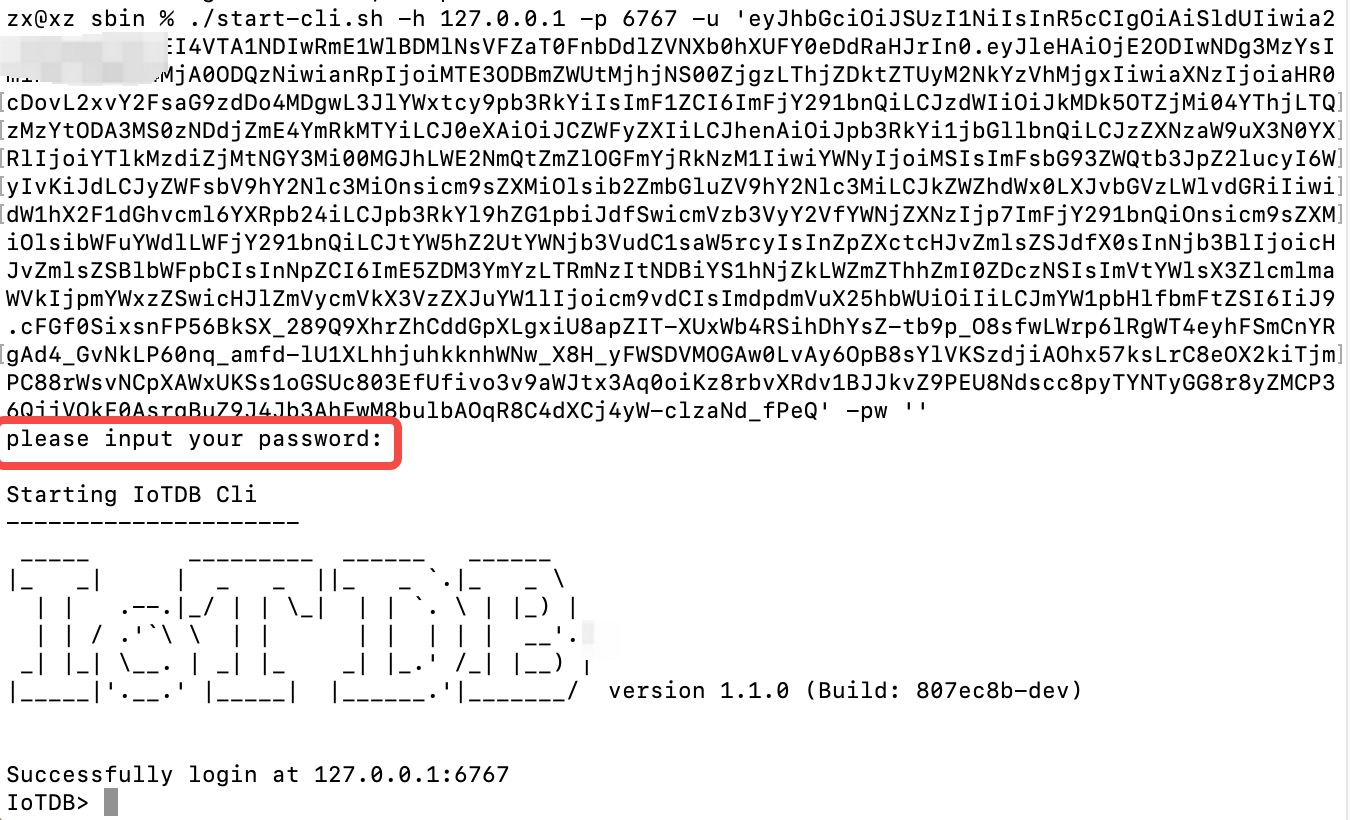
-
-
-How to get the token is dependent on your OpenID Connect setup and not covered here.
-In the simplest case you can get this via the command line with the `passwort-grant`.
-For example, if you use keycloack as OIDC and you have a realm with a client `iotdb` defined as public you could use
-the following `curl` command to fetch a token (replace all `{}` with appropriate values).
-
-```shell
-curl -X POST "https://{your-keycloack-server}/realms/{your-realm}/protocol/openid-connect/token" \
- -H "Content-Type: application/x-www-form-urlencoded" \
- -d "username={username}" \
- -d "password={password}" \
- -d 'grant_type=password' \
- -d "client_id=iotdb-client"
-```
-The response looks something like
-
-```json
-{"access_token":"eyJhbGciOiJSUzI1NiIsInR5cCIgOiAiSldUIiwia2lkIiA6ICJxMS1XbTBvelE1TzBtUUg4LVNKYXAyWmNONE1tdWNXd25RV0tZeFpKNG93In0.eyJleHAiOjE1OTAzOTgwNzEsImlhdCI6MTU5MDM5Nzc3MSwianRpIjoiNjA0ZmYxMDctN2NiNy00NTRmLWIwYmQtY2M2ZDQwMjFiNGU4IiwiaXNzIjoiaHR0cDovL2F1dGguZGVtby5wcmFnbWF0aWNpbmR1c3RyaWVzLmRlL2F1dGgvcmVhbG1zL0lvVERCIiwiYXVkIjoiYWNjb3VudCIsInN1YiI6ImJhMzJlNDcxLWM3NzItNGIzMy04ZGE2LTZmZThhY2RhMDA3MyIsInR5cCI6IkJlYXJlciIsImF6cCI6ImlvdGRiIiwic2Vzc2lvbl9zdGF0ZSI6IjA2MGQyODYyLTE0ZWQtNDJmZS1 [...]
-```
-
-The interesting part here is the access token with the key `access_token`.
-This has to be passed as username (with parameter `-u`) and empty password to the CLI.
-
-### Batch Operation of Cli
-
--e parameter is designed for the Cli/shell tool in the situation where you would like to manipulate IoTDB in batches through scripts. By using the -e parameter, you can operate IoTDB without entering the cli's input mode.
-
-In order to avoid confusion between statements and other parameters, the current version only supports the -e parameter as the last parameter.
-
-The usage of -e parameter for Cli/shell is as follows:
-
-The Linux and MacOS system commands:
-
-```shell
-Shell > bash sbin/start-cli.sh -h {host} -p {rpcPort} -u {user} -pw {password} -e {sql for iotdb}
-```
-
-The Windows system commands:
-
-```shell
-Shell > sbin\start-cli.bat -h {host} -p {rpcPort} -u {user} -pw {password} -e {sql for iotdb}
-```
-
-In the Windows environment, the SQL statement of the -e parameter needs to use ` `` ` to replace `" "`
-
-In order to better explain the use of -e parameter, take following as an example(On linux system).
-
-Suppose you want to create a database root.demo to a newly launched IoTDB, create a timeseries root.demo.s1 and insert three data points into it. With -e parameter, you could write a shell like this:
-
-```shell
-# !/bin/bash
-
-host=127.0.0.1
-rpcPort=6667
-user=root
-pass=root
-
-bash ./sbin/start-cli.sh -h ${host} -p ${rpcPort} -u ${user} -pw ${pass} -e "create database root.demo"
-bash ./sbin/start-cli.sh -h ${host} -p ${rpcPort} -u ${user} -pw ${pass} -e "create timeseries root.demo.s1 WITH DATATYPE=INT32, ENCODING=RLE"
-bash ./sbin/start-cli.sh -h ${host} -p ${rpcPort} -u ${user} -pw ${pass} -e "insert into root.demo(timestamp,s1) values(1,10)"
-bash ./sbin/start-cli.sh -h ${host} -p ${rpcPort} -u ${user} -pw ${pass} -e "insert into root.demo(timestamp,s1) values(2,11)"
-bash ./sbin/start-cli.sh -h ${host} -p ${rpcPort} -u ${user} -pw ${pass} -e "insert into root.demo(timestamp,s1) values(3,12)"
-bash ./sbin/start-cli.sh -h ${host} -p ${rpcPort} -u ${user} -pw ${pass} -e "select s1 from root.demo"
-```
-
-The results are shown in the figure, which are consistent with the Cli and jdbc operations.
-
-```shell
- Shell > bash ./shell.sh
-+-----------------------------+------------+
-| Time|root.demo.s1|
-+-----------------------------+------------+
-|1970-01-01T08:00:00.001+08:00| 10|
-|1970-01-01T08:00:00.002+08:00| 11|
-|1970-01-01T08:00:00.003+08:00| 12|
-+-----------------------------+------------+
-Total line number = 3
-It costs 0.267s
-```
-
-It should be noted that the use of the -e parameter in shell scripts requires attention to the escaping of special characters.
diff --git a/src/UserGuide/Master/Tree/stage/Data-Import-Export-Tool.md b/src/UserGuide/Master/Tree/stage/Data-Import-Export-Tool.md
deleted file mode 100644
index 84ee41b6..00000000
--- a/src/UserGuide/Master/Tree/stage/Data-Import-Export-Tool.md
+++ /dev/null
@@ -1,278 +0,0 @@
-<!--
-
- Licensed to the Apache Software Foundation (ASF) under one
- or more contributor license agreements. See the NOTICE file
- distributed with this work for additional information
- regarding copyright ownership. The ASF licenses this file
- to you under the Apache License, Version 2.0 (the
- "License"); you may not use this file except in compliance
- with the License. You may obtain a copy of the License at
-
- http://www.apache.org/licenses/LICENSE-2.0
-
- Unless required by applicable law or agreed to in writing,
- software distributed under the License is distributed on an
- "AS IS" BASIS, WITHOUT WARRANTIES OR CONDITIONS OF ANY
- KIND, either express or implied. See the License for the
- specific language governing permissions and limitations
- under the License.
-
--->
-
-# Data Import Export Script
-
-IoTDB provides data import and export scripts (tools/export-data, tools/import-data, supported in versions 1.3.2 and above; for historical versions, tools/export-csv, tools/import-csv scripts can be used, see the reference link for usage [Document](./TsFile-Import-Export-Tool.md) ), which are used to facilitate the interaction between IoTDB internal data and external files, suitable for batch operations of single files or directories.
-
-
-## Supported Data Formats
-
-- **CSV** : Plain text format for storing formatted data, which must be constructed according to the specified CSV format below.
-- **SQL** : Files containing custom SQL statements.
-
-## export-data Script (Data Export)
-
-### Command
-
-```Bash
-# Unix/OS X
->tools/export-data.sh -h <ip> -p <port> -u <username> -pw <password> -t <directory> [-tf <time-format> -datatype <true/false> -q <query command> -s <source sql file> -tfn <target file name> -lpf <int> -type <export type> -aligned <true/false>]
-
-# Windows
->tools\export-data.bat -h <ip> -p <port> -u <username> -pw <password> -t <directory> [-tf <time-format> -datatype <true/false> -q <query command> -s <source sql file> -tfn <target file name> -lpf <int> -type <export type> -aligned <true/false>]
-```
-
-Parameter Introduction:
-
-| Parameter | Definition | Required | Default |
-|:-------------|:---------------------------------------------------------------------------------------------------------------------------------------------------------------------------------------------------------------------------------------------------------------------------------------------------------------------------------------------------------------------------------------------------------------------------------------------|:------------|:-------------------------|
-| -h | Database IP address | No | 127.0.0.1 |
-| -p | Database port | No | 6667 |
-| -u | Database connection username | No | root |
-| -pw | Database connection password | No | root |
-| -t | Output path for the exported CSV or SQL file(The parameter for V1.3.2 is `-td`) | Yes | |
-| -datatype | Whether to print the corresponding data type behind the time series in the CSV file header, options are true or false | No | true |
-| -q | Directly specify the query statement to be executed in the command (currently only supports some statements, see the table below for details). <br/>Note: -q and -s parameters must be filled in one, and -q takes effect if both are filled. For detailed examples of supported SQL statements, please refer to the "SQL Statement Support Details" below. | No | |
-| -s | Specify an SQL file, which may contain one or more SQL statements. If there are multiple SQL statements, they should be separated by newlines (returns). Each SQL statement corresponds to one or more output CSV or SQL files. <br/>Note: -q and -s parameters must be filled in one, and -q takes effect if both are filled. For detailed examples of supported SQL statements, please refer to the "SQL Statement Support Details" below. | No | |
-| -type | Specify the type of exported file, options are csv or sql | No | csv |
-| -tf | Specify the time format. The time format must comply with the [ISO 8601](https://calendars.wikia.org/wiki/ISO_8601) standard or timestamp. <br/>Note: Only effective when -type is csv | No | yyyy-MM-dd HH:mm:ss.SSSz |
-| -lpf | Specify the maximum number of lines for the exported dump file(The parameter for V1.3.2 is `-linesPerFile`) | No | 10000 |
-| -timeout | Specify the timeout time for session queries in milliseconds | No | -1 |
-
-SQL Statement Support Rules:
-
-1. Only query statements are supported; non-query statements (such as metadata management, system management, etc.) are not supported. For unsupported SQL, the program will automatically skip and output an error message.
-2. In the current version of query statements, only the export of raw data is supported. If there are group by, aggregate functions, UDFs, or operational operators, they are not supported for export as SQL. When exporting raw data, please note that if exporting data from multiple devices, please use the align by device statement. Detailed examples are as follows:
-
-| | Supported for Export | Example |
-|--------------------------------------------------------|----------------------|-----------------------------------------------|
-| Raw data single device query | Supported | select * from root.s_0.d_0 |
-| Raw data multi-device query (align by device) | Supported | select * from root.** align by device |
-| Raw data multi-device query (without align by device) | Unsupported | select * from root.**<br/>select * from root.s_0.* |
-
-### Running Examples
-
-- Export all data within a certain SQL execution range to a CSV file.
-```Bash
- # Unix/OS X
- >tools/export-data.sh -t ./data/ -q 'select * from root.stock.**'
- # Windows
- >tools/export-data.bat -t ./data/ -q 'select * from root.stock.**'
- ```
-
-- Export Results
- ```Bash
- Time,root.stock.Legacy.0700HK.L1_BidPrice,root.stock.Legacy.0700HK.Type,root.stock.Legacy.0700HK.L1_BidSize,root.stock.Legacy.0700HK.Domain,root.stock.Legacy.0700HK.L1_BuyNo,root.stock.Legacy.0700HK.L1_AskPrice
- 2024-07-29T18:37:18.700+08:00,0.9666617,3.0,0.021367407654674264,-6.0,false,0.8926191
- 2024-07-29T18:37:19.701+08:00,0.3057328,3.0,0.9965377284981661,-5.0,false,0.15167356
- ```
-- All data within the scope of all SQL statements in the SQL file is exported to CSV files.
- ```Bash
- # Unix/OS X
- >tools/export-data.sh -t ./data/ -s export.sql
- # Windows
- >tools/export-data.bat -t ./data/ -s export.sql
- ```
-
-- Contents of export.sql File (Pointed to by -s Parameter)
- ```SQL
- select * from root.stock.** limit 100
- select * from root.db.** limit 100
- ```
-
-- Export Result File 1
- ```Bash
- Time,root.stock.Legacy.0700HK.L1_BidPrice,root.stock.Legacy.0700HK.Type,root.stock.Legacy.0700HK.L1_BidSize,root.stock.Legacy.0700HK.Domain,root.stock.Legacy.0700HK.L1_BuyNo,root.stock.Legacy.0700HK.L1_AskPrice
- 2024-07-29T18:37:18.700+08:00,0.9666617,3.0,0.021367407654674264,-6.0,false,0.8926191
- 2024-07-29T18:37:19.701+08:00,0.3057328,3.0,0.9965377284981661,-5.0,false,0.15167356
- ```
-
-- Export Result File 2
- ```Bash
- Time,root.db.Random.RandomBoolean
- 2024-07-22T17:16:05.820+08:00,true
- 2024-07-22T17:16:02.597+08:00,false
- ```
-- Export Data in SQL File to SQL Statements with Aligned Format
- ```Bash
- # Unix/OS X
- >tools/export-data.sh -h 127.0.0.1 -p 6667 -u root -p root -t ./data/ -s export.sql -type sql -aligned true
- # Windows
- >tools/export-data.bat -h 127.0.0.1 -p 6667 -u root -p root -t ./data/ -s export.sql -type sql -aligned true
- ```
-
-- Export Results
- ```Bash
- INSERT INTO root.stock.Legacy.0700HK(TIMESTAMP,L1_BidPrice,Type,L1_BidSize,Domain,L1_BuyNo,L1_AskPrice) ALIGNED VALUES (1722249629831,0.62308747,2.0,0.012206747854849653,-6.0,false,0.14164352);
- INSERT INTO root.stock.Legacy.0700HK(TIMESTAMP,L1_BidPrice,Type,L1_BidSize,Domain,L1_BuyNo,L1_AskPrice) ALIGNED VALUES (1722249630834,0.7520042,3.0,0.22760657101910464,-5.0,true,0.089064896);
- INSERT INTO root.stock.Legacy.0700HK(TIMESTAMP,L1_BidPrice,Type,L1_BidSize,Domain,L1_BuyNo,L1_AskPrice) ALIGNED VALUES (1722249631835,0.3981064,3.0,0.6254559288663467,-6.0,false,0.9767922);
- ```
-- Export Data in a Certain SQL Execution Range to a CSV File with Specified Time Format and Data Types
- ```Bash
- # Unix/OS X
- >tools/export-data.sh -t ./data/ -tf 'yyyy-MM-dd HH:mm:ss' -datatype true -q "select * from root.stock.**" -type csv
- # Windows
- >tools/export-data.bat -t ./data/ -tf 'yyyy-MM-dd HH:mm:ss' -datatype true -q "select * from root.stock.**" -type csv
- ```
-
-- Export Results
- ```Bash
- Time,root.stock.Legacy.0700HK.L1_BidPrice(DOUBLE),root.stock.Legacy.0700HK.Type(DOUBLE),root.stock.Legacy.0700HK.L1_BidSize(DOUBLE),root.stock.Legacy.0700HK.Domain(DOUBLE),root.stock.Legacy.0700HK.L1_BuyNo(BOOLEAN),root.stock.Legacy.0700HK.L1_AskPrice(DOUBLE)
- 2024-07-30 10:33:55,0.44574088,3.0,0.21476832811611501,-4.0,true,0.5951748
- 2024-07-30 10:33:56,0.6880933,3.0,0.6289119476165305,-5.0,false,0.114634395
- ```
-
-## import-data Script (Data Import)
-
-### Import File Examples
-
-#### CSV File Example
-
-Note that before importing CSV data, special characters need to be handled as follows:
-
-1. If the text type field contains special characters such as `,`, it should be escaped with `\`.
-2. You can import times in formats like `yyyy-MM-dd'T'HH:mm:ss`, `yyyy-MM-dd HH:mm:ss`, or `yyyy-MM-dd'T'HH:mm:ss.SSSZ`.
-3. The time column `Time` should always be in the first column.
-
-Example 1: Time Aligned, No Data Types in Header
-
-```SQL
-Time,root.test.t1.str,root.test.t2.str,root.test.t2.var
-1970-01-01T08:00:00.001+08:00,"123hello world","123\,abc",100
-1970-01-01T08:00:00.002+08:00,"123",,
-```
-
-Example 2: Time Aligned, Data Types in Header(Text type data supports double quotation marks and non double quotation marks)
-
-```SQL
-Time,root.test.t1.str(TEXT),root.test.t2.str(TEXT),root.test.t2.var(INT32)
-1970-01-01T08:00:00.001+08:00,"123hello world","123\,abc",100
-1970-01-01T08:00:00.002+08:00,123,hello world,123
-1970-01-01T08:00:00.003+08:00,"123",,
-1970-01-01T08:00:00.004+08:00,123,,12
-```
-Example 3: Device Aligned, No Data Types in Header
-
-```SQL
-Time,Device,str,var
-1970-01-01T08:00:00.001+08:00,root.test.t1,"123hello world",
-1970-01-01T08:00:00.002+08:00,root.test.t1,"123",
-1970-01-01T08:00:00.001+08:00,root.test.t2,"123\,abc",100
-```
-
-Example 4: Device Aligned, Data Types in Header (Text type data supports double quotation marks and non double quotation marks)
-
-```SQL
-Time,Device,str(TEXT),var(INT32)
-1970-01-01T08:00:00.001+08:00,root.test.t1,"123hello world",
-1970-01-01T08:00:00.002+08:00,root.test.t1,"123",
-1970-01-01T08:00:00.001+08:00,root.test.t2,"123\,abc",100
-1970-01-01T08:00:00.002+08:00,root.test.t1,hello world,123
-```
-
-#### SQL File Example
-
-> For unsupported SQL, illegal SQL, or failed SQL executions, they will be placed in the failed directory under the failed file (default to filename.failed).
-
-```SQL
-INSERT INTO root.stock.Legacy.0700HK(TIMESTAMP,L1_BidPrice,Type,L1_BidSize,Domain,L1_BuyNo,L1_AskPrice) VALUES (1721728578812,0.21911979,4.0,0.7129878488375604,-5.0,false,0.65362453);
-INSERT INTO root.stock.Legacy.0700HK(TIMESTAMP,L1_BidPrice,Type,L1_BidSize,Domain,L1_BuyNo,L1_AskPrice) VALUES (1721728579812,0.35814416,3.0,0.04674720094979623,-5.0,false,0.9365247);
-INSERT INTO root.stock.Legacy.0700HK(TIMESTAMP,L1_BidPrice,Type,L1_BidSize,Domain,L1_BuyNo,L1_AskPrice) VALUES (1721728580813,0.20012152,3.0,0.9910098187911393,-4.0,true,0.70040536);
-INSERT INTO root.stock.Legacy.0700HK(TIMESTAMP,L1_BidPrice,Type,L1_BidSize,Domain,L1_BuyNo,L1_AskPrice) VALUES (1721728581814,0.034122765,4.0,0.9313345284181858,-4.0,true,0.9945297);
-```
-
-### Command
-
-```Bash
-# Unix/OS X
->tools/import-data.sh -h <ip> -p <port> -u <username> -pw <password> -s <xxx.csv/sql> [-fd <./failedDirectory> -aligned <true/false> -batch <int> -tp <ms/ns/us> -typeInfer <boolean=text,float=double...> -lpf <int>]
-
-# Windows
->tools\import-data.bat -h <ip> -p <port> -u <username> -pw <password> -s <xxx.csv/sql> [-fd <./failedDirectory> -aligned <true/false> -batch <int> -tp <ms/ns/us> -typeInfer <boolean=text,float=double...> -lpf <int>]
-```
-
-> Although IoTDB has the ability to infer types, it is still recommended to create metadata before importing data to avoid unnecessary type conversion errors. For example:
-
-```SQL
-CREATE DATABASE root.fit.d1;
-CREATE DATABASE root.fit.d2;
-CREATE DATABASE root.fit.p;
-CREATE TIMESERIES root.fit.d1.s1 WITH DATATYPE=INT32,ENCODING=RLE;
-CREATE TIMESERIES root.fit.d1.s2 WITH DATATYPE=TEXT,ENCODING=PLAIN;
-CREATE TIMESERIES root.fit.d2.s1 WITH DATATYPE=INT32,ENCODING=RLE;
-CREATE TIMESERIES root.fit.d2.s3 WITH DATATYPE=INT32,ENCODING=RLE;
-CREATE TIMESERIES root.fit.p.s1 WITH DATATYPE=INT32,ENCODING=RLE;
-```
-
-Parameter Introduction:
-
-| Parameter | Definition [...]
-|:----------------------------------------------------------------------------|:---------------------------------------------------------------------------------------------------------------------------------------------------------------------------------------------------------------------------------------------------------------------------------------------------------------------------------------------------------------------------------------------------------------------------- [...]
-| -h | Database IP address [...]
-| -p | Database port [...]
-| -u | Database connection username [...]
-| -pw | Database connection password [...]
-| -s | Specify the data you want to import, here you can specify a file or folder. If a folder is specified, all files with the suffix CSV or SQL in the folder will be imported in bulk.(The parameter for V1.3.2 is `-f`) [...]
-| -fd | Specify the directory to store the failed SQL files. If this parameter is not specified, the failed files will be saved to the directory of the source data. <br/>Note: For unsupported SQL, illegal SQL, and failed SQL, they will be placed in the failed file in the failed directory (default file name is. failed) [...]
-| -aligned | Specify whether to use the 'aligned' interface, with options of true or false. This parameter only takes effect when the imported file is a CSV file [...]
-| -batch | Used to specify the number of points to be inserted for each batch of data (minimum value is 1, maximum value is Integer.MAX_VALUE). If the program reports' org.apache.hrift.transport ' If TTransportException: Frame size larger than protect max size is incorrect, you can adjust this parameter appropriately. [...]
-| -tp | Specify time precision, optional values include 'ms' (milliseconds),' ns' (nanoseconds), 'us' (microseconds) [...]
-| -lpf | Specify the number of lines to write data to each failed import file(The parameter for V1.3.2 is `-linesPerFailedFile`) [...]
-| -typeInfer | Used to specify type inference rules. For Example:<srcTsDataType1=dstTsDataType1,srcTsDataType2=dstTsDataType2,...>.<br/>Note: Used to specify type inference rules.`srcTsDataType` include `boolean`,`int`,`long`,`float`,`double`,`NaN`.`dstTsDataType` include `boolean`,`int`,`long`,`float`,`double`,`text`.when`srcTsDataType`is`boolean`, `dstTsDataType`can only be`boolean`or`text`.when`srcTsDataType`is`NaN`, `ds [...]
-
-### Running Examples
-
-- Import the `dump0_0.sql` data in the current data directory into the local IoTDB database.
-
-```Bash
-# Unix/OS X
->tools/import-data.sh -s ./data/dump0_0.sql
-# Windows
->tools/import-data.bat -s ./data/dump0_0.sql
-```
-
-- Import all data in the current data directory in an aligned manner into the local IoTDB database.
-
-```Bash
-# Unix/OS X
->tools/import-data.sh -s ./data/ -fd ./failed/ -aligned true
-# Windows
->tools/import-data.bat -s ./data/ -fd ./failed/ -aligned true
-```
-
-- Import the `dump0_0.csv` data in the current data directory into the local IoTDB database.
-
-```Bash
-# Unix/OS X
->tools/import-data.sh -s ./data/dump0_0.csv -fd ./failed/
-# Windows
->tools/import-data.bat -s ./data/dump0_0.csv -fd ./failed/
-```
-
-- Import the `dump0_0.csv` data in the current data directory in an aligned manner, batch import 100,000 records into the IoTDB database on the host with IP `192.168.100.1`, record failures in the current `failed` directory, and limit each file to 1,000 records.
-
-```Bash
-# Unix/OS X
->tools/import-data.sh -h 192.168.100.1 -p 6667 -u root -pw root -s ./data/dump0_0.csv -fd ./failed/ -aligned true -batch 100000 -tp ms -typeInfer boolean=text,float=double -lpf 1000
-# Windows
->tools/import-data.bat -h 192.168.100.1 -p 6667 -u root -pw root -s ./data/dump0_0.csv -fd ./failed/ -aligned true -batch 100000 -tp ms -typeInfer boolean=text,float=double -lpf 1000
-```
\ No newline at end of file
diff --git a/src/UserGuide/Master/Tree/stage/Data-Modeling/DataRegion.md b/src/UserGuide/Master/Tree/stage/Data-Modeling/DataRegion.md
deleted file mode 100644
index 99f6357d..00000000
--- a/src/UserGuide/Master/Tree/stage/Data-Modeling/DataRegion.md
+++ /dev/null
@@ -1,57 +0,0 @@
-<!--
-
- Licensed to the Apache Software Foundation (ASF) under one
- or more contributor license agreements. See the NOTICE file
- distributed with this work for additional information
- regarding copyright ownership. The ASF licenses this file
- to you under the Apache License, Version 2.0 (the
- "License"); you may not use this file except in compliance
- with the License. You may obtain a copy of the License at
-
- http://www.apache.org/licenses/LICENSE-2.0
-
- Unless required by applicable law or agreed to in writing,
- software distributed under the License is distributed on an
- "AS IS" BASIS, WITHOUT WARRANTIES OR CONDITIONS OF ANY
- KIND, either express or implied. See the License for the
- specific language governing permissions and limitations
- under the License.
-
--->
-
-# Data Region
-
-## Background
-
-The database is specified by the user display.
-Use the statement "CREATE DATABASE" to create the database.
-Each database has a corresponding StorageGroupProcessor.
-
-To ensure eventually consistency, a insert lock (exclusive lock) is used to synchronize each insert request in each database.
-So the server side parallelism of data ingestion is equal to the number of database.
-
-## Problem
-
-From background, we can infer that the parallelism of data ingestion of IoTDB is max(num of client, server side parallelism), which equals to max(num of client, num of database)
-
-The concept of database usually is related to real world entity such as factory, location, country and so on.
-The number of databases may be small which makes the parallelism of data ingestion of IoTDB insufficient. We can't jump out of this dilemma even we start hundreds of client for ingestion.
-
-## Solution
-
-Our idea is to group devices into buckets and change the granularity of synchronization from database level to device buckets level.
-
-In detail, we use hash to group different devices into buckets called data region.
-For example, one device called "root.sg.d"(assume it's database is "root.sg") is belonged to data region "root.sg.[hash("root.sg.d") mod num_of_data_region]"
-
-## Usage
-
-To use data region, you can set this config below:
-
-```
-data_region_num
-```
-
-Recommended value is [data region number] = [CPU core number] / [user-defined database number]
-
-For more information, you can refer to [this page](../Reference/DataNode-Config-Manual.md).
\ No newline at end of file
diff --git a/src/UserGuide/Master/Tree/stage/Data-Modeling/SchemaRegion-rocksdb.md b/src/UserGuide/Master/Tree/stage/Data-Modeling/SchemaRegion-rocksdb.md
deleted file mode 100644
index 2f767793..00000000
--- a/src/UserGuide/Master/Tree/stage/Data-Modeling/SchemaRegion-rocksdb.md
+++ /dev/null
@@ -1,110 +0,0 @@
-<!--
-
- Licensed to the Apache Software Foundation (ASF) under one
- or more contributor license agreements. See the NOTICE file
- distributed with this work for additional information
- regarding copyright ownership. The ASF licenses this file
- to you under the Apache License, Version 2.0 (the
- "License"); you may not use this file except in compliance
- with the License. You may obtain a copy of the License at
-
- http://www.apache.org/licenses/LICENSE-2.0
-
- Unless required by applicable law or agreed to in writing,
- software distributed under the License is distributed on an
- "AS IS" BASIS, WITHOUT WARRANTIES OR CONDITIONS OF ANY
- KIND, either express or implied. See the License for the
- specific language governing permissions and limitations
- under the License.
-
--->
-
-# Schema Region
-
-## Background
-
-When IoTDB service is started, metadata information is organized by loading log file `mlog.bin` and the results are held
-in memory for a long time. As metadata continues to grow, memory continues to grow. In order to support the controllable
-fluctuation in the massive metadata scenario, we provide a metadata storage type based on rocksDB.
-
-## Usage
-
-Firstly, you should package **schema-engine-rocksdb** by the following command:
-
-```shell
-mvn clean package -pl schema-engine-rocksdb -am -DskipTests
-```
-
-After that, you can get a **conf** directory and a **lib** directory in
-schema-engine-rocksdb/target/schema-engine-rocksdb. Copy the file in the conf directory to the conf directory of server,
-and copy the files in the lib directory to the lib directory of server.
-
-Then, open the **iotdb-system.properties** in the conf directory of server, and set the `schema_engine_mode` to
-Rocksdb_based. Restart the IoTDB, the system will use `RSchemaRegion` to manage the metadata.
-
-```
-####################
-### Schema Engine Configuration
-####################
-# Choose the mode of schema engine. The value could be Memory,PBTree and Rocksdb_based. If the provided value doesn't match any pre-defined value, Memory mode will be used as default.
-# Datatype: string
-schema_engine_mode=Rocksdb_based
-
-```
-
-When rocksdb is specified as the metadata storage type, configuration parameters of rocksDB are open to the public as file. You can modify the configuration file `schema-rocksdb.properties` to adjust parameters according to your own requirements, such as block cache. If there is no special requirement, use the default value.
-
-## Function Support
-
-The module is still being improved, and some functions are not supported at the moment. The function modules are supported as follows:
-
-| function | support |
-| :-----| ----: |
-| timeseries addition and deletion | yes |
-| query the wildcard path(* and **) | yes |
-| tag addition and deletion | yes |
-| aligned timeseries | yes |
-| wildcard node name(*) | no |
-| meta template | no |
-| tag index | no |
-| continuous query | no |
-
-
-## Appendix: Interface support
-
-The external interface, that is, the client can sense, related SQL is not supported;
-
-The internal interface, that is, the invocation logic of other modules within the service, has no direct dependence on the external SQL;
-
-| interface | type | support | comment |
-| :-----| ----: | :----: | :----: |
-| createTimeseries | external | yes | |
-| createAlignedTimeSeries | external | yes | |
-| showTimeseries | external | part of the support | not support LATEST |
-| changeAlias | external | yes | |
-| upsertTagsAndAttributes | external | yes | |
-| addAttributes | external | yes | |
-| addTags | external | yes | |
-| dropTagsOrAttributes | external | yes | |
-| setTagsOrAttributesValue | external | yes | |
-| renameTagOrAttributeKey | external | yes | |
-| *template | external | no | |
-| *trigger | external | no | |
-| deleteSchemaRegion | internal | yes | |
-| autoCreateDeviceMNode | internal | no | |
-| isPathExist | internal | yes | |
-| getAllTimeseriesCount | internal | yes | |
-| getDevicesNum | internal | yes | |
-| getNodesCountInGivenLevel | internal | conditional support | path does not support wildcard |
-| getMeasurementCountGroupByLevel | internal | yes | |
-| getNodesListInGivenLevel | internal | conditional support | path does not support wildcard |
-| getChildNodePathInNextLevel | internal | conditional support | path does not support wildcard |
-| getChildNodeNameInNextLevel | internal | conditional support | path does not support wildcard |
-| getBelongedDevices | internal | yes | |
-| getMatchedDevices | internal | yes | |
-| getMeasurementPaths | internal | yes | |
-| getMeasurementPathsWithAlias | internal | yes | |
-| getAllMeasurementByDevicePath | internal | yes | |
-| getDeviceNode | internal | yes | |
-| getMeasurementMNodes | internal | yes | |
-| getSeriesSchemasAndReadLockDevice | internal | yes | |
\ No newline at end of file
diff --git a/src/UserGuide/Master/Tree/stage/Deadband-Process.md b/src/UserGuide/Master/Tree/stage/Deadband-Process.md
deleted file mode 100644
index 115afbe2..00000000
--- a/src/UserGuide/Master/Tree/stage/Deadband-Process.md
+++ /dev/null
@@ -1,113 +0,0 @@
-<!--
-
- Licensed to the Apache Software Foundation (ASF) under one
- or more contributor license agreements. See the NOTICE file
- distributed with this work for additional information
- regarding copyright ownership. The ASF licenses this file
- to you under the Apache License, Version 2.0 (the
- "License"); you may not use this file except in compliance
- with the License. You may obtain a copy of the License at
-
- http://www.apache.org/licenses/LICENSE-2.0
-
- Unless required by applicable law or agreed to in writing,
- software distributed under the License is distributed on an
- "AS IS" BASIS, WITHOUT WARRANTIES OR CONDITIONS OF ANY
- KIND, either express or implied. See the License for the
- specific language governing permissions and limitations
- under the License.
-
--->
-
-# Deadband Process
-
-## SDT
-
-The Swinging Door Trending (SDT) algorithm is a deadband process algorithm.
-SDT has low computational complexity and uses a linear trend to represent a quantity of data.
-
-In IoTDB SDT compresses and discards data when flushing into the disk.
-
-IoTDB allows you to specify the properties of SDT when creating a time series, and supports three properties:
-
-* CompDev (Compression Deviation)
-
-CompDev is the most important parameter in SDT that represents the maximum difference between the
-current sample and the current linear trend. CompDev needs to be greater than 0 to perform compression.
-
-* CompMinTime (Compression Minimum Time Interval)
-
-CompMinTime is a parameter measures the time distance between two stored data points, which is used for noisy reduction.
-If the time interval between the current point and the last stored point is less than or equal to its value,
-current point will NOT be stored regardless of compression deviation.
-The default value is 0 with time unit ms.
-
-* CompMaxTime (Compression Maximum Time Interval)
-
-CompMaxTime is a parameter measure the time distance between two stored data points.
-If the time interval between the current point and the last stored point is greater than or equal to its value,
-current point will be stored regardless of compression deviation.
-The default value is 9,223,372,036,854,775,807 with time unit ms.
-
-The specified syntax for SDT is detailed in [Create Timeseries Statement](../Reference/SQL-Reference.md).
-
-Supported datatypes:
-
-* INT32 (Integer)
-* INT64 (Long Integer)
-* FLOAT (Single Precision Floating Point)
-* DOUBLE (Double Precision Floating Point)
-
-The following is an example of using SDT compression.
-
-```
-IoTDB> CREATE TIMESERIES root.sg1.d0.s0 WITH DATATYPE=INT32,ENCODING=PLAIN,DEADBAND=SDT,COMPDEV=2
-```
-
-Prior to flushing and SDT compression, the results are shown below:
-
-```
-IoTDB> SELECT s0 FROM root.sg1.d0
-+-----------------------------+--------------+
-| Time|root.sg1.d0.s0|
-+-----------------------------+--------------+
-|2017-11-01T00:06:00.001+08:00| 1|
-|2017-11-01T00:06:00.002+08:00| 1|
-|2017-11-01T00:06:00.003+08:00| 1|
-|2017-11-01T00:06:00.004+08:00| 1|
-|2017-11-01T00:06:00.005+08:00| 1|
-|2017-11-01T00:06:00.006+08:00| 1|
-|2017-11-01T00:06:00.007+08:00| 1|
-|2017-11-01T00:06:00.015+08:00| 10|
-|2017-11-01T00:06:00.016+08:00| 20|
-|2017-11-01T00:06:00.017+08:00| 1|
-|2017-11-01T00:06:00.018+08:00| 30|
-+-----------------------------+--------------+
-Total line number = 11
-It costs 0.008s
-```
-
-After flushing and SDT compression, the results are shown below:
-
-```
-IoTDB> FLUSH
-IoTDB> SELECT s0 FROM root.sg1.d0
-+-----------------------------+--------------+
-| Time|root.sg1.d0.s0|
-+-----------------------------+--------------+
-|2017-11-01T00:06:00.001+08:00| 1|
-|2017-11-01T00:06:00.007+08:00| 1|
-|2017-11-01T00:06:00.015+08:00| 10|
-|2017-11-01T00:06:00.016+08:00| 20|
-|2017-11-01T00:06:00.017+08:00| 1|
-+-----------------------------+--------------+
-Total line number = 5
-It costs 0.044s
-```
-
-SDT takes effect when flushing to the disk. The SDT algorithm always stores the first point and does not store the last point.
-
-The data in [2017-11-01T00:06:00.001, 2017-11-01T00:06:00.007] is within the compression deviation thus discarded.
-The data point at time 2017-11-01T00:06:00.007 is stored because the next data point at time 2017-11-01T00:06:00.015
-exceeds compression deviation. When a data point exceeds the compression deviation, SDT stores the last read
-point and updates the upper and lower boundaries. The last point at time 2017-11-01T00:06:00.018 is not stored.
diff --git a/src/UserGuide/Master/Tree/stage/Delete-Data/Delete-Data.md b/src/UserGuide/Master/Tree/stage/Delete-Data/Delete-Data.md
deleted file mode 100644
index 1e4a367d..00000000
--- a/src/UserGuide/Master/Tree/stage/Delete-Data/Delete-Data.md
+++ /dev/null
@@ -1,98 +0,0 @@
-<!--
-
- Licensed to the Apache Software Foundation (ASF) under one
- or more contributor license agreements. See the NOTICE file
- distributed with this work for additional information
- regarding copyright ownership. The ASF licenses this file
- to you under the Apache License, Version 2.0 (the
- "License"); you may not use this file except in compliance
- with the License. You may obtain a copy of the License at
-
- http://www.apache.org/licenses/LICENSE-2.0
-
- Unless required by applicable law or agreed to in writing,
- software distributed under the License is distributed on an
- "AS IS" BASIS, WITHOUT WARRANTIES OR CONDITIONS OF ANY
- KIND, either express or implied. See the License for the
- specific language governing permissions and limitations
- under the License.
-
--->
-
-# DELETE
-
-Users can delete data that meet the deletion condition in the specified timeseries by using the [DELETE statement](../Reference/SQL-Reference.md). When deleting data, users can select one or more timeseries paths, prefix paths, or paths with star to delete data within a certain time interval.
-
-In a JAVA programming environment, you can use the [Java JDBC](../API/Programming-JDBC.md) to execute single or batch UPDATE statements.
-
-## Delete Single Timeseries
-Taking ln Group as an example, there exists such a usage scenario:
-
-The wf02 plant's wt02 device has many segments of errors in its power supply status before 2017-11-01 16:26:00, and the data cannot be analyzed correctly. The erroneous data affected the correlation analysis with other devices. At this point, the data before this time point needs to be deleted. The SQL statement for this operation is
-
-```sql
-delete from root.ln.wf02.wt02.status where time<=2017-11-01T16:26:00;
-```
-
-In case we hope to merely delete the data before 2017-11-01 16:26:00 in the year of 2017, The SQL statement is:
-```sql
-delete from root.ln.wf02.wt02.status where time>=2017-01-01T00:00:00 and time<=2017-11-01T16:26:00;
-```
-
-IoTDB supports to delete a range of timeseries points. Users can write SQL expressions as follows to specify the delete interval:
-
-```sql
-delete from root.ln.wf02.wt02.status where time < 10
-delete from root.ln.wf02.wt02.status where time <= 10
-delete from root.ln.wf02.wt02.status where time < 20 and time > 10
-delete from root.ln.wf02.wt02.status where time <= 20 and time >= 10
-delete from root.ln.wf02.wt02.status where time > 20
-delete from root.ln.wf02.wt02.status where time >= 20
-delete from root.ln.wf02.wt02.status where time = 20
-```
-
-Please pay attention that multiple intervals connected by "OR" expression are not supported in delete statement:
-
-```
-delete from root.ln.wf02.wt02.status where time > 4 or time < 0
-Msg: 303: Check metadata error: For delete statement, where clause can only contain atomic
-expressions like : time > XXX, time <= XXX, or two atomic expressions connected by 'AND'
-```
-
-If no "where" clause specified in a delete statement, all the data in a timeseries will be deleted.
-
-```sql
-delete from root.ln.wf02.wt02.status
-```
-
-
-## Delete Multiple Timeseries
-If both the power supply status and hardware version of the ln group wf02 plant wt02 device before 2017-11-01 16:26:00 need to be deleted, [the prefix path with broader meaning or the path with star](../Basic-Concept/Data-Model-and-Terminology.md) can be used to delete the data. The SQL statement for this operation is:
-
-```sql
-delete from root.ln.wf02.wt02 where time <= 2017-11-01T16:26:00;
-```
-or
-
-```sql
-delete from root.ln.wf02.wt02.* where time <= 2017-11-01T16:26:00;
-```
-It should be noted that when the deleted path does not exist, IoTDB will not prompt that the path does not exist, but that the execution is successful, because SQL is a declarative programming method. Unless it is a syntax error, insufficient permissions and so on, it is not considered an error, as shown below:
-```
-IoTDB> delete from root.ln.wf03.wt02.status where time < now()
-Msg: The statement is executed successfully.
-```
-
-## Delete Time Partition (experimental)
-You may delete all data in a time partition of a database using the following grammar:
-
-```sql
-DELETE PARTITION root.ln 0,1,2
-```
-
-The `0,1,2` above is the id of the partition that is to be deleted, you can find it from the IoTDB
-data folders or convert a timestamp manually to an id using `timestamp / partitionInterval
-` (flooring), and the `partitionInterval` should be in your config (if time-partitioning is
-supported in your version).
-
-Please notice that this function is experimental and mainly for development, please use it with care.
diff --git a/src/UserGuide/Master/Tree/stage/Delete-Data/TTL.md b/src/UserGuide/Master/Tree/stage/Delete-Data/TTL.md
deleted file mode 100644
index d539a87c..00000000
--- a/src/UserGuide/Master/Tree/stage/Delete-Data/TTL.md
+++ /dev/null
@@ -1,132 +0,0 @@
-<!--
-
- Licensed to the Apache Software Foundation (ASF) under one
- or more contributor license agreements. See the NOTICE file
- distributed with this work for additional information
- regarding copyright ownership. The ASF licenses this file
- to you under the Apache License, Version 2.0 (the
- "License"); you may not use this file except in compliance
- with the License. You may obtain a copy of the License at
-
- http://www.apache.org/licenses/LICENSE-2.0
-
- Unless required by applicable law or agreed to in writing,
- software distributed under the License is distributed on an
- "AS IS" BASIS, WITHOUT WARRANTIES OR CONDITIONS OF ANY
- KIND, either express or implied. See the License for the
- specific language governing permissions and limitations
- under the License.
-
--->
-
-# TTL
-
-IoTDB supports device-level TTL settings, which means it is able to delete old data automatically and periodically. The benefit of using TTL is that hopefully you can control the total disk space usage and prevent the machine from running out of disks. Moreover, the query performance may downgrade as the total number of files goes up and the memory usage also increases as there are more files. Timely removing such files helps to keep at a high query performance level and reduce memory usage.
-
-The default unit of TTL is milliseconds. If the time precision in the configuration file changes to another, the TTL is still set to milliseconds.
-
-When setting TTL, the system will look for all devices included in the set path and set TTL for these devices. The system will delete expired data at the device granularity.
-After the device data expires, it will not be queryable. The data in the disk file cannot be guaranteed to be deleted immediately, but it can be guaranteed to be deleted eventually.
-However, due to operational costs, the expired data will not be physically deleted right after expiring. The physical deletion is delayed until compaction.
-Therefore, before the data is physically deleted, if the TTL is reduced or lifted, it may cause data that was previously invisible due to TTL to reappear.
-The system can only set up to 1000 TTL rules, and when this limit is reached, some TTL rules need to be deleted before new rules can be set.
-
-## TTL Path Rule
-The path can only be prefix paths (i.e., the path cannot contain \* , except \*\* in the last level).
-This path will match devices and also allows users to specify paths without asterisks as specific databases or devices.
-When the path does not contain asterisks, the system will check if it matches a database; if it matches a database, both the path and path.\*\* will be set at the same time. Note: Device TTL settings do not verify the existence of metadata, i.e., it is allowed to set TTL for a non-existent device.
-```
-qualified paths:
-root.**
-root.db.**
-root.db.group1.**
-root.db
-root.db.group1.d1
-
-unqualified paths:
-root.*.db
-root.**.db.*
-root.db.*
-```
-## TTL Applicable Rules
-When a device is subject to multiple TTL rules, the more precise and longer rules are prioritized. For example, for the device "root.bj.hd.dist001.turbine001", the rule "root.bj.hd.dist001.turbine001" takes precedence over "root.bj.hd.dist001.\*\*", and the rule "root.bj.hd.dist001.\*\*" takes precedence over "root.bj.hd.**".
-## Set TTL
-The set ttl operation can be understood as setting a TTL rule, for example, setting ttl to root.sg.group1.** is equivalent to mounting ttl for all devices that can match this path pattern.
-The unset ttl operation indicates unmounting TTL for the corresponding path pattern; if there is no corresponding TTL, nothing will be done.
-If you want to set TTL to be infinitely large, you can use the INF keyword.
-The SQL Statement for setting TTL is as follow:
-```
-set ttl to pathPattern 360000;
-```
-Set the Time to Live (TTL) to a pathPattern of 360,000 milliseconds; the pathPattern should not contain a wildcard (\*) in the middle and must end with a double asterisk (\*\*). The pathPattern is used to match corresponding devices.
-To maintain compatibility with older SQL syntax, if the user-provided pathPattern matches a database (db), the path pattern is automatically expanded to include all sub-paths denoted by path.\*\*.
-For instance, writing "set ttl to root.sg 360000" will automatically be transformed into "set ttl to root.sg.\*\* 360000", which sets the TTL for all devices under root.sg. However, if the specified pathPattern does not match a database, the aforementioned logic will not apply. For example, writing "set ttl to root.sg.group 360000" will not be expanded to "root.sg.group.\*\*" since root.sg.group does not match a database.
-It is also permissible to specify a particular device without a wildcard (*).
-## Unset TTL
-
-To unset TTL, we can use follwing SQL statement:
-
-```
-IoTDB> unset ttl from root.ln
-```
-
-After unset TTL, all data will be accepted in `root.ln`.
-```
-IoTDB> unset ttl from root.sgcc.**
-```
-
-Unset the TTL in the `root.sgcc` path.
-
-New syntax
-```
-IoTDB> unset ttl from root.**
-```
-
-Old syntax
-```
-IoTDB> unset ttl to root.**
-```
-There is no functional difference between the old and new syntax, and they are compatible with each other.
-The new syntax is just more conventional in terms of wording.
-
-Unset the TTL setting for all path pattern.
-
-## Show TTL
-
-To Show TTL, we can use following SQL statement:
-
-show all ttl
-
-```
-IoTDB> SHOW ALL TTL
-+--------------+--------+
-| path| TTL|
-| root.**|55555555|
-| root.sg2.a.**|44440000|
-+--------------+--------+
-```
-
-show ttl on pathPattern
-```
-IoTDB> SHOW TTL ON root.db.**;
-+--------------+--------+
-| path| TTL|
-| root.db.**|55555555|
-| root.db.a.**|44440000|
-+--------------+--------+
-```
-
-The SHOW ALL TTL example gives the TTL for all path patterns.
-The SHOW TTL ON pathPattern shows the TTL for the path pattern specified.
-
-Display devices' ttl
-```
-IoTDB> show devices
-+---------------+---------+---------+
-| Device|IsAligned| TTL|
-+---------------+---------+---------+
-|root.sg.device1| false| 36000000|
-|root.sg.device2| true| INF|
-+---------------+---------+---------+
-```
-All devices will definitely have a TTL, meaning it cannot be null. INF represents infinity.
\ No newline at end of file
diff --git a/src/UserGuide/Master/Tree/stage/Deployment-Recommendation.md b/src/UserGuide/Master/Tree/stage/Deployment-Recommendation.md
deleted file mode 100644
index 5fd59f93..00000000
--- a/src/UserGuide/Master/Tree/stage/Deployment-Recommendation.md
+++ /dev/null
@@ -1,182 +0,0 @@
-<!--
-
- Licensed to the Apache Software Foundation (ASF) under one
- or more contributor license agreements. See the NOTICE file
- distributed with this work for additional information
- regarding copyright ownership. The ASF licenses this file
- to you under the Apache License, Version 2.0 (the
- "License"); you may not use this file except in compliance
- with the License. You may obtain a copy of the License at
-
- http://www.apache.org/licenses/LICENSE-2.0
-
- Unless required by applicable law or agreed to in writing,
- software distributed under the License is distributed on an
- "AS IS" BASIS, WITHOUT WARRANTIES OR CONDITIONS OF ANY
- KIND, either express or implied. See the License for the
- specific language governing permissions and limitations
- under the License.
-
--->
-
-# IoTDB Deployment Recommendation
-## Backgrounds
-
-System Abilities
-- Performance: writing and reading performance, compression ratio
-- Extensibility: system has the ability to manage data with multiple nodes, and is essentially that data can be managed by partitions
-- High availability(HA): system has the ability to tolerate the nodes disconnected, and is essentially that the data has replicas
-- Consistency:when data is with multiple copies, whether the replicas are consistent, and is essentially that the system treats the whole database as a single node
-
-Abbreviations
-- C: ConfigNode
-- D: DataNode
-- nCmD:cluster with n ConfigNodes and m DataNodes
-
-## Deployment mode
-
-| mode | Performance | Extensibility | HA | Consistency |
-|:---------------------------------------:|:---------------|:--------------|:-------|:------------|
-| Lightweight standalone mode | Extremely High | None | None | High |
-| Scalable standalone mode (default) | High | High | Medium | High |
-| High performance cluster mode | High | High | High | Medium |
-| Strong consistency cluster mode | Medium | High | High | High |
-
-
-| Config | Lightweight standalone mode | Scalable single node mode | High performance mode | strong consistency cluster mode |
-|:--------------------------------------:|:----------------------------|:--------------------------|:----------------------|:--------------------------------|
-| ConfigNode number | 1 | ≥1 (odd number) | ≥1 (odd number) | ≥1 (odd number) |
-| DataNode number | 1 | ≥1 | ≥3 | ≥3 |
-| schema_replication_factor | 1 | 1 | 3 | 3 |
-| data_replication_factor | 1 | 1 | 2 | 3 |
-| config_node_consensus_protocol_class | Simple | Ratis | Ratis | Ratis |
-| schema_region_consensus_protocol_class | Simple | Ratis | Ratis | Ratis |
-| data_region_consensus_protocol_class | Simple | IoT | IoT | Ratis |
-
-
-## Deployment Recommendation
-
-### Upgrade from v0.13 to v1.0
-
-Scenario:
-Already has some data under v0.13, hope to upgrade to v1.0.
-
-Options:
-1. Upgrade to 1C1D standalone mode, allocate 2GB memory to ConfigNode, allocate same memory size with v0.13 to DataNode.
-2. Upgrade to 3C3D cluster mode, allocate 2GB memory to ConfigNode, allocate same memory size with v0.13 to DataNode.
-
-Configuration modification:
-
-- Do not point v1.0 data directory to v0.13 data directory
-- region_group_extension_strategy=COSTOM
-- data_region_group_per_database
- - for 3C3D cluster mode: Cluster CPU total core num / data_replication_factor
- - for 1C1D standalone mode: use virtual_storage_group_num in v0.13
-
-Data migration:
-After modifying the configuration, use load-tsfile tool to load the TsFiles of v0.13 to v1.0.
-
-### Use v1.0 directly
-
-**Recommend to use 1 Database only**
-
-#### Memory estimation
-
-##### Use active series number to estimate memory size
-
-Cluster DataNode total heap size(GB) = active series number / 100000 * data_replication_factor
-
-Heap size of each DataNode (GB) = Cluster DataNode total heap size / DataNode number
-
-> Example: use 3C3D to manage 1 million timeseries, use 3 data replicas
-> - Cluster DataNode total heap size: 1,000,000 / 100,000 * 3 = 30G
-> - 每Heap size of each DataNode: 30 / 3 = 10G
-
-##### Use total series number to estimate memory size
-
-Cluster DataNode total heap size(B) = 20 * (180 + 2 * average character num of the series full path) * total series number * schema_replication_factor
-
-Heap size of each DataNode = Cluster DataNode total heap size / DataNode number
-
-> Example: use 3C3D to manage 1 million timeseries, use 3 schema replicas, series name such as root.sg_1.d_10.s_100(20 chars)
-> - Cluster DataNode total heap size: 20 * (180 + 2 * 20) * 1,000,000 * 3 = 13.2 GB
-> - Heap size of each DataNode: 13.2 GB / 3 = 4.4 GB
-
-#### Disk estimation
-
-IoTDB storage size = data storage size + schema storage size + temp storage size
-
-##### Data storage size
-
-Series number * Sampling frequency * Data point size * Storage duration * data_replication_factor / 10 (compression ratio)
-
-| Data Type \ Data point size | Timestamp (Byte) | Value (Byte) | Total (Byte) |
-|:---------------------------:|:-----------------|:-------------|:-------------|
-| Boolean | 8 | 1 | 9 |
-| INT32 / FLOAT | 8 | 4 | 12 |
-| INT64)/ DOUBLE | 8 | 8 | 16 |
-| TEXT | 8 | Assuming a | 8+a |
-
-
-> Example: 1000 devices, 100 sensors for one device, 100,000 series total, INT32 data type, 1Hz sampling frequency, 1 year storage duration, 3 replicas, compression ratio is 10
-> Data storage size = 1000 * 100 * 12 * 86400 * 365 * 3 / 10 = 11T
-
-##### Schema storage size
-
-One series uses the path character byte size + 20 bytes.
-If the series has tag, add the tag character byte size.
-
-##### Temp storage size
-
-Temp storage size = WAL storage size + Consensus storage size + Compaction temp storage size
-
-1. WAL
-
-max wal storage size = memtable memory size ÷ wal_min_effective_info_ratio
-- memtable memory size is decided by datanode_memory_proportion, storage_engine_memory_proportion and write_memory_proportion
-- wal_min_effective_info_ratio is decided by wal_min_effective_info_ratio configuration
-
-> Example: allocate 16G memory for DataNode, config is as below:
-> datanode_memory_proportion=3:3:1:1:1:1
-> storage_engine_memory_proportion=8:2
-> write_memory_proportion=19:1
-> wal_min_effective_info_ratio=0.1
-> max wal storage size = 16 * (3 / 10) * (8 / 10) * (19 / 20) ÷ 0.1 = 36.48G
-
-2. Consensus
-
-Ratis consensus
-
-When using ratis consensus protocol, we need extra storage for Raft Log, which will be deleted after the state machine takes snapshot.
-We can adjust `trigger_snapshot_threshold` to control the maximum Raft Log disk usage.
-
-
-Raft Log disk size in each Region = average * trigger_snapshot_threshold
-
-The total Raft Log storage space is proportional to the data replica number
-
-> Example: DataRegion, 20kB data for one request, data_region_trigger_snapshot_threshold = 400,000, then max Raft Log disk size = 20K * 400,000 = 8G.
-Raft Log increases from 0 to 8GB, and then turns to 0 after snapshot. Average size will be 4GB.
-When replica number is 3, max Raft log size will be 3 * 8G = 24G.
-
-What's more, we can configure data_region_ratis_log_max_size to limit max log size of a single DataRegion.
-By default, data_region_ratis_log_max_size=20G, which guarantees that Raft Log size would not exceed 20G.
-
-3. Compaction
-
-- Inner space compaction
- Disk space for temporary files = Total Disk space of origin files
-
- > Example: 10 origin files, 100MB for each file
- > Disk space for temporary files = 10 * 100 = 1000M
-
-
-- Outer space compaction
- The overlap of out-of-order data = overlapped data amount / total out-of-order data amount
-
- Disk space for temporary file = Total ordered Disk space of origin files + Total out-of-order disk space of origin files *(1 - overlap)
- > Example: 10 ordered files, 10 out-of-order files, 100M for each ordered file, 50M for each out-of-order file, half of data is overlapped with sequence file
- > The overlap of out-of-order data = 25M/50M * 100% = 50%
- > Disk space for temporary files = 10 * 100 + 10 * 50 * 50% = 1250M
-
-
diff --git a/src/UserGuide/Master/Tree/stage/Docker-Install.md b/src/UserGuide/Master/Tree/stage/Docker-Install.md
deleted file mode 100644
index 421d8497..00000000
--- a/src/UserGuide/Master/Tree/stage/Docker-Install.md
+++ /dev/null
@@ -1,187 +0,0 @@
-<!--
-
- Licensed to the Apache Software Foundation (ASF) under one
- or more contributor license agreements. See the NOTICE file
- distributed with this work for additional information
- regarding copyright ownership. The ASF licenses this file
- to you under the Apache License, Version 2.0 (the
- "License"); you may not use this file except in compliance
- with the License. You may obtain a copy of the License at
-
- http://www.apache.org/licenses/LICENSE-2.0
-
- Unless required by applicable law or agreed to in writing,
- software distributed under the License is distributed on an
- "AS IS" BASIS, WITHOUT WARRANTIES OR CONDITIONS OF ANY
- KIND, either express or implied. See the License for the
- specific language governing permissions and limitations
- under the License.
-
--->
-
-# Installation by Docker
-
-Apache IoTDB' Docker image is released on [https://hub.docker.com/r/apache/iotdb](https://hub.docker.com/r/apache/iotdb)
-Add environments of docker to update the configurations of Apache IoTDB.
-
-## Have a try
-
-```shell
-# get IoTDB official image
-docker pull apache/iotdb:1.3.0-standalone
-# create docker bridge network
-docker network create --driver=bridge --subnet=172.18.0.0/16 --gateway=172.18.0.1 iotdb
-# create docker container
-docker run -d --name iotdb-service \
- --hostname iotdb-service \
- --network iotdb \
- --ip 172.18.0.6 \
- -p 6667:6667 \
- -e cn_internal_address=iotdb-service \
- -e cn_seed_config_node=iotdb-service:10710 \
- -e cn_internal_port=10710 \
- -e cn_consensus_port=10720 \
- -e dn_rpc_address=iotdb-service \
- -e dn_internal_address=iotdb-service \
- -e dn_seed_config_node=iotdb-service:10710 \
- -e dn_mpp_data_exchange_port=10740 \
- -e dn_schema_region_consensus_port=10750 \
- -e dn_data_region_consensus_port=10760 \
- -e dn_rpc_port=6667 \
- apache/iotdb:1.3.0-standalone
-# execute SQL
-docker exec -ti iotdb-service /iotdb/sbin/start-cli.sh -h iotdb-service
-```
-
-External access:
-
-```shell
-# <IP Address/hostname> is the real IP or domain address rather than the one in docker network, could be 127.0.0.1 within the computer.
-$IOTDB_HOME/sbin/start-cli.sh -h <IP Address/hostname> -p 6667
-```
-
-Notice:The confignode service would fail when restarting this container if the IP Adress of the container has been changed.
-
-```yaml
-# docker-compose-standalone.yml
-version: "3"
-services:
- iotdb-service:
... 443920 lines suppressed ...